AbuseIPDB MCP サーバー
AbuseIPDB API と統合するための Model Context Protocol (MCP) サーバーです。AI アシスタントから直接、IP の不正利用レポートを照会したり、新しいレポートを送信したりできます。


📦 インストール: uvx mcp-abuseipdb · pip install mcp-abuseipdb · PyPI
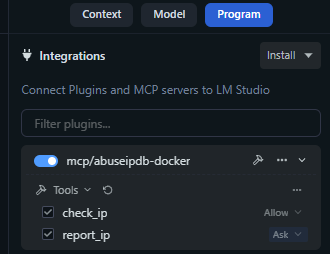
機能
🔍 IP チェック — あらゆる IPv4/IPv6 アドレスについて、詳細な不正利用レポートを AbuseIPDB に照会します
🚨 IP 報告 — 悪意のある IP アドレスの不正利用レポートを送信します
🚀 uvx でインストール不要 — uvx mcp-abuseipdb で即座に実行可能、セットアップ不要
🌐 複数のトランスポート — Stdio (デフォルト) および Streamable HTTP (MCP 仕様 2025-03-26)
📦 PyPI パッケージ — pip install mcp-abuseipdb でインストール可能
🐳 Docker 対応 — Alpine ベースの軽量コンテナ
⚡ Async/Await — 高パフォーマンスな非同期操作
🗂️ 完全なカテゴリ — 1〜23の全カテゴリを人間が読みやすい名前でマッピング
🔄 レート制限の処理 — 429 レスポンス時の自動再試行情報
✅ 入力バリデーション — 堅牢な IPv4/IPv6 およびパラメータのバリデーション
🧹 クリーンな出力 — MCP クライアント向けに最適化された読みやすいテキスト出力
Related MCP server: Threat Intelligence MCP Server
クイックスタート
uvx を使用する場合 (推奨)
最も高速な方法 — クローンもインストールも仮想環境も不要です:
# Run directly (stdio transport)
ABUSEIPDB_API_KEY="your_api_key_here" uvx mcp-abuseipdb

# With HTTP transport
ABUSEIPDB_API_KEY="your_api_key_here" uvx mcp-abuseipdb --transport http --port 8000
前提条件: uv がインストールされている必要があります。
インストール: pip install uv · curl -LsSf https://astral.sh/uv/install.sh | sh · Windows
pip を使用する場合
pip install mcp-abuseipdb

export ABUSEIPDB_API_KEY="your_api_key_here"
mcp-abuseipdb
Docker を使用する場合
docker build -t abuseipdb-mcp .
docker run -it --rm -e ABUSEIPDB_API_KEY="your_api_key_here" abuseipdb-mcp
ライブデモ
IP レピュテーションチェックと高度な分析
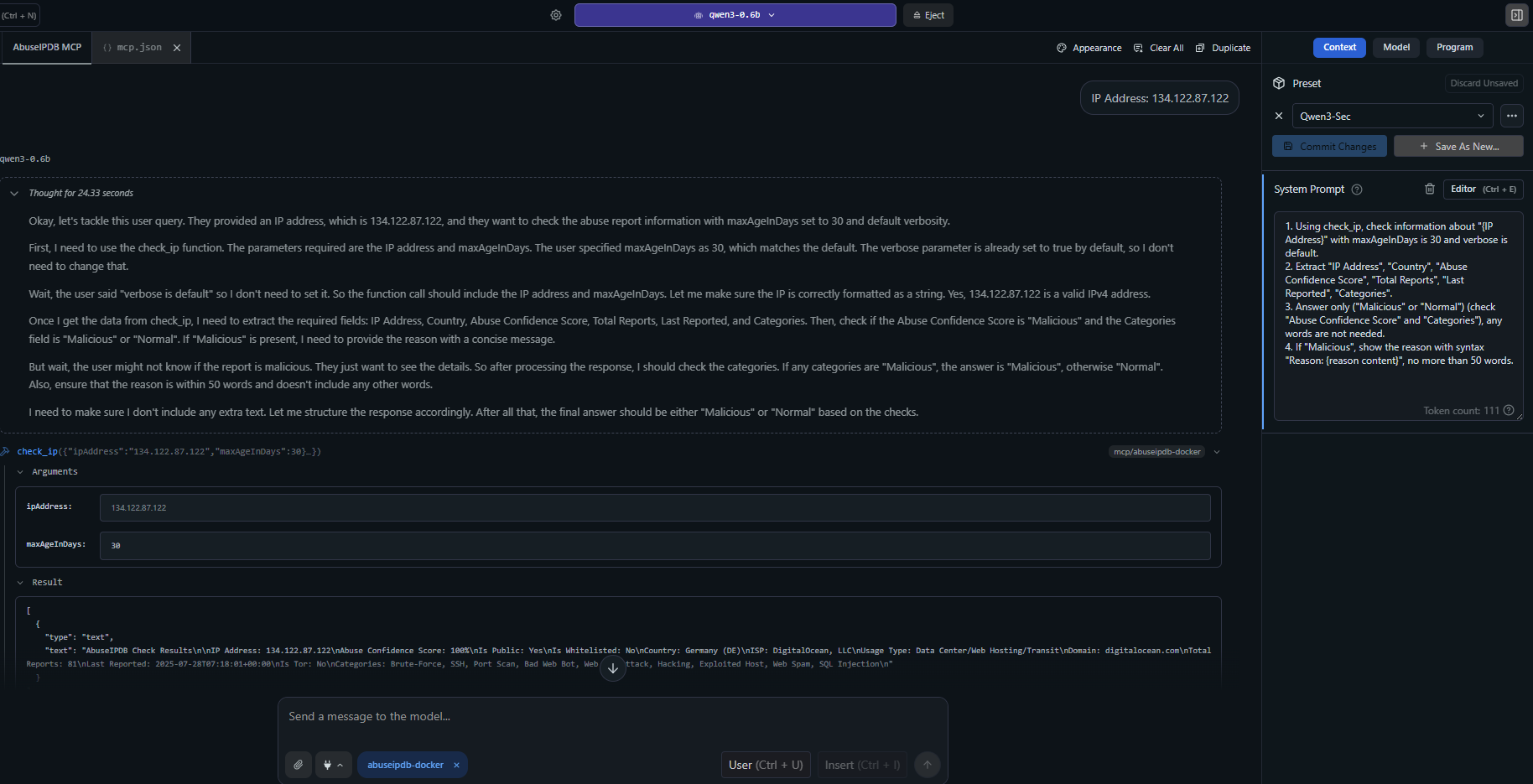
例: check_ip が、包括的な不正利用レポート、カテゴリ、地理情報、脅威インテリジェンスを使用して不審な IP アドレスを分析している様子。
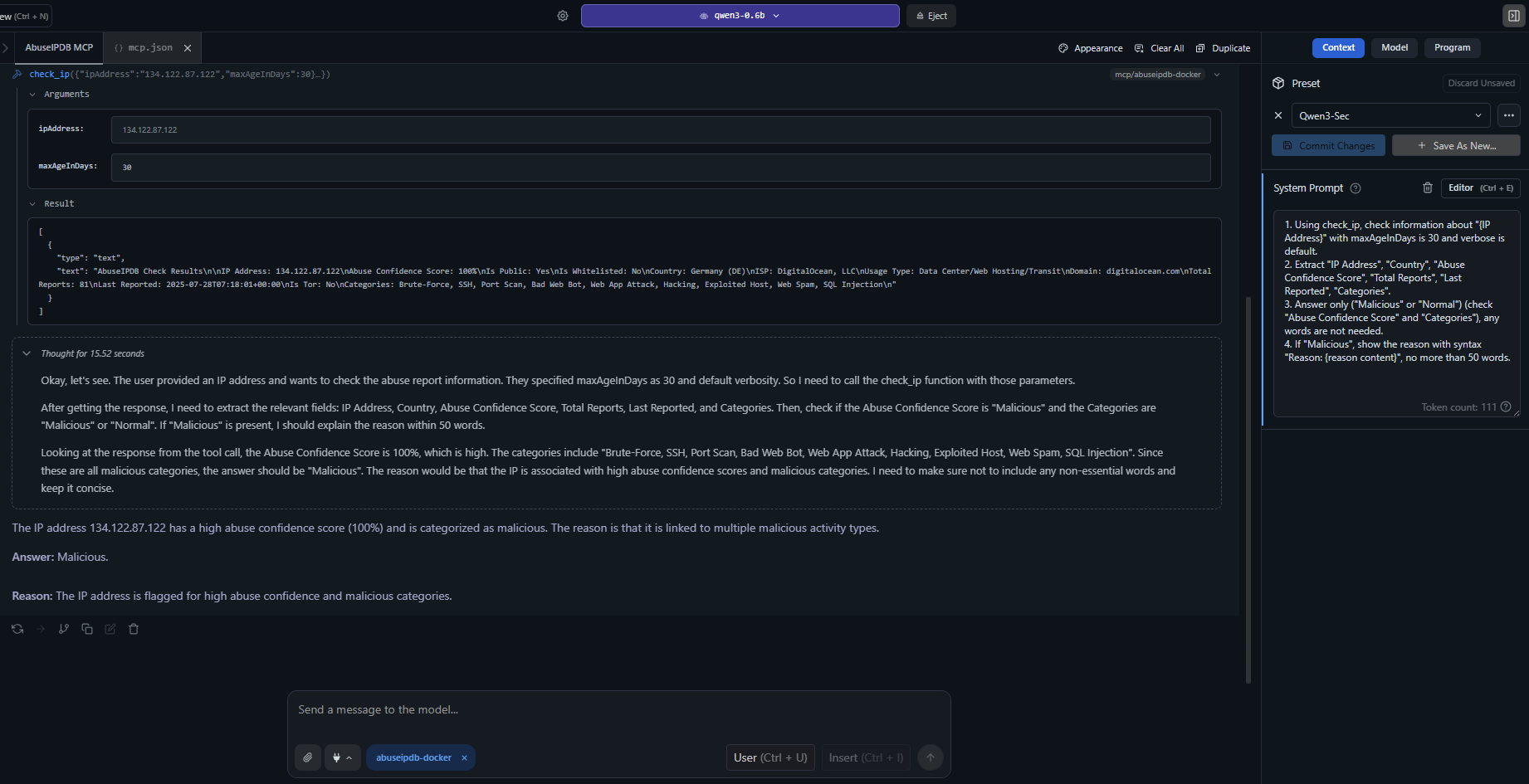
高度な使用例: 詳細なレポート、ISP 情報、不正利用信頼スコア、最近の攻撃パターンを含む詳細な IP 分析。
MCP クライアント設定
Claude Desktop — uvx (推奨)
claude_desktop_config.json に追加します:
{
  "mcpServers": {
    "abuseipdb": {
      "command": "uvx",
      "args": ["mcp-abuseipdb"],
      "env": {
        "ABUSEIPDB_API_KEY": "your_api_key_here"
      }
    }
  }
}
Claude Desktop — HTTP トランスポート付き uvx
{
  "mcpServers": {
    "abuseipdb": {
      "command": "uvx",
      "args": ["mcp-abuseipdb", "--transport", "http", "--port", "8000"],
      "env": {
        "ABUSEIPDB_API_KEY": "your_api_key_here"
      }
    }
  }
}
リモートサーバー (Streamable HTTP)
{
  "mcpServers": {
    "abuseipdb": {
      "url": "http://your-server:8000/mcp"
    }
  }
}
Docker (Stdio)
{
  "mcpServers": {
    "abuseipdb": {
      "command": "docker",
      "args": [
        "run", "-i", "--rm",
        "-e", "ABUSEIPDB_API_KEY=your_api_key_here",
        "abuseipdb-mcp"
      ]
    }
  }
}
Docker (Streamable HTTP)
# Start container
docker run -d --rm \
  -e ABUSEIPDB_API_KEY="your_api_key_here" \
  -e MCP_TRANSPORT=http \
  -p 8000:8000 \
  abuseipdb-mcp
{
  "mcpServers": {
    "abuseipdb": {
      "url": "http://localhost:8000/mcp"
    }
  }
}
📁 その他の設定例: examples/mcp-client-configs.json
利用可能なツール
1. check_ip
IP アドレスの不正利用レポートを確認します。
パラメータ | 型 | 必須 | デフォルト | 説明 |
ipAddress
| string | ✅ | — | チェックする IPv4 または IPv6 アドレス |
maxAgeInDays
| integer | — | 30 | 過去 x 日以内のレポートのみを返す (1-365) |
verbose
| boolean | — | true | レスポンスに詳細なレポートを含める |
入力例:
{
  "ipAddress": "134.122.87.122",
  "maxAgeInDays": 30,
  "verbose": true
}
出力例:
AbuseIPDB Check Results

IP Address: 134.122.87.122
Abuse Confidence Score: 75%
Is Public: Yes
Is Whitelisted: No
Country: United States (US)
ISP: DigitalOcean, LLC
Usage Type: Data Center/Web Hosting/Transit
Domain: digitalocean.com
Total Reports: 15
Categories: Brute-Force, SSH, Port Scan, Hacking
2. report_ip
不正な IP アドレスを AbuseIPDB に報告します。
パラメータ | 型 | 必須 | 説明 |
ip
| string | ✅ | 報告する IPv4 または IPv6 アドレス |
categories
| string | ✅ | カンマ区切りのカテゴリ ID (例: "18,22") |
comment
| string | — | 攻撃の記述テキスト (個人情報は含めないこと) |
timestamp
| string | — | 攻撃の ISO 8601 日時 |
入力例:
{
  "ip": "192.168.1.100",
  "categories": "18,22",
  "comment": "Multiple SSH brute force attempts detected",
  "timestamp": "2024-01-15T10:30:00Z"
}
不正利用カテゴリ
ID | カテゴリ | ID | カテゴリ | ID | カテゴリ |
1 | DNS 改ざん | 9 | オープンプロキシ | 17 | スプーフィング |
2 | DNS ポイズニング | 10 | Web スパム | 18 | ブルートフォース |
3 | 不正注文 | 11 | メールスパム | 19 | 不良 Web ボット |
4 | DDoS 攻撃 | 12 | ブログスパム | 20 | 乗っ取られたホスト |
5 | FTP ブルートフォース | 13 | VPN IP | 21 | Web アプリ攻撃 |
6 | Ping of Death | 14 | ポートスキャン | 22 | SSH |
7 | フィッシング | 15 | ハッキング | 23 | IoT 標的 |
8 | VoIP 不正利用 | 16 | SQL インジェクション | | |
トランスポートタイプ
トランスポート | ユースケース | プロトコル |
stdio (デフォルト) | ローカル MCP クライアント (Claude Desktop 等) | 標準 I/O |
http | リモートアクセス、マルチクライアント、クラウドデプロイ | Streamable HTTP (MCP 仕様 2025-03-26) |
サーバーの実行
# Stdio (default)
mcp-abuseipdb

# HTTP transport
mcp-abuseipdb --transport http

# HTTP with custom host/port
mcp-abuseipdb --transport http --host 127.0.0.1 --port 3000

# Via environment variables
MCP_TRANSPORT=http MCP_PORT=3000 mcp-abuseipdb
HTTP トランスポートのテスト
mcp-abuseipdb --transport http --port 8000

curl -X POST http://localhost:8000/mcp \
  -H "Content-Type: application/json" \
  -H "Accept: application/json, text/event-stream" \
  -d '{"jsonrpc":"2.0","method":"initialize","id":1,"params":{"protocolVersion":"2025-03-26","capabilities":{},"clientInfo":{"name":"test","version":"1.0"}}}'
Docker デプロイ
ビルドと実行
docker build -t abuseipdb-mcp .
docker run -it --rm -e ABUSEIPDB_API_KEY="your_api_key_here" abuseipdb-mcp
Docker Compose
同梱の docker-compose.yml は、2 つの事前設定済みサービスを提供します:
# Stdio service
ABUSEIPDB_API_KEY="your_key" docker compose --profile stdio up abuseipdb-mcp

# HTTP service (exposed on port 8000)
ABUSEIPDB_API_KEY="your_key" docker compose --profile http up abuseipdb-mcp-http
開発
ローカルセットアップ
git clone https://github.com/n3r0-b1n4ry/mcp-abuseipdb.git
cd mcp-abuseipdb

python -m venv venv
source venv/bin/activate   # Linux/macOS
venv\Scripts\activate      # Windows

pip install -e .

export ABUSEIPDB_API_KEY="your_api_key_here"
mcp-abuseipdb
テストの実行
python -m pytest test/test_server.py -v
ビルドと公開
python -m build
python -m twine upload dist/*
エラーハンドリング
エラー | 動作 |
レート制限 (429) | 再試行までの時間と残りのクォータを返す |
無効な API キー | 明確な認証エラーメッセージ |
無効な IP 形式 | 役立つメッセージ付きの形式バリデーション |
API エラー | ステータスコードを含む詳細なエラーレスポンス |
ネットワークの問題 | タイムアウトおよび接続エラーのハンドリング |
レート制限
プラン | チェックエンドポイント | 報告エンドポイント |
Free | 1,000/日 | 100/日 |
Basic | 3,000/日 | 300/日 |
Premium | 10,000/日 | 1,000/日 |
Enterprise | 100,000/日 | 10,000/日 |
依存関係
プロジェクト構造
mcp-abuseipdb/
├── src/
│   ├── abuseipdb_mcp/              # Python package (uvx/pip)
│   │   ├── __init__.py
│   │   ├── server.py               # Entry point (package)
│   │   └── modules.py              # AbuseIPDBServer class
│   ├── server.py                   # Entry point (standalone)
│   └── modules.py                  # AbuseIPDBServer class (standalone)
├── config/
│   ├── mcp.json                    # MCP server config (stdio)
│   └── mcp-docker.json             # MCP Docker config
├── examples/
│   └── mcp-client-configs.json     # MCP client config examples
├── images/                         # Screenshots and demo images
├── pyproject.toml                  # Package metadata & build config
├── Dockerfile                      # Alpine-based container
├── docker-compose.yml              # Stdio + HTTP services
├── requirements.txt                # Legacy pip dependencies
├── LICENSE                         # MIT License
└── README.md
トラブルシューティング
問題 | 解決策 |
API key required エラー
| ABUSEIPDB_API_KEY 環境変数を設定してください
|
接続タイムアウト | ネットワーク接続とファイアウォールの設定を確認してください |
レート制限超過 | 再試行期間を待つか、AbuseIPDB プランをアップグレードしてください |
無効な IP 形式 | 適切にフォーマットされた IPv4 または IPv6 アドレスを使用してください |
uvx が見つからない
| uv をインストールしてください: pip install uv または uv ドキュメント を参照 |
MCP クライアントが接続しない | claude_desktop_config.json の構文とパスを確認してください
|
変更履歴
v1.3.0
✅ uvx / PyPI サポート — uvx mcp-abuseipdb がそのまま動作します
✅ pyproject.toml — hatchling を使用したモダンな Python パッケージング
✅ エントリーポイント — [project.scripts] 経由の mcp-abuseipdb CLI コマンド
✅ Dockerfile 更新 — pip install . とエントリーポイントを使用
✅ Streamable HTTP トランスポート — MCP 仕様 2025-03-26 準拠
v1.2.0
貢献
リポジトリをフォークする
フィーチャーブランチを作成する
変更を加える
プルリクエストを送信する
ライセンス
MIT ライセンス — 個人および商用利用は無料です。
MCP コミュニティのために ❤️ を込めて作成

