
circuit-agent
<p align="center">
<img src="docs/images/banner-1200x640.png" alt="CircuitAgent Banner" width="100%">
</p>
# CircuitAgent · Community Edition
<!-- mcp-name: io.github.mo9652962-ai/circuit-agent-client -->
**Prompt → Schematic → Layout → 3D Enclosure → Fabrication Bundle**
<p align="center">
<a href="https://mo9652962-ai.github.io/circuit-agent/"><img src="https://img.shields.io/badge/Demo-在线%20EDA%20工作台-success?style=flat-square&logo=googlechrome&logoColor=white" alt="Live Demo"></a>
<a href="https://github.com/mo9652962-ai/circuit-agent/actions/workflows/ci.yml"><img src="https://img.shields.io/github/actions/workflow/status/mo9652962-ai/circuit-agent/ci.yml?style=flat-square&label=CI" alt="CI"></a>
<a href="LICENSE"><img src="https://img.shields.io/badge/License-MIT-blue?style=flat-square" alt="License: MIT"></a>
<a href="https://www.python.org/downloads/"><img src="https://img.shields.io/badge/Python-3.10%2B-3776AB?style=flat-square&logo=python&logoColor=white" alt="Python 3.10+"></a>
<a href="tests/"><img src="https://img.shields.io/badge/Tests-383%20passing-success?style=flat-square" alt="Tests"></a>
<a href="https://github.com/mo9652962-ai/circuit-agent/releases"><img src="https://img.shields.io/badge/Release-v0.4.1-blueviolet?style=flat-square" alt="Release"></a>
<a href="https://github.com/modelcontextprotocol/registry"><img src="https://img.shields.io/badge/MCP_Registry-circuit--agent-black?style=flat-square" alt="MCP Registry"></a>
<img src="https://img.shields.io/badge/KiCad-10.0%20Export-314CE0?style=flat-square&logo=kicad&logoColor=white" alt="KiCad 10">
</p>
<p align="center">
<a href="https://mo9652962-ai.github.io/circuit-agent/"><b>🌐 在线 EDA 工作台 / Live Demo</b></a>
·
<a href="README.md"><b>🇨🇳 中文说明</b></a>
·
<a href="README_EN.md"><b>🇬🇧 English</b></a>
·
<a href="#-mcp-server-接入">🔌 MCP Server</a>
·
<a href="#-支持的电路积木清单">🧩 19+ 积木清单</a>
·
<a href="#-工业-dfx-制造审查与安全仿真">🏭 工业 DFX</a>
·
<a href="#-eda--制造数据导出">📐 KiCad/BOM 导出</a>
·
<a href="https://github.com/mo9652962-ai/circuit-agent/issues">💬 反馈</a>
</p>
> **Status: alpha.** This repository is the open community layer of CircuitAgent: the
> hardware DSL, the LCSC live-selection client, and the data contracts that the
> full compiler consumes. The block set is deliberately small and every block is
> unit-tested — correctness over coverage.
---
## 为什么需要这一层 (Why this layer exists)
让大语言模型直接生成底层走线、焊盘与封装,几乎必然产出非法几何或引脚短路。
CircuitAgent 的做法是把 LLM 的输出**约束在预验证的电路积木上**,再用 Pydantic
契约把它变成确定性网表 —— 模型只负责"选积木",不负责"画线"。
<p align="center">
<img src="docs/images/demo.gif" alt="CircuitAgent Pro 工作台演示" width="85%">
</p>
```text
Natural language prompt
│
▼
┌────────────────────────┐
│ CircuitBlocks DSL │ keyword → audited sub-circuits (deterministic)
└────────────────────────┘
│
▼
┌────────────────────────┐
│ Netlist contract │ Pydantic / JSON Schema (SSOT)
└────────────────────────┘
│
┌────┴─────┐
▼ ▼
┌────────┐ ┌──────────────────┐
│ LCSC │ │ REST / MCP APIs │
│ client │ │ (community layer)│
└────────┘ └──────────────────┘
```
---
## 快速上手 (Quick Start)
**方式 A · 从 PyPI 安装(推荐)**
```bash
pip install circuit-agent-client
```
**方式 B · 从源码使用**
```bash
git clone https://github.com/mo9652962-ai/circuit-agent.git
cd circuit-agent
```
**零运行时依赖** —— 纯 Python 标准库实现,装完即用,不拉任何第三方包。
跑测试才需要 dev extra:`pip install -e ".[dev]"`
### 1 · 一句话生成硬件网表
```python
from client.synthesizer import synthesize_from_prompt
spec = synthesize_from_prompt(
"基于 ESP32-C3 的环境监测节点,带 Type-C 供电、I2C 传感器插座、指示灯和2个按键"
)
print(spec["chip_id"]) # ESP32-C3
print(len(spec["modules"])) # 元器件数
print(spec["netlist"]["connections"][0]) # 第一条网络连接
print(spec["unmatched"]) # 你要求了、但 DSL 还不支持的模块(可执行信号)
print(spec["not_requested"]) # 你没提到的可选模块(仅参考,非能力缺口)
```
映射是**确定性的**:同一句话永远产出逐字节相同的结果(CI 中有对应断言)。
`unmatched` 与 `not_requested` 是两个**刻意分开**的信号,不要混用:
| 字段 | 含义 | 例子 | 消费方式 |
|:---|:---|:---|:---|
| `unmatched` | 你**明确要求**、但当前 DSL **造不出来** | `ethernet` / `relay` / `motor_driver` | 这是能力信号,agent 应据此告知用户或换方案 |
| `not_requested` | 可选积木,只是这句话**没提到** | `button` / `led` / `buzzer` / `i2c` / `crystal` | 纯参考信息,不代表能力缺口 |
**不会被静默丢弃**:任何未识别的意图都会出现在 `unmatched` 里,而不是悄悄消失。
### 2 · 查询立创商城实时库存与单价
```python
from client.lcsc_client import search_lcsc_parts
for part in search_lcsc_parts("CH340N", limit=3):
print(f"[{part['lcsc_part']}] {part['part_number']} | {part['package']} | "
f"库存 {part['stock']} | ${part['price_usd']} | {part['part_class']}")
```
```text
[C506813] CH340N | SOP-8_L5.0-W4.0-P1.27-LS6.0-BL | 库存 196 | $0.5537 | Extended Part
```
客户端自带**重试退避 + 硬超时 + 24 小时磁盘缓存 + 防御式解析**:上游改结构不会
抛异常,断网时回落到缓存(缓存也没有则返回空列表,调用方永远不必处理传输层异常)。
### 3 · 直接用积木搭电路
```python
from client.circuit_blocks import block_usb_c_power, block_power_ldo_3v3
blk = block_power_ldo_3v3()
for comp in blk.components:
print(comp.ref, comp.value, comp.package, comp.lcsc)
```
---
## 积木清单 (Block Catalogue)
| Block | 说明 | 关键设计点 |
|:---|:---|:---|
| `block_usb_c_power` | Type-C 供电输入 | 双 5.1k CC 下拉(sink 角色,非 56k 上拉) |
| `block_power_ldo_3v3` | AMS1117-3.3V 稳压 | 10µF 输入/输出储能电容 |
| `block_crystal_clock` | 无源晶振 + 负载电容 | 标记 `guard_ring` 属性供后端加地屏蔽环 |
| `block_button` | 消抖按键 | 10k 上拉 + 100nF RC,位号可参数化 |
| `block_led` | 状态指示灯 | 限流电阻 + 颜色/阻值可参数化 |
| `block_buzzer` | 蜂鸣器驱动 | S8050 NPN + 1N4148W 反向续流二极管 |
| `block_i2c_header` | I2C 扩展排针 | SCL/SDA 各 4.7k 上拉 |
| `block_rs485_transceiver` | SP3485 半双工差分串口 | 120Ω 终端电阻 + 100nF 去耦 + 3P 排针引出 |
| `block_can_transceiver` | SN65HVD230 3.3V CAN 节点 | 120Ω 终端匹配 + 10k 斜率控制 (高速模式) |
| `block_battery_tp4056` | TP4056 1A 线性锂电充电 | 1.2k 限流 + 充/满双色指示灯 + 2P 电池端子 |
| `block_sensor_aht20` | AHT20 温湿度传感器 | 工业 I2C 总线 + 去耦电容 + DFN-6 封装 (C2757850) |
| `block_sensor_mpu6050` | MPU-6050 6轴 IMU 运动姿态传感器 | 3轴陀螺仪+3轴加速度计 + 旁路去耦 + QFN-24 (C24112) |
| `block_esd_usb_tvs` | USB 接口高速 TVS 静电防护 | USBLC6-2SC6 超低结电容 (0.6pF) + SOT-23-6 |
| `block_esd_rs485_tvs` | RS-485 工业双向非对称 TVS | SM712 工业防雷/抗浪涌防静电二极管 (-7V~+12V) |
| `block_esd_can_tvs` | CAN 总线 ESD 双路 TVS 阵列 | PESD1CAN 24V 车规/工控双线 TVS (SOT-23) |
| `block_reverse_polarity_protection` | 工业电源输入防反接保护 | 肖特基二极管 (SS34) 或 低压降 P-MOSFET (AO3401A) |
| `block_power_pi_filter` | 电源输入 EMI π型 LC/RC 滤波器 | 磁珠 (100MHz 600Ω) + 10µF 钽电容/陶瓷电容吸收纹波 |
| `block_fiducial_marks` | SMT 贴片光学定位点 (Mark点) | 3个 1.0mm 裸铜焊盘 + 2.0mm 阻焊开窗 (DFA工序必备) |
| `block_testpoint_matrix` | 自动化测试点矩阵 (Test Points) | 1.0mm SMD 测试铜焊盘 (支持电源轨、地轨、SWD、UART测试) |
| `block_watchdog_supervisor` | TPS3823 看门狗/复位监控 | 1.6s WDI 喂狗 + 推挽复位输出(工业 MCU 防跑飞,IEC 61508 实践) |
| `block_ethernet_phy_w5500` | W5500 SPI 硬件 TCP/IP 以太网 | 10/100M PHY + 集成变压器与状态灯 RJ45 (HR911105A) + 25MHz 晶振 |
| `block_isolated_adc_ina219` | INA219 I2C 功率/电流双向监测 | 0.1Ω 2W 1% 精密检流电阻 + 实时电压电流遥测 |
| `block_motor_driver_drv8825` | DRV8825 2.5A 45V 步进电机驱动 | 1/32 微步进 + 100µF 50V 母线高压滤波 + XH-4P 接口 |
| `block_optocoupler_isolated_io` | PC817 5kV 高压光电隔离输入 | 2.4k 限流 + 反向保护二极管,适配 24V PLC 工业自动化输入 |
每个积木的引脚号、LCSC 料号、封装名在冻结前均对照数据手册与立创商城列表核验过。
`tests/test_circuit_blocks.py` 会强制校验:位号唯一、每个元件都有封装与料号、
网络端点必须指向已声明的元件、每个积木都必须接 `/GND`。
---
## MCP Server (AI Agent 工具服务)
CircuitAgent 内置标准 JSON-RPC 2.0 stdio MCP Server,基于纯 Python 标准库构建(无需任何第三方 pip 库),可无缝接入 **Claude Desktop**、**Cursor** 或 **Windsurf**。
当前暴露 **69 个工具**、8 个资源(`circuit://` URI)与 4 个工程提示词(slash-command)。
### 协议版本:MCP `2026-07-28`
服务器实现 **2026-07-28 无状态协议核心**,同时向后兼容到 `2024-11-05` 的握手客户端:
| 能力 | 实现 |
|:---|:---|
| `server/discover` | ✅ 强制方法,一次交互返回支持版本/能力/身份,也是 stdio 的向后兼容探针 |
| 无握手请求 | ✅ 每个请求在 `params._meta` 自描述协议版本与客户端能力,无 `initialize` 也能工作 |
| `resultType` | ✅ 所有结果携带 `"complete"`(或 `"input_required"`),旧客户端可安全忽略 |
| 缓存提示 | ✅ `tools/list` / `resources/list` / `prompts/list` 返回 `ttlMs` + `cacheScope` |
| 确定性顺序 | ✅ 工具目录顺序稳定,客户端与上游 prompt 缓存可命中 |
| 错误码分配 | ✅ 使用规范保留区 `-32020`~`-32099`;资源未找到改为 `-32602` |
| 旧版握手 | ✅ `initialize` 保留并协商版本,不断掉 2026 年前的客户端 |
| **结构化输出** | ✅ 双通道:`content` 给模型读、`structuredContent` 给程序读,两者语义严格等价;6 个电气工具声明 `outputSchema` |
### 双通道输出
MCP 2026-07-28 规定 `tools/call` 有两个输出通道,且**同时存在时语义必须等价**:
- `content` — 面向模型。语言模型只读得到这一段,token 成本与可读性优先。
- `structuredContent` — 面向程序。给代码生成、类型化编排与 `outputSchema` 严格校验用。
本服务器的做法是**从同一份文档派生**:工具已经返回 JSON,结构化通道由解析该文档得到,
因此两个通道不可能不一致(有测试对全部工具断言这一点)。返回文件内容的导出工具
(KiCad 网表、Gerber、IPC-2581、BOM CSV)与返回 ASCII 图的工具不声明 `outputSchema` ——
它们产出的是文档不是数据对象,给它写 schema 只会描述一个字符串容器。错误结果同样不带
结构化负载:失败的调用没有符合 schema 的文档,编造一个错误对象形状是没人要求的契约。
`server/discover` 的 `instructions` 字段直接写给 LLM 看:先 `synthesize_circuit` 出网表,再 `run_erc` 门禁,
然后 `audit_industrial_dfx` 与 `validate_manufacturing_package`,最后才导出。`calculate_*` / `analyze_*`
全是纯函数(无网络、无状态),可放心试探;只有 `search_lcsc_parts` 联网且免 Key。
### 运行方式
```bash
python -m client.mcp_server
```
### Claude Desktop 配置 (`claude_desktop_config.json`)
```json
{
"mcpServers": {
"circuit-agent": {
"command": "python",
"args": ["-m", "client.mcp_server"],
"cwd": "/path/to/circuit-agent"
}
}
}
```
### 暴露的工具 (Tools)
1. `synthesize_circuit`: 输入自然语言,输出确定性硬件网表与积木清单。
2. `search_lcsc_parts`: 免 Key 实时查询立创商城的元器件库存、封装、阶梯单价与基础库/扩展库属性。
3. `list_circuit_blocks`: 列出 DSL 中全部可用的 24 大已审计电路积木规格。
4. `validate_netlist`: 根据正式 JSON Schema 校验网表数据结构合法性。
5. `calculate_trace_impedance`: 基于 IPC-2141 解析公式计算微带线与差分对走线阻抗(50Ω RF / 90Ω USB / 120Ω CAN/485)。
6. `calculate_bom_cost`: PCBA 成本核算器,自动精算元器件裸成本与嘉立创扩展库换料费(¥20/种)。
7. `list_supported_chips`: 查询当前支持的微控制器型号及其引脚分配硬规则。
8. `register_custom_chip`: 动态注册第三方 MCU 物理引脚约束与外设映射表。
9. `calculate_ipc2152_trace_current`: 依据 IPC-2152 标准精确计算印制导线载流能力或反算线宽(温升 ΔT、铜厚 1oz/2oz、内层降额)。
10. `audit_industrial_dfx`: 工业级 DFX (DFM/DFA/DFT/DFC) 与生产合规自动化静态审查器,输出打分评级、问题分类与 Markdown 体检报告。
11. `export_kicad_netlist`: 导出标准 KiCad S-Expression 网表 (.net),支持 KiCad 6/7/8/9/10 直接导入 Pcbnew 快速布线。
12. `export_manufacturing_bom`: 生成量产级嘉立创 SMT BOM CSV 表格(含位号聚合、基础库免换料费分类)。
12b. `export_manufacturing_cpl`: 生成嘉立创 SMT 贴片坐标文件(CPL/pos,位号 + 中心坐标 + 层 + 旋转角)。BOM 与 CPL 必须成对交付——只在 BOM 里而不在 CPL 里的器件会被采购但不会贴装,故障留到功能测试才暴露。
13. `calculate_parametric_circuit`: 闭环参数化硬件设计方程(E96 标准分压电阻对求解、LDO 散热结温校核、I2C 上拉阻值及 RC 滤波)。
14. `render_circuit_topology`: 生成结构化 ASCII 系统架构拓扑图(电源轨、总线、传感器与保护子系统)。
15. `run_erc`: 网表级电气规则门禁(ERC)——悬空网络、缺 GND、未知位号、缺电源域、缺去耦电容、差分总线缺 120Ω 终端电阻、电容真实有效容值不足等 45+ 条规则,每条带 severity 与出处,blocking/error 阻断 BOM/CPL 交付。其中 `MLCC_EFFECTIVE_CAPACITANCE_DEFICIT` 会用真实降额模型复算每颗电容在额定偏置下的实际容值,跌破标称 60% 即告警;器件未带偏置数据时保持沉默而不编造。`DECOUPLING_PER_IC_DEFICIT` 按**器件数量**而非网络判断去耦是否充足——三颗 IC 共用一颗 100nF 会被拦下,因为共用意味着远端器件的瞬态电流要穿过走线电感。`COMPONENT_RATING_INSUFFICIENT` 从电源轨名解析电压(`/+3.3V`、`/VMOT_24V`、`/VBUS`),与器件声明的额定值比对,6.3V 电容接在 24V 轨上直接判 error;未声明额定值的器件跳过而不猜测。
16. `analyze_power_tree`: 系统级电源树与热功耗分析器,追踪电源域负载电流、LDO 压差裕量、热耗散与结温估算 ($T_j$)。
17. `calculate_ipc2221_clearance`: 基于 IPC-2221B Table 6-1 标准根据工作电压与导体类别 (B1内层/B2外层裸露/B4涂覆/A6引脚) 精确计算最小电气间隙。
18. `export_specctra_dsn`: 生成通用 Specctra DSN (v15.0) 自动布线交互文件与启发式器件自动布局,支持直接送入 Freerouting / KiCad 执行 100% 自动化走线。
18b. `autoroute_pcb`: 运行原生 Python 零 JVM 依赖多层自动布线引擎,执行启发式布局、Specctra DSN 转换与走线求解,输出 Specctra SES 走线文件与物理布线指标(网络连通率、走线总长、过孔数)。布线结果自动过物理 DRC 门禁,引擎不合格时按 `exact` → `room` → `grid` 自动回退,`engines_tried` 记录实际采用的引擎。
18c. `run_pcb_drc`: 对布线结果执行物理 DRC 审计——真铜箔间距、蚀刻酸角、电源线宽、板边与禁布区、差分对偏斜,违规按网络聚合输出(错误/警告分级 + 定位坐标 + 修复建议)。
19. `export_kicad_schematic`: 导出原生现代 KiCad 8/9 S-Expression 原理图文件 (.kicad_sch),支持在 Eeschema 中直接以可视化原理图打开编辑(含器件符号排布、属性及图框)。
20. `audit_supply_chain`: 供应链多源弹性审计器(ISO 9001 采购供应链审计),自动排查单源卡脖子器件并映射引脚完全兼容的第二货源替代料 (Drop-in Second-Source) 与立创商城编号。
21. `calculate_differential_skew`: 高速差分对等长与时延差约束求解器(USB 2.0 HS ≤10ps、以太网 ≤25ps、CAN-FD ≤50ps),反求目标等长差与蛇形绕线 (Serpentine tuning) 齿数与几何尺寸。
22. `export_ipc_d356`: 导出通用工业标准 IPC-D-356A 裸板电性能飞针测试网表文件,直接喂入板厂飞针测试机 (AEMG/ATG/MicroCraft) 执行开短路连通性检验。
23. `export_gerber_bundle`: 原生直出符合 Ucamco RS-274X 扩展标准的制造级 Gerber 打包文件(板框 .gm1、顶层铜皮 .gtl、阻焊开窗 .gts、顶层丝印 .gto),摆脱对图形化 EDA 鼠标导出的依赖。
24. `calculate_pcb_stackup_impedance`: 标准工业四层板 (JLC04161H) 与六层板 (JLC06161H) 叠层矩阵查询与 IPC-2141A 特征阻抗自动反求(50Ω RF微带线、90Ω USB、100Ω 以太网、120Ω 工业差分对)。
25. `export_excellon_drill`: 生成生产级 IPC-NC-349 Excellon CNC 数控钻孔文件 (.drl),补齐 PCB 制造 5 层生产包。
26. `generate_interactive_bom`: 生成量产首件检验交互式装配导航网页 (iBOM, InteractiveHtmlBom 对标),实现位号清单与 SVG 矢量板图双向高亮聚焦。
27. `calculate_smt_feeder_matrix`: SMT 贴片机料槽与吸嘴智能配置器,遵循 EIA-481 载带标准(8/12/16/24mm 宽度与 2/4/8/12mm 步距)与 Juki/Yamaha 吸嘴矩阵(502~506 规格)。
28. `export_openpnp_job`: 导出标准 OpenPnP 自动化贴片作业文件与工业贴片机 CSV,包含吸嘴配置、料槽站位号、中心坐标与器件旋转角。
29. `calculate_ipc7351_land_pattern`: 依据 IPC-7351B 国际标准计算表面贴装元件焊盘几何与 Courtyard 边界(焊脚延伸 Toe、内侧延伸 Heel、侧边延伸 Side、RMS 统计公差,覆盖 A/B/C 三级焊盘密度)。
30. `calculate_pcb_panel_rails`: SMT 自动化产线拼版工艺边与邮票孔/V-cut 计算器,依据 IPC-2221B 与 IPC-SMEMA-9851 自动化导轨规范生成 3.2mm 定位孔、光学定位点与材料利用率。
31. `calculate_ict_testpoints`: 分析 PCB 网表测试可测性并规划针床在线测试 (ICT) 测试焊盘矩阵 (B.Cu Φ1.0mm/2.54mm 网格),根据 IPC-9252 与 IPC-2221B 智能分配探针类型 (皇冠型/尖矛型/锯齿型) 与故障覆盖率统计。
32. `calculate_bga_escape_routing`: 依据 IPC-7095 标准求解 BGA 封装对角 45° 狗骨头 (Dogbone) 引脚逃孔扇出几何、通道线宽与线距,并反推最少信号走线层数与 HDI 微孔需求。
33. `calculate_teardrop_reinforcement`: 计算导线连接过孔/焊盘处的切线圆弧与锥形泪滴 (Teardrop) 补强几何,消除热应力开裂并确保满足 IPC-2221B Section 9.1.5 与 IPC-A-600J Class 3 破孔零开路规范。
34. `calculate_copper_thieving_balance`: 依据 IPC-2221B Section 10.1.1 评估顶底层铺铜覆盖率平衡度,预警回流焊弓曲/扭曲变形风险 (IPC-TM-650 2.4.22 ≤0.75%),并在孤立空白区自动生成网格/阵列假铜平衡点 (Copper Thieving)。
35. `calculate_via_stitching_array`: 依据 IPC-7093 Section 7.2 规划 QFN/功率芯片裸露散热焊盘底部的导热过孔阵列 (Φ0.3mm/1.2mm 网格),或依据 IPC-2141A 生成高频 RF 微带线双侧屏蔽地孔栅栏 (Shielding Fence)。
36. `calculate_serpentine_tuning_geometry`: 依据 IPC-2141A 高速传输线标准生成差分对蛇形等长绕线微调几何路径,严格保障线距自耦合抑制约束 ($S \ge 3W, H \ge 3W$)。
37. `calculate_stencil_aperture_ratios`: 依据 IPC-7525 钢网设计规范逐开孔核算面积比 (AR ≥ 0.66) 与宽厚比 (≥ 1.5),定位锡膏释放不足的高危细间距开孔,预防立碑/虚焊/BGA 枕头效应。
38. `calculate_fiducial_layout`: 依据 IPC-2221B Section 12 与 JEDEC J-STD-020 生成非对称 L 形 3 点全局光学定位点布局 (消除 180° 旋转歧义),并为 ≤0.5mm 细间距器件自动布置对角局部基准点。
39. `calculate_via_protection_plan`: 依据 IPC-4761 按过孔装配场景选型保护结构 (Type I~VII):BGA 盘中孔强制 Type VII 填孔+电镀盖帽 (VIPPO) 防渗锡,热沉焊盘 Type V 填孔,BGA 通道 Type IV,开阔区 Type II。
40. `calculate_solder_paste_volume`: 依据 IPC-7525A 锡膏转移分析逐开孔核算沉积锡膏体积比 (合规窗口 1.0~2.5),预警焊料饥饿 (开路/立碑/枕头效应) 与锡膏过量 (桥连/锡珠) 缺陷。
41. `export_ipc2581`: 导出简化合规的 IPC-2581B 单文件智能制造数据包 (XML)——叠层、BOM、已布局元件、网络引脚归属与板框轮廓,取代传统 Gerber+Excellon+TXT 交付包,直接对接 Siemens X / Altium / Zuken 与大型 EMS 代工厂报价投产。
42. `export_assembly_drawing_svg`: 依据 ASME Y14.5 与 IPC-2221B Section 11 生成 1:1 比例 PCBA 装配图 SVG——元件外框与位号标注、极性标识 (IC 第一脚圆点/二极管阴极条/电解电容正极框)、底视图 X 镜像、ASME Y14.100 标题栏 (版本/比例/审核签署栏)。
43. `diff_netlists`: 网表 ECO 比对引擎——对改版前后两版网表输出元件增删、值/封装变更、网络增删、引脚归属迁移与变更等级 (NONE/MINOR/MAJOR),支撑 PLM 工程变更 (ECO) 流程向制造/采购/测试部门准确传递改版差异。
44. `generate_assembly_process_plan`: 混装装配工艺路线规划器——依据 IPC-A-610G Section 7 将每个器件分配至 SMD 回流 / THT 波峰 / THT 手工 / 机械装配工序,输出 EMS 十段标准工艺路线 (SPI → 回流 → AOI → 插件 → 波峰/选择焊 → 手工补焊 → ICT → FCT → 三防 → 包装)。
45. `optimize_panel_grid`: 拼版网格利用率优化器——枚举 grid_x × grid_y、工艺边布局与分板方式 (V-cut/邮票孔) 组合,过滤超出板厂上限 (默认 300×300mm) 的方案,按基材利用率降序输出 Top-10 可行拼版方案。
46. `calculate_fab_cost`: PCB 制造费用估算器——按板厂公开阶梯计价 (2/4/6 层 × 5/10/30/100 件数量档、超 100×100mm 面积加收、阻焊颜色/表面工艺 HASL·ENIG·OSP/板厚/交期加急系数) 输出总价与单价估算。
47. `calculate_smt_placement_clearance`: SMT 贴片机吸嘴碰撞与高器件净空分析器——分析 H ≥ 4.0mm 高大器件与相邻矮件 (0402/0603) 的吸嘴下压净空禁布区 (≥ 2.0mm),按由矮到高输出分层贴装优先级序列 (IPC-SM-782 / OpenPnP)。
48. `calculate_creepage_isolation_slot`: 高压安规防爬电隔离铣槽计算器——依据 IPC-2221B Table 6-1 与 IEC 62368-1 评估高低压导体表面间距,当爬电距离不足时自动规划贯通空气隔离铣槽 (端点/槽宽/绕行等效爬电扩展)。
49. `analyze_impedance_tolerance`: 多层板特征阻抗制造公差与灵敏度分析器——对标 Polar SI9000 模型评估介质厚度 (±10%)、线宽 (±10%)、铜厚 (±15%)、Er (±5%) 公差叠加下的 Zmin/Zmax 与偏导灵敏度,核准 ±10% 目标容限合格率。
50. `evaluate_material_cti_creepage`: 基材相对漏电起痕指数 CTI 与安规爬电评定器——依据 IEC 62368-1 Table 25 与 IPC-2221B 划分材料组别 (Group I ≥600V 至 Group IIIb),在污染等级 1/2/3 下核算爬电安全裕量并给出高 CTI 基材升级建议。
51. `calculate_wave_solder_orientation_audit`: SMT 底面元件波峰焊排布朝向角与阴影效应审计器——依据 IPC-7351B Section 3.1.4 与 SMTA 规范审计片式无源件垂直于波峰流向 (防立碑虚焊)、SOIC 芯片平行于流向 (防密集引脚连锡桥连)、以及高器件下风向 3xH 阴影禁布区。
52. `calculate_press_fit_hole_compliance`: 汽车与工业无焊压接鱼眼端子过孔合规分析器——依据 IPC-9797 与 IEC 60352-5 标准核准无焊压接引脚成品孔径 (标准 0.94mm~1.09mm) 与孔壁铜厚 (≥25μm),估算压入力与保持力防孔壁分层与振动脱落。
53. `audit_fab_capabilities`: PCB 制造厂工艺极限能力核查器——对接 JLCPCB (标准/高精阶梯)、PCBWay、OSH Park 实际产线工艺能力库,严格核查最小线宽/线距、最小过孔钻孔/焊盘环宽、板厚纵横比 (Aspect Ratio) 与最小铣槽槽宽,防止工程确认 (EQ) 拒单与返修。
54. `validate_manufacturing_package`: 无头自动化制造交付包完整性与防篡改核验器——自动化核查 5 层基础 Gerber、Excellon 数控钻孔、BOM 物料清单与 CPL 贴片坐标文件的完整性与非空状态,校验位号一致性并自动生成全包 SHA-256 防篡改验签总账,支撑 CI/CD 无人值守发布流水线。
55. `audit_ipc6012_class_compliance`: 刚性印制板 IPC-6012E 与 IPC-A-600J Class 1/2/3 验收准则审计器——逐项核查外层与内层焊盘环宽、Class 3 严苛零破出 (0° breakout) 硬门禁、通孔孔壁平均电镀铜厚 (Class 3 ≥25μm) 与最薄点铜厚、蚀刻线宽蚀损率以及阻焊桥绿油桥宽,生成军工/医疗/汽车电子可靠性合规报告。
56. `optimize_smt_feeder_setup`: 工业 SMT 贴片机飞达供料器料车排产优化器——基于松下 NPM / 富士 NXT / 西门子 ASM 标准 80 槽料车,应用成组技术 (GT) 规划常驻通用料块 (100nF、10k 免换线固定料槽)、按贴装频次将高密度物料聚合于悬臂中心以最小化龙门行进时间,并预测各料卷接料耗尽瓶颈 (IPC-9851)。
57. `calculate_copper_pour_current_drop`: 大面积多边形覆铜与电源铜排直流压降与电流密度分析器——依据 IPC-2152 Section 5.0 与 IEC 60092-352 计算复杂几何多边形覆铜的方块电阻、直流内阻、IR 压降与焦耳热耗,校核过孔阵列/开槽颈缩区的电流密度上限 (≤35.0 A/mm²),防止高载流大功率电源板铜箔碳化起泡分层。
58. `audit_component_msl_floor_life`: 贴片器件潮湿敏感度等级 (MSL) 开袋车间暴露寿命与除湿烘烤方案审计器——依据 JEDEC J-STD-033D 与 IPC-M-109 规范跟踪高密度塑封芯片 (BGA/QFN/CSP/TQFP) 在产线环境温湿度下的暴露时间,精准识别超期芯片并生成标准化烘烤工单 (125°C 高温或 40°C 低湿干燥),从源头杜绝 260°C 回流焊“爆米花”开裂分层。
59. `calculate_effective_capacitance`: MLCC 真实工作容值求解器——**标签值不是电路里的值**。按直流偏置 (主导项,额定电压下普遍损失 35~65%,小封装更差)、交流信号幅度、温度系数、对数老化四大机制连乘降额,再叠加器件容差,输出完整因子栈便于定位最大杀手。Class I (C0G/NP0) 正确短路为仅容差。可传入数据手册实测保留率 (Murata SimSurfing / TDK SEAT) 替换区间估计并标记 `confidence="measured"`。
60. `size_hold_up_capacitor`: 掉电保持 (Brown-out Ride-through) 储能电容求解器——以**有效容值**而非标签值解 C = I·t/ΔV,再除以窗口内最差偏置点的保留率,给出实际必须采购的标签容值。同时报告达成保持时间、缺口与所需标签值。按标签值选型就是「设计通过、实测 0.85ms 掉电」的根因。
61. `analyze_rc_filter_effective`: RC 滤波器有效截止频率分析器——用器件实际容值而非标签值计算截止频率。标称 1kHz 的滤波器若用偏置下只剩 40% 容值的 X5R,实际截止在 2.5kHz。输出标称/实际截止、漂移百分比与成因,并显式区分工况降额与器件容差两个独立误差源。
62. `analyze_divider_tolerance`: 分压器容差带分析器——**标称值不是规格书**。同时给出精确最差情况 (四角枚举,因传输函数对每个电阻单调故为精确解) 与真实统计带 (一阶灵敏度传播)。关键点:分压输出是两个随机变量的商,**不能**直接对百分比容差做 RSS (TI SNVA112 明确指出),必须先用解析偏导转成电压贡献再 RSS。含 TCR、按 √时间 缩放的老化漂移、电源容差与配对电阻比值容差,并指出哪个电阻主导误差预算。
63. `analyze_resistor_error_budget`: 单只电阻寿命末期阻值带分析器——四项误差模型 (值容差 + 温度系数 + 寿命漂移 + 配对网络比值容差)。同时给出 RSS 带与线性最差带,并指出主导项:买 ±0.1% 厚膜电阻去修精度问题往往无效,因为其 200ppm/°C 的 TCR 在 60°C 温漂下已贡献 1.2%。寿命漂移按时间比的平方根缩放 (随机游走,不是斜坡)。
64. `solve_feedback_divider`: 反馈分压电阻对精确求解器——给定稳压器/比较器目标输出与基准电压,求 R1/R2 并报告 E96 取整带来的静态误差。理想电阻对几乎从不存在于 E96 序列中,该取整误差是**系统性偏差而非容差**:每块板都一样的偏,必须与容差带分开预算。
65. `calculate_high_speed_skin_depth_loss`: 1GHz~50GHz 高速集肤效应深度与铜箔表面粗糙度附加损耗计算器——依据 IPC-4562B 与 IPC-2141A,应用 Hammerstad-Jensen 粗糙度球堆积模型,核算标准 ED/VLP/HVLP 铜箔微观齿深造成的交流电阻倍增与高频插入损耗 (dB/inch),给出 PCIe 5.0/6.0 与 112G PAM4 铜箔选型建议。
66. `calculate_bare_board_test_parameters`: 裸板飞针/针床电测试规范配方规划与介质击穿安全审计器——依据 IPC-9252B 建立 Class 1/2/3 导通测试门限 (信号线 ≤10Ω、大电源 ≤2Ω) 与高阻绝缘测试电压 (50V/100V/250V DC),针对 <0.100mm 细间距走线与敏感射频网络自动降额测试电压至 100V 防电弧微击穿损伤。
### 暴露的资源 (Resources)
支持通过 `circuit://` URI 直接将规范加载到大模型上下文,无需执行额外工具:
- `circuit://specs/netlist-schema`: 完整的网表 Draft-07 JSON Schema。
- `circuit://specs/cpl-standard`: 嘉立创 SMT 坐标规范与封装偏角补偿表。
- `circuit://specs/ipc-dfx-rules`: IPC-2152 导线载流/温升与 IPC-2221 电气间隙/爬电距离硬规则。
- `circuit://blocks/catalog`: 24 大电路积木的元器件、引脚与网络全量清单。
- `circuit://rules/jlc-smt`: 嘉立创四层板叠层 (JLC04161H) 与生产物理规则。
- `circuit://examples/esp32c3-minimal`: ESP32-C3 极简温湿度节点参考网表。
- `circuit://examples/stm32f103-controller`: STM32F103 工业控制板参考网表。
- `circuit://examples/rp2040-dualcore`: RP2040 双核传感器扩展板参考网表。
### 快捷工程 Prompt (Slash-Commands)
- `/design_hardware_project`: 全流程硬件设计指令(积木匹配 → 阻抗计算 → BOM核算 → 网表校验)。
- `/audit_schematic_netlist`: Senior EE 硬件体检审查指令(去耦电容亲和性、差分对等长、Type-C 下拉阻抗)。
- `/optimize_bom_cost`: PCBA 降本优化指令(分析扩展库物料并推荐免换料费的基础库替代料)。
- `/audit_industrial_compliance`: 工业与量产级 DFX 审查指令(核查 IPC-2152 载流温升、IPC-2221 电气间隙、DFT 测试点覆盖率与 TVS 端口抗浪涌防护)。
---
## 数据契约 (Contracts)
- [`specs/netlist_schema.json`](specs/netlist_schema.json) — 网表 JSON Schema
- [`specs/cpl_standard.md`](specs/cpl_standard.md) — 嘉立创 SMT 坐标规范与封装偏角补偿表
- [`examples/`](examples/) — STM32F103 / ESP32-C3 / RP2040 参考网表,CI 强制校验其符合 Schema
---
## 测试与 CI
```bash
pytest tests/ -q # 240 passed
```
CI 在 `ubuntu-latest` + `windows-latest` × Python 3.10/3.11/3.12 上跑全量测试,
并额外做两件事:校验 `examples/` 全部符合 Schema、离线跑通 README 里的快速上手命令。
---
## 范围与路线图 (Scope & Roadmap)
**本仓库包含**:硬件 DSL 与积木库、立创实时选型客户端、网表/CPL 数据契约、标准 MCP Server、REST 交互接口。
**暂不包含**:多层板物理布局与布线求解、参数化 3D 壳体布尔几何、Senior EE 物理规则门禁。
这些是上游编译器的高级能力,仍在开发中;本仓库通过稳定的数据契约与客户端接口与其对接,
契约本身是公开且版本化的。
路线图:
- [x] 积木库 + 确定性映射 + 单元测试
- [x] 立创实时选型客户端(重试/缓存/降级)
- [x] JSON Schema + 三份参考样例 + CI
- [x] 工业级实用积木(RS485 / CAN / TP4056 锂电)
- [x] 标准 MCP Server 实现(纯标准库)
- [x] 中英双语文档与官方门面 (Banner + Demo GIF)
- [x] 更多传感器积木(AHT20 温湿度 / MPU6050 六轴)
- [x] 支持自定义第三方芯片引脚分配映射规则
- [x] 工业 DFX 审查引擎(DFM/DFA/DFT/DFC)+ IPC-2152 / IPC-2221 规则库
- [x] EDA 与制造导出(KiCad 网表、嘉立创 BOM/CPL)
- [x] 参数化设计方程求解(E96 分压、LDO 热设计、I2C 上拉、RC 滤波)
- [x] 五颗主流 MCU 引脚规则(ESP32-S3 / ESP32-C3 / STM32F103 / RP2040 / STC89C52RC)
- [x] 串行电源链自动装配(Type-C → 防反接 → π 滤波 → LDO),MCU 电源/地引脚自动绑定
- [x] 无源网络容差分析(最坏情况 + 统计 RSS、MLCC 直流偏置降额、保持电容选型)
- [x] MCP 结构化输出双通道(`content` + `structuredContent`,6 个工具声明 `outputSchema`)
- [ ] 多层板布局与布线求解器
- [ ] 参数化 3D 壳体生成
### 支持的主控
| 芯片 | 封装 | 供电 | 立创料号 | 备注 |
|:---|:---|:---|:---|:---|
| ESP32-S3 | ESP32-S3-WROOM-1 | 3.3 V | C2913202 | I2C=IO8/IO9,UART0=IO43/IO44,TWAI=IO4/IO5,strapping IO0/3/45/46 保留 |
| ESP32-C3 | ESP32-C3-WROOM-02 | 3.3 V | C2934560 | 11 个可用 GPIO,无 SWD(JTAG/USB-JTAG),引脚不足时明确报 `unrouted_signals` |
| STM32F103C8T6 | LQFP-48 | 3.3 V | C8734 | CAN 走重映射 PB8/PB9,把 PA11/PA12 留给 USB |
| RP2040 | QFN-56 | 3.3 V | C2040 | I2C0=GPIO4/5,UART0=GPIO0/1 |
| STC89C52RC | LQFP-44 | 5.0 V | C8769 | 无硬件 I2C(P1.0/P1.1 软件模拟),无 CAN |
引脚数据全部来自厂商数据手册与官方设计指南,每条规则里都标注了出处。
合成器能识别的芯片必须都能放置——两者脱节曾导致 MCU 从未被放上板子,
而管线静默通过;`tests/test_mcu_placement_and_power_chain.py` 锁死这一点。
---
## 参与贡献 (Contributing)
最欢迎的贡献是**新增经过核验的电路积木**:带上数据手册依据的引脚定义与立创料号,
并补上对应单测即可提 PR。Issue 里也欢迎贴出你希望支持的芯片型号。
---
## 名称说明 (Naming)
"CircuitAgent" 是一个较通用的名字,社区中已有若干同名或近名的项目(例如
`singularguy/CircuitManus` 内部的 `CircuitAgent` 类、`Circuit-LLM/circuit-sdk`
的 `CircuitAgent` 基类、以及高能物理领域的 PhEDEx `CircuitAgent`)。
本项目与它们**没有任何关系**,也不主张该名称的独占权。如果你的项目或商标与此冲突,
欢迎开 Issue 告知,我们可以协商改名。
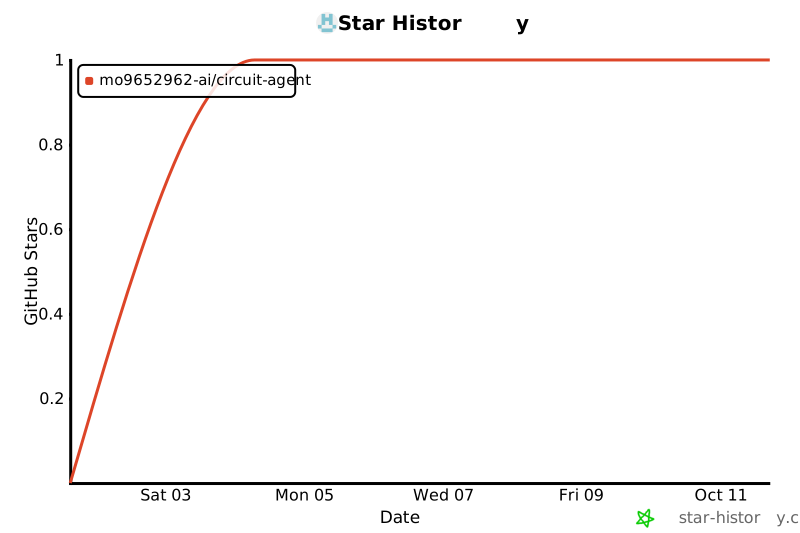
## ⭐ 关注与支持 (Star History)
如果 CircuitAgent 对你的硬件开发或制造流程有所帮助,欢迎点个 Star 支持项目持续演进!
<div align="center">
[](https://star-history.com/#mo9652962-ai/circuit-agent&Date)
</div>
## 许可证与隐私 (License & Privacy)
- 许可协议:[MIT License](LICENSE) © 2026 sora
- 隐私政策:[PRIVACY.md](PRIVACY.md)(零遥测、100% 本地运算、数据归用户所有)
TDQS
Scored across 58 tools
58 tools with several overlapping clusters: three impedance tools (calculate_trace_impedance, calculate_pcb_stackup_impedance, analyze_impedance_tolerance), two SMT feeder optimizers, multiple clearance/creepage tools, and serpentine/skew tools. Detailed descriptions help, but an agent may still misselect among these near-duplicates.
Nearly all tools follow a consistent verb_noun snake_case pattern (generate_, calculate_, export_, audit_, validate_, etc.). Minor deviations like evaluate_material_cti_creepage and calculate_wave_solder_orientation_audit (which mixes a calculate prefix with an audit suffix) slightly break the pattern.
58 tools far exceeds the typical 3–15 range and is heavy for any single server, even a broad EDA suite. While each tool is specialized, many could be consolidated (e.g., impedance, feeder, creepage clusters), making the surface unwieldy.
The surface covers synthesis, netlist validation, ERC, power analysis, manufacturing exports, DFM/DFA audits, cost, and supply chain—strong lifecycle coverage. Minor gaps remain, such as simulation/verification (e.g., SPICE) and direct design-editing operations.