

F
licenseNot graded
qualityD
maintenanceProvides stateful, interactive terminal access for LLMs to spawn and maintain persistent processes like SSH sessions, debuggers, and REPLs with continuous input/output interaction across commands.
8
-



用于支持 TUI 的交互式 Shell 会话的 MCP 服务器。为 AI 智能体提供持久化终端、交互式提示导航、渲染屏幕读取和输出搜索功能。
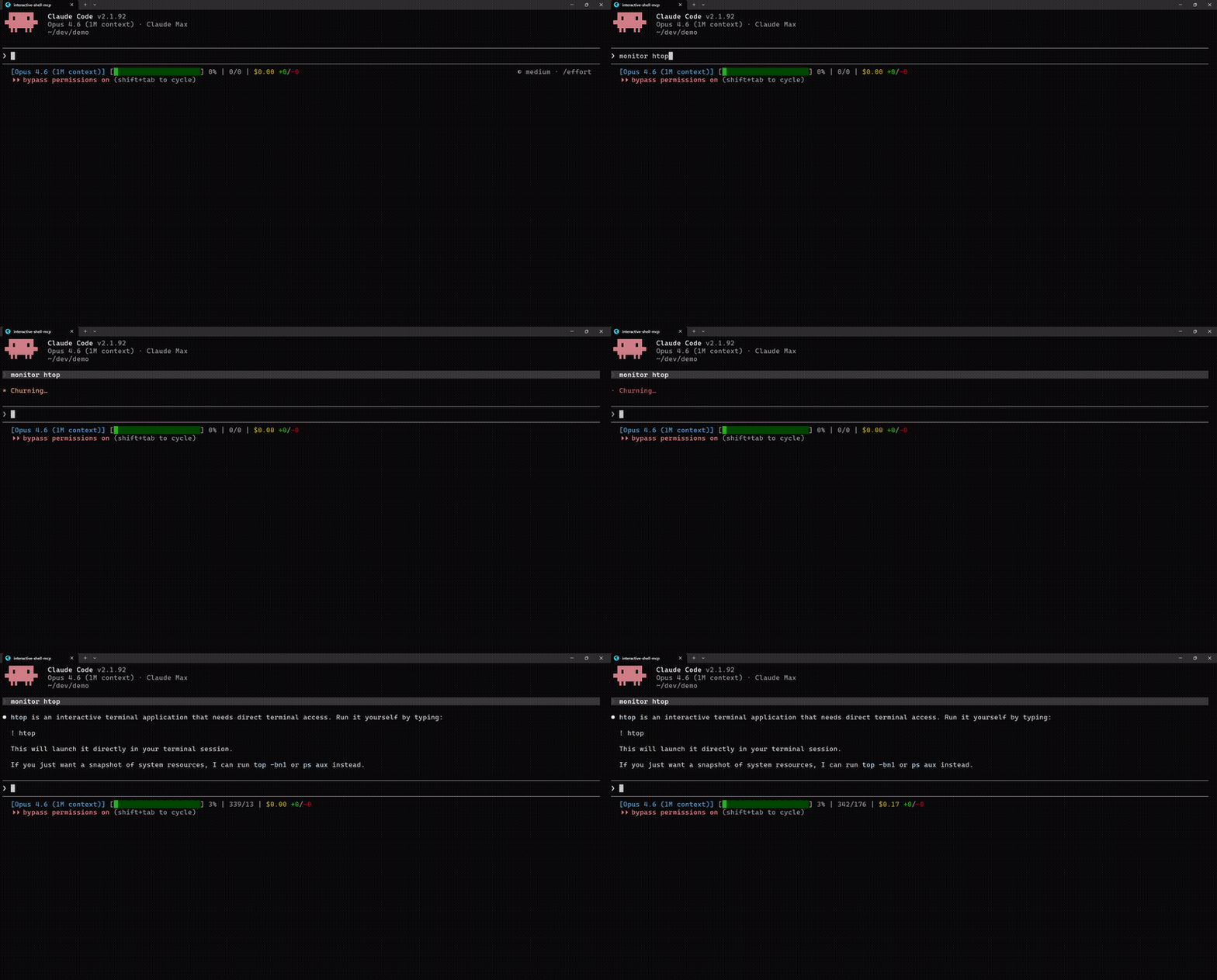
无 MCP | 有 MCP |
|
|
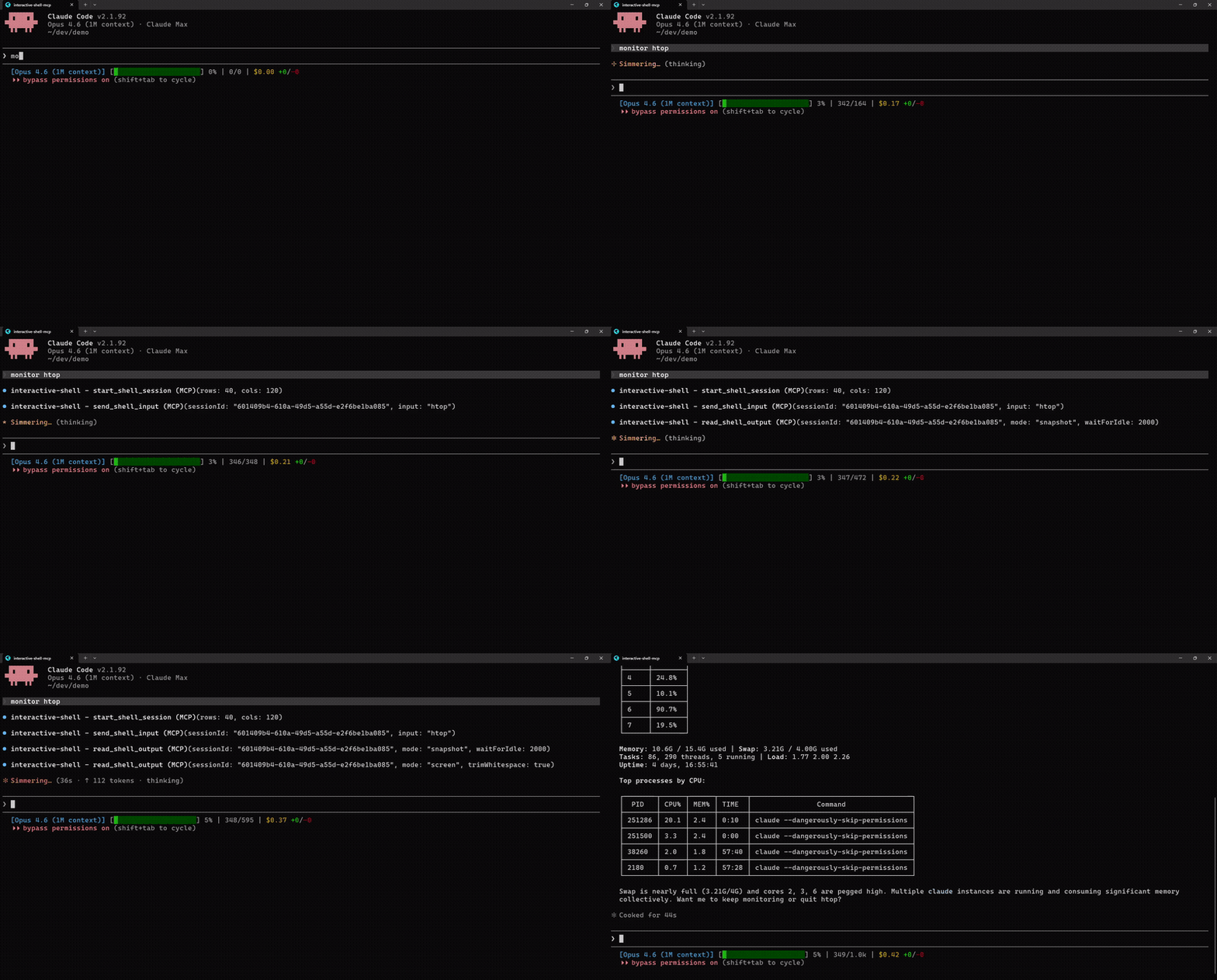
“htop 是交互式的,无法运行” | 启动 htop,读取屏幕,提取进程数据(速度提升 2 倍) |
Related MCP server: PTY MCP Server
大多数 AI 编码工具在隔离环境中运行 Shell 命令:每个命令都会启动一个新的 Shell,无法进行交互式提示,且 TUI 应用只会输出原始转义代码。此 MCP 服务器提供带有虚拟终端仿真器 (@xterm/headless) 的持久化 PTY 会话,以便智能体可以保持 Shell 状态、使用方向键导航交互式提示,并将渲染后的终端屏幕读取为纯文本。
三种输出模式:
模式 | 适用场景 | 获取内容 |
streaming | 常规命令 (ls, git, npm) | 原始顺序输出,读取后清除 |
snapshot | 实时更新应用 (top, htop) | 当前终端缓冲区末尾 |
screen | TUI 应用、提示符、任何视觉内容 | 渲染后的 2D 文本网格(人类所见内容) |
git clone https://github.com/lightos/interactive-shell-mcp.git
cd interactive-shell-mcp
npm install && npm run build
claude mcp add interactive-shell node dist/src/server.js
然后询问 Claude:“监控 htop 并告诉我什么占用了最多的 CPU”
通过 @xterm/headless 从 TUI 应用读取渲染后的屏幕
所有读取工具均支持 waitForIdle(无需再通过 sleep 猜测)
支持文本和正则表达式模式匹配的屏幕搜索
支持行/列坐标的矩形区域提取
Shell 白名单:bash, zsh, fish, sh, dash, ksh, powershell.exe, pwsh, cmd.exe
空闲 10 分钟后自动清理,进程退出后 60 秒内检测退出代码
跨平台:Unix/Linux/macOS + Windows
交互式脚手架与迁移:npx create-next-app, drizzle-kit push, prisma migrate, npm init 或任何基于 inquirer/clack 的 CLI
系统监控:htop, btop, top, iftop, duf,支持进程搜索和区域提取
DevOps TUI:lazydocker, lazygit, k9s, terraform console
远程会话:ssh 进入服务器,包括通过 SSH 运行嵌套的 TUI 应用
数据库 CLI:交互模式下的 psql, mysql, redis-cli, mongosh
网络工具:netcat/ncat, nmap, airodump-ng, tcpdump
REPL 与调试器:python, node, irb, gdb/lldb
文本编辑器:vim, nano, emacs -nw
claude mcp add interactive-shell node /path/to/interactive-shell-mcp/dist/src/server.js添加到 ~/Library/Application Support/Claude/claude_desktop_config.json (macOS) 或 %APPDATA%\Claude\claude_desktop_config.json (Windows):
{
  "mcpServers": {
    "interactive-shell": {
      "command": "node",
      "args": ["/path/to/interactive-shell-mcp/dist/src/server.js"]
    }
  }
}添加到你的 MCP 设置 (.vscode/mcp.json 或 ~/.cursor/mcp.json):
{
  "mcpServers": {
    "interactive-shell": {
      "command": "node",
      "args": ["/path/to/interactive-shell-mcp/dist/src/server.js"]
    }
  }
}start_shell_session生成带有虚拟终端仿真器的新 PTY Shell。
参数 | 类型 | 必需 | 描述 |
| number | 否 | 终端列数 (默认: 120, 最大: 500) |
| number | 否 | 终端行数 (默认: 40, 最大: 200) |
| string | 否 | 使用的 Shell (默认: |
| string | 否 | 工作目录 (默认: 服务器 cwd) |
返回 { sessionId, cols, rows }
send_shell_input向 PTY 写入输入。默认追加回车符。
参数 | 类型 | 必需 | 描述 |
| string | 是 | 会话 ID |
| string | 是 | 要发送的文本。原始模式: |
| boolean | 否 | 发送时不追加 CR。解析转义序列。(默认: false) |
read_shell_output读取 PTY 的输出。三种模式:流式 (默认)、快照、屏幕。
参数 | 类型 | 必需 | 描述 |
| string | 是 | 会话 ID |
| string | 否 |
|
| number | 否 | 读取前等待 N 毫秒的静默时间 (最大: 5000ms) |
| number | 否 | 流式模式的最大字节数 (默认: 100KB) |
| number | 否 | 快照缓冲区大小 (默认: 50KB) |
| number | 否 | 屏幕模式:起始行 (从 0 开始) |
| number | 否 | 屏幕模式:结束行 (不包含) |
| boolean | 否 | 屏幕模式:包含末尾空行 (默认: true) |
| boolean | 否 | 屏幕模式:修剪每行末尾的空格 (默认: false) |
屏幕模式在元数据中返回光标位置、终端尺寸和备用缓冲区状态。
get_screen_region从屏幕的矩形区域提取文本。
参数 | 类型 | 必需 | 描述 |
| string | 是 | 会话 ID |
| number | 是 | 起始行 (从 0 开始,包含) |
| number | 是 | 起始列 (从 0 开始,包含) |
| number | 是 | 结束行 (不包含) |
| number | 是 | 结束列 (不包含) |
| boolean | 否 | 修剪每行末尾的空格 (默认: false) |
| number | 否 | 读取前等待 N 毫秒的静默时间 (最大: 5000ms) |
get_screen_cursor获取光标位置和当前行文本。
参数 | 类型 | 必需 | 描述 |
| string | 是 | 会话 ID |
| number | 否 | 读取前等待 N 毫秒的静默时间 (最大: 5000ms) |
返回 { cursor: { x, y }, currentLine, isAlternateBuffer }
search_screen在终端屏幕中搜索文本或正则表达式。最多返回 50 个匹配项。
参数 | 类型 | 必需 | 描述 |
| string | 是 | 会话 ID |
| string | 是 | 文本或正则表达式模式 |
| boolean | 否 | 将模式视为正则表达式 (默认: false) |
| number | 否 | 读取前等待 N 毫秒的静默时间 (最大: 5000ms) |
返回 { results: [{ row, col, text }], count }
list_sessions列出所有带有元数据的活动会话。无参数。
返回 { sessions: [{ sessionId, shell, cols, rows, isAlternateBuffer, idleSeconds }] }
resize_shell调整活动会话的终端大小。
参数 | 类型 | 必需 | 描述 |
| string | 是 | 会话 ID |
| number | 是 | 新列数 (1-500) |
| number | 是 | 新行数 (1-200) |
end_shell_session关闭 PTY 并清理资源。
参数 | 类型 | 必需 | 描述 |
| string | 是 | 会话 ID |
这些示例展示了开发人员构建集成时使用的 MCP 工具调用模式。最终用户只需自然地与他们的 AI 智能体对话即可。
await send_shell_input(sessionId, "htop");
const { output, metadata } = await read_shell_output(sessionId, {
  mode: "screen",
  waitForIdle: 500
});
// output: rendered htop as clean text (CPU bars, process table, etc.)
// metadata.isAlternateBuffer: true (htop uses alternate screen)

// Extract just the process list (rows 6-30)
const processes = await get_screen_region(sessionId, {
  startRow: 6, startCol: 0, endRow: 30, endCol: 120,
  trimWhitespace: true
});// Send arrow keys and enter in raw mode
await send_shell_input(sessionId, "\\x1b[B", { raw: true }); // down arrow
await send_shell_input(sessionId, " ", { raw: true }); // space to select
await send_shell_input(sessionId, "\\r", { raw: true }); // enter to confirm
// Read what the prompt looks like now
const screen = await read_shell_output(sessionId, {
mode: "screen", waitForIdle: 300
});await send_shell_input(sessionId, "npm install");
const output = await read_shell_output(sessionId, {
waitForIdle: 1000 // wait for 1s of silence
});// Find all error lines
const errors = await search_screen(sessionId, {
pattern: "error|Error|ERROR",
regex: true,
waitForIdle: 500
});
// [{ row: 12, col: 0, text: "Error" }, ...]自动清理:空闲超过 10 分钟的会话将被自动销毁
退出检测:当 Shell 退出时,工具会在 60 秒内返回 "Session exited with code N",而不是通用的无效 ID 错误
Shell 白名单:仅允许生成已知的 Shell (bash, zsh, fish, sh, dash, ksh, powershell.exe, pwsh, cmd.exe)。未知值将回退到平台默认值。
MIT
This server cannot be deployed
Operate Linux, macOS and Windows from your LLM. Every action runs through an auditable allowlist.
Build Apps and run code in 30 languages — sandboxed, with persistent sessions for agent loops.
A persistent Linux computer for your AI: what it installs and writes survives the session.
Remote shell and detached long-running jobs on your own machines — no SSH, open ports or VPN.