

F
licenseNot graded
qualityD
maintenanceProvides stateful, interactive terminal access for LLMs to spawn and maintain persistent processes like SSH sessions, debuggers, and REPLs with continuous input/output interaction across commands.
8
-



TUIサポートを備えたインタラクティブなシェルセッション用のMCPサーバーです。AIエージェントに、永続的なターミナル、インタラクティブなプロンプト操作、レンダリングされた画面の読み取り、出力検索機能を提供します。
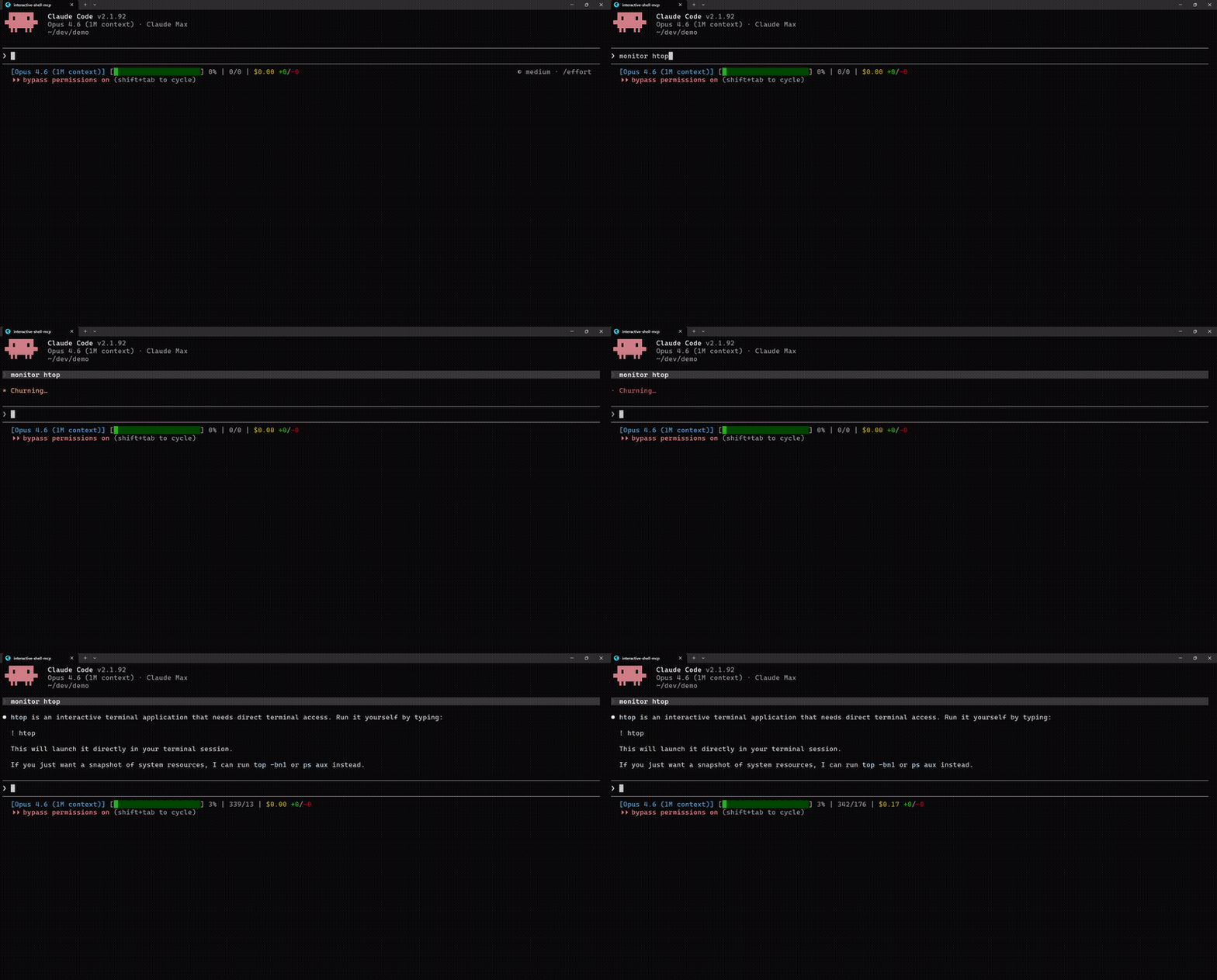
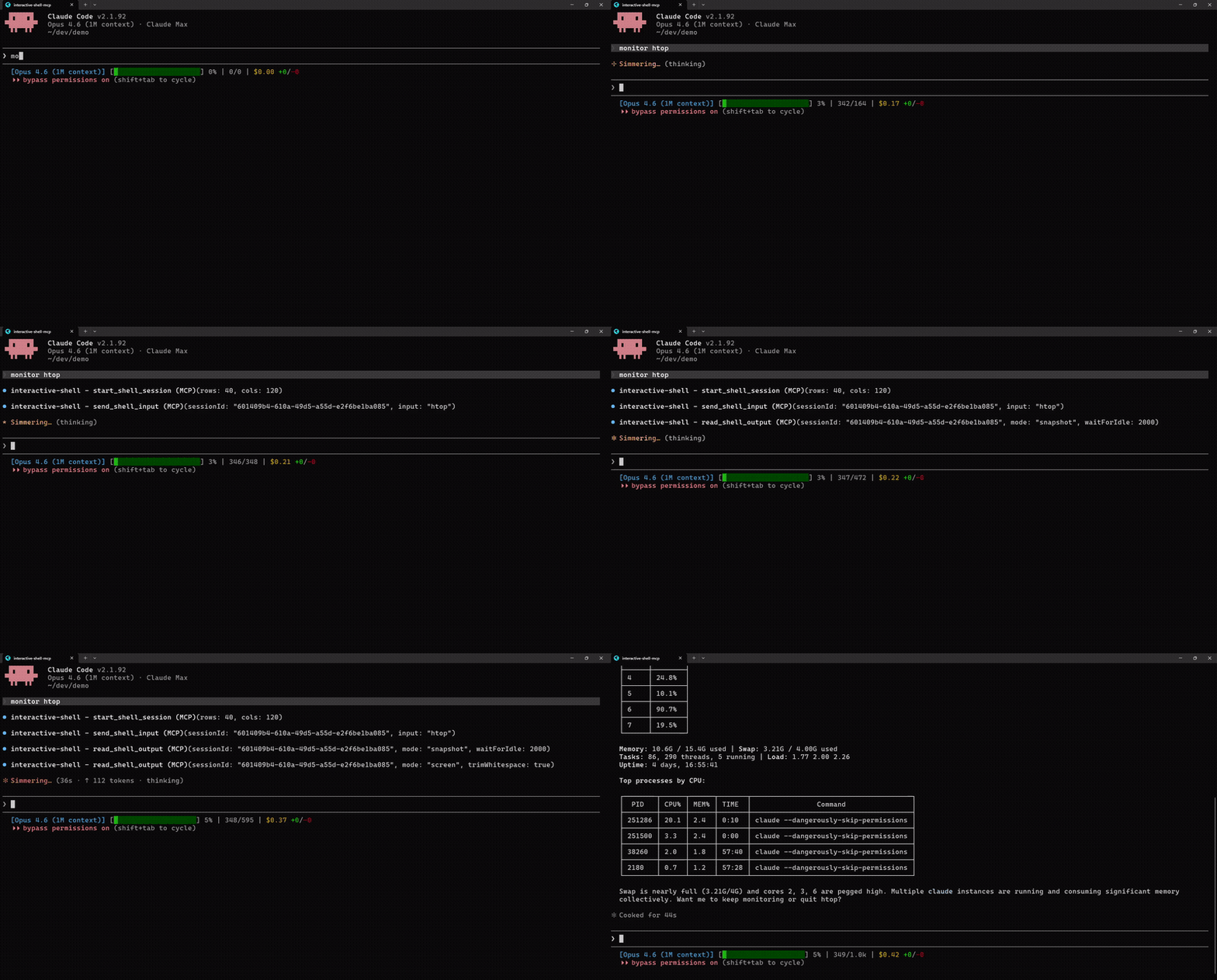
MCPなし | MCPあり |
|
|
"htopはインタラクティブなため実行できません" | htopを起動し、画面を読み取り、プロセスデータを抽出(2倍速) |
Related MCP server: PTY MCP Server
ほとんどのAIコーディングツールは、シェルコマンドを分離して実行します。つまり、各コマンドが新しいシェルを起動するため、インタラクティブなプロンプトは使用できず、TUIアプリは生の制御コードを出力するだけです。このMCPサーバーは、仮想ターミナルエミュレーター(@xterm/headless)を備えた永続的なPTYセッションを提供します。これにより、エージェントはシェル状態を維持し、矢印キーでインタラクティブなプロンプトを操作し、レンダリングされたターミナル画面をクリーンなテキストとして読み取ることができます。
3つの出力モード:
モード | 用途 | 内容 |
streaming | 通常のコマンド (ls, git, npm) | 生の逐次出力、読み取り後にクリア |
snapshot | ライブ更新アプリ (top, htop) | 現在のターミナルバッファの末尾 |
screen | TUIアプリ、プロンプト、視覚的なもの | レンダリングされた2Dテキストグリッド(人間が見るもの) |
git clone https://github.com/lightos/interactive-shell-mcp.git
cd interactive-shell-mcp
npm install && npm run build
claude mcp add interactive-shell node dist/src/server.js
その後、Claudeに次のように尋ねてください: "htopを監視して、CPU使用率が最も高いものを教えて"
@xterm/headless を介したTUIアプリからのレンダリングされた画面読み取り
すべての読み取りツールにわたる waitForIdle(sleepによる推測は不要)
テキストおよび正規表現パターンマッチングによる画面検索
行/列座標を指定した矩形領域の抽出
シェルの許可リスト: bash, zsh, fish, sh, dash, ksh, powershell.exe, pwsh, cmd.exe
10分間のアイドル後の自動クリーンアップ、プロセス終了後60秒間の終了コード検出
クロスプラットフォーム: Unix/Linux/macOS + Windows
インタラクティブなスキャフォールディングと移行: npx create-next-app, drizzle-kit push, prisma migrate, npm init、またはinquirer/clackベースのCLI
システム監視: htop, btop, top, iftop, duf(プロセス検索と領域抽出付き)
DevOps TUI: lazydocker, lazygit, k9s, terraform console
リモートセッション: サーバーへの ssh(SSH経由のネストされたTUIアプリを含む)
データベースCLI: psql, mysql, redis-cli, mongosh(インタラクティブモード)
ネットワークツール: netcat/ncat, nmap, airodump-ng, tcpdump
REPLとデバッガー: python, node, irb, gdb/lldb
テキストエディタ: vim, nano, emacs -nw
claude mcp add interactive-shell node /path/to/interactive-shell-mcp/dist/src/server.js~/Library/Application Support/Claude/claude_desktop_config.json (macOS) または %APPDATA%\Claude\claude_desktop_config.json (Windows) に追加してください:
{
  "mcpServers": {
    "interactive-shell": {
      "command": "node",
      "args": ["/path/to/interactive-shell-mcp/dist/src/server.js"]
    }
  }
}MCP設定(.vscode/mcp.json または ~/.cursor/mcp.json)に追加してください:
{
  "mcpServers": {
    "interactive-shell": {
      "command": "node",
      "args": ["/path/to/interactive-shell-mcp/dist/src/server.js"]
    }
  }
}start_shell_session仮想ターミナルエミュレーターを備えた新しいPTYシェルを起動します。
パラメータ | 型 | 必須 | 説明 |
| number | いいえ | ターミナルの列数(デフォルト: 120, 最大: 500) |
| number | いいえ | ターミナルの行数(デフォルト: 40, 最大: 200) |
| string | いいえ | 使用するシェル(デフォルト: |
| string | いいえ | 作業ディレクトリ(デフォルト: サーバーのcwd) |
{ sessionId, cols, rows } を返します
send_shell_inputPTYに入力を書き込みます。デフォルトでキャリッジリターンが付加されます。
パラメータ | 型 | 必須 | 説明 |
| string | はい | セッションID |
| string | はい | 送信するテキスト。Rawモード: |
| boolean | いいえ | CRを付加せずに送信。エスケープシーケンスを解析します。(デフォルト: false) |
read_shell_outputPTYから出力を読み取ります。3つのモード: streaming(デフォルト)、snapshot、screen。
パラメータ | 型 | 必須 | 説明 |
| string | はい | セッションID |
| string | いいえ |
|
| number | いいえ | 読み取り前にNミリ秒の静止を待機(最大: 5000ms) |
| number | いいえ | ストリーミングモードの最大バイト数(デフォルト: 100KB) |
| number | いいえ | スナップショットバッファサイズ(デフォルト: 50KB) |
| number | いいえ | Screenモード: 開始行(0始まり) |
| number | いいえ | Screenモード: 終了行(排他的) |
| boolean | いいえ | Screenモード: 末尾の空行を含める(デフォルト: true) |
| boolean | いいえ | Screenモード: 行ごとの末尾の空白をトリミング(デフォルト: false) |
Screenモードは、メタデータ内にカーソル位置、ターミナル寸法、代替バッファ状態を返します。
get_screen_region画面の矩形領域からテキストを抽出します。
パラメータ | 型 | 必須 | 説明 |
| string | はい | セッションID |
| number | はい | 開始行(0始まり、包括的) |
| number | はい | 開始列(0始まり、包括的) |
| number | はい | 終了行(排他的) |
| number | はい | 終了列(排他的) |
| boolean | いいえ | 行ごとの末尾の空白をトリミング(デフォルト: false) |
| number | いいえ | 読み取り前にNミリ秒の静止を待機(最大: 5000ms) |
get_screen_cursorカーソル位置と現在の行のテキストを取得します。
パラメータ | 型 | 必須 | 説明 |
| string | はい | セッションID |
| number | いいえ | 読み取り前にNミリ秒の静止を待機(最大: 5000ms) |
{ cursor: { x, y }, currentLine, isAlternateBuffer } を返します
search_screenターミナル画面でテキストまたは正規表現を検索します。最大50件の結果を返します。
パラメータ | 型 | 必須 | 説明 |
| string | はい | セッションID |
| string | はい | テキストまたは正規表現パターン |
| boolean | いいえ | パターンを正規表現として扱う(デフォルト: false) |
| number | いいえ | 読み取り前にNミリ秒の静止を待機(最大: 5000ms) |
{ results: [{ row, col, text }], count } を返します
list_sessionsメタデータを含むすべてのアクティブなセッションを一覧表示します。パラメータなし。
{ sessions: [{ sessionId, shell, cols, rows, isAlternateBuffer, idleSeconds }] } を返します
resize_shellアクティブなセッションのターミナルサイズを変更します。
パラメータ | 型 | 必須 | 説明 |
| string | はい | セッションID |
| number | はい | 新しい列数 (1-500) |
| number | はい | 新しい行数 (1-200) |
end_shell_sessionPTYを閉じ、リソースをクリーンアップします。
パラメータ | 型 | 必須 | 説明 |
| string | はい | セッションID |
これらは、統合を構築する開発者向けのMCPツール呼び出しパターンを示しています。エンドユーザーはAIエージェントと自然に対話するだけです。
await send_shell_input(sessionId, "htop");
const { output, metadata } = await read_shell_output(sessionId, {
  mode: "screen",
  waitForIdle: 500
});
// output: rendered htop as clean text (CPU bars, process table, etc.)
// metadata.isAlternateBuffer: true (htop uses alternate screen)

// Extract just the process list (rows 6-30)
const processes = await get_screen_region(sessionId, {
  startRow: 6, startCol: 0, endRow: 30, endCol: 120,
  trimWhitespace: true
});// Send arrow keys and enter in raw mode
await send_shell_input(sessionId, "\\x1b[B", { raw: true }); // down arrow
await send_shell_input(sessionId, " ", { raw: true }); // space to select
await send_shell_input(sessionId, "\\r", { raw: true }); // enter to confirm
// Read what the prompt looks like now
const screen = await read_shell_output(sessionId, {
mode: "screen", waitForIdle: 300
});await send_shell_input(sessionId, "npm install");
const output = await read_shell_output(sessionId, {
waitForIdle: 1000 // wait for 1s of silence
});// Find all error lines
const errors = await search_screen(sessionId, {
pattern: "error|Error|ERROR",
regex: true,
waitForIdle: 500
});
// [{ row: 12, col: 0, text: "Error" }, ...]自動クリーンアップ: 10分以上アイドル状態のセッションは自動的に破棄されます
終了検出: シェルが終了すると、ツールは汎用的な無効IDエラーの代わりに60秒間 "Session exited with code N" を返します
シェル許可リスト: 既知のシェル(bash, zsh, fish, sh, dash, ksh, powershell.exe, pwsh, cmd.exe)のみ起動可能です。不明な値はプラットフォームのデフォルトにフォールバックします。
MIT
This server cannot be deployed
Operate Linux, macOS and Windows from your LLM. Every action runs through an auditable allowlist.
Build Apps and run code in 30 languages — sandboxed, with persistent sessions for agent loops.
A persistent Linux computer for your AI: what it installs and writes survives the session.
Remote shell and detached long-running jobs on your own machines — no SSH, open ports or VPN.