Glama

mcp-pandoc-md2pptx: Markdown to PowerPoint Converter

A Model Context Protocol server for converting Markdown content to PowerPoint (PPTX) presentations using pandoc.

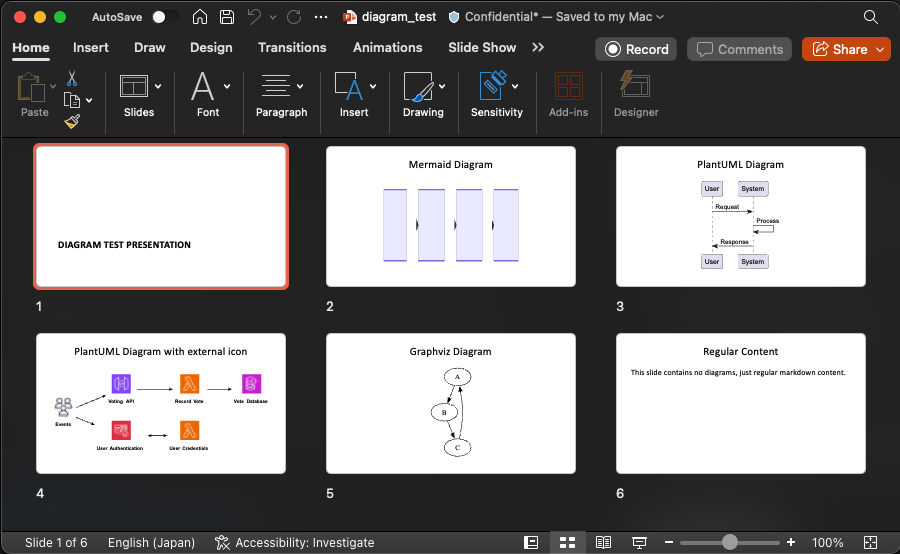
demo

Overview

This MCP server provides a simple tool to transform Markdown content into PowerPoint presentations while preserving formatting and structure. Perfect for creating presentations from documentation, notes, or any Markdown content.

Related MCP server: Markdownify MCP Server

Tools

  1. convert-contents

    • Converts Markdown content to PowerPoint (PPTX) format

    • Inputs:

      • contents (string): Markdown content to convert (required if input_file not provided)

      • input_file (string): Path to Markdown input file (required if contents not provided)

      • output_file (string): Complete path for PPTX output file (required)

      • template (string): Path to a template PPTX document to use for styling (optional)

Usage & Configuration

{
  "mcpServers": {
    "mcp-pandoc-md2pptx": {
      "command": "uvx",
      "args": ["mcp-pandoc-md2pptx"]
    }
  }
}

Prerequisites

  1. Pandoc Installation

    # macOS
    brew install pandoc
    
    # Ubuntu/Debian
    sudo apt-get install pandoc
    
    # Windows
    # Download from: https://pandoc.org/installing.html
  2. UV Package Installation

    # macOS
    brew install uv
    
    # Windows/Linux
    pip install uv

Examples

Basic Conversion

"Convert this markdown to PowerPoint and save as /presentations/demo.pptx:
# My Presentation
## Slide 1
Content here"

File Conversion

"Convert /path/to/input.md to PPTX and save as /path/to/output.pptx"

With Custom Template

"Convert markdown to PPTX using /templates/theme.pptx as template and save as /presentations/styled.pptx"

Template Support

Create custom PowerPoint templates for consistent branding:

  1. Generate default template:

    pandoc -o template.pptx --print-default-data-file reference.pptx
  2. Customize in PowerPoint with your fonts, colors, and slide layouts

  3. Use in conversion:

    "Convert content using /path/to/template.pptx as template"

Installation

Option 1: Manual Configuration

Add to your Claude Desktop config:

  • macOS: ~/Library/Application Support/Claude/claude_desktop_config.json

  • Windows: %APPDATA%/Claude/claude_desktop_config.json

{
  "mcpServers": {
    "mcp-pandoc-md2pptx": {
      "command": "uvx",
      "args": ["mcp-pandoc-md2pptx"]
    }
  }
}

Option 2: Smithery (Automatic)

npx -y @smithery/cli install mcp-pandoc-md2pptx --client claude

Development

Testing

uv run pytest

Building

uv sync
uv build

Publishing

uv publish

Contributing

  1. Report Issues: GitHub Issues

  2. Submit Pull Requests: Improve the codebase or add features

Acknowledgement

Special thanks to MCP Pandoc and pandoc-ext/diagram


Simple, focused Markdown to PowerPoint conversion via MCP

Install Server
A
security – no known vulnerabilities
A
license - permissive license
A
quality - confirmed to work

Resources

Unclaimed servers have limited discoverability.

Looking for Admin?

If you are the server author, to access and configure the admin panel.

Latest Blog Posts

MCP directory API

We provide all the information about MCP servers via our MCP API.

curl -X GET 'https://glama.ai/api/mcp/v1/servers/maekawataiki/mcp-pandoc-md2pptx'

If you have feedback or need assistance with the MCP directory API, please join our Discord server