


A
licenseC
qualityD
maintenanceA Message Control Protocol server that enables Claude Desktop to interact with NotePlan.co, allowing users to query, search, create, and update notes directly from Claude conversations.
7
12
MIT

与 macOS 上的 Apple Notes 连接的 MCP 服务器。
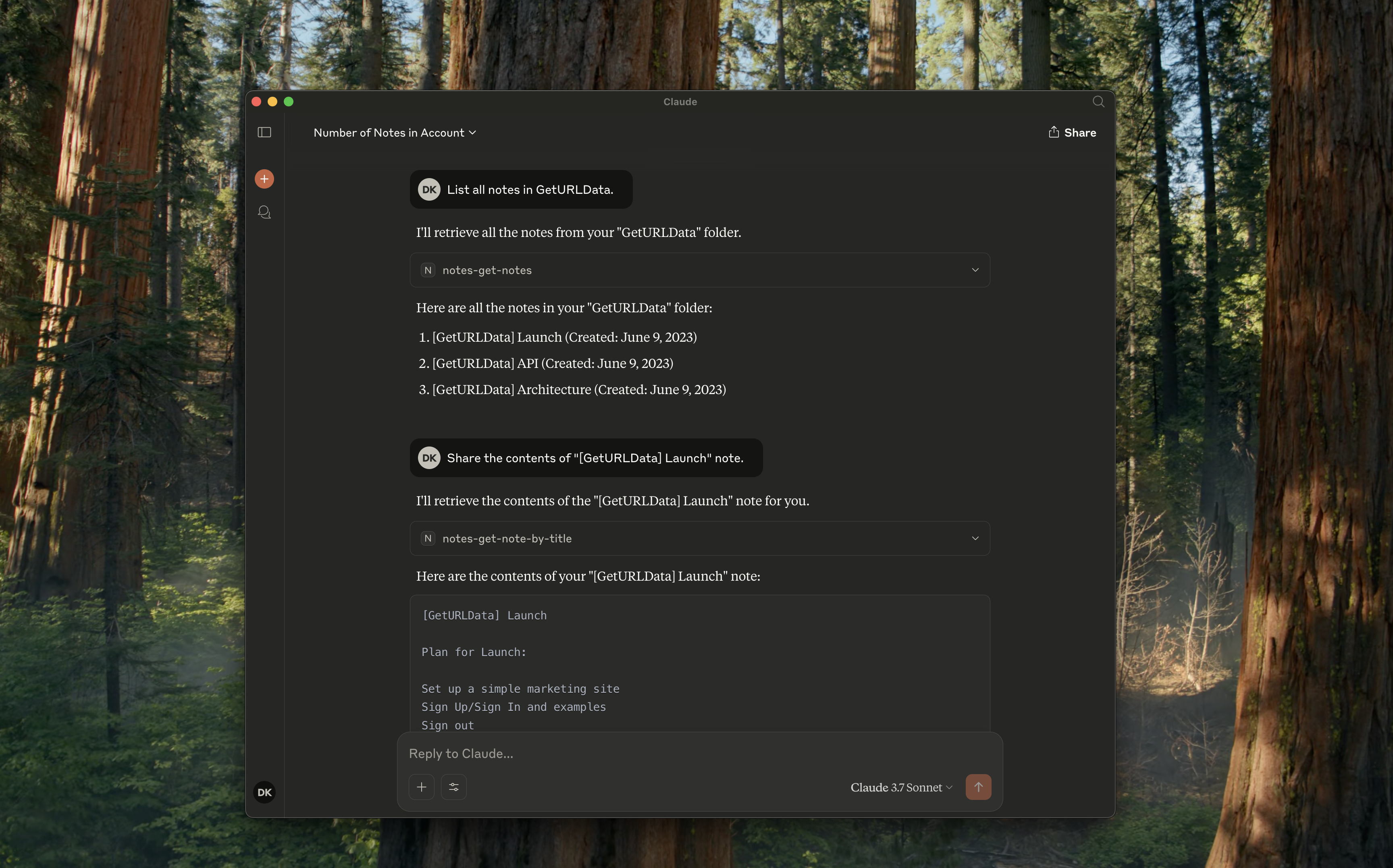
notes-get-folders :获取所有文件夹。
notes-get-notes :获取文件夹中的所有笔记。
notes-create-note :创建具有标题和内容的新笔记。
notes-get-note-by-id :通过标识符获取注释。
notes-get-note-by-title :通过完全匹配的标题查找注释。
notes-get-note-count :获取笔记总数。
Related MCP server: apple-notes-mcp
始终先安装依赖项并构建它:
npm install && npm run build将以下内容添加到您的~/Library/Application\ Support/Claude/claude_desktop_config.json :
{
    "mcpServers": {
        "notes": {
            "command": "node",
            "args": ["path/to/notes/mcp/dist/index.js"]
        }
    }
}
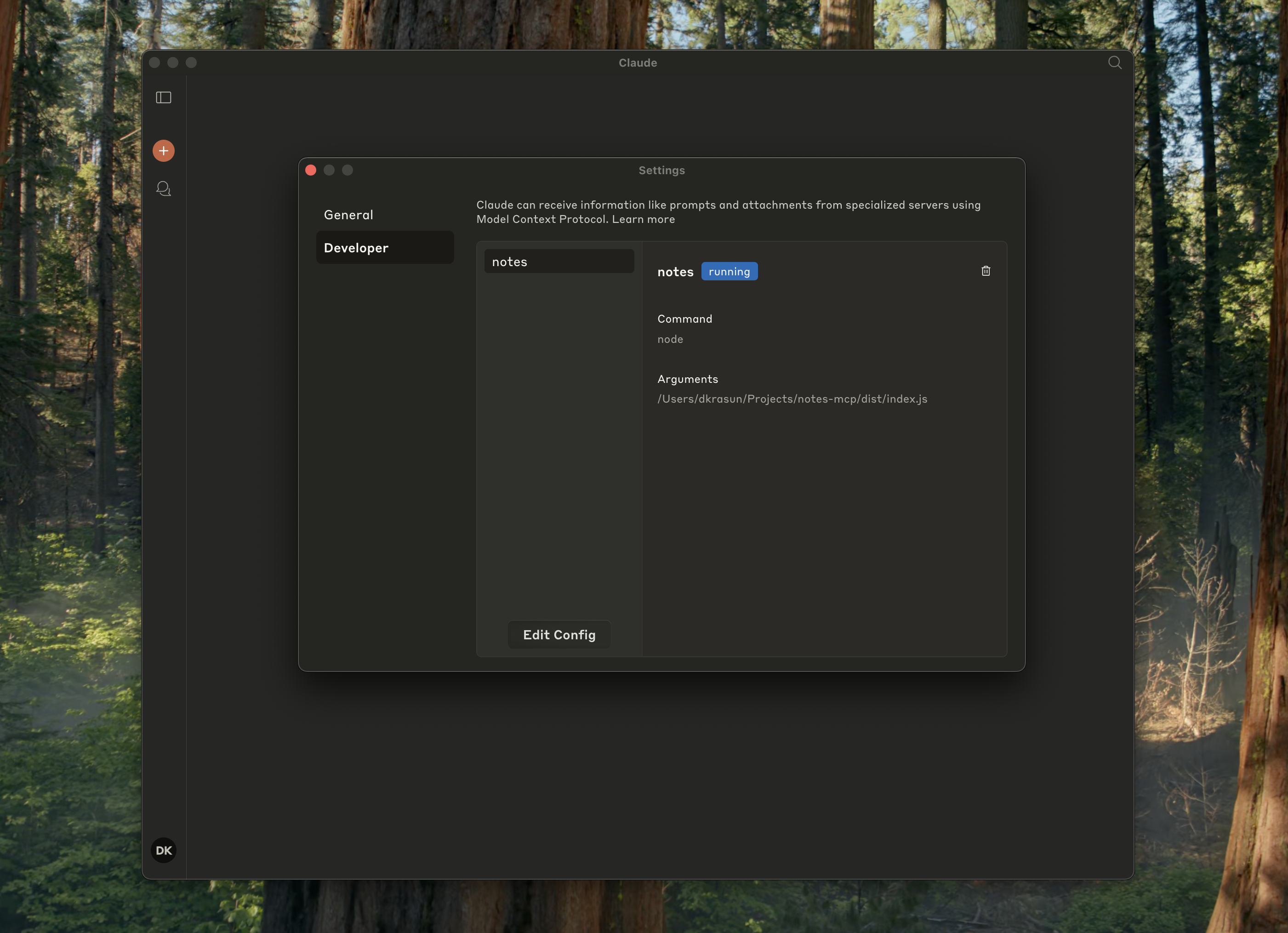
并检查它是否在 Claude 设置中运行:
{
    "mcpServers": {
        "notes": {
            "command": "node",
            "args": ["path/to/notes/mcp/dist/index.js"]
        }
    }
}
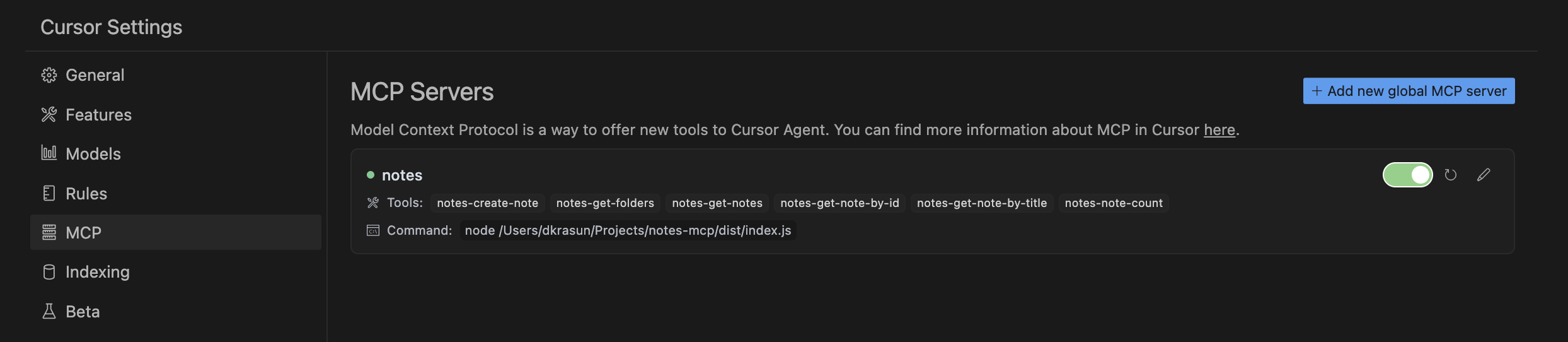
然后检查 Cursor MCP 设置:
node dist/index.jsNotes MCP是根据 MIT 许可证授权的。
Recent tool additions, removals, and schema changes observed during successful MCP inspections. Dates show when Glama detected each change.
No tool schema history has been recorded yet.
This server cannot be installed
Unclaimed servers have limited discoverability.
If you are the server author, to access and configure the admin panel.
Search, read, and write your Apple Notes from ChatGPT/Claude via a local Mac agent + MCP relay.
Google Keep-style notes app with an MCP server for AI agents to read/write notes.
Persistent memory layer for AI tools. Save and recall notes across Claude and other MCP clients.
Markdown-based note-taking with a hosted MCP server. Your notes serve you and your AI.
We provide all the information about MCP servers via our MCP API.
curl -X GET 'https://glama.ai/api/mcp/v1/servers/krasun/notes-mcp'
If you have feedback or need assistance with the MCP directory API, please join our Discord server