


A
licenseC
qualityD
maintenanceA Message Control Protocol server that enables Claude Desktop to interact with NotePlan.co, allowing users to query, search, create, and update notes directly from Claude conversations.
7
12
MIT

Ein MCP-Server, der eine Verbindung mit Ihren Apple Notes auf macOS herstellt.
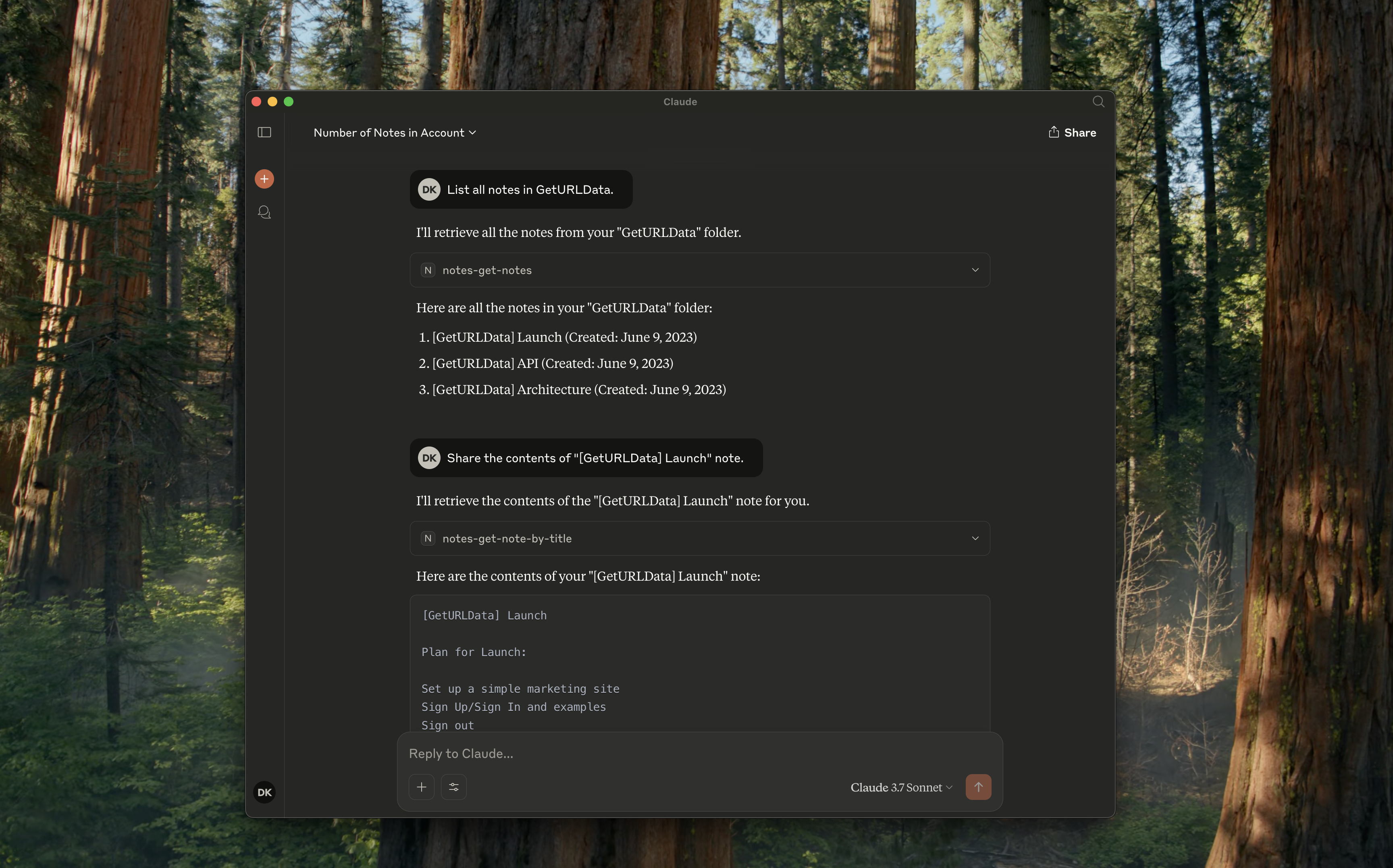
notes-get-folders : Alle Ordner abrufen.
notes-get-notes : Alle Notizen in einem Ordner abrufen.
notes-create-note : Erstellen Sie eine neue Notiz mit Titel und Inhalt.
notes-get-note-by-id : Ruft eine Notiz anhand ihrer Kennung ab.
notes-get-note-by-title : Suchen Sie eine Notiz anhand der genauen Übereinstimmung des Titels.
notes-get-note-count : Ruft die Gesamtzahl der Notizen ab.
Related MCP server: apple-notes-mcp
Installieren Sie immer zuerst Abhängigkeiten und erstellen Sie sie:
npm install && npm run buildFügen Sie Folgendes zu Ihrer ~/Library/Application\ Support/Claude/claude_desktop_config.json hinzu:
{
    "mcpServers": {
        "notes": {
            "command": "node",
            "args": ["path/to/notes/mcp/dist/index.js"]
        }
    }
}
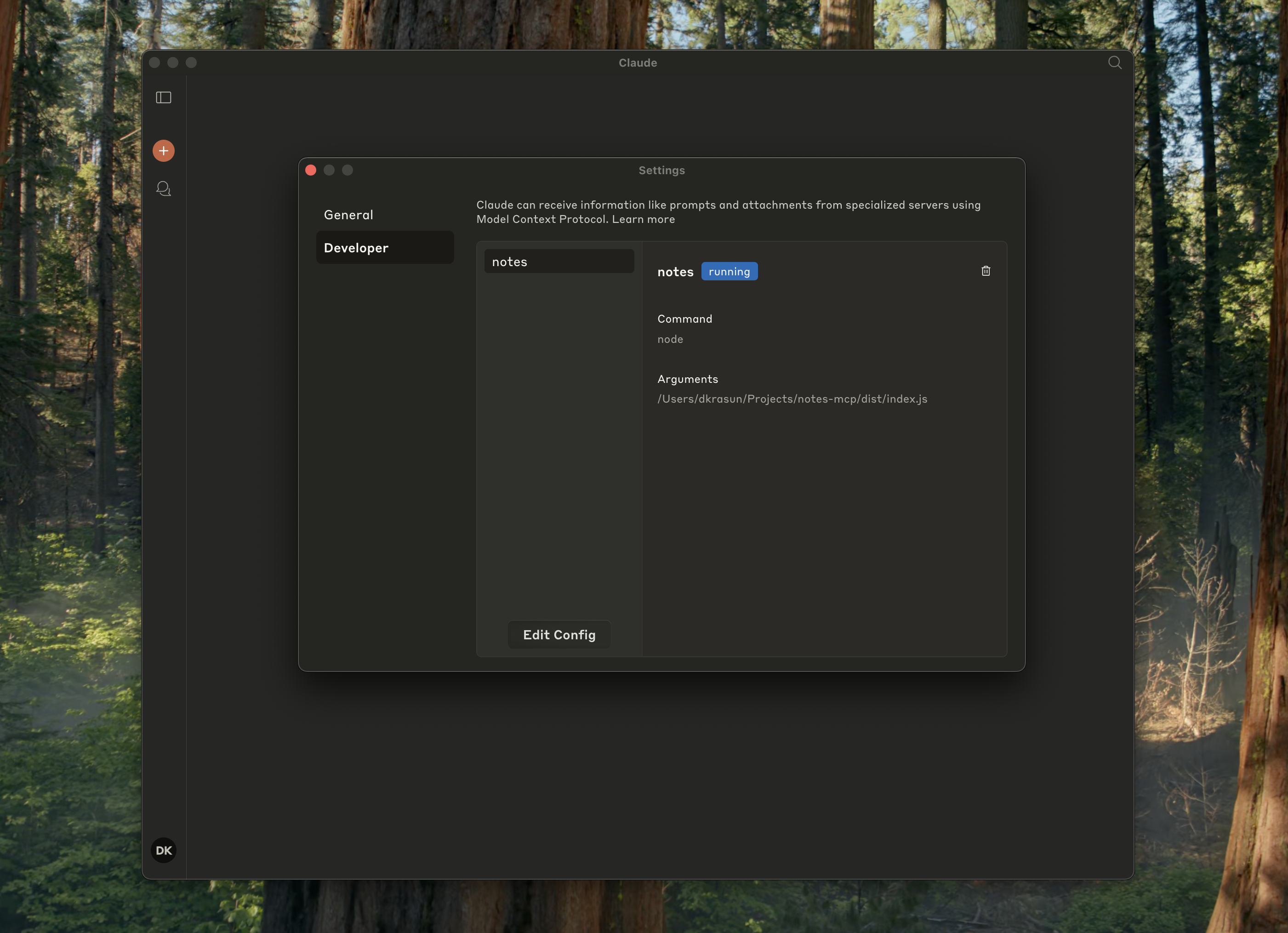
Und überprüfen Sie, ob es in den Claude-Einstellungen ausgeführt wird:
{
    "mcpServers": {
        "notes": {
            "command": "node",
            "args": ["path/to/notes/mcp/dist/index.js"]
        }
    }
}
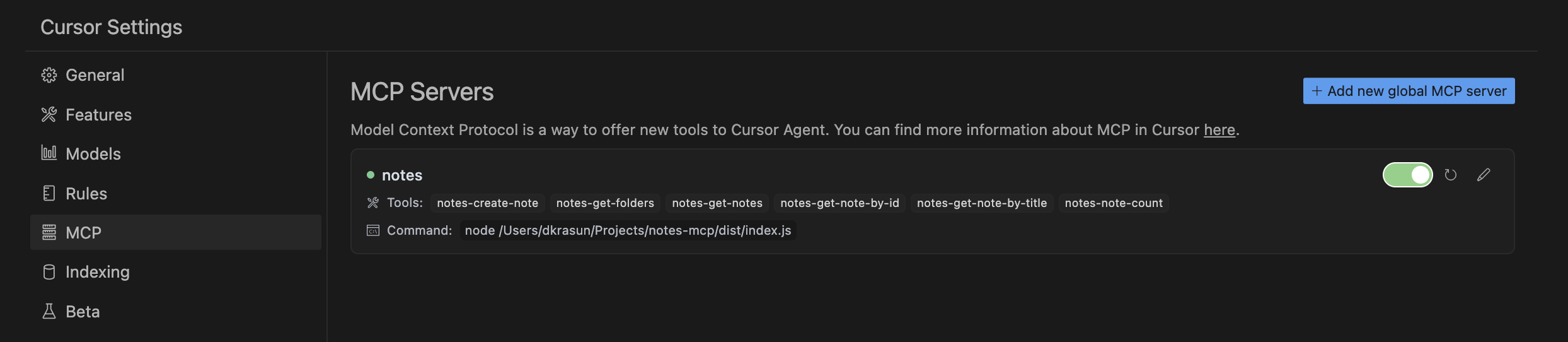
Und überprüfen Sie dann die Cursor-MCP-Einstellungen:
node dist/index.jsNotes MCP ist unter der MIT-Lizenz lizenziert.
Recent tool additions, removals, and schema changes observed during successful MCP inspections. Dates show when Glama detected each change.
No tool schema history has been recorded yet.
This server cannot be installed
Unclaimed servers have limited discoverability.
If you are the server author, to access and configure the admin panel.
Search, read, and write your Apple Notes from ChatGPT/Claude via a local Mac agent + MCP relay.
Google Keep-style notes app with an MCP server for AI agents to read/write notes.
Persistent memory layer for AI tools. Save and recall notes across Claude and other MCP clients.
Markdown-based note-taking with a hosted MCP server. Your notes serve you and your AI.
We provide all the information about MCP servers via our MCP API.
curl -X GET 'https://glama.ai/api/mcp/v1/servers/krasun/notes-mcp'
If you have feedback or need assistance with the MCP directory API, please join our Discord server