


A
licenseC
qualityD
maintenanceA Message Control Protocol server that enables Claude Desktop to interact with NotePlan.co, allowing users to query, search, create, and update notes directly from Claude conversations.
7
12
MIT

macOS에서 Apple Notes에 연결되는 MCP 서버입니다.
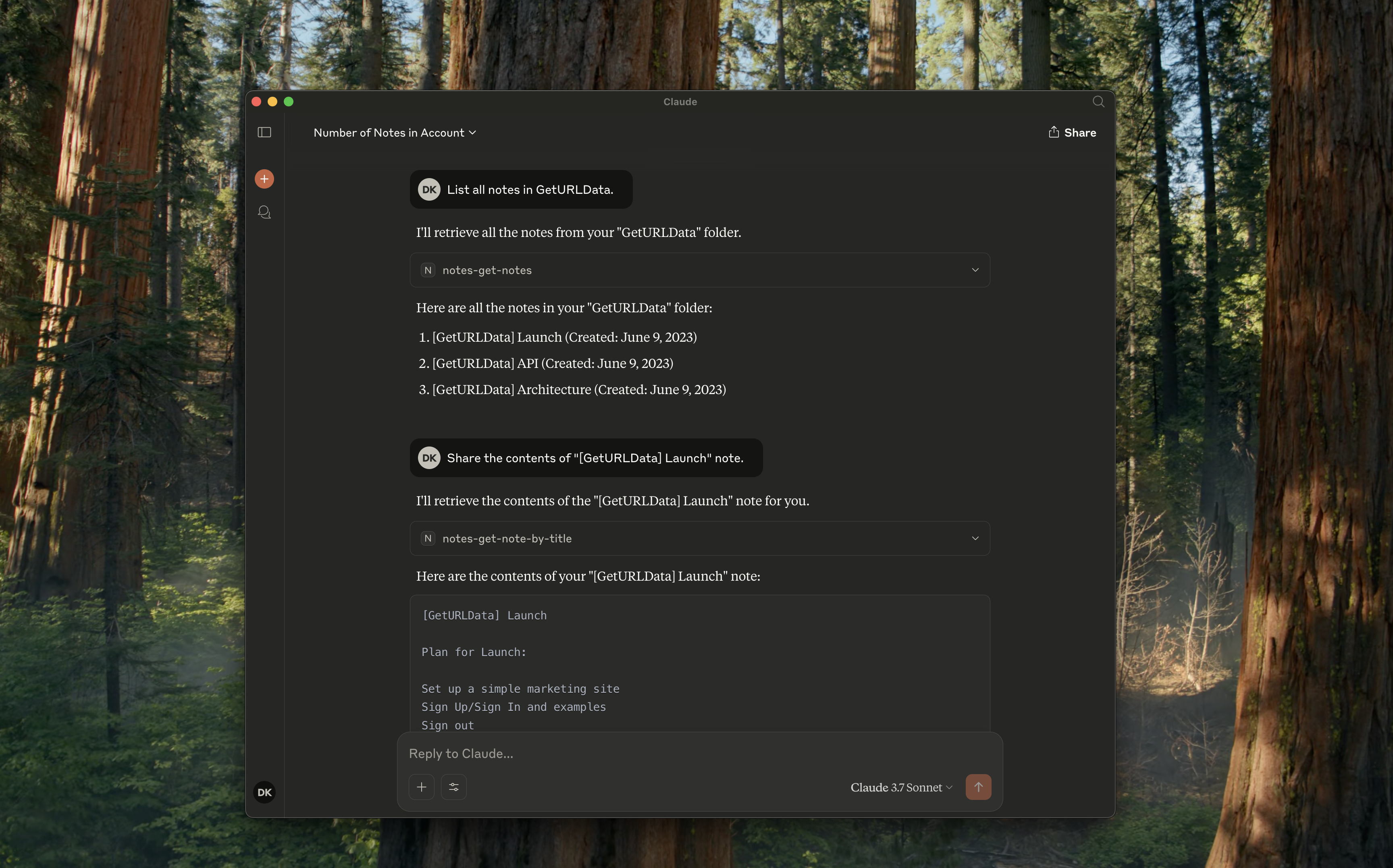
notes-get-folders : 모든 폴더를 가져옵니다.
notes-get-notes : 폴더에 있는 모든 노트를 가져옵니다.
notes-create-note : 제목과 내용을 입력하여 새로운 노트를 만듭니다.
notes-get-note-by-id : 식별자로 노트를 가져옵니다.
notes-get-note-by-title : 제목과 정확히 일치하는 항목으로 노트를 찾습니다.
notes-get-note-count : 총 노트 수를 가져옵니다.
Related MCP server: apple-notes-mcp
항상 종속성을 설치하고 먼저 빌드하세요.
지엑스피1
~/Library/Application\ Support/Claude/claude_desktop_config.json 에 다음을 추가하세요.
{
    "mcpServers": {
        "notes": {
            "command": "node",
            "args": ["path/to/notes/mcp/dist/index.js"]
        }
    }
}
Claude 설정에서 실행 중인지 확인하세요.
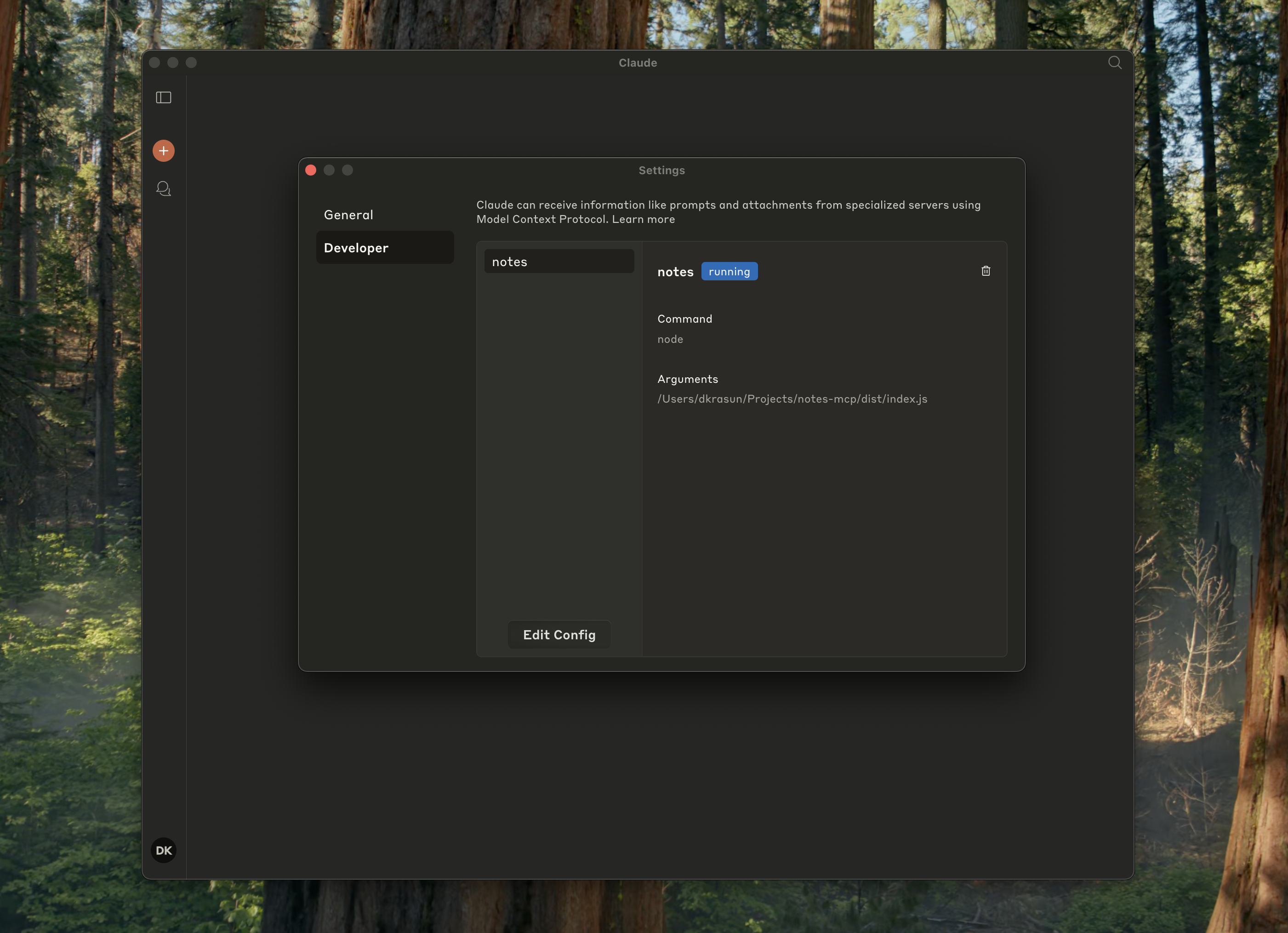
{
    "mcpServers": {
        "notes": {
            "command": "node",
            "args": ["path/to/notes/mcp/dist/index.js"]
        }
    }
}
그런 다음 커서 MCP 설정을 확인하세요.
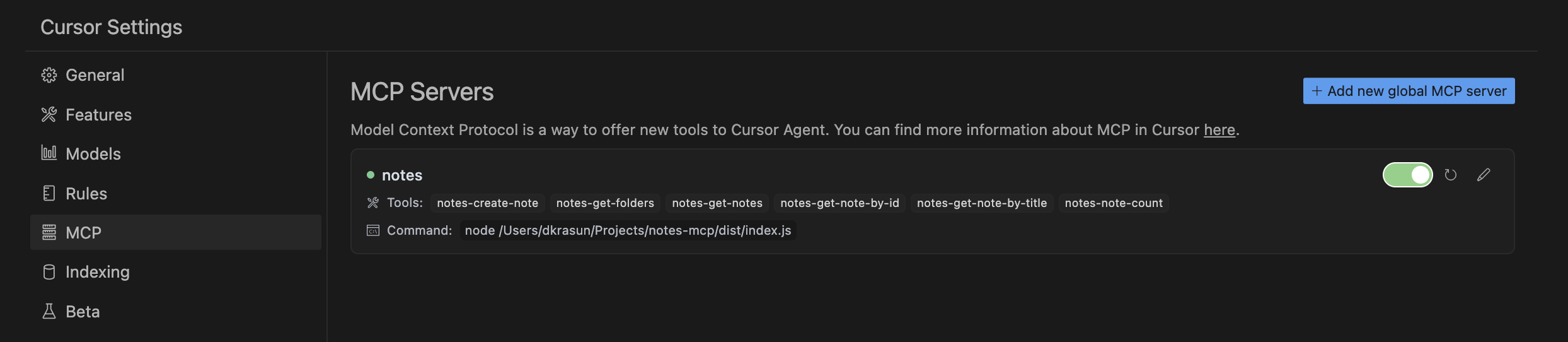
node dist/index.jsNotes MCP MIT 라이선스에 따라 라이선스가 부여되었습니다.
Recent tool additions, removals, and schema changes observed during successful MCP inspections. Dates show when Glama detected each change.
No tool schema history has been recorded yet.
This server cannot be installed
Unclaimed servers have limited discoverability.
If you are the server author, to access and configure the admin panel.
Search, read, and write your Apple Notes from ChatGPT/Claude via a local Mac agent + MCP relay.
Google Keep-style notes app with an MCP server for AI agents to read/write notes.
Persistent memory layer for AI tools. Save and recall notes across Claude and other MCP clients.
Markdown-based note-taking with a hosted MCP server. Your notes serve you and your AI.
We provide all the information about MCP servers via our MCP API.
curl -X GET 'https://glama.ai/api/mcp/v1/servers/krasun/notes-mcp'
If you have feedback or need assistance with the MCP directory API, please join our Discord server