MCP 浏览器使用
使用此 MCP 可以实现什么
本项目旨在使 AI 智能体能够利用模型上下文协议 (MCP) 和 Selenium 执行网页使用、浏览器自动化、抓取和自动化任务。
此 MCP 的特殊之处在于,它可以处理多个智能体访问多个浏览器窗口。无需启动多个 Docker 镜像、虚拟机或计算机即可拥有多个抓取智能体。并且,所有智能体仍然可以使用同一个浏览器配置文件。每个智能体都有自己的窗口,它们互不干扰。
这使得处理多个智能体变得无缝:只需启动任意数量的智能体,它就能正常工作! 在一台计算机上同时使用两个 Claude Code 实例、一个 Codex CLI 实例、一个 Gemini CLI 实例和一个 fast-agent 实例——它们都使用相同的浏览器配置文件,并且(在一定程度上)并行工作。
我们的使命是让 AI 智能体在最少的人工监督下完成任何网页任务——所有这些都基于自然语言指令。
Related MCP server: Selenium MCP Server
功能亮点
HTML 截断: 该 MCP 允许您配置 HTML 页面的截断。其他抓取 MCP 可能会用超过上下文窗口的辅助功能快照或 HTML 转储来淹没 AI。此 MCP 将通过设置 MCP_MAX_SNAPSHOT_CHARS 环境变量来帮助您管理最大页面大小。
多个浏览器窗口和多个智能体: 您可以将多个智能体独立连接到此 MCP,而无需智能体之间的协调。每个智能体都可以使用相同的浏览器配置文件,这在需要跨智能体保持登录状态时非常有用。每个智能体都有自己的浏览器窗口,因此它们互不干扰。使用 Chrome DevTools Protocol TargetId 来识别浏览器窗口。
已知限制
配置 / 安装
1. 克隆并创建虚拟环境
git clone https://github.com/janspoerer/mcp_browser_use.git
cd mcp_browser_use
python3 -m venv .venv
source .venv/bin/activate        # Windows: .venv\Scripts\activate
pip install -r requirements.txt
2. 安装 Chrome Beta
我们建议使用 Chrome Beta(而不是常规 Chrome),以便 AI 智能体可以在远程调试模式下运行,而不会干扰您的日常浏览。
macOS:
brew install --cask google-chrome-beta
Ubuntu / Debian:
wget -q -O - https://dl.google.com/linux/linux_signing_key.pub | sudo apt-key add -
echo "deb [arch=amd64] http://dl.google.com/linux/chrome/deb/ stable main" \
    | sudo tee /etc/apt/sources.list.d/google-chrome.list
sudo apt update && sudo apt install -y google-chrome-beta
Windows: 从 google.com/chrome/beta 下载并安装 Chrome Beta。
安装后,验证:
google-chrome-beta --version      # Linux
# or
"/Applications/Google Chrome Beta.app/Contents/MacOS/Google Chrome Beta" --version  # macOS
Linux 无头服务器 — Xvfb(虚拟显示)
Chrome 需要显示器。在无头 Linux 服务器(无 GUI)上,请使用 Xvfb:
sudo apt install -y xvfb

# Start a virtual display on screen :99
Xvfb :99 -screen 0 1920x1080x24 &

# Tell Chrome which display to use
export DISPLAY=:99
将 export DISPLAY=:99 添加到您的 .bashrc 或 .profile 以使其永久生效。
3. 配置并启动
如何使用(此)MCP
请参阅 modelcontextprotocol.io 上的 MCP 文档。
请注意,您需要在 MCP 配置文件指向的 Python 环境中安装所有依赖项。例如,如果您指向 python 或 python3 可执行文件,您将指向全局 Python 环境。通常建议指向虚拟环境,例如:
/Users/yourname/code/mcp_browser_use/.venv/bin/python
如果您已将此存储库克隆到本地 code 文件夹,您的 MCP 配置文件应如下所示:
{
    "mcpServers": {
        "mcp_browser_use": {
            "command": "/Users/janspoerer/code/mcp_browser_use/.venv/bin/python",
            "args": [
                "/Users/janspoerer/code/mcp_browser_use/mcp_browser_use"
            ]
        }
    }
}
它将位于此处(在 macOS 中):/Users/janspoerer/Library/Application Support/Claude/claude_desktop_config.json。
请参阅 requirements.txt 以查看需要安装哪些依赖项。
重启 Claude 以查看 JSON 配置是否有效。如果出现问题,Claude 会引导您查看 MCP 的错误日志。
如果设置成功,您将在 Claude 的“新聊天”窗口右下角看到一个小锤子图标。锤子旁边将是 MCP 提供的函数数量。
点击锤子查看可用工具。
环境变量配置
重要: 在您的项目根目录 .mcp.json 文件中定义所有环境变量,而不是在 .env 文件中。这确保了单一事实来源且不会产生冲突。
推荐配置 (Chrome Beta)
将环境变量添加到 .mcp.json 文件的 env 部分:
{
  "mcpServers": {
    "mcp_browser_use": {
      "type": "stdio",
      "command": "/path/to/.venv/bin/python",
      "args": ["-m", "mcp_browser_use"],
      "env": {
        "BETA_PROFILE_NAME": "SeleniumProfile",
        "BETA_EXECUTABLE_PATH": "/Applications/Google Chrome Beta.app/Contents/MacOS/Google Chrome Beta",
        "BETA_PROFILE_USER_DATA_DIR": "/Users/yourname/Library/Application Support/Google/Chrome Beta",
        "CHROME_REMOTE_DEBUG_PORT": "9225",
        "MCP_HEADLESS": "0",
        "MCP_ENABLE_EXTENSIONS": "1",
        "MAX_SNAPSHOT_CHARS": "10000"
      }
    }
  }
}
Windows 示例:
"env": {
  "BETA_PROFILE_NAME": "SeleniumProfile",
  "BETA_EXECUTABLE_PATH": "C:\\Program Files\\Google\\Chrome Beta\\Application\\chrome.exe",
  "BETA_PROFILE_USER_DATA_DIR": "C:\\Users\\yourname\\AppData\\Local\\Google\\Chrome Beta\\User Data",
  "CHROME_REMOTE_DEBUG_PORT": "9225",
  "MCP_HEADLESS": "0",
  "MCP_ENABLE_EXTENSIONS": "1"
}
环境变量参考
变量 | 描述 | 示例 |
BETA_PROFILE_NAME
| 要使用的 Chrome 配置文件名称 | "SeleniumProfile"
|
BETA_EXECUTABLE_PATH
| Chrome Beta 可执行文件路径 | 见上文示例 |
BETA_PROFILE_USER_DATA_DIR
| Chrome Beta 用户数据目录 | 见上文示例 |
CHROME_REMOTE_DEBUG_PORT
| Chrome 远程调试端口 | "9225"
|
MCP_HEADLESS
| 以无头模式运行 (0=否, 1=是) | "0"
|
MCP_ENABLE_EXTENSIONS
| 启用 Chrome 扩展 (0=否, 1=是) | "1"
|
MAX_SNAPSHOT_CHARS
| 最大 HTML 快照大小 | "10000"
|
为什么要使用 Chrome Beta?
使用 Chrome Beta(或 Canary)可以防止与您的常规 Chrome 浏览器发生冲突:
配置文件建议
使用专用配置文件,例如 "SeleniumProfile"(不要使用 "Default")
这可以防止您手动打开 Chrome Beta 时发生冲突
扩展程序和登录信息在此配置文件中跨会话持久保存
每个 AI 智能体都有自己的浏览器窗口,但共享配置文件
可用工具
调试
通过在您的主浏览器(不是自动化浏览器)中访问此 URL 来检查浏览器是否正在运行:
http://127.0.0.1:9223/json/version
如果浏览器正在运行,它将显示如下内容:
{
   "Browser": "Chrome/140.0.7339.24",
   "Protocol-Version": "1.3",
   "User-Agent": "Mozilla/5.0 (Macintosh; Intel Mac OS X 10_15_7) AppleWebKit/537.36 (KHTML, like Gecko) Chrome/140.0.0.0 Safari/537.36",
   "V8-Version": "14.0.365.3",
   "WebKit-Version": "537.36 (@f8765868e23d9ee5209061fc999f6495c525cd13)",
   "webSocketDebuggerUrl": "ws://127.0.0.1:9223/devtools/browser/d8f511eb-947c-4eb1-833d-917212a92394"
}
锁文件与协调
此 MCP 使用基于文件的锁来协调多个智能体访问同一个浏览器配置文件。所有锁文件都存储在项目根目录的 tmp/mcp_locks/ 中,以便于检查。
锁文件类型
操作锁 (<hash>.softlock.json 和 <hash>.softlock.mutex)
窗口注册表 (<hash>.window_registry.json)
启动互斥锁 (<hash>.startup.mutex)
确保每个配置文件只有一个浏览器实例启动
在初始 Chrome 进程启动协调期间使用
文件格式: <hash> 是从您的 Chrome 配置文件的 user_data_dir 和 profile_name 派生的 SHA-256 哈希,确保跨进程的稳定识别。
配置
您可以使用这些环境变量自定义锁行为:
# Lock directory (default: <project_root>/tmp/mcp_locks/)
MCP_BROWSER_LOCK_DIR=/path/to/locks

# Action lock TTL in seconds (default: 30)
MCP_ACTION_LOCK_TTL=30

# Max wait time for action lock in seconds (default: 60)
MCP_ACTION_LOCK_WAIT=60

# Window registry stale threshold in seconds (default: 300)
MCP_WINDOW_REGISTRY_STALE_SECS=300

# File mutex stale threshold in seconds (default: 60)
MCP_FILE_MUTEX_STALE_SECS=60
孤儿窗口清理
当智能体启动浏览器会话时,它会自动:
检查窗口注册表中是否存在来自死进程(PID 不再存在)的条目
检查陈旧条目(超过 5 分钟没有心跳)
通过 Chrome DevTools Protocol 关闭孤儿窗口
清理注册表条目
这确保了崩溃或终止的智能体不会留下僵尸浏览器窗口。
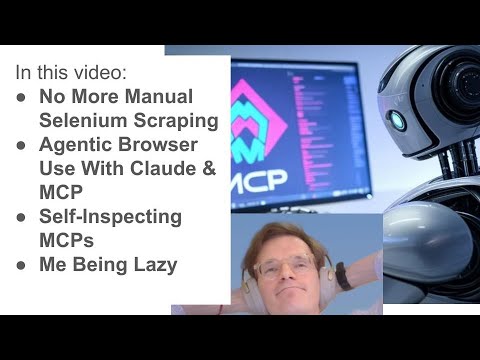
演示视频 (YouTube)
运行测试
我们不希望使用 pytest-asyncio。
pip install -e ".[test]"`


