
F
licenseC
qualityD
maintenanceA starter template for building MCP servers that can integrate with Claude, Cursor, or other MCP-compatible AI assistants to create custom tools, resource providers, and prompt templates.
2
5 npm
-

The MCP Server Example allows you to retrieve weather-related information:
Get weather alerts for a specific U.S. state using its two-letter code
Get weather forecasts for a specific location using latitude and longitude coordinates
Click on "Deploy Server".
Wait a few minutes for the server to deploy. Once ready, it will show a "Started" state.
In the chat, type @ followed by the MCP server name and your instructions, e.g., "@MCP Server Example what's the weather forecast for Austin this weekend?"
That's it! The server will respond to your query, and you can continue using it as needed.
Here is a step-by-step guide with screenshots.
This project is a very basic MCP server ready to be consumed by Cursor or other tools.
Modify index.ts and add any tools you want, or keep the default ones.
Then build the project:
pnpm run buildAnd run it:
pnpm run startNow add a .cursor/mcp.json file in your project, and paste the following;
{
    "mcpServers":{
        "weather":{
            "command": "node",
            "args": ["[path]/build/index.js"]
        }
    }
}
Replace [path] with the absolute path to this project. Run pwd in the project folder for that. For example, in my case it is:
{
    "mcpServers":{
        "weather":{
            "command": "node",
            "args": ["/Users/ivanbtrujillo/Development/mcp-server-spike/build/index.js"]
        }
    }
}
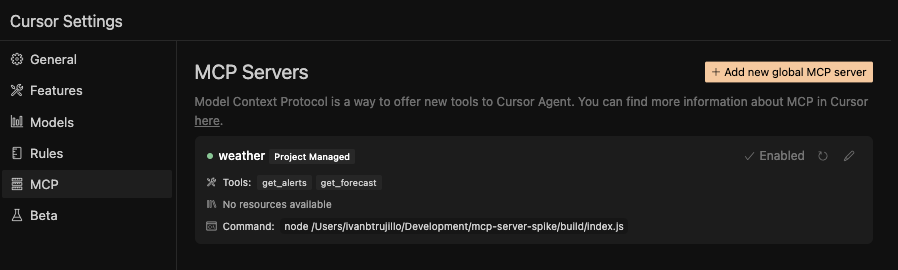
Now go to "Settings" in cursor. You should be able to see the MCP server there. Enable it (click on the top right)
Now go to the chat, switch to Agent mode and select claude-3.7-sonnet as your model.
Type the following:
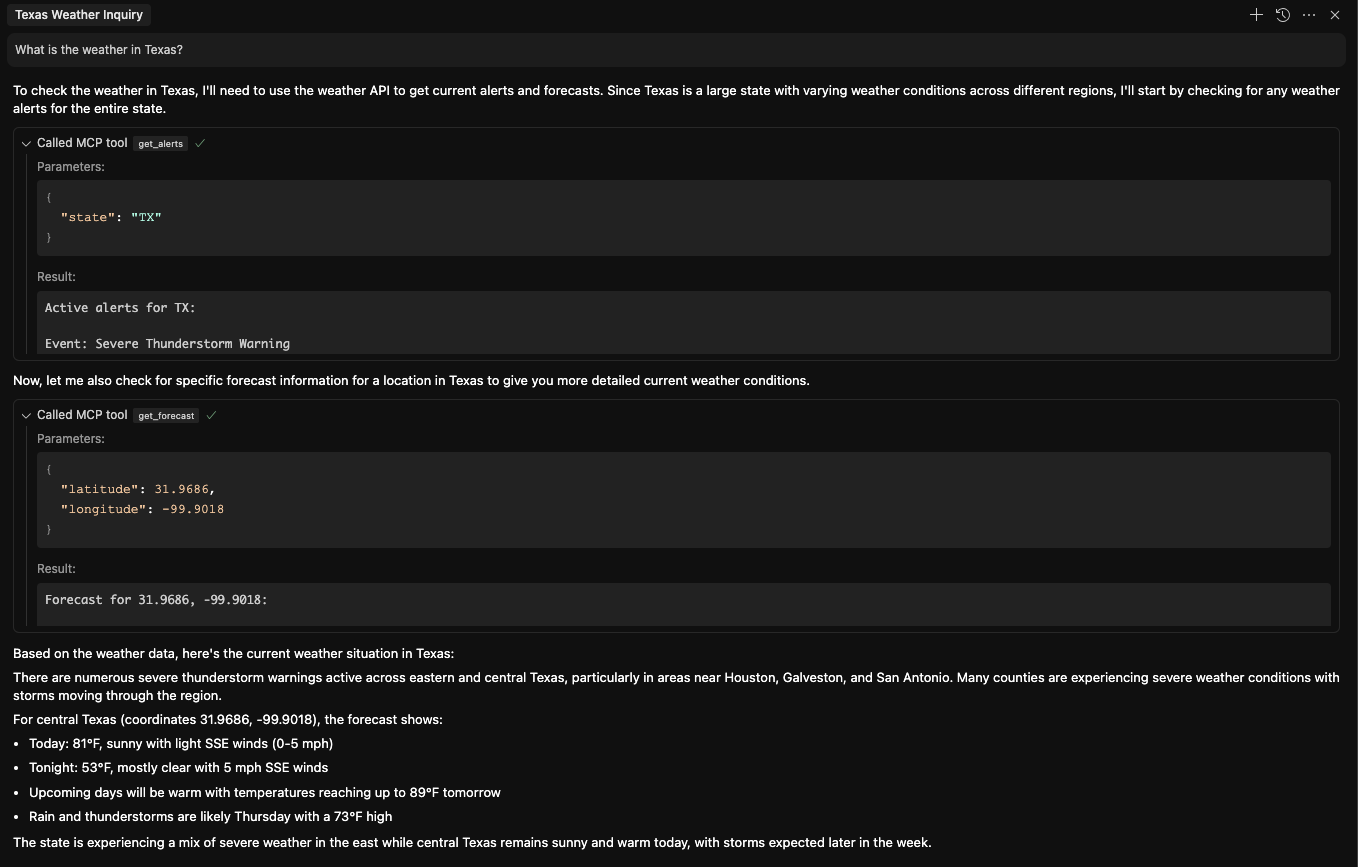
What is the weather in Texas?It will use the MCP to get first the weather alerts, and then the forecast Here is an example of how the chat interface looks when querying the weather in Texas:
Get weather alerts for a state
Inputs: state (required).
Get weather forecast for a location
Inputs: latitude (required), longitude (required).
Recent tool additions, removals, and schema changes observed during successful MCP inspections.
Scored across 2 tools
The two tools have clearly distinct purposes: one retrieves weather alerts for a state, and the other retrieves weather forecasts for a location. There is no overlap in functionality, making it easy for an agent to select the correct tool based on the need for alerts versus forecasts.
Both tools follow a consistent verb-noun pattern with hyphens (get-alerts, get-forecast), using the same verb 'get' and descriptive nouns. This predictable naming scheme enhances readability and reduces confusion for agents.
With only two tools, the server feels thin for a weather domain that typically involves more operations, such as current conditions, historical data, or radar imagery. This limited set may not fully support comprehensive weather-related tasks.
The tool set is severely incomplete for a weather server, lacking essential operations like getting current conditions, historical weather data, or radar images. This creates significant gaps that could lead to agent failures in handling broader weather queries.
MCP server for AI dialogue using various LLM models via AceDataCloud
MCP server for OpenAI API (chat completions, image generation, embeddings) via AceDataCloud
An MCP server for weather information by @kulybaba