ZEN University Syllabus MCP Server Implementation
An implementation of MCP that allows access to content from the ZEN University syllabus .
How to use
Install Node.js. Use Node.js version 20 or later.
Clone this repository or download the ZIP file and extract it. Open it in a console and run the following command:
Build with. For Mac, add execution permissions in the console: chmod 755 build/index.js
Related MCP server: University Course Catalog MCP Server
Claude Desktop settings
Install Claude Desktop . The VSCode editor must be installed.
code $env:AppData\Claude\claude_desktop_config.json
Open the settings file with. For Mac,
code ~/Library/Application\ Support/Claude/claude_desktop_config.json
Rewrite it as follows and set it.
{
  "mcpServers": {
      "get-subjects": {
          "command": "node",
          "args": [
              "C:\\Users\\sifue\\workspace\\zen-syllabus-mcp\\build\\index.js"
          ]
      }
  }
}
Change the path of build/index.js as appropriate.
On Mac,
{
  "mcpServers": {
      "get-subjects": {
          "command": "node",
          "args": [
              "/Users/sifue/workspace/zen-syllabus-mcp/build/index.js"
          ]
      }
  }
}
If you are using a Node.js version control system such as nvm , specify node as follows.
{
    "mcpServers": {
        "get-subjects": {
            "command": "/Users/soichiro_yoshimura/.nvm/versions/node/v22.14.0/bin/node",
            "args": [
                "/Users/soichiro_yoshimura/workspace/zen-syllabus-mcp/build/index.js"
            ]
        }
    }
}
It will look like this. Change the path of build/index.js as appropriate.
After setting, restart Claude Desktop.
"Using ZEN University's MCP syllabus, please give us your recommended courses for becoming a front-end engineer."
Verified.
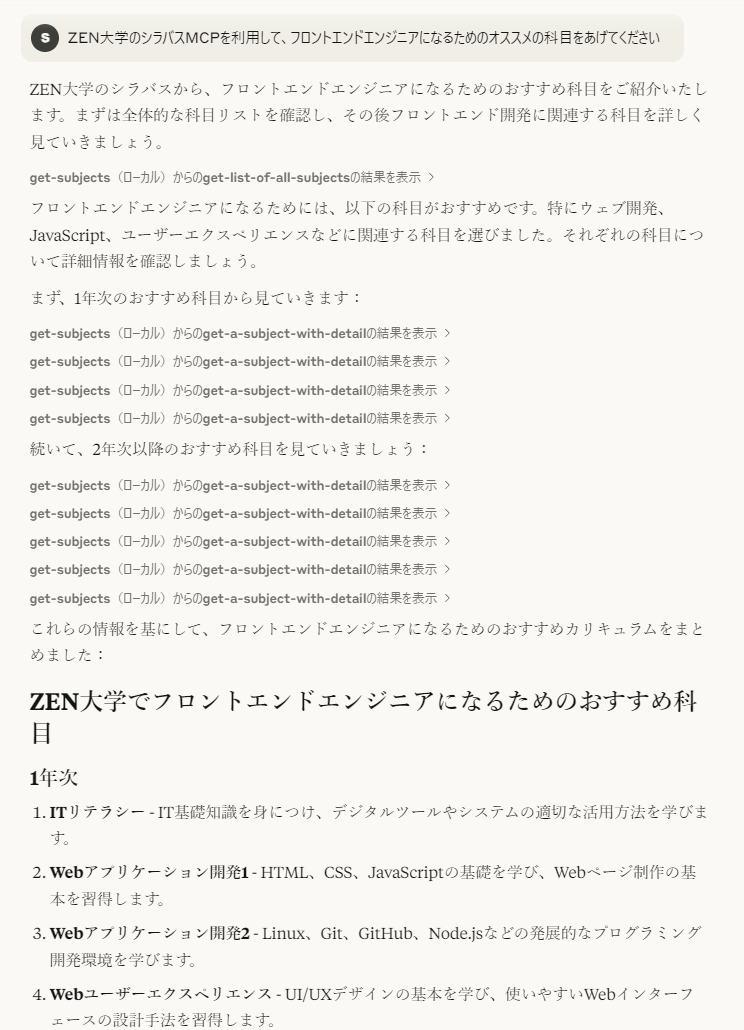
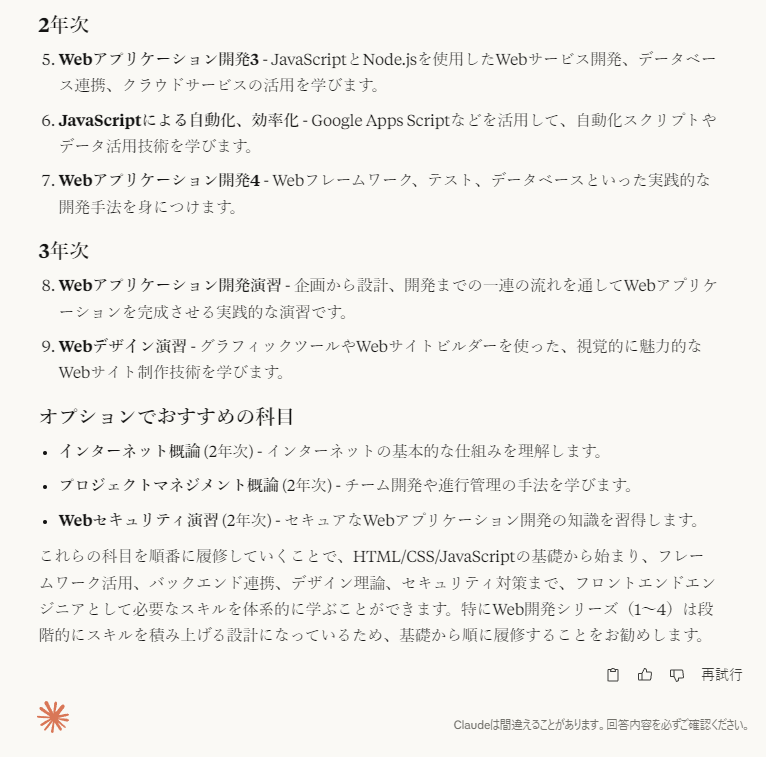
It will look like this. If you set course requirements, you can also discuss course details in detail.
VSCode settings
[Unverified] It will be available when GitHub Copilot will be able to use AI agents (currently only preview version). Search for settings with mcp and set the following to setting.json. Change the path as appropriate. A start button will appear above weather in the json, so start it.
{
  "mcpServers": {
      "get-subjects": {
          "command": "node",
          "args": [
              "C:\\Users\\sifue\\workspace\\zen-syllabus-mcp\\build\\index.js"
          ]
      }
  }
}
Once set up, use GitHub Copilot
"Using ZEN University's MCP syllabus, please give us your recommended courses for becoming a front-end engineer."
If you set course requirements, you can also discuss course details in detail.
Operation check when implementing on a server
For more information, see the Client implementation in the TypeScript SDK .
Start the server with:
Start the client and run it.
The client rewrites the code to be verified, and then
Build and run the client again.
reference


