
Roblox Executor MCP
by dissering
README.md
<p align="center">
<img src="docs/banner-new.svg" alt="Roblox Executor MCP" width="900"/>
</p>
# Roblox Executor MCP Server
An MCP server that allows Agents to interact with a running Roblox game client — execute code, inspect scripts, spy on remotes, and more.
## Dashboard
Roblox Executor MCP includes a local web dashboard at:
```text
http://localhost:16384/
```
Use it to see connected Roblox clients, inspect scripts, run tools, view server logs, configure semantic search, and index games for semantic script search.
## Features
- **Code Execution** — Run Lua code and fetch data from the game client.
- **Script Inspection** — Decompile scripts and search across all sources.
- **Instance Search** — CSS-like selectors and hierarchy trees.
- **Remote Spy** — Intercept, log, block, and ignore Remotes/Bindables via [Cobalt](https://github.com/notpoiu/cobalt).
- **GUI Interaction** — Click buttons and type into text boxes.
- **Screenshot** — Capture Roblox window screenshots (Windows only).
- **Multi-Client** — Connect multiple Roblox clients at once.
- **Primary / Secondary** — Multiple MCP instances auto-coordinate with automatic promotion. Supports remote relaying via `--baseurl`. See [Advanced](docs/advanced.md).
## Tutorial
[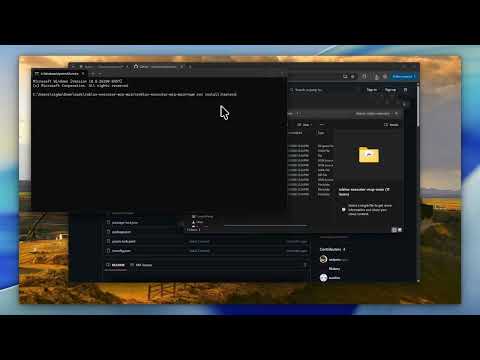](https://youtube.com/watch?v=Tcy5RNf1TRc)
## Prerequisites
- **Node.js** ≥ 18
- **Bun** ≥ 1.3 for the interactive OpenTUI harness installer
- **A Roblox executor** that supports `loadstring`, `request`, and (preferably) `WebSocket`
## Quick Start
### 1. Clone the server
```bash
git clone https://github.com/dissering/roblox-executor-mcp.git
cd roblox-executor-mcp
```
### 2. Run the harness installer
The installer builds the server, lets you choose AI clients, writes supported MCP configs, and prints the Roblox loader script.
```bash
npm run install:harnesses
```
The normal server build consumes the committed `connector.luau` artifact, so harness installs do not require Darklua. Connector developers can install the pinned tool with `rokit install`, edit `connector-src/`, and regenerate the artifact with `npm run build:connector`.
The picker is built with [OpenTUI](https://opentui.com/) and runs through Bun. `npm run install:harnesses` installs Bun first if it is not already available. It shows detected local clients by default; if none are detected, it warns you to install a harness first. Press `s` in the picker or pass `--show-all-harnesses` to reveal every supported config target. If your terminal has trouble with the interactive picker, use the plain numbered prompt:
```bash
npm run install:harnesses -- --plain
```
The installer can also place the Roblox loader into a detected executor autoexec folder, such as MacSploit on macOS or supported Windows executor autoexec folders. Use the prompt, or run:
```bash
npm run getscript -- --autoexec
```
It can also help with:
- cross-machine setup on the same LAN
- copying the Roblox loader to your clipboard
- optional Ollama `embeddinggemma` setup for semantic indexing
- pulling latest repo changes before install/build
To update an existing install later, run:
```bash
npm run update
```
The update command can stop currently running MCP server processes, optionally pull latest changes, and always rebuilds the server.
### Manual setup
If you prefer to configure a client yourself, use the setup guide for your client:
| Client | Guide |
| -------------- | ------------------------------------------- |
| Cursor | [Setup Guide](docs/setup-cursor.md) |
| Claude Desktop | [Setup Guide](docs/setup-claude-desktop.md) |
| Claude Code | [Setup Guide](docs/setup-claude-code.md) |
| Codex CLI | [Setup Guide](docs/setup-codex.md) |
| Windsurf | [Setup Guide](docs/setup-windsurf.md) |
| Antigravity | [Setup Guide](docs/setup-antigravity.md) |
| BLACKBOX AI | [Setup Guide](docs/setup-blackbox.md) |
| ZCode | [Setup Guide](docs/setup-zcode.md) |
### 3. Connect from Roblox
The installer prints this for you. Put it in your executor or Auto Execute:
```lua
while not getgenv().MCP_Loaded do
local bridgeUrl = getgenv().BridgeURL or "localhost:16384"
pcall(function() loadstring(game:HttpGet("http://" .. bridgeUrl .. "/script.luau"))() end)
task.wait(0.15)
end
```
**Optional settings** (set before the `loadstring`):
```lua
getgenv().BridgeURL = "10.0.0.4:16384" -- default: localhost:16384
getgenv().DisableWebSocket = true -- force HTTP polling
getgenv().DisableInitialScriptDecompMapping = true -- skip initial decompilation
getgenv().MCP_FailedScriptResyncInterval = 30 -- retry failed script syncs periodically
getgenv().MCP_FailedScriptResyncBatchSize = 8 -- bound each periodic retry batch
```
After the MCP server starts and Roblox connects, open the dashboard:
```text
http://localhost:16384/
```
## Community
Have a suggestion or need help? Join the [Discord server](https://discord.gg/FJcJMuze7S).
## Security
> **This server allows arbitrary code execution.** Only use with AI clients you trust. Port `16384` has no authentication — **never expose it to the internet.** For cross-machine setups, use a local network, VPN, or SSH tunnel. See [Advanced](docs/advanced.md) for details.
## License
[MIT](LICENSE)
This server cannot be deployed
Maintenance
ActivityNo data
ResponsivenessUnresponsive