
OpenWorkProof
# OpenWorkProof
<!-- mcp-name: io.github.dengyier/OpenWorkProof -->
**English** · [简体中文](https://github.com/dengyier/OpenWorkProof/blob/main/README_zh-CN.md)
**Check what an AI agent was allowed to do, what it recorded, and whether its evidence holds up.**
OpenWorkProof (OWP) is an open-source toolkit for developers and teams using AI agents. Use it to review signed work records, check exported evidence, or run a bounded Codex preview-editing task. Security engineers can also try a reference workflow for reviewing Slips alerts.
You keep the final decision to accept or reject the result. Connecting OWP to an agent gives it tools; protection of a Codex task requires a separate Guard setup.
[Get started](#get-started-with-mcp) · [Codex Guard](#try-codex-preview-protection) · [Docs](#documentation) · [Community](#community-and-contributing)
Current release: **1.6.1** · [PyPI](https://pypi.org/project/openworkproof/1.6.1/) · [Release notes](https://github.com/dengyier/OpenWorkProof/releases/tag/v1.6.1) · [MCP Registry](https://registry.modelcontextprotocol.io/v0.1/servers/io.github.dengyier%2FOpenWorkProof/versions/1.6.1)
## What can you do with it?
| Your task | What OWP helps you do | Start here |
| --- | --- | --- |
| Review an agent's work records | Check signed task scope, recorded actions and evidence; export a bundle another reviewer can inspect. Your integration must supply the records. | [MCP tools](https://github.com/dengyier/OpenWorkProof/blob/main/MCP_SERVER.md), [offline verification](https://github.com/dengyier/OpenWorkProof/blob/main/docs/offline-verification.md) |
| Let Codex edit a preview copy | Explicitly allow supported text edits inside one preview directory and reject out-of-scope requests in the guarded launch path. | [Guard setup](https://github.com/dengyier/OpenWorkProof/blob/main/docs/integrations/agent-guard-onboarding.en.md) — experimental |
| Review Slips alert data | Group supplied JSONL alerts into review cases, inspect simulated decisions and export a signed evidence bundle. | [SOC walkthrough](https://github.com/dengyier/OpenWorkProof/blob/main/docs/integrations/soc-reference.md) — reference implementation |
| Add evidence review to a delivery workflow | Integrate verification into a GitHub Action or your own agent workflow, then keep human acceptance as a separate step. | [GitHub Action example](https://github.com/dengyier/OpenWorkProof/blob/main/examples/github-action/README.md), [integration details](https://github.com/dengyier/OpenWorkProof/blob/main/docs/reference/project-overview-en.md#integration-paths) |
OWP does not automatically watch every agent or tool on your computer. Fleet permissions, WorkBuddy integration and live SOC remediation are not part of the verified release paths above.
## Get started with MCP
You need Python **3.10+**, [uv](https://docs.astral.sh/uv/getting-started/installation/), and an MCP-capable client. Add this local stdio server to the client's MCP configuration:
```json
{
"mcpServers": {
"openworkproof": {
"command": "uvx",
"args": ["openworkproof==1.6.1"]
}
}
}
```
This is the common `mcpServers` configuration shape. Some clients use a different file or top-level key; see the [client-specific setup](https://github.com/dengyier/OpenWorkProof/blob/main/MCP_SERVER.md). `uvx` downloads the package and dependencies when needed. OWP does not require an OWP cloud account or API key.
After the client connects, it should discover **32 tools**. Try this first with the included synthetic data:
> Use `owp_soc_sample_alerts` to get the OpenWorkProof sample. Pass its `alerts_jsonl` to `owp_soc_analyze_slips`, then pass the returned bundle to `owp_soc_verify_bundle`. Explain the cases and simulated actions. Do not operate a real host. If independently obtained trusted keys and checkpoints are missing, keep the verification result UNKNOWN and explain what is missing.
You should receive a case summary and evidence bundle. **`UNKNOWN` is expected without independent trust information**; it does not mean installation failed. This sample uses a deterministic investigation stub and simulated actions. It does not test detection accuracy or remediate a host.
To use your own alerts, follow the [SOC guide](https://github.com/dengyier/OpenWorkProof/blob/main/docs/integrations/soc-reference.md). Alert content is returned to your MCP client and can enter its model conversation, so use data you are authorized to share with that client.
### Optional: install the SOC Review Skill
The Skill gives your agent a repeatable procedure for using those tools. With Node.js/npm available:
```sh
npx skills add dengyier/OpenWorkProof --skill openworkproof-soc-review
```
Choose your agent and install scope in the installer. [Read the instructions first](https://github.com/dengyier/OpenWorkProof/blob/main/skills/openworkproof-soc-review/SKILL.md), or use the [release ZIP](https://github.com/dengyier/OpenWorkProof/releases/download/v1.6.0/openworkproof-soc-review-1.6.0.zip).
The Skill does not configure MCP or enable Guard. Configure the MCP server above separately. Your client's usual model charges still apply.
## Try Codex preview protection
**Experimental, separately enabled.** Guard is for supported local text-editing tasks in a designated preview directory. Use a new test project or a copy you own first.
Read the [English first-run guide](https://github.com/dengyier/OpenWorkProof/blob/main/docs/integrations/agent-guard-onboarding.en.md) before enabling. It includes a complete test project, scope review, expected checks and uninstall steps. The approval prompts are currently in Chinese, while the default output is JSON. Review the scope yourself and enter `yes` only when you understand it; do not use a trust shortcut to skip that review.
`enable` runs a live probe and `run` uses your existing Codex login and model allowance. Continue only after `doctor` confirms the required setup, current review and live probe. Ordinary Codex launches are not automatically protected.
The recorded live-host baseline covers **macOS, Python 3.12 and Codex CLI 0.147.0**, from the Guard implementation introduced in 1.5.0. Check compatibility and rerun the probe in your own environment. Builds, deployment, online search, personal MCP/plugins and whole-computer isolation are outside this launch path. See [scope and limitations](https://github.com/dengyier/OpenWorkProof/blob/main/docs/integrations/agent-guard-codex.md).
Install the CLI package, then run these commands from your target Git project after creating a `preview` directory and a text file such as `preview/index.html`:
```sh
uv tool install --python 3.12 'openworkproof==1.6.1'
owp-guard install --project "$(pwd -P)" --allow-dir preview
owp-guard enable --project "$(pwd -P)"
owp-guard doctor --project "$(pwd -P)"
owp-guard run --project "$(pwd -P)" --prompt "Update the heading in preview/index.html. Keep the change in preview; do not publish."
```
## Check an evidence bundle from the command line
Already have an OWP bundle? Install the package as above, then use the command matching its format:
```sh
# Core Surface Bundle
owp surface-verify /path/to/surface-bundle
# Core Acceptance Bundle
owp acceptance-bundle-verify /path/to/acceptance-bundle
# SOC reference output; missing external trust intentionally returns UNKNOWN/nonzero
owp-aisoc verify /path/to/soc-review
```
These formats and their trust requirements differ. Follow the [Core verification guide](https://github.com/dengyier/OpenWorkProof/blob/main/docs/offline-verification.md) or [SOC trust guide](https://github.com/dengyier/OpenWorkProof/blob/main/docs/integrations/soc-reference.md#cli-and-independent-verification). Obtain expected public keys and checkpoints through a separate trusted route; copying them from an untrusted bundle does not establish who you are trusting.
## What a result means
- **Verification checks evidence under the stated scope and trust inputs.** It does not establish that a business outcome is correct. Core `VERIFIED` and binding `BOUND` do not mean customer acceptance or payment.
- **Human acceptance is separate.** The intended reviewer keeps the decision to accept or reject a delivery. See the [acceptance workflow](https://github.com/dengyier/OpenWorkProof/blob/main/docs/reference/project-overview-en.md#verification-and-acceptance-are-separate-decisions).
- **SOC results are reference results.** Investigation is a deterministic stub; actions and acceptance statuses are simulated. There is no live SOC deployment, production detection benchmark, OS isolation or HSM in this integration.
- **Signing tools can handle sensitive keys.** Generic key-generation/signing tools can return or accept private-key material. Keep production signing keys out of model conversations and use an externally controlled signing workflow.
OWP is open source. The current package and Skill are free to use under their licenses; your model provider and infrastructure may charge separately. Public listings, automated scores and engineering tests are not customer adoption or a security certification.
## Documentation
| Need | Documentation |
| --- | --- |
| Connect MCP and understand the 32 tools | [MCP setup and tool reference](https://github.com/dengyier/OpenWorkProof/blob/main/MCP_SERVER.md) |
| Review Slips alerts and install the Skill | [SOC walkthrough](https://github.com/dengyier/OpenWorkProof/blob/main/docs/integrations/soc-reference.md) |
| Set up a guarded Codex task | [English guide](https://github.com/dengyier/OpenWorkProof/blob/main/docs/integrations/agent-guard-onboarding.en.md) · [中文指南](https://github.com/dengyier/OpenWorkProof/blob/main/docs/integrations/agent-guard-onboarding.md) |
| Build an integration with signed task scope and human authority | [Human Agency protocol](https://github.com/dengyier/OpenWorkProof/blob/main/docs/protocol/human-agency-profile-v0.1.md) · [runnable example](https://github.com/dengyier/OpenWorkProof/blob/main/examples/human_agency_profile_v01.py) |
| Understand protocol mechanics and historical validation | [English reference](https://github.com/dengyier/OpenWorkProof/blob/main/docs/reference/project-overview-en.md) · [中文参考](https://github.com/dengyier/OpenWorkProof/blob/main/docs/reference/project-overview-zh-CN.md) · [status](https://github.com/dengyier/OpenWorkProof/blob/main/docs/status.md) |
| Report a reproducible problem or contribute | [Contributing](https://github.com/dengyier/OpenWorkProof/blob/main/CONTRIBUTING.md) · [Issues](https://github.com/dengyier/OpenWorkProof/issues) |
## Community and contributing
[](https://mcprush.com/to/openworkproof-mcp?ref=badge)
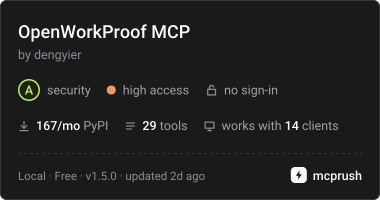
The card is a live directory badge; follow it for the scanned version and scope. Find OWP on [MCPRush](https://mcprush.com/dengyier/openworkproof-mcp), [Glama](https://glama.ai/mcp/servers/dengyier/OpenWorkProof), and [AgentSkills.in](https://www.agentskills.in/marketplace/@dengyier/openworkproof-soc-review).
The [community record](https://github.com/dengyier/OpenWorkProof/blob/main/docs/reference/project-overview-en.md#community-contributions-and-external-records) preserves directory contributions, external research, integration experiments and technical writing, with their original links and checked dates. These records have different scopes and do not imply endorsement or production adoption.
Contribute a reproducible bug report, an integration, or a documentation improvement. Please report security issues privately through [GitHub Security Advisories](https://github.com/dengyier/OpenWorkProof/security/advisories/new).
## License
OWP Core: [Apache-2.0](https://github.com/dengyier/OpenWorkProof/blob/main/LICENSE). Tim / alphatin123's contributed `aisoc` component: [MIT](https://github.com/dengyier/OpenWorkProof/blob/main/LICENSES/MIT-aisoc.txt). The combined package metadata uses `Apache-2.0 AND MIT`.
TDQS
Scored across 32 tools
Most tools are distinguishable by object type plus action (sign vs. verify vs. validate a given artifact), but several boundaries blur: `owp_get_decision` overlaps with `owp_run_verification`'s prepare_decision mode, and `owp_validate_profile` sits awkwardly beside the scope/observation validators. The verification family (`verify_signature`, `verify_work_order`, `verify_nested_claim`, `verify_surface_bundle`, `soc_verify_bundle`) is large and requires careful description reading to pick correctly.
Nearly all names use an `owp_` prefix with consistent snake_case verb_noun structure (validate_profile, verify_signature, compute_digest, get_schema). Minor deviations exist: `owp_status` and `owp_repo_read` are noun-first, and the SOC tools insert a namespace segment (`owp_soc_*`), but the pattern remains readable and predictable.
At 32 tools this is well past the range where an agent can hold the surface in mind, and the breadth comes partly from many narrow, near-duplicate read-only validators (profile, scope, integrity observation, control observation, judgment commitment, action binding manifest). The protocol is genuinely broad, but the set could be consolidated considerably.
The surface covers signing primitives, key management, canonical digests, schema retrieval, ledger replay/status, decision drafting and commit, delivery packaging, settlement readiness, plus a full SOC and repo-analysis workflow. Gaps remain on the authoring side: WorkOrders, capability grants, and acceptance receipts can be verified or schema-fetched but have no dedicated creation/commit tool, forcing reliance on generic `sign_payload`.