ファブリックMCP
Fabric MCPは、Microsoft Fabric APIと連携するためのPythonベースのMCPサーバーです。ワークスペース、レイクハウス、ウェアハウス、テーブルを管理するためのユーティリティを提供します(今後、さらに多くの機能が追加される予定です)。このプロジェクトは、以下のプロジェクトから着想を得ています: https://github.com/Augustab/microsoft \_fabric\_mcp/tree/main
特徴
ワークスペース、レイクハウス、倉庫、テーブルを一覧表示します。
Delta テーブルのスキーマとメタデータを取得します。
Delta テーブルのマークダウン ドキュメントを生成します。
Related MCP server: power-bi-mcp
要件
インストール
リポジトリをクローンします。
git clone https://github.com/your-repo/fabric-mcp.git
cd fabric-mcp
仮想環境をセットアップし、依存関係をインストールします。
依存関係をインストールします:
pip install -r requirements.txt
使用法
MSファブリックに接続する
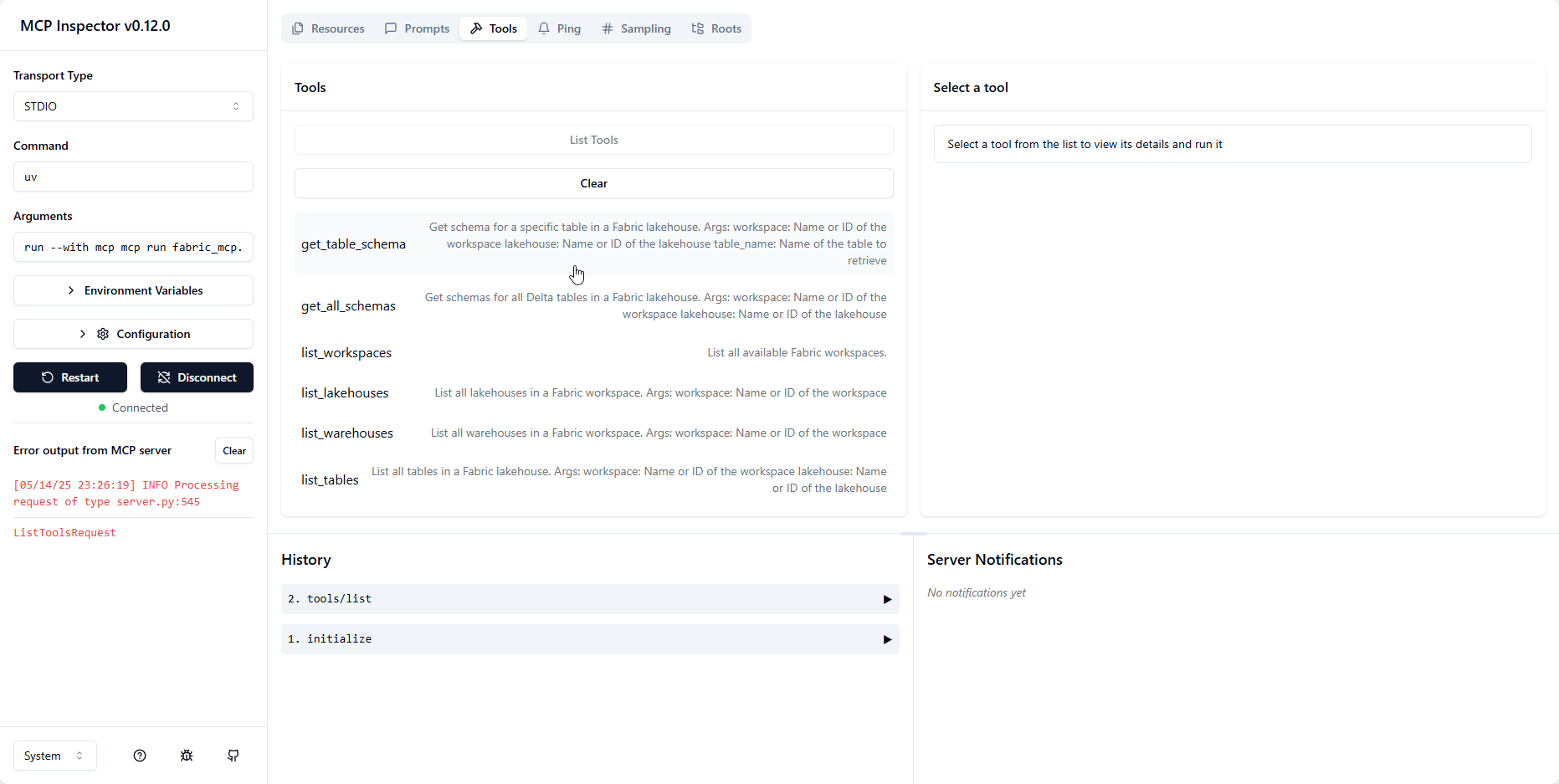
MCP サーバーを実行し、MCP インスペクターを使用して接続する
MCP サーバーを実行し、MCP インスペクターを使用して接続する
VSCode で MCP サーバーを使用するには、 launch.jsonファイルで起動構成を設定できます。
{
    //Existing configurations...
    "mcp": {
    "servers": {
        "ms-fabric-mcp": {
            "type": "stdio",
            "command": "<FullPathToProjectFolder>\\.venv\\Scripts\\python.exe ",
            "args": [
                "<FullPathToProjectFolder>\\fabric_mcp.py"
            ]
        }
    }
}
}
この設定により、VSCodeから直接MCPサーバーを実行し、接続できるようになります。また、ツールへのアクセスも可能になります。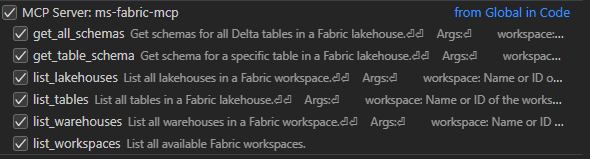
Copilot チャットのエージェント モードを使用すると、# を付けてツール名を指定することで (例: #list_workspaces)、MCP サーバーで使用可能なさまざまなツールにアクセスできます。
利用可能なツール
MCP サーバー経由では次のツールを利用できます。
list_workspaces : 利用可能なすべての Fabric ワークスペースを一覧表示します。
list_lakehouses(workspace) : 指定されたワークスペース内のすべてのレイクハウスを一覧表示します。
list_warehouses(workspace) : 指定されたワークスペース内のすべての倉庫を一覧表示します。
list_tables(workspace, lakehouse) : 指定されたレイクハウス内のすべてのテーブルを一覧表示します。
get_lakehouse_table_schema(workspace, lakehouse, table_name) : 特定の Delta テーブルのスキーマとメタデータを取得します。
get_all_lakehouse_schemas(workspace, lakehouse) : レイクハウス内のすべての Delta テーブルのスキーマとメタデータを取得します。
set_lakehouse(workspace, lakehouse) : 現在のレイクハウスコンテキストを設定します。
set_warehouse(workspace, warehouse) : 現在のウェアハウスのコンテキストを設定します。
set_workspace(workspace) : 現在のワークスペースコンテキストを設定します。
ライセンス
このプロジェクトはMITライセンスの下で提供されています。詳細はLICENSEファイルをご覧ください。