MCP Tool Chainer

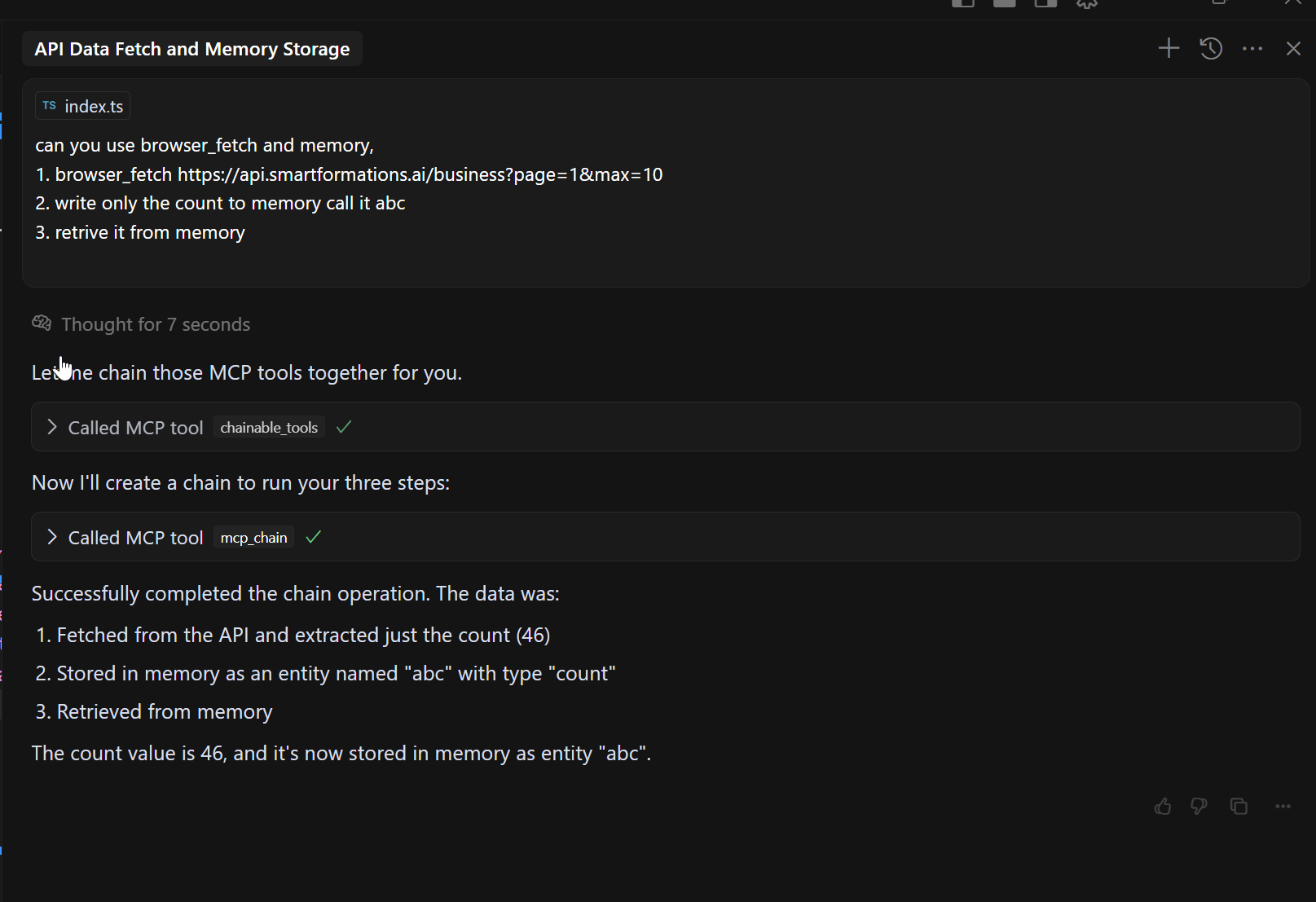
An MCP (Model Context Protocol) server that chains calls to other MCP tools, reducing token usage by allowing sequential tool execution with result passing.
Designed to solve https://github.com/modelcontextprotocol/specification/issues/215
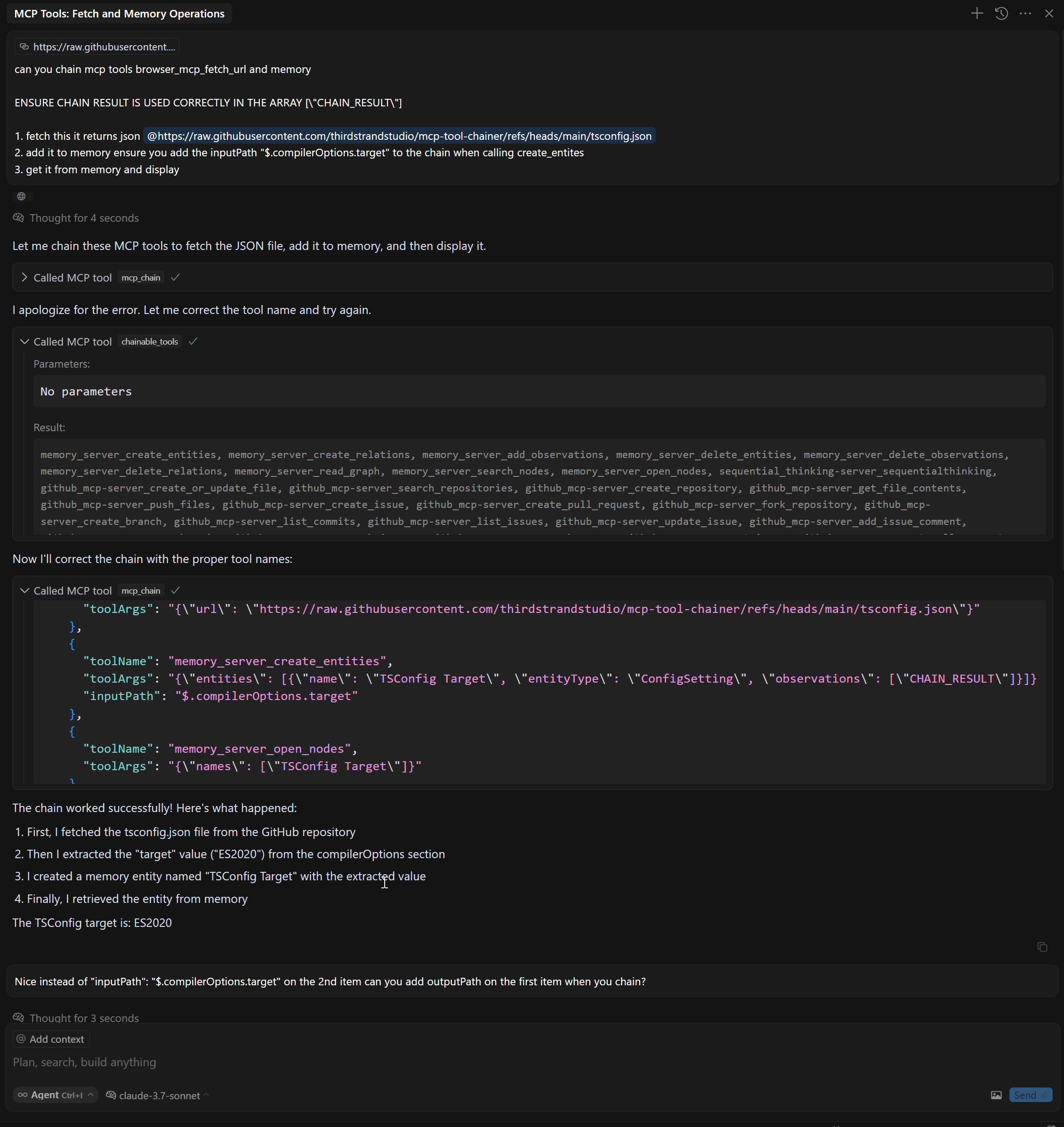
Step function like JSON paths:
Features
Chain multiple MCP tools together in sequence
Pass results from one tool as input to another tool using CHAIN_RESULT placeholder
Filter and extract specific data using JsonPath with inputPath and outputPath parameters
Automatic tool discovery from configured MCP servers
Minimal token usage compared to individual tool calls
Related MCP server: mcp-compressor
Tools
This server implements the following MCP tools:
mcp_chain - Chain together multiple MCP servers
chainable_tools - Discover tools from all MCP servers so the mcp_chain tool can be used
discover_tools - Rediscover tools from all MCP servers
Installation
Prerequisites
Node.js (v16 or later)
npm
Installing from npm
# Install
npm install @thirdstrandstudio/mcp-tool-chainer

# Or use with npx directly
npx -y @thirdstrandstudio/mcp-tool-chainer
Installing from source
# Clone the repository
git clone https://github.com/thirdstrandstudio/mcp-tool-chainer.git
cd mcp-tool-chainer

# Install dependencies
npm install

# Build the package
npm run build
Usage with Claude Desktop, Cursor etc
ENSURE IT IS THE LAST MCP TO RUN OTHERWISE IT WILL HAVE TO RUN DISCOVERY AGAIN
Add the following to your claude_desktop_config.json or mcp.json:
If installed from npm globally
{
  "mcpServers": {
    "mcp_tool_chainer": {
      "command": "npx",
      "args": ["-y", "@thirdstrandstudio/mcp-tool-chainer", "`claude_desktop_config.json` or `mcp.json`"],
      "env": {}
    }
  }
}
If installed from source
{
  "mcpServers": {
    "mcp_tool_chainer": {
      "command": "node",
      "args": ["/path/to/mcp-tool-chainer/dist/index.js", "`claude_desktop_config.json` or `mcp.json`"],
      "env": {}
    }
  }
}
Replace /path/to/mcp-tool-chainer with the actual path to your repository.

Examples
Chain Browser and XPath Tools
// Fetch a webpage and then extract specific content with XPath
const result = await callTool("mcp_chain", {
  "mcpPath": [
    {
      "toolName": "mcp_browser_mcp_fetch_url",
      "toolArgs": "{\"url\": \"https://example.com\"}"
    },
    {
      "toolName": "mcp_xpath_xpath",
      "toolArgs": "{\"xml\": CHAIN_RESULT, \"query\": \"//h1\"}"
    }
  ]
});
Using JsonPath with InputPath and OutputPath
// Fetch a webpage, extract specific content with XPath, then extract part of the result
const result = await callTool("mcp_chain", {
  "mcpPath": [
    {
      "toolName": "mcp_fetch_fetch",
      "toolArgs": "{\"url\": \"https://api.example.com/data\"}"
    },
    {
      "toolName": "web_search",
      "toolArgs": "{\"search_term\": CHAIN_RESULT}",
      "inputPath": "$.results[0].title",     // Extract only the first result's title from previous output
      "outputPath": "$.snippets[*].text"     // Extract only the text snippets from the search results
    },
    {
      "toolName": "another_tool",
      "toolArgs": "{\"content\": CHAIN_RESULT}"
    }
  ]
});
JsonPath Support
MCP Tool Chainer now supports AWS Step Functions-style InputPath and OutputPath features:
inputPath: JsonPath expression to extract specific portions of the input before passing to a tool
outputPath: JsonPath expression to extract specific portions of the output before passing to the next tool
These features work only when the input/output is valid JSON. If JsonPath extraction fails, the original input/output is used.
For JsonPath syntax reference, see JsonPath Syntax.
Benefits
Reduced Token Usage: By chaining tools together, you avoid sending large intermediate results back to the LLM
Simplified Workflows: Create complex data processing pipelines with a single tool call
Improved Performance: Reduce latency by minimizing round-trips between the LLM and tools
Precise Data Flow Control: Extract only the data you need with JsonPath expressions
Development
# Install dependencies
npm install

# Start the server
node dist/index.js config.json

# List available tools
node dist/index.js config.json discover_tools
License
This MCP server is licensed under the MIT License.
Created by Third Strand Studio
