

A
licenseA
qualityA
maintenanceA Model Context Protocol server that integrates Google Calendar with Claude Desktop, enabling users to manage calendar events (view, create, update, delete) through natural language.
5
110 npm
59
MIT

包括的なカレンダー管理機能を提供する強力なモデル コンテキスト プロトコル (MCP) サーバー。
カレンダーイベントを作成する
カレンダーイベントを一覧表示する
既存のイベントを更新する
イベントを削除する
Related MCP server: Google Calendar MCP Server
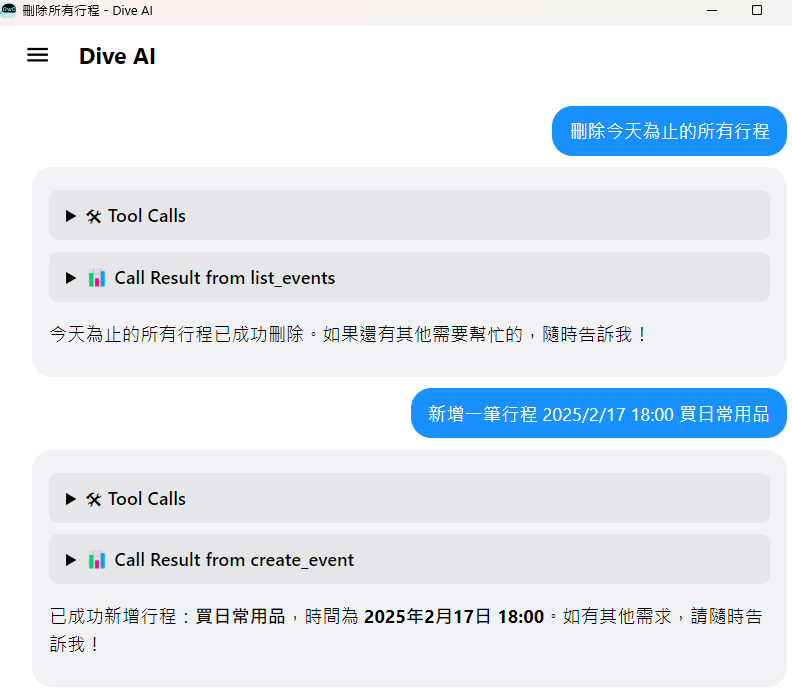
npm install -g @cablate/mcp-google-calendarmcp-google-calendarDiveデスクトップで「+ MCPサーバーを追加」をクリックします。
次の設定をコピーして貼り付けます。
{
  "mcpServers": {
    "calendar": {
      "command": "npx",
      "args": ["-y", "@cablate/mcp-google-calendar"],
      "env": {
        "GOOGLE_CALENDAR_ID": "your_calendar_id",
        "GOOGLE_TIME_ZONE": "your_time_zone",
        "GOOGLE_CREDENTIALS_PATH": "your_credentials_path"
      },
      "enabled": true
    }
  }
}
「保存」をクリックしてMCPサーバーをインストールします
Google サービス アカウントと資格情報を作成する簡単な手順は次のとおりです。
新しいプロジェクトを作成するか、既存のプロジェクトを選択します
「IAMと管理」セクションに移動します
「サービスアカウント」をクリックします
「サービスアカウントを作成」をクリックします
サービス アカウントの名前を入力します (例:「MCP Google カレンダー」)
「作成」をクリックします
「キーを作成」をクリックします
キータイプとして「JSON」を選択します
「作成」をクリックします
JSONファイルをダウンロードし、 credentials.jsonとして保存します。
まだ質問がある場合は、Google で答えを見つけてください。
マサチューセッツ工科大学
コミュニティへの参加と貢献を歓迎します!貢献方法は以下の通りです。
⭐️ 役に立ったと思ったらプロジェクトにスターを付けてください
🐛 問題を送信: 問題を報告したり、提案を提供したりします
🔧 プルリクエストの作成: コードの改善を送信
ご質問やご提案がございましたら、お気軽にお問い合わせください。
📧 メールアドレス: reahtuoo310109@gmail.com
📧 GitHub: CabLate
🤝コラボレーション:プロジェクトの協力について話し合うことを歓迎します
📚 技術ガイダンス: ご提案やガイダンスを心から歓迎します
This server cannot be deployed
Hosted Google Calendar MCP server for AI agents. No self-hosting or Google Cloud setup.
Calendar API for AI agents: events, availability, Google/Microsoft setup, scheduling, and iCal.
A MCP server that works with Google Calendar to manage event listing, reading, and updates.
GDPR-compliant calendar access for AI assistants: read, create, edit, RSVP. Google, MS 365, Apple.