
A
licenseB
qualityD
maintenanceMCP server for npm — search packages, check bundle sizes, scan vulnerabilities, compare downloads, inspect dependencies.
8
45 npm
1
MIT

The npm-search-mcp-server allows you to search for npm packages via the Model Context Protocol (MCP).
Search for npm packages: The server provides a tool called search_npm_packages that takes a query string as input to find relevant npm packages.
Integration with tools: Can be installed and configured in applications like Claude and Zed.
Debugging support: Includes an MCP inspector for debugging.
Cross-platform installation: Supports installation via npm, uv, or Docker.
Allows searching for npm packages by executing the npm search command, enabling users to find and explore available packages in the npm registry with their name, description, version, author, and license information.
Click on "Deploy Server".
Wait a few minutes for the server to deploy. Once ready, it will show a "Started" state.
In the chat, type @ followed by the MCP server name and your instructions, e.g., "@npm-search-mcp-server search for react packages"
That's it! The server will respond to your query, and you can continue using it as needed.
Here is a step-by-step guide with screenshots.
A Model Context Protocol server that allows you to search for npm packages by calling the npm search command.
Features:
Search npm packages using the npm search command
Supports both stdio and HTTP (streamable-http) transport modes
HTTP mode automatically enabled when PORT environment variable is set
Structured logging with Pino
Graceful shutdown handling
Health check endpoint (/health)
Session management for HTTP transport
search_npm_packages - Search for npm packages.
Required arguments:
query (string): The search query.
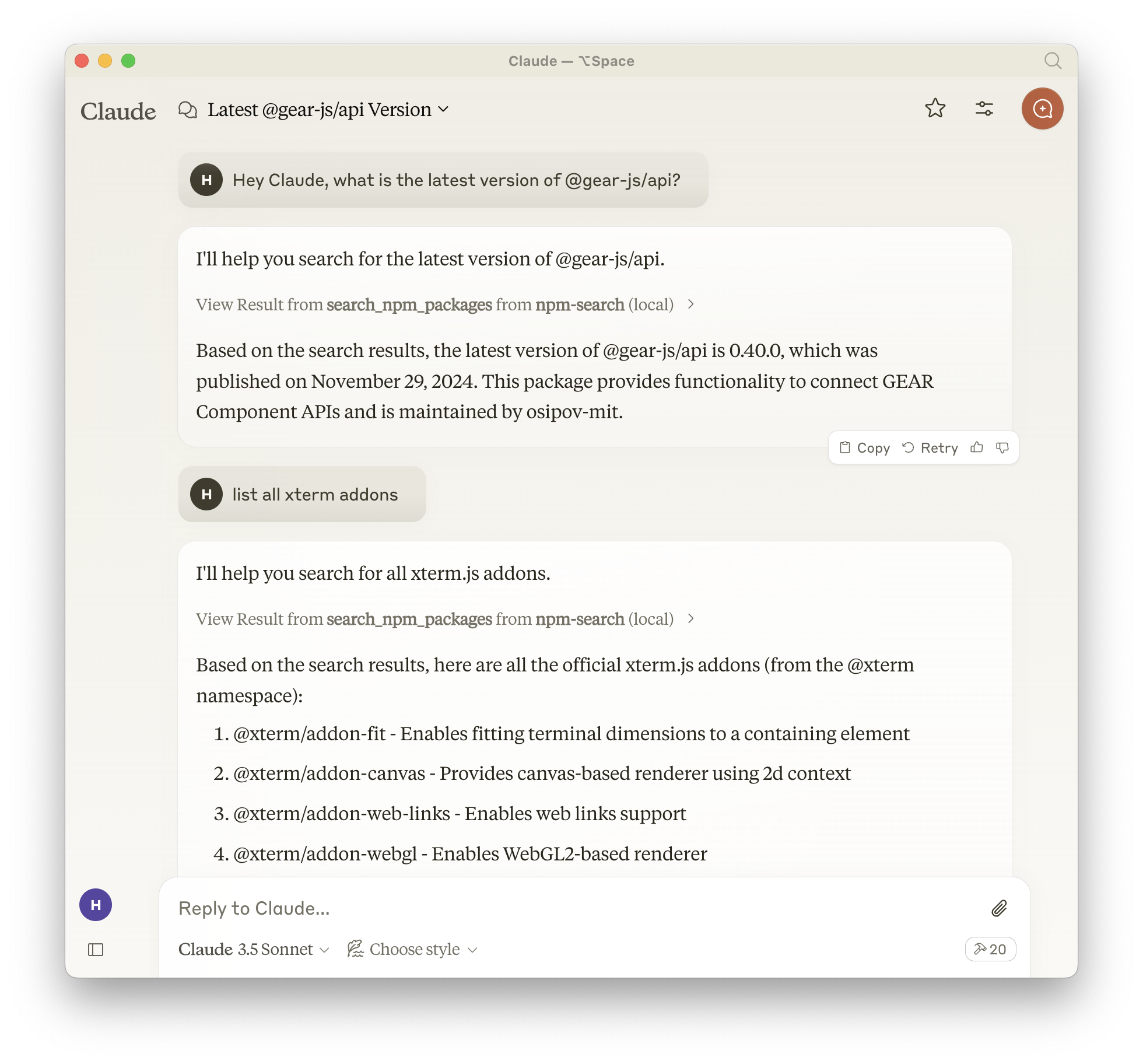
To install npm-search for Claude Desktop automatically via Smithery:
npx -y @smithery/cli install npm-search-mcp-server --client claudeAlternatively you can install npm-search-mcp-server via npm:
npm install -g npm-search-mcp-serverAfter installation, you can run it as a command using:
npm-search-mcp-serverWhen using uv no specific installation is needed. We will
use uvx to directly run npm-search-mcp-server.
Related MCP server: mcp-server-npm
Add to your Claude settings:
"mcpServers": {
  "npm-search": {
    "command": "npx",
    "args": ["-y", "npm-search-mcp-server"]
  }
}
"mcpServers": {
"npm-search": {
"command": "uvx",
"args": ["npm-search-mcp-server"]
}
}Add to your Zed settings.json:
"context_servers": {
  "npm-search-mcp-server": {
    "command": "npx",
    "args": ["-y", "npm-search-mcp-server"]
  }
},
"context_servers": [
"npm-search-mcp-server": {
"command": "uvx",
"args": ["npm-search-mcp-server"]
}
],Search for npm packages:
{
  "name": "search_npm_packages",
  "arguments": {
    "query": "express"
  }
}
Response:
{
  "results": [
    {
      "name": "express",
      "description": "Fast, unopinionated, minimalist web framework",
      "version": "4.17.1",
      "author": "TJ Holowaychuk",
      "license": "MIT"
    },
    ...
  ]
}You can use the MCP inspector to debug the server. For uvx installations:
npx @modelcontextprotocol/inspector npx -y npm-search-mcp-serverOr if you've installed the package in a specific directory or are developing on it:
cd path/to/servers/src/npm-search
npx @modelcontextprotocol/inspector uv run npm-search-mcp-server"Search for express package on npm"
"Find packages related to react"
"Show me npm packages for web development"
The server can be run in a Docker container with HTTP transport support:
# Build the image
docker build -t mcp/npm-search .

# Run the container (default port 3009)
docker run -p 3009:3009 mcp/npm-search

# Run with custom port via environment variable
docker run -p 3009:3009 -e PORT=3009 mcp/npm-search
The Docker image uses HTTP transport when the PORT environment variable is set. The server exposes:
POST /mcp - Main MCP endpoint for tool calls and session initialization
GET /mcp - SSE stream endpoint for streaming responses (requires session ID)
DELETE /mcp - Session termination endpoint
GET /health - Health check endpoint with service status and active session count
For Docker Compose integration:
services:
  npm-search-mcp:
    build: .
    ports:
      - "3009:3009"
    environment:
PORT: 3009We encourage contributions to help expand and improve npm-search-mcp-server. Whether you want to add new npm-related tools, enhance existing functionality, or improve documentation, your input is valuable.
For examples of other MCP servers and implementation patterns, see: https://github.com/modelcontextprotocol/servers
Pull requests are welcome! Feel free to contribute new ideas, bug fixes, or enhancements to make npm-search-mcp-server even more powerful and useful.
npm-search-mcp-server is licensed under the MIT License. This means you are free to use, modify, and distribute the software, subject to the terms and conditions of the MIT License. For more details, please see the LICENSE file in the project repository.
Search for npm packages
| Name | Required | Description | Default |
|---|---|---|---|
| query | Yes | Search query |
Does the description disclose side effects, auth requirements, rate limits, or destructive behavior?
No annotations are provided, so the description carries the full burden of behavioral disclosure. It only states the action ('Search for npm packages') without detailing traits like rate limits, authentication needs, pagination, or response format. This leaves significant gaps in understanding how the tool behaves in practice.
Agents need to know what a tool does to the world before calling it. Descriptions should go beyond structured annotations to explain consequences.
Is the description appropriately sized, front-loaded, and free of redundancy?
The description is a single, efficient sentence with no wasted words, making it appropriately concise. However, it lacks front-loaded critical information and could benefit from more structure to enhance clarity, but it avoids unnecessary verbosity.
Shorter descriptions cost fewer tokens and are easier for agents to parse. Every sentence should earn its place.
Given the tool's complexity, does the description cover enough for an agent to succeed on first attempt?
Given the tool's simplicity (1 parameter, no output schema, no annotations), the description is incomplete. It fails to address behavioral aspects like search result format, limitations, or error handling, which are essential for an agent to use the tool effectively despite the low complexity.
Complex tools with many parameters or behaviors need more documentation. Simple tools need less. This dimension scales expectations accordingly.
Does the description clarify parameter syntax, constraints, interactions, or defaults beyond what the schema provides?
The input schema has 100% description coverage, with the 'query' parameter documented as 'Search query'. The description does not add any meaning beyond this, such as examples or constraints on the query format. With high schema coverage, the baseline score of 3 is appropriate as the schema handles the parameter documentation adequately.
Input schemas describe structure but not intent. Descriptions should explain non-obvious parameter relationships and valid value ranges.
Does the description clearly state what the tool does and how it differs from similar tools?
The description 'Search for npm packages' clearly states the verb (search) and resource (npm packages), making the basic purpose understandable. However, it lacks specificity about what kind of search this is (e.g., keyword search, advanced filtering) and doesn't differentiate from potential siblings since none exist, though it remains somewhat vague in scope.
Agents choose between tools based on descriptions. A clear purpose with a specific verb and resource helps agents select the right tool.
Does the description explain when to use this tool, when not to, or what alternatives exist?
The description provides no guidance on when to use this tool versus alternatives, prerequisites, or context for its application. With no sibling tools, this is less critical, but it still offers no usage instructions, leaving the agent to infer based on the tool name alone.
Agents often have multiple tools that could apply. Explicit usage guidance like "use X instead of Y when Z" prevents misuse.
Recent tool additions, removals, and schema changes observed during successful MCP inspections.
v1.0.0search_npm_packagesScored across 1 tool
With only one tool, there is no possibility of confusion or overlap between tools. The tool's purpose is clearly defined and distinct by default.
A single tool inherently has perfect naming consistency, as there are no other tools to compare against. The name 'search_npm_packages' follows a clear verb_noun pattern.
One tool is too few for a server named 'npm-search-mcp-server', which suggests a broader npm-related scope. A single search tool feels thin and incomplete for interacting with npm packages beyond basic searches.
The tool surface is severely incomplete for npm package management. It only provides search functionality, lacking essential operations like getting package details, checking versions, or managing dependencies, which are core to the domain.
npm MCP — wraps the npm Registry API (free, no auth)
MCP server for hex.pm and hexdocs.pm: search, inspect, compare, and audit Elixir packages
MCP server for the Vulners.com API