
The ESA MCP Server provides a convenient interface to manage Alibaba Cloud ESA services via the MCP protocol, primarily focusing on Edge Routines and related configurations.
Key capabilities include:
Manage Edge Routines: Create, delete, list, and get details of Edge Routines
Deploy Code: Commit and deploy code versions to staging or production environments, and delete deployments
Manage Routes: Create, update, delete, and list routes associated with Edge Routines or sites
Handle Records: Create, delete, and list records related to Edge Routines and sites
Manage Sites: List active sites, match sites based on criteria, and create DNS records
Canary Deployment: List available canary areas and deploy code with canary release options
Click on "Install Server".
Wait a few minutes for the server to deploy. Once ready, it will show a "Started" state.
In the chat, type
@followed by the MCP server name and your instructions, e.g., "@ESA MCP Serverlist all active sites in my Alibaba Cloud account"
That's it! The server will respond to your query, and you can continue using it as needed.
Here is a step-by-step guide with screenshots.
ESA MCP Server


MCP server for Alibaba Cloud ESA — deploy to the edge, manage DNS, certificates, and Edge Routines, all from your AI-powered IDE.
Features
🚀 Pages — One-command deploy HTML or static folders (
dist/,build/) to the edge⚡ Edge Routine — Full lifecycle management: create, commit, deploy, route, and tear down
🌐 Site — DNS records, SSL certificates, IPv6, managed transforms, and site configuration
🧩 Modular — Load all 40+ tools or pick only the module you need
🔌 Works everywhere — Cursor, Claude Desktop, Cline, and any MCP-compatible client
Related MCP server: MCP Server Demo
Quick Start
Prerequisites
Get your AccessKey ID and Secret from the Alibaba Cloud AccessKey page
Enable the Edge Routine service
Configuration
Add to your MCP client config (e.g., Cursor ~/.cursor/mcp.json, Claude Desktop, Cline):
Pages (recommended) — deploy static sites to the edge in seconds:
{
  "mcpServers": {
    "esa-pages": {
      "command": "npx",
      "args": ["-y", "-p", "mcp-server-esa", "mcp-server-esa-pages"],
      "env": {
        "ALIBABA_CLOUD_ACCESS_KEY_ID": "your AK",
        "ALIBABA_CLOUD_ACCESS_KEY_SECRET": "your SK"
      }
    }
  }
}
All-in-one — includes Pages, ER, and Site tools:
{
  "mcpServers": {
    "esa-mcp-server": {
      "command": "npx",
      "args": ["-y", "mcp-server-esa"],
      "env": {
        "ALIBABA_CLOUD_ACCESS_KEY_ID": "your AK",
        "ALIBABA_CLOUD_ACCESS_KEY_SECRET": "your SK",
        "ALIBABA_CLOUD_SECURITY_TOKEN": "optional, required when using STS Token"
      }
    }
  }
}
Modular — load only what you need:
Module | Binary | Best for |
Pages |
| Frontend devs — deploy HTML/static files to the edge |
ER |
| Edge developers — full Edge Routine lifecycle |
Site |
| DevOps / SREs — DNS, certificates, IPv6, site config |
Run a specific module:
npx -p mcp-server-esa <binary>Pin a version:npx -p mcp-server-esa@1.1.0 <binary>
Edge Routine — full lifecycle management for serverless edge functions:
{
  "mcpServers": {
    "esa-er": {
      "command": "npx",
      "args": ["-y", "-p", "mcp-server-esa", "mcp-server-esa-er"],
      "env": {
        "ALIBABA_CLOUD_ACCESS_KEY_ID": "your AK",
        "ALIBABA_CLOUD_ACCESS_KEY_SECRET": "your SK"
      }
    }
  }
}
Site — DNS, certificates, IPv6, and site configuration:
{
  "mcpServers": {
    "esa-site": {
      "command": "npx",
      "args": ["-y", "-p", "mcp-server-esa", "mcp-server-esa-site"],
      "env": {
        "ALIBABA_CLOUD_ACCESS_KEY_ID": "your AK",
        "ALIBABA_CLOUD_ACCESS_KEY_SECRET": "your SK"
      }
    }
  }
}
Multiple modules:
{
  "mcpServers": {
    "esa-pages": {
      "command": "npx",
      "args": ["-y", "-p", "mcp-server-esa", "mcp-server-esa-pages"],
      "env": {
        "ALIBABA_CLOUD_ACCESS_KEY_ID": "your AK",
        "ALIBABA_CLOUD_ACCESS_KEY_SECRET": "your SK"
      }
    },
    "esa-site": {
      "command": "npx",
      "args": ["-y", "-p", "mcp-server-esa", "mcp-server-esa-site"],
      "env": {
        "ALIBABA_CLOUD_ACCESS_KEY_ID": "your AK",
        "ALIBABA_CLOUD_ACCESS_KEY_SECRET": "your SK"
      }
    }
  }
}
Demo
Claude Desktop
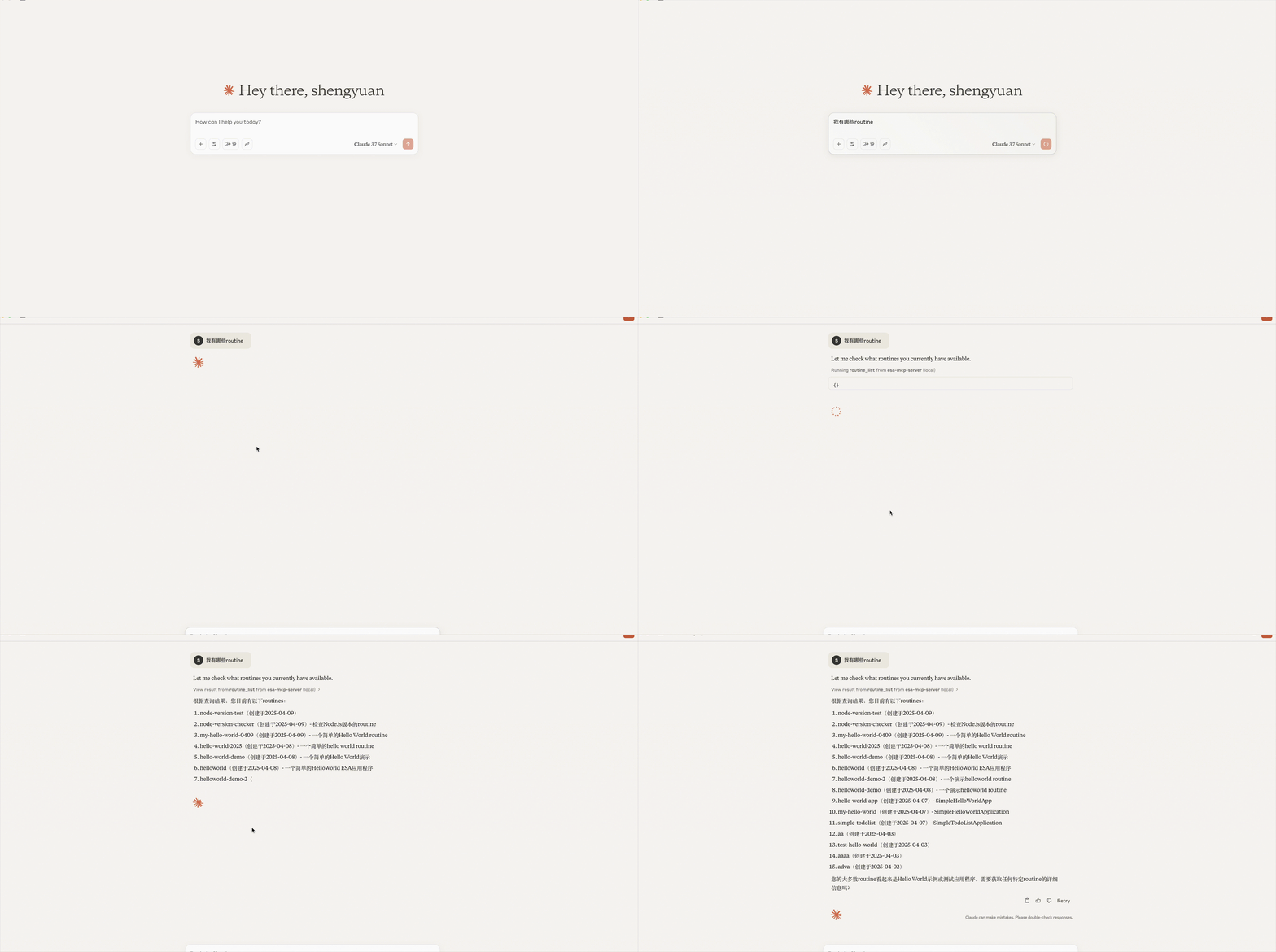
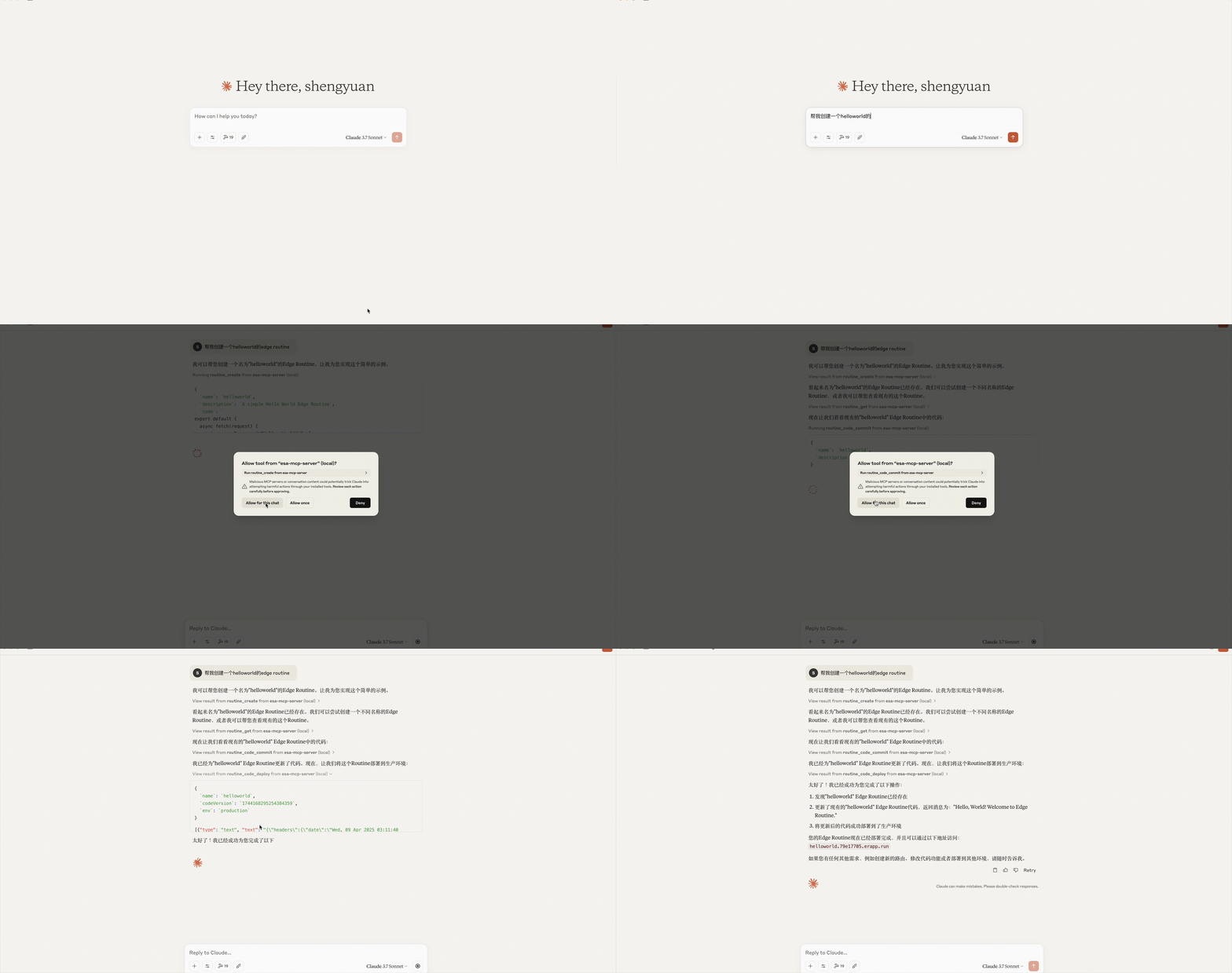
Cline
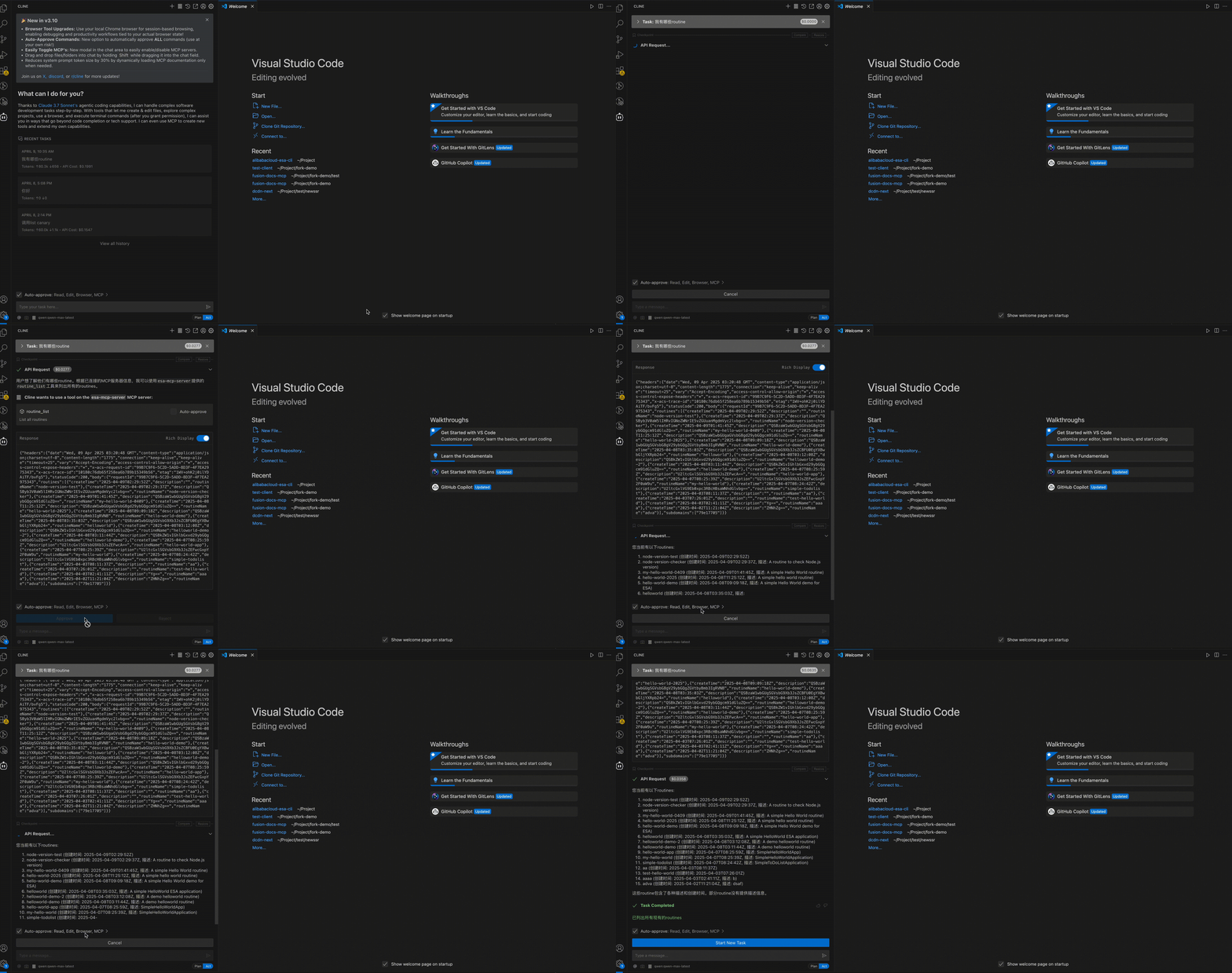
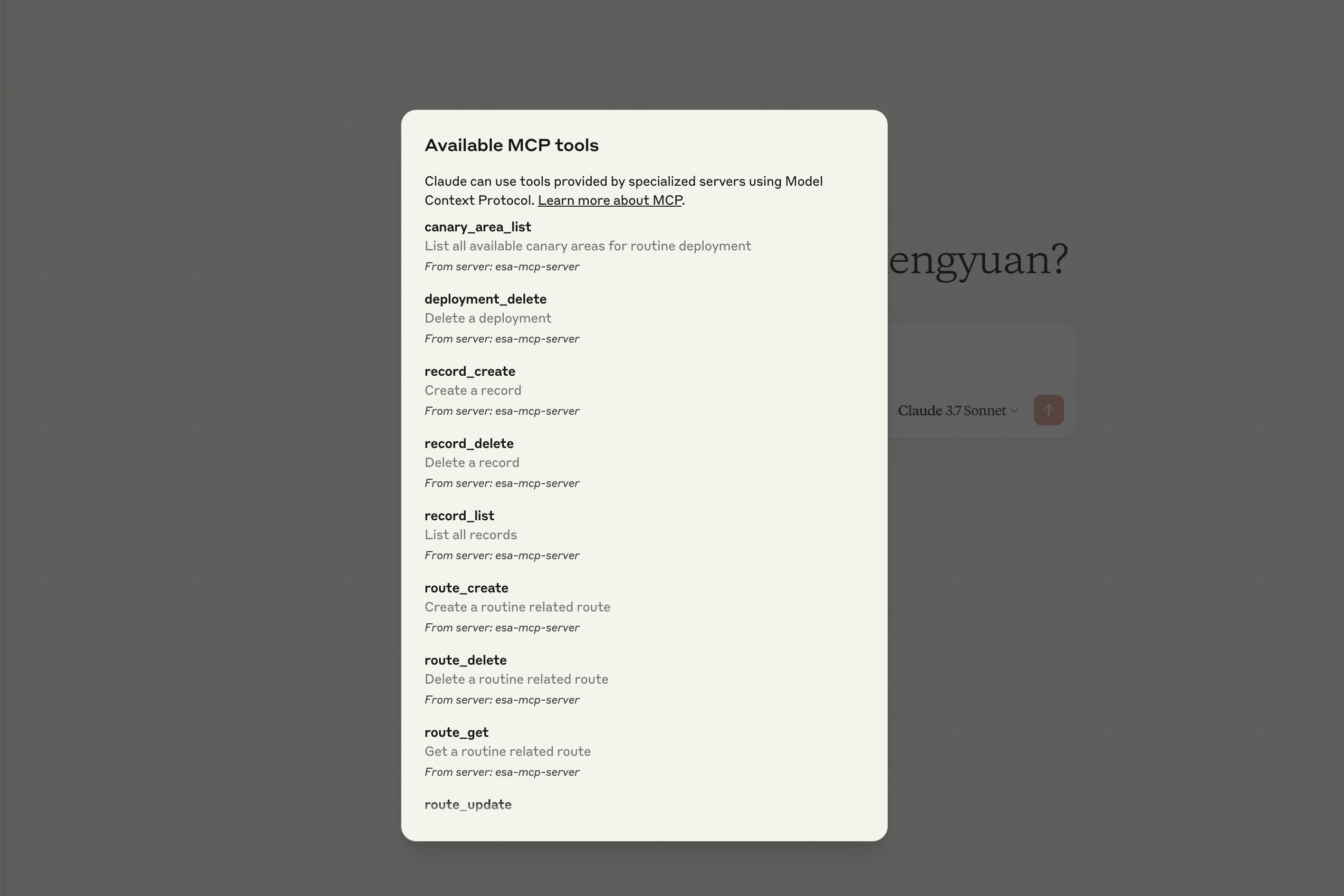
Cline configured successfully:
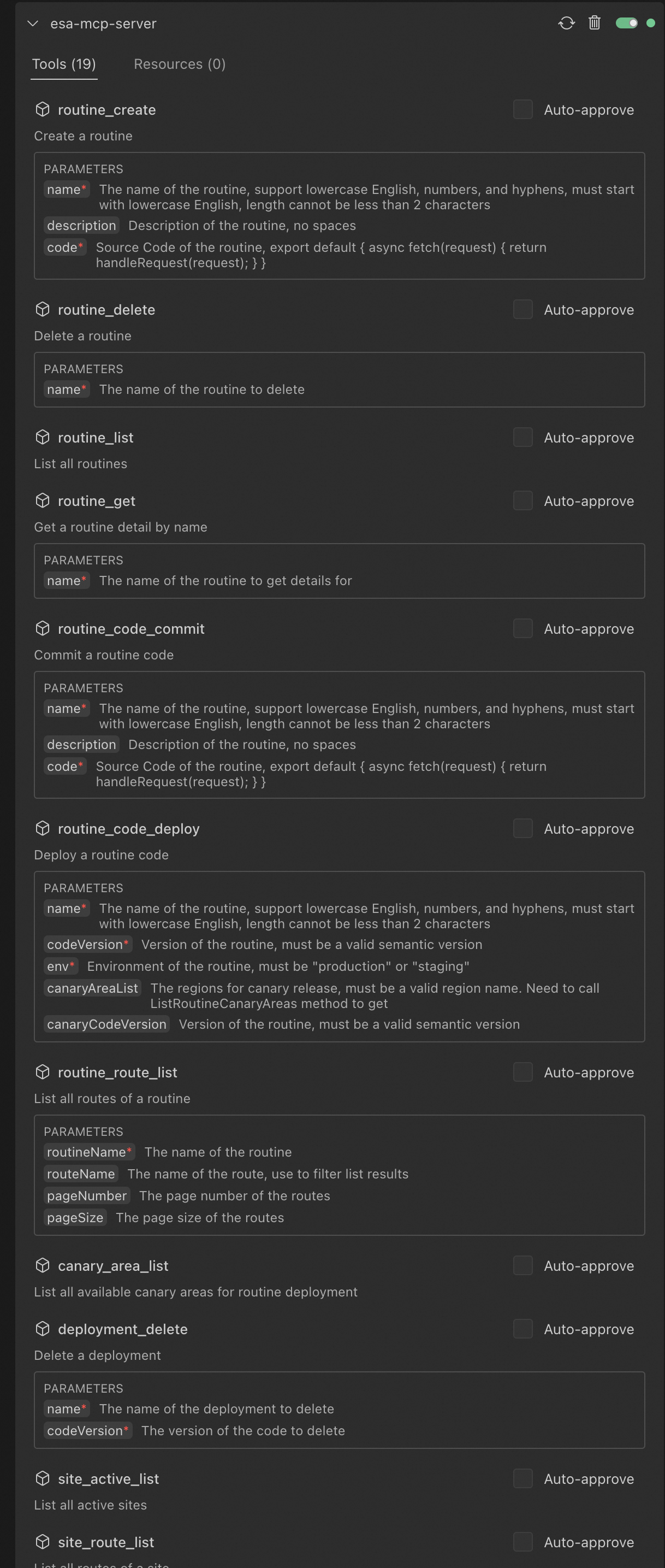
Claude Desktop configured successfully:
Tools
Pages
Tool | Description |
| Deploy an HTML page to ESA Pages, returns a default access URL |
| Deploy a local folder of static files (HTML/CSS/JS/images) to ESA Pages, auto-packaged |
Edge Routine (ER)
Category | Tool | Description |
Routines |
| Create a new Edge Routine |
| Delete an Edge Routine | |
| List all Edge Routines | |
| Get Edge Routine details | |
Deployments |
| Save a code version for an Edge Routine |
| Deploy a code version to staging or production | |
| Delete a code version | |
Routes |
| Create a route for an Edge Routine |
| Update a route configuration | |
| Delete a route | |
| Get route details | |
| List routes for an Edge Routine | |
| List routes for a site | |
Records |
| Create a record for an Edge Routine |
| Delete a record | |
| List records for an Edge Routine |
Site
Category | Tool | Description |
Sites |
| List all sites |
| List active sites | |
| Find a site matching given criteria | |
| Create a new site | |
| Query ESA proxy configuration | |
| Update ESA proxy configuration | |
DNS |
| List DNS records for a site |
| Create an A/AAAA record | |
| Create a CNAME record | |
| Create a TXT record | |
| Create an NS record | |
| Create an MX record | |
| Update a DNS record | |
| Get a DNS record | |
| List DNS records | |
| Delete a DNS record | |
IPv6 |
| Update IPv6 configuration |
| Query IPv6 configuration | |
Transform |
| Update managed transform configuration |
| Query managed transform configuration | |
Certificate |
| Enable/update certificate for a site |
| Apply for a free SSL certificate | |
| Get certificate details | |
| Delete a certificate | |
| List certificates for a site | |
| Query certificate quota and usage |
Prompt Examples
Write a 2048 game and deploy it on Edge Routine, show me the access URL.
Deploy the ./dist folder to ESA Pages.
List all Edge Routines under my account.
Delete Edge Routines created after May 2025.
What is the default access URL for my Edge Routine "hello-world"?
Create a CNAME record for test.example.com pointing to example2.com.
Create an A record for test.example.com with value 1.1.1.1.
Apply a free SSL certificate for my site example.com.
Show me the IPv6 configuration for my site.
License
MIT