
ESA MCP Server
# ESA MCP Server
[](https://www.npmjs.com/package/mcp-server-esa)
[](./LICENSE)
MCP server for Alibaba Cloud ESA — deploy to the edge, manage DNS, certificates, and Edge Routines, all from your AI-powered IDE.
[English](./readme.md) | [中文](./readme_zh.md)
## Features
- 🚀 **Pages** — One-command deploy HTML or static folders (`dist/`, `build/`) to the edge
- ⚡ **Edge Routine** — Full lifecycle management: create, commit, deploy, route, and tear down
- 🌐 **Site** — DNS records, SSL certificates, IPv6, managed transforms, and site configuration
- 🧩 **Modular** — Load all 40+ tools or pick only the module you need
- 🔌 **Works everywhere** — Cursor, Claude Desktop, Cline, and any MCP-compatible client
## Quick Start
### Prerequisites
1. Get your AccessKey ID and Secret from the [Alibaba Cloud AccessKey page](https://ram.console.aliyun.com/profile/access-keys)
2. Enable the [Edge Routine service](https://esa.console.aliyun.com/edge/function/list)
### Configuration
Add to your MCP client config (e.g., Cursor `~/.cursor/mcp.json`, Claude Desktop, Cline):
**Pages (recommended)** — deploy static sites to the edge in seconds:
```json
{
"mcpServers": {
"esa-pages": {
"command": "npx",
"args": ["-y", "-p", "mcp-server-esa", "mcp-server-esa-pages"],
"env": {
"ALIBABA_CLOUD_ACCESS_KEY_ID": "your AK",
"ALIBABA_CLOUD_ACCESS_KEY_SECRET": "your SK"
}
}
}
}
```
**All-in-one** — includes Pages, ER, and Site tools:
```json
{
"mcpServers": {
"esa-mcp-server": {
"command": "npx",
"args": ["-y", "mcp-server-esa"],
"env": {
"ALIBABA_CLOUD_ACCESS_KEY_ID": "your AK",
"ALIBABA_CLOUD_ACCESS_KEY_SECRET": "your SK",
"ALIBABA_CLOUD_SECURITY_TOKEN": "optional, required when using STS Token"
}
}
}
}
```
**Modular** — load only what you need:
| Module | Binary | Best for |
| ------ | ------ | -------- |
| **Pages** | `mcp-server-esa-pages` | Frontend devs — deploy HTML/static files to the edge |
| **ER** | `mcp-server-esa-er` | Edge developers — full Edge Routine lifecycle |
| **Site** | `mcp-server-esa-site` | DevOps / SREs — DNS, certificates, IPv6, site config |
> Run a specific module: `npx -p mcp-server-esa <binary>`
> Pin a version: `npx -p mcp-server-esa@1.1.0 <binary>`
**Edge Routine** — full lifecycle management for serverless edge functions:
```json
{
"mcpServers": {
"esa-er": {
"command": "npx",
"args": ["-y", "-p", "mcp-server-esa", "mcp-server-esa-er"],
"env": {
"ALIBABA_CLOUD_ACCESS_KEY_ID": "your AK",
"ALIBABA_CLOUD_ACCESS_KEY_SECRET": "your SK"
}
}
}
}
```
**Site** — DNS, certificates, IPv6, and site configuration:
```json
{
"mcpServers": {
"esa-site": {
"command": "npx",
"args": ["-y", "-p", "mcp-server-esa", "mcp-server-esa-site"],
"env": {
"ALIBABA_CLOUD_ACCESS_KEY_ID": "your AK",
"ALIBABA_CLOUD_ACCESS_KEY_SECRET": "your SK"
}
}
}
}
```
**Multiple modules:**
```json
{
"mcpServers": {
"esa-pages": {
"command": "npx",
"args": ["-y", "-p", "mcp-server-esa", "mcp-server-esa-pages"],
"env": {
"ALIBABA_CLOUD_ACCESS_KEY_ID": "your AK",
"ALIBABA_CLOUD_ACCESS_KEY_SECRET": "your SK"
}
},
"esa-site": {
"command": "npx",
"args": ["-y", "-p", "mcp-server-esa", "mcp-server-esa-site"],
"env": {
"ALIBABA_CLOUD_ACCESS_KEY_ID": "your AK",
"ALIBABA_CLOUD_ACCESS_KEY_SECRET": "your SK"
}
}
}
}
```
## Demo
**Claude Desktop**
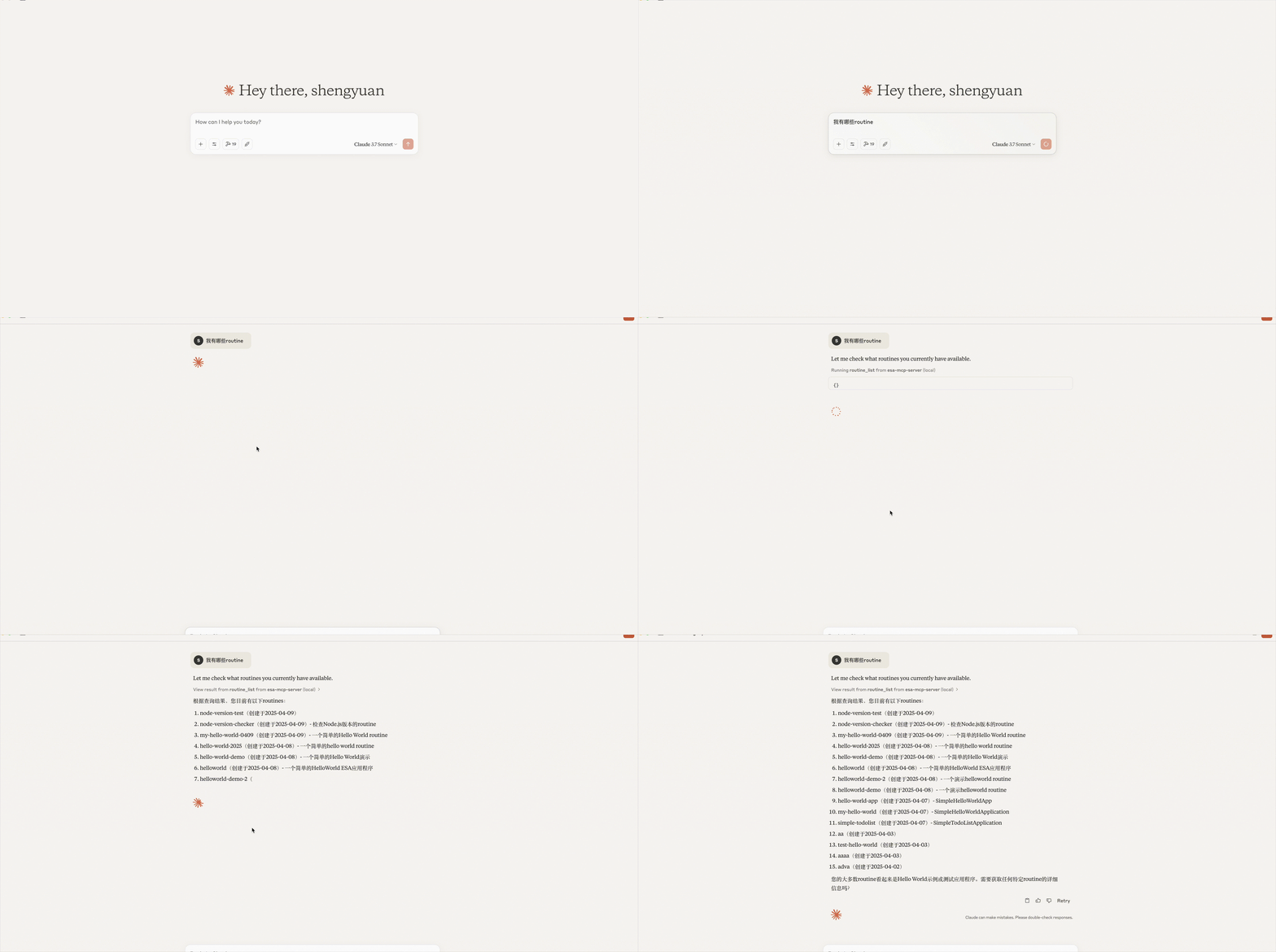
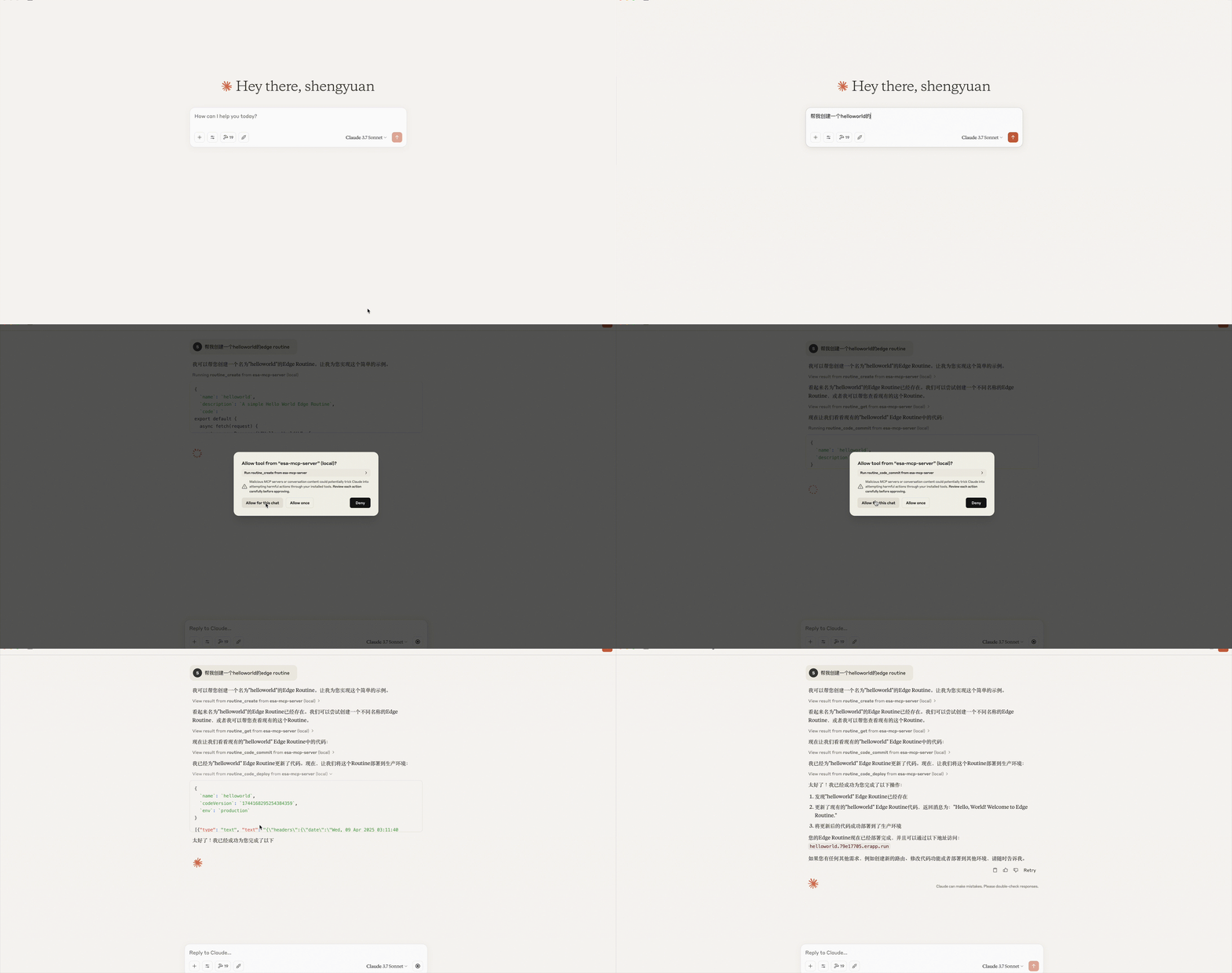
**Cline**
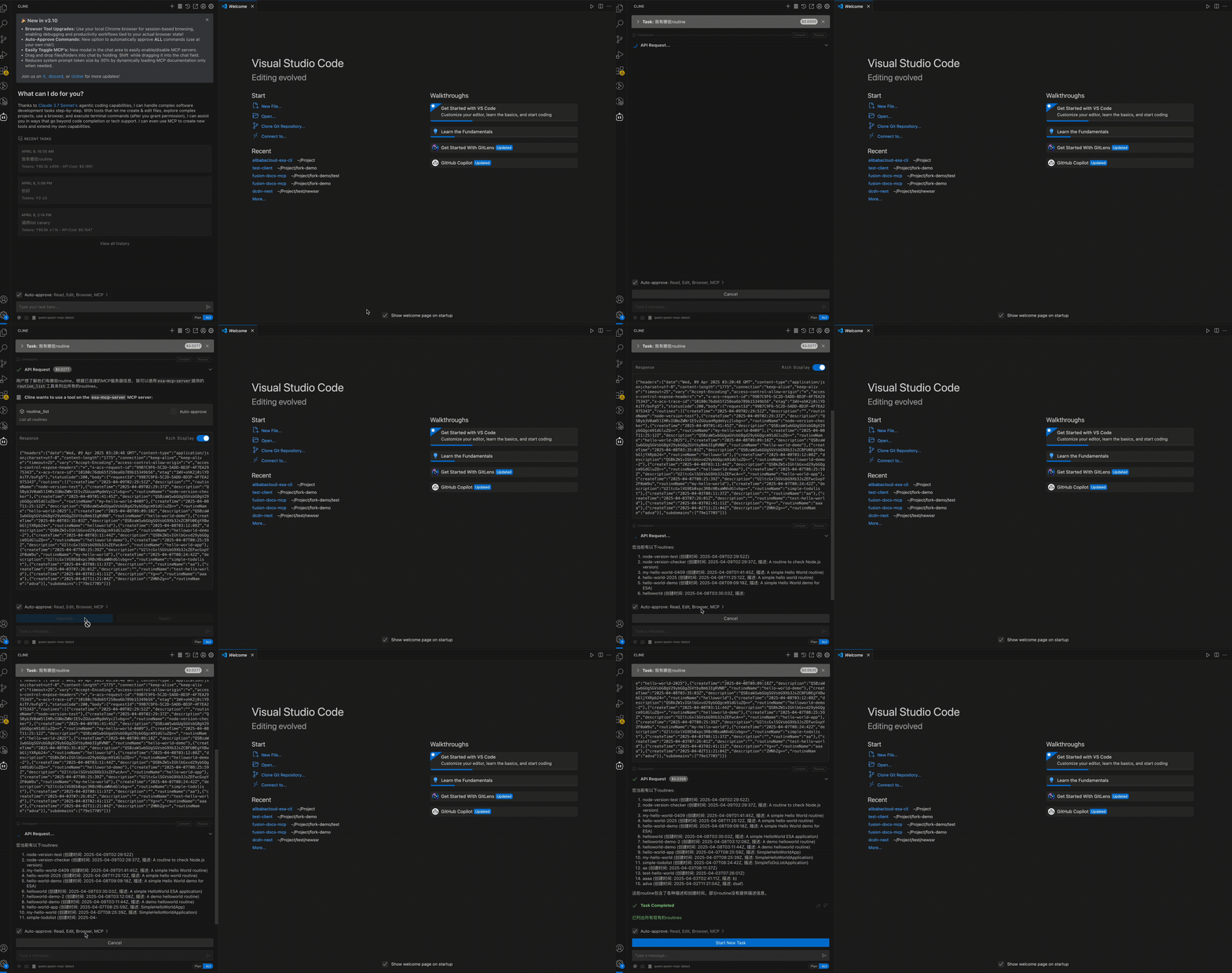
**Cline configured successfully:**
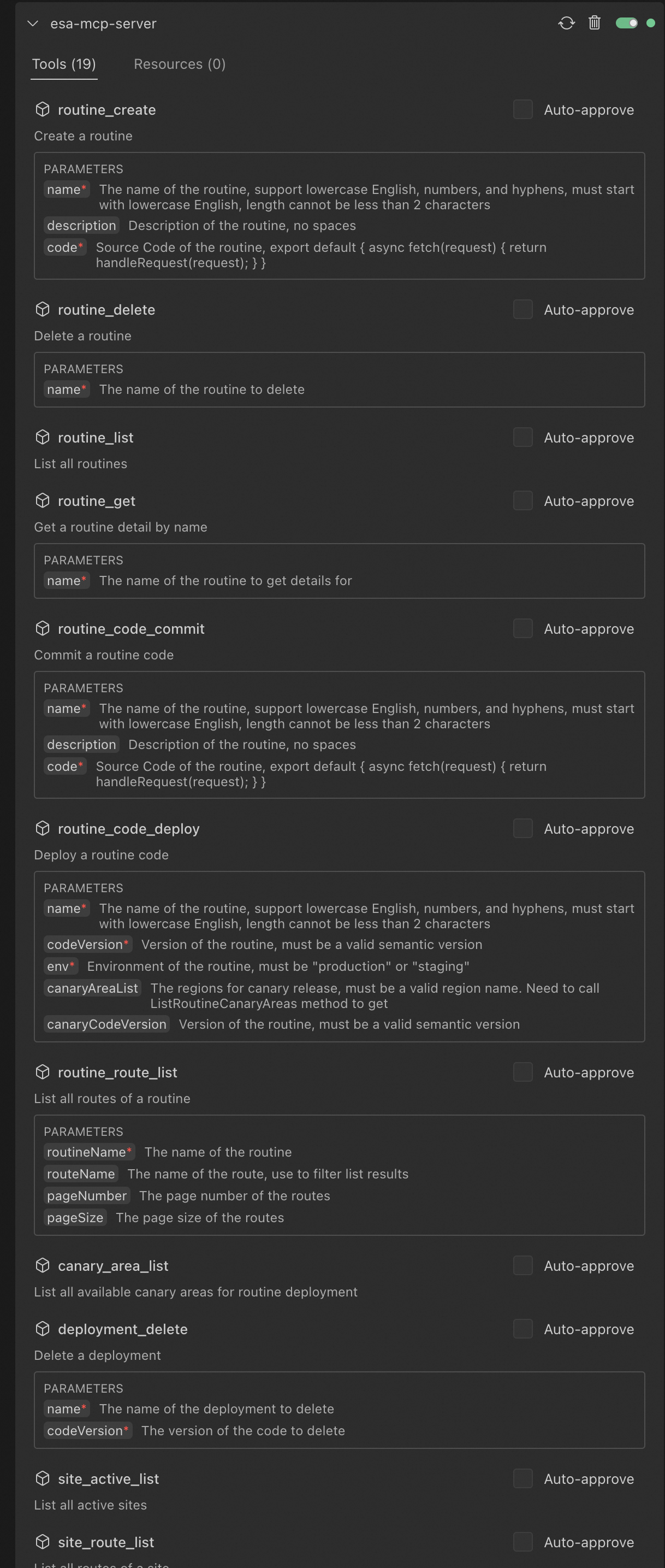
**Claude Desktop configured successfully:**
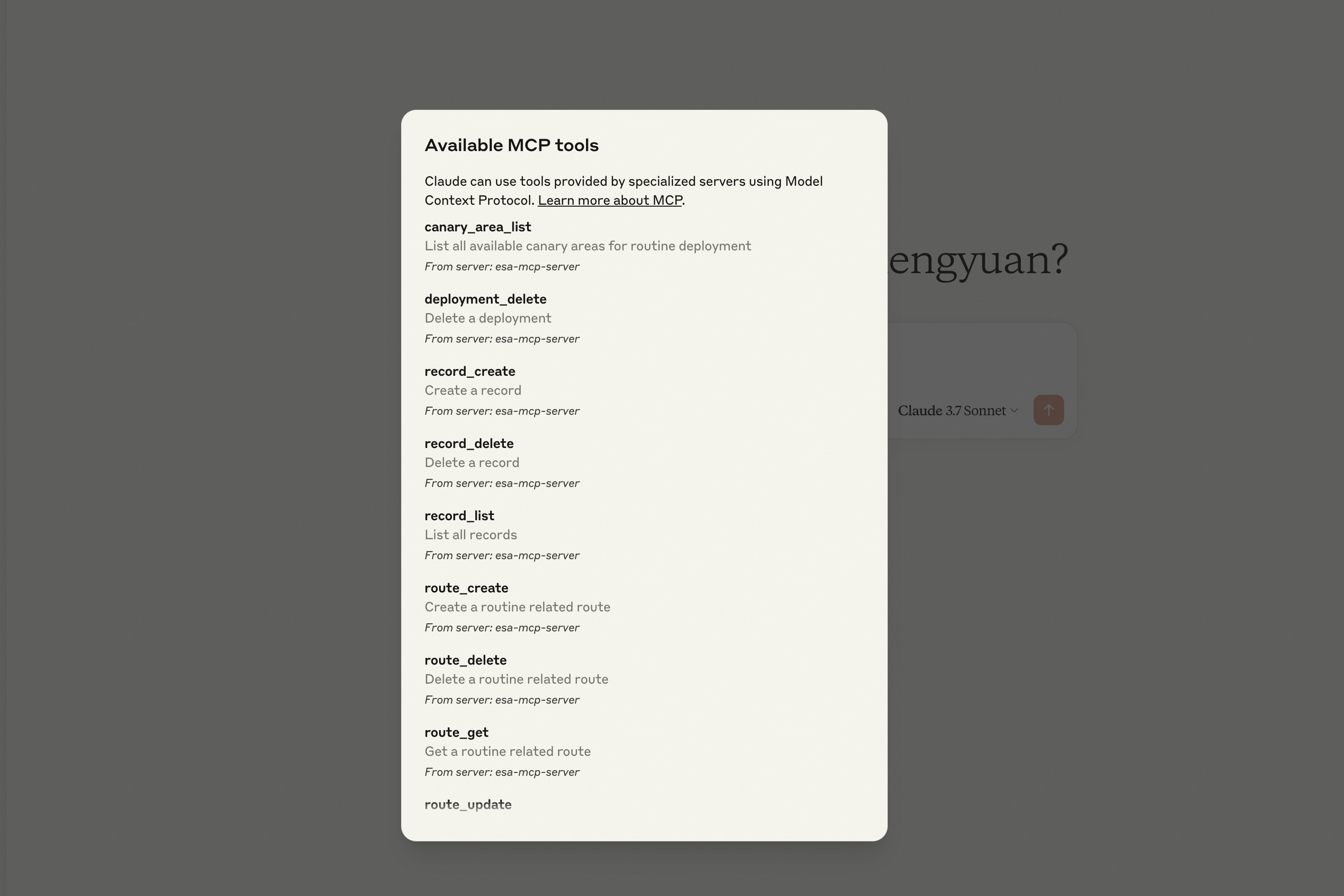
## Tools
### Pages
| Tool | Description |
| ---- | ----------- |
| `html_deploy` | Deploy an HTML page to ESA Pages, returns a default access URL |
| `folder_deploy` | Deploy a local folder of static files (HTML/CSS/JS/images) to ESA Pages, auto-packaged |
### Edge Routine (ER)
| Category | Tool | Description |
| -------- | ---- | ----------- |
| Routines | `routine_create` | Create a new Edge Routine |
| | `routine_delete` | Delete an Edge Routine |
| | `routine_list` | List all Edge Routines |
| | `routine_get` | Get Edge Routine details |
| Deployments | `routine_code_commit` | Save a code version for an Edge Routine |
| | `routine_code_deploy` | Deploy a code version to staging or production |
| | `deployment_delete` | Delete a code version |
| Routes | `route_create` | Create a route for an Edge Routine |
| | `route_update` | Update a route configuration |
| | `route_delete` | Delete a route |
| | `route_get` | Get route details |
| | `routine_route_list` | List routes for an Edge Routine |
| | `site_route_list` | List routes for a site |
| Records | `er_record_create` | Create a record for an Edge Routine |
| | `er_record_delete` | Delete a record |
| | `er_record_list` | List records for an Edge Routine |
### Site
| Category | Tool | Description |
| -------- | ---- | ----------- |
| Sites | `list_sites` | List all sites |
| | `site_active_list` | List active sites |
| | `site_match` | Find a site matching given criteria |
| | `create_site` | Create a new site |
| | `get_site_pause` | Query ESA proxy configuration |
| | `update_site_pause` | Update ESA proxy configuration |
| DNS | `site_record_list` | List DNS records for a site |
| | `create_site_a_or_aaaa_record` | Create an A/AAAA record |
| | `create_site_cname_record` | Create a CNAME record |
| | `create_site_txt_record` | Create a TXT record |
| | `create_site_ns_record` | Create an NS record |
| | `create_site_mx_record` | Create an MX record |
| | `update_record` | Update a DNS record |
| | `get_record` | Get a DNS record |
| | `list_records` | List DNS records |
| | `delete_record` | Delete a DNS record |
| IPv6 | `update_ipv6` | Update IPv6 configuration |
| | `get_ipv6` | Query IPv6 configuration |
| Transform | `update_managed_transform` | Update managed transform configuration |
| | `get_managed_transform` | Query managed transform configuration |
| Certificate | `set_certificate` | Enable/update certificate for a site |
| | `apply_certificate` | Apply for a free SSL certificate |
| | `get_certificate` | Get certificate details |
| | `delete_certificate` | Delete a certificate |
| | `list_certificates` | List certificates for a site |
| | `get_certificate_quota` | Query certificate quota and usage |
## Prompt Examples
```
Write a 2048 game and deploy it on Edge Routine, show me the access URL.
Deploy the ./dist folder to ESA Pages.
List all Edge Routines under my account.
Delete Edge Routines created after May 2025.
What is the default access URL for my Edge Routine "hello-world"?
Create a CNAME record for test.example.com pointing to example2.com.
Create an A record for test.example.com with value 1.1.1.1.
Apply a free SSL certificate for my site example.com.
Show me the IPv6 configuration for my site.
```
## License
MIT
TDQS
Scored across 42 tools
Most tools have distinct purposes, but there is some overlap in DNS record creation tools (e.g., create_site_a_or_aaaa_record, create_site_cname_record, etc.), which could cause confusion as they all create DNS records but for different types. The descriptions help differentiate them, but the naming doesn't clearly indicate the record type in all cases.
The naming is mixed with some consistency within groups (e.g., create_site_*_record for DNS, er_record_* for Edge Routine records), but there are deviations like html_deploy, site_active_list, and site_match that don't follow a clear pattern. Overall, it's readable but lacks a uniform convention across all tools.
With 42 tools, the count is too high for the apparent scope of managing websites, DNS, certificates, and Edge Routines. This many tools can overwhelm agents and suggests fragmentation, such as separate tools for each DNS record type instead of a unified create_record with parameters.
The tool set provides comprehensive coverage for the domain, including site management (create, list, pause), DNS operations (create, get, list, update, delete for various record types), certificate handling (apply, get, set, delete, list), and Edge Routine lifecycle (create, get, list, delete, code commit/deploy, route management). No obvious gaps are present for core workflows.