A
licenseNot graded
qualityD
maintenanceA Model Context Protocol server that enables Claude to execute SQL queries on Snowflake databases with automatic connection lifecycle management.
45
MIT

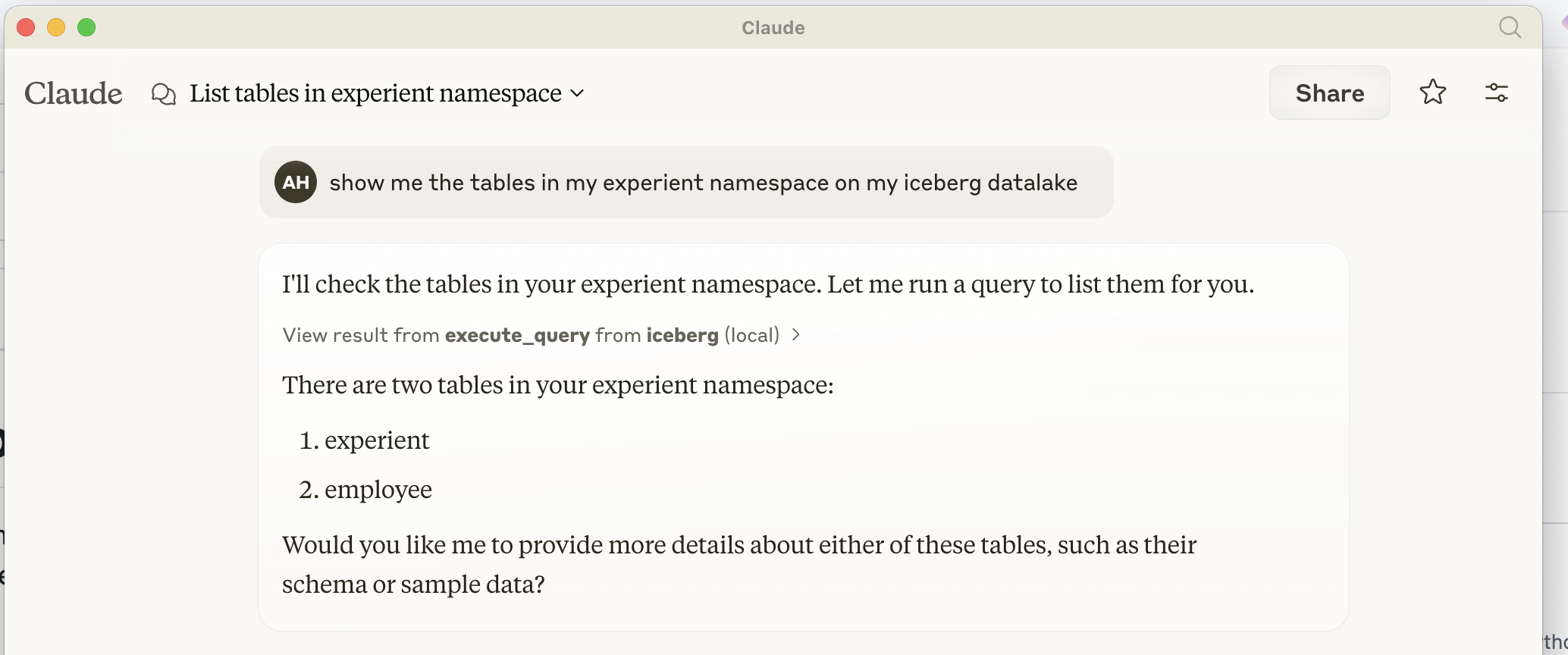
The MCP Iceberg Catalog server enables SQL-based interaction with Apache Iceberg tables through Claude Desktop.
Query Execution: Execute SQL queries including LIST TABLES, DESCRIBE TABLE, SELECT, and CREATE TABLE
Table Management: List and describe tables stored in the Iceberg catalog
Data Querying: Retrieve data from Iceberg tables using SELECT queries
Table Creation: Create new tables in the Iceberg catalog
Integration: Seamlessly interact with Iceberg tables using PyIceberg for efficient data handling
Note: Features like UPDATE, DELETE, and complex data types are not yet implemented.
Provides a SQL interface for querying and managing Apache Iceberg tables, allowing users to list tables, describe table structures, execute SELECT queries, and insert data into Iceberg data lakes.
Click on "Deploy Server".
Wait a few minutes for the server to deploy. Once ready, it will show a "Started" state.
In the chat, type @ followed by the MCP server name and your instructions, e.g., "@MCP Iceberg Catalog show me the sales data from last quarter"
That's it! The server will respond to your query, and you can continue using it as needed.
Here is a step-by-step guide with screenshots.
A MCP (Model Context Protocol) server implementation for interacting with Apache Iceberg. This server provides a SQL interface for querying and managing Iceberg tables through Claude desktop.
Related MCP server: Databricks MCP Server
To install MCP Iceberg Catalog for Claude Desktop automatically via Smithery:
npx -y @smithery/cli install @ahodroj/mcp-iceberg-service --client claudePrerequisites
Python 3.10 or higher
UV package installer (recommended) or pip
Access to an Iceberg REST catalog and S3-compatible storage
How to install in Claude Desktop
Add the following configuration to claude_desktop_config.json:
{
  "mcpServers": {
    "iceberg": {
      "command": "uv",
      "args": [
        "--directory",
        "PATH_TO_/mcp-iceberg-service",
        "run",
        "mcp-server-iceberg"
      ],
      "env": {
        "ICEBERG_CATALOG_URI" : "http://localhost:8181",
        "ICEBERG_WAREHOUSE" : "YOUR ICEBERG WAREHOUSE NAME",
        "S3_ENDPOINT" : "OPTIONAL IF USING S3",
        "AWS_ACCESS_KEY_ID" : "YOUR S3 ACCESS KEY",
        "AWS_SECRET_ACCESS_KEY" : "YOUR S3 SECRET KEY"
      }
    }
  }
}The MCP server is built on three main components:
MCP Protocol Handler
Implements the Model Context Protocol for communication with Claude
Handles request/response cycles through stdio
Manages server lifecycle and initialization
Query Processor
Parses SQL queries using sqlparse
Supports operations:
LIST TABLES
DESCRIBE TABLE
SELECT
INSERT
Iceberg Integration
Uses pyiceberg for table operations
Integrates with PyArrow for efficient data handling
Manages catalog connections and table operations
The server utilizes PyIceberg in several ways:
Catalog Management
Connects to REST catalogs
Manages table metadata
Handles namespace operations
Data Operations
Converts between PyIceberg and PyArrow types
Handles data insertion through PyArrow tables
Manages table schemas and field types
Query Execution
Translates SQL to PyIceberg operations
Handles data scanning and filtering
Manages result set conversion
Query Operations
Implement UPDATE operations
Add DELETE support
Support for CREATE TABLE with schema definition
Add ALTER TABLE operations
Implement table partitioning support
Data Types
Support for complex types (arrays, maps, structs)
Add timestamp with timezone handling
Support for decimal types
Add nested field support
Performance Improvements
Implement batch inserts
Add query optimization
Support for parallel scans
Add caching layer for frequently accessed data
Security Features
Add authentication mechanisms
Implement role-based access control
Add row-level security
Support for encrypted connections
Monitoring and Management
Add metrics collection
Implement query logging
Add performance monitoring
Support for table maintenance operations
Error Handling
Improve error messages
Add retry mechanisms for transient failures
Implement transaction support
Add data validation
Execute a query on Iceberg tables
| Name | Required | Description | Default |
|---|---|---|---|
| query | Yes | Query to execute (supports: LIST TABLES, DESCRIBE TABLE, SELECT, CREATE TABLE) |
Does the description disclose side effects, auth requirements, rate limits, or destructive behavior?
With no annotations provided, the description carries the full burden of behavioral disclosure but offers minimal information. It mentions the query types supported (LIST TABLES, DESCRIBE TABLE, SELECT, CREATE TABLE), which adds some context, but fails to address critical aspects like permissions needed, whether it's read-only or mutating, error handling, or output format expectations.
Agents need to know what a tool does to the world before calling it. Descriptions should go beyond structured annotations to explain consequences.
Is the description appropriately sized, front-loaded, and free of redundancy?
The description is a single, efficient sentence that directly states the tool's purpose without unnecessary words. It is appropriately sized and front-loaded, making it easy to understand at a glance.
Shorter descriptions cost fewer tokens and are easier for agents to parse. Every sentence should earn its place.
Given the tool's complexity, does the description cover enough for an agent to succeed on first attempt?
Given the complexity of a query execution tool with no annotations and no output schema, the description is insufficient. It lacks details on behavioral traits, error handling, permissions, or what to expect from results, leaving significant gaps for an AI agent to operate effectively.
Complex tools with many parameters or behaviors need more documentation. Simple tools need less. This dimension scales expectations accordingly.
Does the description clarify parameter syntax, constraints, interactions, or defaults beyond what the schema provides?
The input schema has 100% description coverage, explicitly documenting the 'query' parameter with supported query types. The description does not add any additional semantic details beyond what the schema already provides, so it meets the baseline for adequate but unremarkable coverage.
Input schemas describe structure but not intent. Descriptions should explain non-obvious parameter relationships and valid value ranges.
Does the description clearly state what the tool does and how it differs from similar tools?
The description clearly states the action ('Execute a query') and target resource ('on Iceberg tables'), providing a specific verb+resource combination. However, with no sibling tools mentioned, it cannot demonstrate differentiation from alternatives, so it falls short of a perfect score.
Agents choose between tools based on descriptions. A clear purpose with a specific verb and resource helps agents select the right tool.
Does the description explain when to use this tool, when not to, or what alternatives exist?
The description provides no guidance on when to use this tool versus alternatives, prerequisites, or contextual constraints. It merely states what the tool does without indicating appropriate scenarios or limitations.
Agents often have multiple tools that could apply. Explicit usage guidance like "use X instead of Y when Z" prevents misuse.
Recent tool additions, removals, and schema changes observed during successful MCP inspections.
v1.0.0execute_queryScored across 1 tool
With only one tool, there is no possibility of ambiguity or overlap between tools, as there are no other tools to confuse it with. The tool's purpose is clearly defined and distinct by default.
Since there is only one tool, naming consistency is inherently perfect with no deviations or mixed conventions to evaluate. The tool name follows a clear verb_noun pattern (execute_query).
A single tool is too few for a catalog server, which typically requires operations like list_tables, get_table, create_table, or update_metadata to be useful. This minimal set severely limits functionality and scope.
The tool set is severely incomplete for an Iceberg catalog domain, lacking basic CRUD operations such as listing, creating, or managing tables. With only a query execution tool, agents cannot perform essential catalog tasks, leading to dead ends.
The BigQuery remote MCP server is a fully managed service that uses the Model Context Protocol to connect AI applications and LLMs to BigQuery data sources. It provides secure, standardized tools for AI agents to list datasets and tables, retrieve schemas, generate and execute SQL queries through natural language, and analyze data—enabling direct access to enterprise analytics data without requiring manual SQL coding.
Query your warehouse or a CSV with Claude/ChatGPT over MCP, governed by table-level ACL + audit.
A comprehensive Model Context Protocol (MCP) server that enables AI assistants to interact with yo…
Text-to-SQL MCP server: read-only queries on PostgreSQL, MySQL and SQL Server with your real schema