Glama
adityak74

MCP Scholarly Server

by adityak74

Servidor MCP mcp-scholarly

insignia de herrería

Un servidor MCP para buscar artículos académicos precisos. Próximamente se añadirán más proveedores académicos.
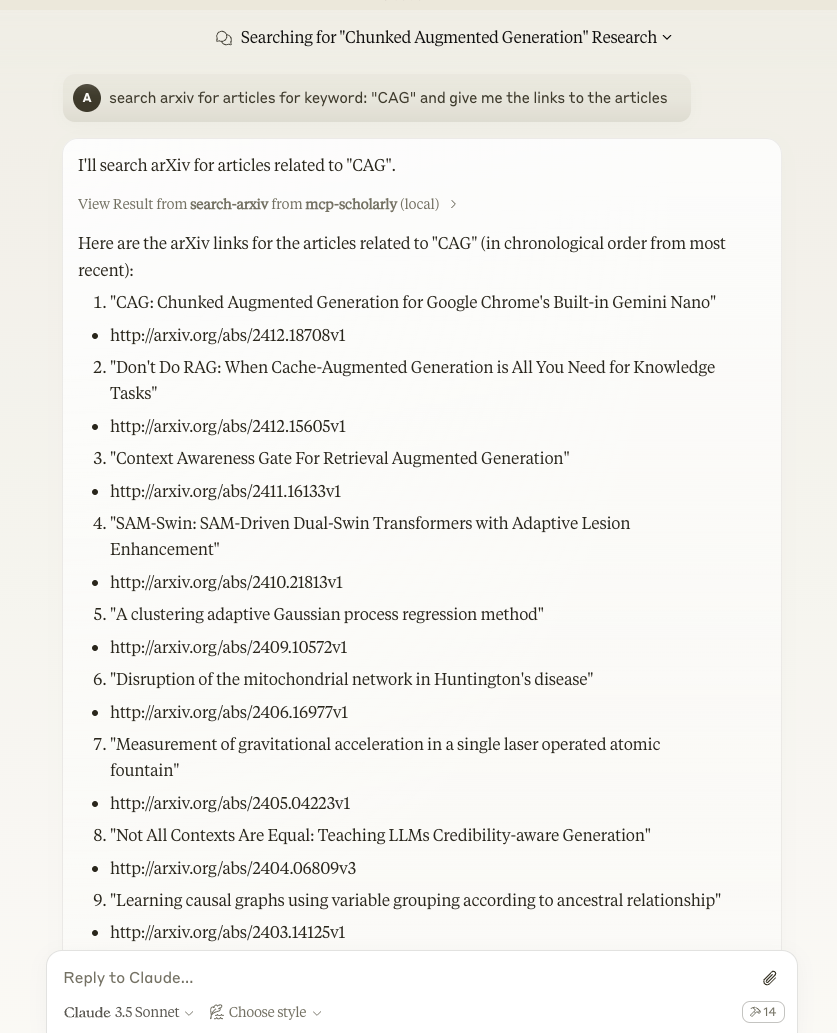
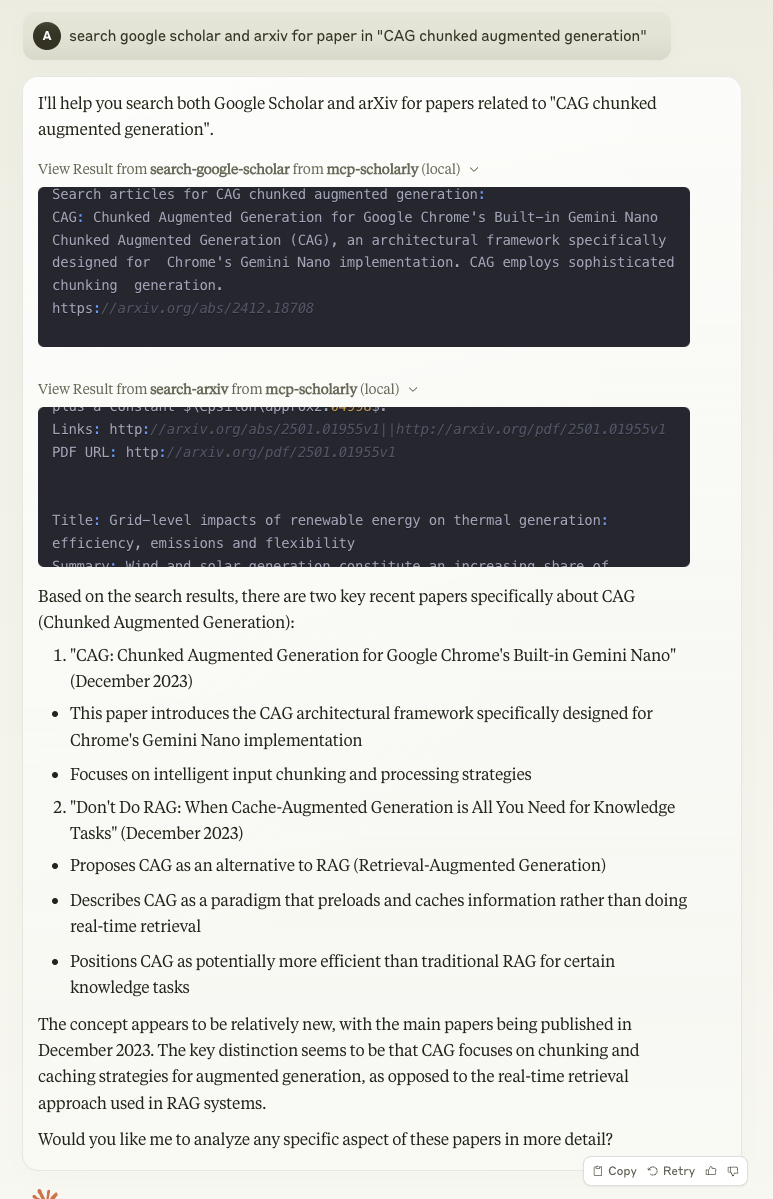
demo1.jpeg

imagen

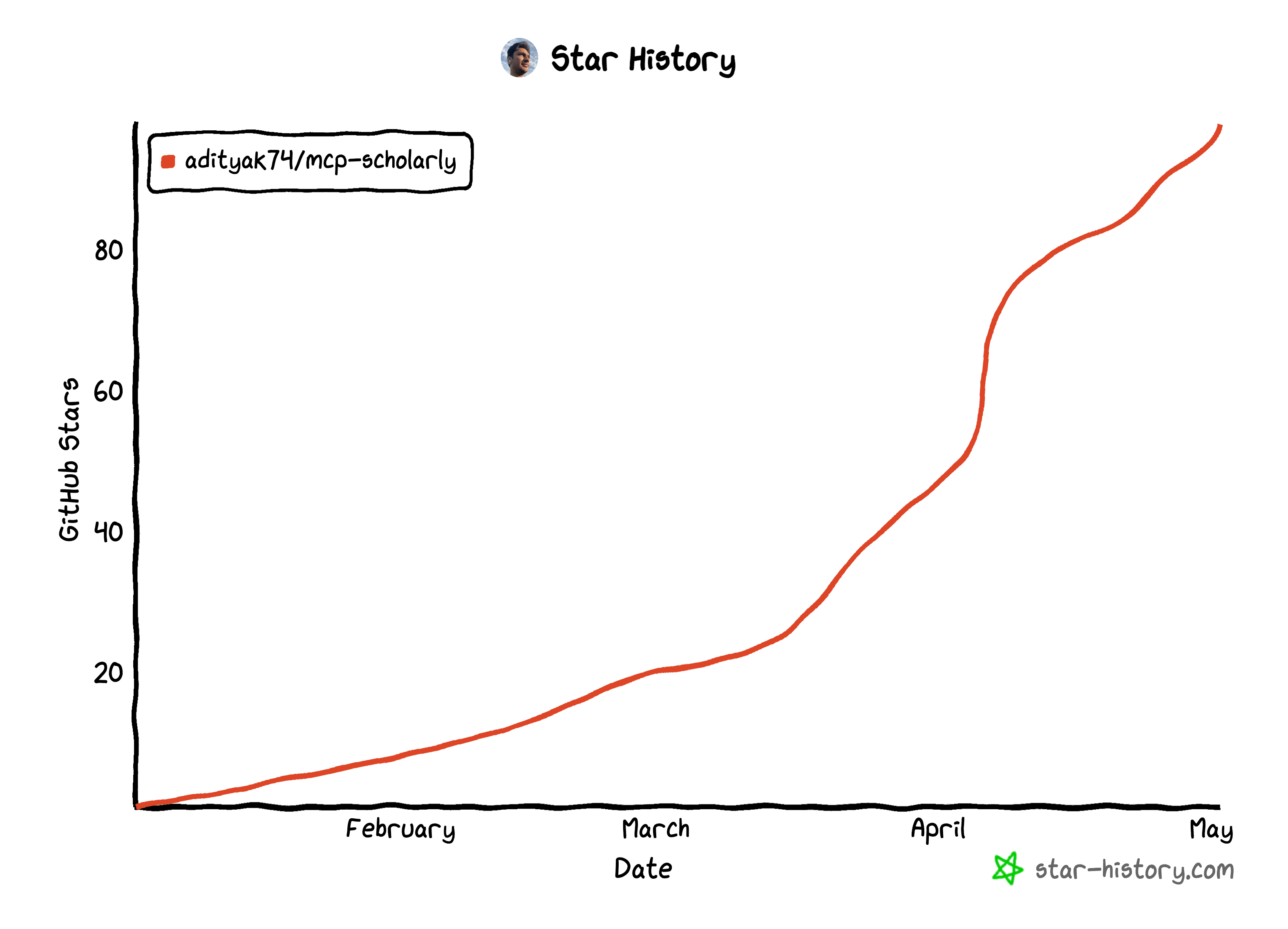
historia de las estrellas-202551

Componentes

Herramientas

El servidor implementa una herramienta:

  • search-arxiv: busca en arxiv artículos relacionados con la palabra clave dada.

    • Toma "palabra clave" como argumento de cadena obligatorio

Related MCP server: arXiv MCP Server

Inicio rápido

Instalar

Escritorio de Claude

En MacOS: ~/Library/Application\ Support/Claude/claude_desktop_config.json En Windows: %APPDATA%/Claude/claude_desktop_config.json

o si estás usando Docker

Instalación mediante herrería

Para instalar mcp-scholarly para Claude Desktop automáticamente a través de Smithery :

npx -y @smithery/cli install mcp-scholarly --client claude

Desarrollo

Construcción y publicación

Para preparar el paquete para su distribución:

  1. Sincronizar dependencias y actualizar el archivo de bloqueo:

uv sync
  1. Distribuciones de paquetes de compilación:

uv build

Esto creará distribuciones de origen y de rueda en el directorio dist/ .

  1. Publicar en PyPI:

uv publish

Nota: Deberás configurar las credenciales de PyPI a través de variables de entorno o indicadores de comando:

  • Token: --token o UV_PUBLISH_TOKEN

  • O nombre de usuario/contraseña: --username / UV_PUBLISH_USERNAME y --password / UV_PUBLISH_PASSWORD

Depuración

Dado que los servidores MCP se ejecutan en stdio, la depuración puede ser complicada. Para una experiencia óptima, recomendamos usar el Inspector MCP .

Puede iniciar el Inspector MCP a través de npm con este comando:

npx @modelcontextprotocol/inspector uv --directory /Users/adityakarnam/PycharmProjects/mcp-scholarly/mcp-scholarly run mcp-scholarly

Al iniciarse, el Inspector mostrará una URL a la que podrá acceder en su navegador para comenzar a depurar.

Available Tools

2 tools
search-arxivC

Search arxiv for articles related to the given keyword.

ParametersJSON Schema
NameRequiredDescriptionDefault
keywordYes

TDQS

C2.7/5.0
Behavior2/5

Does the description disclose side effects, auth requirements, rate limits, or destructive behavior?

With no annotations provided, the description carries the full burden of behavioral disclosure but offers minimal information. It mentions searching but doesn't cover aspects like rate limits, authentication needs, result formats, pagination, or error handling, which are critical for a search tool.

Agents need to know what a tool does to the world before calling it. Descriptions should go beyond structured annotations to explain consequences.

Conciseness4/5

Is the description appropriately sized, front-loaded, and free of redundancy?

The description is a single, efficient sentence that gets straight to the point without unnecessary words. It's appropriately sized for a simple tool, though it could be slightly more informative without losing conciseness.

Shorter descriptions cost fewer tokens and are easier for agents to parse. Every sentence should earn its place.

Completeness2/5

Given the tool's complexity, does the description cover enough for an agent to succeed on first attempt?

Given the tool's complexity (a search function with one parameter) and the lack of annotations and output schema, the description is incomplete. It doesn't address behavioral traits, parameter details, or expected outputs, making it inadequate for effective agent use.

Complex tools with many parameters or behaviors need more documentation. Simple tools need less. This dimension scales expectations accordingly.

Parameters2/5

Does the description clarify parameter syntax, constraints, interactions, or defaults beyond what the schema provides?

The input schema has 0% description coverage, so the description must compensate but adds little beyond the schema. It implies 'keyword' is used for searching but doesn't explain its semantics, such as how it's matched (e.g., title, abstract, full-text) or any constraints, leaving the parameter poorly defined.

Input schemas describe structure but not intent. Descriptions should explain non-obvious parameter relationships and valid value ranges.

Purpose4/5

Does the description clearly state what the tool does and how it differs from similar tools?

The description clearly states the tool's purpose with a specific verb ('search') and resource ('arxiv for articles'), making it immediately understandable. However, it doesn't differentiate from its sibling tool 'search-google-scholar' beyond mentioning the platform, which prevents a perfect score.

Agents choose between tools based on descriptions. A clear purpose with a specific verb and resource helps agents select the right tool.

Usage Guidelines2/5

Does the description explain when to use this tool, when not to, or what alternatives exist?

The description provides no guidance on when to use this tool versus its sibling 'search-google-scholar' or any alternatives. It lacks context about use cases, exclusions, or prerequisites, leaving the agent without direction for tool selection.

Agents often have multiple tools that could apply. Explicit usage guidance like "use X instead of Y when Z" prevents misuse.

search-google-scholarC

Search google scholar for articles related to the given keyword.

ParametersJSON Schema
NameRequiredDescriptionDefault
keywordYes

TDQS

C2.8/5.0
Behavior2/5

Does the description disclose side effects, auth requirements, rate limits, or destructive behavior?

No annotations are provided, so the description carries the full burden of behavioral disclosure. It only states the basic action of searching, without mentioning rate limits, authentication needs, result formats, pagination, or potential side effects. This is inadequate for a search tool with zero annotation coverage.

Agents need to know what a tool does to the world before calling it. Descriptions should go beyond structured annotations to explain consequences.

Conciseness5/5

Is the description appropriately sized, front-loaded, and free of redundancy?

The description is a single, efficient sentence that directly states the tool's function without unnecessary words. It is appropriately sized and front-loaded, making it easy to parse quickly.

Shorter descriptions cost fewer tokens and are easier for agents to parse. Every sentence should earn its place.

Completeness2/5

Given the tool's complexity, does the description cover enough for an agent to succeed on first attempt?

Given the lack of annotations, no output schema, and low schema description coverage, the description is incomplete. It doesn't address behavioral aspects like result handling or limitations, nor does it provide enough context for effective use in a multi-tool environment with a sibling tool.

Complex tools with many parameters or behaviors need more documentation. Simple tools need less. This dimension scales expectations accordingly.

Parameters2/5

Does the description clarify parameter syntax, constraints, interactions, or defaults beyond what the schema provides?

The schema description coverage is 0%, and the description adds minimal value beyond the schema. It mentions 'keyword' as the input but doesn't explain what constitutes a valid keyword, how it's used in the search, or any constraints. With one undocumented parameter, the description fails to compensate for the coverage gap.

Input schemas describe structure but not intent. Descriptions should explain non-obvious parameter relationships and valid value ranges.

Purpose4/5

Does the description clearly state what the tool does and how it differs from similar tools?

The description clearly states the tool's purpose as searching Google Scholar for articles related to a keyword, providing a specific verb ('search') and resource ('Google Scholar articles'). However, it doesn't explicitly differentiate from its sibling tool 'search-arxiv', which likely searches a different academic database, so it doesn't reach the highest score.

Agents choose between tools based on descriptions. A clear purpose with a specific verb and resource helps agents select the right tool.

Usage Guidelines2/5

Does the description explain when to use this tool, when not to, or what alternatives exist?

The description provides no guidance on when to use this tool versus alternatives. It doesn't mention the sibling tool 'search-arxiv' or any other search options, nor does it specify contexts where Google Scholar is preferred over other databases. This leaves the agent with minimal usage direction.

Agents often have multiple tools that could apply. Explicit usage guidance like "use X instead of Y when Z" prevents misuse.

Tool Schema Changelog

Recent tool additions, removals, and schema changes observed during successful MCP inspections.

  1. 2 tool updates
    • First observedsearch-arxiv
    • First observedsearch-google-scholar

TDQS

B3/5.0

Scored across 2 tools

Disambiguation5/5

The two tools have clearly distinct purposes: one searches ArXiv specifically, while the other searches Google Scholar. There is no overlap in their functionality, and an agent can easily choose the appropriate tool based on the desired academic database.

Naming Consistency5/5

Both tools follow a consistent verb_noun pattern with 'search' as the verb and the database name as the noun (arxiv, google-scholar). The naming is uniform and predictable across the set.

Tool Count2/5

With only 2 tools, the server feels thin for a 'Scholarly Server' that might be expected to handle broader academic tasks. While search is a core function, typical scholarly workflows could benefit from additional tools like fetching article details, citations, or managing references.

Completeness2/5

The server is severely incomplete for a scholarly domain, as it only provides search functionality without any tools for retrieving full articles, accessing metadata, or performing follow-up actions like citation analysis. This leaves significant gaps that could hinder agent workflows.

Maintenance

ActivityMaintained
ResponsivenessUnresponsive

Related MCP Connectors

Related MCP Servers

  • F
    license
    Not graded
    quality
    D
    maintenance
    Enables querying and discovering the latest arXiv papers by category or keyword, providing structured metadata including titles, authors, summaries, and links for research assistance and literature review workflows.
    -
  • A
    license
    B
    quality
    D
    maintenance
    Enables searching and retrieving academic papers from arXiv by various criteria including title, author, and category, with support for extracting full text content from PDFs.
    4
    MIT
  • F
    license
    Not graded
    quality
    D
    maintenance
    Enables searching and retrieving academic papers from arXiv by topic, allowing users to discover research papers and extract their metadata including titles, authors, abstracts, and PDF links through natural language queries.
    -
  • F
    license
    Not graded
    quality
    D
    maintenance
    Enables searching, downloading, and analyzing academic papers from arXiv and Semantic Scholar to extract key insights and citation metrics. It facilitates autonomous knowledge acquisition by processing research findings and integrating them into persistent AI memory systems.
    -