A
licenseB
qualityD
maintenanceProvides AI assistants with Safari browser automation and developer tools access, enabling LLMs to control Safari, access console logs, monitor network activity, and perform browser automation tasks.
13
9 npm
33
MIT

The only MCP server for Safari — native browser automation for AI agents.

80 tools · No Chrome/Puppeteer/Playwright needed · ~5ms per command · 60% less CPU than Chrome
Quick Start · All 80 Tools · Examples · Why Safari MCP? · Architecture · Changelog
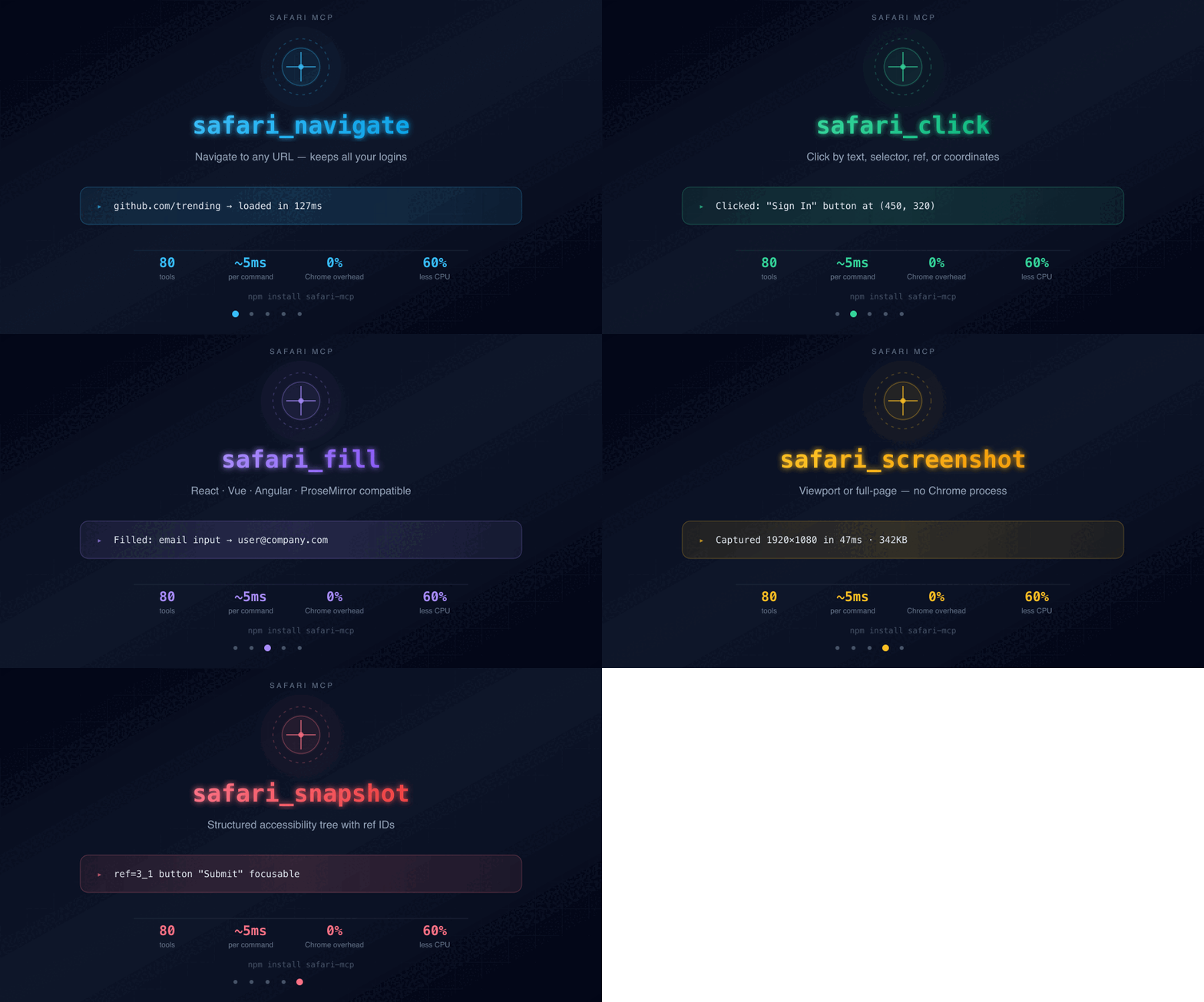
TL;DR: Use your real Safari with all your logins, cookies, and sessions. No headless browsers, no Chrome, no Puppeteer. Just native AppleScript + JavaScript on macOS — 60% less CPU/heat on Apple Silicon.
📰 Featured on HackerNoon: I Had to Reverse-Engineer React, Shadow DOM, and CSP to Automate Safari Without Chrome — the three hardest technical problems behind Safari MCP and the code that solved them.
Problem | Safari MCP Solution |
Chrome DevTools MCP heats up your Mac | Native WebKit — ~60% less CPU |
Playwright launches a new browser without your logins | Uses your real Safari with all sessions |
Puppeteer requires Chrome + debug port | Just AppleScript — no extra browser |
Headless browsers can't access your authenticated sessions | Gmail, GitHub, Slack — already logged in |
Browser automation steals window focus | Safari stays in background, never interrupts |
80 tools — navigation, clicks, forms, screenshots, network, storage, accessibility, and more
Zero heat — native WebKit on Apple Silicon, ~60% less CPU than Chrome
Your real browser — keeps all logins, cookies, sessions (Gmail, GitHub, Ahrefs, etc.)
Background operation — Safari stays in the background, no window stealing
No browser dependencies — no Puppeteer, no Playwright, no WebDriver, no Chrome
Persistent process — reuses a single osascript process (~5ms per command vs ~80ms)
Framework-compatible — React, Vue, Angular, Svelte form filling via native setters
Related MCP server: mcp-browser
macOS (any version with Safari)
Node.js 18+
Safari → Settings → Advanced → Show features for web developers ✓
Safari → Develop → Allow JavaScript from Apple Events ✓
npx safari-mcpThat's it — no global install needed. Or install permanently:
npm install -g safari-mcpAdd to your client's config file — all clients use the same JSON:
{
  "mcpServers": {
    "safari": {
      "command": "npx",
      "args": ["safari-mcp"]
    }
  }
}
Client | Config file |
Claude Code |
|
Claude Desktop |
|
Cursor |
|
Windsurf |
|
VS Code + Continue |
|
brew install achiya-automation/tap/safari-mcpgit clone https://github.com/achiya-automation/safari-mcp.git
cd safari-mcp && npm installA star takes 2 seconds and helps other macOS developers discover this.
4,000+ developers install Safari MCP every month. Less than 1% star it. If it saves you Chrome heat, give it back a click.
📰 Read the deep-dive on HackerNoon →
The recommended pattern for AI agents using Safari MCP:
1. safari_snapshot        → Get page state (accessibility tree)
2. safari_click/fill/...  → Interact with elements by ref
3. safari_snapshot        → Verify the result
Element targeting — tools accept multiple targeting strategies:
Strategy | Example | Best for |
CSS selector |
| Unique elements |
Visible text |
| Buttons, links |
Coordinates |
| Canvas, custom widgets |
Ref from snapshot |
| Any element from accessibility tree |
Tip: Start with
safari_snapshotto get element refs, then use refs for precise targeting. This is faster and more reliable than CSS selectors.
Tool | Description |
| Navigate to URL (auto HTTPS, wait for load) |
| Go back in history |
| Go forward in history |
| Reload page (optional hard reload) |
Tool | Description |
| Get title, URL, and text content |
| Get full HTML source |
| Navigate + read in one call |
Tool | Description |
| Click by CSS selector, visible text, or coordinates |
| Double-click (select word, etc.) |
| Right-click (context menu) |
| Hover over element |
| Click + wait for navigation |
Tool | Description |
| Fill input (React/Vue/Angular compatible) |
| Clear input field |
| Select dropdown option |
| Batch fill multiple fields |
| Fill form + submit in one call |
| Type real keystrokes (JS-based, no System Events) |
| Press key with modifiers |
Tool | Description |
| Screenshot as PNG (viewport or full page) |
| Screenshot a specific element |
| Export page as PDF |
Tool | Description |
| Scroll up/down by pixels |
| Scroll to exact position |
| Smooth scroll to element |
Tool | Description |
| List all tabs (index, title, URL) |
| Open new tab (background, no focus steal) |
| Close tab |
| Switch to tab by index |
Tool | Description |
| Wait for element, text, or URL change |
| Wait for specified milliseconds |
Tool | Description |
| Execute arbitrary JavaScript, return result |
Tool | Description |
| Element details (tag, rect, attrs, visibility) |
| Find all matching elements |
| Computed CSS styles |
| Auto-detect all forms with field selectors |
Tool | Description |
| Full a11y tree: roles, ARIA, focusable elements |
Tool | Description |
| Drag between elements or coordinates |
Tool | Description |
| Upload file via JS DataTransfer (no file dialog!) |
| Paste image into editor (no clipboard touch!) |
Tool | Description |
| Handle alert/confirm/prompt |
| Resize browser window |
Tool | Description |
| Emulate device (iPhone, iPad, Pixel, Galaxy) |
| Reset to desktop |
Tool | Description |
| Get all cookies |
| Set cookie with all options |
| Delete one or all cookies |
| Read localStorage |
| Write localStorage |
| Delete/clear localStorage |
| Read sessionStorage |
| Write sessionStorage |
| Delete/clear sessionStorage |
| Export all storage as JSON (backup/restore sessions) |
| Import storage state from JSON |
Tool | Description |
| Read clipboard text |
| Write text to clipboard |
Tool | Description |
| Quick network requests via Performance API |
| Start detailed capture (fetch + XHR) |
| Get captured requests with headers/timing |
| Clear captured requests |
| Mock network responses (intercept fetch/XHR) |
| Remove all network mocks |
Tool | Description |
| Start capturing console messages |
| Get all captured messages |
| Clear captured messages |
| Filter by level (log/warn/error) |
Tool | Description |
| Navigation timing, Web Vitals, memory |
| Simulate slow-3g/fast-3g/4g/offline |
Tool | Description |
| Tables as structured JSON |
| All meta: OG, Twitter, JSON-LD, canonical |
| Images with dimensions and loading info |
| Links with rel, external/nofollow detection |
Tool | Description |
| Override browser geolocation |
| List IndexedDB databases |
| Read IndexedDB records |
| Find unused CSS rules |
| Full page analysis in one call |
Tool | Description |
| Run multiple actions in a single call (batch) |
Safari MCP runs locally on your Mac with minimal attack surface:
Aspect | Detail |
Network | No remote connections — all communication is local (stdio + localhost) |
Permissions | macOS system permissions required (Screen Recording for screenshots) |
Data | No telemetry, no analytics, no data sent anywhere |
Extension | Communicates only with |
Code | Fully open source (MIT) — audit every line |
Feature | Safari MCP | Chrome DevTools MCP | Playwright MCP |
CPU/Heat | 🟢 Minimal | 🔴 High | 🟡 Medium |
Your logins | ✅ Yes | ✅ Yes | ❌ No |
macOS native | ✅ WebKit | ❌ Chromium | ❌ Chromium/WebKit |
Browser dependencies | None | Chrome + debug port | Playwright runtime |
Tools | 80 | ~30 | ~25 |
File upload | JS (no dialog) | CDP | Playwright API |
Image paste | JS (no clipboard) | CDP | Playwright API |
Focus steal | ❌ Background | ❌ Background | ❌ Headless |
Network mocking | ✅ | ❌ | ✅ |
Lighthouse | ❌ | ✅ | ❌ |
Performance trace | ❌ | ✅ | ❌ |
Tip: Use Safari MCP for daily browsing tasks (95% of work) and Chrome DevTools MCP only for Lighthouse/Performance audits.
There are several "safari-mcp" projects floating around. Here's how they compare:
Feature | 🦁 safari-mcp (this repo) | |||
Tools | 80 | ~10 | 23 | ~15 |
Install |
| Manual | Binary |
|
Engine | Dual (Extension + AppleScript) | WebDriver | Extension only | DevTools Protocol |
Keeps your real Safari logins | ✅ Yes | ⚠️ Limited | ✅ Yes | ❌ Debug session |
Background (no focus steal) | ✅ Yes | ❌ No | ⚠️ Sometimes | ✅ Yes |
Storage tools (cookies, localStorage, IndexedDB) | 10 | 0 | 0 | 2 |
Data extraction (tables, meta, images, links) | 4 | 0 | 0 | 0 |
Network mocking | ✅ Yes | ❌ No | ❌ No | ❌ No |
Device emulation (iPhone, iPad, Pixel) | ✅ Yes | ❌ No | ❌ No | ❌ No |
File upload (no dialog) | ✅ JS DataTransfer | ❌ No | ❌ No | ❌ No |
Image paste (no clipboard touch) | ✅ Yes | ❌ No | ❌ No | ❌ No |
PDF export | ✅ Yes | ❌ No | ❌ No | ❌ No |
Console capture | 4 tools | 0 | 1 | 1 |
Performance metrics + Web Vitals | ✅ Yes | ❌ No | ❌ No | ⚠️ Partial |
Active maintenance | ✅ Multiple releases/week | 🟡 Sporadic | 🟡 Slow | 🟡 Slow |
License | MIT | MIT | None specified | MIT |
In MCP Registry | ✅ | ❌ | ❌ | ✅ |
In Awesome MCP | ✅ | ❌ | ❌ | ❌ |
TL;DR — if you want the most complete Safari MCP with the smoothest install, the most tools, and active maintenance, this is the one.
Safari MCP uses a dual-engine architecture — the Extension is preferred for speed and advanced capabilities, with AppleScript as an always-available fallback:
Claude/Cursor/AI Agent
        ↓ MCP Protocol (stdio)
   Safari MCP Server (Node.js)
        ↓                    ↓
   Extension (HTTP)     AppleScript + Swift daemon
   (~5-20ms/cmd)        (~5ms/cmd, always available)
        ↓                    ↓
   Content Script       do JavaScript in tab N
        ↓                    ↓
   Page DOM ←←←←←←←←←← Page DOM
Key design decisions:
Dual engine with automatic fallback — Extension is preferred; if not connected, AppleScript handles everything seamlessly
Persistent Swift helper — one long-running process instead of spawning per command (16x faster)
Tab-indexed operations — all JS runs on a specific tab by index, never steals visual focus
JS-first approach — typing, clicking, file upload all use JavaScript events (no System Events keyboard conflicts)
No activate — Safari is never brought to foreground
The Safari MCP Extension is optional but recommended. Without it, ~80% of functionality works via AppleScript alone. The extension adds capabilities that AppleScript cannot provide:
Capability | With Extension | AppleScript Only |
Closed Shadow DOM (Reddit, Web Components) | ✅ Full access | ❌ Invisible |
Strict CSP sites | ✅ Bypasses via MAIN world | ❌ Often blocked |
React/Vue/Angular state manipulation | ✅ Deep (Fiber, ProseMirror) | ⚠️ Basic |
Loading state detection (spinners, skeletons) | ✅ Smart detection | ❌ No |
Dialog handling (alert/confirm) | ❌ | ✅ Only AppleScript |
Native OS-level click (CGEvent) | ❌ | ✅ Only AppleScript |
PDF export | ❌ | ✅ Only AppleScript |
When do you need the extension? If you're automating modern SPAs with closed shadow DOM (e.g., Reddit), sites with strict Content Security Policy, or framework-heavy editors (Draft.js, ProseMirror, Slate).
The extension requires a one-time build with Xcode (free, included with macOS).
Note for npm users: The
xcode/directory is not included in the npm package. Clone the GitHub repository to build from source.
Prerequisites: Xcode (install from App Store — free)
# 1. Clone the repo (the npm package does not include the Xcode project)
git clone https://github.com/achiya-automation/safari-mcp.git
cd safari-mcp

# 2. Build the extension
xcodebuild -project "xcode/Safari MCP/Safari MCP.xcodeproj" \
  -scheme "Safari MCP (macOS)" -configuration Release build

# 3. Ad-hoc sign the built app so Safari will load it
# (xcodebuild without a signing identity produces a bundle Safari silently rejects)
APP_PATH=$(find ~/Library/Developer/Xcode/DerivedData/Safari_MCP-*/Build/Products/Release -name "Safari MCP.app" -maxdepth 2 | head -1)
codesign --sign - --force --deep "$APP_PATH"

# 4. Re-sign safari-helper with the Apple Events entitlement
# (helps macOS surface the TCC Automation prompt reliably)
codesign --sign - --force --entitlements safari-helper.entitlements safari-helper

# 4. Open the app (needed once so Safari registers the extension)
open "$APP_PATH"
Alternatively, open xcode/Safari MCP/Safari MCP.xcodeproj directly in Xcode, select your Apple ID under Signing & Capabilities, and click Run. A free personal Apple Developer account is sufficient for local use.
Then in Safari:
Safari → Settings → Advanced → enable Show features for web developers
Safari → Develop → Allow Unsigned Extensions (required each Safari restart)
Safari → Settings → Extensions → enable Safari MCP Bridge
The extension connects automatically to the MCP server on port 9224.
Note: "Allow Unsigned Extensions" resets every time Safari restarts. You'll need to re-enable it in the Develop menu after each restart. The extension itself stays installed.
Toolbar icon status:
ON — connected to MCP server
OFF — manually disabled via popup
(no badge) — server not running, will auto-reconnect
Safari MCP needs these one-time permissions:
Permission | Where | Why |
JavaScript from Apple Events | Safari → Develop menu | Required for |
Automation → Safari | System Settings → Privacy & Security → Automation | Required for all AppleScript-backed tools |
Screen Recording | System Settings → Privacy & Security → Screen Recording | Required for |
Accessibility | System Settings → Privacy & Security → Accessibility | Required for |
macOS TCC grants Automation permission to the parent process that spawns the MCP server, not to safari-mcp itself. So you need to grant Automation → Safari to the app that runs Claude Code / Cursor / Windsurf — typically Visual Studio Code or Terminal.
If the permission dialog never appears automatically, run this command once from a Terminal that already has Automation permission:
osascript -e 'tell application "Safari" to get URL of current tab of window 1'That call registers the Terminal app in the Automation database and then triggers the prompt for Safari. After you approve it, subsequent MCP calls from any child process chain will work.
Issue | Fix |
"AppleScript error" | Enable "Allow JavaScript from Apple Events" in Safari → Develop |
"Not authorized to send Apple events to Safari" | Grant Automation → Safari to your IDE (see above) |
"Not authorized" after | Updating changes the binary's cdhash — macOS silently revokes Automation permission. Re-run the |
Screenshots empty | Grant Screen Recording permission to Terminal/VS Code |
Tab not found | Call |
Hebrew keyboard issues | All typing uses JS events — immune to keyboard layout |
HTTPS blocked |
|
Safari steals focus | Ensure you're on latest version — |
Safari MCP works with any MCP-compatible client:
Client | Status |
✅ Tested daily | |
✅ Tested | |
✅ Tested | |
✅ Compatible | |
✅ Compatible |
PRs welcome! See CONTRIBUTING.md for setup instructions.
The codebase is two files:
safari.js — Safari automation layer (AppleScript + JavaScript)
index.js — MCP server with tool definitions
Safari MCP is free and open source. If it saves you time or CPU cycles, consider supporting its development:
Your support funds:
🧪 Testing across macOS versions and Safari releases
🛠️ New tools and features
📖 Documentation and examples
2,000+ monthly npm downloads — developers are using Safari MCP to build AI agents on macOS.
GitHub Discussions — ask questions, share use cases
Issues — bug reports and feature requests
— start contributing
Other macOS MCP servers that complement Safari MCP:
Project | What it does | When to use |
OS-level macOS automation (accessibility, screen control) | System-wide interactions beyond Safari | |
Chrome DevTools Protocol | Lighthouse audits, Chrome-specific performance traces |
Using Safari MCP alongside Chrome DevTools MCP? Safari handles 95% of daily browsing (zero overhead), Chrome handles the 5% that needs Lighthouse or Chrome-specific traces.
If Safari MCP saves you from Chrome overhead, a star helps others discover it:
Share on Twitter/X · Share on LinkedIn · Write about it


MIT — use it however you want.
Get the accessibility tree of the page (roles, ARIA labels, focusable elements, form states). Essential for a11y auditing.
| Name | Required | Description | Default |
|---|---|---|---|
| receipt | No | Tab receipt from safari_new_tab — pins this call to that tab (survives reconnects/subagents) | |
| maxDepth | No | Max tree depth (default: 5) | |
| selector | No | CSS selector for subtree (default: full page) |
Does the description disclose side effects, auth requirements, rate limits, or destructive behavior?
With no annotations, the description carries the full burden of behavioral disclosure. It conveys a read-only 'Get' operation and indicates what data is returned, but it does not mention side effects, limitations, or the structure of the returned tree. This is adequate for a read operation but not deeply transparent.
Agents need to know what a tool does to the world before calling it. Descriptions should go beyond structured annotations to explain consequences.
Is the description appropriately sized, front-loaded, and free of redundancy?
Two sentences with no filler: the first front-loads the operation and resource, and the second adds a meaningful use case. It does not repeat schema information or waste words.
Shorter descriptions cost fewer tokens and are easier for agents to parse. Every sentence should earn its place.
Given the tool's complexity, does the description cover enough for an agent to succeed on first attempt?
The description plus fully-covered schema provides enough to invoke the tool: parameters are documented, and the description lists the key output categories even without an output schema. Minor gaps remain around tree structure and alternative tool selection, but they are not blocking for a simple read operation.
Complex tools with many parameters or behaviors need more documentation. Simple tools need less. This dimension scales expectations accordingly.
Does the description clarify parameter syntax, constraints, interactions, or defaults beyond what the schema provides?
Schema description coverage is 100%, so the baseline is 3. The description adds no extra meaning about `receipt`, `maxDepth`, or `selector` beyond what the schema already provides; it only clarifies the overall purpose of the returned data.
Input schemas describe structure but not intent. Descriptions should explain non-obvious parameter relationships and valid value ranges.
Does the description clearly state what the tool does and how it differs from similar tools?
The description uses a specific verb ('Get') with a precise resource—the accessibility tree—and lists its key contents (roles, ARIA labels, focusable elements, form states). It is clearly distinct in meaning from siblings like safari_snapshot, though it does not explicitly name an alternative to differentiate itself.
Agents choose between tools based on descriptions. A clear purpose with a specific verb and resource helps agents select the right tool.
Does the description explain when to use this tool, when not to, or what alternatives exist?
'Essential for a11y auditing' provides a clear use context, and the content list implies when an agent would want this tool (checking roles, focus, and form states). It does not explicitly name alternatives or specify when not to use it, so it stops short of full routing guidance.
Agents often have multiple tools that could apply. Explicit usage guidance like "use X instead of Y when Z" prevents misuse.
Full page analysis in ONE call: title, URL, meta tags, OG, headings, link stats, image stats, forms, and text preview. Perfect for SEO/audit.
| Name | Required | Description | Default |
|---|---|---|---|
No parameters | |||
Does the description disclose side effects, auth requirements, rate limits, or destructive behavior?
No annotations are provided, so the description bears full responsibility. It indicates a read-only operation by listing extracted data, but does not disclose potential performance impact, required permissions, or side effects. The description is adequate but lacks rich behavioral context.
Agents need to know what a tool does to the world before calling it. Descriptions should go beyond structured annotations to explain consequences.
Is the description appropriately sized, front-loaded, and free of redundancy?
Two sentences with no wasted words. The first sentence immediately lists what the tool does, and the second provides a use case. Information is front-loaded and efficient.
Shorter descriptions cost fewer tokens and are easier for agents to parse. Every sentence should earn its place.
Given the tool's complexity, does the description cover enough for an agent to succeed on first attempt?
Given no output schema, the description lists the returned items adequately. However, it lacks details on the data format or structure, which would help an agent parse results. Still, for a parameterless tool, it is reasonably complete.
Complex tools with many parameters or behaviors need more documentation. Simple tools need less. This dimension scales expectations accordingly.
Does the description clarify parameter syntax, constraints, interactions, or defaults beyond what the schema provides?
The tool has zero parameters, so per guidelines the baseline score is 4. The description adds value by listing the data fields returned, which compensates for the lack of an output schema. No parameter details are possible or needed.
Input schemas describe structure but not intent. Descriptions should explain non-obvious parameter relationships and valid value ranges.
Does the description clearly state what the tool does and how it differs from similar tools?
The description clearly states the tool performs a full page analysis in one call, listing specific elements (title, URL, meta tags, OG, headings, etc.). This distinguishes it from sibling tools that extract individual components, making its purpose unambiguous.
Agents choose between tools based on descriptions. A clear purpose with a specific verb and resource helps agents select the right tool.
Does the description explain when to use this tool, when not to, or what alternatives exist?
The description implies using this tool for comprehensive analysis instead of multiple calls (e.g., 'ONE call') and targets SEO/audit contexts. However, it does not explicitly mention when to avoid it or name alternative sibling tools.
Agents often have multiple tools that could apply. Explicit usage guidance like "use X instead of Y when Z" prevents misuse.
Audit the page for iOS 'Add to Home Screen' / PWA readiness: apple-mobile-web-app-capable, apple-touch-icon (incl. 180x180), theme-color, status-bar style, web app manifest, splash screens. Returns a pass/total checklist.
| Name | Required | Description | Default |
|---|---|---|---|
No parameters | |||
Does the description disclose side effects, auth requirements, rate limits, or destructive behavior?
With no annotations, the description carries the full burden. It discloses that the tool runs an audit and returns a checklist, without side effects or modifications. It adds useful behavioral context beyond 'audit' by listing checked items and output format.
Agents need to know what a tool does to the world before calling it. Descriptions should go beyond structured annotations to explain consequences.
Is the description appropriately sized, front-loaded, and free of redundancy?
Two sentences, front-loaded with key information (what it does, what it checks, output format). Every sentence is essential and there is no waste.
Shorter descriptions cost fewer tokens and are easier for agents to parse. Every sentence should earn its place.
Given the tool's complexity, does the description cover enough for an agent to succeed on first attempt?
For a simple audit tool with no parameters and no output schema, the description is complete: it lists specific checks and states the output is a pass/total checklist. No additional context is needed.
Complex tools with many parameters or behaviors need more documentation. Simple tools need less. This dimension scales expectations accordingly.
Does the description clarify parameter syntax, constraints, interactions, or defaults beyond what the schema provides?
Schema coverage is 100% with zero parameters, so baseline is 4. The description adds meaning beyond the empty schema by explaining the tool's purpose and output, which is adequate for a parameterless tool.
Input schemas describe structure but not intent. Descriptions should explain non-obvious parameter relationships and valid value ranges.
Does the description clearly state what the tool does and how it differs from similar tools?
The description clearly states the tool audits for iOS 'Add to Home Screen' / PWA readiness, listing specific checks (apple-mobile-web-app-capable, icons, etc.). This distinguishes it from sibling tools like safari_webkit_compat or safari_doctor, which cover different audits.
Agents choose between tools based on descriptions. A clear purpose with a specific verb and resource helps agents select the right tool.
Does the description explain when to use this tool, when not to, or what alternatives exist?
The description implies the tool is for PWA readiness checks but does not explicitly state when to use it versus other audit tools or when not to use it. No comparisons or exclusions are provided.
Agents often have multiple tools that could apply. Explicit usage guidance like "use X instead of Y when Z" prevents misuse.
Clear all captured console messages
| Name | Required | Description | Default |
|---|---|---|---|
No parameters | |||
Does the description disclose side effects, auth requirements, rate limits, or destructive behavior?
No annotations are provided, so the description must disclose behavioral traits. It states that console messages are cleared, but does not mention scope (e.g., current tab only), irreversibility, or side effects. The action is simple, so it's adequate but not thorough.
Agents need to know what a tool does to the world before calling it. Descriptions should go beyond structured annotations to explain consequences.
Is the description appropriately sized, front-loaded, and free of redundancy?
The description is a single sentence, front-loaded, and contains no unnecessary words. It efficiently conveys the tool's purpose.
Shorter descriptions cost fewer tokens and are easier for agents to parse. Every sentence should earn its place.
Given the tool's complexity, does the description cover enough for an agent to succeed on first attempt?
For a simple tool with no parameters, the description is fairly complete. However, it lacks details about the return value or confirmation of success, which would be useful since there is no output schema. Still, it covers the essential behavior.
Complex tools with many parameters or behaviors need more documentation. Simple tools need less. This dimension scales expectations accordingly.
Does the description clarify parameter syntax, constraints, interactions, or defaults beyond what the schema provides?
The input schema has no parameters, so schema coverage is 100%. The description adds nothing beyond the schema, but given zero parameters, baseline is 4. The description is sufficient.
Input schemas describe structure but not intent. Descriptions should explain non-obvious parameter relationships and valid value ranges.
Does the description clearly state what the tool does and how it differs from similar tools?
The description 'Clear all captured console messages' uses a specific verb ('Clear') and resource ('captured console messages'), making it clear what the tool does. It is distinct from sibling tools like safari_get_console (read) and safari_console_filter (filter).
Agents choose between tools based on descriptions. A clear purpose with a specific verb and resource helps agents select the right tool.
Does the description explain when to use this tool, when not to, or what alternatives exist?
The description provides no guidance on when to use this tool versus alternatives like safari_get_console or safari_clear_network. There is no mention of prerequisites or exclusions.
Agents often have multiple tools that could apply. Explicit usage guidance like "use X instead of Y when Z" prevents misuse.
Clear an input field
| Name | Required | Description | Default |
|---|---|---|---|
| receipt | No | Tab receipt from safari_new_tab — pins this call to that tab (survives reconnects/subagents) | |
| selector | Yes | CSS selector of the input |
Does the description disclose side effects, auth requirements, rate limits, or destructive behavior?
With no annotations provided, the description carries the full burden of behavioral disclosure. It only states the action without explaining side effects (e.g., does it trigger input/change events? Does it clear selection? Does it work on contenteditable? Does it require focus?). The description does not mention whether the operation is reversible or what the return value is. This is a significant gap for an action tool with zero annotation coverage.
Agents need to know what a tool does to the world before calling it. Descriptions should go beyond structured annotations to explain consequences.
Is the description appropriately sized, front-loaded, and free of redundancy?
The description is a single, unambiguous sentence with zero filler. It is appropriately sized for a simple action tool, front-loading the core purpose. Every word earns its place.
Shorter descriptions cost fewer tokens and are easier for agents to parse. Every sentence should earn its place.
Given the tool's complexity, does the description cover enough for an agent to succeed on first attempt?
For a simple tool that clears an input, the description covers the essential action and the schema covers parameters. However, it omits behavioral details that could affect correct invocation, such as whether events are fired, whether it works on all input types, and what the tool returns. Given the tool's simplicity, this is a minor gap, but for an agent it could lead to incorrect assumptions about side effects.
Complex tools with many parameters or behaviors need more documentation. Simple tools need less. This dimension scales expectations accordingly.
Does the description clarify parameter syntax, constraints, interactions, or defaults beyond what the schema provides?
The schema already provides 100% coverage of both parameters: selector is described as 'CSS selector of the input' and receipt as 'Tab receipt from safari_new_tab — pins this call to that tab (survives reconnects/subagents)'. The description adds no additional meaning beyond what the schema states. With high schema coverage, a baseline score of 3 is appropriate.
Input schemas describe structure but not intent. Descriptions should explain non-obvious parameter relationships and valid value ranges.
Does the description clearly state what the tool does and how it differs from similar tools?
The description states a clear verb ('Clear') and a specific resource ('an input field'), making the tool's purpose obvious. It distinguishes itself from siblings like safari_fill (which sets a value) and safari_press_key (keyboard actions), but does not explicitly name alternatives. The intent is clear enough for an agent to select it for clearing fields, so it earns a 4 rather than a 5.
Agents choose between tools based on descriptions. A clear purpose with a specific verb and resource helps agents select the right tool.
Does the description explain when to use this tool, when not to, or what alternatives exist?
There is no guidance on when to use this tool versus alternatives. It does not mention that it should be used to empty a field before typing, nor does it exclude cases like contenteditable elements or fields that require specific event firing. With many sibling tools like safari_fill, safari_type_text, and safari_press_key, the lack of any usage context leaves the agent to infer when clearing is appropriate.
Agents often have multiple tools that could apply. Explicit usage guidance like "use X instead of Y when Z" prevents misuse.
Remove all network route mocks (restore real network behavior)
| Name | Required | Description | Default |
|---|---|---|---|
No parameters | |||
Does the description disclose side effects, auth requirements, rate limits, or destructive behavior?
No annotations are provided, and the description is brief. It discloses the primary action and effect but does not mention any side effects, idempotency, or prerequisites. For a simple tool with no parameters, this is adequate but not exhaustive.
Agents need to know what a tool does to the world before calling it. Descriptions should go beyond structured annotations to explain consequences.
Is the description appropriately sized, front-loaded, and free of redundancy?
The description is a single sentence that conveys the purpose and effect without any unnecessary words. It is front-loaded with the core action.
Shorter descriptions cost fewer tokens and are easier for agents to parse. Every sentence should earn its place.
Given the tool's complexity, does the description cover enough for an agent to succeed on first attempt?
Given the tool has no parameters, no output schema, and a straightforward purpose, the description is complete. It explains what the tool does and its outcome.
Complex tools with many parameters or behaviors need more documentation. Simple tools need less. This dimension scales expectations accordingly.
Does the description clarify parameter syntax, constraints, interactions, or defaults beyond what the schema provides?
The tool has zero parameters, and the schema coverage is 100%. The description does not add anything about parameters, but none is needed. Baseline for high coverage is 3.
Input schemas describe structure but not intent. Descriptions should explain non-obvious parameter relationships and valid value ranges.
Does the description clearly state what the tool does and how it differs from similar tools?
The description clearly states the verb 'remove', the resource 'network route mocks', and the scope 'all', and explains the effect 'restore real network behavior'. It differentiates from sibling tools like safari_mock_route.
Agents choose between tools based on descriptions. A clear purpose with a specific verb and resource helps agents select the right tool.
Does the description explain when to use this tool, when not to, or what alternatives exist?
The description does not provide explicit guidance on when to use this tool versus alternatives, such as indicating it should be called after mocking or that it resets network behavior. However, the simplicity of the tool makes usage obvious.
Agents often have multiple tools that could apply. Explicit usage guidance like "use X instead of Y when Z" prevents misuse.
Clear all captured network requests
| Name | Required | Description | Default |
|---|---|---|---|
No parameters | |||
Does the description disclose side effects, auth requirements, rate limits, or destructive behavior?
No annotations are provided, so the description must fully disclose behavior. It states 'clear all captured network requests' but does not clarify what 'cleared' means (e.g., only displayed data or stored data?), whether the action is reversible, or if there are side effects on ongoing captures.
Agents need to know what a tool does to the world before calling it. Descriptions should go beyond structured annotations to explain consequences.
Is the description appropriately sized, front-loaded, and free of redundancy?
The description is a single, concise sentence that immediately conveys the action. No filler or redundant information is present.
Shorter descriptions cost fewer tokens and are easier for agents to parse. Every sentence should earn its place.
Given the tool's complexity, does the description cover enough for an agent to succeed on first attempt?
Given the tool's simplicity (no parameters, no output schema, no annotations), the description is largely sufficient. However, adding a brief note on when this tool is typically used after network capture would enhance completeness.
Complex tools with many parameters or behaviors need more documentation. Simple tools need less. This dimension scales expectations accordingly.
Does the description clarify parameter syntax, constraints, interactions, or defaults beyond what the schema provides?
The tool has no parameters, and the schema coverage is effectively 100%. According to the rubric, 0 parameters yields a baseline of 4. The description does not need to add parameter meaning beyond what the schema provides.
Input schemas describe structure but not intent. Descriptions should explain non-obvious parameter relationships and valid value ranges.
Does the description clearly state what the tool does and how it differs from similar tools?
The description 'Clear all captured network requests' uses a specific verb ('clear') and clearly identifies the resource ('captured network requests'). It effectively distinguishes this tool from siblings like 'safari_network' and 'safari_network_details'.
Agents choose between tools based on descriptions. A clear purpose with a specific verb and resource helps agents select the right tool.
Does the description explain when to use this tool, when not to, or what alternatives exist?
No explicit guidance on when to use this tool versus alternatives such as 'safari_start_network_capture' or 'safari_network'. The description implies a clearing action but does not specify prerequisites or typical use cases.
Agents often have multiple tools that could apply. Explicit usage guidance like "use X instead of Y when Z" prevents misuse.
Click element. Use ref (from snapshot), selector, text, or x/y. Works on React/Airtable/virtual DOM apps via full PointerEvent+MouseEvent sequence + React Fiber fallback. Pure JS — never touches user's mouse. When using ref, always take a FRESH safari_snapshot first — refs expire after each new snapshot.
| Name | Required | Description | Default |
|---|---|---|---|
| x | No | X coordinate | |
| y | No | Y coordinate | |
| ref | No | Ref ID from safari_snapshot (e.g. '0_5') | |
| text | No | Visible text to find and click | |
| receipt | No | Tab receipt from safari_new_tab — pins this call to that tab (survives reconnects/subagents) | |
| selector | No | CSS selector |
Does the description disclose side effects, auth requirements, rate limits, or destructive behavior?
With no annotations, the description carries the full behavioral burden, and it does well: it explains the synthetic PointerEvent+MouseEvent sequence, the React Fiber fallback, that it never moves the user's real mouse, and that refs expire after snapshots. It stops short of describing return behavior or side effects like navigation waits, but the disclosed mechanism is substantial.
Agents need to know what a tool does to the world before calling it. Descriptions should go beyond structured annotations to explain consequences.
Is the description appropriately sized, front-loaded, and free of redundancy?
Three sentences, all information-dense: the action, the targeting flexibility, the technical behavior, and the critical ref-freshness caveat. Nothing is redundant or wasted, and the most important usage rule is front-loaded.
Shorter descriptions cost fewer tokens and are easier for agents to parse. Every sentence should earn its place.
Given the tool's complexity, does the description cover enough for an agent to succeed on first attempt?
The description is adequate for a click tool but has gaps: no mention of return value or confirmation (there's no output schema), no parameter precedence when multiple locators are given, and no routing guidance relative to the many click siblings. The schema covers parameters, but the description alone doesn't fully equip an agent to handle ambiguous or failing clicks.
Complex tools with many parameters or behaviors need more documentation. Simple tools need less. This dimension scales expectations accordingly.
Does the description clarify parameter syntax, constraints, interactions, or defaults beyond what the schema provides?
Schema coverage is 100%, so all six parameters already have descriptions. The tool description adds some context by grouping the targeting modes (ref, selector, text, x/y) and warning about ref expiry, but it doesn't clarify precedence or interaction when multiple targeting params are supplied. Baseline 3 is appropriate.
Input schemas describe structure but not intent. Descriptions should explain non-obvious parameter relationships and valid value ranges.
Does the description clearly state what the tool does and how it differs from similar tools?
The description opens with a clear verb-resource pair ('Click element') and lists the four targeting modes (ref, selector, text, x/y). It also conveys a specific technical scope (React/Airtable/virtual DOM apps), but it doesn't explicitly name a sibling like native_click for contrast, so it falls short of a 5.
Agents choose between tools based on descriptions. A clear purpose with a specific verb and resource helps agents select the right tool.
Does the description explain when to use this tool, when not to, or what alternatives exist?
The description gives concrete usage guidance, especially the fresh-snapshot requirement for refs and the statement that it uses pure JS without touching the user's mouse. It does not explicitly state when to choose this over alternatives like safari_native_click or safari_click_and_read, so it lacks exclusions.
Agents often have multiple tools that could apply. Explicit usage guidance like "use X instead of Y when Z" prevents misuse.
Click an element then return the updated page — saves 1 full round-trip vs separate click+read_page. Handles both React Router navigation and full page loads.
| Name | Required | Description | Default |
|---|---|---|---|
| x | No | X coordinate | |
| y | No | Y coordinate | |
| text | No | Visible text of the element to click | |
| wait | No | Ms to wait after click (default: auto-detect navigation) | |
| receipt | No | Tab receipt from safari_new_tab — pins this call to that tab (survives reconnects/subagents) | |
| selector | No | CSS selector | |
| maxLength | No | Max chars to return (default: 50000) |
Does the description disclose side effects, auth requirements, rate limits, or destructive behavior?
The description discloses key behavioral aspects: it returns the updated page and handles both client-side (React Router) and full page navigations. It does not mention waiting or error conditions, but the core behavior is transparent. Since there are no annotations to supplement, this is a reasonable level of disclosure.
Agents need to know what a tool does to the world before calling it. Descriptions should go beyond structured annotations to explain consequences.
Is the description appropriately sized, front-loaded, and free of redundancy?
The description is two sentences, highly concise, and directly to the point. Every word adds value: it states the action, the result, the efficiency gain, and the navigation coverage. There is no fluff or redundancy.
Shorter descriptions cost fewer tokens and are easier for agents to parse. Every sentence should earn its place.
Given the tool's complexity, does the description cover enough for an agent to succeed on first attempt?
The description gives enough context for a typical use case: clicking an element and getting the resulting page. It notes that it handles both React Router and full page loads, which is important for correctness. It does not explain failure modes or return format, but the tool's purpose is sufficiently scoped for an agent to call it appropriately.
Complex tools with many parameters or behaviors need more documentation. Simple tools need less. This dimension scales expectations accordingly.
Does the description clarify parameter syntax, constraints, interactions, or defaults beyond what the schema provides?
The description does not add any extra meaning to the parameters beyond what is already provided in the schema (e.g., x, y, text, selector). It does not clarify how parameters interact or which are mutually exclusive, but the schema itself is complete with per-parameter descriptions. Thus, the description provides no additional semantic value.
Input schemas describe structure but not intent. Descriptions should explain non-obvious parameter relationships and valid value ranges.
Does the description clearly state what the tool does and how it differs from similar tools?
The description clearly states the tool's purpose: clicking an element and returning the updated page. It also highlights the efficiency benefit (saving a round-trip) and mentions specific navigation scenarios it handles, making the purpose unambiguous.
Agents choose between tools based on descriptions. A clear purpose with a specific verb and resource helps agents select the right tool.
Does the description explain when to use this tool, when not to, or what alternatives exist?
The description implicitly guides usage by comparing to a separate click+read_page and stating the advantage, which helps the agent decide when to use this tool. It also mentions handling React Router navigation and full page loads, which is a relevant criterion for selection. However, it does not explicitly state alternative tools for other scenarios (e.g., when only clicking is needed).
Agents often have multiple tools that could apply. Explicit usage guidance like "use X instead of Y when Z" prevents misuse.
Click an element AND wait for the result (page load or element). Use instead of click + wait_for separately.
| Name | Required | Description | Default |
|---|---|---|---|
| text | No | Visible text to click | |
| timeout | No | Wait timeout in ms (default: 10000) | |
| waitFor | No | CSS selector to wait for after click | |
| selector | No | CSS selector to click |
Does the description disclose side effects, auth requirements, rate limits, or destructive behavior?
With no annotations, the description carries the full burden. It discloses the combined click-and-wait behavior but lacks details on failure modes (e.g., element not found, timeout exceeded) and does not specify how the waiting condition is selected between page load and element wait.
Agents need to know what a tool does to the world before calling it. Descriptions should go beyond structured annotations to explain consequences.
Is the description appropriately sized, front-loaded, and free of redundancy?
The description is a single, front-loaded sentence with no wasted words. It efficiently conveys the tool's purpose and usage recommendation.
Shorter descriptions cost fewer tokens and are easier for agents to parse. Every sentence should earn its place.
Given the tool's complexity, does the description cover enough for an agent to succeed on first attempt?
Given the tool's simplicity, 4 parameters with full schema descriptions, and no output schema, the description is mostly complete. However, it omits explanation of which parameter is required (though none are marked as required, leading to ambiguity) and default behavior when waitFor is not provided.
Complex tools with many parameters or behaviors need more documentation. Simple tools need less. This dimension scales expectations accordingly.
Does the description clarify parameter syntax, constraints, interactions, or defaults beyond what the schema provides?
Schema description coverage is 100%, so baseline is 3. The description adds no new meaning to the parameters beyond what the schema already provides; it only reiterates the general behavior.
Input schemas describe structure but not intent. Descriptions should explain non-obvious parameter relationships and valid value ranges.
Does the description clearly state what the tool does and how it differs from similar tools?
The description clearly states the tool performs a click followed by waiting for a result (page load or element). It explicitly distinguishes itself from separate click and wait actions, differentiating from siblings like safari_click and safari_wait_for.
Agents choose between tools based on descriptions. A clear purpose with a specific verb and resource helps agents select the right tool.
Does the description explain when to use this tool, when not to, or what alternatives exist?
The description directly advises to use this tool instead of separately calling click and wait_for, providing a clear usage guideline and context for when to choose it over alternatives.
Agents often have multiple tools that could apply. Explicit usage guidance like "use X instead of Y when Z" prevents misuse.
Read the current clipboard content (text)
| Name | Required | Description | Default |
|---|---|---|---|
No parameters | |||
Does the description disclose side effects, auth requirements, rate limits, or destructive behavior?
No annotations are provided, so the description carries the full burden. It states it reads text from the clipboard but does not disclose potential side effects (e.g., permission requirements) or behaviors when the clipboard is empty or contains non-text data.
Agents need to know what a tool does to the world before calling it. Descriptions should go beyond structured annotations to explain consequences.
Is the description appropriately sized, front-loaded, and free of redundancy?
The description is a single sentence that conveys the necessary information without any fluff. It is concise and front-loaded.
Shorter descriptions cost fewer tokens and are easier for agents to parse. Every sentence should earn its place.
Given the tool's complexity, does the description cover enough for an agent to succeed on first attempt?
For a zero-parameter, no-output-schema tool, the description is mostly adequate. However, it could mention fallback behaviors (e.g., empty clipboard or non-text content) to be fully complete.
Complex tools with many parameters or behaviors need more documentation. Simple tools need less. This dimension scales expectations accordingly.
Does the description clarify parameter syntax, constraints, interactions, or defaults beyond what the schema provides?
The tool has no parameters, and the input schema is empty. Schema description coverage is 100%. With zero parameters, the description does not need to add parameter information; a baseline of 4 is appropriate.
Input schemas describe structure but not intent. Descriptions should explain non-obvious parameter relationships and valid value ranges.
Does the description clearly state what the tool does and how it differs from similar tools?
The description clearly states the action (read), the resource (clipboard content), and the format (text). It implicitly distinguishes from the sibling tool 'safari_clipboard_write' which performs the opposite operation.
Agents choose between tools based on descriptions. A clear purpose with a specific verb and resource helps agents select the right tool.
Does the description explain when to use this tool, when not to, or what alternatives exist?
The description provides no guidance on when to use this tool versus alternatives. However, the tool's function is straightforward (reading clipboard), and usage is implied by its name and description. No exclusions or context for alternatives are given.
Agents often have multiple tools that could apply. Explicit usage guidance like "use X instead of Y when Z" prevents misuse.
Write text to the system clipboard
| Name | Required | Description | Default |
|---|---|---|---|
| text | Yes | Text to copy to clipboard |
Does the description disclose side effects, auth requirements, rate limits, or destructive behavior?
No annotations are provided, and the description does not disclose side effects (e.g., overwrites clipboard) or requirements (e.g., permissions). With no annotations, the description fails to provide necessary behavioral context.
Agents need to know what a tool does to the world before calling it. Descriptions should go beyond structured annotations to explain consequences.
Is the description appropriately sized, front-loaded, and free of redundancy?
The description is concise (one sentence) and immediately conveys the core function. However, it could be slightly more structured with additional context without becoming verbose.
Shorter descriptions cost fewer tokens and are easier for agents to parse. Every sentence should earn its place.
Given the tool's complexity, does the description cover enough for an agent to succeed on first attempt?
For a simple tool with one parameter and no output schema, the description is minimally adequate. However, missing context about clipboard behavior (e.g., cross-tab effects) makes it less complete than ideal.
Complex tools with many parameters or behaviors need more documentation. Simple tools need less. This dimension scales expectations accordingly.
Does the description clarify parameter syntax, constraints, interactions, or defaults beyond what the schema provides?
Schema coverage is 100% with a clear parameter description ('Text to copy to clipboard'). The description adds no extra meaning beyond the schema, so baseline 3 is appropriate.
Input schemas describe structure but not intent. Descriptions should explain non-obvious parameter relationships and valid value ranges.
Does the description clearly state what the tool does and how it differs from similar tools?
The description clearly states the action (write) and the resource (text to the system clipboard). It is specific and distinguishes from sibling tools like safari_clipboard_read.
Agents choose between tools based on descriptions. A clear purpose with a specific verb and resource helps agents select the right tool.
Does the description explain when to use this tool, when not to, or what alternatives exist?
No guidance on when to use this tool versus alternatives (e.g., reading clipboard) or prerequisites. The description lacks context on limitations or appropriate scenarios.
Agents often have multiple tools that could apply. Explicit usage guidance like "use X instead of Y when Z" prevents misuse.
Close the current tab. After a daemon/session restart, pass the opaque receipt returned by safari_new_tab or safari_list_tabs.
| Name | Required | Description | Default |
|---|---|---|---|
| url | No | Deprecated legacy receipt URL | |
| receipt | No | Opaque extension-issued tab receipt |
Does the description disclose side effects, auth requirements, rate limits, or destructive behavior?
With no annotations, the description carries the full behavioral burden. It clearly discloses the action and the receipt requirement after restart, but it doesn't mention irreversibility, error behavior, or what happens if no receipt is available. The core behavior is clear, though the destructive nature is only implicit.
Agents need to know what a tool does to the world before calling it. Descriptions should go beyond structured annotations to explain consequences.
Is the description appropriately sized, front-loaded, and free of redundancy?
Two efficient sentences: the first states the action, the second covers the key edge case. No filler or redundant restatement of the schema.
Shorter descriptions cost fewer tokens and are easier for agents to parse. Every sentence should earn its place.
Given the tool's complexity, does the description cover enough for an agent to succeed on first attempt?
For a simple tab-closing tool, the description covers the primary non-obvious condition (receipts after restart) and flags the deprecated parameter. It lacks explicit error/return behavior and a direct warning about destructiveness, so it is slightly shy of fully complete.
Complex tools with many parameters or behaviors need more documentation. Simple tools need less. This dimension scales expectations accordingly.
Does the description clarify parameter syntax, constraints, interactions, or defaults beyond what the schema provides?
Schema coverage is 100%, so the baseline is 3. The description adds value by explaining that 'receipt' is opaque, ties it to safari_new_tab/safari_list_tabs, and notes the 'url' parameter is deprecated. This gives the agent practical guidance beyond the schema text.
Input schemas describe structure but not intent. Descriptions should explain non-obvious parameter relationships and valid value ranges.
Does the description clearly state what the tool does and how it differs from similar tools?
The description states a specific verb and resource: 'Close the current tab.' This clearly distinguishes the tool from tab-related siblings like safari_new_tab, safari_switch_tab, and safari_list_tabs.
Agents choose between tools based on descriptions. A clear purpose with a specific verb and resource helps agents select the right tool.
Does the description explain when to use this tool, when not to, or what alternatives exist?
The description gives a concrete usage condition: after a daemon/session restart, pass the opaque receipt from safari_new_tab or safari_list_tabs. It doesn't enumerate alternatives or when-not conditions, but no close-specific sibling exists, so the context provided is sufficient.
Agents often have multiple tools that could apply. Explicit usage guidance like "use X instead of Y when Z" prevents misuse.
Get console messages filtered by level (must call safari_start_console first)
| Name | Required | Description | Default |
|---|---|---|---|
| level | Yes | Console level to filter |
Does the description disclose side effects, auth requirements, rate limits, or destructive behavior?
No annotations are provided, so the description carries the full burden. It explains the filtering action but omits details like whether the console is cleared after, or the response format (e.g., array of messages). The behavior is partially transparent but lacks completeness for a tool with no output schema.
Agents need to know what a tool does to the world before calling it. Descriptions should go beyond structured annotations to explain consequences.
Is the description appropriately sized, front-loaded, and free of redundancy?
The description is a single, efficient sentence that conveys both the action and a key prerequisite. No redundant words, perfectly concise.
Shorter descriptions cost fewer tokens and are easier for agents to parse. Every sentence should earn its place.
Given the tool's complexity, does the description cover enough for an agent to succeed on first attempt?
Given the simplicity (1 param, no output schema), the description is adequate but could be more complete by specifying the return format (e.g., array of messages) or behavior (e.g., returns new messages only). It meets minimum viability but leaves room for improvement.
Complex tools with many parameters or behaviors need more documentation. Simple tools need less. This dimension scales expectations accordingly.
Does the description clarify parameter syntax, constraints, interactions, or defaults beyond what the schema provides?
The input schema has 100% coverage with a clear enum description for the 'level' parameter. The description merely restates 'filtered by level', adding no new meaning beyond the schema. Baseline score of 3 is appropriate.
Input schemas describe structure but not intent. Descriptions should explain non-obvious parameter relationships and valid value ranges.
Does the description clearly state what the tool does and how it differs from similar tools?
The description clearly states the tool retrieves console messages with a level filter. It also distinguishes itself from siblings like 'safari_get_console' (likely unfiltered) by mentioning the prerequisite, making the purpose specific and unambiguous.
Agents choose between tools based on descriptions. A clear purpose with a specific verb and resource helps agents select the right tool.
Does the description explain when to use this tool, when not to, or what alternatives exist?
The description explicitly states a prerequisite ('must call safari_start_console first'), guiding the agent on proper usage. However, it does not explicitly indicate when to use this over 'safari_get_console' or other related tools, though the filter hint implies differentiation.
Agents often have multiple tools that could apply. Explicit usage guidance like "use X instead of Y when Z" prevents misuse.
Analyze CSS coverage: find unused CSS rules across all stylesheets. Shows coverage percentage per stylesheet.
| Name | Required | Description | Default |
|---|---|---|---|
No parameters | |||
Does the description disclose side effects, auth requirements, rate limits, or destructive behavior?
No annotations provided. Description states it 'analyzes' and 'shows' but does not disclose whether it is read-only, whether it modifies the page, or any other behavioral traits (e.g., performance impact, auth needs).
Agents need to know what a tool does to the world before calling it. Descriptions should go beyond structured annotations to explain consequences.
Is the description appropriately sized, front-loaded, and free of redundancy?
Two succinct sentences with key information front-loaded: purpose and output. No wasted words.
Shorter descriptions cost fewer tokens and are easier for agents to parse. Every sentence should earn its place.
Given the tool's complexity, does the description cover enough for an agent to succeed on first attempt?
For a zero-parameter read analysis tool, description covers purpose and output. However, lacks mention of any side effects or performance considerations. No output schema to compensate.
Complex tools with many parameters or behaviors need more documentation. Simple tools need less. This dimension scales expectations accordingly.
Does the description clarify parameter syntax, constraints, interactions, or defaults beyond what the schema provides?
No parameters; schema coverage is 100% (empty schema). Baseline of 4 applies since description need not add param info, and it correctly omits any.
Input schemas describe structure but not intent. Descriptions should explain non-obvious parameter relationships and valid value ranges.
Does the description clearly state what the tool does and how it differs from similar tools?
Clear verb ('analyze'), specific resource ('CSS coverage'), and explicit outcome ('find unused CSS rules', 'shows coverage percentage'). Distinct from all siblings, none of which analyze CSS coverage.
Agents choose between tools based on descriptions. A clear purpose with a specific verb and resource helps agents select the right tool.
Does the description explain when to use this tool, when not to, or what alternatives exist?
Implied usage: when you need to find unused CSS rules. No explicit when-to-use or when-not-to-use, and no mention of alternatives (though no direct sibling exists).
Agents often have multiple tools that could apply. Explicit usage guidance like "use X instead of Y when Z" prevents misuse.
Delete a specific cookie or all cookies for the current page
| Name | Required | Description | Default |
|---|---|---|---|
| all | No | Delete all cookies | |
| name | No | Cookie name to delete |
Does the description disclose side effects, auth requirements, rate limits, or destructive behavior?
No annotations are provided, so the description carries full burden. It fails to disclose that cookie deletion is irreversible, only affects the current page, or may impact session state. For a destructive action, this is insufficient transparency.
Agents need to know what a tool does to the world before calling it. Descriptions should go beyond structured annotations to explain consequences.
Is the description appropriately sized, front-loaded, and free of redundancy?
The description is a single sentence that is perfectly concise and front-loaded with the key action and parameters. No superfluous text.
Shorter descriptions cost fewer tokens and are easier for agents to parse. Every sentence should earn its place.
Given the tool's complexity, does the description cover enough for an agent to succeed on first attempt?
Given the tool's simplicity and lack of output schema, the description is minimally adequate but could mention that cookies are for the current page and deletion is permanent. It provides enough context for basic use.
Complex tools with many parameters or behaviors need more documentation. Simple tools need less. This dimension scales expectations accordingly.
Does the description clarify parameter syntax, constraints, interactions, or defaults beyond what the schema provides?
Schema coverage is 100%, and the description adds value by mapping the 'name' parameter to specific cookie deletion and 'all' to deleting all cookies. This clarifies the semantic distinction beyond the schema descriptions.
Input schemas describe structure but not intent. Descriptions should explain non-obvious parameter relationships and valid value ranges.
Does the description clearly state what the tool does and how it differs from similar tools?
The description explicitly states the tool deletes cookies, specifying two modes: specific cookie by name or all cookies for the current page. This clearly distinguishes it from sibling tools like safari_set_cookie and safari_get_cookies.
Agents choose between tools based on descriptions. A clear purpose with a specific verb and resource helps agents select the right tool.
Does the description explain when to use this tool, when not to, or what alternatives exist?
The description does not provide guidance on when to use this tool versus alternatives. It only states what it does, leaving the agent to infer usage context. No exclusions or conditions are mentioned.
Agents often have multiple tools that could apply. Explicit usage guidance like "use X instead of Y when Z" prevents misuse.
Delete a localStorage key, or clear all localStorage (omit key to clear all)
| Name | Required | Description | Default |
|---|---|---|---|
| key | No | Key to delete (omit to clear ALL) |
Does the description disclose side effects, auth requirements, rate limits, or destructive behavior?
The description discloses the destructive nature (delete/clear all) but lacks details like irreversibility, scope (per-origin), or potential side effects. With no annotations provided, the description carries full burden and is adequate but not thorough.
Agents need to know what a tool does to the world before calling it. Descriptions should go beyond structured annotations to explain consequences.
Is the description appropriately sized, front-loaded, and free of redundancy?
The description is a single, efficient sentence with no unnecessary words. It is front-loaded and directly communicates the tool's functionality.
Shorter descriptions cost fewer tokens and are easier for agents to parse. Every sentence should earn its place.
Given the tool's complexity, does the description cover enough for an agent to succeed on first attempt?
For a simple tool with one optional param and no output schema, the description is almost complete. It explains both delete and clear-all modes. However, it could clarify that it operates on the current page's localStorage (implied but not explicit).
Complex tools with many parameters or behaviors need more documentation. Simple tools need less. This dimension scales expectations accordingly.
Does the description clarify parameter syntax, constraints, interactions, or defaults beyond what the schema provides?
The input schema covers 100% of parameters with descriptions. The description adds 'omit key to clear all', which is already in the schema description, so it adds marginal new meaning beyond the schema.
Input schemas describe structure but not intent. Descriptions should explain non-obvious parameter relationships and valid value ranges.
Does the description clearly state what the tool does and how it differs from similar tools?
The description clearly states the tool deletes a localStorage key or clears all localStorage. It uses a specific verb ('Delete') and resource ('localStorage'), and distinguishes itself from sibling tools like safari_set_local_storage and safari_local_storage by the delete action.
Agents choose between tools based on descriptions. A clear purpose with a specific verb and resource helps agents select the right tool.
Does the description explain when to use this tool, when not to, or what alternatives exist?
The context is clear: use when you need to remove localStorage data. However, no explicit when-not-to-use or alternatives are mentioned. The distinction between deleting a specific key vs clearing all is implied but not guided further.
Agents often have multiple tools that could apply. Explicit usage guidance like "use X instead of Y when Z" prevents misuse.
Delete a sessionStorage key, or clear all sessionStorage (omit key to clear all)
| Name | Required | Description | Default |
|---|---|---|---|
| key | No | Key to delete (omit to clear ALL) |
Does the description disclose side effects, auth requirements, rate limits, or destructive behavior?
No annotations are provided, so the description carries the full burden. It states the basic behavior (delete key or clear all) but does not disclose consequences such as what happens if key does not exist, whether the operation is immediate or requires page reload, or any side effects.
Agents need to know what a tool does to the world before calling it. Descriptions should go beyond structured annotations to explain consequences.
Is the description appropriately sized, front-loaded, and free of redundancy?
The description is a single, clear sentence with no unnecessary words. It is front-loaded with the action and resource, making it efficient and easy to understand.
Shorter descriptions cost fewer tokens and are easier for agents to parse. Every sentence should earn its place.
Given the tool's complexity, does the description cover enough for an agent to succeed on first attempt?
For a simple tool with one optional parameter and no output schema, the description is fully informative. It covers both use cases (delete key or clear all) without missing any essential information.
Complex tools with many parameters or behaviors need more documentation. Simple tools need less. This dimension scales expectations accordingly.
Does the description clarify parameter syntax, constraints, interactions, or defaults beyond what the schema provides?
Schema coverage is 100% with the parameter 'key' having a description that matches the tool description. The description adds no additional meaning beyond what the schema already provides, so baseline 3 is appropriate.
Input schemas describe structure but not intent. Descriptions should explain non-obvious parameter relationships and valid value ranges.
Does the description clearly state what the tool does and how it differs from similar tools?
The description clearly states the tool deletes a specific sessionStorage key or clears all if key is omitted. The verb 'Delete' and resource 'sessionStorage' are explicit, and it distinguishes itself from sibling tools like 'safari_session_storage' (read) and 'safari_set_session_storage' (write).
Agents choose between tools based on descriptions. A clear purpose with a specific verb and resource helps agents select the right tool.
Does the description explain when to use this tool, when not to, or what alternatives exist?
The description implies usage for deleting sessionStorage entries but provides no explicit guidance on when to use this tool versus alternatives or any prerequisites. It lacks exclusions or context about when not to use it.
Agents often have multiple tools that could apply. Explicit usage guidance like "use X instead of Y when Z" prevents misuse.
Auto-detect all forms on the page with their fields, types, selectors, and submit buttons. Great for automated form filling.
| Name | Required | Description | Default |
|---|---|---|---|
No parameters | |||
Does the description disclose side effects, auth requirements, rate limits, or destructive behavior?
No annotations exist, so the description carries full burden. It clearly states detection and output details but does not explicitly confirm read-only nature or absence of side effects.
Agents need to know what a tool does to the world before calling it. Descriptions should go beyond structured annotations to explain consequences.
Is the description appropriately sized, front-loaded, and free of redundancy?
Two sentences, no fluff, front-loaded with core action and output. Every word adds value.
Shorter descriptions cost fewer tokens and are easier for agents to parse. Every sentence should earn its place.
Given the tool's complexity, does the description cover enough for an agent to succeed on first attempt?
Given zero parameters and no output schema, the description adequately covers what the tool does and returns, though output format details are missing. Still sufficient for most agents.
Complex tools with many parameters or behaviors need more documentation. Simple tools need less. This dimension scales expectations accordingly.
Does the description clarify parameter syntax, constraints, interactions, or defaults beyond what the schema provides?
No parameters exist (0 params, 100% coverage), baseline from guidelines is 4. Description adds no param info, but none needed.
Input schemas describe structure but not intent. Descriptions should explain non-obvious parameter relationships and valid value ranges.
Does the description clearly state what the tool does and how it differs from similar tools?
The description clearly states the tool auto-detects all forms on the page with details on fields, types, selectors, and submit buttons, distinguishing it from form-filling tools like safari_fill_form.
Agents choose between tools based on descriptions. A clear purpose with a specific verb and resource helps agents select the right tool.
Does the description explain when to use this tool, when not to, or what alternatives exist?
It suggests use for automated form filling but lacks explicit when-not-to-use or alternative comparisons. The context of siblings provides implicit guidance.
Agents often have multiple tools that could apply. Explicit usage guidance like "use X instead of Y when Z" prevents misuse.
Diagnose the macOS permission + daemon chain in one shot: Safari running, Apple Events/Automation, native helper daemon, Accessibility (native clicks), Screen Recording, and the helper's codesign identity. Returns a pass/fail checklist with the exact System Settings fix per failure, then the extension bridge: which worker holds the profile lease, every worker that tried and what the profile probe answered it, and what each Safari profile's extension storage holds. Run this FIRST when clicks/screenshots/startup 'don't work even with permissions granted' or when tools answer 'profile extension unavailable'.
| Name | Required | Description | Default |
|---|---|---|---|
No parameters | |||
Does the description disclose side effects, auth requirements, rate limits, or destructive behavior?
With no annotations provided, the description carries the full burden of behavioral disclosure, and it does so thoroughly. It states what the tool checks, what it returns (pass/fail checklist with exact System Settings fixes), and how the extension-bridge diagnostic works down to worker lease ownership and probe responses.
Agents need to know what a tool does to the world before calling it. Descriptions should go beyond structured annotations to explain consequences.
Is the description appropriately sized, front-loaded, and free of redundancy?
The description is dense and front-loaded with the primary purpose, followed by return information and usage triggers. It is somewhat long and runs several lists together, but every clause adds useful detail and nothing feels redundant enough to cut.
Shorter descriptions cost fewer tokens and are easier for agents to parse. Every sentence should earn its place.
Given the tool's complexity, does the description cover enough for an agent to succeed on first attempt?
For a zero-parameter diagnostic tool with no output schema, the description is unusually complete: it explains what is examined, what the output looks like, and exactly when to invoke it. An agent has enough context to select and call this tool correctly without additional documentation.
Complex tools with many parameters or behaviors need more documentation. Simple tools need less. This dimension scales expectations accordingly.
Does the description clarify parameter syntax, constraints, interactions, or defaults beyond what the schema provides?
The tool has zero parameters and the schema coverage is effectively 100% since there is nothing to document. Per the baseline for zero-parameter tools, a 4 is appropriate; the description correctly focuses on behavior rather than parameters.
Input schemas describe structure but not intent. Descriptions should explain non-obvious parameter relationships and valid value ranges.
Does the description clearly state what the tool does and how it differs from similar tools?
The description opens with a specific verb and resource: 'Diagnose the macOS permission + daemon chain' and then enumerates the exact checks (Safari running, Apple Events, helper daemon, Accessibility, Screen Recording, codesign identity). This clearly distinguishes it from the many action-oriented sibling tools like safari_click or safari_navigate.
Agents choose between tools based on descriptions. A clear purpose with a specific verb and resource helps agents select the right tool.
Does the description explain when to use this tool, when not to, or what alternatives exist?
It gives explicit triggers: 'Run this FIRST when clicks/screenshots/startup don't work even with permissions granted' or when tools answer 'profile extension unavailable.' This is strong usage guidance, though it does not name alternatives or state when not to use it beyond implying it is only for diagnostics.
Agents often have multiple tools that could apply. Explicit usage guidance like "use X instead of Y when Z" prevents misuse.
Double-click an element by CSS selector or x/y coordinates (e.g. to select a word in text)
| Name | Required | Description | Default |
|---|---|---|---|
| x | No | X coordinate | |
| y | No | Y coordinate | |
| receipt | No | Tab receipt from safari_new_tab — pins this call to that tab (survives reconnects/subagents) | |
| selector | No | CSS selector |
Does the description disclose side effects, auth requirements, rate limits, or destructive behavior?
No annotations are provided, so the description carries the full burden of behavioral disclosure. It states the action and targeting method but does not mention side effects, return value, timing, or behavior when both selector and coordinates are supplied. For a simple action this is a minor gap, but it still lacks transparency about execution details.
Agents need to know what a tool does to the world before calling it. Descriptions should go beyond structured annotations to explain consequences.
Is the description appropriately sized, front-loaded, and free of redundancy?
The description is a single concise sentence that front-loads the verb and target, and includes a helpful example in parentheses. Every word earns its place, and it is appropriately sized for the action's simplicity.
Shorter descriptions cost fewer tokens and are easier for agents to parse. Every sentence should earn its place.
Given the tool's complexity, does the description cover enough for an agent to succeed on first attempt?
For a simple double-click action with full schema coverage, the description is adequate but not complete. It lacks guidance on when to use this over sibling click tools, and it does not mention the receipt parameter's role in targeting a specific tab, though that is documented in the schema. The absence of annotations and output schema leaves the agent with limited context beyond the basic action.
Complex tools with many parameters or behaviors need more documentation. Simple tools need less. This dimension scales expectations accordingly.
Does the description clarify parameter syntax, constraints, interactions, or defaults beyond what the schema provides?
Schema description coverage is 100%, so each parameter is already documented in the schema. The description adds a minor clarification that targeting can be by CSS selector or x/y coordinates, but this is already implied by the schema fields. No additional semantic meaning is provided beyond the schema.
Input schemas describe structure but not intent. Descriptions should explain non-obvious parameter relationships and valid value ranges.
Does the description clearly state what the tool does and how it differs from similar tools?
The description clearly states the action (double-click), the target (element), and the two targeting methods (CSS selector or x/y coordinates). It also gives a concrete example ('to select a word in text'), making the purpose unambiguous and distinguishing it from sibling tools like safari_click and safari_right_click.
Agents choose between tools based on descriptions. A clear purpose with a specific verb and resource helps agents select the right tool.
Does the description explain when to use this tool, when not to, or what alternatives exist?
The description provides an example use case ('to select a word in text') that implies when to use it, but it does not explicitly state when not to use it or name alternatives such as safari_click for single clicks. The agent must infer that this is for double-click interactions, with no explicit routing or exclusions.
Agents often have multiple tools that could apply. Explicit usage guidance like "use X instead of Y when Z" prevents misuse.
Drag an element to another element or position. Use CSS selectors or x/y coordinates.
| Name | Required | Description | Default |
|---|---|---|---|
| sourceX | No | Source X coordinate | |
| sourceY | No | Source Y coordinate | |
| targetX | No | Target X coordinate | |
| targetY | No | Target Y coordinate | |
| sourceSelector | No | CSS selector of element to drag | |
| targetSelector | No | CSS selector of drop target |
Does the description disclose side effects, auth requirements, rate limits, or destructive behavior?
No annotations provided, and the description only mentions the basic action without disclosing behavioral traits like whether it performs a real drag-and-drop, waits for drop targets, or handles async behavior.
Agents need to know what a tool does to the world before calling it. Descriptions should go beyond structured annotations to explain consequences.
Is the description appropriately sized, front-loaded, and free of redundancy?
Two sentences with no redundancy. The description is front-loaded with the core action and then provides parameter usage hints.
Shorter descriptions cost fewer tokens and are easier for agents to parse. Every sentence should earn its place.
Given the tool's complexity, does the description cover enough for an agent to succeed on first attempt?
For a drag operation with 6 parameters and no output schema, the description is too minimal. It lacks details on expected behavior after drag, potential errors, or how to ensure the drop target is detected.
Complex tools with many parameters or behaviors need more documentation. Simple tools need less. This dimension scales expectations accordingly.
Does the description clarify parameter syntax, constraints, interactions, or defaults beyond what the schema provides?
Schema description coverage is 100%, so baseline is 3. The description adds general guidance about using selectors or coordinates but does not provide additional semantics beyond the schema.
Input schemas describe structure but not intent. Descriptions should explain non-obvious parameter relationships and valid value ranges.
Does the description clearly state what the tool does and how it differs from similar tools?
The description clearly states the verb 'Drag', the resource 'an element', and the target 'another element or position', distinguishing it from sibling tools like click, hover, or scroll.
Agents choose between tools based on descriptions. A clear purpose with a specific verb and resource helps agents select the right tool.
Does the description explain when to use this tool, when not to, or what alternatives exist?
No guidance on when to use this tool vs alternatives (e.g., click and drag, scroll). No when-not-to-use instructions or prerequisites mentioned.
Agents often have multiple tools that could apply. Explicit usage guidance like "use X instead of Y when Z" prevents misuse.
Emulate a mobile device: sizes the Safari window to the device's CSS viewport and overrides navigator.userAgent/platform/maxTouchPoints (iOS/iPadOS 27 values) in the current page — JavaScript only: the HTTP User-Agent header is unchanged and a reload or navigation clears it. Devices: iphone-18-pro, iphone-18-pro-max, iphone-air, iphone-17, iphone-17e, iphone-16, iphone-14, iphone-14-pro-max, ipad, ipad-air-11, ipad-air-13, ipad-pro-11, ipad-pro-13, ipad-pro, pixel-7, galaxy-s24. Or pass width/height (and userAgent).
| Name | Required | Description | Default |
|---|---|---|---|
| width | No | Custom viewport width | |
| device | No | Device name from the list in the description, e.g. iphone-18-pro, iphone-air, ipad-pro-11 | |
| height | No | Custom viewport height | |
| userAgent | No | Custom user agent string |
Does the description disclose side effects, auth requirements, rate limits, or destructive behavior?
With no annotations, the description carries the full transparency burden and excels: it discloses that the emulation is JavaScript-only (HTTP User-Agent header unchanged), specifies exactly which navigator properties are overridden, and states that reload or navigation clears the effect. This gives an agent a precise mental model of side effects and persistence.
Agents need to know what a tool does to the world before calling it. Descriptions should go beyond structured annotations to explain consequences.
Is the description appropriately sized, front-loaded, and free of redundancy?
The description is a single well-structured sentence that front-loads the core behavior, then states the JavaScript-only caveat, then the device list, then custom dimensions. The device list is long but necessary since there is no enum in the schema; no sentence is wasted.
Shorter descriptions cost fewer tokens and are easier for agents to parse. Every sentence should earn its place.
Given the tool's complexity, does the description cover enough for an agent to succeed on first attempt?
For a tool with no output schema and no annotations, the description covers the essential behavior, parameter choices, and the transient nature of the emulation. Minor gaps remain—such as whether resetting is possible or whether width/height override device—but these are partially addressed by sibling tool names and the schema.
Complex tools with many parameters or behaviors need more documentation. Simple tools need less. This dimension scales expectations accordingly.
Does the description clarify parameter syntax, constraints, interactions, or defaults beyond what the schema provides?
The schema already covers all parameters (100% description coverage), so the baseline is 3. The description adds a complete list of valid device names, clarifies that width/height/userAgent can be used as an alternative to device, and indicates userAgent is optional, which materially helps an agent choose parameter combinations.
Input schemas describe structure but not intent. Descriptions should explain non-obvious parameter relationships and valid value ranges.
Does the description clearly state what the tool does and how it differs from similar tools?
The description clearly states that the tool emulates a mobile device by resizing the Safari window to the device's CSS viewport and overriding navigator properties, and it lists supported devices and custom width/height. However, it does not explicitly contrast with sibling tools like safari_resize or safari_reset_emulation, so it lacks direct sibling differentiation.
Agents choose between tools based on descriptions. A clear purpose with a specific verb and resource helps agents select the right tool.
Does the description explain when to use this tool, when not to, or what alternatives exist?
The description implies when to use the tool (to emulate a mobile device on the current page) and notes that reload or navigation clears the effect, which signals transient usage. It does not explicitly name alternatives or exclusion conditions, such as when safari_resize or safari_reset_emulation should be preferred.
Agents often have multiple tools that could apply. Explicit usage guidance like "use X instead of Y when Z" prevents misuse.
Execute JavaScript read from a FILE path (avoids passing huge scripts inline / manual copy). Same engine as safari_evaluate: extension-first (no focus steal), AppleScript fallback. Use to upload binary via a generated .js containing base64.
| Name | Required | Description | Default |
|---|---|---|---|
| path | Yes | Absolute path to a .js file whose contents are the script to execute | |
| receipt | No | Opaque extension-issued tab receipt — pass the one safari_new_tab returned to keep targeting that tab after an MCP reconnect |
Does the description disclose side effects, auth requirements, rate limits, or destructive behavior?
With no annotations, the description carries the disclosure burden and does so meaningfully: it reveals the execution mechanism (extension-first with AppleScript fallback) and a key side-effect trait (no focus steal). It omits return-value/error behavior, but the engine and focus details are genuine behavioral value.
Agents need to know what a tool does to the world before calling it. Descriptions should go beyond structured annotations to explain consequences.
Is the description appropriately sized, front-loaded, and free of redundancy?
Three compact sentences, front-loaded with the core action, with each clause (inline-avoidance, engine/fallback, binary-upload use case) contributing. Slightly dense with parentheticals but no wasted text.
Shorter descriptions cost fewer tokens and are easier for agents to parse. Every sentence should earn its place.
Given the tool's complexity, does the description cover enough for an agent to succeed on first attempt?
For a script-execution tool with no output schema, the description covers mechanism, sibling relationship, and intended use cases adequately. It could do more on return values and the role of the 'receipt' parameter, but nothing critical to correct invocation is missing.
Complex tools with many parameters or behaviors need more documentation. Simple tools need less. This dimension scales expectations accordingly.
Does the description clarify parameter syntax, constraints, interactions, or defaults beyond what the schema provides?
Schema coverage is 100%, so both the 'path' and 'receipt' parameters are already documented in the schema. The description reinforces the file-path intent but adds no syntax or format detail beyond what the schema provides, so the baseline 3 applies.
Input schemas describe structure but not intent. Descriptions should explain non-obvious parameter relationships and valid value ranges.
Does the description clearly state what the tool does and how it differs from similar tools?
States a specific verb and resource ('Execute JavaScript read from a FILE path') and explicitly distinguishes itself from the sibling safari_evaluate by contrasting file-based vs inline execution. An agent can tell exactly what this does and how it differs.
Agents choose between tools based on descriptions. A clear purpose with a specific verb and resource helps agents select the right tool.
Does the description explain when to use this tool, when not to, or what alternatives exist?
Gives clear when-to-use context ('avoids passing huge scripts inline / manual copy') and a concrete use case ('upload binary via a generated .js containing base64'), while naming safari_evaluate as the shared-engine alternative. It implies but does not state the inverse exclusion (use safari_evaluate for small inline scripts), so it stops short of full when/when-not guidance.
Agents often have multiple tools that could apply. Explicit usage guidance like "use X instead of Y when Z" prevents misuse.
Execute JavaScript in the current page (a returned Promise is awaited — fetch/timers work in background tabs; requestAnimationFrame never fires there). Automatically falls back to AppleScript when CSP blocks execution (e.g. Google Search Console, LinkedIn). For reading data, prefer safari_read_page or safari_snapshot. For interactions, prefer safari_click/fill with refs.
| Name | Required | Description | Default |
|---|---|---|---|
| frame | No | Run inside a sub-frame instead of the main document: a frameId from safari_list_frames, or a substring of the frame's URL (must match exactly one). Needed for cross-origin iframes — micro-frontend app shells, embedded checkouts — where the main document only holds a loader. | |
| script | Yes | JavaScript code to execute | |
| receipt | No | Opaque extension-issued tab receipt — pass the one safari_new_tab returned to keep targeting that tab after an MCP reconnect |
Does the description disclose side effects, auth requirements, rate limits, or destructive behavior?
With no annotations, the description carries the full behavioral burden and does well on execution semantics: Promise awaiting, fetch/timer behavior in background tabs, requestAnimationFrame limitation, and AppleScript fallback under CSP. It still omits safety-relevant details such as arbitrary script side effects and return-value serialization, preventing a 5.
Agents need to know what a tool does to the world before calling it. Descriptions should go beyond structured annotations to explain consequences.
Is the description appropriately sized, front-loaded, and free of redundancy?
Three dense sentences, front-loaded with the core action and followed by important caveats and alternatives. Every sentence earns its place with no repetition or filler.
Shorter descriptions cost fewer tokens and are easier for agents to parse. Every sentence should earn its place.
Given the tool's complexity, does the description cover enough for an agent to succeed on first attempt?
For a parameter-complete tool with no output schema or annotations, the description covers execution behavior and routing well. It is still missing return-value expectations and a note on page-mutating side effects, which would round out completeness for arbitrary JS execution.
Complex tools with many parameters or behaviors need more documentation. Simple tools need less. This dimension scales expectations accordingly.
Does the description clarify parameter syntax, constraints, interactions, or defaults beyond what the schema provides?
Schema coverage is 100%, so frame, script, and receipt are already documented in the schema. The description adds no parameter-specific meaning beyond 'current page', so the baseline 3 is appropriate.
Input schemas describe structure but not intent. Descriptions should explain non-obvious parameter relationships and valid value ranges.
Does the description clearly state what the tool does and how it differs from similar tools?
States a specific verb and resource: execute JavaScript in the current page. It also distinguishes itself from reading and interaction siblings by naming alternatives. An agent can immediately tell what the tool does.
Agents choose between tools based on descriptions. A clear purpose with a specific verb and resource helps agents select the right tool.
Does the description explain when to use this tool, when not to, or what alternatives exist?
Explicitly says to prefer safari_read_page or safari_snapshot for reading data, and safari_click/safari_fill with refs for interactions. It also covers the CSP fallback case, leaving little ambiguity about when to choose this tool.
Agents often have multiple tools that could apply. Explicit usage guidance like "use X instead of Y when Z" prevents misuse.
Export all storage state (cookies + localStorage + sessionStorage) as JSON — useful for saving and restoring login sessions
| Name | Required | Description | Default |
|---|---|---|---|
No parameters | |||
Does the description disclose side effects, auth requirements, rate limits, or destructive behavior?
No annotations are provided, so the description carries the full burden. It discloses the export as JSON and mentions the storage types included, but does not specify side effects (e.g., read-only, no deletions), behavior on empty storage, performance considerations, or potential size limits. Basic transparency is present but could be more comprehensive.
Agents need to know what a tool does to the world before calling it. Descriptions should go beyond structured annotations to explain consequences.
Is the description appropriately sized, front-loaded, and free of redundancy?
The description is a single sentence that is front-loaded with the action and purpose. Every word adds value, and there is no redundancy or unnecessary detail.
Shorter descriptions cost fewer tokens and are easier for agents to parse. Every sentence should earn its place.
Given the tool's complexity, does the description cover enough for an agent to succeed on first attempt?
Given the tool has no parameters and no output schema, the description covers the essential information: what is exported, the format, and a common use case. It is clear about the scope (cookies + localStorage + sessionStorage, excluding IndexedDB, which has separate sibling tools). However, it could be more complete by mentioning that the operation is non-destructive and whether it works on the current page's storage only.
Complex tools with many parameters or behaviors need more documentation. Simple tools need less. This dimension scales expectations accordingly.
Does the description clarify parameter syntax, constraints, interactions, or defaults beyond what the schema provides?
The tool has 0 parameters and the schema is empty (100% coverage). The description adds value beyond the schema by explicitly listing what is exported (cookies, localStorage, sessionStorage), which clarifies the scope. Per the calibration baseline for 0-parameter tools, a score of 4 is appropriate.
Input schemas describe structure but not intent. Descriptions should explain non-obvious parameter relationships and valid value ranges.
Does the description clearly state what the tool does and how it differs from similar tools?
The description clearly states the action (Export), the resource (all storage state: cookies, localStorage, sessionStorage), and the output format (JSON). It distinguishes itself from granular sibling tools like safari_get_cookies and safari_local_storage by offering a bulk export, and includes a use case (saving and restoring login sessions).
Agents choose between tools based on descriptions. A clear purpose with a specific verb and resource helps agents select the right tool.
Does the description explain when to use this tool, when not to, or what alternatives exist?
The description implies a use case ('useful for saving and restoring login sessions') but does not explicitly state when to use this tool versus alternatives like individual storage getters or when not to use it. There is no mention of prerequisites or excluded scenarios.
Agents often have multiple tools that could apply. Explicit usage guidance like "use X instead of Y when Z" prevents misuse.
Extract all images with src, alt, dimensions, loading strategy, viewport visibility
| Name | Required | Description | Default |
|---|---|---|---|
| limit | No | Max images (default: 50) |
Does the description disclose side effects, auth requirements, rate limits, or destructive behavior?
With no annotations, the description must disclose behavior but only lists extracted fields. It does not clarify whether it extracts all images in DOM or only viewport-visible, performance impact, or if it triggers network requests, leaving significant ambiguity.
Agents need to know what a tool does to the world before calling it. Descriptions should go beyond structured annotations to explain consequences.
Is the description appropriately sized, front-loaded, and free of redundancy?
The description is a single concise sentence that covers the core functionality without unnecessary words, though it could benefit from slightly more detail on scope.
Shorter descriptions cost fewer tokens and are easier for agents to parse. Every sentence should earn its place.
Given the tool's complexity, does the description cover enough for an agent to succeed on first attempt?
The description lacks output schema information (e.g., return format), and does not address edge cases like lazy-loaded images or empty results. Given the simplicity, it is somewhat complete but has gaps.
Complex tools with many parameters or behaviors need more documentation. Simple tools need less. This dimension scales expectations accordingly.
Does the description clarify parameter syntax, constraints, interactions, or defaults beyond what the schema provides?
The only parameter 'limit' has its description in the schema, and the tool description reiterates it with a default value, adding useful context beyond the schema.
Input schemas describe structure but not intent. Descriptions should explain non-obvious parameter relationships and valid value ranges.
Does the description clearly state what the tool does and how it differs from similar tools?
The description clearly states the tool extracts images and lists specific attributes (src, alt, dimensions, etc.), distinguishing it from sibling extract tools like safari_extract_links and safari_extract_meta.
Agents choose between tools based on descriptions. A clear purpose with a specific verb and resource helps agents select the right tool.
Does the description explain when to use this tool, when not to, or what alternatives exist?
The description implies the tool is for extracting image metadata but provides no explicit guidance on when to use it versus alternatives, nor any exclusions or prerequisites.
Agents often have multiple tools that could apply. Explicit usage guidance like "use X instead of Y when Z" prevents misuse.
Extract all links with href, text, rel, target, external/nofollow detection
| Name | Required | Description | Default |
|---|---|---|---|
| limit | No | Max links (default: 100) | |
| filter | No | Filter by URL or text substring |
Does the description disclose side effects, auth requirements, rate limits, or destructive behavior?
No annotations are provided, so the description carries the full burden. It discloses that it extracts multiple attributes, implying a read operation, but does not mention any behavioral traits such as side effects, rate limits, or whether it is purely read-only. It is not contradictory.
Agents need to know what a tool does to the world before calling it. Descriptions should go beyond structured annotations to explain consequences.
Is the description appropriately sized, front-loaded, and free of redundancy?
The description is a single sentence that conveys the tool's purpose and output attributes without any unnecessary words. It is appropriately concise and front-loaded.
Shorter descriptions cost fewer tokens and are easier for agents to parse. Every sentence should earn its place.
Given the tool's complexity, does the description cover enough for an agent to succeed on first attempt?
Given no output schema, the description hints at the return fields (href, text, rel, target, external/nofollow detection), which is moderately complete. However, it does not specify the format or structure of the returned data, leaving some gaps for an agent.
Complex tools with many parameters or behaviors need more documentation. Simple tools need less. This dimension scales expectations accordingly.
Does the description clarify parameter syntax, constraints, interactions, or defaults beyond what the schema provides?
Schema coverage is 100%, with both parameters (limit, filter) described in the schema. The description adds marginal value by indicating 'all links' but does not provide additional semantic meaning beyond the schema. Baseline score of 3 is appropriate.
Input schemas describe structure but not intent. Descriptions should explain non-obvious parameter relationships and valid value ranges.
Does the description clearly state what the tool does and how it differs from similar tools?
The description clearly states the action (extract) and resource (all links with specific attributes like href, text, rel, target, external/nofollow detection). It is specific and avoids tautology, but does not explicitly differentiate from siblings like safari_extract_images or safari_extract_meta.
Agents choose between tools based on descriptions. A clear purpose with a specific verb and resource helps agents select the right tool.
Does the description explain when to use this tool, when not to, or what alternatives exist?
The description implies usage when link extraction is needed (e.g., for scraping or analyzing links), but provides no explicit guidance on when to use this tool versus alternatives, nor any prerequisites or exclusions.
Agents often have multiple tools that could apply. Explicit usage guidance like "use X instead of Y when Z" prevents misuse.
Extract all meta tags: title, description, canonical, OG tags, Twitter cards, JSON-LD, alternate languages, RSS feeds
| Name | Required | Description | Default |
|---|---|---|---|
No parameters | |||
Does the description disclose side effects, auth requirements, rate limits, or destructive behavior?
No annotations are provided, so the description must carry the burden of behavioral disclosure. It only lists extracted items without mentioning side effects, performance impact, or whether the operation is read-only (likely, but not stated).
Agents need to know what a tool does to the world before calling it. Descriptions should go beyond structured annotations to explain consequences.
Is the description appropriately sized, front-loaded, and free of redundancy?
The description is concise, one line, and front-loaded with the verb 'Extract'. It lists the key items without wasted words.
Shorter descriptions cost fewer tokens and are easier for agents to parse. Every sentence should earn its place.
Given the tool's complexity, does the description cover enough for an agent to succeed on first attempt?
Given no output schema and no annotations, the description does not specify the output format or structure, leaving the agent uncertain about how the extracted meta tags will be returned (e.g., as a JSON object or text list).
Complex tools with many parameters or behaviors need more documentation. Simple tools need less. This dimension scales expectations accordingly.
Does the description clarify parameter syntax, constraints, interactions, or defaults beyond what the schema provides?
The tool has zero parameters, so the baseline is 4. The description does not need to add parameter information since there are none.
Input schemas describe structure but not intent. Descriptions should explain non-obvious parameter relationships and valid value ranges.
Does the description clearly state what the tool does and how it differs from similar tools?
The description clearly states 'Extract all meta tags' and lists specific types (title, description, canonical, OG tags, Twitter cards, JSON-LD, alternate languages, RSS feeds). This distinguishes it from sibling tools like safari_extract_images or safari_extract_links.
Agents choose between tools based on descriptions. A clear purpose with a specific verb and resource helps agents select the right tool.
Does the description explain when to use this tool, when not to, or what alternatives exist?
The description implies usage for extracting metadata from a page but does not provide explicit guidance on when to use this tool versus alternatives, nor does it mention when not to use it.
Agents often have multiple tools that could apply. Explicit usage guidance like "use X instead of Y when Z" prevents misuse.
Extract HTML tables as structured JSON (headers + rows). Perfect for scraping data tables.
| Name | Required | Description | Default |
|---|---|---|---|
| limit | No | Max tables (default: 10) | |
| selector | No | CSS selector (default: 'table') |
Does the description disclose side effects, auth requirements, rate limits, or destructive behavior?
No annotations provided. Description implies a read-only operation but does not explicitly state idempotence or side effects. Sufficient for a simple extraction but could be more transparent.
Agents need to know what a tool does to the world before calling it. Descriptions should go beyond structured annotations to explain consequences.
Is the description appropriately sized, front-loaded, and free of redundancy?
Two short sentences, zero waste. Front-loaded with verb+resource. Every word adds value.
Shorter descriptions cost fewer tokens and are easier for agents to parse. Every sentence should earn its place.
Given the tool's complexity, does the description cover enough for an agent to succeed on first attempt?
Given two simple parameters and no output schema, the description provides sufficient context for the tool's purpose and usage. Could mention exact output JSON structure, but not necessary for a straightforward extraction.
Complex tools with many parameters or behaviors need more documentation. Simple tools need less. This dimension scales expectations accordingly.
Does the description clarify parameter syntax, constraints, interactions, or defaults beyond what the schema provides?
Schema description coverage is 100% (selector and limit already described). Description adds no additional meaning beyond schema, so baseline of 3 is appropriate.
Input schemas describe structure but not intent. Descriptions should explain non-obvious parameter relationships and valid value ranges.
Does the description clearly state what the tool does and how it differs from similar tools?
Description clearly states it extracts HTML tables as structured JSON with headers and rows. Distinguishes from sibling extraction tools (extract_links, extract_images, extract_meta).
Agents choose between tools based on descriptions. A clear purpose with a specific verb and resource helps agents select the right tool.
Does the description explain when to use this tool, when not to, or what alternatives exist?
States 'Perfect for scraping data tables' which implies a specific use case, but no explicit when-not-to-use or alternatives. Nevertheless, the context is clear enough for selection.
Agents often have multiple tools that could apply. Explicit usage guidance like "use X instead of Y when Z" prevents misuse.
Fill/replace value in an input, textarea, select, OR contenteditable (rich text). Handles React controlled inputs, ProseMirror, Draft.js, and Google Closure editors automatically. Use for SETTING a value (replaces existing). For code editors (Monaco/CodeMirror/Ace), use safari_replace_editor instead. For character-by-character typing in search boxes, use safari_type_text. IMPORTANT: When using ref, always take a FRESH safari_snapshot first — refs expire after each new snapshot (prefix changes: 5_xx → 6_xx).
| Name | Required | Description | Default |
|---|---|---|---|
| ref | No | Ref ID from safari_snapshot | |
| value | Yes | Value to fill | |
| receipt | No | Tab receipt from safari_new_tab — pins this call to that tab (survives reconnects/subagents) | |
| selector | No | CSS selector |
Does the description disclose side effects, auth requirements, rate limits, or destructive behavior?
No annotations are provided, so the description carries the behavioral burden. It discloses that the tool replaces existing values, automatically handles React/ProseMirror/Draft.js/Closure editors, and that refs expire after new snapshots. This is strong transparency, though it does not mention event side effects or failure behavior.
Agents need to know what a tool does to the world before calling it. Descriptions should go beyond structured annotations to explain consequences.
Is the description appropriately sized, front-loaded, and free of redundancy?
The description is compact and front-loaded with the core action and target. Every sentence earns its place: scope, framework handling, alternative routing, and the critical snapshot warning.
Shorter descriptions cost fewer tokens and are easier for agents to parse. Every sentence should earn its place.
Given the tool's complexity, does the description cover enough for an agent to succeed on first attempt?
For a mutation tool with no annotations and no output schema, it covers the essential information: supported element types, framework compatibility, replacement semantics, sibling-tool routing, and a critical ref-expiry caveat. An agent has enough to invoke it correctly.
Complex tools with many parameters or behaviors need more documentation. Simple tools need less. This dimension scales expectations accordingly.
Does the description clarify parameter syntax, constraints, interactions, or defaults beyond what the schema provides?
The schema already describes all four parameters at 100% coverage, so the baseline is 3. The description adds meaningful semantics beyond the schema by explaining the lifecycle and freshness requirement of the ref parameter, which is not captured in the schema.
Input schemas describe structure but not intent. Descriptions should explain non-obvious parameter relationships and valid value ranges.
Does the description clearly state what the tool does and how it differs from similar tools?
The description opens with a specific verb and resource: fill/replace a value in an input, textarea, select, or contenteditable. It also distinguishes itself from code-editor tools and character-by-character typing tools, making its scope immediately clear.
Agents choose between tools based on descriptions. A clear purpose with a specific verb and resource helps agents select the right tool.
Does the description explain when to use this tool, when not to, or what alternatives exist?
It explicitly says to use safari_replace_editor for code editors and safari_type_text for character-by-character typing, and frames safari_fill as the SETTING action that replaces existing content. The snapshot freshness warning also gives critical operational context for when this tool can be safely invoked.
Agents often have multiple tools that could apply. Explicit usage guidance like "use X instead of Y when Z" prevents misuse.
Fill a form AND submit it in one operation. Finds submit button automatically if not specified.
| Name | Required | Description | Default |
|---|---|---|---|
| fields | Yes | Fields to fill | |
| submitSelector | No | Submit button selector (auto-detected if omitted) |
Does the description disclose side effects, auth requirements, rate limits, or destructive behavior?
With no annotations provided, the description carries full burden. It discloses the auto-detection behavior but lacks details on side effects (e.g., navigation, error handling) or what happens if no submit button is found.
Agents need to know what a tool does to the world before calling it. Descriptions should go beyond structured annotations to explain consequences.
Is the description appropriately sized, front-loaded, and free of redundancy?
Two sentences directly convey the core functionality and a key behavior. No redundancy or unnecessary details, making it highly efficient.
Shorter descriptions cost fewer tokens and are easier for agents to parse. Every sentence should earn its place.
Given the tool's complexity, does the description cover enough for an agent to succeed on first attempt?
For a simple combined action with two parameters and no output schema, the description adequately explains the tool's purpose and unique auto-detection. Slight improvement could be mentioning potential page navigation, but overall sufficient.
Complex tools with many parameters or behaviors need more documentation. Simple tools need less. This dimension scales expectations accordingly.
Does the description clarify parameter syntax, constraints, interactions, or defaults beyond what the schema provides?
Schema coverage is 100% with descriptions for both parameters. The description confirms the auto-detection of submit selector but adds no new semantic information beyond the schema. Baseline 3 is appropriate.
Input schemas describe structure but not intent. Descriptions should explain non-obvious parameter relationships and valid value ranges.
Does the description clearly state what the tool does and how it differs from similar tools?
The description clearly states the tool combines filling a form and submitting it in one operation, with automatic detection of the submit button. This distinguishes it from sibling tools like safari_fill, safari_fill_form, and safari_click.
Agents choose between tools based on descriptions. A clear purpose with a specific verb and resource helps agents select the right tool.
Does the description explain when to use this tool, when not to, or what alternatives exist?
The description implies the tool is for cases requiring both fill and submit, but it does not explicitly state when to use it over alternatives like separate fill-then-click operations. No exclusion criteria or alternative tool names are mentioned.
Agents often have multiple tools that could apply. Explicit usage guidance like "use X instead of Y when Z" prevents misuse.
Fill multiple form fields at once
| Name | Required | Description | Default |
|---|---|---|---|
| fields | Yes | Array of {selector, value} pairs | |
| receipt | No | Tab receipt from safari_new_tab — pins this call to that tab (survives reconnects/subagents) |
Does the description disclose side effects, auth requirements, rate limits, or destructive behavior?
No annotations are provided, so the description carries the full burden of behavioral disclosure. 'Fill' implies a write operation, but the description does not say whether existing field values are overwritten, whether events are triggered, whether the page is submitted, or what happens if a selector does not match.
Agents need to know what a tool does to the world before calling it. Descriptions should go beyond structured annotations to explain consequences.
Is the description appropriately sized, front-loaded, and free of redundancy?
The description is a single, front-loaded sentence with no filler or redundancy. Every word contributes to the core meaning, making it highly efficient even though it is brief.
Shorter descriptions cost fewer tokens and are easier for agents to parse. Every sentence should earn its place.
Given the tool's complexity, does the description cover enough for an agent to succeed on first attempt?
For an unannotated mutation tool with no output schema, the description is too sparse to fully guide an agent. It lacks usage alternatives, side effects, edge-case behavior, and any context about why this tool exists alongside safari_fill and safari_fill_and_submit.
Complex tools with many parameters or behaviors need more documentation. Simple tools need less. This dimension scales expectations accordingly.
Does the description clarify parameter syntax, constraints, interactions, or defaults beyond what the schema provides?
Schema description coverage is 100%, so the schema already documents fields, selector, value, and receipt. The description adds little beyond the word 'multiple' and 'at once,' which loosely aligns with the array-shaped fields parameter but does not add meaningful semantic detail.
Input schemas describe structure but not intent. Descriptions should explain non-obvious parameter relationships and valid value ranges.
Does the description clearly state what the tool does and how it differs from similar tools?
The description states a specific verb and resource: 'Fill multiple form fields at once.' This clearly describes the bulk-fill action and distinguishes it from single-field fill tools like safari_fill, though it does not explicitly name sibling alternatives.
Agents choose between tools based on descriptions. A clear purpose with a specific verb and resource helps agents select the right tool.
Does the description explain when to use this tool, when not to, or what alternatives exist?
The phrase 'multiple form fields at once' implies the tool is meant for batch filling, which provides some usage context. However, it gives no explicit guidance about when to choose this tool over safari_fill, safari_type_text, or safari_fill_and_submit, and it does not mention exclusions.
Agents often have multiple tools that could apply. Explicit usage guidance like "use X instead of Y when Z" prevents misuse.
Get computed CSS styles for an element. Optionally filter specific properties.
| Name | Required | Description | Default |
|---|---|---|---|
| selector | Yes | CSS selector | |
| properties | No | Specific CSS properties to get (e.g. ['color', 'font-size']) |
Does the description disclose side effects, auth requirements, rate limits, or destructive behavior?
Description implies a read-only operation but does not disclose details like whether it works on hidden elements, returns values or computed CSS text, or if pseudo-elements are supported. With no annotations, more behavioral context would be beneficial, but the simplicity partly compensates.
Agents need to know what a tool does to the world before calling it. Descriptions should go beyond structured annotations to explain consequences.
Is the description appropriately sized, front-loaded, and free of redundancy?
Extremely concise: two short sentences with no superfluous words. Front-loaded action verb. Every sentence adds value.
Shorter descriptions cost fewer tokens and are easier for agents to parse. Every sentence should earn its place.
Given the tool's complexity, does the description cover enough for an agent to succeed on first attempt?
The description lacks details about the return format (e.g., object of property-value pairs), and does not mention limitations or special cases. Given no output schema, some completeness is missing, but the tool is simple enough that a 3 is fair.
Complex tools with many parameters or behaviors need more documentation. Simple tools need less. This dimension scales expectations accordingly.
Does the description clarify parameter syntax, constraints, interactions, or defaults beyond what the schema provides?
Schema coverage is 100%, with both parameters described in the schema. The description adds no new meaning beyond restating the filtering capability, so baseline 3 is appropriate.
Input schemas describe structure but not intent. Descriptions should explain non-obvious parameter relationships and valid value ranges.
Does the description clearly state what the tool does and how it differs from similar tools?
The description clearly states the tool retrieves computed CSS styles for an element, which is a specific and unambiguous action. It differentiates from siblings like get_element or query_all by focusing solely on computed styles.
Agents choose between tools based on descriptions. A clear purpose with a specific verb and resource helps agents select the right tool.
Does the description explain when to use this tool, when not to, or what alternatives exist?
No guidance on when to use this tool versus alternatives (e.g., get_element, evaluate). No when-not-to-use information. The phrase 'optionally filter specific properties' hints at usage but does not set context among siblings.
Agents often have multiple tools that could apply. Explicit usage guidance like "use X instead of Y when Z" prevents misuse.
Get captured console messages (must call safari_start_console first)
| Name | Required | Description | Default |
|---|---|---|---|
No parameters | |||
Does the description disclose side effects, auth requirements, rate limits, or destructive behavior?
Without annotations, the description carries full burden. It only mentions the prerequisite but does not disclose whether the call is destructive (e.g., clears messages), if it can be called multiple times, or what happens if start_console was not called. Missing these details reduces transparency.
Agents need to know what a tool does to the world before calling it. Descriptions should go beyond structured annotations to explain consequences.
Is the description appropriately sized, front-loaded, and free of redundancy?
The description is a single sentence of 8 words, extremely concise. It front-loads the purpose and includes the essential prerequisite. No unnecessary information.
Shorter descriptions cost fewer tokens and are easier for agents to parse. Every sentence should earn its place.
Given the tool's complexity, does the description cover enough for an agent to succeed on first attempt?
For a tool with no parameters and no output schema, the description is adequate but could be improved by stating the return format (e.g., list of strings) or behavior on repeated calls. It covers the prerequisite but leaves some ambiguity about output.
Complex tools with many parameters or behaviors need more documentation. Simple tools need less. This dimension scales expectations accordingly.
Does the description clarify parameter syntax, constraints, interactions, or defaults beyond what the schema provides?
The tool has no parameters and schema description coverage is 100%. The baseline is 4; the description does not need to add parameter information. It correctly omits any param details.
Input schemas describe structure but not intent. Descriptions should explain non-obvious parameter relationships and valid value ranges.
Does the description clearly state what the tool does and how it differs from similar tools?
The description clearly states the function: 'Get captured console messages'. It specifies the resource (console messages) and the verb (Get). The prerequisite differentiates it from sibling tools like safari_clear_console or safari_console_filter, which have distinct purposes.
Agents choose between tools based on descriptions. A clear purpose with a specific verb and resource helps agents select the right tool.
Does the description explain when to use this tool, when not to, or what alternatives exist?
The description explicitly states a prerequisite: 'must call safari_start_console first'. This provides strong usage guidance. It implies that the tool should only be used after starting console capture. However, it does not explicitly mention when not to use it or suggest alternatives, though the sibling list shows related tools.
Agents often have multiple tools that could apply. Explicit usage guidance like "use X instead of Y when Z" prevents misuse.
Get cookies for the current page
| Name | Required | Description | Default |
|---|---|---|---|
No parameters | |||
Does the description disclose side effects, auth requirements, rate limits, or destructive behavior?
No annotations provided, but tool has no parameters and is read-only. Description does not disclose return format or behavior when no cookies exist. Adequate but not rich.
Agents need to know what a tool does to the world before calling it. Descriptions should go beyond structured annotations to explain consequences.
Is the description appropriately sized, front-loaded, and free of redundancy?
Single sentence, no redundant words. Front-loaded purpose.
Shorter descriptions cost fewer tokens and are easier for agents to parse. Every sentence should earn its place.
Given the tool's complexity, does the description cover enough for an agent to succeed on first attempt?
For a simple read tool with no params and no output schema, description covers what it does. Could mention return format but sufficiently complete.
Complex tools with many parameters or behaviors need more documentation. Simple tools need less. This dimension scales expectations accordingly.
Does the description clarify parameter syntax, constraints, interactions, or defaults beyond what the schema provides?
No parameters, so schema coverage is 100%. Baseline for 0 params is 4; description adds no parameter info but none needed.
Input schemas describe structure but not intent. Descriptions should explain non-obvious parameter relationships and valid value ranges.
Does the description clearly state what the tool does and how it differs from similar tools?
Description uses specific verb 'get' and resource 'cookies' with scope 'for the current page'. Clearly distinguishes from siblings like safari_delete_cookies and safari_set_cookie.
Agents choose between tools based on descriptions. A clear purpose with a specific verb and resource helps agents select the right tool.
Does the description explain when to use this tool, when not to, or what alternatives exist?
No explicit guidance on when to use vs alternatives like safari_delete_cookies or safari_set_cookie. Usage is implied but not stated.
Agents often have multiple tools that could apply. Explicit usage guidance like "use X instead of Y when Z" prevents misuse.
Get detailed info about an element (tag, text, rect, attributes, visibility)
| Name | Required | Description | Default |
|---|---|---|---|
| receipt | No | Tab receipt from safari_new_tab — pins this call to that tab (survives reconnects/subagents) | |
| selector | Yes | CSS selector |
Does the description disclose side effects, auth requirements, rate limits, or destructive behavior?
With no annotations provided, the description carries the full burden of behavioral disclosure. It lists output categories but does not state whether the operation is read-only, whether it waits for the element to exist, what happens on selector mismatch (null vs error), or whether it can auto-scroll or trigger side effects. No annotation contradiction exists, but the behavioral disclosure is thin.
Agents need to know what a tool does to the world before calling it. Descriptions should go beyond structured annotations to explain consequences.
Is the description appropriately sized, front-loaded, and free of redundancy?
The description is a single, front-loaded sentence that states the verb, target, and key output fields in a compact parenthetical list. There is no filler, redundant phrasing, or schema repetition. Every part contributes to understanding what the tool does.
Shorter descriptions cost fewer tokens and are easier for agents to parse. Every sentence should earn its place.
Given the tool's complexity, does the description cover enough for an agent to succeed on first attempt?
For a two-parameter read tool, this is minimally viable: the agent knows what the tool targets and roughly what it returns. However, with no output schema and no annotations, the description still leaves gaps around result shape, failure behavior, and how this tool differs from similar element-inspection siblings. It is adequate but not complete.
Complex tools with many parameters or behaviors need more documentation. Simple tools need less. This dimension scales expectations accordingly.
Does the description clarify parameter syntax, constraints, interactions, or defaults beyond what the schema provides?
The input schema already describes both parameters (selector and receipt) with 100% coverage, so the description does not need to repeat them. The description adds no parameter-level meaning beyond the schema's own documentation, which is the baseline case where the schema does the heavy lifting.
Input schemas describe structure but not intent. Descriptions should explain non-obvious parameter relationships and valid value ranges.
Does the description clearly state what the tool does and how it differs from similar tools?
The description clearly states the operation ('Get detailed info') and the target resource ('an element'), and enumerates the specific data categories returned (tag, text, rect, attributes, visibility). This makes it reasonably distinguishable from page-level tools like safari_read_page or safari_snapshot, though it does not explicitly contrast itself with sibling element-inspection tools such as safari_get_computed_style or safari_query_all.
Agents choose between tools based on descriptions. A clear purpose with a specific verb and resource helps agents select the right tool.
Does the description explain when to use this tool, when not to, or what alternatives exist?
There is no guidance on when to use this tool versus alternatives like safari_query_all, safari_get_computed_style, or safari_accessibility_snapshot. The description gives no exclusions, prerequisites, or conditions that would help an agent choose this tool over similar siblings. Usage context is only implied by the purpose statement.
Agents often have multiple tools that could apply. Explicit usage guidance like "use X instead of Y when Z" prevents misuse.
Read records from an IndexedDB database store
| Name | Required | Description | Default |
|---|---|---|---|
| limit | No | Max records (default: 20) | |
| dbName | Yes | Database name | |
| storeName | Yes | Object store name |
Does the description disclose side effects, auth requirements, rate limits, or destructive behavior?
No annotations are provided, so the description carries full burden. It does not disclose that the operation is read-only, any permission requirements, or details about pagination or record format.
Agents need to know what a tool does to the world before calling it. Descriptions should go beyond structured annotations to explain consequences.
Is the description appropriately sized, front-loaded, and free of redundancy?
The description is a single, front-loaded sentence with no redundant words. However, it is slightly under-specified, missing useful context without being verbose.
Shorter descriptions cost fewer tokens and are easier for agents to parse. Every sentence should earn its place.
Given the tool's complexity, does the description cover enough for an agent to succeed on first attempt?
The tool has 3 parameters and no output schema; the description does not explain what the tool returns (e.g., array of records), usage prerequisites, or how it relates to other storage tools.
Complex tools with many parameters or behaviors need more documentation. Simple tools need less. This dimension scales expectations accordingly.
Does the description clarify parameter syntax, constraints, interactions, or defaults beyond what the schema provides?
Schema description coverage is 100%, so baseline is 3. The description adds no additional meaning beyond what the schema provides for each parameter.
Input schemas describe structure but not intent. Descriptions should explain non-obvious parameter relationships and valid value ranges.
Does the description clearly state what the tool does and how it differs from similar tools?
The description uses a specific verb 'Read' and resource 'records from an IndexedDB database store', clearly distinguishing it from sibling tools like safari_list_indexed_dbs which lists databases.
Agents choose between tools based on descriptions. A clear purpose with a specific verb and resource helps agents select the right tool.
Does the description explain when to use this tool, when not to, or what alternatives exist?
No guidance on when to use this tool versus alternatives. For example, it would be helpful to mention that safari_list_indexed_dbs should be used to discover database names first.
Agents often have multiple tools that could apply. Explicit usage guidance like "use X instead of Y when Z" prevents misuse.
Get HTML source of current page
| Name | Required | Description | Default |
|---|---|---|---|
| maxLength | No | Max chars (default: 200000) |
Does the description disclose side effects, auth requirements, rate limits, or destructive behavior?
No annotations are provided, so the description must carry the full burden of behavioral disclosure. It only states 'Get HTML source' without detailing permissions, performance implications, or whether the source is raw or rendered. The lack of extra context reduces transparency.
Agents need to know what a tool does to the world before calling it. Descriptions should go beyond structured annotations to explain consequences.
Is the description appropriately sized, front-loaded, and free of redundancy?
The description is a single, front-loaded sentence. It is concise, though it could be slightly expanded with no loss of conciseness. Every word earns its place.
Shorter descriptions cost fewer tokens and are easier for agents to parse. Every sentence should earn its place.
Given the tool's complexity, does the description cover enough for an agent to succeed on first attempt?
Given the absence of an output schema, the description should clarify what is returned (e.g., raw HTML string, or structure). It does not mention return format, error cases, or pagination. For a simple tool, this is a notable gap.
Complex tools with many parameters or behaviors need more documentation. Simple tools need less. This dimension scales expectations accordingly.
Does the description clarify parameter syntax, constraints, interactions, or defaults beyond what the schema provides?
Schema description coverage is 100% (maxLength has a description). The tool description does not add meaning beyond the schema, which is acceptable for a single optional parameter. Baseline score of 3 is appropriate.
Input schemas describe structure but not intent. Descriptions should explain non-obvious parameter relationships and valid value ranges.
Does the description clearly state what the tool does and how it differs from similar tools?
The description clearly states the action (get) and resource (HTML source of the current page). It distinguishes from siblings like safari_read_page (likely reads rendered text) and safari_snapshot (captures visual snapshot), but could be more explicit about the exact output format.
Agents choose between tools based on descriptions. A clear purpose with a specific verb and resource helps agents select the right tool.
Does the description explain when to use this tool, when not to, or what alternatives exist?
No guidance on when to use this tool versus alternatives such as safari_read_page or safari_snapshot. No mention of prerequisites or limitations. The description provides no usage context.
Agents often have multiple tools that could apply. Explicit usage guidance like "use X instead of Y when Z" prevents misuse.
Go back in browser history
| Name | Required | Description | Default |
|---|---|---|---|
| receipt | No | Tab receipt from safari_new_tab — pins this call to that tab (survives reconnects/subagents) |
Does the description disclose side effects, auth requirements, rate limits, or destructive behavior?
No annotations are provided, so the description carries the full burden of behavioral disclosure. It only says 'Go back in browser history' and does not explain side effects such as whether it mutates the active tab, whether navigation waits for page load, or what happens if history is empty. This is a significant transparency gap for a state-changing navigation tool.
Agents need to know what a tool does to the world before calling it. Descriptions should go beyond structured annotations to explain consequences.
Is the description appropriately sized, front-loaded, and free of redundancy?
The description is a single compact sentence with no filler or redundancy. It delivers the essential purpose immediately and every word earns its place.
Shorter descriptions cost fewer tokens and are easier for agents to parse. Every sentence should earn its place.
Given the tool's complexity, does the description cover enough for an agent to succeed on first attempt?
The tool is simple with only one optional parameter, and the schema covers that parameter well. However, with no annotations and no output schema, the description leaves gaps around tab targeting behavior, expected side effects, and edge-case behavior like navigating back from the first page, so it is adequate but not fully complete.
Complex tools with many parameters or behaviors need more documentation. Simple tools need less. This dimension scales expectations accordingly.
Does the description clarify parameter syntax, constraints, interactions, or defaults beyond what the schema provides?
Schema description coverage is 100%, with the schema fully documenting the optional 'receipt' parameter as a tab identifier that survives reconnects and subagents. The description itself adds no parameter-level detail, but the schema already handles that responsibility, so the baseline of 3 applies.
Input schemas describe structure but not intent. Descriptions should explain non-obvious parameter relationships and valid value ranges.
Does the description clearly state what the tool does and how it differs from similar tools?
The description states a specific action ('Go back') and a resource ('browser history'), making the tool's core purpose clear. It does not explicitly contrast with siblings like safari_go_forward or safari_navigate, but the directionality of 'back' is enough to distinguish it from forward navigation.
Agents choose between tools based on descriptions. A clear purpose with a specific verb and resource helps agents select the right tool.
Does the description explain when to use this tool, when not to, or what alternatives exist?
The description implies this tool should be used when an agent needs to move to the previous page in browser history, which offers some usage context. However, it does not explicitly state when to prefer this over safari_navigate or safari_go_forward, and no exclusions or prerequisites are mentioned.
Agents often have multiple tools that could apply. Explicit usage guidance like "use X instead of Y when Z" prevents misuse.
Go forward in browser history
| Name | Required | Description | Default |
|---|---|---|---|
| receipt | No | Tab receipt from safari_new_tab — pins this call to that tab (survives reconnects/subagents) |
Does the description disclose side effects, auth requirements, rate limits, or destructive behavior?
With no annotations provided, the description carries the full burden of behavioral disclosure. It only states the action and does not explain what happens when there is no forward history, whether it affects the current tab or the one specified by the receipt, or any failure behavior. The parameter is only described in the schema, not the tool description.
Agents need to know what a tool does to the world before calling it. Descriptions should go beyond structured annotations to explain consequences.
Is the description appropriately sized, front-loaded, and free of redundancy?
The description is a single sentence with no fluff, front-loading the core action. It is appropriately concise for a simple command, though it borders on being too terse given the lack of supplementary context.
Shorter descriptions cost fewer tokens and are easier for agents to parse. Every sentence should earn its place.
Given the tool's complexity, does the description cover enough for an agent to succeed on first attempt?
Given the large sibling set and the absence of annotations or output schema, the description is incomplete. It does not explain when to use forward versus back or navigate, does not mention tab targeting (though the schema does), and does not address edge cases like empty history. For a tool with a single optional parameter and no output schema, more context is expected.
Complex tools with many parameters or behaviors need more documentation. Simple tools need less. This dimension scales expectations accordingly.
Does the description clarify parameter syntax, constraints, interactions, or defaults beyond what the schema provides?
The schema description coverage is 100%, with the 'receipt' parameter fully documented in the input schema. The tool description itself adds no parameter-related information, so the baseline of 3 is appropriate since the schema carries the burden.
Input schemas describe structure but not intent. Descriptions should explain non-obvious parameter relationships and valid value ranges.
Does the description clearly state what the tool does and how it differs from similar tools?
The description 'Go forward in browser history' states a specific verb and resource, and clearly distinguishes from sibling tools like safari_go_back and safari_navigate. It is unambiguous and immediately actionable.
Agents choose between tools based on descriptions. A clear purpose with a specific verb and resource helps agents select the right tool.
Does the description explain when to use this tool, when not to, or what alternatives exist?
No guidance is provided on when to use this tool versus alternatives such as safari_go_back or safari_navigate. There is no mention of prerequisites (e.g., requiring a forward history entry) or context like after navigating back. The agent is left to infer usage from the name alone.
Agents often have multiple tools that could apply. Explicit usage guidance like "use X instead of Y when Z" prevents misuse.
Set up handler for the next alert/confirm/prompt dialog
| Name | Required | Description | Default |
|---|---|---|---|
| text | No | Text to enter for prompt dialogs | |
| action | No | Accept or dismiss (default: accept) | |
| receipt | No | Tab receipt from safari_new_tab — pins this call to that tab (survives reconnects/subagents) |
Does the description disclose side effects, auth requirements, rate limits, or destructive behavior?
With no annotations provided, the description must carry the full burden of behavioral disclosure. It only says 'Set up handler' without explaining that the handler is one-time, that it automatically consumes the next dialog, or what happens if no dialog appears. An agent is left uncertain about side effects and lifecycle, which is critical for a setup action.
Agents need to know what a tool does to the world before calling it. Descriptions should go beyond structured annotations to explain consequences.
Is the description appropriately sized, front-loaded, and free of redundancy?
The description is a single, front-loaded sentence that uses the verb 'Set up' immediately. It is efficient and contains no wasted words. However, it is minimal to the point of lacking depth, but that is more a completeness issue than conciseness.
Shorter descriptions cost fewer tokens and are easier for agents to parse. Every sentence should earn its place.
Given the tool's complexity, does the description cover enough for an agent to succeed on first attempt?
The description does not explain the necessary sequence: that this must be called before a dialog appears and that it applies only to the next dialog. Without this, an agent might call it after a dialog has already shown or expect it to handle multiple dialogs. The schema's receipt parameter hints at pinning, but the overall behavioral context is insufficient for a setup tool with no annotations.
Complex tools with many parameters or behaviors need more documentation. Simple tools need less. This dimension scales expectations accordingly.
Does the description clarify parameter syntax, constraints, interactions, or defaults beyond what the schema provides?
The schema has 100% description coverage, with each parameter clearly documented (text for prompt dialogs, action with enum and default, receipt for tab pinning). The tool description adds no additional parameter context beyond what the schema already provides. This meets the baseline for high coverage.
Input schemas describe structure but not intent. Descriptions should explain non-obvious parameter relationships and valid value ranges.
Does the description clearly state what the tool does and how it differs from similar tools?
The description clearly states the specific verb 'Set up' and the resource 'handler for the next alert/confirm/prompt dialog'. It is unambiguous and distinctly different from all sibling tools, which focus on navigation, clicking, reading, or extraction. No other sibling handles dialog interactions, so this tool's purpose is immediately clear.
Agents choose between tools based on descriptions. A clear purpose with a specific verb and resource helps agents select the right tool.
Does the description explain when to use this tool, when not to, or what alternatives exist?
The description implies the tool is for preparing to handle a dialog that will appear, but it does not explicitly state when to call it (e.g., before triggering an action that may cause a dialog). It also does not mention alternatives because there are none among siblings, but the timing requirement is left to inference. This is a common gap for setup tools.
Agents often have multiple tools that could apply. Explicit usage guidance like "use X instead of Y when Z" prevents misuse.
Hover over element. Use ref, selector, or x/y
| Name | Required | Description | Default |
|---|---|---|---|
| x | No | X coordinate | |
| y | No | Y coordinate | |
| ref | No | Ref ID from safari_snapshot | |
| receipt | No | Tab receipt from safari_new_tab — pins this call to that tab (survives reconnects/subagents) | |
| selector | No | CSS selector |
Does the description disclose side effects, auth requirements, rate limits, or destructive behavior?
No annotations are provided, so the description carries the full burden of behavioral disclosure. It only restates the action ('Hover over element') and does not explain side effects such as triggering CSS hover states, waiting for visibility, scrolling into view, or whether this is an OS-level vs page-level hover.
Agents need to know what a tool does to the world before calling it. Descriptions should go beyond structured annotations to explain consequences.
Is the description appropriately sized, front-loaded, and free of redundancy?
The description is two short sentences with no filler. The core action comes first and the targeting options follow, making it efficiently scannable for an agent.
Shorter descriptions cost fewer tokens and are easier for agents to parse. Every sentence should earn its place.
Given the tool's complexity, does the description cover enough for an agent to succeed on first attempt?
For a simple hover action with fully documented parameters, the description is minimally adequate. However, it lacks any clarification of behavior, return value, or selection guidance relative to closely related siblings like safari_native_hover, so some context is missing.
Complex tools with many parameters or behaviors need more documentation. Simple tools need less. This dimension scales expectations accordingly.
Does the description clarify parameter syntax, constraints, interactions, or defaults beyond what the schema provides?
Schema description coverage is 100%, so the schema already documents all parameters. The description's 'Use ref, selector, or x/y' groups the targeting modes but adds no new meaning beyond the schema, and it omits mention of the 'receipt' parameter.
Input schemas describe structure but not intent. Descriptions should explain non-obvious parameter relationships and valid value ranges.
Does the description clearly state what the tool does and how it differs from similar tools?
The description states a specific verb and resource ('Hover over element') and lists the three targeting modes (ref, selector, x/y). It is clear, but it does not explicitly distinguish this from the sibling 'safari_native_hover', so it falls short of full differentiation.
Agents choose between tools based on descriptions. A clear purpose with a specific verb and resource helps agents select the right tool.
Does the description explain when to use this tool, when not to, or what alternatives exist?
There is no guidance on when to use safari_hover instead of alternatives such as safari_native_hover or safari_click. The phrase 'Use ref, selector, or x/y' only describes parameter choice, not tool-selection context or exclusions.
Agents often have multiple tools that could apply. Explicit usage guidance like "use X instead of Y when Z" prevents misuse.
Import storage state from JSON (as exported by safari_export_storage) — restores cookies, localStorage, sessionStorage
| Name | Required | Description | Default |
|---|---|---|---|
| state | Yes | JSON string from safari_export_storage |
Does the description disclose side effects, auth requirements, rate limits, or destructive behavior?
With no annotations, the description must disclose behavior. It states the tool restores storage but omits critical details: does it overwrite existing data? Are there side effects? Is it destructive? This gap could lead to unintended state changes.
Agents need to know what a tool does to the world before calling it. Descriptions should go beyond structured annotations to explain consequences.
Is the description appropriately sized, front-loaded, and free of redundancy?
The description is a single, focused sentence that efficiently conveys the main purpose. It is front-loaded and wastes no words. However, it could benefit from slight restructuring to separate usage context from behavior.
Shorter descriptions cost fewer tokens and are easier for agents to parse. Every sentence should earn its place.
Given the tool's complexity, does the description cover enough for an agent to succeed on first attempt?
Given the simple single-parameter schema and no output schema, the description is adequate but not complete. It lacks details on return behavior, potential failure modes, and whether the operation is reversible. More context would improve completeness.
Complex tools with many parameters or behaviors need more documentation. Simple tools need less. This dimension scales expectations accordingly.
Does the description clarify parameter syntax, constraints, interactions, or defaults beyond what the schema provides?
The input schema covers 100% of parameters with a description. The tool description adds 'from safari_export_storage' to clarify source, but this is minimal enhancement. Baseline 3 is appropriate as schema does most of the work.
Input schemas describe structure but not intent. Descriptions should explain non-obvious parameter relationships and valid value ranges.
Does the description clearly state what the tool does and how it differs from similar tools?
The description clearly states the action: importing storage state from JSON, and specifies what is restored (cookies, localStorage, sessionStorage). It also names the complementary export tool, making it distinct from siblings like delete or set storage tools.
Agents choose between tools based on descriptions. A clear purpose with a specific verb and resource helps agents select the right tool.
Does the description explain when to use this tool, when not to, or what alternatives exist?
The description implies usage after safari_export_storage but lacks explicit when-to-use or when-not-to-use guidance. It does not mention prerequisites, potential overwrites, or alternatives, which would help an AI agent decide between this and related tools.
Agents often have multiple tools that could apply. Explicit usage guidance like "use X instead of Y when Z" prevents misuse.
Validate the page's against iOS Safari best practices: width=device-width, initial-scale, disabled-zoom (WCAG 1.4.4), viewport-fit=cover. Returns parsed attributes + severity-tagged issues (error/warning/info).
| Name | Required | Description | Default |
|---|---|---|---|
No parameters | |||
Does the description disclose side effects, auth requirements, rate limits, or destructive behavior?
No annotations are provided, so the description carries the full burden. It accurately describes the tool's behavior (validation and return of issues) and implicitly indicates a read-only operation by the verb 'inspect'. However, it could explicitly state that the tool does not modify the page.
Agents need to know what a tool does to the world before calling it. Descriptions should go beyond structured annotations to explain consequences.
Is the description appropriately sized, front-loaded, and free of redundancy?
A single, well-structured sentence that front-loads the purpose and includes key details (checks, return format). Every part is necessary and there is no redundancy.
Shorter descriptions cost fewer tokens and are easier for agents to parse. Every sentence should earn its place.
Given the tool's complexity, does the description cover enough for an agent to succeed on first attempt?
Despite no output schema, the description adequately describes the return structure (parsed attributes + severity-tagged issues). The tool has no parameters and a straightforward function, making the description sufficient for an agent to understand its behavior and output.
Complex tools with many parameters or behaviors need more documentation. Simple tools need less. This dimension scales expectations accordingly.
Does the description clarify parameter syntax, constraints, interactions, or defaults beyond what the schema provides?
The input schema is empty (0 parameters), and the description correctly implies no input is required. Schema coverage is 100%, so the benchmark is met with a baseline of 4 for 0-parameter tools.
Input schemas describe structure but not intent. Descriptions should explain non-obvious parameter relationships and valid value ranges.
Does the description clearly state what the tool does and how it differs from similar tools?
The description clearly states the tool validates the viewport meta tag against iOS Safari best practices, listing specific checks (width=device-width, initial-scale, disabled-zoom, viewport-fit=cover) and describing the return value (parsed attributes + severity-tagged issues). This distinguishes it from sibling tools like safari_analyze_page or safari_accessibility_snapshot.
Agents choose between tools based on descriptions. A clear purpose with a specific verb and resource helps agents select the right tool.
Does the description explain when to use this tool, when not to, or what alternatives exist?
The description implies usage for viewport validation, but does not explicitly state when to use this tool versus alternatives or provide any exclusions. With many sibling tools, more explicit guidance would improve clarity.
Agents often have multiple tools that could apply. Explicit usage guidance like "use X instead of Y when Z" prevents misuse.
List every document in the tab — the main page plus each iframe — with its frameId, URL and text length. Use when a page's content lives in a cross-origin iframe (an embedded app, a micro-frontend shell, a payment field): safari_read_page and safari_evaluate see only the main document there and come back empty or with a loader. Pass the frameId or a URL substring as safari_evaluate's frame to run inside it.
| Name | Required | Description | Default |
|---|---|---|---|
| receipt | No | Opaque extension-issued tab receipt |
Does the description disclose side effects, auth requirements, rate limits, or destructive behavior?
With no annotations, the description must carry the full burden. It clearly discloses the tool's return behavior and scope (all frames in the tab, with text length). While it doesn't explicitly state there are no side effects, 'list' strongly implies a read-only operation, and the guidance is otherwise transparent.
Agents need to know what a tool does to the world before calling it. Descriptions should go beyond structured annotations to explain consequences.
Is the description appropriately sized, front-loaded, and free of redundancy?
The description is front-loaded with the tool's definition and output fields, then immediately gives usage context and alternatives. Every sentence earns its place, and there is no filler or repetition of schema details.
Shorter descriptions cost fewer tokens and are easier for agents to parse. Every sentence should earn its place.
Given the tool's complexity, does the description cover enough for an agent to succeed on first attempt?
For a simple discovery tool with one optional parameter and no output schema, the description is complete: it states what is returned, when to use it, why alternatives fail, and how to apply the result to a related tool. An agent has everything needed to select and invoke it correctly.
Complex tools with many parameters or behaviors need more documentation. Simple tools need less. This dimension scales expectations accordingly.
Does the description clarify parameter syntax, constraints, interactions, or defaults beyond what the schema provides?
The schema covers the single optional receipt parameter with 100% coverage, so the description doesn't add parameter-level details. The baseline of 3 is appropriate because the schema already fully documents the parameter and the description provides no additional semantic info about it.
Input schemas describe structure but not intent. Descriptions should explain non-obvious parameter relationships and valid value ranges.
Does the description clearly state what the tool does and how it differs from similar tools?
The description uses a specific verb ('List every document in the tab') and specifies the exact output fields (frameId, URL, text length), making it unmistakable what this tool does. It also explicitly distinguishes itself from safari_read_page and safari_evaluate, which address the main document only.
Agents choose between tools based on descriptions. A clear purpose with a specific verb and resource helps agents select the right tool.
Does the description explain when to use this tool, when not to, or what alternatives exist?
It states exactly when to use this tool — when content lives in a cross-origin iframe — and explains the failure mode of the alternatives ('come back empty or with a loader'). It also tells the agent how to use the result, by passing frameId or URL substring to safari_evaluate.
Agents often have multiple tools that could apply. Explicit usage guidance like "use X instead of Y when Z" prevents misuse.
List all IndexedDB databases on the current page
| Name | Required | Description | Default |
|---|---|---|---|
No parameters | |||
Does the description disclose side effects, auth requirements, rate limits, or destructive behavior?
With no annotations provided, the description needs to disclose behavioral traits. It states a read operation but does not cover edge cases (e.g., empty list, page without IndexedDB support) or return format. Adequate for a simple action but could be more transparent.
Agents need to know what a tool does to the world before calling it. Descriptions should go beyond structured annotations to explain consequences.
Is the description appropriately sized, front-loaded, and free of redundancy?
The description is a single concise sentence with no redundant information. It is front-loaded with the key action and resource.
Shorter descriptions cost fewer tokens and are easier for agents to parse. Every sentence should earn its place.
Given the tool's complexity, does the description cover enough for an agent to succeed on first attempt?
Given the simplicity (no parameters, no output schema), the description is mostly adequate. However, it does not hint at the return format (e.g., an array of database names), which would help the agent interpret results.
Complex tools with many parameters or behaviors need more documentation. Simple tools need less. This dimension scales expectations accordingly.
Does the description clarify parameter syntax, constraints, interactions, or defaults beyond what the schema provides?
No parameters exist, so the description does not need to add meaning beyond what the schema provides. Baseline score of 4 is appropriate.
Input schemas describe structure but not intent. Descriptions should explain non-obvious parameter relationships and valid value ranges.
Does the description clearly state what the tool does and how it differs from similar tools?
The description clearly states the action ('List') and the resource ('all IndexedDB databases') with a specific context ('on the current page'). It effectively distinguishes this tool from the sibling 'safari_get_indexed_db' by indicating it returns a list rather than a single entry.
Agents choose between tools based on descriptions. A clear purpose with a specific verb and resource helps agents select the right tool.
Does the description explain when to use this tool, when not to, or what alternatives exist?
The description implies usage context (listing vs. getting specific db) but lacks explicit guidance on when to choose this over alternatives like 'safari_get_indexed_db'. No exclusions or prerequisites are mentioned.
Agents often have multiple tools that could apply. Explicit usage guidance like "use X instead of Y when Z" prevents misuse.
List every tab in this session's Safari window (titles + URLs, including the user's own tabs — verbose and rarely needed). Tabs this session owns carry a receipt. Prefer keeping the receipt from safari_new_tab over listing.
| Name | Required | Description | Default |
|---|---|---|---|
No parameters | |||
Does the description disclose side effects, auth requirements, rate limits, or destructive behavior?
With no annotations provided, the description carries the full burden. It discloses the output scope (includes user's own tabs), the cost (verbose), and the receipt feature ('Tabs this session owns carry a receipt'), which is genuinely useful behavioral context. It doesn't explicitly state read-only/non-mutating behavior, though 'list' strongly implies it.
Agents need to know what a tool does to the world before calling it. Descriptions should go beyond structured annotations to explain consequences.
Is the description appropriately sized, front-loaded, and free of redundancy?
Two sentences with zero waste. Purpose is front-loaded, the verbosity warning earns its place as a cost signal, and the receipt note adds actionable guidance without padding. Appropriately sized for a 0-parameter tool.
Shorter descriptions cost fewer tokens and are easier for agents to parse. Every sentence should earn its place.
Given the tool's complexity, does the description cover enough for an agent to succeed on first attempt?
For a zero-parameter, no-schema tool with no output schema, the description is complete: it states what is returned, the scope, the cost, and the preferred alternative. Nothing an agent needs to invoke or interpret this tool correctly is missing.
Complex tools with many parameters or behaviors need more documentation. Simple tools need less. This dimension scales expectations accordingly.
Does the description clarify parameter syntax, constraints, interactions, or defaults beyond what the schema provides?
The tool has zero parameters and schema coverage is trivially 100%, so the baseline is 4. The description adds no parameter meaning, and none is needed — there is nothing for an agent to misconfigure.
Input schemas describe structure but not intent. Descriptions should explain non-obvious parameter relationships and valid value ranges.
Does the description clearly state what the tool does and how it differs from similar tools?
States a specific verb and resource ('List every tab in this session's Safari window') and specifies the return content (titles + URLs). It also distinguishes itself from siblings by noting it includes the user's own tabs, which separates it from tab-management tools like safari_switch_tab and safari_close_tab.
Agents choose between tools based on descriptions. A clear purpose with a specific verb and resource helps agents select the right tool.
Does the description explain when to use this tool, when not to, or what alternatives exist?
Provides clear context that the tool is 'verbose and rarely needed' and explicitly names an alternative ('Prefer keeping the receipt from safari_new_tab over listing'). However, it lacks an explicit positive condition for when to use it (e.g., 'use when you need to enumerate all tabs or recover a lost receipt'), so it stops short of full when/when-not guidance.
Agents often have multiple tools that could apply. Explicit usage guidance like "use X instead of Y when Z" prevents misuse.
Get localStorage data for the current page
| Name | Required | Description | Default |
|---|---|---|---|
| key | No | Specific key to get (omit for all) |
Does the description disclose side effects, auth requirements, rate limits, or destructive behavior?
No annotations provided. Description states it gets data but does not disclose read-only nature or any other behavioral traits. Minimal but sufficient for a simple read operation.
Agents need to know what a tool does to the world before calling it. Descriptions should go beyond structured annotations to explain consequences.
Is the description appropriately sized, front-loaded, and free of redundancy?
Single sentence, no filler. Every word adds value.
Shorter descriptions cost fewer tokens and are easier for agents to parse. Every sentence should earn its place.
Given the tool's complexity, does the description cover enough for an agent to succeed on first attempt?
Simple tool with one optional parameter, no output schema. Description explains core behavior adequately. The schema clarifies that omitting key returns all data.
Complex tools with many parameters or behaviors need more documentation. Simple tools need less. This dimension scales expectations accordingly.
Does the description clarify parameter syntax, constraints, interactions, or defaults beyond what the schema provides?
Schema covers 100% of the one parameter with a description. The tool description adds no additional meaning beyond what the schema already provides.
Input schemas describe structure but not intent. Descriptions should explain non-obvious parameter relationships and valid value ranges.
Does the description clearly state what the tool does and how it differs from similar tools?
Description uses verb 'Get' and resource 'localStorage data' with scope 'for the current page'. It clearly differentiates from sibling tools like safari_set_local_storage and safari_delete_local_storage.
Agents choose between tools based on descriptions. A clear purpose with a specific verb and resource helps agents select the right tool.
Does the description explain when to use this tool, when not to, or what alternatives exist?
No guidance on when to use this tool versus alternatives. Does not mention that for setting or deleting, sibling tools should be used.
Agents often have multiple tools that could apply. Explicit usage guidance like "use X instead of Y when Z" prevents misuse.
Intercept network requests matching a URL pattern and return a mock response. Works with both fetch and XHR. Useful for testing API error states, offline behavior, or replacing API responses.
| Name | Required | Description | Default |
|---|---|---|---|
| response | Yes | Mock response to return | |
| urlPattern | Yes | URL substring or regex pattern to match (e.g. '/api/users' or 'example\.com') |
Does the description disclose side effects, auth requirements, rate limits, or destructive behavior?
No annotations are provided, so the description carries the full burden. It explains that the tool intercepts network requests and works with fetch/XHR, but does not detail side effects (e.g., whether it persists across page loads, if it can be overridden, or how to clear it). The presence of safari_clear_mocks suggests mocks are removable, but the description does not mention this.
Agents need to know what a tool does to the world before calling it. Descriptions should go beyond structured annotations to explain consequences.
Is the description appropriately sized, front-loaded, and free of redundancy?
The description is concise with two sentences, front-loading the core purpose. Every sentence adds value without redundancy.
Shorter descriptions cost fewer tokens and are easier for agents to parse. Every sentence should earn its place.
Given the tool's complexity, does the description cover enough for an agent to succeed on first attempt?
Given no output schema, the description does not explain what the tool returns (e.g., confirmation or the mocked response). It also omits details about multiple mocks, error handling, or scope. While adequate for a simple tool, it could be more complete for full self-containment.
Complex tools with many parameters or behaviors need more documentation. Simple tools need less. This dimension scales expectations accordingly.
Does the description clarify parameter syntax, constraints, interactions, or defaults beyond what the schema provides?
Schema coverage is 100%, so the schema already documents both parameters and the nested response object. The description adds no additional parameter-specific meaning beyond what the schema provides (e.g., URL pattern format, response structure). The behavioral note about fetch/XHR is not parameter-related.
Input schemas describe structure but not intent. Descriptions should explain non-obvious parameter relationships and valid value ranges.
Does the description clearly state what the tool does and how it differs from similar tools?
The description clearly states the tool's function: intercept network requests and return a mock response. It specifies compatibility with fetch and XHR, and distinguishes it from siblings like safari_clear_mocks (which removes mocks) and safari_start_network_capture (which captures traffic).
Agents choose between tools based on descriptions. A clear purpose with a specific verb and resource helps agents select the right tool.
Does the description explain when to use this tool, when not to, or what alternatives exist?
The description provides clear usage context, stating it is useful for testing API error states, offline behavior, or replacing API responses. However, it does not explicitly state when not to use it or mention alternative tools, though the sibling list makes differentiation possible.
Agents often have multiple tools that could apply. Explicit usage guidance like "use X instead of Y when Z" prevents misuse.
OS-level mouse click via macOS CGEvent — produces isTrusted: true events that pass WAF/bot detection (G2, Cloudflare, etc.). Use when regular safari_click fails with 405/403 errors or form submissions are blocked. Trade-off: physically moves the mouse cursor and requires Safari window to be visible. Use ref (from snapshot), selector, text, or x/y. When using ref, always take a FRESH safari_snapshot first.
| Name | Required | Description | Default |
|---|---|---|---|
| x | No | Viewport X coordinate | |
| y | No | Viewport Y coordinate | |
| ref | No | Ref ID from safari_snapshot (e.g. '0_5') | |
| text | No | Visible text to find and click | |
| selector | No | CSS selector | |
| doubleClick | No | Double-click instead of single click |
Does the description disclose side effects, auth requirements, rate limits, or destructive behavior?
Discloses key behaviors: produces trusted events, bypasses WAF, moves cursor, requires visible window. Lacks detail on double-click behavior and error handling, but overall sufficient for a click tool.
Agents need to know what a tool does to the world before calling it. Descriptions should go beyond structured annotations to explain consequences.
Is the description appropriately sized, front-loaded, and free of redundancy?
Four sentences, no fluff, front-loaded with key benefit and use case. Every sentence adds value.
Shorter descriptions cost fewer tokens and are easier for agents to parse. Every sentence should earn its place.
Given the tool's complexity, does the description cover enough for an agent to succeed on first attempt?
Covers purpose, use cases, trade-offs, parameter hints, and a prerequisite. No output schema, but return behavior is implied. Slightly incomplete on double-click and failure outcomes, but adequate for the complexity.
Complex tools with many parameters or behaviors need more documentation. Simple tools need less. This dimension scales expectations accordingly.
Does the description clarify parameter syntax, constraints, interactions, or defaults beyond what the schema provides?
Schema covers all 6 parameters with descriptions. The description adds valuable context: recommends using ref from fresh snapshot, and explains that coordinates move the cursor. Provides usage hints not in schema.
Input schemas describe structure but not intent. Descriptions should explain non-obvious parameter relationships and valid value ranges.
Does the description clearly state what the tool does and how it differs from similar tools?
The description clearly states it's an OS-level mouse click via macOS CGEvent that produces trusted events, differentiating it from regular clicks. It specifies the resource and action unambiguously.
Agents choose between tools based on descriptions. A clear purpose with a specific verb and resource helps agents select the right tool.
Does the description explain when to use this tool, when not to, or what alternatives exist?
Explicit use case: when regular safari_click fails with 405/403 errors or blocked form submissions. Also mentions trade-off (physical cursor movement, window visibility) and a prerequisite (use fresh snapshot).
Agents often have multiple tools that could apply. Explicit usage guidance like "use X instead of Y when Z" prevents misuse.
OS-level mouse hover via macOS CGEvent — moves the real cursor to an element to trigger native :hover / mouseenter handlers. Use for obfuscated UIs where JS-dispatched mouseenter isn't enough, like Discord server sidebars (tooltips only appear on real hover) or portal-rendered tooltips. After hover, call safari_wait_for or safari_evaluate to read the tooltip. Dwells for dwellMs to let tooltips render, then restores the original cursor position by default. Requires Safari window to be visible.
| Name | Required | Description | Default |
|---|---|---|---|
| x | No | Viewport X coordinate | |
| y | No | Viewport Y coordinate | |
| ref | No | Ref ID from safari_snapshot | |
| text | No | Visible text to find and hover | |
| dwellMs | No | Milliseconds to dwell over the element so tooltips render (clamped 0-5000) | |
| selector | No | CSS selector | |
| restoreMouse | No | Restore cursor to original position after dwell |
Does the description disclose side effects, auth requirements, rate limits, or destructive behavior?
With no annotations provided, the description fully shoulders the burden of disclosing behavioral traits. It details that the tool moves the real cursor, dwells for dwellMs to allow tooltips to render, restores the original cursor position by default, and requires a visible window. This covers all key aspects of tool operation.
Agents need to know what a tool does to the world before calling it. Descriptions should go beyond structured annotations to explain consequences.
Is the description appropriately sized, front-loaded, and free of redundancy?
The description is three sentences, starting with the core functionality, then usage context, then dwell/restore details. It is front-loaded with the most critical information and contains no extraneous words. Every sentence contributes meaningfully.
Shorter descriptions cost fewer tokens and are easier for agents to parse. Every sentence should earn its place.
Given the tool's complexity, does the description cover enough for an agent to succeed on first attempt?
For a hover tool of this complexity (OS-level, dwell, restore), the description covers all necessary context: purpose, when to use, behavior, parameter meaning, and prerequisites. It is self-contained and enables correct tool invocation without needing to consult external documentation.
Complex tools with many parameters or behaviors need more documentation. Simple tools need less. This dimension scales expectations accordingly.
Does the description clarify parameter syntax, constraints, interactions, or defaults beyond what the schema provides?
Schema description coverage is 100%, so baseline is 3. The description adds value by explaining the purpose of dwellMs (to let tooltips render) and restoreMouse (restore cursor after dwell). This context goes beyond the schema's descriptions, aiding the agent in understanding parameter importance.
Input schemas describe structure but not intent. Descriptions should explain non-obvious parameter relationships and valid value ranges.
Does the description clearly state what the tool does and how it differs from similar tools?
The description clearly states that the tool performs an OS-level mouse hover via macOS CGEvent, moving the real cursor to trigger native :hover/mouseenter handlers. It distinguishes from JS-dispatched hover by specifying use cases like Discord server sidebars and portal-rendered tooltips, which sets it apart from similar sibling tools like safari_hover.
Agents choose between tools based on descriptions. A clear purpose with a specific verb and resource helps agents select the right tool.
Does the description explain when to use this tool, when not to, or what alternatives exist?
The description explicitly advises using this tool when JS-dispatched hover is insufficient, providing concrete examples (Discord, portal tooltips). It also guides the agent on next steps after hover: call safari_wait_for or safari_evaluate to read the tooltip. Additionally, it notes the requirement that the Safari window be visible, setting clear usage conditions.
Agents often have multiple tools that could apply. Explicit usage guidance like "use X instead of Y when Z" prevents misuse.
OS-level keyboard event via macOS CGEvent — sends a real keypress (with optional modifiers) to the Safari window WITHOUT activating Safari or stealing focus. Use when safari_press_key's JS path doesn't reach React trust-gated handlers (Discord ProseMirror Enter, Slack send, virtualized editors). Keys: enter, return, tab, escape, space, delete, backspace, up/down/left/right, home, end, pageup, pagedown, f1-f6, a-z, 0-9 and common punctuation. Modifiers: cmd, shift, alt, ctrl. Produces isTrusted:true events. Never activates Safari — runs entirely in the background.
| Name | Required | Description | Default |
|---|---|---|---|
| key | Yes | Key name: enter, escape, tab, space, arrow keys, letters, digits, etc. | |
| modifiers | No | Modifier keys: cmd, shift, alt, ctrl |
Does the description disclose side effects, auth requirements, rate limits, or destructive behavior?
Discloses key behavioral traits: produces isTrusted:true events, runs entirely in background, never activates Safari. Since no annotations are provided, the description adequately covers safety and side effects, though could mention if the keypress reliably triggers page interactions.
Agents need to know what a tool does to the world before calling it. Descriptions should go beyond structured annotations to explain consequences.
Is the description appropriately sized, front-loaded, and free of redundancy?
Concise and well-structured: opening sentence defines purpose, second gives usage guidance, then enumerates keys and modifiers, followed by behavioral traits. No wasted words.
Shorter descriptions cost fewer tokens and are easier for agents to parse. Every sentence should earn its place.
Given the tool's complexity, does the description cover enough for an agent to succeed on first attempt?
Covers purpose, usage, parameters, and key behavioral effects. No output schema, so return value is not described, but for a simple keypress tool this is acceptable. Minor gaps like edge cases or potential failures are not addressed.
Complex tools with many parameters or behaviors need more documentation. Simple tools need less. This dimension scales expectations accordingly.
Does the description clarify parameter syntax, constraints, interactions, or defaults beyond what the schema provides?
Schema has 100% description coverage, and the description expands on valid keys and modifiers with explicit lists and examples, adding value beyond the schema.
Input schemas describe structure but not intent. Descriptions should explain non-obvious parameter relationships and valid value ranges.
Does the description clearly state what the tool does and how it differs from similar tools?
Clearly states it sends OS-level keyboard events via CGEvent to Safari without activating it or stealing focus. Distinguishes itself from safari_press_key by specifying it bypasses JS trust-gated handlers.
Agents choose between tools based on descriptions. A clear purpose with a specific verb and resource helps agents select the right tool.
Does the description explain when to use this tool, when not to, or what alternatives exist?
Explicitly advises using this tool when safari_press_key fails for React trust-gated handlers (e.g., Discord, Slack). Provides examples but does not explicitly list when not to use it, or contrast with other sibling tools like safari_native_type.
Agents often have multiple tools that could apply. Explicit usage guidance like "use X instead of Y when Z" prevents misuse.
Insert text into ANY editor via OS-level clipboard paste (CGEvent Cmd+V targeted to Safari window). Unlike safari_fill which manipulates DOM directly (breaking React/ProseMirror state), this goes through the real paste pipeline — ProseMirror/Slate/Draft.js process the paste event natively and update their internal model. After native_type, pressing Enter (via safari_native_keyboard) will actually submit the form because the framework state matches the DOM. Saves and restores the user's clipboard. No focus stealing. Use for Discord, Slack, and any editor where safari_fill works visually but the content isn't 'really there' when you try to submit.
| Name | Required | Description | Default |
|---|---|---|---|
| ref | No | Ref ID from safari_snapshot to focus first | |
| value | Yes | Text to insert via clipboard paste | |
| selector | No | CSS selector of the editor element to focus first |
Does the description disclose side effects, auth requirements, rate limits, or destructive behavior?
Discloses key behavioral traits: uses Cmd+V, saves/restores clipboard, no focus stealing, goes through real paste pipeline. Lacks discussion of error handling (e.g., invalid selector) or prerequisites, but covers core behavior well.
Agents need to know what a tool does to the world before calling it. Descriptions should go beyond structured annotations to explain consequences.
Is the description appropriately sized, front-loaded, and free of redundancy?
Well-structured with clear front-loading of purpose and key differentiators. Slightly lengthy but each sentence adds value. Could be tightened slightly.
Shorter descriptions cost fewer tokens and are easier for agents to parse. Every sentence should earn its place.
Given the tool's complexity, does the description cover enough for an agent to succeed on first attempt?
No output schema, and description does not specify return value. Also missing setup preconditions (e.g., page loaded). However, covers major context for typical use.
Complex tools with many parameters or behaviors need more documentation. Simple tools need less. This dimension scales expectations accordingly.
Does the description clarify parameter syntax, constraints, interactions, or defaults beyond what the schema provides?
Schema coverage is 100%, so baseline is 3. Description adds minimal value beyond schema: it mentions selector and ref are for focusing, but schema already says that. No additional semantics.
Input schemas describe structure but not intent. Descriptions should explain non-obvious parameter relationships and valid value ranges.
Does the description clearly state what the tool does and how it differs from similar tools?
The description clearly states the tool inserts text via OS-level clipboard paste, targeting Safari editors. It distinguishes from safari_fill by explaining the native paste pipeline and gives specific use cases (Discord, Slack).
Agents choose between tools based on descriptions. A clear purpose with a specific verb and resource helps agents select the right tool.
Does the description explain when to use this tool, when not to, or what alternatives exist?
Explicitly states when to use this tool versus safari_fill: for editors where safari_fill paints visually but content doesn't persist. Also explains that pressing Enter via safari_native_keyboard works after using this tool.
Agents often have multiple tools that could apply. Explicit usage guidance like "use X instead of Y when Z" prevents misuse.
Quick network overview via Performance API (no setup needed). Shows URLs and timing for resources loaded by the page. For detailed request/response info (headers, status codes, POST bodies), use safari_start_network_capture + safari_network_details instead.
| Name | Required | Description | Default |
|---|---|---|---|
| limit | No | Max requests to return (default: 50) |
Does the description disclose side effects, auth requirements, rate limits, or destructive behavior?
No annotations are provided, so the description carries the full burden. It discloses that it uses Performance API and shows URLs and timing, implying a read-only, non-destructive operation. However, it could mention limitations like only capturing resources post-load or cross-origin timing restrictions.
Agents need to know what a tool does to the world before calling it. Descriptions should go beyond structured annotations to explain consequences.
Is the description appropriately sized, front-loaded, and free of redundancy?
The description is two sentences, front-loaded with the purpose and usage. Every sentence adds value with no waste.
Shorter descriptions cost fewer tokens and are easier for agents to parse. Every sentence should earn its place.
Given the tool's complexity, does the description cover enough for an agent to succeed on first attempt?
Given the tool's simplicity (one optional parameter, no output schema), the description adequately covers its role and differentiates from siblings. It could mention default limit or behavior when no limit given, but overall it is complete.
Complex tools with many parameters or behaviors need more documentation. Simple tools need less. This dimension scales expectations accordingly.
Does the description clarify parameter syntax, constraints, interactions, or defaults beyond what the schema provides?
Schema coverage is 100% with the 'limit' parameter described in the schema. The description does not add further semantics beyond what the schema already provides, so the baseline score of 3 is appropriate.
Input schemas describe structure but not intent. Descriptions should explain non-obvious parameter relationships and valid value ranges.
Does the description clearly state what the tool does and how it differs from similar tools?
The description clearly states the tool provides a quick network overview via Performance API, showing URLs and timing. It distinguishes itself from sibling tools like safari_network_details by explicitly mentioning the alternative for detailed info.
Agents choose between tools based on descriptions. A clear purpose with a specific verb and resource helps agents select the right tool.
Does the description explain when to use this tool, when not to, or what alternatives exist?
The description explicitly says when to use this tool (quick overview, no setup needed) and when to use alternatives (safari_start_network_capture + safari_network_details for detailed info). This provides clear guidance.
Agents often have multiple tools that could apply. Explicit usage guidance like "use X instead of Y when Z" prevents misuse.
Get captured network requests with full details (must call safari_start_network_capture first)
| Name | Required | Description | Default |
|---|---|---|---|
| limit | No | Max requests (default: 50) | |
| filter | No | Filter by URL substring | |
| receipt | No | Tab receipt from safari_new_tab — pins this call to that tab (survives reconnects/subagents) |
Does the description disclose side effects, auth requirements, rate limits, or destructive behavior?
With no annotations, the description carries the behavioral disclosure burden. It clearly indicates a read operation and a stateful prerequisite, but it does not explain what happens if capture was not started, whether the request list is cumulative, or any other side effects. This is acceptable but not rich.
Agents need to know what a tool does to the world before calling it. Descriptions should go beyond structured annotations to explain consequences.
Is the description appropriately sized, front-loaded, and free of redundancy?
The description is a single sentence that front-loads the core purpose and immediately gives the critical prerequisite. There is no filler or redundancy.
Shorter descriptions cost fewer tokens and are easier for agents to parse. Every sentence should earn its place.
Given the tool's complexity, does the description cover enough for an agent to succeed on first attempt?
The description and schema cover the basics, but with no output schema and no annotations, an agent is left to guess what 'full details' includes and what error or empty behavior occurs before capture. It is minimally sufficient but not complete.
Complex tools with many parameters or behaviors need more documentation. Simple tools need less. This dimension scales expectations accordingly.
Does the description clarify parameter syntax, constraints, interactions, or defaults beyond what the schema provides?
All three parameters have descriptions in the schema itself (100% coverage), so the description does not need to add much. It provides no additional parameter details beyond the schema, which is fine but keeps this at the baseline score.
Input schemas describe structure but not intent. Descriptions should explain non-obvious parameter relationships and valid value ranges.
Does the description clearly state what the tool does and how it differs from similar tools?
The description clearly identifies a specific verb ('Get') and resource ('captured network requests with full details'), so an agent knows what the tool does. It does not explicitly differentiate itself from the similarly named sibling 'safari_network', which limits the clarity score.
Agents choose between tools based on descriptions. A clear purpose with a specific verb and resource helps agents select the right tool.
Does the description explain when to use this tool, when not to, or what alternatives exist?
The description provides a clear prerequisite: 'must call safari_start_network_capture first'. This tells the agent the required preceding step. It does not mention alternatives or when not to use the tool, but the stated context is strong enough for most routing decisions.
Agents often have multiple tools that could apply. Explicit usage guidance like "use X instead of Y when Z" prevents misuse.
Open a new background tab (never steals focus), optionally with a URL. Returns {tabIndex, safeUrl, receipt}. KEEP THE RECEIPT and pass it as receipt to every later call on this tab — it survives MCP reconnects, daemon restarts, parallel sessions and subagents, and makes safari_list_tabs / safari_switch_tab unnecessary.
| Name | Required | Description | Default |
|---|---|---|---|
| url | No | URL to open (empty for blank tab) |
Does the description disclose side effects, auth requirements, rate limits, or destructive behavior?
With no annotations provided, the description carries the full burden. It discloses the background-tab behavior, the return structure, and the receipt's persistence across reconnects and restarts. It does not mention potential failure modes or waiting behavior, but the key behavioral traits are covered.
Agents need to know what a tool does to the world before calling it. Descriptions should go beyond structured annotations to explain consequences.
Is the description appropriately sized, front-loaded, and free of redundancy?
The description is two sentences with no fluff. It front-loads the core action and then adds critical receipt-handling instructions. Every sentence earns its place.
Shorter descriptions cost fewer tokens and are easier for agents to parse. Every sentence should earn its place.
Given the tool's complexity, does the description cover enough for an agent to succeed on first attempt?
For a simple one-parameter tool with no output schema, the description covers the essential details: return value, receipt usage, and background behavior. It could mention whether it waits for page load, but that is a minor gap given the simplicity and sibling tool availability.
Complex tools with many parameters or behaviors need more documentation. Simple tools need less. This dimension scales expectations accordingly.
Does the description clarify parameter syntax, constraints, interactions, or defaults beyond what the schema provides?
Schema coverage is 100%, so the url parameter is already described. The description only reiterates that the URL is optional, adding no new semantic value beyond the schema.
Input schemas describe structure but not intent. Descriptions should explain non-obvious parameter relationships and valid value ranges.
Does the description clearly state what the tool does and how it differs from similar tools?
The description clearly states the tool's action: opening a new background tab, optionally with a URL. It specifies the behavior 'never steals focus' and distinguishes it from siblings that operate on existing tabs. The verb, resource, and scope are unambiguous.
Agents choose between tools based on descriptions. A clear purpose with a specific verb and resource helps agents select the right tool.
Does the description explain when to use this tool, when not to, or what alternatives exist?
It provides explicit guidance on using the receipt for subsequent calls and notes that this makes safari_list_tabs and safari_switch_tab unnecessary. However, it does not explicitly compare with other tab-related tools like safari_navigate or safari_wait_for_new_tab, leaving some inference required.
Agents often have multiple tools that could apply. Explicit usage guidance like "use X instead of Y when Z" prevents misuse.
Override the browser's geolocation API to return custom coordinates
| Name | Required | Description | Default |
|---|---|---|---|
| accuracy | No | Accuracy in meters (default: 100) | |
| latitude | Yes | Latitude (-90 to 90) | |
| longitude | Yes | Longitude (-180 to 180) |
Does the description disclose side effects, auth requirements, rate limits, or destructive behavior?
No annotations are provided, so the description must fully disclose behavior. However, it does not mention whether the override is temporary, persistent, scoped to a tab, or how to reset it. The information is minimal and lacks detail beyond the basic action.
Agents need to know what a tool does to the world before calling it. Descriptions should go beyond structured annotations to explain consequences.
Is the description appropriately sized, front-loaded, and free of redundancy?
The description is a single sentence of 9 words, making it very concise. However, it could be slightly more informative without losing conciseness, such as mentioning scope or reset behavior.
Shorter descriptions cost fewer tokens and are easier for agents to parse. Every sentence should earn its place.
Given the tool's complexity, does the description cover enough for an agent to succeed on first attempt?
Given no output schema and no annotations, the description is somewhat incomplete. It does not explain return values, persistence, or typical use cases. For a simple tool, it is minimally adequate but lacks context to fully understand its usage.
Complex tools with many parameters or behaviors need more documentation. Simple tools need less. This dimension scales expectations accordingly.
Does the description clarify parameter syntax, constraints, interactions, or defaults beyond what the schema provides?
Schema coverage is 100% with each parameter already having a clear description (e.g., 'Latitude (-90 to 90)'). The description adds no additional semantics beyond what the schema provides, so baseline score of 3 is appropriate.
Input schemas describe structure but not intent. Descriptions should explain non-obvious parameter relationships and valid value ranges.
Does the description clearly state what the tool does and how it differs from similar tools?
The description clearly states the verb 'override' and the resource 'browser's geolocation API', specifying that it returns custom coordinates. This is distinct from sibling Safari tools which focus on navigation, interaction, or other automation tasks, so it is well-differentiated.
Agents choose between tools based on descriptions. A clear purpose with a specific verb and resource helps agents select the right tool.
Does the description explain when to use this tool, when not to, or what alternatives exist?
No guidance is provided on when to use this tool versus alternatives, nor any prerequisites or conditions. The description only states the action, leaving the agent to infer usage context.
Agents often have multiple tools that could apply. Explicit usage guidance like "use X instead of Y when Z" prevents misuse.
Paste an image from a local file into the focused element via JS DataTransfer (no clipboard, no focus steal). Works on Medium, dev.to, HackerNoon, TOI, etc.
| Name | Required | Description | Default |
|---|---|---|---|
| receipt | No | Tab receipt from safari_new_tab — pins this call to that tab (survives reconnects/subagents) | |
| filePath | Yes | Absolute path to the image file (PNG, JPG, WebP) |
Does the description disclose side effects, auth requirements, rate limits, or destructive behavior?
With no annotations, the description carries the full burden. It usefully discloses the mechanism (JS DataTransfer, no clipboard, no focus steal), but omits prerequisites such as needing a focused contenteditable/rich-text editor, failure behavior when nothing is focused, and whether the local file is consumed or left in place.
Agents need to know what a tool does to the world before calling it. Descriptions should go beyond structured annotations to explain consequences.
Is the description appropriately sized, front-loaded, and free of redundancy?
Two compact sentences, no filler, and the core action plus destination are front-loaded before the site list. Every clause earns its place.
Shorter descriptions cost fewer tokens and are easier for agents to parse. Every sentence should earn its place.
Given the tool's complexity, does the description cover enough for an agent to succeed on first attempt?
For a two-parameter, no-output-schema tool the description is serviceable, but the critical dependency — that the target element must already have focus and be a rich-text/upload-capable editor — is left implicit, which is exactly the fact an agent needs to invoke this successfully.
Complex tools with many parameters or behaviors need more documentation. Simple tools need less. This dimension scales expectations accordingly.
Does the description clarify parameter syntax, constraints, interactions, or defaults beyond what the schema provides?
Schema description coverage is 100% for both parameters (filePath with format hints, receipt with a clear pinning explanation), so the schema already does the work. The description adds no syntax or format detail beyond it, making the baseline 3 appropriate.
Input schemas describe structure but not intent. Descriptions should explain non-obvious parameter relationships and valid value ranges.
Does the description clearly state what the tool does and how it differs from similar tools?
States a specific verb (paste), resource (image from local file), destination (focused element), and mechanism (JS DataTransfer). This distinguishes it cleanly from safari_upload_file and safari_clipboard_write in the sibling list.
Agents choose between tools based on descriptions. A clear purpose with a specific verb and resource helps agents select the right tool.
Does the description explain when to use this tool, when not to, or what alternatives exist?
Explains the operating context ('no clipboard, no focus steal') and enumerates supported sites (Medium, dev.to, HackerNoon, TOI), which tells the agent when the tool applies. It does not explicitly name safari_upload_file or safari_clipboard_write as alternatives or state when-not to use it.
Agents often have multiple tools that could apply. Explicit usage guidance like "use X instead of Y when Z" prevents misuse.
Get detailed performance metrics: navigation timing, Web Vitals (FCP, LCP, CLS), resource breakdown, memory usage
| Name | Required | Description | Default |
|---|---|---|---|
No parameters | |||
Does the description disclose side effects, auth requirements, rate limits, or destructive behavior?
No annotations are provided, so the description carries the full burden. It implies a read-only operation via 'Get', but does not state whether it impacts performance, requires a loaded page, or has any side effects. More explicit safety notes would improve transparency.
Agents need to know what a tool does to the world before calling it. Descriptions should go beyond structured annotations to explain consequences.
Is the description appropriately sized, front-loaded, and free of redundancy?
The description is a single, well-structured sentence that front-loads the action and then lists specifics. Every word adds value, and it avoids unnecessary detail.
Shorter descriptions cost fewer tokens and are easier for agents to parse. Every sentence should earn its place.
Given the tool's complexity, does the description cover enough for an agent to succeed on first attempt?
Given no output schema and zero parameters, the description covers the core functionality well. However, it does not detail the return structure (e.g., object keys, data types), which would be helpful for an agent to interpret results.
Complex tools with many parameters or behaviors need more documentation. Simple tools need less. This dimension scales expectations accordingly.
Does the description clarify parameter syntax, constraints, interactions, or defaults beyond what the schema provides?
The tool has zero parameters, and the input schema is empty. Per the guidelines, baseline is 4. The description adds value by listing the returned metric types, which compensates for the lack of parameters.
Input schemas describe structure but not intent. Descriptions should explain non-obvious parameter relationships and valid value ranges.
Does the description clearly state what the tool does and how it differs from similar tools?
The description clearly states the tool retrieves detailed performance metrics and enumerates specific categories (navigation timing, Web Vitals, resource breakdown, memory usage). It uses a specific verb ('Get') and resource ('performance metrics'), making the purpose unmistakable.
Agents choose between tools based on descriptions. A clear purpose with a specific verb and resource helps agents select the right tool.
Does the description explain when to use this tool, when not to, or what alternatives exist?
The description does not provide guidance on when to use this tool versus alternatives. While there are no sibling performance tools, it would benefit from specifying that it is for monitoring page performance or diagnosing issues.
Agents often have multiple tools that could apply. Explicit usage guidance like "use X instead of Y when Z" prevents misuse.
Press a keyboard key (enter, tab, escape, arrows, etc). Supports modifiers (cmd, shift, alt, ctrl).
| Name | Required | Description | Default |
|---|---|---|---|
| key | Yes | Key name: enter, tab, escape, space, delete, up, down, left, right, or a single character | |
| receipt | No | Tab receipt from safari_new_tab — pins this call to that tab (survives reconnects/subagents) | |
| modifiers | No | Modifier keys: cmd, shift, alt, ctrl |
Does the description disclose side effects, auth requirements, rate limits, or destructive behavior?
With no annotations provided, the description carries full responsibility for disclosing behavior. It only states the basic action and supported modifiers, but omits any side effects, focus requirements, or interaction with the tab receipt. The receipt parameter is documented only in the schema, not the description, and there is no mention of how the key press interacts with page state.
Agents need to know what a tool does to the world before calling it. Descriptions should go beyond structured annotations to explain consequences.
Is the description appropriately sized, front-loaded, and free of redundancy?
The description is extremely concise, two short sentences that front-load the primary action and enumerate the key categories and modifiers. Every word contributes to the basic understanding, with no redundancy or filler.
Shorter descriptions cost fewer tokens and are easier for agents to parse. Every sentence should earn its place.
Given the tool's complexity, does the description cover enough for an agent to succeed on first attempt?
For a simple tool with fully documented parameters and no output schema, the description covers the essential mechanics. However, it lacks contextual depth: it does not mention when to prefer this tool over sibling keyboard tools, nor does it explain the role of the receipt parameter in pinning to a tab, which is relevant for correct invocation in multi-tab scenarios.
Complex tools with many parameters or behaviors need more documentation. Simple tools need less. This dimension scales expectations accordingly.
Does the description clarify parameter syntax, constraints, interactions, or defaults beyond what the schema provides?
Schema description coverage is 100%, so the baseline is 3. The description adds a list of example keys and modifiers, but this largely duplicates the schema's own parameter descriptions. It provides marginal additional clarity, such as implying that single characters are valid, but does not compensate for any missing guidance beyond the schema.
Input schemas describe structure but not intent. Descriptions should explain non-obvious parameter relationships and valid value ranges.
Does the description clearly state what the tool does and how it differs from similar tools?
The description clearly states the verb 'Press' and the resource 'keyboard key', with concrete examples of keys and modifiers. It communicates the core function effectively, but it does not differentiate from sibling tools like safari_native_keyboard, which likely performs similar actions.
Agents choose between tools based on descriptions. A clear purpose with a specific verb and resource helps agents select the right tool.
Does the description explain when to use this tool, when not to, or what alternatives exist?
The description provides no guidance on when to use this tool versus alternatives such as safari_native_keyboard or safari_type_text. It does not mention scenarios where a simple key press is appropriate versus more complex input, leaving the agent to infer usage without explicit direction.
Agents often have multiple tools that could apply. Explicit usage guidance like "use X instead of Y when Z" prevents misuse.
Find all elements matching a CSS selector (returns tag, text, href, value). x/y are relative to each element's own frame viewport — for matches inside an iframe, click by selector or snapshot ref, not by these coordinates
| Name | Required | Description | Default |
|---|---|---|---|
| limit | No | Max results (default: 20) | |
| receipt | No | Tab receipt from safari_new_tab — pins this call to that tab (survives reconnects/subagents) | |
| selector | Yes | CSS selector |
Does the description disclose side effects, auth requirements, rate limits, or destructive behavior?
With no annotations provided, the description carries the full behavioral burden. It discloses that this is a read-style query ('Find all elements'), what fields are returned, and an important coordinate relativity caveat for elements inside iframes. It does not mention error behavior or whether hidden elements are included, but the core behavioral surface is well covered.
Agents need to know what a tool does to the world before calling it. Descriptions should go beyond structured annotations to explain consequences.
Is the description appropriately sized, front-loaded, and free of redundancy?
Two sentences with no filler. The first sentence front-loads the purpose and return fields, and the second delivers a high-value caveat about iframes and coordinates. Every clause earns its place.
Shorter descriptions cost fewer tokens and are easier for agents to parse. Every sentence should earn its place.
Given the tool's complexity, does the description cover enough for an agent to succeed on first attempt?
For a query tool with no output schema, the description provides the essential return fields and a non-obvious coordinate caveat, which an agent needs to correctly interpret results. It is complete enough for selecting and invoking the tool, though it could arguably add one line about how limit affects 'all' results. The absence of annotations is mitigated by the clear read-only framing.
Complex tools with many parameters or behaviors need more documentation. Simple tools need less. This dimension scales expectations accordingly.
Does the description clarify parameter syntax, constraints, interactions, or defaults beyond what the schema provides?
Schema description coverage is 100%, so the schema already documents selector, limit, and receipt. The description adds no parameter-specific meaning beyond confirming selector-driven behavior; the x/y mention refers to returned coordinates, not an input parameter. This meets the baseline but does not go beyond it.
Input schemas describe structure but not intent. Descriptions should explain non-obvious parameter relationships and valid value ranges.
Does the description clearly state what the tool does and how it differs from similar tools?
The opening phrase 'Find all elements matching a CSS selector' names a specific verb and resource, and the parenthetical '(returns tag, text, href, value)' makes the output scope concrete. The word 'all' and the selector-based approach clearly separate it from singular/action-oriented siblings like safari_get_element, safari_snapshot, or safari_click.
Agents choose between tools based on descriptions. A clear purpose with a specific verb and resource helps agents select the right tool.
Does the description explain when to use this tool, when not to, or what alternatives exist?
The description gives a clear functional context for querying elements, and the iframe coordinate caveat is genuinely useful guidance. However, it never explicitly says when to prefer this tool over alternatives such as safari_get_element or safari_snapshot, nor does it state exclusion criteria. The usage guidance is implied rather than explicit.
Agents often have multiple tools that could apply. Explicit usage guidance like "use X instead of Y when Z" prevents misuse.
List available options of a react-select v5 dropdown without opening the menu. Returns JSON {ok, total, options:[{label,value}…]}. Useful when safari_react_select_set returns 'option not found' and you need to see exact labels (e.g. 'Email Routing Rules' vs 'Email Routing'). Either ref or selector required.
| Name | Required | Description | Default |
|---|---|---|---|
| ref | No | Ref ID from safari_snapshot | |
| selector | No | CSS selector |
Does the description disclose side effects, auth requirements, rate limits, or destructive behavior?
Discloses key behavior: 'without opening the menu' and return format. No annotations are present, so description carries the burden. Lacks details on error handling or compatibility, but sufficient for expected behavior.
Agents need to know what a tool does to the world before calling it. Descriptions should go beyond structured annotations to explain consequences.
Is the description appropriately sized, front-loaded, and free of redundancy?
Concise at 3 sentences: action+return, use case, parameter requirement. No unnecessary words.
Shorter descriptions cost fewer tokens and are easier for agents to parse. Every sentence should earn its place.
Given the tool's complexity, does the description cover enough for an agent to succeed on first attempt?
Provides return format and usage tip. Without output schema, description covers essentials. Lacks error scenarios but adequate for a simple list tool.
Complex tools with many parameters or behaviors need more documentation. Simple tools need less. This dimension scales expectations accordingly.
Does the description clarify parameter syntax, constraints, interactions, or defaults beyond what the schema provides?
Schema has 100% coverage describing both parameters (CSS selector and ref ID). The description adds a usage note that either is required, but does not enrich semantics beyond schema.
Input schemas describe structure but not intent. Descriptions should explain non-obvious parameter relationships and valid value ranges.
Does the description clearly state what the tool does and how it differs from similar tools?
The description clearly states the tool lists options of a react-select v5 dropdown without opening the menu. It specifies the return format and distinguishes itself from sibling tools like safari_react_select_set.
Agents choose between tools based on descriptions. A clear purpose with a specific verb and resource helps agents select the right tool.
Does the description explain when to use this tool, when not to, or what alternatives exist?
Explicitly provides a concrete use case: useful when safari_react_select_set returns 'option not found' to see exact labels. Also states that either ref or selector is required.
Agents often have multiple tools that could apply. Explicit usage guidance like "use X instead of Y when Z" prevents misuse.
Set a value in a react-select v5 dropdown by walking React fiber to find the Select component and invoking onChange directly — bypasses the menu UI entirely. Use when safari_click on the chevron or option keeps failing (Cloudflare custom token forms after a few rows, portal-rendered selects that intercept synthetic events). Returns JSON {ok, selected} on success, or {ok:false, error, available:[…]} listing up to 30 option labels on miss. Match is by label, value, or case-insensitive label. Either ref or selector required. NOTE: For Permissions-levels combos that are disabled until a Permission is selected, set the Permissions value first — the level combo becomes enabled and its props.options populate.
| Name | Required | Description | Default |
|---|---|---|---|
| ref | No | Ref ID from safari_snapshot | |
| value | Yes | Option label (or value) to select — case-insensitive fallback | |
| selector | No | CSS selector — typically input[name=...] or the .react-select__control container |
Does the description disclose side effects, auth requirements, rate limits, or destructive behavior?
No annotations provided, so description carries full burden. It discloses that it bypasses the menu UI and invokes onChange directly, returns JSON with success/failure and up to 30 option labels on miss, and explains matching criteria. Lacks mention of any side effects beyond the direct action, but that's acceptable for a set operation.
Agents need to know what a tool does to the world before calling it. Descriptions should go beyond structured annotations to explain consequences.
Is the description appropriately sized, front-loaded, and free of redundancy?
Description is slightly long but well-structured. First sentence gives core purpose, then usage, then return format, then matching, then requirements, then a NOTE. Front-loaded and easy to scan. Could trim some repetitive details, but overall efficient.
Shorter descriptions cost fewer tokens and are easier for agents to parse. Every sentence should earn its place.
Given the tool's complexity, does the description cover enough for an agent to succeed on first attempt?
Given the tool's complexity (React fiber, specific frame-level workaround), the description covers everything: what it does, when to use it, return format, matching rules, required arguments, and a dependency ordering note. No output schema exists, but return values are fully described. Differentiates from siblings well.
Complex tools with many parameters or behaviors need more documentation. Simple tools need less. This dimension scales expectations accordingly.
Does the description clarify parameter syntax, constraints, interactions, or defaults beyond what the schema provides?
Schema has 100% description coverage. Description adds context: ref is 'Ref ID from safari_snapshot', selector is 'CSS selector — typically input[name=...] or the .react-select__control container', value is 'Option label (or value) to select — case-insensitive fallback'. Also clarifies that 'Either ref or selector required' even though schema lists them as optional.
Input schemas describe structure but not intent. Descriptions should explain non-obvious parameter relationships and valid value ranges.
Does the description clearly state what the tool does and how it differs from similar tools?
Description clearly states the tool sets a value in a react-select v5 dropdown by walking React fiber and invoking onChange directly. It specifies the exact resource (react-select v5 dropdown) and the unusual bypass mechanism, differentiating it from sibling tools like safari_click and safari_select_option.
Agents choose between tools based on descriptions. A clear purpose with a specific verb and resource helps agents select the right tool.
Does the description explain when to use this tool, when not to, or what alternatives exist?
Explicitly tells when to use: 'Use when safari_click on the chevron or option keeps failing' with examples like Cloudflare forms and portal-rendered selects. Also provides a critical ordering note for dependent selects (set Permissions first). No guesswork needed.
Agents often have multiple tools that could apply. Explicit usage guidance like "use X instead of Y when Z" prevents misuse.
Read page text content (title, URL, body text). Use for reading article text or page content. For interacting with elements, prefer safari_snapshot (gives ref IDs). Use selector to read specific element. Use maxLength to limit output.
| Name | Required | Description | Default |
|---|---|---|---|
| receipt | No | Tab receipt from safari_new_tab — pins this call to that tab (survives reconnects/subagents) | |
| selector | No | CSS selector to read specific element | |
| maxLength | No | Max chars to return (default: 50000) |
Does the description disclose side effects, auth requirements, rate limits, or destructive behavior?
Since there are no annotations, the description carries the full burden. It explains that it reads page text (title, URL, body text) and that selector targets a specific element, and maxLength limits output. However, it does not disclose error handling, return format details beyond 'text content', or behavior when no selector is provided. This is adequate for a read-only tool but lacks depth.
Agents need to know what a tool does to the world before calling it. Descriptions should go beyond structured annotations to explain consequences.
Is the description appropriately sized, front-loaded, and free of redundancy?
The description is concise and well-structured. It opens with the core purpose, then gives usage context, a pointer to an alternative, and brief notes on parameters. Each sentence adds distinct value without redundancy, and the key information is front-loaded.
Shorter descriptions cost fewer tokens and are easier for agents to parse. Every sentence should earn its place.
Given the tool's complexity, does the description cover enough for an agent to succeed on first attempt?
The description provides enough context for a typical read operation. It explains what is read, when to use it, and mentions the parameters. It does not detail return values or edge cases, but given the tool's straightforward nature and the comprehensive schema, it is sufficiently complete. Minor gaps exist regarding behavior without a selector.
Complex tools with many parameters or behaviors need more documentation. Simple tools need less. This dimension scales expectations accordingly.
Does the description clarify parameter syntax, constraints, interactions, or defaults beyond what the schema provides?
The input schema already provides detailed descriptions for all three parameters (receipt, selector, maxLength) with 100% coverage. The description reiterates the selector and maxLength usage but adds no fundamentally new information beyond the schema. Per the rubric, with high schema coverage, the baseline of 3 is appropriate.
Input schemas describe structure but not intent. Descriptions should explain non-obvious parameter relationships and valid value ranges.
Does the description clearly state what the tool does and how it differs from similar tools?
The description clearly states what the tool does: 'Read page text content (title, URL, body text)'. It specifies the verb 'read' and the resource 'page text content' with details on what is read. This leaves no ambiguity about the tool's purpose.
Agents choose between tools based on descriptions. A clear purpose with a specific verb and resource helps agents select the right tool.
Does the description explain when to use this tool, when not to, or what alternatives exist?
The description provides explicit guidance on when to use the tool ('Use for reading article text or page content') and when to prefer an alternative ('For interacting with elements, prefer safari_snapshot (gives ref IDs)'). It does not enumerate all alternatives, but the key distinction is clear.
Agents often have multiple tools that could apply. Explicit usage guidance like "use X instead of Y when Z" prevents misuse.
Reload the current page
| Name | Required | Description | Default |
|---|---|---|---|
| hard | No | Hard reload (bypass cache) | |
| receipt | No | Tab receipt from safari_new_tab — pins this call to that tab (survives reconnects/subagents) |
Does the description disclose side effects, auth requirements, rate limits, or destructive behavior?
Annotations are absent, so the description carries full responsibility for behavioral disclosure. It only states the action and does not mention side effects (e.g., unsaved form data loss, cache behavior, or whether it waits for load). The hard parameter is documented in schema but the description adds no contextual depth.
Agents need to know what a tool does to the world before calling it. Descriptions should go beyond structured annotations to explain consequences.
Is the description appropriately sized, front-loaded, and free of redundancy?
The description is a single, front-loaded sentence with no filler. It is appropriately concise for the simplicity of the action, and every word serves a purpose.
Shorter descriptions cost fewer tokens and are easier for agents to parse. Every sentence should earn its place.
Given the tool's complexity, does the description cover enough for an agent to succeed on first attempt?
For a simple tool with no output schema and two optional parameters, the description minimally conveys the action. However, it lacks usage context and behavioral details, making it adequate but incomplete for an agent deciding between this and navigation tools.
Complex tools with many parameters or behaviors need more documentation. Simple tools need less. This dimension scales expectations accordingly.
Does the description clarify parameter syntax, constraints, interactions, or defaults beyond what the schema provides?
Schema description coverage is 100% for both parameters, so the baseline is 3. The description itself adds no parameter-specific meaning, but since the schema already documents hard and receipt, the baseline applies.
Input schemas describe structure but not intent. Descriptions should explain non-obvious parameter relationships and valid value ranges.
Does the description clearly state what the tool does and how it differs from similar tools?
The description 'Reload the current page' uses a specific verb and resource, clearly distinguishing it from siblings like safari_navigate, safari_go_back, or safari_go_forward. It precisely identifies the action and target without ambiguity.
Agents choose between tools based on descriptions. A clear purpose with a specific verb and resource helps agents select the right tool.
Does the description explain when to use this tool, when not to, or what alternatives exist?
No guidance is provided on when to use reload versus alternatives. It does not mention contexts like stale pages, post-navigation refreshes, or when hard reload is appropriate. The agent must infer usage from the name and schema, which is inadequate for a tool with many siblings.
Agents often have multiple tools that could apply. Explicit usage guidance like "use X instead of Y when Z" prevents misuse.
Hot-reload the Safari MCP Bridge extension — forces it to reload its own code from disk without requiring manual Safari Preferences → Extensions → toggle. Use after editing extension/background.js or extension/content.js in the safari-mcp repo. The extension briefly disconnects during reload and auto-reconnects within ~2 seconds. NOTE: this tool itself requires the extension version already installed to support the reload_extension command (added in v2.9.1+). If your extension is older, trigger a manual reload once to pick up this feature.
| Name | Required | Description | Default |
|---|---|---|---|
No parameters | |||
Does the description disclose side effects, auth requirements, rate limits, or destructive behavior?
No annotations provided, so the description carries the full burden. It discloses that the extension briefly disconnects and auto-reconnects within ~2 seconds, plus the version requirement (v2.9.1+). This is valuable behavioral context beyond a simple 'reload' statement.
Agents need to know what a tool does to the world before calling it. Descriptions should go beyond structured annotations to explain consequences.
Is the description appropriately sized, front-loaded, and free of redundancy?
Two clear sentences plus a NOTE, all essential and front-loaded. No redundancy or filler. Every sentence adds value.
Shorter descriptions cost fewer tokens and are easier for agents to parse. Every sentence should earn its place.
Given the tool's complexity, does the description cover enough for an agent to succeed on first attempt?
For a zero-parameter tool with no output schema, the description covers purpose, usage context, behavioral side effects, and version constraints comprehensively. Nothing missing.
Complex tools with many parameters or behaviors need more documentation. Simple tools need less. This dimension scales expectations accordingly.
Does the description clarify parameter syntax, constraints, interactions, or defaults beyond what the schema provides?
There are zero parameters, so the description does not need to add parameter info. Schema coverage is 100% by default. The description compensates by explaining when and why to use it. Baseline for 0 params is 4.
Input schemas describe structure but not intent. Descriptions should explain non-obvious parameter relationships and valid value ranges.
Does the description clearly state what the tool does and how it differs from similar tools?
The description clearly states the tool hot-reloads the Safari MCP Bridge extension, specifying the verb 'reload' and the resource 'extension'. It distinguishes from siblings like safari_reload which reloads a webpage.
Agents choose between tools based on descriptions. A clear purpose with a specific verb and resource helps agents select the right tool.
Does the description explain when to use this tool, when not to, or what alternatives exist?
The description explicitly advises using this tool after editing specific files (extension/background.js or content.js) and warns about older extensions requiring a manual reload first. It lacks explicit alternative tool names but provides clear context.
Agents often have multiple tools that could apply. Explicit usage guidance like "use X instead of Y when Z" prevents misuse.
Replace ALL content in a code editor (Monaco, CodeMirror, Ace, ProseMirror). Use ONLY for code editors — Airtable automations, GitHub gists, CodePen, n8n code nodes, etc. NOT for rich text editors like Medium/LinkedIn (use safari_fill for those). Detects ProseMirror/Draft.js/CodeMirror/Monaco/Ace and uses their native API.
| Name | Required | Description | Default |
|---|---|---|---|
| text | Yes | The complete code/text to put in the editor | |
| receipt | No | Tab receipt from safari_new_tab — pins this call to that tab (survives reconnects/subagents) |
Does the description disclose side effects, auth requirements, rate limits, or destructive behavior?
With no annotations, the description carries the behavioral burden. It discloses that the operation replaces ALL content, names supported underlying editors, and states that it uses their native APIs. It does not describe failure behavior when no supported editor is detected, but the core destructive and compatibility-relevant behavior is transparent.
Agents need to know what a tool does to the world before calling it. Descriptions should go beyond structured annotations to explain consequences.
Is the description appropriately sized, front-loaded, and free of redundancy?
Three tight, front-loaded sentences: action and scope first, then usage boundaries and alternative, then detection mechanism. Every sentence earns its place with no repetition or filler.
Shorter descriptions cost fewer tokens and are easier for agents to parse. Every sentence should earn its place.
Given the tool's complexity, does the description cover enough for an agent to succeed on first attempt?
For a two-parameter replacement tool, the description covers purpose, boundaries, and supported editors, and the schema documents parameters. The only meaningful gap is what happens if the target page has no supported code editor or if replacement fails, which would be useful but not blocking for correct invocation.
Complex tools with many parameters or behaviors need more documentation. Simple tools need less. This dimension scales expectations accordingly.
Does the description clarify parameter syntax, constraints, interactions, or defaults beyond what the schema provides?
Schema description coverage is 100%, so both text and receipt are already documented. The description adds the 'ALL content' framing and editor-type context, but it does not materially extend what the schema already provides.
Input schemas describe structure but not intent. Descriptions should explain non-obvious parameter relationships and valid value ranges.
Does the description clearly state what the tool does and how it differs from similar tools?
The description names a specific verb and resource ('Replace ALL content in a code editor'), lists concrete editor types, and explicitly separates this tool from safari_fill via the rich-text exclusion. An agent can immediately tell what the tool acts on and how it differs from siblings.
Agents choose between tools based on descriptions. A clear purpose with a specific verb and resource helps agents select the right tool.
Does the description explain when to use this tool, when not to, or what alternatives exist?
It provides explicit when-to-use guidance ('Use ONLY for code editors'), concrete examples, and an explicit when-not-to-use rule with a named alternative ('NOT for rich text editors like Medium/LinkedIn (use safari_fill for those)'). This leaves no ambiguity about tool selection.
Agents often have multiple tools that could apply. Explicit usage guidance like "use X instead of Y when Z" prevents misuse.
Reset device emulation: restores the window size from before safari_emulate and removes its navigator overrides (no reload)
| Name | Required | Description | Default |
|---|---|---|---|
No parameters | |||
Does the description disclose side effects, auth requirements, rate limits, or destructive behavior?
With no annotations, the description carries the behavioral burden. It discloses what is changed (window size and navigator overrides) and what is not changed (no reload). It could mention behavior when no emulation is active, but it is reasonably transparent for a zero-parameter reset operation.
Agents need to know what a tool does to the world before calling it. Descriptions should go beyond structured annotations to explain consequences.
Is the description appropriately sized, front-loaded, and free of redundancy?
The description is a single concise sentence with a clear front-loaded purpose. Every clause adds value: what it resets, what it restores, and the no-reload caveat. There is no wasted wording.
Shorter descriptions cost fewer tokens and are easier for agents to parse. Every sentence should earn its place.
Given the tool's complexity, does the description cover enough for an agent to succeed on first attempt?
For a zero-parameter reset tool with no output schema, the description is complete. It identifies the paired tool, specifies exactly what state is restored, and flags the no-reload behavior. An agent has enough information to invoke it correctly.
Complex tools with many parameters or behaviors need more documentation. Simple tools need less. This dimension scales expectations accordingly.
Does the description clarify parameter syntax, constraints, interactions, or defaults beyond what the schema provides?
The tool has zero parameters and schema coverage is 100% with an empty schema, so the description does not need to add parameter detail. The baseline of 4 applies because the tool takes no inputs and the description accurately reflects that.
Input schemas describe structure but not intent. Descriptions should explain non-obvious parameter relationships and valid value ranges.
Does the description clearly state what the tool does and how it differs from similar tools?
The description clearly identifies the tool as resetting device emulation and explicitly names its paired counterpart, safari_emulate. It states concrete actions: restoring the prior window size and removing navigator overrides, which distinguishes it from other Safari tools.
Agents choose between tools based on descriptions. A clear purpose with a specific verb and resource helps agents select the right tool.
Does the description explain when to use this tool, when not to, or what alternatives exist?
The description implies the correct usage context: after a prior safari_emulate call. It also clarifies that no reload occurs, which helps an agent decide if this is appropriate. It does not explicitly state when not to use it or list alternatives, but the pairing with safari_emulate is sufficient for most cases.
Agents often have multiple tools that could apply. Explicit usage guidance like "use X instead of Y when Z" prevents misuse.
Resize the Safari window
| Name | Required | Description | Default |
|---|---|---|---|
| width | Yes | Window width | |
| height | Yes | Window height |
Does the description disclose side effects, auth requirements, rate limits, or destructive behavior?
No annotations are provided, so the description bears full responsibility for disclosing behavioral traits. It only states 'Resize the Safari window' without mentioning side effects, limitations, or prerequisites (e.g., window must be open, dimensions constraints). This is insufficient.
Agents need to know what a tool does to the world before calling it. Descriptions should go beyond structured annotations to explain consequences.
Is the description appropriately sized, front-loaded, and free of redundancy?
The description is extremely concise (one phrase), but it sacrifices useful information. It is not overly verbose, but under-specification reduces effectiveness. It could be slightly more structured without adding length.
Shorter descriptions cost fewer tokens and are easier for agents to parse. Every sentence should earn its place.
Given the tool's complexity, does the description cover enough for an agent to succeed on first attempt?
Given the simple tool with 2 parameters and no output schema, the description should at least confirm parameter purpose and any constraints. It lacks context on return value, side effects, or prerequisites, making it incomplete.
Complex tools with many parameters or behaviors need more documentation. Simple tools need less. This dimension scales expectations accordingly.
Does the description clarify parameter syntax, constraints, interactions, or defaults beyond what the schema provides?
Schema description coverage is 100% with descriptions 'Window width' and 'Window height'. The tool description adds no additional meaning beyond the schema, which is acceptable but does not improve parameter understanding (e.g., units, range).
Input schemas describe structure but not intent. Descriptions should explain non-obvious parameter relationships and valid value ranges.
Does the description clearly state what the tool does and how it differs from similar tools?
The description clearly states the action (resize) and target (Safari window), distinguishing it from sibling tools which do not involve resizing. However, it could be more precise by specifying it is the browser window (e.g., 'Resize the Safari browser window'), but the current phrasing is sufficient.
Agents choose between tools based on descriptions. A clear purpose with a specific verb and resource helps agents select the right tool.
Does the description explain when to use this tool, when not to, or what alternatives exist?
No guidance on when to use this tool versus alternatives is provided. The description does not mention prerequisites or context, leaving the agent to infer usage from the name alone.
Agents often have multiple tools that could apply. Explicit usage guidance like "use X instead of Y when Z" prevents misuse.
Right-click (context menu) an element by CSS selector or x/y coordinates
| Name | Required | Description | Default |
|---|---|---|---|
| x | No | X coordinate | |
| y | No | Y coordinate | |
| receipt | No | Tab receipt from safari_new_tab — pins this call to that tab (survives reconnects/subagents) | |
| selector | No | CSS selector |
Does the description disclose side effects, auth requirements, rate limits, or destructive behavior?
No annotations are provided, so the description carries the full burden of behavioral disclosure. It states the action but doesn't mention potential side effects (e.g., opening a native context menu, triggering navigation, or requiring element visibility). It also doesn't disclose whether the action is a simulated right-click or native OS event. This is minimal for a mutation-like action.
Agents need to know what a tool does to the world before calling it. Descriptions should go beyond structured annotations to explain consequences.
Is the description appropriately sized, front-loaded, and free of redundancy?
A single, front-loaded sentence that communicates the core action and targeting modes with zero waste. It is compact and easily scannable.
Shorter descriptions cost fewer tokens and are easier for agents to parse. Every sentence should earn its place.
Given the tool's complexity, does the description cover enough for an agent to succeed on first attempt?
For a simple right-click action with no output schema, the description is mostly sufficient. However, it doesn't mention error conditions (e.g., element not found, off-screen coordinates) or the tab receipt parameter's role in scoping, which could matter for multi-tab workflows. Given the tool's simplicity and no annotations, this is adequate but not rich.
Complex tools with many parameters or behaviors need more documentation. Simple tools need less. This dimension scales expectations accordingly.
Does the description clarify parameter syntax, constraints, interactions, or defaults beyond what the schema provides?
Schema coverage is 100%, so all parameters are documented in the schema. The description adds the clarification that either selector or coordinates can be used, which is helpful. However, it doesn't go beyond that—no details on precedence, required visibility, or how coordinates interact with the viewport. Baseline 3 is appropriate given high schema coverage.
Input schemas describe structure but not intent. Descriptions should explain non-obvious parameter relationships and valid value ranges.
Does the description clearly state what the tool does and how it differs from similar tools?
The description clearly states the verb 'Right-click' and the resource 'an element', and specifies two targeting modes (CSS selector or x/y coordinates). It distinguishes itself from sibling tools like safari_click and safari_double_click by the context-menu intent, though it doesn't explicitly name alternatives.
Agents choose between tools based on descriptions. A clear purpose with a specific verb and resource helps agents select the right tool.
Does the description explain when to use this tool, when not to, or what alternatives exist?
The description says what it does but not when to use it versus other click variants (e.g., safari_click, safari_double_click, safari_hover). It doesn't state conditions like 'use when you need to open a context menu' or 'use when the element is not clickable by selector'. No exclusions or alternative routing is provided.
Agents often have multiple tools that could apply. Explicit usage guidance like "use X instead of Y when Z" prevents misuse.
Batch Safari actions in one MCP session. Named profiles use the verified extension and support: newTab, switchTab, getReceipt, listTabs, closeTab, navigate, navigateAndRead, readPage, snapshot, getElementInfo, querySelectorAll, waitFor, waitForTime, click, clickAndOpenPopup, fill, fillForm, clearField, typeText, selectOption, pressKey, scroll, scrollTo, scrollToElement, hover, evaluate, reload, goBack, goForward. switchTab accepts an index or an opaque receipt; a valid receipt recovers the exact owned tab across Safari windows without focusing one. clickAndOpenPopup takes exactly one selector or snapshot ref, targets one exact frame, performs one click, captures a blocked HTTP(S) window.open, and opens it as a background tab without focusing Safari; it refuses CAPTCHA/challenge targets and never returns URL query/hash data. Non-profile mode retains the legacy action set plus getReceipt; there, closeTab and switchTab take a tab index, not a receipt, and getReceipt needs the tab's receipt in args. After a cross-origin redirect, rotate the tab's receipt with {"action":"getReceipt","args":{"receipt":""}}.
| Name | Required | Description | Default |
|---|---|---|---|
| steps | Yes | Array of steps to execute sequentially |
Does the description disclose side effects, auth requirements, rate limits, or destructive behavior?
With no annotations, the description carries the full burden and does real work: clickAndOpenPopup refuses CAPTCHA/challenge targets, never returns URL query/hash data, and opens background tabs without focusing Safari. Receipt ownership semantics and the cross-origin receipt-rotation requirement are disclosed. Missing: what happens when a step in the batch fails (abort vs continue) and what the call returns.
Agents need to know what a tool does to the world before calling it. Descriptions should go beyond structured annotations to explain consequences.
Is the description appropriately sized, front-loaded, and free of redundancy?
Purpose is front-loaded in sentence one, but the body is a dense semicolon-chained wall containing a 30-item action enumeration and three distinct behavioral topics with no grouping or line breaks. Most of the content earns its place, yet it is harder to scan than it needs to be.
Shorter descriptions cost fewer tokens and are easier for agents to parse. Every sentence should earn its place.
Given the tool's complexity, does the description cover enough for an agent to succeed on first attempt?
No output schema and no annotations, so the description must cover the surface itself, and it largely does: action vocabulary, profile vs legacy mode differences, receipt lifecycle, and popup edge cases. The main remaining gap is batch failure/return semantics, which an agent needs before committing a multi-step script.
Complex tools with many parameters or behaviors need more documentation. Simple tools need less. This dimension scales expectations accordingly.
Does the description clarify parameter syntax, constraints, interactions, or defaults beyond what the schema provides?
Schema coverage is 100% but the schema only defines `steps` as an array of {action, args} with a free-form action string and a one-line example. The description supplies the actual action vocabulary (~30 names) and the argument conventions for switchTab/closeTab/getReceipt per mode, which is meaning the schema cannot convey.
Input schemas describe structure but not intent. Descriptions should explain non-obvious parameter relationships and valid value ranges.
Does the description clearly state what the tool does and how it differs from similar tools?
Opens with a specific verb+resource+scope: batch Safari actions in one MCP session. That scope (many actions in one call) is exactly what separates it from the ~70 single-action siblings like safari_click or safari_navigate, so an agent can route to it without opening a schema.
Agents choose between tools based on descriptions. A clear purpose with a specific verb and resource helps agents select the right tool.
Does the description explain when to use this tool, when not to, or what alternatives exist?
Gives clear operating context: named profiles use the verified extension and expose one action set, while non-profile mode retains a legacy set with different closeTab/switchTab argument types. It also prescribes a follow-up after cross-origin redirects (rotate the receipt via getReceipt). It stops short of stating when to prefer batching over the individual sibling tools.
Agents often have multiple tools that could apply. Explicit usage guidance like "use X instead of Y when Z" prevents misuse.
Read the live CSS safe-area-inset values (top/right/bottom/left) as the page sees them, whether viewport-fit=cover is set, and whether env(safe-area-inset-*) is used in any stylesheet. For notch / Dynamic Island layout debugging.
| Name | Required | Description | Default |
|---|---|---|---|
No parameters | |||
Does the description disclose side effects, auth requirements, rate limits, or destructive behavior?
No annotations provided, but the description clearly states it is a read operation and lists what it checks (safe-area-inset values, viewport-fit, env() usage). No contradictions.
Agents need to know what a tool does to the world before calling it. Descriptions should go beyond structured annotations to explain consequences.
Is the description appropriately sized, front-loaded, and free of redundancy?
Two concise sentences: first explains the action and outputs, second provides the use case. No filler.
Shorter descriptions cost fewer tokens and are easier for agents to parse. Every sentence should earn its place.
Given the tool's complexity, does the description cover enough for an agent to succeed on first attempt?
Given zero parameters and no output schema, the description sufficiently covers the tool's behavior and purpose for a specialized read operation.
Complex tools with many parameters or behaviors need more documentation. Simple tools need less. This dimension scales expectations accordingly.
Does the description clarify parameter syntax, constraints, interactions, or defaults beyond what the schema provides?
No parameters exist, so schema coverage is 100%. Description does not need to add parameter info; baseline 4 applies.
Input schemas describe structure but not intent. Descriptions should explain non-obvious parameter relationships and valid value ranges.
Does the description clearly state what the tool does and how it differs from similar tools?
The description specifies it reads live CSS safe-area-inset values and checks viewport-fit and env() usage, clearly distinguishing it as a notch/Dynamic Island debugging tool.
Agents choose between tools based on descriptions. A clear purpose with a specific verb and resource helps agents select the right tool.
Does the description explain when to use this tool, when not to, or what alternatives exist?
The description implies usage for layout debugging but does not explicitly compare to siblings like safari_inspect_viewport or mention when not to use.
Agents often have multiple tools that could apply. Explicit usage guidance like "use X instead of Y when Z" prevents misuse.
Save the current page as a PDF file. Uses screencapture + PDF rendering (no Safari UI interaction needed).
| Name | Required | Description | Default |
|---|---|---|---|
| path | Yes | Absolute file path to save the PDF (e.g. /Users/am/Downloads/page.pdf) |
Does the description disclose side effects, auth requirements, rate limits, or destructive behavior?
With no annotations, the description partially carries the burden. It mentions using screencapture + PDF rendering and no Safari UI interaction, which is helpful. However, it does not disclose potential side effects (e.g., file overwriting), error conditions, or behavior changes under different contexts.
Agents need to know what a tool does to the world before calling it. Descriptions should go beyond structured annotations to explain consequences.
Is the description appropriately sized, front-loaded, and free of redundancy?
Two sentences, no redundancy, front-loaded with the core action. Every word earns its place.
Shorter descriptions cost fewer tokens and are easier for agents to parse. Every sentence should earn its place.
Given the tool's complexity, does the description cover enough for an agent to succeed on first attempt?
Given the simplicity (one required parameter, no output schema), the description is fairly complete. It explains the technical approach (no UI interaction) which is valuable. Minor gap: no mention of file overwriting behavior or error handling, but for a straightforward save operation this is acceptable.
Complex tools with many parameters or behaviors need more documentation. Simple tools need less. This dimension scales expectations accordingly.
Does the description clarify parameter syntax, constraints, interactions, or defaults beyond what the schema provides?
Schema coverage is 100% and the parameter 'path' is well-described in the input schema with an example. The description adds no additional semantics beyond what the schema provides, so baseline 3 is appropriate.
Input schemas describe structure but not intent. Descriptions should explain non-obvious parameter relationships and valid value ranges.
Does the description clearly state what the tool does and how it differs from similar tools?
Clearly states it saves the current page as a PDF file. This is a specific verb+resource combination that differentiates it from siblings like safari_screenshot (image) and other tools.
Agents choose between tools based on descriptions. A clear purpose with a specific verb and resource helps agents select the right tool.
Does the description explain when to use this tool, when not to, or what alternatives exist?
The description implies usage when a PDF of the current page is needed, but provides no explicit guidance on when to use this tool versus alternatives (e.g., safari_screenshot) or conditions that might affect success (e.g., page complexity, permissions).
Agents often have multiple tools that could apply. Explicit usage guidance like "use X instead of Y when Z" prevents misuse.
Take a visual screenshot (base64 JPEG). EXPENSIVE — use safari_snapshot instead for most tasks. Only use screenshot when you need to verify visual layout, styling, images, or colors that snapshot can't show. Pass maxWidth (e.g. 1024) for layout checks — far fewer tokens.
| Name | Required | Description | Default |
|---|---|---|---|
| receipt | No | Tab receipt from safari_new_tab — pins this call to that tab (survives reconnects/subagents) | |
| fullPage | No | Capture full page (not just viewport) | |
| maxWidth | No | Downscale to this pixel width before returning (default: env SAFARI_MCP_SCREENSHOT_MAX_WIDTH, else none). Retina captures are 2× the viewport; 1280 keeps text readable at a third fewer tokens, 800 is plenty for layout checks. 0 = never scale. |
Does the description disclose side effects, auth requirements, rate limits, or destructive behavior?
No annotations are provided, so the description carries the full burden of behavioral disclosure. It adds genuinely useful behavioral context beyond the schema: the operation is EXPENSIVE, returns a base64 JPEG, and maxWidth downscaling reduces token cost. It does not mention response shape details, but for a non-mutating screenshot tool the cost/format/token disclosures are the key traits.
Agents need to know what a tool does to the world before calling it. Descriptions should go beyond structured annotations to explain consequences.
Is the description appropriately sized, front-loaded, and free of redundancy?
Three sentences, each earning its place: purpose+format, cost warning with explicit alternative routing, and a practical parameter tip. The most decision-critical info (expensive, use snapshot instead) is front-loaded, and there is zero filler.
Shorter descriptions cost fewer tokens and are easier for agents to parse. Every sentence should earn its place.
Given the tool's complexity, does the description cover enough for an agent to succeed on first attempt?
For a simple 3-param tool with full schema coverage and no output schema, the description covers the critical decisions: when to use it, what it returns, and how to control cost. Minor gaps — no explicit statement of what the agent should do with the returned image beyond 'verify' — are acceptable given the schema already documents all parameters.
Complex tools with many parameters or behaviors need more documentation. Simple tools need less. This dimension scales expectations accordingly.
Does the description clarify parameter syntax, constraints, interactions, or defaults beyond what the schema provides?
Schema description coverage is 100%, so the baseline is 3. The description adds value beyond the schema by giving concrete maxWidth guidance ('Pass maxWidth (e.g. 1024) for layout checks — far fewer tokens'), which ties a parameter to a specific use case and outcome. The receipt and fullPage params receive no additional description, but they are already fully documented in the schema.
Input schemas describe structure but not intent. Descriptions should explain non-obvious parameter relationships and valid value ranges.
Does the description clearly state what the tool does and how it differs from similar tools?
Description states a specific verb+resource ('Take a visual screenshot') plus the output format ('base64 JPEG'), which is concrete and unambiguous. It names the sibling distinction (safari_snapshot) so the agent can tell this tool apart from the nearest alternative without opening either schema.
Agents choose between tools based on descriptions. A clear purpose with a specific verb and resource helps agents select the right tool.
Does the description explain when to use this tool, when not to, or what alternatives exist?
Explicit when-to-use and when-not-to-use: 'use safari_snapshot instead for most tasks' and 'Only use screenshot when you need to verify visual layout, styling, images, or colors that snapshot can't show.' It names the alternative directly and gives the condition that selects it, so no inference is required.
Agents often have multiple tools that could apply. Explicit usage guidance like "use X instead of Y when Z" prevents misuse.
Take a screenshot of a specific element (by CSS selector). Returns a base64 image.
| Name | Required | Description | Default |
|---|---|---|---|
| receipt | No | Tab receipt from safari_new_tab — pins this call to that tab (survives reconnects/subagents) | |
| selector | Yes | CSS selector of the element to capture |
Does the description disclose side effects, auth requirements, rate limits, or destructive behavior?
No annotations are provided, so the description carries the burden of behavioral disclosure. It does disclose the return format ('Returns a base64 image') and target scope, but it does not mention visibility requirements, scrolling behavior, or what happens if the selector matches nothing.
Agents need to know what a tool does to the world before calling it. Descriptions should go beyond structured annotations to explain consequences.
Is the description appropriately sized, front-loaded, and free of redundancy?
Two short sentences with no filler. The core action is front-loaded, and the return format is a useful second sentence that earns its place.
Shorter descriptions cost fewer tokens and are easier for agents to parse. Every sentence should earn its place.
Given the tool's complexity, does the description cover enough for an agent to succeed on first attempt?
For a simple two-parameter tool, the description plus fully documented schema is mostly sufficient: the required selector, optional tab receipt, and base64 return are all covered. Remaining gaps, such as visibility requirements and error behavior, are relatively low-stakes for a screenshot operation.
Complex tools with many parameters or behaviors need more documentation. Simple tools need less. This dimension scales expectations accordingly.
Does the description clarify parameter syntax, constraints, interactions, or defaults beyond what the schema provides?
Schema description coverage is 100%, so the baseline is 3. The description adds only 'by CSS selector', which largely restates the selector parameter's role, and provides no additional meaning for the receipt parameter beyond the schema.
Input schemas describe structure but not intent. Descriptions should explain non-obvious parameter relationships and valid value ranges.
Does the description clearly state what the tool does and how it differs from similar tools?
The description states a specific verb and target: 'Take a screenshot of a specific element (by CSS selector).' This clearly differentiates it from the likely full-page sibling safari_screenshot by narrowing scope to an element, though it does not explicitly name the alternative.
Agents choose between tools based on descriptions. A clear purpose with a specific verb and resource helps agents select the right tool.
Does the description explain when to use this tool, when not to, or what alternatives exist?
There is no explicit when-to-use or when-not-to-use guidance, and no alternative tool is named. The phrase 'specific element' implies use for element-level captures rather than full-page screenshots, but the agent must infer the boundary with safari_screenshot.
Agents often have multiple tools that could apply. Explicit usage guidance like "use X instead of Y when Z" prevents misuse.
Scroll the page up or down by a specified amount
| Name | Required | Description | Default |
|---|---|---|---|
| amount | No | Pixels to scroll (default: 500) | |
| receipt | No | Tab receipt from safari_new_tab — pins this call to that tab (survives reconnects/subagents) | |
| direction | No | Scroll direction (default: down) |
Does the description disclose side effects, auth requirements, rate limits, or destructive behavior?
No annotations are provided, so the description must carry the full burden. It only states the basic scrolling action and does not disclose behaviors such as whether it scrolls the active tab or requires a tab receipt, nor any effects on page state or animations.
Agents need to know what a tool does to the world before calling it. Descriptions should go beyond structured annotations to explain consequences.
Is the description appropriately sized, front-loaded, and free of redundancy?
The description is a single concise sentence that front-loads the action. There is no wasted wording, and it is appropriately short for a simple scroll operation.
Shorter descriptions cost fewer tokens and are easier for agents to parse. Every sentence should earn its place.
Given the tool's complexity, does the description cover enough for an agent to succeed on first attempt?
For a tool that has multiple scroll-related siblings and a receipt parameter, the description is incomplete. It does not explain the receipt's role in pinning to a specific tab, nor does it differentiate from scroll_to tools, leaving an agent with insufficient context to decide when to use it.
Complex tools with many parameters or behaviors need more documentation. Simple tools need less. This dimension scales expectations accordingly.
Does the description clarify parameter syntax, constraints, interactions, or defaults beyond what the schema provides?
Schema description coverage is 100%, so the baseline is 3. The description adds no extra meaning beyond the schema, merely hinting at the amount parameter with 'specified amount', but does not clarify the receipt or direction parameters further.
Input schemas describe structure but not intent. Descriptions should explain non-obvious parameter relationships and valid value ranges.
Does the description clearly state what the tool does and how it differs from similar tools?
The description clearly states the action (scroll) and the resource (page), with direction and amount specified. It is distinct from siblings like safari_scroll_to which likely target a specific element or position, though it does not explicitly name the alternative.
Agents choose between tools based on descriptions. A clear purpose with a specific verb and resource helps agents select the right tool.
Does the description explain when to use this tool, when not to, or what alternatives exist?
No guidance is given on when to use this tool versus safari_scroll_to or safari_scroll_to_element. The description does not mention any exclusions or specific conditions that would select this tool over its siblings.
Agents often have multiple tools that could apply. Explicit usage guidance like "use X instead of Y when Z" prevents misuse.
Scroll to a specific position on the page
| Name | Required | Description | Default |
|---|---|---|---|
| x | No | X position (default: 0) | |
| y | No | Y position (default: 0) | |
| receipt | No | Tab receipt from safari_new_tab — pins this call to that tab (survives reconnects/subagents) |
Does the description disclose side effects, auth requirements, rate limits, or destructive behavior?
With no annotations, the description carries the full burden. It does not disclose whether scrolling is absolute or relative, whether it animates, or what happens when x or y are omitted. The receipt parameter is not mentioned in the description, so its role in targeting a specific tab is omitted from the tool's stated behavior.
Agents need to know what a tool does to the world before calling it. Descriptions should go beyond structured annotations to explain consequences.
Is the description appropriately sized, front-loaded, and free of redundancy?
The description is a single, succinct sentence with no unnecessary words. It is appropriately concise for a simple action tool.
Shorter descriptions cost fewer tokens and are easier for agents to parse. Every sentence should earn its place.
Given the tool's complexity, does the description cover enough for an agent to succeed on first attempt?
The description covers the core action but lacks context about expected return values or side effects. Given it is a simple scroll action and no output schema exists, the lack of return details is not critical, but the absence of usage guidance makes it less complete in context.
Complex tools with many parameters or behaviors need more documentation. Simple tools need less. This dimension scales expectations accordingly.
Does the description clarify parameter syntax, constraints, interactions, or defaults beyond what the schema provides?
The schema already provides clear descriptions for x, y, and receipt, including defaults and the receipt's purpose. The description adds no extra meaning beyond what the schema states, so the baseline score for high schema coverage applies.
Input schemas describe structure but not intent. Descriptions should explain non-obvious parameter relationships and valid value ranges.
Does the description clearly state what the tool does and how it differs from similar tools?
The description clearly states the verb 'Scroll' and the object 'to a specific position on the page,' implying coordinates. It is somewhat vague compared to sibling tools like safari_scroll (likely relative) and safari_scroll_to_element (targets an element), but the parameters x and y make the intent clear enough.
Agents choose between tools based on descriptions. A clear purpose with a specific verb and resource helps agents select the right tool.
Does the description explain when to use this tool, when not to, or what alternatives exist?
No guidance is given on when to use this tool versus alternatives like safari_scroll or safari_scroll_to_element. The description does not mention that this is for absolute coordinate-based scrolling, nor does it note any conditions for using the receipt parameter.
Agents often have multiple tools that could apply. Explicit usage guidance like "use X instead of Y when Z" prevents misuse.
Scroll to element by CSS selector OR text. For virtual DOM (Airtable) use text — scrolls down until text appears in DOM.
| Name | Required | Description | Default |
|---|---|---|---|
| text | No | Text to find — scrolls down until it appears (for virtual DOM/lazy loading) | |
| block | No | Scroll alignment (default: center) | |
| receipt | No | Tab receipt from safari_new_tab — pins this call to that tab (survives reconnects/subagents) | |
| timeout | No | Max time to scroll in ms (default: 10000) | |
| selector | No | CSS selector of target element |
Does the description disclose side effects, auth requirements, rate limits, or destructive behavior?
Annotations are absent, so the description must carry the behavioral burden. It discloses that text mode scrolls down until the text appears, which is helpful, but it doesn't cover failure behavior, timeout consequences, or alignment defaults. The schema covers some of this, but the description adds only one behavioral nuance.
Agents need to know what a tool does to the world before calling it. Descriptions should go beyond structured annotations to explain consequences.
Is the description appropriately sized, front-loaded, and free of redundancy?
Two sentences with no filler. The core purpose is stated first, and the virtual DOM note is a concise, valuable addition. Everything earns its place.
Shorter descriptions cost fewer tokens and are easier for agents to parse. Every sentence should earn its place.
Given the tool's complexity, does the description cover enough for an agent to succeed on first attempt?
For a simple scroll tool with 5 optional parameters and no output schema, the description covers the main usage and the special virtual DOM case. It lacks details on error handling or return behavior, but given the tool's simplicity and full schema coverage, it's sufficiently complete.
Complex tools with many parameters or behaviors need more documentation. Simple tools need less. This dimension scales expectations accordingly.
Does the description clarify parameter syntax, constraints, interactions, or defaults beyond what the schema provides?
Schema description coverage is 100%, so the baseline is 3. The description adds meaning by clarifying that selector and text are mutually exclusive alternatives and by specifying the virtual DOM use case for text. This goes beyond the schema's individual parameter descriptions.
Input schemas describe structure but not intent. Descriptions should explain non-obvious parameter relationships and valid value ranges.
Does the description clearly state what the tool does and how it differs from similar tools?
The description states a specific action (scroll) and target (element), and distinguishes two methods (CSS selector or text). It also calls out the virtual DOM (Airtable) case, which clarifies when each method applies. This clearly differentiates from generic scroll tools.
Agents choose between tools based on descriptions. A clear purpose with a specific verb and resource helps agents select the right tool.
Does the description explain when to use this tool, when not to, or what alternatives exist?
It provides explicit guidance for virtual DOM pages ('use text') and explains that text scrolling continues until the text appears. It implies selector is for standard DOM but doesn't explicitly list alternatives or exclusions. The guidance is useful but could be more explicit about when to choose this over sibling scroll tools.
Agents often have multiple tools that could apply. Explicit usage guidance like "use X instead of Y when Z" prevents misuse.
Select an option in a native dropdown. Sets .value and dispatches change event. Pass ref (from safari_snapshot) for a select inside an iframe or shadow DOM — a plain selector only reaches the top document. For custom dropdowns (React/LinkedIn), use safari_click on the dropdown trigger, then safari_click on the option instead.
| Name | Required | Description | Default |
|---|---|---|---|
| ref | No | Ref ID from safari_snapshot — required for selects inside iframes/shadow DOM | |
| value | Yes | Option value or visible label to select | |
| receipt | No | Tab receipt from safari_new_tab — pins this call to that tab (survives reconnects/subagents) | |
| selector | No | CSS selector of the select (top document only) |
Does the description disclose side effects, auth requirements, rate limits, or destructive behavior?
With no annotations provided, the description carries full behavioral burden. It discloses the internal mechanics: 'Sets .value and dispatches change event,' and the scope limitation 'a plain `selector` only reaches the top document.' It does not mention error handling or return behavior, but is specific enough for an action tool.
Agents need to know what a tool does to the world before calling it. Descriptions should go beyond structured annotations to explain consequences.
Is the description appropriately sized, front-loaded, and free of redundancy?
The description is a compact paragraph of four sentences, each earning its place: purpose, behavior, ref/selector distinction, and custom-dropdown alternative. It is front-loaded with the core action and teases out edge cases without unnecessary fluff.
Shorter descriptions cost fewer tokens and are easier for agents to parse. Every sentence should earn its place.
Given the tool's complexity, does the description cover enough for an agent to succeed on first attempt?
For an action with 4 parameters and no output schema, the description covers the essential context: what the operation does, how values are matched, when ref is required, and when to use a different tool. It is not exhaustive (no failure behavior or return values), but it is sufficient for correct invocation.
Complex tools with many parameters or behaviors need more documentation. Simple tools need less. This dimension scales expectations accordingly.
Does the description clarify parameter syntax, constraints, interactions, or defaults beyond what the schema provides?
Schema coverage is 100%, so baseline is 3. The description adds meaningful semantics beyond the schema: it clarifies that `ref` enables iframe/shadow DOM access while `selector` is top-document only, and notes that `value` accepts either 'Option value or visible label'. This helps the agent choose between ref and selector.
Input schemas describe structure but not intent. Descriptions should explain non-obvious parameter relationships and valid value ranges.
Does the description clearly state what the tool does and how it differs from similar tools?
Description states the specific action: 'Select an option in a native <select> dropdown.' It clearly distinguishes from custom dropdowns by naming safari_click as the alternative, and from react_select_set by limiting scope to native selects.
Agents choose between tools based on descriptions. A clear purpose with a specific verb and resource helps agents select the right tool.
Does the description explain when to use this tool, when not to, or what alternatives exist?
Provides explicit when-to-use: for native <select> elements. It also gives alternatives: 'use safari_click on the dropdown trigger, then safari_click on the option instead' for custom dropdowns. The iframe/shadow DOM guidance tells when to use ref vs selector.
Agents often have multiple tools that could apply. Explicit usage guidance like "use X instead of Y when Z" prevents misuse.
Get sessionStorage data for the current page
| Name | Required | Description | Default |
|---|---|---|---|
| key | No | Specific key (omit for all) |
Does the description disclose side effects, auth requirements, rate limits, or destructive behavior?
With no annotations, description carries burden. It states a read operation (Get), which is consistent. Lacks details on return format or edge cases, but sufficient for a basic getter.
Agents need to know what a tool does to the world before calling it. Descriptions should go beyond structured annotations to explain consequences.
Is the description appropriately sized, front-loaded, and free of redundancy?
Single sentence, front-loaded with verb and resource. No unnecessary words; concise and efficient.
Shorter descriptions cost fewer tokens and are easier for agents to parse. Every sentence should earn its place.
Given the tool's complexity, does the description cover enough for an agent to succeed on first attempt?
Simple tool with one optional parameter and no output schema. Description is sufficient to understand functionality, though could mention that omitting key returns all data.
Complex tools with many parameters or behaviors need more documentation. Simple tools need less. This dimension scales expectations accordingly.
Does the description clarify parameter syntax, constraints, interactions, or defaults beyond what the schema provides?
Schema description coverage is 100%; the parameter description in schema ('Specific key (omit for all)') already conveys the meaning. Description adds no new semantics beyond schema.
Input schemas describe structure but not intent. Descriptions should explain non-obvious parameter relationships and valid value ranges.
Does the description clearly state what the tool does and how it differs from similar tools?
Description clearly states verb 'Get' and resource 'sessionStorage data for the current page', distinguishing from sibling tools like safari_delete_session_storage and safari_set_session_storage.
Agents choose between tools based on descriptions. A clear purpose with a specific verb and resource helps agents select the right tool.
Does the description explain when to use this tool, when not to, or what alternatives exist?
No explicit guidance on when to use this tool versus alternatives like get all vs specific key, but the purpose is clear enough for a simple retrieval operation.
Agents often have multiple tools that could apply. Explicit usage guidance like "use X instead of Y when Z" prevents misuse.
Set a cookie on the current page
| Name | Required | Description | Default |
|---|---|---|---|
| name | Yes | Cookie name | |
| path | No | Cookie path (default: /) | |
| value | Yes | Cookie value | |
| domain | No | Cookie domain | |
| secure | No | Secure flag | |
| expires | No | Expiry date (e.g. 'Thu, 01 Jan 2030 00:00:00 GMT') | |
| sameSite | No | SameSite attribute |
Does the description disclose side effects, auth requirements, rate limits, or destructive behavior?
With no annotations, the description must fully disclose behavior. It only says 'Set a cookie' without noting that it overrides existing cookies, requires no special permissions, or that the cookie is applied to the current page's context. No side effects or error conditions are mentioned.
Agents need to know what a tool does to the world before calling it. Descriptions should go beyond structured annotations to explain consequences.
Is the description appropriately sized, front-loaded, and free of redundancy?
The description is a single concise sentence, which is efficient. However, it could be expanded to include key usage context without becoming verbose.
Shorter descriptions cost fewer tokens and are easier for agents to parse. Every sentence should earn its place.
Given the tool's complexity, does the description cover enough for an agent to succeed on first attempt?
Given the tool has 7 parameters and no output schema or annotations, the description is far too sparse. It does not explain return values, error handling, or how the cookie interacts with the page (e.g., whether it triggers a reload).
Complex tools with many parameters or behaviors need more documentation. Simple tools need less. This dimension scales expectations accordingly.
Does the description clarify parameter syntax, constraints, interactions, or defaults beyond what the schema provides?
The input schema provides 100% coverage with descriptive parameter names and descriptions. The tool description adds no additional meaning beyond the schema, so a baseline score of 3 is appropriate.
Input schemas describe structure but not intent. Descriptions should explain non-obvious parameter relationships and valid value ranges.
Does the description clearly state what the tool does and how it differs from similar tools?
The description clearly states the verb 'Set' and resource 'cookie on the current page', making the tool's purpose immediately understandable. However, it does not differentiate from related siblings like safari_delete_cookies or safari_get_cookies.
Agents choose between tools based on descriptions. A clear purpose with a specific verb and resource helps agents select the right tool.
Does the description explain when to use this tool, when not to, or what alternatives exist?
No guidance is provided on when to use this tool versus alternatives. For example, it does not mention that setting a cookie will override existing cookies with the same name, or suggest when to use safari_delete_cookies instead.
Agents often have multiple tools that could apply. Explicit usage guidance like "use X instead of Y when Z" prevents misuse.
Set a value in localStorage
| Name | Required | Description | Default |
|---|---|---|---|
| key | Yes | Storage key | |
| value | Yes | Value to store |
Does the description disclose side effects, auth requirements, rate limits, or destructive behavior?
No annotations are present, so the description carries full burden. It states 'Set a value' implying mutation but does not disclose side effects (e.g., overwrites existing keys, synchronous nature, no return value). Minimal behavioral context.
Agents need to know what a tool does to the world before calling it. Descriptions should go beyond structured annotations to explain consequences.
Is the description appropriately sized, front-loaded, and free of redundancy?
The description is extremely concise—one sentence—with no unnecessary words. It is front-loaded and efficient, but could be slightly more informative without losing brevity.
Shorter descriptions cost fewer tokens and are easier for agents to parse. Every sentence should earn its place.
Given the tool's complexity, does the description cover enough for an agent to succeed on first attempt?
Given the tool's simplicity (two string params, no output schema), the description covers the essential purpose. However, it omits return value behavior and potential errors, which are minor for a set operation.
Complex tools with many parameters or behaviors need more documentation. Simple tools need less. This dimension scales expectations accordingly.
Does the description clarify parameter syntax, constraints, interactions, or defaults beyond what the schema provides?
Schema coverage is 100% with both 'key' and 'value' described. The description adds no additional meaning beyond the schema. Baseline 3 is appropriate as the schema does the heavy lifting.
Input schemas describe structure but not intent. Descriptions should explain non-obvious parameter relationships and valid value ranges.
Does the description clearly state what the tool does and how it differs from similar tools?
The description clearly states the action ('Set a value') and the target resource ('localStorage'), using a specific verb and noun. It distinguishes from sibling tools like safari_delete_local_storage and safari_local_storage.
Agents choose between tools based on descriptions. A clear purpose with a specific verb and resource helps agents select the right tool.
Does the description explain when to use this tool, when not to, or what alternatives exist?
No guidance is provided on when to use this tool versus alternatives (e.g., safari_set_session_storage, safari_set_cookie). No exclusions or context for appropriate use.
Agents often have multiple tools that could apply. Explicit usage guidance like "use X instead of Y when Z" prevents misuse.
Set a value in sessionStorage
| Name | Required | Description | Default |
|---|---|---|---|
| key | Yes | Storage key | |
| value | Yes | Value to store |
Does the description disclose side effects, auth requirements, rate limits, or destructive behavior?
The description implies a write operation, which is sufficient given the lack of annotations. However, it does not disclose that values are overwritten on existing keys or that storage is session-scoped. No annotation contradiction.
Agents need to know what a tool does to the world before calling it. Descriptions should go beyond structured annotations to explain consequences.
Is the description appropriately sized, front-loaded, and free of redundancy?
The description is a single, well-structured sentence with no redundancy. It is front-loaded and efficiently conveys the core action.
Shorter descriptions cost fewer tokens and are easier for agents to parse. Every sentence should earn its place.
Given the tool's complexity, does the description cover enough for an agent to succeed on first attempt?
As a simple setter with no output schema, the description lacks context about return value (likely void), error handling, and the ephemeral nature of session storage. It is not comprehensive for an agent needing full behavioral context.
Complex tools with many parameters or behaviors need more documentation. Simple tools need less. This dimension scales expectations accordingly.
Does the description clarify parameter syntax, constraints, interactions, or defaults beyond what the schema provides?
Schema coverage is 100% with descriptions for both parameters ('Storage key', 'Value to store'). The description adds no meaning beyond the schema, earning the baseline score.
Input schemas describe structure but not intent. Descriptions should explain non-obvious parameter relationships and valid value ranges.
Does the description clearly state what the tool does and how it differs from similar tools?
The description clearly states the verb 'Set' and the resource 'sessionStorage', directly conveying the tool's function. It distinguishes itself from sibling tools like safari_session_storage (read) and safari_delete_session_storage (delete).
Agents choose between tools based on descriptions. A clear purpose with a specific verb and resource helps agents select the right tool.
Does the description explain when to use this tool, when not to, or what alternatives exist?
No guidance is provided on when to use this tool versus alternatives like safari_set_local_storage or safari_session_storage. The description does not mention session scope or contrast with related tools.
Agents often have multiple tools that could apply. Explicit usage guidance like "use X instead of Y when Z" prevents misuse.
PREFERRED way to see page state. Returns accessibility tree with ref IDs for every interactive element. Use refs with click/fill/type instead of CSS selectors. Workflow: snapshot → see refs → click({ref:'0_5'}). PREFER THIS over safari_screenshot (cheaper, structured text vs heavy image) and over safari_read_page (includes interactive refs). Use safari_screenshot only when you need to see visual layout/styling.
| Name | Required | Description | Default |
|---|---|---|---|
| receipt | No | Tab receipt from safari_new_tab — pins this call to that tab (survives reconnects/subagents) | |
| selector | No | CSS selector for subtree (default: full page) |
Does the description disclose side effects, auth requirements, rate limits, or destructive behavior?
With no annotations, the description carries the disclosure burden. It reveals that the tool returns a structured accessibility tree with ref IDs, is cheaper than a screenshot, and that refs are for use with click/fill/type actions. This covers the key behavioral trait beyond a simple 'return snapshot' statement, though it leaves out any error or edge-case behavior.
Agents need to know what a tool does to the world before calling it. Descriptions should go beyond structured annotations to explain consequences.
Is the description appropriately sized, front-loaded, and free of redundancy?
The description is front-loaded with the core purpose, and every sentence contributes either a capability, a workflow, or a comparative preference. No filler or repetition.
Shorter descriptions cost fewer tokens and are easier for agents to parse. Every sentence should earn its place.
Given the tool's complexity, does the description cover enough for an agent to succeed on first attempt?
The description provides a complete picture of the tool's output and usage for an agent to start with refs, and the schema covers the parameters. However, given the absence of an output schema and the presence of a similarly named sibling, the description would benefit from explicitly noting the relationship or difference to safari_accessibility_snapshot.
Complex tools with many parameters or behaviors need more documentation. Simple tools need less. This dimension scales expectations accordingly.
Does the description clarify parameter syntax, constraints, interactions, or defaults beyond what the schema provides?
Schema description coverage is 100%, so the baseline is 3 regardless of description content. The description adds no parameter-specific nuance beyond the workflow example; receipt and selector are already fully documented in the schema.
Input schemas describe structure but not intent. Descriptions should explain non-obvious parameter relationships and valid value ranges.
Does the description clearly state what the tool does and how it differs from similar tools?
The description clearly identifies safari_snapshot as a tool for capturing page state as an accessibility tree with interactive ref IDs, and contrasts it with safari_screenshot and safari_read_page. However, it fails to distinguish it from the closely named sibling safari_accessibility_snapshot, leaving ambiguity about which snapshot-style tool to choose.
Agents choose between tools based on descriptions. A clear purpose with a specific verb and resource helps agents select the right tool.
Does the description explain when to use this tool, when not to, or what alternatives exist?
The description gives explicit guidance on when to prefer this tool over safari_screenshot and safari_read_page, including a cost rationale and a workflow example. But it does not mention safari_accessibility_snapshot, which, given the name overlap, is a critical alternative that should be addressed to avoid mis-selection.
Agents often have multiple tools that could apply. Explicit usage guidance like "use X instead of Y when Z" prevents misuse.
Start capturing console messages (log, warn, error, info). Call once per page.
| Name | Required | Description | Default |
|---|---|---|---|
No parameters | |||
Does the description disclose side effects, auth requirements, rate limits, or destructive behavior?
With no annotations provided, the description must carry the full behavioral transparency burden. It only states that it starts capturing, without disclosing side effects (e.g., clearing previous messages), error conditions, or lifecycle behavior (e.g., how to stop capturing).
Agents need to know what a tool does to the world before calling it. Descriptions should go beyond structured annotations to explain consequences.
Is the description appropriately sized, front-loaded, and free of redundancy?
The description is a single, concise sentence that is front-loaded with the core action and includes a key usage hint. Every word earns its place.
Shorter descriptions cost fewer tokens and are easier for agents to parse. Every sentence should earn its place.
Given the tool's complexity, does the description cover enough for an agent to succeed on first attempt?
Given the tool's simplicity (no parameters, no output schema), the description provides the essential purpose and a usage guideline. However, it lacks context on how this tool relates to sibling tools like safari_get_console and safari_clear_console, and does not address what happens on multiple calls.
Complex tools with many parameters or behaviors need more documentation. Simple tools need less. This dimension scales expectations accordingly.
Does the description clarify parameter syntax, constraints, interactions, or defaults beyond what the schema provides?
The tool has no parameters, and the schema coverage is 100% (empty). The description adds value by explaining what types of messages are captured, which is sufficient for a parameterless tool.
Input schemas describe structure but not intent. Descriptions should explain non-obvious parameter relationships and valid value ranges.
Does the description clearly state what the tool does and how it differs from similar tools?
The description clearly states the tool's action: start capturing console messages, and specifies the types (log, warn, error, info). The phrase 'Call once per page' adds a clear usage scope, distinguishing it from sibling tools like safari_get_console that retrieve messages.
Agents choose between tools based on descriptions. A clear purpose with a specific verb and resource helps agents select the right tool.
Does the description explain when to use this tool, when not to, or what alternatives exist?
The description explicitly advises to call once per page, providing a clear usage context. However, it does not mention when not to use it or suggest alternatives, which would be helpful given the presence of related siblings.
Agents often have multiple tools that could apply. Explicit usage guidance like "use X instead of Y when Z" prevents misuse.
Start capturing detailed network requests (fetch + XHR) with headers, status, timing. Call once per page. Intercepts fetch/XHR — captures requests AFTER this call only. For quick overview of already-loaded resources, use safari_network instead.
| Name | Required | Description | Default |
|---|---|---|---|
No parameters | |||
Does the description disclose side effects, auth requirements, rate limits, or destructive behavior?
With no annotations, the description supplies key behavioral traits: it intercepts fetch/XHR, captures headers/status/timing, and only records requests made after invocation. It does not mention side effects like performance impact or whether previous captures are cleared, but the disclosed behavior is sufficient and accurate.
Agents need to know what a tool does to the world before calling it. Descriptions should go beyond structured annotations to explain consequences.
Is the description appropriately sized, front-loaded, and free of redundancy?
The description is extremely concise: three sentences total, with the first two providing core purpose and usage, and the third offering a clear alternative. Every sentence adds value, and there is no redundancy or filler.
Shorter descriptions cost fewer tokens and are easier for agents to parse. Every sentence should earn its place.
Given the tool's complexity, does the description cover enough for an agent to succeed on first attempt?
The description covers the tool's effect (capturing network requests with details), its scope (only after call, once per page), and points to an alternative. It does not mention how to stop capture or retrieve the captured data, but the sibling list includes safari_network_details for viewing, so the context is reasonably complete for a start action.
Complex tools with many parameters or behaviors need more documentation. Simple tools need less. This dimension scales expectations accordingly.
Does the description clarify parameter syntax, constraints, interactions, or defaults beyond what the schema provides?
The input schema has zero parameters, so there is nothing to document. The baseline for no parameters is 4, and the description does not need to add parameter information. It correctly omits any parameter details.
Input schemas describe structure but not intent. Descriptions should explain non-obvious parameter relationships and valid value ranges.
Does the description clearly state what the tool does and how it differs from similar tools?
The description clearly states the tool's action: 'Start capturing detailed network requests' with specific verb (start) and resource (network requests). It distinguishes itself from sibling safari_network by noting that safari_network provides a quick overview of already-loaded resources, making the purpose unmistakable.
Agents choose between tools based on descriptions. A clear purpose with a specific verb and resource helps agents select the right tool.
Does the description explain when to use this tool, when not to, or what alternatives exist?
The description explicitly advises 'Call once per page' and explains that it captures requests after the call only. It directly names an alternative: 'For quick overview of already-loaded resources, use safari_network instead.' This provides clear when-to-use and when-not-to-use guidance.
Agents often have multiple tools that could apply. Explicit usage guidance like "use X instead of Y when Z" prevents misuse.
Switch the MCP session's logical target without focusing Safari. Pass an index for the current session window, or an opaque receipt to recover the exact owned tab across Safari windows; a valid receipt takes precedence over any supplied index. Rarely needed: passing receipt on each tool call already targets that tab.
| Name | Required | Description | Default |
|---|---|---|---|
| url | No | Deprecated legacy receipt URL | |
| index | No | Tab index (starting from 1); optional when receipt is provided | |
| receipt | No | Opaque extension-issued receipt for the exact owned tab |
Does the description disclose side effects, auth requirements, rate limits, or destructive behavior?
With no annotations provided, the description must carry the behavioral burden, and it does: it discloses that Safari is not focused, that the operation changes the logical session target, and that receipt precedence over index is intentional. It does not describe invalid-receipt behavior or what happens when neither parameter is supplied, but the core behavioral traits are present.
Agents need to know what a tool does to the world before calling it. Descriptions should go beyond structured annotations to explain consequences.
Is the description appropriately sized, front-loaded, and free of redundancy?
The description is two sentences with no filler. The most important behavior is front-loaded, the parameter mechanics are compactly explained, and the 'Rarely needed' guidance is placed last as a useful caveat rather than clutter.
Shorter descriptions cost fewer tokens and are easier for agents to parse. Every sentence should earn its place.
Given the tool's complexity, does the description cover enough for an agent to succeed on first attempt?
For a small, rarely needed tool with no output schema, the description covers the main invocation paths, precedence, and the fact that it does not focus Safari. It could briefly mention how to obtain an index or receipt, but the core information an agent needs to call it correctly is present.
Complex tools with many parameters or behaviors need more documentation. Simple tools need less. This dimension scales expectations accordingly.
Does the description clarify parameter syntax, constraints, interactions, or defaults beyond what the schema provides?
Schema coverage is 100%, so the schema already documents all three parameters. The description adds meaningful semantics beyond the schema by clarifying how the two targeting mechanisms relate: index is scoped to the current session window, receipt recovers across windows, and a valid receipt supersedes an index. This is useful selection guidance for an agent deciding what to pass.
Input schemas describe structure but not intent. Descriptions should explain non-obvious parameter relationships and valid value ranges.
Does the description clearly state what the tool does and how it differs from similar tools?
The description states a specific action ('Switch the MCP session's logical target') and explains the two supported inputs: an index for the current session window or an opaque receipt to recover an owned tab. It also distinguishes this from navigation and tab-management siblings by noting it acts 'without focusing Safari' and that the receipt identifies the exact owned tab across windows.
Agents choose between tools based on descriptions. A clear purpose with a specific verb and resource helps agents select the right tool.
Does the description explain when to use this tool, when not to, or what alternatives exist?
The description gives clear context: use an index for the current window, or a receipt to recover a tab across windows, and notes that a valid receipt takes precedence. It also explicitly says the tool is 'Rarely needed' because passing a receipt on each call already targets that tab, which provides a useful when-not-to-use signal, though it does not name alternative sibling tools directly.
Agents often have multiple tools that could apply. Explicit usage guidance like "use X instead of Y when Z" prevents misuse.
Simulate slow network conditions. Profiles: slow-3g, fast-3g, 4g, offline. Or custom latency/speed. Call with no args to reset.
| Name | Required | Description | Default |
|---|---|---|---|
| latency | No | Custom latency in ms | |
| profile | No | Preset: slow-3g, fast-3g, 4g, offline | |
| downloadKbps | No | Custom download speed in Kbps |
Does the description disclose side effects, auth requirements, rate limits, or destructive behavior?
No annotations are provided, so the description carries full burden. It discloses reset behavior and custom options, but lacks details on side effects (e.g., scope, persistence, impact on existing requests).
Agents need to know what a tool does to the world before calling it. Descriptions should go beyond structured annotations to explain consequences.
Is the description appropriately sized, front-loaded, and free of redundancy?
The description is extremely concise: two sentences with no wasted words. It front-loads the purpose and efficiently covers profiles, custom options, and reset behavior.
Shorter descriptions cost fewer tokens and are easier for agents to parse. Every sentence should earn its place.
Given the tool's complexity, does the description cover enough for an agent to succeed on first attempt?
The description covers main purpose, options, and reset, but lacks details about scope (tab/session), duration, and interaction with other network tools. For a simple tool, it is adequate but could be more complete.
Complex tools with many parameters or behaviors need more documentation. Simple tools need less. This dimension scales expectations accordingly.
Does the description clarify parameter syntax, constraints, interactions, or defaults beyond what the schema provides?
Schema coverage is 100% with descriptions for each parameter. The description repeats the profile list and adds reset information, but does not significantly enhance meaning beyond the schema. Baseline 3 is appropriate.
Input schemas describe structure but not intent. Descriptions should explain non-obvious parameter relationships and valid value ranges.
Does the description clearly state what the tool does and how it differs from similar tools?
The description clearly states the tool simulates slow network conditions, lists specific profiles (slow-3g, fast-3g, 4g, offline) and custom options, and includes reset behavior. It accurately distinguishes from sibling tools like safari_network by focusing on throttling.
Agents choose between tools based on descriptions. A clear purpose with a specific verb and resource helps agents select the right tool.
Does the description explain when to use this tool, when not to, or what alternatives exist?
The description provides clear usage context (simulate slow network) and implicit guidance (call with no args to reset). However, it does not explicitly contrast with alternative tools or state when not to use it, though no direct sibling competitor exists.
Agents often have multiple tools that could apply. Explicit usage guidance like "use X instead of Y when Z" prevents misuse.
Type text character-by-character with realistic key events. Best for: search boxes (triggers autocomplete), chat inputs, and fields that react to each keystroke. For rich text editors (Medium, HackerNoon, LinkedIn), use safari_fill instead — it uses framework-native APIs. For code editors (Monaco/CodeMirror), use safari_replace_editor. When using ref, always take a FRESH safari_snapshot first — refs expire after each new snapshot.
| Name | Required | Description | Default |
|---|---|---|---|
| ref | No | Ref ID from safari_snapshot | |
| text | Yes | Text to type | |
| receipt | No | Tab receipt from safari_new_tab — pins this call to that tab (survives reconnects/subagents) | |
| selector | No | CSS selector to focus |
Does the description disclose side effects, auth requirements, rate limits, or destructive behavior?
With no annotations, the description carries the burden and discloses key behavioral traits: keystroke-by-keystroke input, realistic key events, autocomplete triggering, and ref expiration on new snapshots. It does not clarify whether typing appends to or replaces existing field content, but the disclosed traits are valuable and specific.
Agents need to know what a tool does to the world before calling it. Descriptions should go beyond structured annotations to explain consequences.
Is the description appropriately sized, front-loaded, and free of redundancy?
The description is compact and front-loaded: the core behavior appears first, followed by targeted use cases, alternatives, and a critical ref freshness rule. Every sentence carries actionable information with no filler.
Shorter descriptions cost fewer tokens and are easier for agents to parse. Every sentence should earn its place.
Given the tool's complexity, does the description cover enough for an agent to succeed on first attempt?
For a 4-parameter text-input tool with no annotations and no output schema, this is largely complete: use cases, alternatives, and the ref freshness requirement are all covered. The main gap is not distinguishing it from safari_native_type or stating whether it appends to existing text, leaving some ambiguity for very similar siblings.
Complex tools with many parameters or behaviors need more documentation. Simple tools need less. This dimension scales expectations accordingly.
Does the description clarify parameter syntax, constraints, interactions, or defaults beyond what the schema provides?
Schema coverage is 100%, so the baseline is 3; the description adds meaningful operational context for the 'ref' parameter by warning that it must come from a fresh safari_snapshot and expires. The selector and receipt parameters are adequately documented in the schema and need no further description.
Input schemas describe structure but not intent. Descriptions should explain non-obvious parameter relationships and valid value ranges.
Does the description clearly state what the tool does and how it differs from similar tools?
The description states a specific operation: typing text character-by-character with realistic key events, and identifies target contexts (search boxes, chat inputs). It explicitly distinguishes itself from safari_fill and safari_replace_editor, so an agent can pick the right sibling without opening schemas.
Agents choose between tools based on descriptions. A clear purpose with a specific verb and resource helps agents select the right tool.
Does the description explain when to use this tool, when not to, or what alternatives exist?
Clear when-to-use guidance is provided via 'Best for' scenarios, and explicit alternatives are named for rich text editors and code editors. It also adds an operational prerequisite for ref usage, making the decision and invocation path unambiguous.
Agents often have multiple tools that could apply. Explicit usage guidance like "use X instead of Y when Z" prevents misuse.
Upload a file to a element via JavaScript DataTransfer — NO file dialog, NO UI interaction. IMPORTANT: Do NOT click the file input before calling this tool — just provide the selector and file path. If a file dialog is already open, this tool will close it first. NOTE: 'verified 0 files' may appear even on success if the site uses a custom upload handler — check visually with safari_snapshot. For an IMAGE going into a composer/editor that should show a thumbnail, pass verifyPreview:true — some sites (Google Business Profile) accept the file handle and flip their UI to 'attached' while ingesting nothing, and the post then publishes with no image.
| Name | Required | Description | Default |
|---|---|---|---|
| receipt | No | Tab receipt from safari_new_tab — pins this call to that tab (survives reconnects/subagents) | |
| filePath | Yes | Absolute path to the file to upload | |
| selector | Yes | CSS selector of the file input | |
| forceNative | No | Skip synthetic injection and go straight to the real OS file dialog (isTrusted). Needs an unlocked screen and briefly focuses Safari. Use when the site is known to reject synthetic uploads. | |
| verifyPreview | No | Require a visible preview (blob:/data: image) to appear; if none does, the synthetic pickup was a ghost and this escalates to a real OS file dialog. Use for images going into a composer. |
Does the description disclose side effects, auth requirements, rate limits, or destructive behavior?
With no annotations, the description carries the full load and does it well: it discloses that it closes an existing dialog, that 'verified 0 files' can be a false negative on custom handlers, that synthetic pickup can be a 'ghost' on some sites (Google Business Profile), and how it escalates. These are exactly the behavioral traits an agent cannot infer from structured fields.
Agents need to know what a tool does to the world before calling it. Descriptions should go beyond structured annotations to explain consequences.
Is the description appropriately sized, front-loaded, and free of redundancy?
The critical rule (do not click the input first) and the no-dialog mechanism are front-loaded, and the image/verifyPreview caveat follows logically. It is dense and long-ish, but nearly every clause carries actionable information; minor trimming is possible.
Shorter descriptions cost fewer tokens and are easier for agents to parse. Every sentence should earn its place.
Given the tool's complexity, does the description cover enough for an agent to succeed on first attempt?
For a mutation-style browser tool with no output schema and no annotations, the description covers the return-signal caveat ('verified 0 files'), the visual verification path (safari_snapshot), escalation behavior, and preconditions. Nothing needed to call it correctly is missing.
Complex tools with many parameters or behaviors need more documentation. Simple tools need less. This dimension scales expectations accordingly.
Does the description clarify parameter syntax, constraints, interactions, or defaults beyond what the schema provides?
Schema coverage is 100%, so the baseline is 3. The description adds genuine value for verifyPreview by explaining the ghost-ingestion failure mode and its consequence (post publishes with no image), going beyond the schema's own wording. forceNative and receipt are left to the schema, so not a 5.
Input schemas describe structure but not intent. Descriptions should explain non-obvious parameter relationships and valid value ranges.
Does the description clearly state what the tool does and how it differs from similar tools?
States a specific verb+resource (upload a file) and the exact mechanism (JavaScript DataTransfer into a <input type='file'>), which distinguishes it from near-neighbors like safari_paste_image or safari_fill. An agent knows exactly what this does without opening the schema.
Agents choose between tools based on descriptions. A clear purpose with a specific verb and resource helps agents select the right tool.
Does the description explain when to use this tool, when not to, or what alternatives exist?
Gives explicit when/when-not rules: do NOT click the file input first, use verifyPreview:true for images in a composer/editor, and forceNative for sites known to reject synthetic uploads. It even handles the pre-condition that a file dialog may already be open. The only omission is naming a sibling fallback, but the operational guidance is unusually complete.
Agents often have multiple tools that could apply. Explicit usage guidance like "use X instead of Y when Z" prevents misuse.
Verify the framework-level state of an editor/input matches the expected value. Returns JSON {match, mode, actual, expected, hint?}. Modern editors (ProseMirror, Lexical, Closure, React-controlled inputs) maintain state separately from the DOM — .value or .textContent may show new text while the internal store still holds old data, so a Submit click sends stale data. Call this AFTER safari_fill and BEFORE clicking Submit on critical forms (Featured.com, LinkedIn share, Medium, Reddit).
| Name | Required | Description | Default |
|---|---|---|---|
| receipt | No | Tab receipt from safari_new_tab — pins this call to that tab (survives reconnects/subagents) | |
| expected | Yes | Expected value or text fragment that should appear in framework state | |
| selector | Yes | CSS selector of the editor/input to verify |
Does the description disclose side effects, auth requirements, rate limits, or destructive behavior?
With no annotations, the description carries the full burden. It discloses the return JSON structure ({match, mode, actual, expected, hint?}) and the rationale for the tool's existence. It does not explicitly state that it is read-only, but the nature of 'verify' implies it. It also doesn't describe failure behavior or edge cases, but the provided rationale is substantial.
Agents need to know what a tool does to the world before calling it. Descriptions should go beyond structured annotations to explain consequences.
Is the description appropriately sized, front-loaded, and free of redundancy?
The description is slightly long but every sentence serves a purpose: it states the action, explains the underlying problem, gives the return type, and provides usage timing. It front-loads the core purpose and then adds context. It is efficient, though the list of editor types could be trimmed without losing meaning.
Shorter descriptions cost fewer tokens and are easier for agents to parse. Every sentence should earn its place.
Given the tool's complexity, does the description cover enough for an agent to succeed on first attempt?
Given the tool's complexity and the absence of an output schema, the description adequately explains what the tool does, why it is needed, and when to call it. It mentions the return format, the problem with modern editors, and the workflow context. It does not cover error handling or what happens if the selector is invalid, but these are minor for a verification tool.
Complex tools with many parameters or behaviors need more documentation. Simple tools need less. This dimension scales expectations accordingly.
Does the description clarify parameter syntax, constraints, interactions, or defaults beyond what the schema provides?
Schema coverage is 100% — each parameter has a clear description ('CSS selector of the editor/input to verify', 'Expected value or text fragment', 'Tab receipt from safari_new_tab'). The tool description adds no additional parameter-specific meaning beyond what the schema already provides, so a baseline 3 is appropriate.
Input schemas describe structure but not intent. Descriptions should explain non-obvious parameter relationships and valid value ranges.
Does the description clearly state what the tool does and how it differs from similar tools?
The description states a specific verb ('Verify') and resource ('framework-level state of an editor/input'), with a precise scope ('matches the expected value'). It distinguishes itself from DOM-reading tools by explaining the divergence between internal state and DOM, and names the exact return format. This clearly separates it from siblings like safari_read_page or safari_get_element.
Agents choose between tools based on descriptions. A clear purpose with a specific verb and resource helps agents select the right tool.
Does the description explain when to use this tool, when not to, or what alternatives exist?
The description gives explicit timing ('AFTER safari_fill and BEFORE clicking Submit') and identifies critical contexts (Featured.com, LinkedIn share, Medium, Reddit). It implicitly tells when not to use it (non-critical forms) and explains why the DOM check is insufficient, making the decision boundary clear.
Agents often have multiple tools that could apply. Explicit usage guidance like "use X instead of Y when Z" prevents misuse.
Wait for a fixed time in milliseconds. Use only when you need a brief pause between actions. PREFER safari_wait_for (waits for element/text to appear) — it's smarter and doesn't waste time.
| Name | Required | Description | Default |
|---|---|---|---|
| ms | Yes | Milliseconds to wait |
Does the description disclose side effects, auth requirements, rate limits, or destructive behavior?
Discloses the fixed-wait behavior; could mention that it blocks execution, but the purpose is clear and no annotations are provided.
Agents need to know what a tool does to the world before calling it. Descriptions should go beyond structured annotations to explain consequences.
Is the description appropriately sized, front-loaded, and free of redundancy?
Two short sentences, front-loaded with the core purpose and a clear recommendation.
Shorter descriptions cost fewer tokens and are easier for agents to parse. Every sentence should earn its place.
Given the tool's complexity, does the description cover enough for an agent to succeed on first attempt?
Adequate for a simple wait tool; mentions the alternative. Slightly more context about when 'brief' might be insufficient could be added.
Complex tools with many parameters or behaviors need more documentation. Simple tools need less. This dimension scales expectations accordingly.
Does the description clarify parameter syntax, constraints, interactions, or defaults beyond what the schema provides?
Schema coverage is 100%, and the description adds no additional meaning beyond what the schema already provides for the 'ms' parameter.
Input schemas describe structure but not intent. Descriptions should explain non-obvious parameter relationships and valid value ranges.
Does the description clearly state what the tool does and how it differs from similar tools?
The description clearly states the tool waits for a fixed time in milliseconds, and it distinguishes itself from the smarter alternative safari_wait_for.
Agents choose between tools based on descriptions. A clear purpose with a specific verb and resource helps agents select the right tool.
Does the description explain when to use this tool, when not to, or what alternatives exist?
Explicitly says to use only when needing a brief pause, and strongly recommends preferring safari_wait_for instead.
Agents often have multiple tools that could apply. Explicit usage guidance like "use X instead of Y when Z" prevents misuse.
Wait for an element or text to appear on the page
| Name | Required | Description | Default |
|---|---|---|---|
| text | No | Text to wait for | |
| receipt | No | Tab receipt from safari_new_tab — pins this call to that tab (survives reconnects/subagents) | |
| timeout | No | Timeout in ms (default: 10000) | |
| selector | No | CSS selector to wait for |
Does the description disclose side effects, auth requirements, rate limits, or destructive behavior?
With no annotations, the description carries the full behavioral burden, but it stops at the core behavior. It does not disclose what happens on timeout (throw vs. return), whether presence in the DOM suffices or visibility is required, or what the tool returns on success/failure — all material for a wait operation.
Agents need to know what a tool does to the world before calling it. Descriptions should go beyond structured annotations to explain consequences.
Is the description appropriately sized, front-loaded, and free of redundancy?
One front-loaded sentence with zero filler. It is appropriately economical for this operation, though so terse that it forgoes the behavioral context covered under other dimensions.
Shorter descriptions cost fewer tokens and are easier for agents to parse. Every sentence should earn its place.
Given the tool's complexity, does the description cover enough for an agent to succeed on first attempt?
With no output schema and no annotations, the description must explain outcomes but does not: the agent cannot know what a successful wait returns, what timeout failure looks like, or which parameters are acceptable alone. For a tool with 4 documented parameters, this one-liner is under-specified.
Complex tools with many parameters or behaviors need more documentation. Simple tools need less. This dimension scales expectations accordingly.
Does the description clarify parameter syntax, constraints, interactions, or defaults beyond what the schema provides?
Schema coverage is 100%, so the baseline is 3; the schema already documents text, receipt, timeout, and selector. The description adds only mild connective meaning ('element or text to appear') and does not clarify whether selector and text are mutually exclusive or combinable.
Input schemas describe structure but not intent. Descriptions should explain non-obvious parameter relationships and valid value ranges.
Does the description clearly state what the tool does and how it differs from similar tools?
The description uses a specific verb and resource ('Wait for ... to appear on the page') and names both wait modes (element via selector, text). It is clear on its face, though it does not explicitly differentiate itself from the similarly named sibling safari_wait or safari_wait_for_new_tab, so it misses the top score.
Agents choose between tools based on descriptions. A clear purpose with a specific verb and resource helps agents select the right tool.
Does the description explain when to use this tool, when not to, or what alternatives exist?
There is no when-to-use guidance, no exclusions, and no mention of alternatives. With a sibling literally named safari_wait, the agent gets no help deciding which waiting tool fits the task.
Agents often have multiple tools that could apply. Explicit usage guidance like "use X instead of Y when Z" prevents misuse.
Wait for a new tab to appear (e.g. after OAuth login click opens popup). Automatically switches to the new tab.
| Name | Required | Description | Default |
|---|---|---|---|
| timeout | No | Timeout in ms (default: 10000) | |
| urlContains | No | Only match new tabs whose URL contains this string |
Does the description disclose side effects, auth requirements, rate limits, or destructive behavior?
Discloses the automatic switch behavior, which is helpful. However, it does not cover timeout behavior (e.g., error on timeout) or handling multiple new tabs. Without annotations, more detail would be beneficial.
Agents need to know what a tool does to the world before calling it. Descriptions should go beyond structured annotations to explain consequences.
Is the description appropriately sized, front-loaded, and free of redundancy?
Single sentence with an example, front-loaded, no unnecessary words. Very concise.
Shorter descriptions cost fewer tokens and are easier for agents to parse. Every sentence should earn its place.
Given the tool's complexity, does the description cover enough for an agent to succeed on first attempt?
For a simple tool with two parameters fully documented in schema, the description covers purpose and behavior adequately. Lacks details on return value or error conditions, but acceptable given low complexity.
Complex tools with many parameters or behaviors need more documentation. Simple tools need less. This dimension scales expectations accordingly.
Does the description clarify parameter syntax, constraints, interactions, or defaults beyond what the schema provides?
Schema coverage is 100% and both parameters have descriptions. The description adds no additional meaning beyond what the schema provides, achieving the baseline.
Input schemas describe structure but not intent. Descriptions should explain non-obvious parameter relationships and valid value ranges.
Does the description clearly state what the tool does and how it differs from similar tools?
The description clearly states the tool waits for a new tab and automatically switches to it, with an example (OAuth login popup). It is distinct from sibling tools like safari_new_tab, safari_close_tab, and safari_switch_tab.
Agents choose between tools based on descriptions. A clear purpose with a specific verb and resource helps agents select the right tool.
Does the description explain when to use this tool, when not to, or what alternatives exist?
Provides a concrete use case (after OAuth login click) but does not explicitly mention when not to use it or compare to alternatives like safari_wait or safari_switch_tab.
Agents often have multiple tools that could apply. Explicit usage guidance like "use X instead of Y when Z" prevents misuse.
Check every CSS property used on the page against THIS Safari via CSS.supports() — reports unsupported properties, properties that need a -webkit- prefix, and known Safari rendering quirks (e.g. position:sticky inside overflow ancestors). Tested in the live engine, so no false positives.
| Name | Required | Description | Default |
|---|---|---|---|
No parameters | |||
Does the description disclose side effects, auth requirements, rate limits, or destructive behavior?
Since no annotations are provided, the description carries full burden. It discloses that it uses CSS.supports(), reports specific categories, and claims no false positives. It does not mention output format or potential performance impact, which would improve completeness.
Agents need to know what a tool does to the world before calling it. Descriptions should go beyond structured annotations to explain consequences.
Is the description appropriately sized, front-loaded, and free of redundancy?
The description is two sentences long, front-loads the purpose, and includes key details without redundancy. Every sentence adds value.
Shorter descriptions cost fewer tokens and are easier for agents to parse. Every sentence should earn its place.
Given the tool's complexity, does the description cover enough for an agent to succeed on first attempt?
For a tool with no parameters and no output schema, the description provides sufficient context: method, results, and reliability. Missing output format details would be helpful but not critical given the tool's simplicity.
Complex tools with many parameters or behaviors need more documentation. Simple tools need less. This dimension scales expectations accordingly.
Does the description clarify parameter syntax, constraints, interactions, or defaults beyond what the schema provides?
There are no parameters in the input schema, and schema coverage is 100% trivially. The baseline for 0 parameters is 4, but the description adds no confusion and effectively communicates that no input is needed.
Input schemas describe structure but not intent. Descriptions should explain non-obvious parameter relationships and valid value ranges.
Does the description clearly state what the tool does and how it differs from similar tools?
Clearly states the verb 'check' and the resource 'every CSS property used on the page', and specifies the method 'CSS.supports()'. It reports unsupported properties, prefix needs, and known quirks. This effectively distinguishes it from sibling tools like safari_css_coverage or safari_get_computed_style.
Agents choose between tools based on descriptions. A clear purpose with a specific verb and resource helps agents select the right tool.
Does the description explain when to use this tool, when not to, or what alternatives exist?
The description implies use when needing to verify CSS compatibility with the current Safari engine, and notes that it is tested live with no false positives. However, it does not explicitly state when not to use or compare with alternatives like safari_css_coverage.
Agents often have multiple tools that could apply. Explicit usage guidance like "use X instead of Y when Z" prevents misuse.
Recent tool additions, removals, and schema changes observed during successful MCP inspections.
v2.22.19safari_evaluate2 fields changedInput schema / properties / frame / anyOfRemoved value: -[
- {
- "type": "string"
- },
- {
- "type": "number"
- }
-]Input schema / properties / frame / typeAdded value: +[
+ "string",
+ "number"
+]v2.22.13safari_paste_image1 field changedInput schema / properties / receiptAdded value: +{
+ "description": "Tab receipt from safari_new_tab — pins this call to that tab (survives reconnects/subagents)",
+ "type": "string"
+}safari_upload_file1 field changedInput schema / properties / receiptAdded value: +{
+ "description": "Tab receipt from safari_new_tab — pins this call to that tab (survives reconnects/subagents)",
+ "type": "string"
+}v2.22.5safari_eval_file1 field changedInput schema / properties / receiptAdded value: +{
+ "description": "Opaque extension-issued tab receipt — pass the one safari_new_tab returned to keep targeting that tab after an MCP reconnect",
+ "type": "string"
+}v2.21.8safari_emulate2 fields changedInput schema / properties / device / descriptionPrevious value: -"Device name: iphone-14, ipad, pixel-7, galaxy-s24, etc."New value: +"Device name from the list in the description, e.g. iphone-18-pro, iphone-air, ipad-pro-11"Input schema / properties / scaleRemoved value: -{
- "description": "Initial scale (default: 1)",
- "type": "number"
-}v2.20.0safari_evaluate1 field changedInput schema / properties / frameAdded value: +{
+ "anyOf": [
+ {
+ "type": "string"
+ },
+ {
+ "type": "number"
+ }
+ ],
+ "description": "Run inside a sub-frame instead of the main document: a frameId from safari_list_frames, or a substring of the frame's URL (must match exactly one). Needed for cross-origin iframes — micro-frontend app shells, embedded checkouts — where the main document only holds a loader."
+}safari_list_framesv2.18.1safari_accessibility_snapshot1 field changedInput schema / properties / receiptAdded value: +{
+ "description": "Tab receipt from safari_new_tab — pins this call to that tab (survives reconnects/subagents)",
+ "type": "string"
+}safari_clear_field1 field changedInput schema / properties / receiptAdded value: +{
+ "description": "Tab receipt from safari_new_tab — pins this call to that tab (survives reconnects/subagents)",
+ "type": "string"
+}safari_click1 field changedInput schema / properties / receiptAdded value: +{
+ "description": "Tab receipt from safari_new_tab — pins this call to that tab (survives reconnects/subagents)",
+ "type": "string"
+}safari_click_and_read1 field changedInput schema / properties / receiptAdded value: +{
+ "description": "Tab receipt from safari_new_tab — pins this call to that tab (survives reconnects/subagents)",
+ "type": "string"
+}safari_double_click1 field changedInput schema / properties / receiptAdded value: +{
+ "description": "Tab receipt from safari_new_tab — pins this call to that tab (survives reconnects/subagents)",
+ "type": "string"
+}safari_evaluate1 field changedInput schema / properties / receiptAdded value: +{
+ "description": "Opaque extension-issued tab receipt — pass the one safari_new_tab returned to keep targeting that tab after an MCP reconnect",
+ "type": "string"
+}safari_fill1 field changedInput schema / properties / receiptAdded value: +{
+ "description": "Tab receipt from safari_new_tab — pins this call to that tab (survives reconnects/subagents)",
+ "type": "string"
+}safari_fill_form1 field changedInput schema / properties / receiptAdded value: +{
+ "description": "Tab receipt from safari_new_tab — pins this call to that tab (survives reconnects/subagents)",
+ "type": "string"
+}safari_get_element1 field changedInput schema / properties / receiptAdded value: +{
+ "description": "Tab receipt from safari_new_tab — pins this call to that tab (survives reconnects/subagents)",
+ "type": "string"
+}safari_go_back1 field changedInput schema / properties / receiptAdded value: +{
+ "description": "Tab receipt from safari_new_tab — pins this call to that tab (survives reconnects/subagents)",
+ "type": "string"
+}safari_go_forward1 field changedInput schema / properties / receiptAdded value: +{
+ "description": "Tab receipt from safari_new_tab — pins this call to that tab (survives reconnects/subagents)",
+ "type": "string"
+}safari_handle_dialog1 field changedInput schema / properties / receiptAdded value: +{
+ "description": "Tab receipt from safari_new_tab — pins this call to that tab (survives reconnects/subagents)",
+ "type": "string"
+}safari_hover1 field changedInput schema / properties / receiptAdded value: +{
+ "description": "Tab receipt from safari_new_tab — pins this call to that tab (survives reconnects/subagents)",
+ "type": "string"
+}safari_navigate1 field changedInput schema / properties / receiptAdded value: +{
+ "description": "Tab receipt from safari_new_tab — pins this call to that tab (survives reconnects/subagents)",
+ "type": "string"
+}safari_navigate_and_read1 field changedInput schema / properties / receiptAdded value: +{
+ "description": "Tab receipt from safari_new_tab — pins this call to that tab (survives reconnects/subagents)",
+ "type": "string"
+}safari_network_details1 field changedInput schema / properties / receiptAdded value: +{
+ "description": "Tab receipt from safari_new_tab — pins this call to that tab (survives reconnects/subagents)",
+ "type": "string"
+}safari_press_key1 field changedInput schema / properties / receiptAdded value: +{
+ "description": "Tab receipt from safari_new_tab — pins this call to that tab (survives reconnects/subagents)",
+ "type": "string"
+}safari_query_all1 field changedInput schema / properties / receiptAdded value: +{
+ "description": "Tab receipt from safari_new_tab — pins this call to that tab (survives reconnects/subagents)",
+ "type": "string"
+}safari_read_page1 field changedInput schema / properties / receiptAdded value: +{
+ "description": "Tab receipt from safari_new_tab — pins this call to that tab (survives reconnects/subagents)",
+ "type": "string"
+}safari_reload1 field changedInput schema / properties / receiptAdded value: +{
+ "description": "Tab receipt from safari_new_tab — pins this call to that tab (survives reconnects/subagents)",
+ "type": "string"
+}safari_replace_editor1 field changedInput schema / properties / receiptAdded value: +{
+ "description": "Tab receipt from safari_new_tab — pins this call to that tab (survives reconnects/subagents)",
+ "type": "string"
+}safari_right_click1 field changedInput schema / properties / receiptAdded value: +{
+ "description": "Tab receipt from safari_new_tab — pins this call to that tab (survives reconnects/subagents)",
+ "type": "string"
+}safari_screenshot2 fields changedInput schema / properties / maxWidthAdded value: +{
+ "description": "Downscale to this pixel width before returning (default: env SAFARI_MCP_SCREENSHOT_MAX_WIDTH, else none). Retina captures are 2× the viewport; 1280 keeps text readable at a third fewer tokens, 800 is plenty for layout checks. 0 = never scale.",
+ "type": "number"
+}Input schema / properties / receiptAdded value: +{
+ "description": "Tab receipt from safari_new_tab — pins this call to that tab (survives reconnects/subagents)",
+ "type": "string"
+}safari_screenshot_element1 field changedInput schema / properties / receiptAdded value: +{
+ "description": "Tab receipt from safari_new_tab — pins this call to that tab (survives reconnects/subagents)",
+ "type": "string"
+}safari_scroll1 field changedInput schema / properties / receiptAdded value: +{
+ "description": "Tab receipt from safari_new_tab — pins this call to that tab (survives reconnects/subagents)",
+ "type": "string"
+}safari_scroll_to1 field changedInput schema / properties / receiptAdded value: +{
+ "description": "Tab receipt from safari_new_tab — pins this call to that tab (survives reconnects/subagents)",
+ "type": "string"
+}safari_scroll_to_element1 field changedInput schema / properties / receiptAdded value: +{
+ "description": "Tab receipt from safari_new_tab — pins this call to that tab (survives reconnects/subagents)",
+ "type": "string"
+}safari_select_option1 field changedInput schema / properties / receiptAdded value: +{
+ "description": "Tab receipt from safari_new_tab — pins this call to that tab (survives reconnects/subagents)",
+ "type": "string"
+}safari_snapshot1 field changedInput schema / properties / receiptAdded value: +{
+ "description": "Tab receipt from safari_new_tab — pins this call to that tab (survives reconnects/subagents)",
+ "type": "string"
+}safari_type_text1 field changedInput schema / properties / receiptAdded value: +{
+ "description": "Tab receipt from safari_new_tab — pins this call to that tab (survives reconnects/subagents)",
+ "type": "string"
+}safari_verify_state1 field changedInput schema / properties / receiptAdded value: +{
+ "description": "Tab receipt from safari_new_tab — pins this call to that tab (survives reconnects/subagents)",
+ "type": "string"
+}safari_wait_for1 field changedInput schema / properties / receiptAdded value: +{
+ "description": "Tab receipt from safari_new_tab — pins this call to that tab (survives reconnects/subagents)",
+ "type": "string"
+}Scored across 98 tools
Descriptions work hard to steer selection (snapshot over screenshot, wait_for over wait, fill vs native_type vs type_text), but the surface still has several near-duplicate clusters: click/click_and_wait/click_and_read/native_click, fill/type_text/native_type/replace_editor, evaluate/eval_file/run_script, and network/start_network_capture/network_details. An agent can usually pick correctly by reading carefully, but boundaries are genuinely blurry in places and one tool (safari_run_script) bundles ~25 other tools' behaviors.
Nearly universal safari_ + snake_case verb_noun pattern (safari_click, safari_get_cookies, safari_start_network_capture), which is predictable and readable. A handful of noun-only exceptions (safari_snapshot, safari_network, safari_read_page, safari_doctor) break the verb-first convention but remain unambiguous.
98 tools is far beyond what an agent can hold in context or choose among reliably, and much of the volume is redundancy rather than coverage. Many tools are thin variants of others (scroll vs scroll_to, screenshot vs screenshot_element, four console tools, three storage delete/get pairs) that could be collapsed into parameterized tools.
Coverage of browser automation is remarkably thorough: navigation, tabs/receipts, snapshots, forms, native events, cookies/localStorage/sessionStorage, IndexedDB, network capture and mocking, console, a11y, performance, PWA/WebKit audits, device emulation, and diagnostics. Minor gaps remain — no download/file-save interception, no HAR export, and geolocation override exists but timezone/locale overrides do not.
AI-powered web automation. Navigate websites using AI agents for one page or a thousand
AI-powered web automation. Navigate websites using AI agents for one page or a thousand
Stealth web automation for AI agents. Login, signup, navigate, screenshot.
Stealth web automation for AI agents. Login, signup, navigate, screenshot.