A
licenseNot graded
qualityD
maintenanceA Model Context Protocol server that enables semantic search and RAG over your Apple Notes, allowing AI assistants like Claude to search and reference your notes during conversations.
4,383 npm
10
MIT


模型上下文协议 (MCP)服务器,支持对你的 Apple Notes 进行语义搜索和 RAG(检索增强生成)。这使得像 Claude 这样的 AI 助手能够在对话过程中搜索和参考你的 Apple Notes。
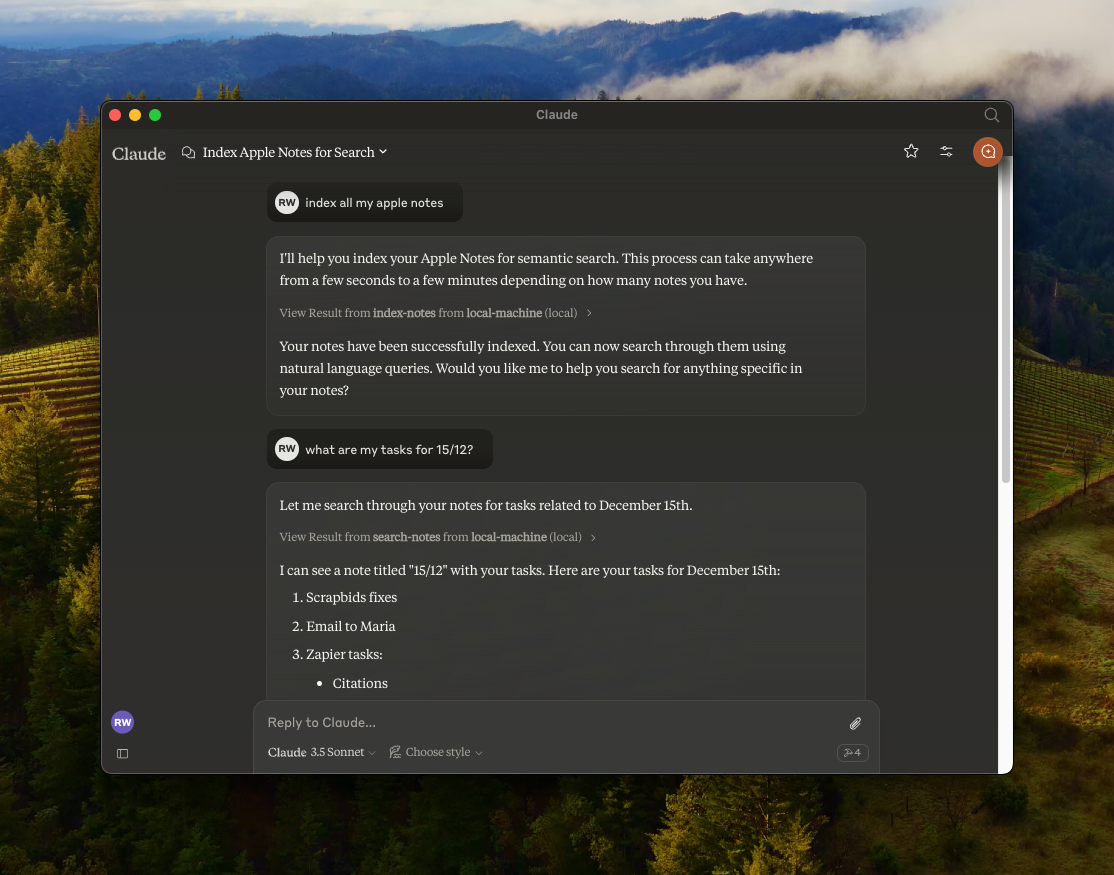
🔍 使用all-MiniLM-L6-v2设备嵌入模型对 Apple Notes 进行语义搜索
📝 全文搜索功能
📊 使用LanceDB进行向量存储
🤖 MCP 兼容服务器,用于 AI 助手集成
🍎 通过 JXA 集成原生 Apple Notes
🏃♂️ 完全本地执行 - 无需 API 密钥
Related MCP server: Bear Notes MCP Server with RAG
克隆存储库:
git clone https://github.com/RafalWilinski/mcp-apple-notes
cd mcp-apple-notes
安装依赖项:
bun install打开 Claude 桌面应用程序并转到“设置”->“开发者”->“编辑配置”
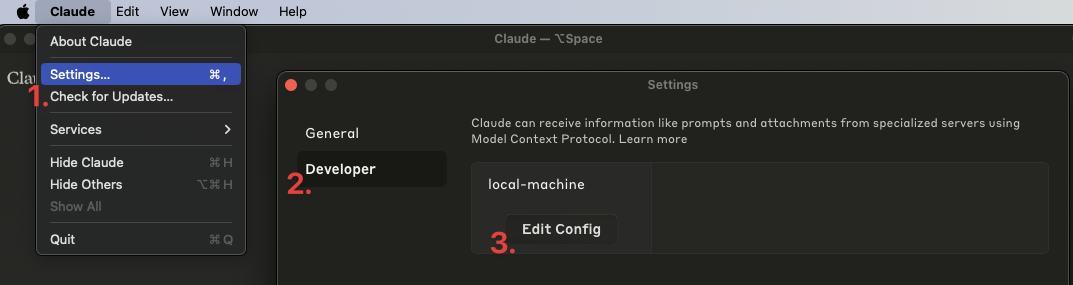
打开claude_desktop_config.json并添加以下条目:
{
  "mcpServers": {
    "local-machine": {
      "command": "/Users/<YOUR_USER_NAME>/.bun/bin/bun",
      "args": ["/Users/<YOUR_USER_NAME>/apple-notes-mcp/index.ts"]
    }
  }
}重要提示:请将<YOUR_USER_NAME>替换为您的实际用户名。
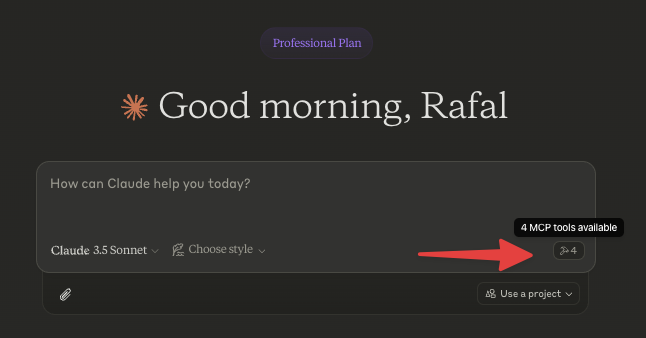
重启 Claude 桌面应用。你应该会看到如下内容:
首先为你的笔记编制索引。让 Claude 为你的笔记编制索引,例如说“为我的笔记编制索引”或“为我的 Apple Notes 编制索引”。
查看日志:
tail -n 50 -f ~/Library/Logs/Claude/mcp-server-local-machine.log
# or
tail -n 50 -f ~/Library/Logs/Claude/mcp.log[ ] Apple 笔记以 HTML 格式返回。我们应该将其转换为 Markdown 格式并嵌入
[ ] 使用递归文本分割器或 Markdown 文本分割器对源内容进行分块
[ ] 添加使用自定义嵌入模型的选项
[ ] 更好地控制数据库 - 清除、自定义查询等。
[x] 通过 Claude 在 Notes 中存储笔记
This server cannot be deployed
Search, read, and write your Apple Notes from ChatGPT/Claude via a local Mac agent + MCP relay.
Search and manage your Dexi notes: full-text and semantic search, tags, folders, spaced repetition.
Search and reason over your Obsidian-style Markdown vault, right from ChatGPT.
Voice notes that organize themselves. Capture by Siri, AI auto-tags, semantic search retrieves.