A
licenseNot graded
qualityD
maintenanceA Model Context Protocol server that enables semantic search and RAG over your Apple Notes, allowing AI assistants like Claude to search and reference your notes during conversations.
4,383 npm
10
MIT


Apple Notes上でセマンティック検索とRAG(Retrieval Augmented Generation)を可能にするモデルコンテキストプロトコル(MCP)サーバー。これにより、ClaudeのようなAIアシスタントが会話中にApple Notesを検索・参照できるようになります。
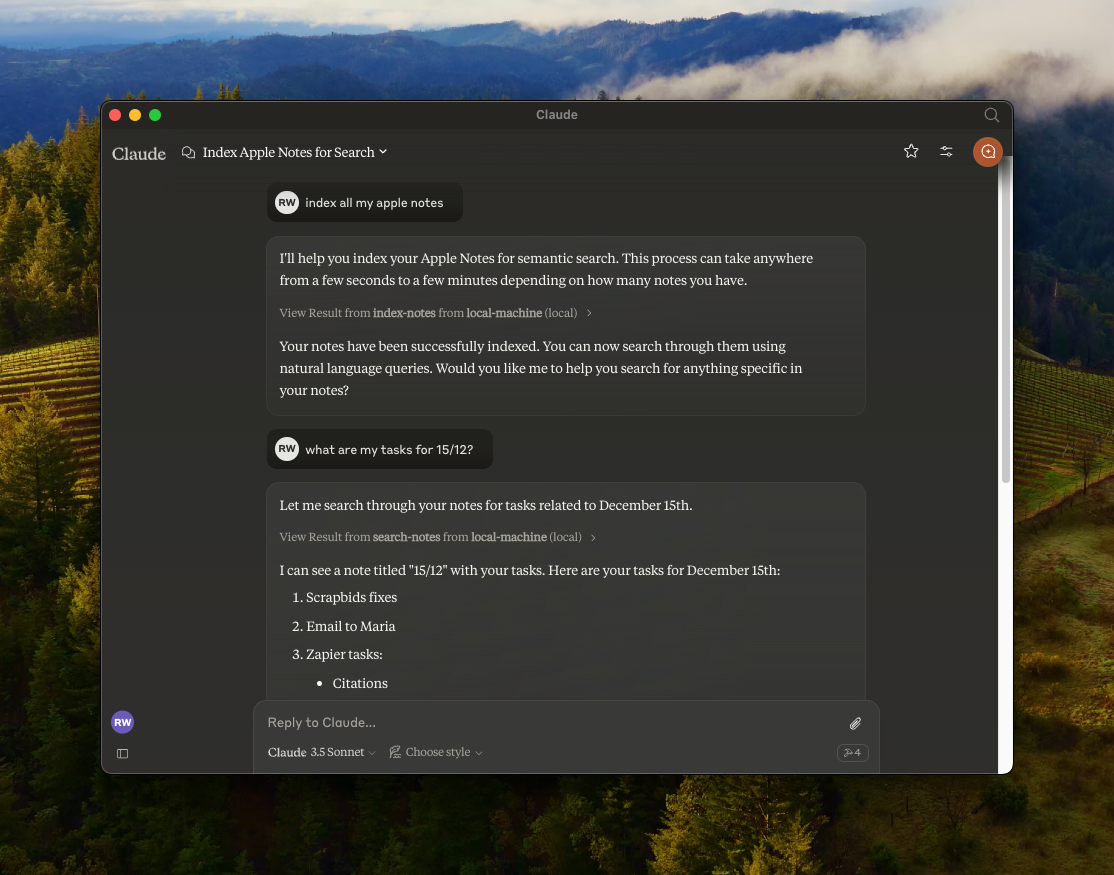
🔍 all-MiniLM-L6-v2オンデバイス埋め込みモデルを使用した Apple Notes のセマンティック検索
📝 全文検索機能
📊 LanceDBを使用したベクトルストレージ
🤖 AIアシスタント統合のためのMCP互換サーバー
🍎 JXA によるネイティブ Apple Notes 統合
🏃♂️ 完全にローカルで実行 - API キーは不要
Related MCP server: Bear Notes MCP Server with RAG
リポジトリをクローンします。
git clone https://github.com/RafalWilinski/mcp-apple-notes
cd mcp-apple-notes
依存関係をインストールします:
bun installClaudeデスクトップアプリを開き、「設定」->「開発者」->「設定の編集」に移動します。
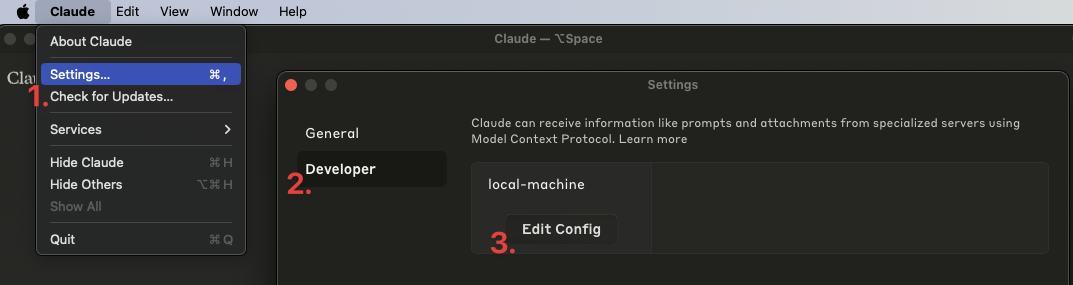
claude_desktop_config.jsonを開き、次のエントリを追加します。
{
  "mcpServers": {
    "local-machine": {
      "command": "/Users/<YOUR_USER_NAME>/.bun/bin/bun",
      "args": ["/Users/<YOUR_USER_NAME>/apple-notes-mcp/index.ts"]
    }
  }
}
重要: <YOUR_USER_NAME>実際のユーザー名に置き換えてください。
Claudeデスクトップアプリを再起動します。次のような画面が表示されます。
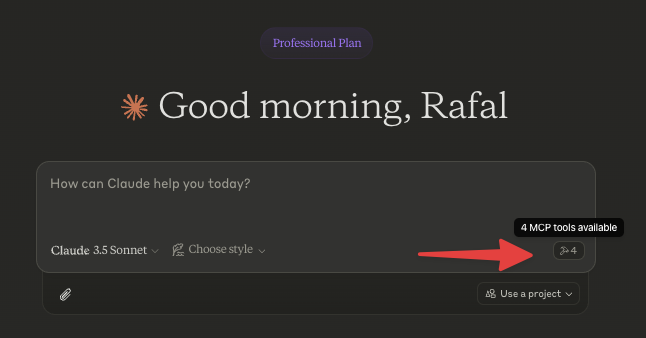
まずはノートのインデックス作成から始めましょう。「ノートのインデックス作成」や「Apple Notesのインデックス作成」などと話しかけ、Claudeにノートのインデックス作成を依頼しましょう。
ログを表示するには:
tail -n 50 -f ~/Library/Logs/Claude/mcp-server-local-machine.log
# or
tail -n 50 -f ~/Library/Logs/Claude/mcp.log[ ] AppleのメモはHTML形式で返されます。これをMarkdown形式に変換して埋め込む必要があります。
[ ] 再帰テキストスプリッターまたはマークダウンテキストスプリッターを使用してソースコンテンツをチャンク化する
[ ] カスタム埋め込みモデルを使用するオプションを追加
[ ] DB のより詳細な制御 - パージ、カスタム クエリなど。
[x] Claude経由でNotesにメモを保存する
This server cannot be deployed
Search, read, and write your Apple Notes from ChatGPT/Claude via a local Mac agent + MCP relay.
Search and manage your Dexi notes: full-text and semantic search, tags, folders, spaced repetition.
Search and reason over your Obsidian-style Markdown vault, right from ChatGPT.
Voice notes that organize themselves. Capture by Siri, AI auto-tags, semantic search retrieves.