
A
licenseNot graded
qualityD
maintenanceA Model Context Protocol server that enables semantic search and RAG over your Apple Notes, allowing AI assistants like Claude to search and reference your notes during conversations.
4,874 npm
10
MIT

Enables semantic search and retrieval of Apple Notes content, allowing access to notes during AI assistant conversations. Supports both full-text and semantic search capabilities using on-device embeddings.
This server does not currently have a deployable release on Glama. Follow the repository's setup instructions to install and configure it for your MCP client, including any required credentials and local dependencies.

A Model Context Protocol (MCP) server that enables semantic search and RAG (Retrieval Augmented Generation) over your Apple Notes. This allows AI assistants like Claude to search and reference your Apple Notes during conversations.
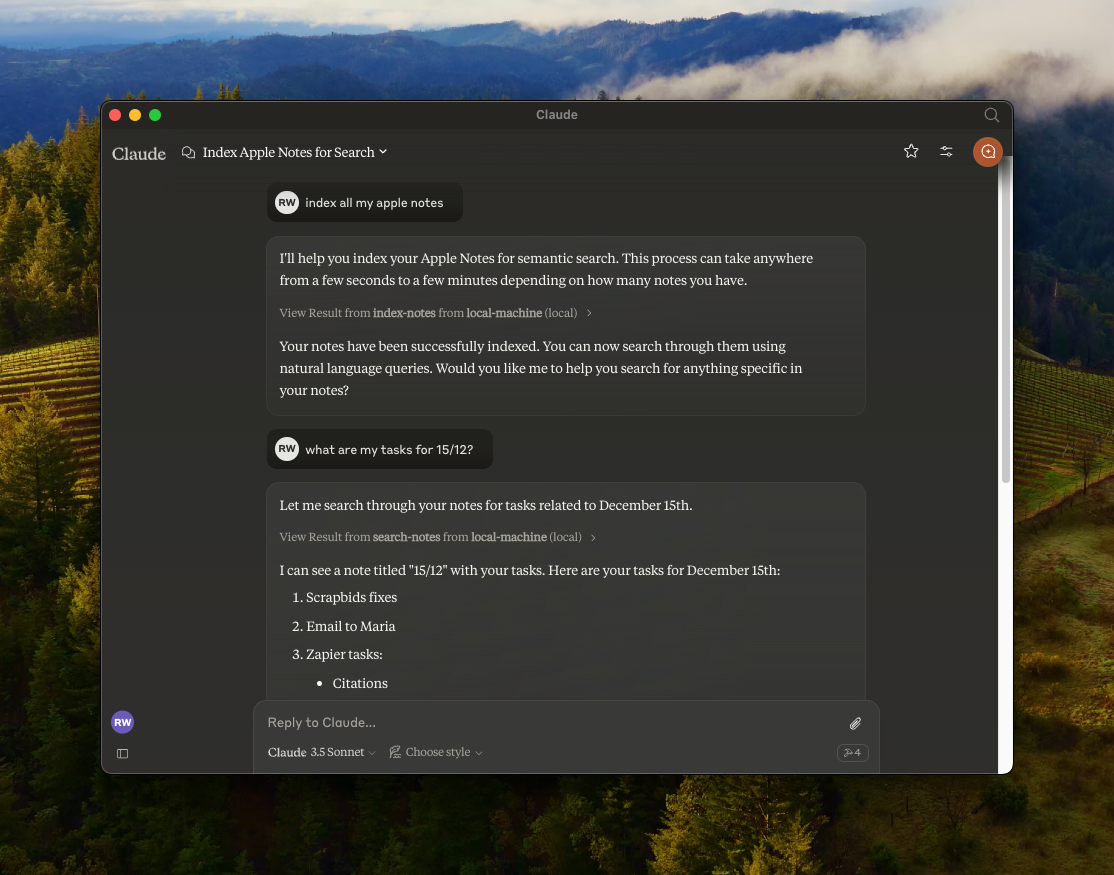
🔍 Semantic search over Apple Notes using all-MiniLM-L6-v2 on-device embeddings model
📝 Full-text search capabilities
📊 Vector storage using LanceDB
🤖 MCP-compatible server for AI assistant integration
🍎 Native Apple Notes integration via JXA
🏃♂️ Fully local execution - no API keys needed
Related MCP server: Bear Notes MCP Server with RAG
Clone the repository:
git clone https://github.com/RafalWilinski/mcp-apple-notes
cd mcp-apple-notes
Install dependencies:
bun installOpen Claude desktop app and go to Settings -> Developer -> Edit Config
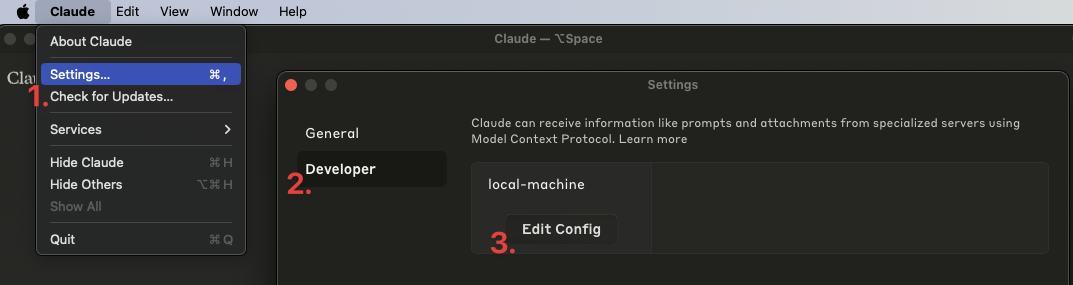
Open the claude_desktop_config.json and add the following entry:
{
  "mcpServers": {
    "local-machine": {
      "command": "/Users/<YOUR_USER_NAME>/.bun/bin/bun",
      "args": ["/Users/<YOUR_USER_NAME>/apple-notes-mcp/index.ts"]
    }
  }
}
Important: Replace <YOUR_USER_NAME> with your actual username.
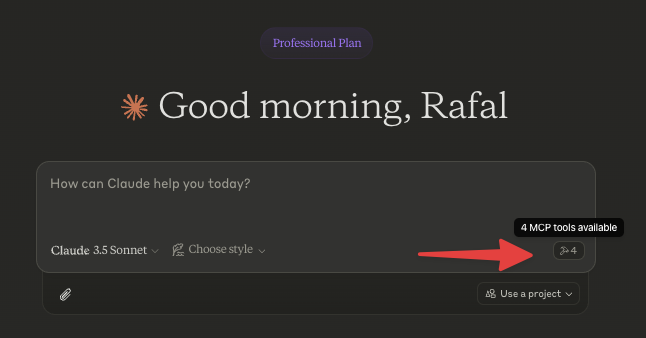
Restart Claude desktop app. You should see this:
Start by indexing your notes. Ask Claude to index your notes by saying something like: "Index my notes" or "Index my Apple Notes".
To see logs:
tail -n 50 -f ~/Library/Logs/Claude/mcp-server-local-machine.log
# or
tail -n 50 -f ~/Library/Logs/Claude/mcp.logApple notes are returned in the HTML format. We should turn them to Markdown and embed that
Chunk source content using recursive text splitter or markdown text splitter
Add an option to use custom embeddings model
More control over DB - purge, custom queries, etc.
Storing notes in Notes via Claude
This server cannot be deployed
Search, read, and write your Apple Notes from ChatGPT/Claude via a local Mac agent + MCP relay.
Search and manage your Dexi notes: full-text and semantic search, tags, folders, spaced repetition.
Search and reason over your Obsidian-style Markdown vault, right from ChatGPT.
Voice notes that organize themselves. Capture by Siri, AI auto-tags, semantic search retrieves.