

A
licenseC
qualityD
maintenanceA Model Context Protocol (MCP) server implementation that allows AI assistants to run k6 load tests through natural language commands, supporting custom test durations and virtual users.
2
26
MIT

Locust 부하 테스트 실행을 위한 모델 컨텍스트 프로토콜(MCP) 서버 구현입니다. 이 서버를 통해 Locust 부하 테스트 기능과 AI 기반 개발 환경의 원활한 통합이 가능합니다.
모델 컨텍스트 프로토콜 프레임워크와의 간단한 통합
헤드리스 및 UI 모드 지원
구성 가능한 테스트 매개변수(사용자, 생성 속도, 런타임)
Locust 부하 테스트를 실행하기 위한 사용하기 쉬운 API
실시간 테스트 실행 출력
HTTP/HTTPS 프로토콜 지원
사용자 정의 작업 시나리오 지원
Related MCP server: JMeter MCP Server
시작하기 전에 다음 사항이 설치되어 있는지 확인하세요.
Python 3.13 이상
uv 패키지 관리자( 설치 가이드 )
저장소를 복제합니다.
지엑스피1
필요한 종속성을 설치하세요:
uv pip install -r requirements.txt환경 변수 설정(선택 사항): 프로젝트 루트에 .env 파일을 만듭니다.
LOCUST_HOST=http://localhost:8089  # Default host for your tests
LOCUST_USERS=3                     # Default number of users
LOCUST_SPAWN_RATE=1               # Default user spawn rate
LOCUST_RUN_TIME=10s # Default test durationLocust 테스트 스크립트를 만듭니다(예: hello.py ):
from locust import HttpUser, task, between

class QuickstartUser(HttpUser):
    wait_time = between(1, 5)

    @task
    def hello_world(self):
        self.client.get("/hello")
        self.client.get("/world")

    @task(3)
    def view_items(self):
        for item_id in range(10):
            self.client.get(f"/item?id={item_id}", name="/item")
            time.sleep(1)

    def on_start(self):
        self.client.post("/login", json={"username":"foo", "password":"bar"})
아래 사양을 사용하여 선호하는 MCP 클라이언트(Claude Desktop, Cursor, Windsurf 등)에서 MCP 서버를 구성하세요.
{
  "mcpServers": {
    "locust": {
      "command": "/Users/naveenkumar/.local/bin/uv",
      "args": [
        "--directory",
        "/Users/naveenkumar/Gits/locust-mcp-server",
        "run",
        "locust_server.py"
      ]
    }
  }
}
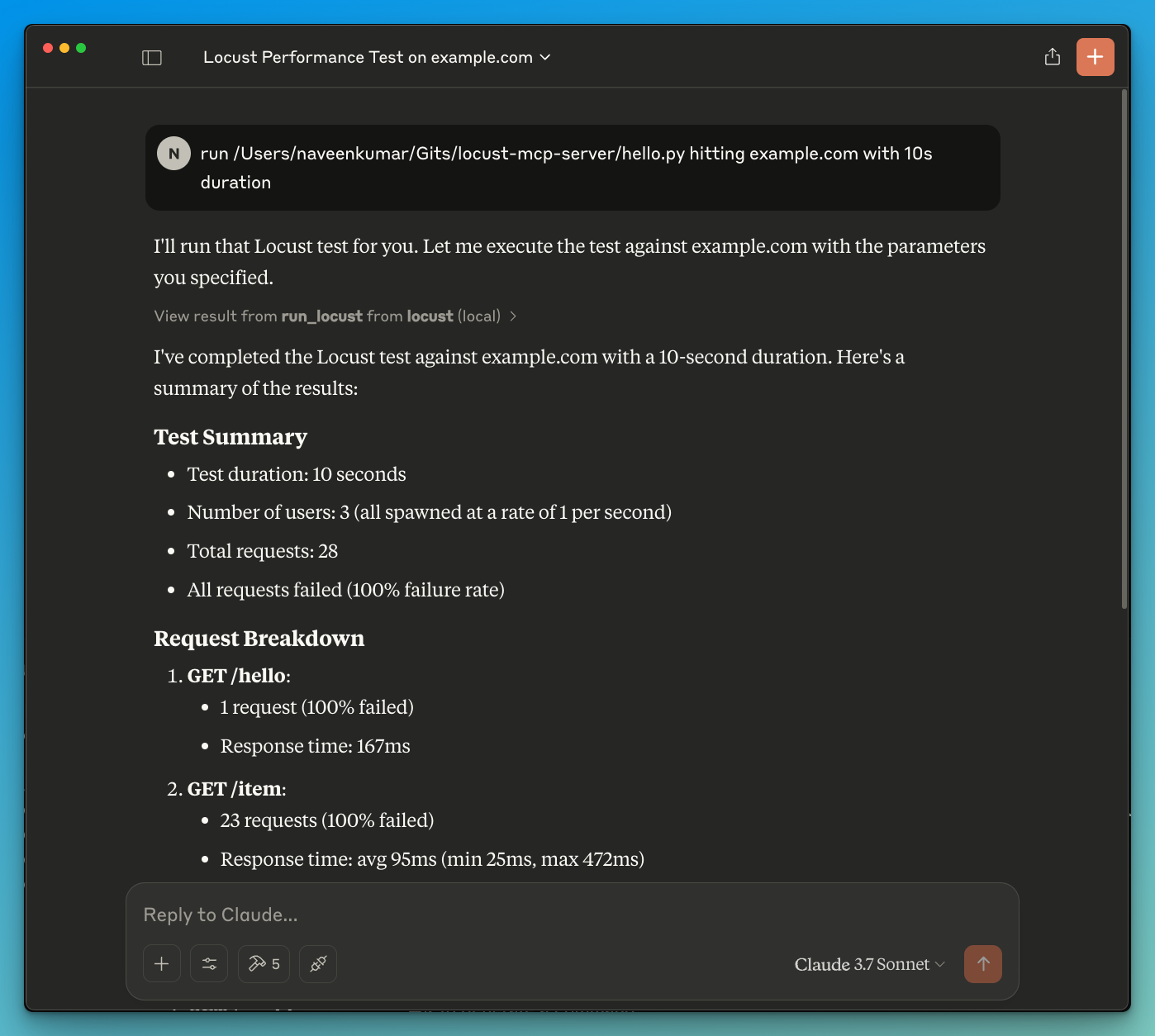
이제 LLM에 테스트를 실행하도록 요청합니다. 예: run locust test for hello.py . Locust MCP 서버는 다음 도구를 사용하여 테스트를 시작합니다.
run_locust : 헤드리스 모드, 호스트, 런타임, 사용자 및 생성 속도에 대한 구성 가능한 옵션으로 테스트를 실행합니다.
run_locust(
    test_file: str,
    headless: bool = True,
    host: str = "http://localhost:8089",
    runtime: str = "10s",
    users: int = 3,
    spawn_rate: int = 1
)
매개변수:
test_file : Locust 테스트 스크립트 경로
headless : 헤드리스 모드(True) 또는 UI(False)로 실행
host : 부하 테스트를 위한 대상 호스트
runtime : 테스트 기간(예: "30초", "1분", "5분")
users : 시뮬레이션할 동시 사용자 수
spawn_rate : 사용자가 생성되는 속도
LLM 기반 결과 분석
LLM의 도움으로 효과적인 디버깅
기여를 환영합니다! 풀 리퀘스트를 제출해 주세요.
이 프로젝트는 MIT 라이선스에 따라 라이선스가 부여되었습니다. 자세한 내용은 라이선스 파일을 참조하세요.
Run Locust with the given configuration.
| Name | Required | Description | Default |
|---|---|---|---|
| test_file | Yes | ||
| host | No | http://localhost:8089 | |
| users | No | ||
| spawn_rate | No | ||
| runtime | No | 30s | |
| headless | No |
Does the description disclose side effects, auth requirements, rate limits, or destructive behavior?
No annotations are provided, so the description carries the full burden of behavioral disclosure. It mentions 'run' but doesn't clarify if this is a read-only operation, if it modifies state (e.g., starts a process), potential side effects (e.g., consuming resources), or expected outputs (e.g., test results). This leaves significant gaps in understanding the tool's behavior.
Agents need to know what a tool does to the world before calling it. Descriptions should go beyond structured annotations to explain consequences.
Is the description appropriately sized, front-loaded, and free of redundancy?
The description is a single, straightforward sentence that is front-loaded and wastes no words. However, it's overly concise to the point of under-specification, which slightly reduces its effectiveness. Still, it's structurally sound with no redundant information.
Shorter descriptions cost fewer tokens and are easier for agents to parse. Every sentence should earn its place.
Given the tool's complexity, does the description cover enough for an agent to succeed on first attempt?
Given the complexity (6 parameters, no annotations, no output schema), the description is incomplete. It doesn't cover what the tool does beyond a high-level action, leaving the agent unsure about execution details, results, or error handling. This inadequacy is notable for a tool with multiple configuration options.
Complex tools with many parameters or behaviors need more documentation. Simple tools need less. This dimension scales expectations accordingly.
Does the description clarify parameter syntax, constraints, interactions, or defaults beyond what the schema provides?
Schema description coverage is 0%, so the description must compensate but fails to do so. It doesn't explain any parameters beyond implying a 'configuration' exists. For example, it doesn't clarify what 'test_file' should contain, the meaning of 'users' or 'spawn_rate', or how 'runtime' is formatted. This leaves all 6 parameters poorly understood.
Input schemas describe structure but not intent. Descriptions should explain non-obvious parameter relationships and valid value ranges.
Does the description clearly state what the tool does and how it differs from similar tools?
The description 'Run Locust with the given configuration' states the action ('Run') and target ('Locust'), but it's vague about what Locust is (a load testing tool) and what 'run' entails (e.g., executing tests). It doesn't distinguish from siblings, but since there are none, this is less critical. However, the purpose remains somewhat ambiguous without context.
Agents choose between tools based on descriptions. A clear purpose with a specific verb and resource helps agents select the right tool.
Does the description explain when to use this tool, when not to, or what alternatives exist?
The description provides no guidance on when to use this tool, such as for performance testing scenarios, prerequisites (e.g., having Locust installed), or alternatives. With no sibling tools, differentiation isn't needed, but it still lacks any usage context, leaving the agent to infer from the tool name and parameters alone.
Agents often have multiple tools that could apply. Explicit usage guidance like "use X instead of Y when Z" prevents misuse.
Recent tool additions, removals, and schema changes observed during successful MCP inspections.
run_locustScored across 1 tool
With only one tool, there is no possibility of confusion or overlap between tools. The single tool 'run_locust' has a clear and distinct purpose that cannot be mistaken for any other tool in this set.
The single tool name 'run_locust' follows a clear verb_noun pattern, and with only one tool, there is perfect consistency. There are no other tools to compare against, so no inconsistencies can exist.
A single tool is too few for most server purposes, as it severely limits functionality and flexibility. For a Locust server, one might expect additional tools for tasks like configuring tests, viewing results, or managing load scenarios, making this set feel incomplete and under-scoped.
The tool set is severely incomplete for a Locust server, which typically involves multiple aspects of load testing such as setup, execution, monitoring, and analysis. With only a 'run' tool, there are significant gaps that will cause agent failures, as it lacks coverage for configuration management, result retrieval, or test lifecycle operations.
MCP server for building and testing AI agents with multi-model experimentation and insights.
Load & browser performance testing — drive MaxoPerf from your AI agent with your API key.
Drive OctoPerf load testing from any AI agent: import, edit, validate, run scenarios, read metrics.
The Polar Signals MCP server enables AI assistants to connect directly with performance profiling data, allowing users to analyze application performance through natural language queries. Key capabilities include querying CPU performance and memory usage, exploring profiling metadata like profile types and labels, and providing AI-driven code optimization suggestions directly within development environments like Claude Code or Cursor.