

A
licenseC
qualityD
maintenanceA Model Context Protocol (MCP) server implementation that allows AI assistants to run k6 load tests through natural language commands, supporting custom test durations and virtual users.
2
26
MIT

用于运行 Locust 负载测试的模型上下文协议 (MCP) 服务器实现。该服务器支持将 Locust 负载测试功能与 AI 驱动的开发环境无缝集成。
与模型上下文协议框架的简单集成
支持无头和 UI 模式
可配置的测试参数(用户、生成率、运行时间)
用于运行 Locust 负载测试的易于使用的 API
实时测试执行输出
开箱即用的 HTTP/HTTPS 协议支持
自定义任务场景支持
Related MCP server: JMeter MCP Server
开始之前,请确保已安装以下软件:
Python 3.13 或更高版本
uv 包管理器(安装指南)
克隆存储库:
git clone https://github.com/qainsights/locust-mcp-server.git安装所需的依赖项:
uv pip install -r requirements.txt设置环境变量(可选):在项目根目录中创建一个.env文件:
LOCUST_HOST=http://localhost:8089  # Default host for your tests
LOCUST_USERS=3                     # Default number of users
LOCUST_SPAWN_RATE=1               # Default user spawn rate
LOCUST_RUN_TIME=10s # Default test duration创建 Locust 测试脚本(例如hello.py ):
from locust import HttpUser, task, between

class QuickstartUser(HttpUser):
    wait_time = between(1, 5)

    @task
    def hello_world(self):
        self.client.get("/hello")
        self.client.get("/world")

    @task(3)
    def view_items(self):
        for item_id in range(10):
            self.client.get(f"/item?id={item_id}", name="/item")
            time.sleep(1)

    def on_start(self):
        self.client.post("/login", json={"username":"foo", "password":"bar"})
在您最喜欢的 MCP 客户端(Claude Desktop、Cursor、Windsurf 等)中使用以下规格配置 MCP 服务器:
{
  "mcpServers": {
    "locust": {
      "command": "/Users/naveenkumar/.local/bin/uv",
      "args": [
        "--directory",
        "/Users/naveenkumar/Gits/locust-mcp-server",
        "run",
        "locust_server.py"
      ]
    }
  }
}
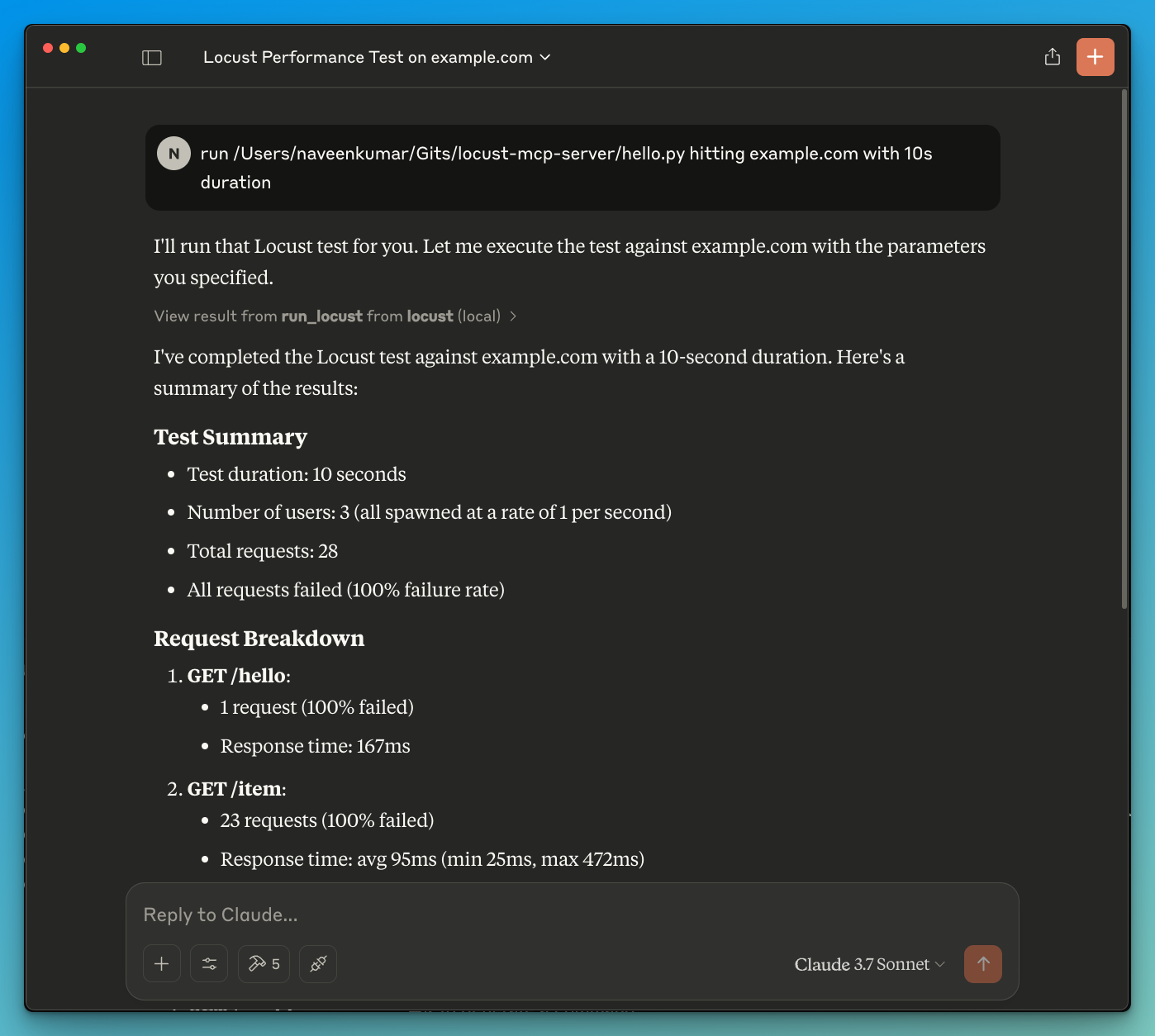
现在让 LLM 运行测试,例如run locust test for hello.py 。Locust MCP 服务器将使用以下工具启动测试:
run_locust :使用可配置选项运行测试,包括无头模式、主机、运行时、用户和生成率
run_locust(
    test_file: str,
    headless: bool = True,
    host: str = "http://localhost:8089",
    runtime: str = "10s",
    users: int = 3,
    spawn_rate: int = 1
)
参数:
test_file :Locust 测试脚本的路径
headless :以无头模式运行(True)或使用 UI 运行(False)
host :要进行负载测试的目标主机
runtime :测试时长(例如“30秒”、“1分钟”、“5分钟”)
users :要模拟的并发用户数
spawn_rate :用户生成的速率
LLM 支持的结果分析
在 LLM 的帮助下进行有效调试
欢迎贡献代码!欢迎提交 Pull 请求。
该项目根据 MIT 许可证获得许可 - 有关详细信息,请参阅 LICENSE 文件。
Run Locust with the given configuration.
| Name | Required | Description | Default |
|---|---|---|---|
| test_file | Yes | ||
| host | No | http://localhost:8089 | |
| users | No | ||
| spawn_rate | No | ||
| runtime | No | 30s | |
| headless | No |
Does the description disclose side effects, auth requirements, rate limits, or destructive behavior?
No annotations are provided, so the description carries the full burden of behavioral disclosure. It mentions 'run' but doesn't clarify if this is a read-only operation, if it modifies state (e.g., starts a process), potential side effects (e.g., consuming resources), or expected outputs (e.g., test results). This leaves significant gaps in understanding the tool's behavior.
Agents need to know what a tool does to the world before calling it. Descriptions should go beyond structured annotations to explain consequences.
Is the description appropriately sized, front-loaded, and free of redundancy?
The description is a single, straightforward sentence that is front-loaded and wastes no words. However, it's overly concise to the point of under-specification, which slightly reduces its effectiveness. Still, it's structurally sound with no redundant information.
Shorter descriptions cost fewer tokens and are easier for agents to parse. Every sentence should earn its place.
Given the tool's complexity, does the description cover enough for an agent to succeed on first attempt?
Given the complexity (6 parameters, no annotations, no output schema), the description is incomplete. It doesn't cover what the tool does beyond a high-level action, leaving the agent unsure about execution details, results, or error handling. This inadequacy is notable for a tool with multiple configuration options.
Complex tools with many parameters or behaviors need more documentation. Simple tools need less. This dimension scales expectations accordingly.
Does the description clarify parameter syntax, constraints, interactions, or defaults beyond what the schema provides?
Schema description coverage is 0%, so the description must compensate but fails to do so. It doesn't explain any parameters beyond implying a 'configuration' exists. For example, it doesn't clarify what 'test_file' should contain, the meaning of 'users' or 'spawn_rate', or how 'runtime' is formatted. This leaves all 6 parameters poorly understood.
Input schemas describe structure but not intent. Descriptions should explain non-obvious parameter relationships and valid value ranges.
Does the description clearly state what the tool does and how it differs from similar tools?
The description 'Run Locust with the given configuration' states the action ('Run') and target ('Locust'), but it's vague about what Locust is (a load testing tool) and what 'run' entails (e.g., executing tests). It doesn't distinguish from siblings, but since there are none, this is less critical. However, the purpose remains somewhat ambiguous without context.
Agents choose between tools based on descriptions. A clear purpose with a specific verb and resource helps agents select the right tool.
Does the description explain when to use this tool, when not to, or what alternatives exist?
The description provides no guidance on when to use this tool, such as for performance testing scenarios, prerequisites (e.g., having Locust installed), or alternatives. With no sibling tools, differentiation isn't needed, but it still lacks any usage context, leaving the agent to infer from the tool name and parameters alone.
Agents often have multiple tools that could apply. Explicit usage guidance like "use X instead of Y when Z" prevents misuse.
Recent tool additions, removals, and schema changes observed during successful MCP inspections.
run_locustScored across 1 tool
With only one tool, there is no possibility of confusion or overlap between tools. The single tool 'run_locust' has a clear and distinct purpose that cannot be mistaken for any other tool in this set.
The single tool name 'run_locust' follows a clear verb_noun pattern, and with only one tool, there is perfect consistency. There are no other tools to compare against, so no inconsistencies can exist.
A single tool is too few for most server purposes, as it severely limits functionality and flexibility. For a Locust server, one might expect additional tools for tasks like configuring tests, viewing results, or managing load scenarios, making this set feel incomplete and under-scoped.
The tool set is severely incomplete for a Locust server, which typically involves multiple aspects of load testing such as setup, execution, monitoring, and analysis. With only a 'run' tool, there are significant gaps that will cause agent failures, as it lacks coverage for configuration management, result retrieval, or test lifecycle operations.
MCP server for building and testing AI agents with multi-model experimentation and insights.
Load & browser performance testing — drive MaxoPerf from your AI agent with your API key.
Drive OctoPerf load testing from any AI agent: import, edit, validate, run scenarios, read metrics.
The Polar Signals MCP server enables AI assistants to connect directly with performance profiling data, allowing users to analyze application performance through natural language queries. Key capabilities include querying CPU performance and memory usage, exploring profiling metadata like profile types and labels, and providing AI-driven code optimization suggestions directly within development environments like Claude Code or Cursor.