
k6-mcp-server
Enables running load tests through k6, supporting customizable test durations and virtual user counts with real-time execution output
Click on "Install Server".
Wait a few minutes for the server to deploy. Once ready, it will show a "Started" state.
In the chat, type
@followed by the MCP server name and your instructions, e.g., "@k6-mcp-serverrun a 60-second load test with 50 virtual users on my-api-test.js"
That's it! The server will respond to your query, and you can continue using it as needed.
Here is a step-by-step guide with screenshots.
🚀 ⚡️ k6-mcp-server
A Model Context Protocol (MCP) server implementation for running k6 load tests.
✨ Features
Simple integration with Model Context Protocol framework
Support for custom test durations and virtual users (VUs)
Easy-to-use API for running k6 load tests
Configurable through environment variables
Real-time test execution output
Related MCP server: JMeter MCP Server
🔧 Prerequisites
Before you begin, ensure you have the following installed:
Python 3.12 or higher
k6 load testing tool (Installation guide)
uv package manager (Installation guide)
📦 Installation
Clone the repository:
git clone https://github.com/qainsights/k6-mcp-server.gitInstall the required dependencies:
uv pip install -r requirements.txtSet up environment variables (optional): Create a
.envfile in the project root:
K6_BIN=/path/to/k6 # Optional: defaults to 'k6' in system PATH🚀 Getting Started
Create a k6 test script (e.g.,
test.js):
import http from "k6/http";
import { sleep } from "k6";

export default function () {
  http.get("http://test.k6.io");
  sleep(1);
}
Configure the MCP server using the below specs in your favorite MCP client (Claude Desktop, Cursor, Windsurf and more):
{
  "mcpServers": {
    "k6": {
      "command": "/path/to/bin/uv",
      "args": [
        "--directory",
        "/path/to/k6-mcp-server",
        "run",
        "k6_server.py"
      ]
    }
  }
}
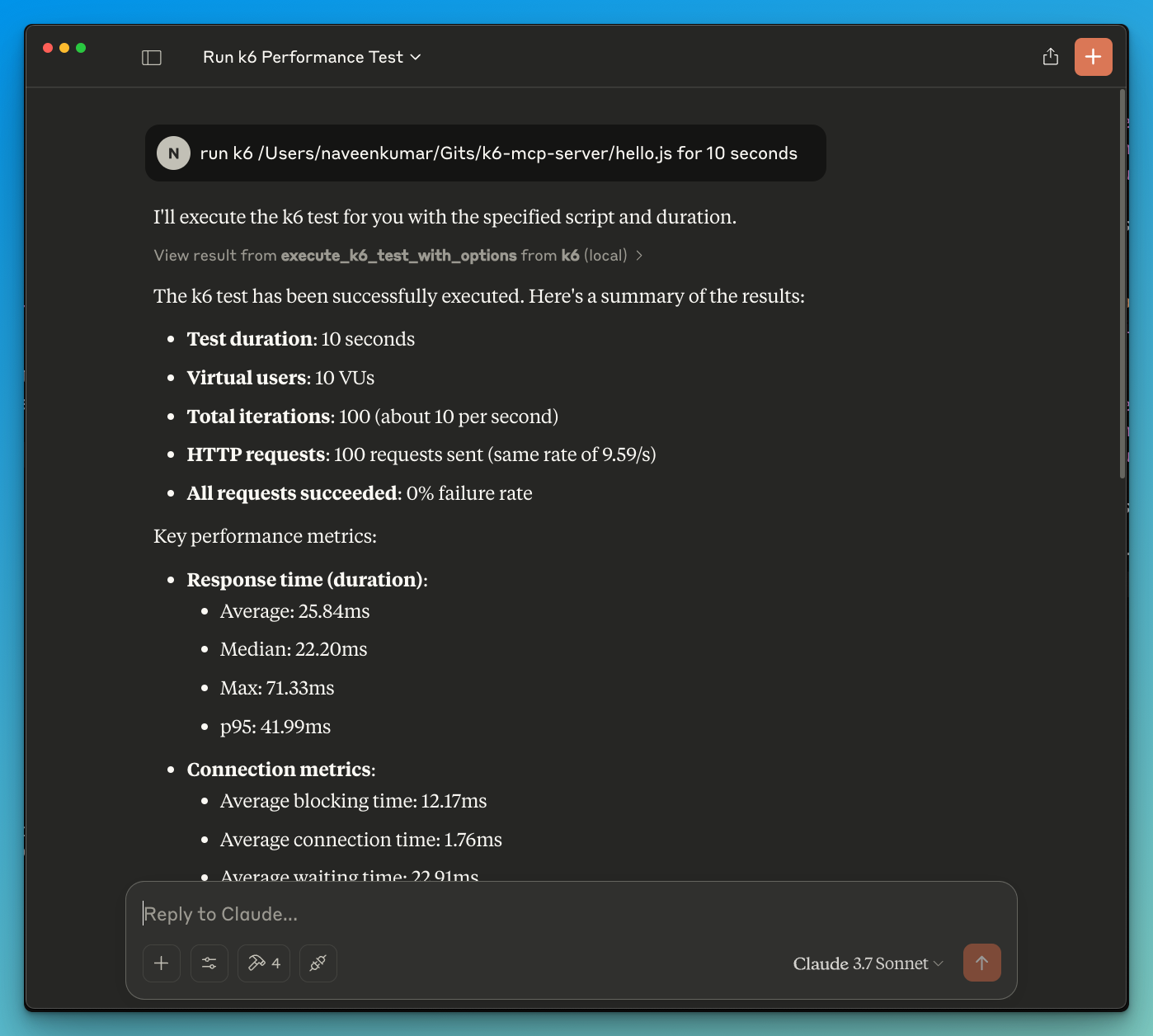
Now ask the LLM to run the test e.g.
run k6 test for hello.js. The k6 mcp server will leverage either one of the below tools to start the test.
execute_k6_test: Run a test with default options (30s duration, 10 VUs)execute_k6_test_with_options: Run a test with custom duration and VUs
📝 API Reference
Execute K6 Test
execute_k6_test(
    script_file: str,
    duration: str = "30s",  # Optional
    vus: int = 10          # Optional
)
Execute K6 Test with Custom Options
execute_k6_test_with_options(
    script_file: str,
    duration: str,
    vus: int
)
✨ Use cases
LLM powered results analysis
Effective debugging of load tests
🤝 Contributing
Contributions are welcome! Please feel free to submit a Pull Request.
📄 License
This project is licensed under the MIT License - see the LICENSE file for details.
Appeared in Searches
Latest Blog Posts
MCP directory API
We provide all the information about MCP servers via our MCP API.
curl -X GET 'https://glama.ai/api/mcp/v1/servers/QAInsights/k6-mcp-server'
If you have feedback or need assistance with the MCP directory API, please join our Discord server