Glama
Zoom MCP Server

Zoom MCP Server

Zoom MCPサーバー

NPMバージョンMITライセンス鍛冶屋のバッジZoom MCP Server

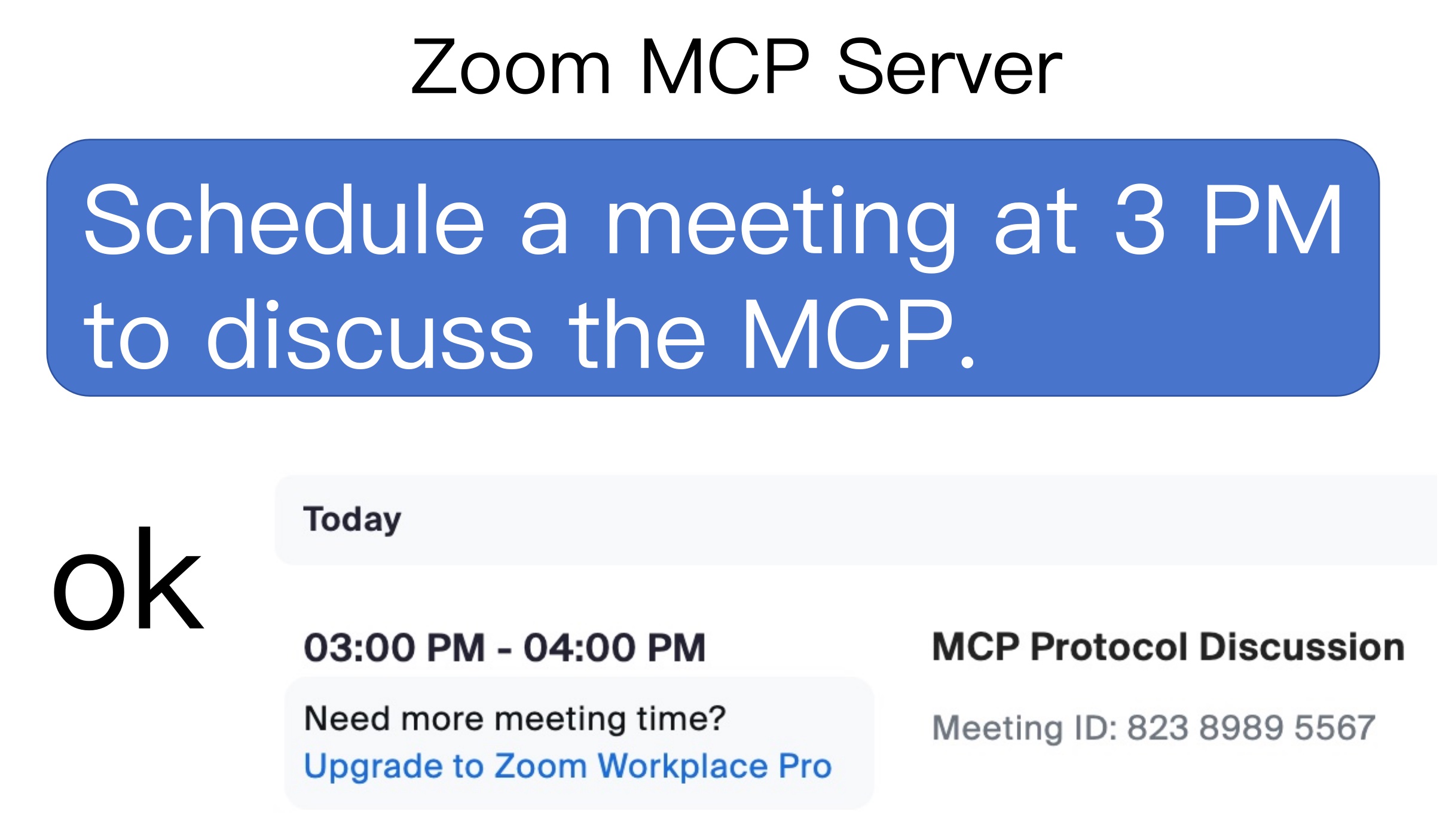
AIの助けを借りてZoomミーティングをデートできるようになりました約.jpg

使用法

1. 会議をリストする

  • list my meetings

  • list my upcoming meetings

2. 会議を作成する

  • Schedule a meeting at today 3 pm with a introduce mcp topic

3. 会議を削除する

  • delete the latest meeting

  • delete the 86226580854 meeting

4. 会議の詳細を取得する

  • Retrieve the latest meeting's details

  • Retrieve 86226580854 meeting's details

Related MCP server: Zoom API MCP Server

zoom-mcp-server で遊ぶための 2 つのステップ

  • ZoomクライアントID、Zoomクライアントシークレット、アカウントIDを取得する

  • MCPサーバーの設定

1. ZoomクライアントID、Zoomクライアントシークレット、アカウントIDを取得する

  1. Zoomマーケットプレイスを訪問

  2. アプリを構築し、サーバー間OAuthアプリを選択する

  3. スコープの追加 > 会議 > すべての会議権限を選択

  4. アプリをアクティブにすると、アプリ認証情報ページでアカウントID 、クライアントID 、クライアントシークレットを取得できます。

2. MCPサーバーの設定

{
  "mcpServers": {
    "zoom-mcp-server": {
      "command": "npx",
      "args": ["-y", "@yitianyigexiangfa/zoom-mcp-server@latest"],
      "env": {
        "ZOOM_ACCOUNT_ID": "${ZOOM_ACCOUNT_ID}",
        "ZOOM_CLIENT_ID": "${ZOOM_CLIENT_ID}",
        "ZOOM_CLIENT_SECRET": "${ZOOM_CLIENT_SECRET}"
      }
    }
  }
}

Available Tools

4 tools
create_meetingC

Create a meeting

Inputs: agenda, start_time, timezone, topic.

delete_a_meetingB

Delete a meeting with a given ID

Inputs: id (required).

get_a_meeting_detailsA

Retrieve the meeting's details with a given ID

Inputs: id (required).

list_meetingsB

List scheduled meetings

Inputs: type.

Tool Schema Changelog

Recent tool additions, removals, and schema changes observed during successful MCP inspections.

Loading tool schema changelog…

    TDQS

    B3.1/5.0

    Scored across 4 tools

    Disambiguation5/5

    Each tool targets a distinct operation on meetings: create, delete, get details, and list. There is no overlap in functionality, making it easy for an agent to select the correct tool.

    Naming Consistency4/5

    Most tools follow a verb_noun pattern (e.g., create_meeting, list_meetings), but two include the article 'a' (delete_a_meeting, get_a_meeting_details) which is a minor inconsistency.

    Tool Count5/5

    With 4 tools, the server is well-scoped for meeting management. The number is appropriate for the domain and avoids redundancy.

    Completeness3/5

    The tool surface covers create, read, delete, and list operations but lacks an update meeting tool. This is a notable gap for full CRUD coverage in meeting management.

    Maintenance

    ActivityInactive
    ResponsivenessNo recent community issues

    Related MCP Connectors

    Related MCP Servers

    • A
      license
      C
      quality
      D
      maintenance
      A comprehensive Model Context Protocol server that enables interaction with the full suite of Zoom API endpoints, providing structured tools with proper validation and OAuth 2.0 authentication for managing meetings, users, webinars, and other Zoom resources.
      54
      8 npm
      5
      MIT
    • F
      license
      Not graded
      quality
      D
      maintenance
      An MCP (Multi-Agent Conversation Protocol) Server that enables interaction with the Zoom API through natural language commands, auto-generated using AG2's MCP builder.
      -
    • -
      license
      Not graded
      quality
      Not graded
      maintenance
      An MCP Server that enables interaction with Zoom's API through the Multi-Agent Conversation Protocol, allowing users to access and control Zoom's functionality via natural language commands.
      -
    • F
      license
      Not graded
      quality
      D
      maintenance
      An MCP (Multi-Agent Conversation Protocol) Server that enables interaction with the Zoom API through natural language, auto-generated using AG2's MCP builder.
      -