Glama
uk0
by uk0

Web Search MCP

基于 Camoufox + FastAPI 的高性能 Web 搜索服务,将搜索引擎结果转换为结构化 JSON / Markdown 输出。支持多层深度抓取与并发执行。

功能特性

  • 三大搜索引擎:Google、Bing、DuckDuckGo

  • 多层深度抓取:SERP 解析 → 正文提取 → 外链抓取

  • 双格式输出:JSON / Markdown

  • 反检测浏览器:Camoufox 真实浏览器指纹(geoip、humanize、locale)

  • 并发执行:浏览器池 + asyncio 信号量控制

  • 引擎自动回退:主引擎无结果时自动切换备选引擎

搜索深度

depth

行为

说明

1

SERP 解析

默认。提取标题、链接、摘要

2

SERP + 正文

进入每个结果链接,提取页面正文

3

SERP + 正文 + 外链

继续抓取正文中的外部链接内容

快速开始

安装

# 克隆项目 git clone <repo-url> && cd web-search-mcp # 安装依赖 pip install -e ".[dev]" # 安装 Camoufox 浏览器 python -m camoufox fetch

启动服务

# 开发模式(自动重载) uvicorn src.main:app --reload --port 8000 # 生产模式 uvicorn src.main:app --host 0.0.0.0 --port 8000

服务启动后访问 http://localhost:8000/health 确认状态:

curl http://localhost:8000/health # {"status":"ok","pool_ready":true}

API 使用

# 基础搜索(默认 Google,depth=1,JSON 格式) curl 'http://localhost:8000/search?q=python+asyncio' # 指定引擎 + 深度 curl 'http://localhost:8000/search?q=firsh.me+blog&engine=duckduckgo&depth=2&max_results=3' # Markdown 格式输出 curl 'http://localhost:8000/search?q=firsh.me+blog&engine=duckduckgo&format=markdown' # Bing 搜索 curl 'http://localhost:8000/search?q=fastapi+tutorial&engine=bing&max_results=5' # 三层深度抓取(SERP + 正文 + 外链) curl 'http://localhost:8000/search?q=web+scraping&engine=duckduckgo&depth=3&max_results=3'

参数说明:

参数

类型

默认值

说明

q

string

必填

搜索关键词(1-500 字符)

engine

string

google

搜索引擎:google / bing / duckduckgo

depth

int

1

抓取深度:1-3

format

string

json

输出格式:json / markdown

max_results

int

10

最大结果数(1-50)

timeout

int

30

超时秒数(5-120)

POST /search

curl -X POST http://localhost:8000/search \ -H 'Content-Type: application/json' \ -d '{ "query": "firsh.me blog", "engine": "duckduckgo", "depth": 2, "format": "json", "max_results": 5, "timeout": 30 }'

响应示例

JSON 格式(depth=1):

{ "query": "firsh.me blog", "engine": "duckduckgo", "depth": 1, "total": 3, "results": [ { "title": "NeoJ's Web Page [下水鱼的Blog]", "url": "https://firsh.me/", "snippet": "这是一个关于下水鱼的个人网站的博客页面。", "content": "", "sub_links": [] } ], "metadata": { "elapsed_ms": 2824, "timestamp": "2026-02-10T17:02:20.891421+00:00", "engine": "duckduckgo", "depth": 1 } }

JSON 格式(depth=2,包含正文内容):

{ "query": "firsh.me blog", "engine": "duckduckgo", "depth": 2, "total": 3, "results": [ { "title": "NeoJ's Web Page [下水鱼的Blog]", "url": "https://firsh.me/", "snippet": "这是一个关于下水鱼的个人网站的博客页面。", "content": "blog/2026\n2026-02-02\n关闭Chrome 自动更新...", "sub_links": [] } ], "metadata": { "elapsed_ms": 5224, "timestamp": "2026-02-10T17:06:36.644148+00:00", "engine": "duckduckgo", "depth": 2 } }

Markdown 格式:

# Search Results: firsh.me blog **Engine:** duckduckgo | **Depth:** 1 | **Results:** 3 **Time:** 1792ms --- ## 1. NeoJ's Web Page [下水鱼的Blog] **URL:** https://firsh.me/ > 这是一个关于下水鱼的个人网站的博客页面。

引擎状态

引擎

状态

说明

DuckDuckGo

稳定可用

推荐使用,搜索质量高,无地域限制

Google

受限

部分 IP 会触发验证码,自动回退到 DuckDuckGo

Bing

可用

使用 global.bing.com 避免地域重定向,部分 IP 结果相关性较低

Google 被拦截时会自动按 DuckDuckGo → Bing 顺序回退,响应中的 engine 字段标识实际使用的引擎。

MCP 模式使用(curl 调用示例)

MCP 服务默认监听 http://127.0.0.1:8897,使用 Streamable HTTP 传输协议。

启动 MCP 服务

# 本地启动(HTTP 模式) python -m src.mcp_server --transport http --host 127.0.0.1 --port 8897 # Docker 启动 docker compose up -d

初始化 MCP 会话

# 发送 initialize 请求 curl -s -X POST http://127.0.0.1:8897/mcp \ -H 'Content-Type: application/json' \ -H 'Accept: application/json, text/event-stream' \ -d '{ "jsonrpc": "2.0", "id": 1, "method": "initialize", "params": { "protocolVersion": "2025-03-26", "capabilities": {}, "clientInfo": {"name": "curl-demo", "version": "1.0"} } }' | jq .
# 搜索(depth=1,快速 SERP 结果) curl -s -X POST http://127.0.0.1:8897/mcp \ -H 'Content-Type: application/json' \ -H 'Accept: application/json, text/event-stream' \ -d '{ "jsonrpc": "2.0", "id": 2, "method": "tools/call", "params": { "name": "web_search", "arguments": { "query": "firsh.me", "engine": "duckduckgo", "max_results": 5, "depth": 1 } } }' | jq . # 搜索(depth=2,包含页面正文内容) curl -s -X POST http://127.0.0.1:8897/mcp \ -H 'Content-Type: application/json' \ -H 'Accept: application/json, text/event-stream' \ -d '{ "jsonrpc": "2.0", "id": 3, "method": "tools/call", "params": { "name": "web_search", "arguments": { "query": "python asyncio tutorial", "engine": "google", "max_results": 3, "depth": 2 } } }' | jq .

调用 get_page_content 工具

# 获取单个页面内容 curl -s -X POST http://127.0.0.1:8897/mcp \ -H 'Content-Type: application/json' \ -H 'Accept: application/json, text/event-stream' \ -d '{ "jsonrpc": "2.0", "id": 4, "method": "tools/call", "params": { "name": "get_page_content", "arguments": { "url": "https://firsh.me/" } } }' | jq .

列出可用搜索引擎

curl -s -X POST http://127.0.0.1:8897/mcp \ -H 'Content-Type: application/json' \ -H 'Accept: application/json, text/event-stream' \ -d '{ "jsonrpc": "2.0", "id": 5, "method": "tools/call", "params": { "name": "list_search_engines", "arguments": {} } }' | jq .

带 API Key 认证

# 如果配置了 API Key 认证,在请求头中添加 Authorization curl -s -X POST http://127.0.0.1:8897/mcp \ -H 'Content-Type: application/json' \ -H 'Accept: application/json, text/event-stream' \ -H 'Authorization: Bearer YOUR_API_KEY' \ -d '{ "jsonrpc": "2.0", "id": 2, "method": "tools/call", "params": { "name": "web_search", "arguments": {"query": "hello world", "engine": "duckduckgo"} } }' | jq .

Camoufox 指纹浏览器配置

通过环境变量配置 Camoufox 高级功能:

环境变量

说明

示例

BROWSER_POOL_SIZE

浏览器并发数

5

BROWSER_PROXY

代理服务器

socks5://127.0.0.1:1080

BROWSER_OS

目标 OS 指纹

windows / macos / linux

BROWSER_FONTS

自定义字体列表

Arial,Helvetica,Times New Roman

BROWSER_BLOCK_WEBGL

阻止 WebGL 指纹

true

BROWSER_ADDONS

Firefox 插件路径

/path/to/addon1.xpi,/path/to/addon2.xpi

内置功能(默认启用):

  • GeoIP 伪装 — 基于真实 IP 自动匹配地理位置指纹

  • 人性化操作 — 模拟真实鼠标移动和点击行为

  • 图片阻止 — 加速页面加载

  • Locale 匹配 — 浏览器语言与地区一致

测试

# 单元测试(26 个测试) pytest tests/ -v # 集成测试(自动启动服务,真实搜索) python scripts/test_live.py # 集成测试 - 自定义参数 python scripts/test_live.py --query "python asyncio" --engines duckduckgo --max-depth 2 # 集成测试 - 服务已在运行时 python scripts/test_live.py --no-server --engines duckduckgo google --max-depth 3

项目结构

web-search-mcp/ ├── src/ │ ├── main.py # FastAPI 入口 + 浏览器池生命周期 │ ├── config.py # 配置管理(BrowserConfig / AppConfig) │ ├── api/ │ │ ├── routes.py # API 路由 + 引擎回退逻辑 │ │ └── schemas.py # Pydantic 请求/响应模型 │ ├── engine/ │ │ ├── base.py # 搜索引擎抽象基类 │ │ ├── google.py # Google(含首页预热 + 验证码检测) │ │ ├── bing.py # Bing(global.bing.com + URL 解码) │ │ └── duckduckgo.py # DuckDuckGo │ ├── scraper/ │ │ ├── browser.py # Camoufox 浏览器池 │ │ ├── parser.py # HTML 内容解析 │ │ └── depth.py # 多层深度抓取调度 │ └── formatter/ │ ├── json_fmt.py # JSON 格式化 │ └── markdown_fmt.py # Markdown 格式化 ├── tests/ # 单元测试 ├── scripts/ │ └── test_live.py # 集成测试脚本 └── pyproject.toml

技术栈

组件

技术

Web 框架

FastAPI + Uvicorn

浏览器引擎

Camoufox(反检测 Firefox,Playwright 驱动)

异步运行时

asyncio + Semaphore 并发控制

HTML 解析

BeautifulSoup4 + lxml

内容转换

markdownify(HTML → Markdown)

数据校验

Pydantic v2

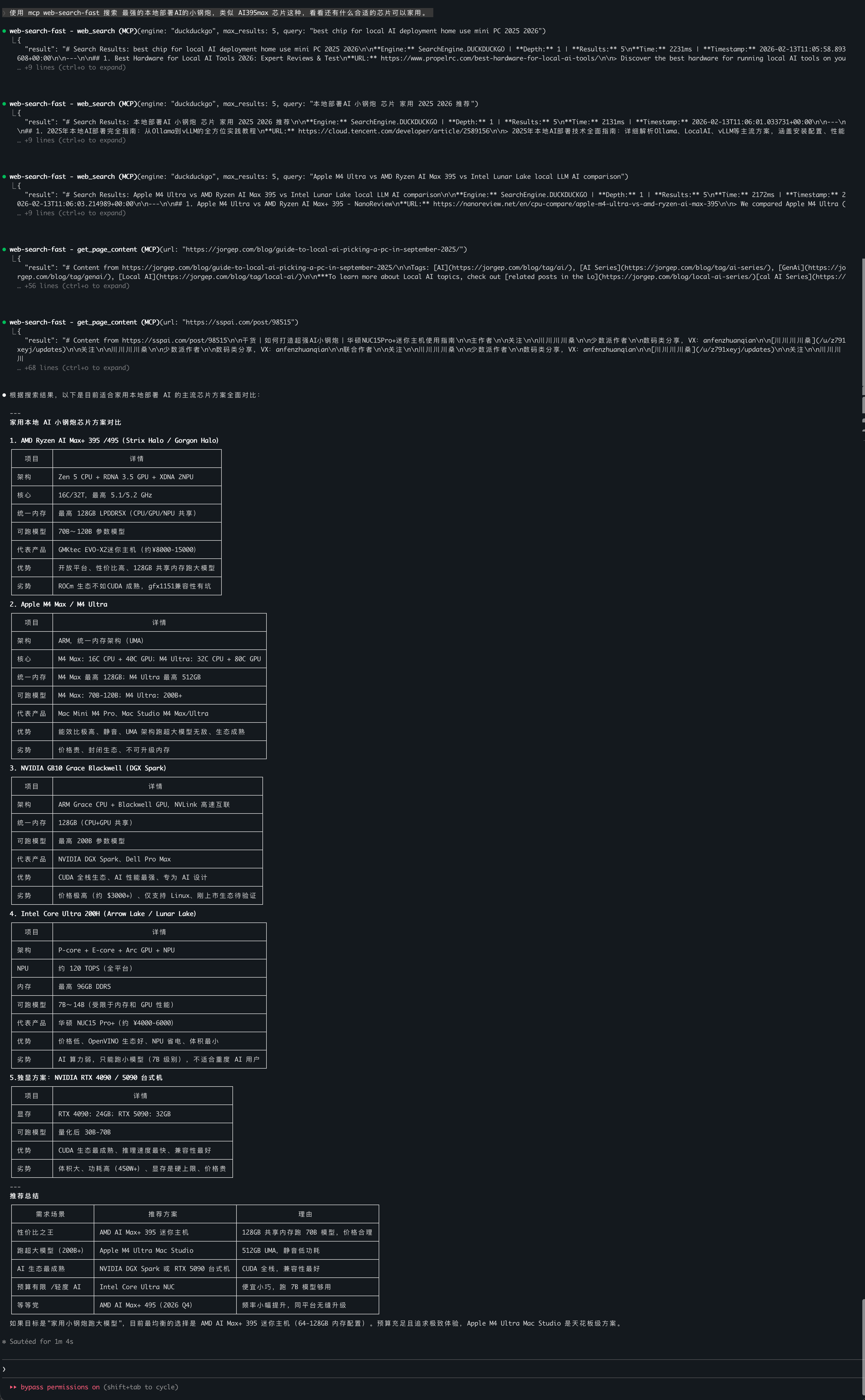
Claude Code

img_1.png

License

MIT

-
security - not tested
F
license - not found
-
quality - not tested

Latest Blog Posts

MCP directory API

We provide all the information about MCP servers via our MCP API.

curl -X GET 'https://glama.ai/api/mcp/v1/servers/uk0/web-search-fast'

If you have feedback or need assistance with the MCP directory API, please join our Discord server