
Click on "Install Server".
Wait a few minutes for the server to deploy. Once ready, it will show a "Started" state.
In the chat, type
@followed by the MCP server name and your instructions, e.g., "@EdgeOne Geo MCP Serverget my current location"
That's it! The server will respond to your query, and you can continue using it as needed.
Here is a step-by-step guide with screenshots.
MCP with Pages Functions :Geo Location Demo
This project demonstrates how to use EdgeOne Pages Functions to retrieve user geolocation information and integrate it with large language models through MCP (Model Context Protocol).
Demo
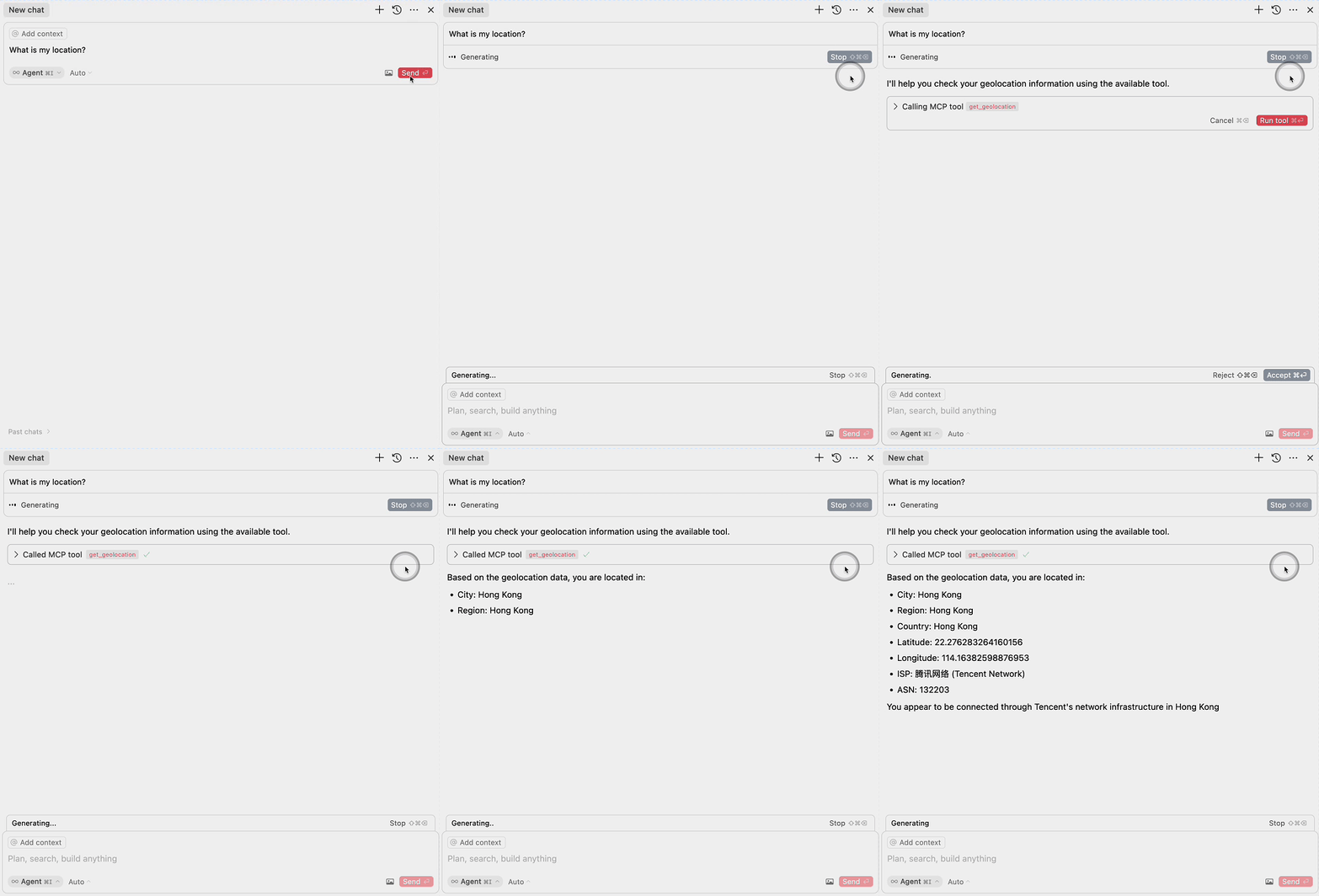
Related MCP server: EdgeOne Geo MCP Server
Deploy

More Templates: EdgeOne Pages
Components
1. EdgeOne Pages Functions: Geolocation
The project includes an EdgeOne Pages Function that retrieves user geolocation information:
Uses the EdgeOne request context to access geolocation data
Returns location information in a JSON format
Located in
functions/get_geo.ts
2. MCP Server Integration
The MCP server component provides an interface for large language models to access geolocation data:
Implements the Model Context Protocol (MCP)
Exposes a
get_geolocationtool that can be used by AI modelsUses the EdgeOne Pages Function to fetch geolocation data
Located in
mcp-server/index.ts
MCP Configuration
To use the MCP server with large language models, add the following configuration:
Learn More
Model Context Protocol (MCP) - Learn about integrating AI models with external tools and services