A
licenseB
qualityD
maintenanceA Model Context Protocol server that enables AI assistants to perform web searches using SearXNG, a privacy-respecting metasearch engine.
1
43
MIT

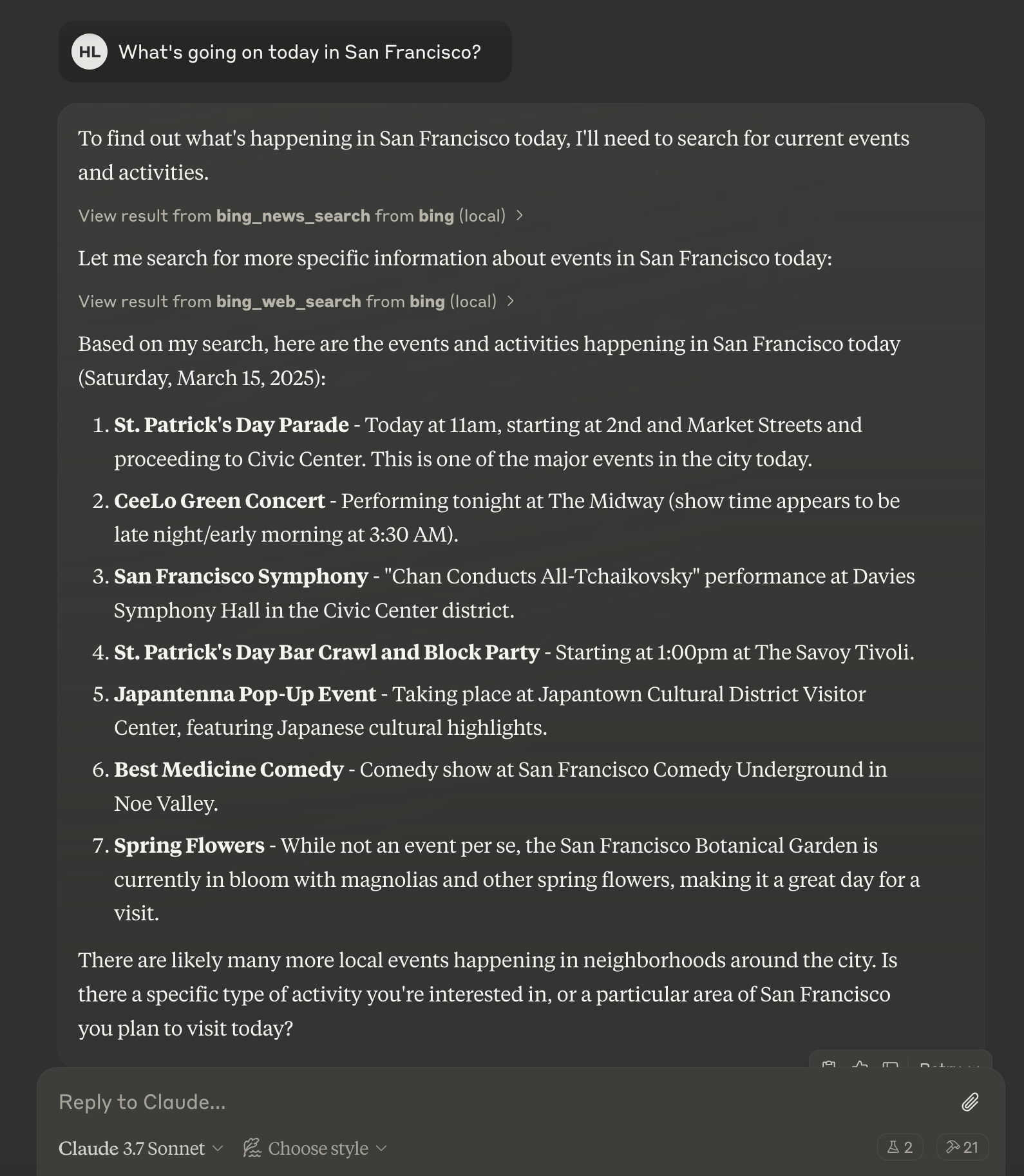
The Bing Search MCP Server integrates Microsoft Bing Search API to enable AI assistants to perform web, news, and image searches.
Web Search: Perform general web searches for information, websites, and content using bing_web_search
News Search: Search for recent news articles and current events with bing_news_search
Image Search: Retrieve visual content through bing_image_search
Customizable Parameters: Control the number of results, market, offset, and freshness
Rate Limiting: Prevent API abuse
Error Handling: Comprehensive error handling for robust search operations
Supports configuration with Claude Desktop on macOS, allowing users to add the Bing Search MCP server to their Claude Desktop setup via the local configuration file.
Click on "Install Server".
Wait a few minutes for the server to deploy. Once ready, it will show a "Started" state.
In the chat, type @ followed by the MCP server name and your instructions, e.g., "@Bing Search MCP Server search for latest AI breakthroughs in healthcare"
That's it! The server will respond to your query, and you can continue using it as needed.
Here is a step-by-step guide with screenshots.
A Model Context Protocol (MCP) server for Microsoft Bing Search API integration, allowing AI assistants to perform web, news, and image searches.

Web search for general information
News search for recent events and timely information
Image search for visual content
Rate limiting to prevent API abuse
Comprehensive error handling
Related MCP server: WebSearch-MCP
Python 3.10 or higher
Microsoft Bing Search API key
MCP-compatible client (e.g., Claude Desktop, Cursor)
Clone this repository
Install dependencies:
uv venv
source .venv/bin/activate  # On Windows: .venv\Scripts\activate
uv pip install -e .Set the required environment variables:
export BING_API_KEY="your-bing-api-key"
export BING_API_URL="https://api.bing.microsoft.com/"  # Optional
For Windows:
set BING_API_KEY=your-bing-api-key
set BING_API_URL=https://api.bing.microsoft.com/uvx bing-search-mcpAdd the following to your Claude Desktop configuration file (~/Library/Application Support/Claude/claude_desktop_config.json on macOS or %APPDATA%\Claude\claude_desktop_config.json on Windows):
{
  "mcpServers": {
    "bing-search": {
      "command": "uvx",
      "args": [
        "/path/to/your/bing-search-mcp"
      ],
      "env": {
        "BING_API_KEY": "your-bing-api-key"
      }
    }
  }
}
General web search for information, websites, and content.
bing_web_search(query: str, count: int = 10, offset: int = 0, market: str = "en-US")Search for news articles and current events.
bing_news_search(query: str, count: int = 10, market: str = "en-US", freshness: str = "Day")Search for images.
bing_image_search(query: str, count: int = 10, market: str = "en-US")Visit Microsoft Azure Portal
Create or sign in to your Azure account
Create a new Bing Search resource
Go to the resource and find your API key in the "Keys and Endpoint" section
Unclaimed servers have limited discoverability.
If you are the server author, to access and configure the admin panel.
A comprehensive Model Context Protocol (MCP) server that enables AI assistants to interact with yo…
A Model Context Protocol server for Wix AI tools
MCP server for Google search results via SERP API
We provide all the information about MCP servers via our MCP API.
curl -X GET 'https://glama.ai/api/mcp/v1/servers/leehanchung/bing-search-mcp'
If you have feedback or need assistance with the MCP directory API, please join our Discord server