
Enables deployment of the MCP server to Cloud Foundry and binding to AI applications as a user-provided service for remote MCP capabilities.
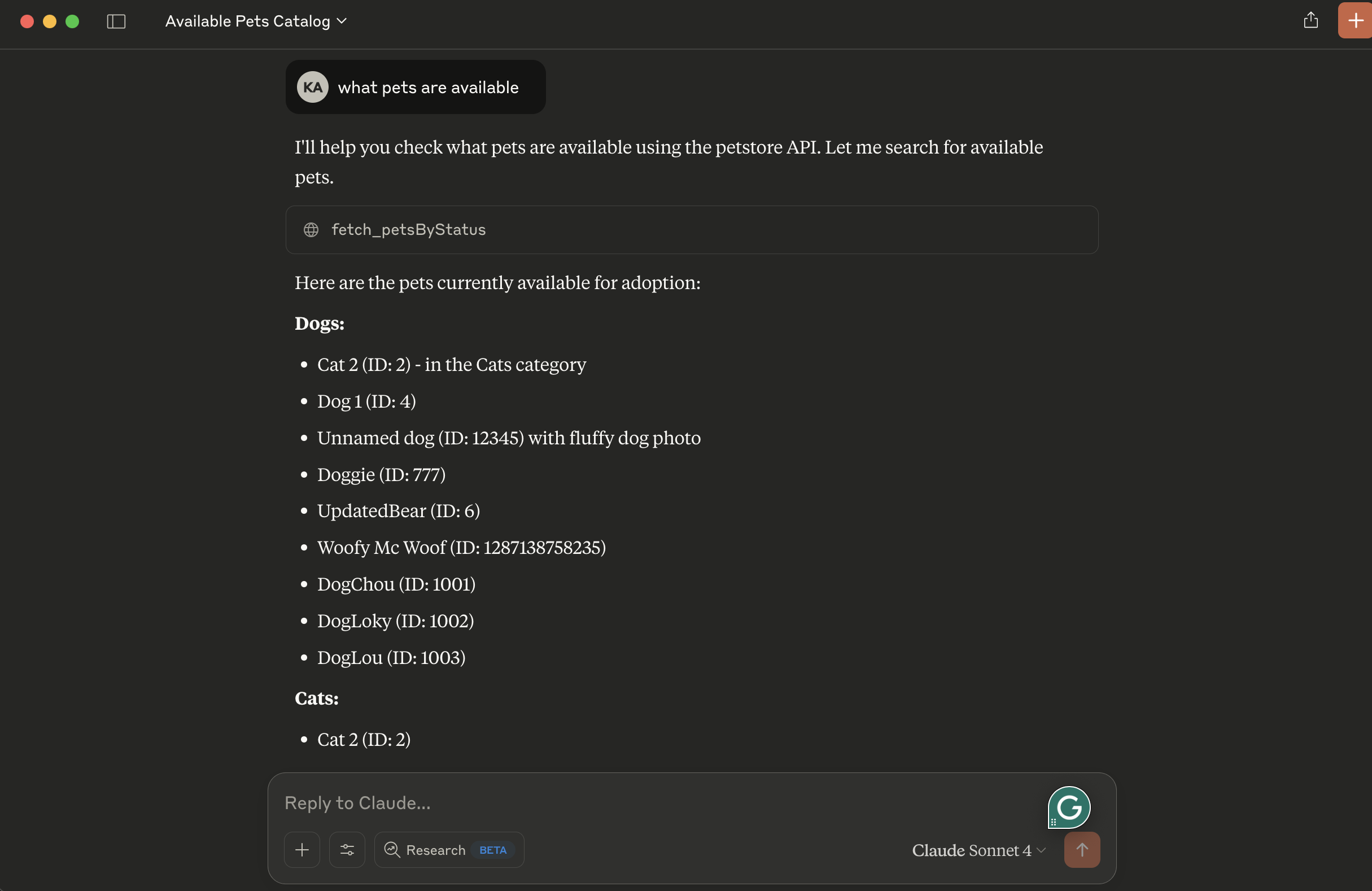
Integrates with the Swagger Petstore API to fetch pets by status (available, pending, sold) using petclinic v2 APIs.
Click on "Install Server".
Wait a few minutes for the server to deploy. Once ready, it will show a "Started" state.
In the chat, type
@followed by the MCP server name and your instructions, e.g., "@Petclinic MCP Servershow me all available pets"
That's it! The server will respond to your query, and you can continue using it as needed.
Here is a step-by-step guide with screenshots.
petclinic-mcp
Petclinic MCP server
Petclinic MCP server uses petclinic v2 apis (https://petstore.swagger.io/). It interacts with the Swagger Petstore API (similar to a "PetClinic") and exposes tools to be used by OpenAI models.
It exposes following capabilites
fetch_petsByStatus: Available status values : available, pending, sold
Prerequisites
uv package manager
Python
Running locally
tip use stdio transport to avoid remote server setup. Change petclinic_mcp_server.py line 39 to use stdio transport
Clone the project, navigate to the project directory and initiate it with uv:
Create virtual environment and activate it:
Install dependencies:
Launch the mcp inspector
OR launch the mcp server without inspector
Configuration for Claude Desktop
You will need to supply a configuration for the server for your MCP Client. Here's what the configuration looks like for claude_desktop_config.json:
Deploy to Cloud Foundry
tip use sse transport to deploy petclinic mcp server as a remote server. Change petclinic_mcp_server.py line 39 to use stdio transport
Login to your Cloud Foundry account and push the application
Binding to MCP Agents
Model Context Protocol (MCP) servers are lightweight programs that expose specific capabilities to AI models through a standardized interface. These servers act as bridges between LLMs and external tools, data sources, or services, allowing your AI application to perform actions like searching databases, accessing files, or calling external APIs without complex custom integrations.
Create a user-provided service that provides the URL for an existing MCP server:
Bind the MCP service to your application:
Restart your application:
Your chatbot will now register with the research MCP agent, and the LLM will be able to invoke the agent's capabilities when responding to chat requests.
