---
title: "Postgres MCP Server Review - DBHub Design Explained"
description: "A maintainer's deep-dive into DBHub—a minimal, vendor-neutral MCP server for PostgreSQL, MySQL, SQL Server, MariaDB, and SQLite. Token efficient with restrained tools, consistent guardrails."
---
_Last updated: Dec 24, 2025_
This is the third in a series reviewing Postgres MCP servers. Here we—the DBHub maintainers—explain the design behind [DBHub](https://github.com/bytebase/dbhub), a minimal database MCP server that connects AI assistants to PostgreSQL, MySQL, MariaDB, SQL Server, and SQLite. We'll cover our design decisions, trade-offs, and where DBHub falls short compared to alternatives.
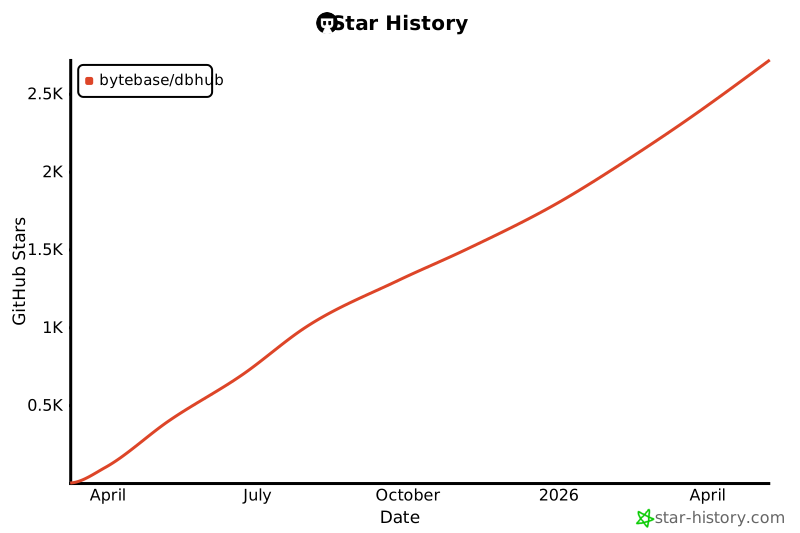
- **GitHub Stars**
[](https://www.star-history.com/#bytebase/dbhub&type=date&legend=top-left)
- **License:** MIT
- **Language:** TypeScript
## Installation
<Note>Testing on Mac (Apple Silicon), same as the other reviews in this series.</Note>
```bash
npx @bytebase/dbhub@latest --dsn "postgres://user:password@localhost:5432/dbname"
```
One command, no configuration file required. Unlike MCP Toolbox which requires a YAML config file upfront, DBHub works directly with a DSN.
Configuration files are optional—use them when you need advanced settings.
For those who want to try DBHub without setting up a database first:
```bash
npx @bytebase/dbhub@latest --demo
```
This starts DBHub with a bundled SQLite employee database—useful for exploring the MCP integration before connecting to your own databases.
## Tools
DBHub provides two built-in tools:
| Tool | Purpose |
|------|---------|
| `execute_sql` | Execute SQL queries with transaction support, read-only mode, and row limiting |
| `search_objects` | Search and explore schemas, tables, columns, procedures, and indexes |
Beyond built-in tools, you can define [custom tools](/tools/custom-tools)—reusable, parameterized SQL operations with type validation. Useful for giving AI models well-defined operations instead of open-ended SQL access.
```toml
[[tools]]
name = "get_active_users"
description = "Get active users by department"
source = "prod"
statement = "SELECT * FROM users WHERE department = $1 AND active = true"
[[tools.parameters]]
name = "department"
type = "string"
description = "Department name"
allowed_values = ["engineering", "sales", "support"]
```
## Token Efficiency
Token efficiency is DBHub's key design objective—it's why we call it a "Minimal" Database MCP server. This matters for two reasons:
1. **Longer sessions without compaction**: Every token spent on tool definitions is a token unavailable for your actual work. Fewer tool tokens means more room for code, queries, and conversation history before hitting context limits.
1. **Lower cost**: Most AI providers charge per token. Tool definitions are a tax on every session—they're sent with each request regardless of whether you use them.
### Minimized Tool Load
DBHub loads only 2 built-in tools with 1.4k tokens by default:
```bash
> /context
⎿
Context Usage
⛁ ⛀ ⛁ ⛁ ⛁ ⛁ ⛁ ⛁ ⛁ ⛁ claude-opus-4-5-20251101 · 70k/200k tokens (35%)
⛁ ⛀ ⛁ ⛀ ⛶ ⛶ ⛶ ⛶ ⛶ ⛶
⛶ ⛶ ⛶ ⛶ ⛶ ⛶ ⛶ ⛶ ⛶ ⛶ ⛁ System prompt: 3.1k tokens (1.6%)
⛶ ⛶ ⛶ ⛶ ⛶ ⛶ ⛶ ⛶ ⛶ ⛶ ⛁ System tools: 16.6k tokens (8.3%)
⛶ ⛶ ⛶ ⛶ ⛶ ⛶ ⛶ ⛶ ⛶ ⛶ ⛁ MCP tools: 1.4k tokens (0.7%)
⛶ ⛶ ⛶ ⛶ ⛶ ⛶ ⛶ ⛶ ⛶ ⛶ ⛁ Custom agents: 15 tokens (0.0%)
⛶ ⛶ ⛶ ⛶ ⛶ ⛶ ⛶ ⛶ ⛶ ⛶ ⛁ Memory files: 2.5k tokens (1.2%)
⛶ ⛶ ⛶ ⛶ ⛶ ⛶ ⛶ ⛝ ⛝ ⛝ ⛁ Messages: 1.1k tokens (0.5%)
⛝ ⛝ ⛝ ⛝ ⛝ ⛝ ⛝ ⛝ ⛝ ⛝ ⛶ Free space: 130k (65.1%)
⛝ ⛝ ⛝ ⛝ ⛝ ⛝ ⛝ ⛝ ⛝ ⛝ ⛝ Autocompact buffer: 45.0k tokens (22.5%)
MCP tools · /mcp
└ mcp__dbhub__execute_sql: 607 tokens
└ mcp__dbhub__search_objects: 817 tokens
```
You can further reduce this by exposing only specific tools. For example, to expose only `execute_sql`:
```toml
[[sources]]
id = "prod"
dsn = "postgres://..."
[[tools]]
name = "execute_sql"
source = "prod"
```
### Progressive Disclosure
The built-in `search_objects` tool supports [progressive disclosure](https://www.anthropic.com/engineering/code-execution-with-mcp#progressive-disclosure) through `detail_level`:
- `names`: Minimal output (just names and schemas)
- `summary`: Adds metadata (row counts, column counts)
- `full`: Complete structure with all columns and indexes
| Scenario | Traditional Approach | DBHub Approach |
|----------|---------------------|----------------|
| Find "users" table in 500 tables | List all tables with full schema | `search_objects(pattern="users", detail_level="names")` |
| Explore table structure | Separate tool calls for columns, indexes | `search_objects(pattern="users", detail_level="full")` |
| Find ID columns across database | Load all schemas first | `search_objects(object_type="column", pattern="%_id")` |
## Guardrails
DBHub supports advanced settings via TOML configuration:
- **Read-only mode**: Keyword filtering to restrict SQL execution. This is a limitation—Supabase MCP guarantees read-only via a dedicated `supabase_read_only_user`, while DBHub requires user discipline to supply a read-only database user for true guarantee.
- **Row limiting**: Prevent accidental large data retrieval with `max_rows`. If your query already has a `LIMIT` clause, DBHub uses the smaller value.
- **Connection and query timeouts**: Prevent runaway queries and connection hangs with `connection_timeout` and `query_timeout` settings.
- **SSH tunneling**: Connect through bastion hosts for databases not exposed to the public internet. Supports ProxyJump for multi-hop connections and automatic `~/.ssh/config` parsing.
**What's missing**: Authentication. Unlike MCP Toolbox which provides Google Auth, or Supabase MCP which integrates OAuth with its hosted service, DBHub doesn't provide any auth yet (we're planning to support vendor-neutral authentication such as Keycloak).
## Summary
**DBHub** is a minimal, vendor-neutral MCP server for relational databases with guardrails.
### The Good
- **Token efficient**: A minimal default of 2 general tools (`execute_sql`, `search_objects`). Tools can also be customized and cherry-picked via configuration.
- **Vendor neutral**: Unlike Supabase MCP (Supabase-only) or MCP Toolbox (tilted toward Google Cloud), DBHub works with any deployment—cloud, on-premise, or local.
- **Multi-database with consistent guardrails**: Not limited to a single Postgres database, but we don't expand beyond the database boundary either. This focus lets us provide consistent guardrails across all supported databases: read-only mode, row limits, connection/query timeouts.
### The Bad
- **No platform integration**: MCP Toolbox integrates with Gemini and Google Cloud services. Supabase MCP connects to its hosted platform with OAuth. DBHub is standalone.
- **No built-in authentication**: Unlike MCP Toolbox's Google auth support or Supabase's OAuth, DBHub has no auth layer. You'll need a reverse proxy or network security for multi-tenant scenarios.
### Should You Use It?
```mermaid
quadrantChart
title Postgres MCP Server Comparison
x-axis Vendor-Locked --> Vendor-Neutral
y-axis Postgres-Specific --> Data Source Agnostic
Supabase MCP Server: [0.1, 0.1]
MCP Toolbox: [0.3, 0.9]
DBHub: [0.9, 0.6]
```
**If you work with standard relational databases** (PostgreSQL, MySQL, SQL Server, MariaDB, SQLite) and want minimal token overhead with consistent guardrails, DBHub is a good fit.
**If you need integrated platform experience such as built-in authentication**, look at Supabase MCP (for Supabase projects with OAuth) or MCP Toolbox (for Gemini and Google Cloud services).
---
**Postgres MCP Server Review Series:**
1. [MCP Toolbox for Databases](/blog/postgres-mcp-server-review-mcp-toolbox) - Google's multi-database MCP server with 40+ data source support
2. [Supabase MCP Server](/blog/postgres-mcp-server-review-supabase-mcp) - Hosted MCP server for Supabase projects
3. **DBHub** (this article) - Minimal, vendor-neutral MCP server for PostgreSQL, MySQL, SQL Server, MariaDB, and SQLite
