
Connects to the DeepSeek platform (which uses the OpenAI API format) to access LLM capabilities through the deepseek-chat model.
Click on "Install Server".
Wait a few minutes for the server to deploy. Once ready, it will show a "Started" state.
In the chat, type
@followed by the MCP server name and your instructions, e.g., "@MCP-Weather Serverwhat's the forecast for Tokyo tomorrow?"
That's it! The server will respond to your query, and you can continue using it as needed.
Here is a step-by-step guide with screenshots.
MCP-Augmented LLM for Reaching Weather Information
Overview
This system enhances Large Language Models (LLMs) with weather data capabilities using the Model Context Protocol (MCP) framework.
Related MCP server: OpenWeatherMap MCP Server
Demo
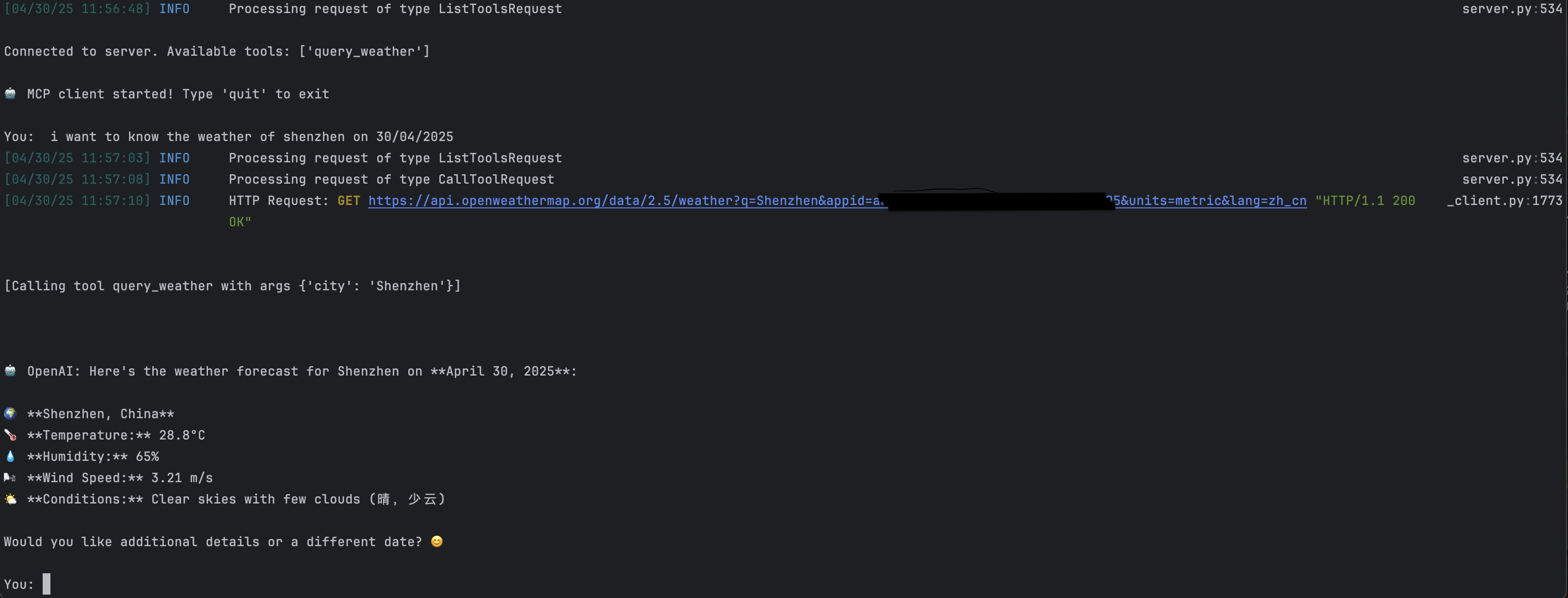
Components
MCP Client: Store LLms
MCP Server: Intermediate agent connecting external tools / resources
Configuration
DeepSeek Platform
OpenWeather Platform
Installation & Execution
Initialize project:
where weather_mcp is the project file name.
Install dependencies:
Launch system:
Note: Replace all
<your_api_key_here>placeholders with actual API keys