
Provides configuration for storing Amadeus API credentials securely to authenticate with the Amadeus booking system.
Click on "Install Server".
Wait a few minutes for the server to deploy. Once ready, it will show a "Started" state.
In the chat, type
@followed by the MCP server name and your instructions, e.g., "@Amadeus Agentfind the cheapest flights from New York to London next month"
That's it! The server will respond to your query, and you can continue using it as needed.
Here is a step-by-step guide with screenshots.
Travel agent
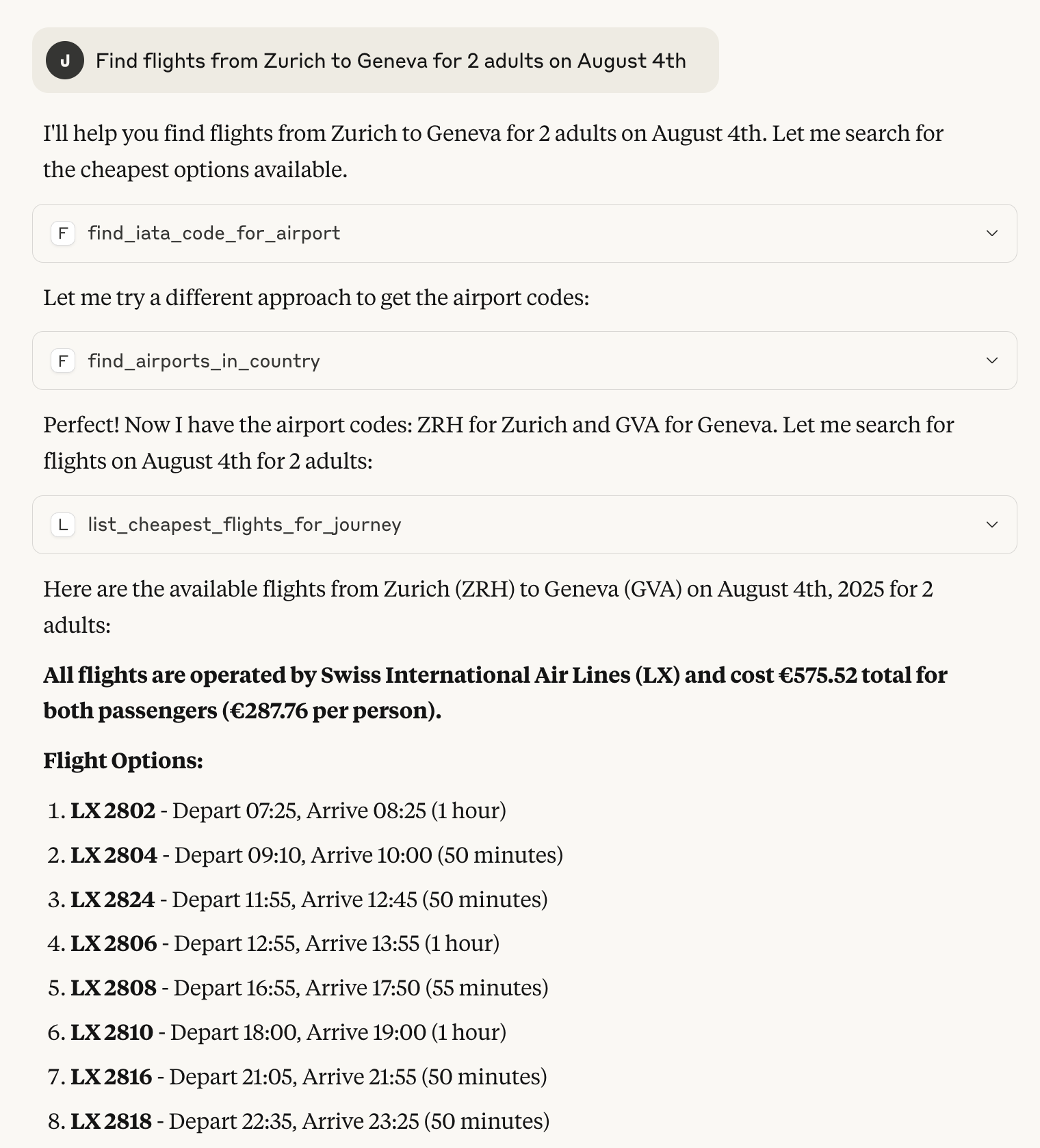
A simple proof-of-concept MCP server for Amadeus enabling LLM-based agents to use Amadeus as a tool. The server provides tools for LLMs to directly query live flight booking information around the world, including:
Cheapest tickets for a particular journey.
All destinations from a particular airport.
All routes for an airline.
What is MCP?
Model Context Protocol (MCP) is a client-server protocol for LLM agents interacting with tools, resources and prompts. You can think of it as a HTTP for agents. A MCP server hosts a bunch of tools that the agent can use to carry out tasks for the user.
Related MCP server: Tripadvisor MCP
What is Amadeus?
Amadeus is a Global distribution system (GDS), essentially a booking and reservation system used by a large amount of travel agents around the world. It allows querying flight and booking information that would only be available directly to travel agencies and other resellers.
Structure
Installation
This project relies on the Python uv project manager uv which enables
easy dependency manage and distribution. Once you have uv installed you can create a virtual environment
with all of the dependencies included to run the project.
Once installed you will need to provide Amadeus-for-develops credentials in a .env file in the project root.
The Amadeus developer pages shows you how to acquire such a key. Once you have the key and secret, but them in a .env file like so:
Running
When the setup is completed you can start the FastMCP server
It is then ready to accept requests from an LLM agent.
Connecting to Claude Desktop
Claude Desktop comes with built-in support for interacting with MCP servers. To enable it you need to open Claude Desktop developer panel and edit your claude_desktop_config.json to start the server.
Then restart Claude Desktop start a new conversation. Before writing select the AmadeusServer from the configuration panel below the text input.
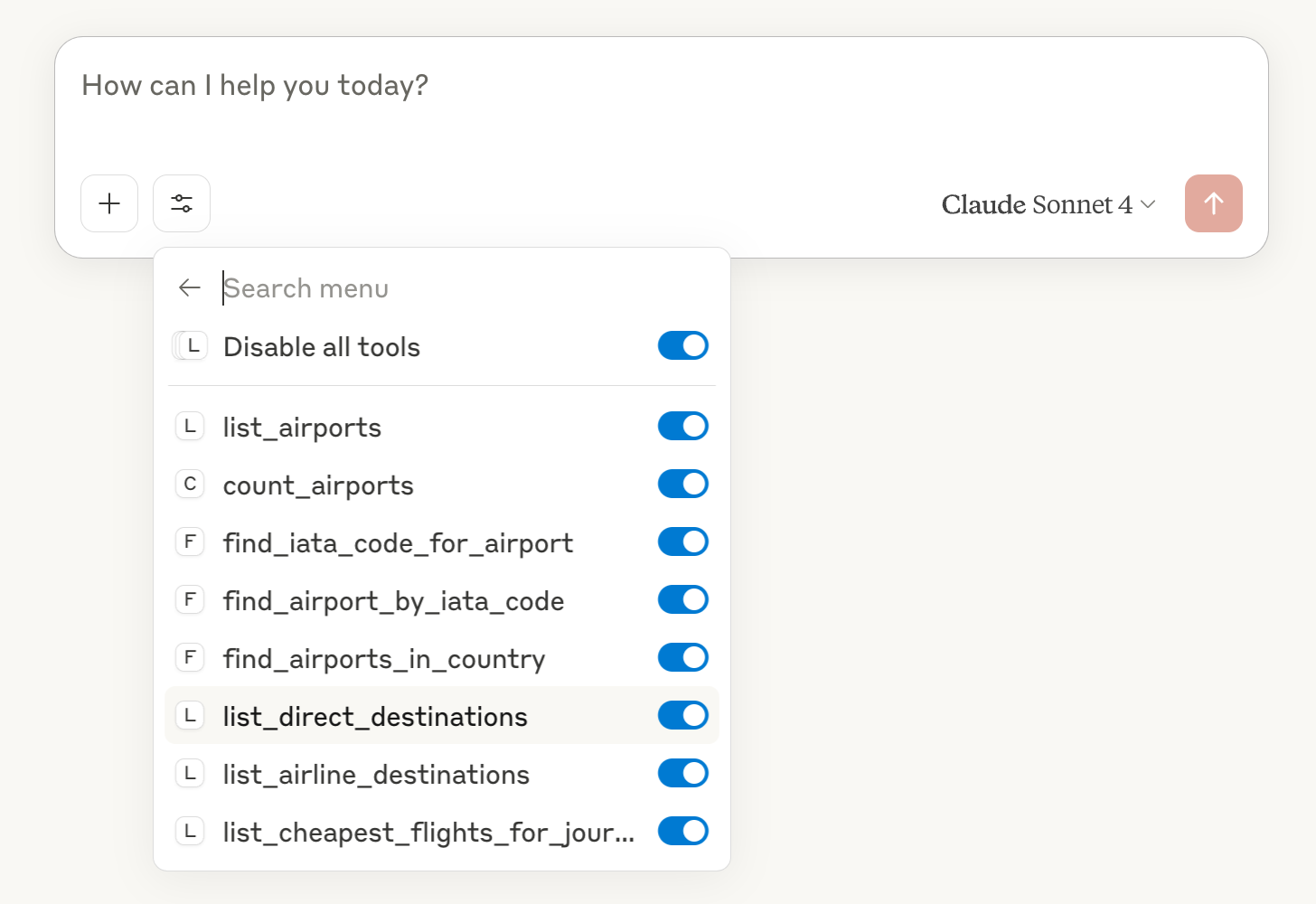
Claude should now discover your tools and use them to solve your tasks.