
A
licenseNot graded
qualityD
maintenanceProvides a standardized interface for AI assistants to interact with Obsidian vaults through a local REST API, enabling reading, writing, searching, and managing notes.
69
MIT

A Roam Research MCP server (and CLI) that lets AI assistants or scripts read, search, create, update, and organize blocks, pages, tasks, tables, outlines, and memories in one or more Roam graphs.
Fetch content: Read pages by title in markdown/raw/structure form, fetch blocks with children and ancestors, get full page views with linked references, and list namespace sub-pages.
Create content: Create pages with mixed text/table content, build nested outlines, create Roam tables, import nested markdown, and add TODO items to today’s daily page.
Update content: Rewrite pages with smart diffing that preserves block UIDs, move blocks, rename pages, and batch create/update/move/delete actions with UID placeholders.
Search the graph: Full-text search, tag search, TODO/DONE status search, block-reference/backlink search, hierarchy search, date-based search, pages modified today, and raw Datalog queries with optional regex filtering.
Agent memory: Store and recall tagged memories on daily pages, with categories, headings, parent blocks, and filtering/sorting.
Graph conventions and syntax help: Retrieve per-graph agent guidelines plus safety rules, and load the full Roam markdown cheatsheet.
Multi-graph support: Target named graphs from ROAM_GRAPHS, use a default graph, and pass a write_key for protected non-default graphs.
Safety controls: Honors #.rm-hide / #.rm-private filtering, preserves hidden blocks during page rewrites, supports dry_run previews, and marks destructive/write tools with annotations.
Supports loading configuration from .env files for managing environment variables like API tokens and graph names.
Enables parsing and conversion of markdown content, with support for importing nested markdown structures into Roam Research with proper hierarchy preservation.
Provides comprehensive access to Roam Research's API functionality, allowing AI assistants to interact with Roam Research graphs through tools for fetching, creating, and updating pages and blocks, importing markdown, searching content, and executing Datalog queries.
Click on "Deploy Server".
Wait a few minutes for the server to deploy. Once ready, it will show a "Started" state.
In the chat, type @ followed by the MCP server name and your instructions, e.g., "@Roam Research search for notes about project planning from last month"
That's it! The server will respond to your query, and you can continue using it as needed.
Here is a step-by-step guide with screenshots.
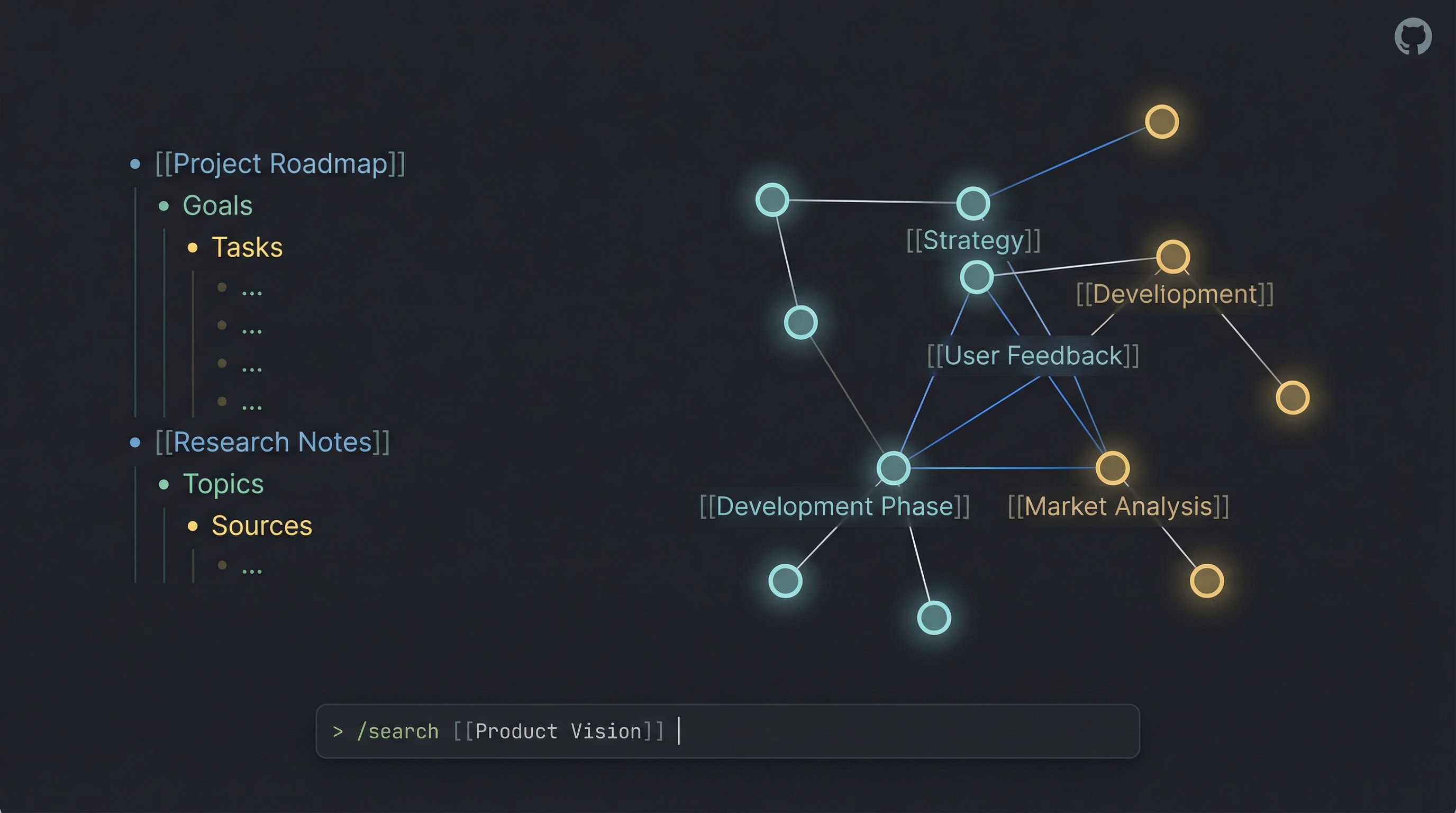



I created this project to solve a personal problem: I wanted to manage my Roam Research graph directly from Claude Code (and other LLMs). As I built the Model Context Protocol (MCP) server to give AI agents access to my notes, I realized the underlying tools were powerful enough to stand on their own.
What started as an backend for AI agents evolved into a full-featured Standalone CLI. Now, you can use the same powerful API capabilities directly from your terminal—piping content into Roam, searching your graph, and managing tasks—without needing an LLM at all.
Whether you want to give Claude superpowers over your knowledge base or just want a robust CLI for your own scripts, this project has you covered.

Related MCP server: Roam Research MCP Server
In one line: roam save now has one flag for each way of naming a parent block, and neither one guesses. --parent-uid is always a UID; --parent is always text.
Until 4.1.0, --parent took either a block UID or heading text and decided which by looking for a digit in the value. About one Roam UID in five has no digit, so those saves were silently misrouted. 4.1.0 added --parent-uid and deprecated passing a UID to --parent. 5.0 finishes the split.
--parent-uid <uid> nests under the block with that UID. It accepts uid or ((uid)), and if no such block exists the command exits non-zero and writes nothing.
--parent "<text>" nests under the block with that text on the target page, creating it if missing. It is never read as a UID. --parent "((uid))" finds or creates a block whose content is that reference, which was not reliably possible before.
Creating a parent block is announced on stderr, with its UID. If the text you gave --parent looks like a UID, a second line says what happened and gives the --parent-uid command to use instead. Stdout is unchanged.
roam save --help leads with the choice. A "Choosing a parent block" section sits above the examples, so the difference between the two flags is the first thing you read.
Why a major. roam save --parent "((uid))" and roam save --parent <uid> used to nest under that block and now nest under a block containing that text. If a script passes a UID to --parent, change the flag to --parent-uid. Only the CLI is affected: the MCP tools take parent-uid as a typed field and behave exactly as before, so if you use the server through an AI assistant, nothing is required of you.
Full detail is in the changelog.
In one line: a block containing a soft line break (Shift+Enter) now survives a page rewrite. Read a page, write it back, and nothing moves.
Until now, a multi-line block rendered as two physical lines, the second at column 0. That reset the parser's indentation baseline, so every block after it collapsed toward the root and roam_update_page_markdown dutifully generated the moves to make your real page match. Reading a page and writing back a revision, the documented purpose of the tool, was enough to trigger it. Callout bodies and fenced code blocks are exactly the blocks that carry soft breaks.
Soft breaks render as ⏎. A page containing one gains a leading <!-- roam:escaped-newlines --> marker line; keep it if you write the markdown back. Pages with no multi-line block render byte-identical to 3.x, with no marker and no encoding.
Backslashes are never special. The earlier design escaped newlines as \n, which is also a common prefix in authored text: \nabla, \neq, C:\newdir. The sentinel needs no such rule, so all of those are written exactly as typed, everywhere.
Verbatim round-trips are no-ops. Renderer output submitted back unchanged, title header included, produces zero actions. The CLI shares the fix: roam get piped into roam save --update leaves the page as it was.
Two more guards on page rewrites. Non-empty markdown that parses to zero blocks is now refused rather than deleting every block on the page (genuinely empty markdown still clears a page, as documented). And a hand-authored first block that happens to be an H1 echoing the page title is no longer stripped on an ordinary update.
Linked references are encoded too. roam_fetch_page_full_view escapes soft breaks in referring blocks and breadcrumbs, not just the page's own content.
Browser clients pass CORS preflight. The HTTP transport now allows MCP-Protocol-Version and Last-Event-ID, both of which a client must send after initialization. Non-browser clients were never affected.
The MCP SDK is pinned to the version the test suite runs against, so a fresh install gets the protocol surface that was tested rather than whatever npm serves that day.
Why a major. Four read surfaces return different bytes for any page containing a multi-line block: roam_fetch_page_by_title (format: "markdown"), roam_fetch_page_full_view, roam_get_subpages, and roam get. If you use the server through an AI assistant, nothing is required of you. A script that parses markdown output of multi-line pages sees the new encoding. If you pinned roam-research-mcp@3, you keep 3.2.0's fixes and its documented multi-line limitation until you re-pin.
Full detail, including the corner cases and how each fix was verified against the prior state, is in the changelog.
Roam Research ships its own MCP server and CLI (@roam-research/roam-mcp). It is a good tool, and this project is not trying to replace it. They talk to two different Roam APIs, which is the difference everything else follows from.
This project | Official | |
Talks to | Roam's backend REST API (graph token + graph name) | Roam Desktop's local HTTP API |
Needs Roam running | No — works headless | Yes, the desktop app must be open (it deep-links to launch it) |
Where it can run | Anywhere: laptop, server, container, CI | The machine running Roam Desktop |
Shared daemon | Yes — | Per-client stdio |
Multi-graph |
|
|
Web-only graphs | Works | Desktop only |
Reach for the official server when you want Roam's own supported path, or you need things only the running app can do: controlling the Desktop UI (open a page, read the current selection, drive the sidebar), semantic/embeddings search, link suggestions, file upload, comments, or invoking tools that Roam extensions register.
Reach for this one when Roam isn't running or isn't installed — a server, a container, a cron job, a CI step. Or when you want the extras this project has grown: a full standalone CLI with stdin piping, a shared HTTP daemon with optional bearer auth, smart page diffing that preserves block UIDs (and therefore your block references), batch operations with UID placeholders for building nested structures in one call, and agent memory tools.
One deliberate omission: there is no page-delete tool here. Roam has no undo that can reverse a bulk API deletion. The official server does offer delete_page; this project takes the more conservative line.
The two servers share conventions on purpose, so running both costs you nothing:
[[roam/agent guidelines]] — both read the same page for your conventions. Write them once; both honour them. See Agent guidelines.
#.rm-hide / #.rm-private — both withhold tagged blocks from AI-facing content. Tag once, hidden from both. See Hiding content from the AI.
roamThe roam CLI lets you interact with your graph directly from the terminal. It supports standard input (stdin) piping for all content creation and retrieval commands, making it perfect for automation workflows.
# Save a quick thought to your daily page
roam save "Idea: A CLI for Roam would be cool"

# Pipe content from a file to a new page
cat meeting_notes.md | roam save --title "Meeting: Project Alpha"

# Create a TODO item on today's daily page
echo "Buy milk" | roam save --todo

# Prepend to top of page (newest-first ordering)
roam save -p "Changelog" --order first "v2.18.0 release"

# Search your graph and pipe results to another tool
roam search "important" --json | jq .

# Search for pages by namespace prefix
roam search --namespace "Convention"    # Finds all Convention/* pages

# Fetch a page by title
roam get "Roam Research"

# Fetch daily pages using any date format (auto-normalized)
roam get today                          # Today's daily page
roam get 2026-03-21                     # ISO date → "March 21st, 2026"
roam get "03/21/2026"                   # US date → "March 21st, 2026"
roam get "March 21"                     # Named (assumes current year)

# Fetch a block with ancestors (parent chain to page root)
roam get abc123def -a              # Block + children + ancestors
roam get abc123def -a -d 0         # Ancestors only, no children

# Fetch page by UID or Roam URL
roam get page abc123def
roam get page "https://roamresearch.com/#/app/my-graph/page/abc123def"

# Sort and group results
roam get --tag Project --sort created --group-by tag

# Find references (backlinks) to a page
roam refs "Project Alpha"

# Update a block (e.g., toggle TODO status)
roam update ((block-uid)) --todo

# Multi-graph: read from a specific graph
roam get "Page Title" -g work

# Multi-graph: write to a protected graph
roam save "Note" -g work --write-key "$ROAM_SYSTEM_WRITE_KEY"
Available Commands: get, search, save, refs, update, batch, rename, status, server.
Run roam <command> --help for details on any command.
npm install -g roam-research-mcp
# The 'roam' command is now available globallyThe MCP server exposes these tools to AI assistants (like Claude), enabling them to read, write, and organize your Roam graph intelligently.
Multi-Graph Support: All tools accept optional
graphandwrite_keyparameters. Usegraphto target a specific graph from yourROAM_GRAPHSconfig, andwrite_keyfor write operations on protected graphs.
Tool Name | Description |
| Fetch page content by title. |
| Fetch a page's content plus all linked references with breadcrumb context and children. |
| Fetch a block by UID with optional children (depth) and/or ancestors (up to page root). |
| Create new pages, optionally with mixed text and table content. |
| Update a page using smart diff (preserves block UIDs). |
| List sub-pages under a namespace prefix (e.g. "Project/") with optional tag filter. |
| Full-text search across the graph or within specific pages. Supports namespace prefix search for page titles. |
| Find blocks that reference a page, tag, or block UID. |
| Find TODO or DONE items. |
| Find blocks containing specific tags (supports exclusion). |
| Find blocks/pages by creation or modification date. |
| List pages modified since midnight. |
| Add TODO items to today's daily page. |
| Create properly formatted Roam tables. |
| Create hierarchical outlines. |
| Execute multiple low-level actions (create, move, update, delete) in one batch. |
| Move a block to a new parent or position. |
| specialized tools for AI memory management within Roam. |
| Execute raw Datalog queries for advanced filtering. |
| Retrieve the Roam-flavored markdown reference. |
| Retrieve this graph's user-defined agent conventions. |
The ten write tools declare an outputSchema and return structuredContent — a validated object — alongside the usual text. A client can read page_uid, uid_map or success directly instead of hunting for JSON inside a string, which makes chaining calls more reliable:
// roam_process_batch_actions
{ "success": true, "uid_map": { "parent1": "Xk7mN2pQ9" },
  "validation_passed": true, "actions_attempted": 4 }
Three things worth knowing:
Nothing was taken away. The text channel is unchanged, so a client that ignores structuredContent behaves exactly as before.
Read tools deliberately have neither. They already serialise their whole result into the text channel, so a schema would just double the payload.
These fields are additive-only. Some clients validate live responses against a cached tool list, so a field will be added or deprecated — never renamed or removed outside a major version.
Upgrading to 5.0.0: CLI only.
roam save --parentis now always text, so a script passing a block UID to it (--parent "((uid))"or--parent <uid>) must switch to--parent-uid. Left unchanged, such a call exits 0 and nests your content under a new block containing the reference, on the daily page unless-pis given. MCP tools are unaffected. See the changelog.
Upgrading to 4.0.0: markdown reads of a page containing a soft line break (Shift+Enter) now render that break as
⏎and carry a leading<!-- roam:escaped-newlines -->marker, so the page survives a write-back intact. Pages without multi-line blocks are byte-identical to 3.x. AI-assistant users need do nothing; scripts parsing markdown output of multi-line pages see the new encoding. See the changelog.
Upgrading from 2.x: three write-result fields were renamed —
uid→page_uid(roam_create_page),created_uids→created_blocks(roam_create_outline,roam_import_markdown) andpreservedUids→preserved_uids(roam_update_page_markdown). This only affects code that reads those names; if you use the server through an AI assistant, nothing changes. See the changelog for why.
roam_get_guidelines reads a page inside the graph — [[roam/agent guidelines]] by default — holding your own conventions: how you tag, how you namespace pages, what an agent should never do. Roam's official MCP server reads the same page title, so one page serves both.
This is distinct from CUSTOM_INSTRUCTIONS_PATH, and the two compose:
|
| |
Lives in | a file on disk | a page in the graph |
Scope | server-wide, all graphs | per-graph |
To change it | edit the file, restart the server | edit the page |
Answers | how to write Roam markdown | how this user wants this graph handled |
Just create the page. With no configuration at all, roam_get_guidelines reads [[roam/agent guidelines]] — the same title Roam's own server reads, so writing it once makes both honour it. Creating a page with that exact namespaced title is the opt-in; nothing is read from the graph unless an agent explicitly calls the tool.
If the page doesn't exist, the tool returns exists: false rather than failing, so it is always safe to call.
Alongside your conventions, every roam_get_guidelines response carries a roamSyntax field: the short list of things that destroy content — roam_update_page_markdown deleting every block your markdown omits, truncated structure previews written back as if they were content, block references retyped as plain text — plus a caution that reads silently exclude #.rm-hide subtrees, and the handful of places Roam's markdown inverts standard markdown.
Two reasons it rides here rather than in the cheatsheet. It reaches every client, including one that never calls roam_markdown_cheatsheet; and it is returned even when a graph has no guidelines page, which is exactly the case where an agent has least context. The layering is deliberate: your conventions win on style, roamSyntax wins on data safety. No convention can make a truncated preview complete.
The full syntax reference — components, queries, embeds, tool selection — stays in roam_markdown_cheatsheet. roamSyntax is ~800 tokens and deliberately capped.
Each graph can point at a different page, or turn it off:
ROAM_GRAPHS='{
  "personal": {"token": "...", "graph": "..."},
  "work":     {"token": "...", "graph": "...", "guidelinesPage": "work/agent rules"},
  "private":  {"token": "...", "graph": "...", "guidelinesPage": false}
}'
ROAM_GUIDELINES_PAGE='team/agent guidelines'   # change the default for every graph
Resolution order is per-graph guidelinesPage → ROAM_GUIDELINES_PAGE → roam/agent guidelines. Above: personal uses the env override, work uses its own page, and private has guidelines off entirely. Only an explicit false disables it — an unset value never does.
Results are cached for 30 seconds — an edit to the page takes effect without a restart. A starter template lives at .roam/agent-guidelines.template.md.
Note that guidelines are read through the normal page path, so blocks tagged #.rm-hide / #.rm-private are withheld from them too — see below.
Reads of a page containing a soft line break render it as ⏎ so each block
stays on one line — an unescaped newline lands at column 0 and reparents
everything after it on write-back. Such payloads carry a leading
<!-- roam:escaped-newlines --> marker; keep it if you write the markdown
back. Markdown you author is never decoded: backslashes are not special, and
only ⏎ inside a marked payload is interpreted. roam_get_guidelines output
is plain prose — no sentinel, no marker.
Blocks tagged #.rm-hide or #.rm-private — and everything nested under them — are omitted from the content these tools return. Both the hashtag (#.rm-hide, #[[.rm-hide]]) and link ([[.rm-hide]]) forms work. .rm-private is Roam's existing "hidden from other users" tag; .rm-hide hides from the AI specifically.
This follows the same convention as Roam's official MCP server, so a block tagged for one is hidden from the other.
Applied to: roam_fetch_page_by_title, roam_fetch_block, roam_fetch_page_full_view, roam_get_subpages, roam_search_by_text, roam_search_for_tag, roam_search_by_status, roam_search_block_refs, roam_search_hierarchy, roam_search_by_date.
Hidden blocks are also excluded from the page-rewrite diff, which is what stops them being deleted for being absent from markdown the agent could not have written. roam_update_page_markdown (and roam save --update) replaces a page with what you give it, deleting whatever your markdown omits — so its baseline is pruned by this same filter, on the rule that the baseline a diff deletes from must be the same page the caller was allowed to read. It reports preserved_hidden when it protected anything. Content is preserved; exact ordering relative to visible siblings may shift. This was a real data-loss bug before the fix — see the changelog.
This is a convenience filter, not a security guarantee. roam_datomic_query reads the database directly and deliberately does not apply it, so a capable agent can still surface hidden blocks through raw Datalog. Treat these tags as "keep it out of the AI's way," not "keep it secret."
Tag matching is case-insensitive, and only exact tags match — #.rm-hidden and #.rm-highlight are left alone. The set of hidden UIDs is cached for 30 seconds, so a block tagged just now may remain visible for up to that long.
For a single Roam graph, set these in your environment or a .env file:
ROAM_API_TOKEN=your-api-token
ROAM_GRAPH_NAME=your-graph-nameConnect to multiple Roam graphs from a single server instance:
ROAM_GRAPHS='{
  "personal": {"token": "token-1", "graph": "personal-db", "memoriesTag": "#[[Personal Memories]]"},
  "work": {"token": "token-2", "graph": "work-db", "protected": true, "memoriesTag": "#[[Work Memories]]"},
  "research": {"token": "token-3", "graph": "research-db"}
}'
ROAM_DEFAULT_GRAPH=personal
ROAM_SYSTEM_WRITE_KEY=your-secret-key
Graph Configuration Options:
Property | Required | Description |
| Yes | Roam API token for this graph |
| Yes | Graph name/database identifier |
| No | If |
| No | Tag for |
Two kinds of access control (and how they differ)
The server has two independent locks. They're easy to mix up because both are "keys" — here's the plain version (both are optional and off by default):
Bearer token — | Write key — | |
In a phrase | The key to the front door | The latch on a safe inside |
Controls | Who can reach the server at all | Whether a write to a |
Covers | Everything — reads and writes, all graphs | Only writes, and only to graphs marked |
Protects reading? | Yes | No |
When you need it | Only if the server is reachable beyond your own machine (e.g. | Whenever you want a guard against accidental edits to important graphs |
How it's sent | HTTP header: | A |
Think of a house: the bearer token locks the front door (keeps strangers out entirely), and the write key locks a safe inside (even someone already in the house needs it to change what's in the safe). On your own machine bound to 127.0.0.1, the front door faces a wall, and a server without a token also turns away web pages that try to reach it by DNS rebinding (see HTTP_ALLOWED_HOSTS below), so you don't need the bearer token there. The write key is still handy locally as an "are you sure?" guard, because Roam has no undo.
So: to mark a graph as needing the write key, set protected: true on it and configure ROAM_SYSTEM_WRITE_KEY; callers then pass a matching write_key for any write to that graph.
⚠️
protecteddoes nothing on your default graph. Writes to whichever graphROAM_DEFAULT_GRAPHnames are always allowed, beforeprotectedis ever consulted — the flag guards the graphs you have to ask for by name, on the reasoning that reaching for a non-default graph is the deliberate act worth confirming. If you want a graph write-guarded, it must not be your default.
Optional:
ROAM_MEMORIES_TAG: Default tag for roam_remember/roam_recall (fallback when per-graph memoriesTag not set).
HTTP_STREAM_PORT: Port for the HTTP Stream transport (defaults to 8088). --server mode only — stdio mode opens no socket, so this is ignored there.
HTTP_STREAM_HOST: Host to bind the HTTP transport to (defaults to 127.0.0.1, loopback-only). --server mode only. Set to 0.0.0.0 to expose on the LAN, and set HTTP_AUTH_TOKEN when you do.
HTTP_AUTH_TOKEN: Optional bearer token that locks the whole HTTP endpoint. Unset = no token: the server then answers only requests addressed to localhost, an IP address, or a name in HTTP_ALLOWED_HOSTS, and only browser requests from an origin in CORS_ORIGIN. When set, every MCP request must send Authorization: Bearer <token> (GET /health stays open). Use it whenever you bind beyond 127.0.0.1. Different from ROAM_SYSTEM_WRITE_KEY — see Two kinds of access control.
HTTP_ALLOWED_HOSTS: Hostnames a server without HTTP_AUTH_TOKEN answers to, beyond localhost and IP addresses (comma-separated; ports are ignored), e.g. roam-mcp for a Docker service name or mybox.local. A request addressed to any other name gets a 403. That is what stops a web page from reaching the server by pointing its own hostname at 127.0.0.1 (DNS rebinding). Ignored when HTTP_AUTH_TOKEN is set.
CORS_ORIGIN: Browser origins allowed to call the HTTP server (comma-separated; defaults to http://localhost:5678,https://roamresearch.com; * allows any). Without HTTP_AUTH_TOKEN, a request from any other origin gets a 403.
1. Default Mode (stdio) Best for local integration (e.g., Claude Desktop, IDE extensions). The MCP client launches the process per session and talks to it over stdin/stdout. No port is opened — nothing about MCP over stdio needs one.
Before 3.1.0 this mode also opened an HTTP listener, and bound it to every interface. If you were using that endpoint, run a
--serverdaemon instead; see below.
npx roam-research-mcp2. Shared Server Mode (--server)
Best for a single long-lived, HTTP-only daemon that multiple MCP clients share — instead of each session spawning its own subprocess. This saves memory and gives clients a stable URL.
HTTP_STREAM_PORT=8088 npx roam-research-mcp --serverOr manage it through the roam CLI, which adds start/stop/status/logs:
roam server start            # start the shared daemon in the background
roam server start -H 0.0.0.0 # expose on the LAN (no transport auth!)
roam server status           # is it up? version, graphs, active sessions
roam server logs -f          # follow the log
roam server stop             # stop a CLI-started daemon
roam server status works no matter how the daemon was launched (it probes /health), so it also reports a daemon started by a LaunchAgent/systemd unit. State (pidfile + log) lives in ~/.roam/ (override with ROAM_HOME).
The two modes are mutually exclusive, and each opens exactly one transport: stdio mode speaks stdio and binds nothing, --server speaks HTTP and reads no stdin. In --server mode the server:
runs HTTP-only (no stdio transport),
binds the exact HTTP_STREAM_PORT on HTTP_STREAM_HOST and exits non-zero if the port is taken (no silent drift — a shared daemon must keep a stable URL),
exposes GET /health → {"status":"ok", ...} for liveness checks.
Point MCP clients at it with an HTTP transport config:
{
  "mcpServers": {
    "roam-research-mcp": {
      "type": "http",
      "url": "http://127.0.0.1:8088/mcp"
    }
  }
}
Env vars (tokens, graphs) live with the server process, not the client config.
Securing an exposed server (two layers):
If you bind beyond loopback (-H 0.0.0.0), add the perimeter lock:
HTTP_AUTH_TOKEN=$(openssl rand -hex 32) roam server start -H 0.0.0.0Clients then send the token as a header:
{
  "mcpServers": {
    "roam-research-mcp": {
      "type": "http",
      "url": "http://<host>:8088/mcp",
      "headers": { "Authorization": "Bearer <token>" }
    }
  }
}
Keep both — they do different jobs (see Two kinds of access control above): the bearer token controls who can connect, the write key only guards writes to protected graphs.
⚠️ The write key is not a substitute for the bearer token. On an exposed server without
HTTP_AUTH_TOKEN, anyone on the network can still read every graph (and write non-protected ones). For anything beyond loopback, setHTTP_AUTH_TOKEN.
Keeping it running (macOS LaunchAgent):
Create ~/Library/LaunchAgents/com.example.roam-mcp.plist with RunAtLoad + KeepAlive, your env vars under EnvironmentVariables, and --server as the last ProgramArguments entry. Keep StandardOutPath/StandardErrorPath on a local path (e.g. ~/Library/Logs/), then:
launchctl bootstrap gui/$(id -u) ~/Library/LaunchAgents/com.example.roam-mcp.plist
curl -s http://127.0.0.1:8088/health   # verify
3. Docker
docker build -t roam-research-mcp .
docker run --init -p 127.0.0.1:8088:8088 \
  -e HTTP_STREAM_HOST=0.0.0.0 -e HTTP_STREAM_PORT=8088 \
  --env-file .env roam-research-mcp --server
Set HTTP_AUTH_TOKEN to a random secret in .env before running; MCP requests must include Authorization: Bearer <token>. The published port is loopback-only by default. For remote access, follow Securing an exposed server and intentionally publish on the required host address.
The -e values win over --env-file, so the server listens on the published port whatever .env says. --init lets docker stop end the server straight away instead of killing it after 10 seconds.
Claude Desktop / Cline:
Add to your MCP settings file (e.g., ~/Library/Application Support/Claude/claude_desktop_config.json):
Pinning the version.
npx -y roam-research-mcpfetches the latest release every time your client starts the server, so a new major version arrives without warning. Pin the major to decide for yourself when to move:
argsYou get
["-y", "roam-research-mcp"]Latest, always — including the next major
["-y", "roam-research-mcp@3"]3.x only; majors need an edit here
["-y", "roam-research-mcp@3.0.0"]Exactly this build
Pinning the major is the sensible default: you still get fixes and new tools, but a breaking change becomes something you opt into. The examples below stay unpinned to match what most people paste in first.
Single Graph:
{
  "mcpServers": {
    "roam-research": {
      "command": "npx",
      "args": ["-y", "roam-research-mcp"],
      "env": {
        "ROAM_API_TOKEN": "your-token",
        "ROAM_GRAPH_NAME": "your-graph"
      }
    }
  }
}
Multi-Graph:
{
  "mcpServers": {
    "roam-research": {
      "command": "npx",
      "args": ["-y", "roam-research-mcp"],
      "env": {
        "ROAM_GRAPHS": "{\"personal\":{\"token\":\"token-1\",\"graph\":\"personal-db\",\"memoriesTag\":\"#[[Memories]]\"},\"work\":{\"token\":\"token-2\",\"graph\":\"work-db\",\"protected\":true}}",
        "ROAM_DEFAULT_GRAPH": "personal",
        "ROAM_SYSTEM_WRITE_KEY": "your-secret-key"
      }
    }
  }
}A utility for parsing and executing Roam query blocks programmatically. Converts {{[[query]]: ...}} syntax into Datalog queries.
Clause | Syntax | Description |
Page ref |
| Blocks referencing a page |
Block ref |
| Blocks referencing a block |
|
| All conditions must match |
|
| Any condition matches |
|
| Exclude matches |
|
| Date range filter |
|
| Full-text search |
|
| Daily notes pages only |
|
| Created or edited by user |
|
| Created by user |
|
| Edited by user |
The between clause supports relative dates: today, yesterday, last week, last month, this year, 7 days ago, 2 months ago, etc.
import { QueryExecutor } from 'roam-research-mcp/query';

const executor = new QueryExecutor(graph);

// Execute a query
const results = await executor.execute(
  '{{[[query]]: "My Query" {and: [[Project]] {between: [[last month]] [[today]]}}}}'
);

// Parse without executing (for debugging)
const { name, query } = QueryParser.parseWithName(queryBlock);import { isQueryBlock, extractQueryBlocks } from 'roam-research-mcp/query';
// Detect if text is a query block
isQueryBlock('{{[[query]]: [[tag]]}}'); // true
// Extract all query blocks from a string
extractQueryBlocks(pageContent); // ['{{[[query]]: ...}}', ...]If this project helps you manage your knowledge base or build cool agents, consider buying me a coffee! It helps keep the updates coming.
MIT License - Created by Ian Shen.
Add a list of todo items as individual blocks to today's daily page in Roam. Each item becomes its own actionable block with todo status. NOTE on Roam-flavored markdown: For direct linking: use [[link]] syntax. For aliased linking, use alias syntax. Do not concatenate words in links/hashtags - correct: #[[multiple words]] #self-esteem (for typically hyphenated words).
IMPORTANT: call roam_get_guidelines for this graph once per session, and load the Roam Markdown Cheatsheet, before using this tool.
| Name | Required | Description | Default |
|---|---|---|---|
| graph | No | Target graph key from ROAM_GRAPHS config. Defaults to ROAM_DEFAULT_GRAPH. Only needed in multi-graph mode. | |
| todos | Yes | List of todo items to add | |
| write_key | No | Write confirmation key. Required for write operations on non-default graphs when write_key is configured. |
| Name | Required | Description |
|---|---|---|
| success | Yes |
Does the description disclose side effects, auth requirements, rate limits, or destructive behavior?
Annotations already mark readOnly=false, and the description adds that each item becomes an 'actionable block with todo status', and provides markdown linking rules. This is useful behavioral context beyond what annotations convey.
Agents need to know what a tool does to the world before calling it. Descriptions should go beyond structured annotations to explain consequences.
Is the description appropriately sized, front-loaded, and free of redundancy?
The main purpose is stated in a single, direct sentence. The markdown note and IMPORTANT prerequisite are structured with labels and are relevant to correct use. It is slightly long, but each part earns its place.
Shorter descriptions cost fewer tokens and are easier for agents to parse. Every sentence should earn its place.
Given the tool's complexity, does the description cover enough for an agent to succeed on first attempt?
The tool has an output schema, so return values don't need to be explained. The description covers the action, the effect on blocks, markdown syntax details, and the required prerequisite call to roam_get_guidelines, making it complete for an agent to invoke correctly.
Complex tools with many parameters or behaviors need more documentation. Simple tools need less. This dimension scales expectations accordingly.
Does the description clarify parameter syntax, constraints, interactions, or defaults beyond what the schema provides?
The input schema already describes all three parameters with 100% coverage, so the baseline is 3. The description adds valuable markdown syntax guidance for the 'todos' parameter text, such as [[link]] and #[[multiple words]], which increases the score.
Input schemas describe structure but not intent. Descriptions should explain non-obvious parameter relationships and valid value ranges.
Does the description clearly state what the tool does and how it differs from similar tools?
The description uses a specific verb ('Add') and resource ('today's daily page'), and clearly states that each item becomes an 'individual block' with todo status. This distinguishes it from sibling tools like roam_create_outline or roam_import_markdown.
Agents choose between tools based on descriptions. A clear purpose with a specific verb and resource helps agents select the right tool.
Does the description explain when to use this tool, when not to, or what alternatives exist?
It clearly states when to use: adding todos to today's daily page. It also gives an explicit prerequisite: call roam_get_guidelines and load the Roam Markdown Cheatsheet before use. It doesn't explicitly mention alternatives or when not to use, so a 4 is appropriate.
Agents often have multiple tools that could apply. Explicit usage guidance like "use X instead of Y when Z" prevents misuse.
Add a structured outline to an existing page or block (by title text or uid), with customizable nesting levels. To create a new page with an outline, use the roam_create_page tool instead. The outline parameter defines new blocks to be created. To nest content under an existing block, provide its UID or exact text in block_text_uid, and ensure the outline array contains only the child blocks with levels relative to that parent. Including the parent block's text in the outline array will create a duplicate block. Best for:
Adding supplementary structured content to existing pages
Creating temporary or working outlines (meeting notes, brainstorms)
Organizing thoughts or research under a specific topic
Breaking down subtopics or components of a larger concept
Best for simpler, contiguous hierarchical content. For complex nesting (e.g., tables) or granular control over block placement, consider roam_process_batch_actions instead.
API Usage Note: This tool performs verification queries after creation. For large outlines (10+ items) or when rate limits are a concern, consider using roam_process_batch_actions instead to minimize API calls.
IMPORTANT: call roam_get_guidelines for this graph once per session, and load the Roam Markdown Cheatsheet, before using this tool.
| Name | Required | Description | Default |
|---|---|---|---|
| graph | No | Target graph key from ROAM_GRAPHS config. Defaults to ROAM_DEFAULT_GRAPH. Only needed in multi-graph mode. | |
| order | No | Insertion position for the first level-1 block relative to existing page/block children. Accepts "first", "last", or a non-negative integer (0-indexed). Default: "last". | |
| outline | Yes | Array of outline items with block text and explicit nesting level. Must be a valid hierarchy: the first item must be level 1, and subsequent levels cannot increase by more than 1 at a time (e.g., a level 3 cannot follow a level 1). | |
| write_key | No | Write confirmation key. Required for write operations on non-default graphs when write_key is configured. | |
| block_text_uid | No | The text content or UID of the block to nest the outline under (UID is preferred for accuracy). If blank, content is nested directly under the page (or the default daily page if page_title_uid is also blank). | |
| page_title_uid | No | Title or UID of the page (UID is preferred for accuracy). Leave blank to use the default daily page. |
| Name | Required | Description |
|---|---|---|
| success | Yes | |
| page_uid | Yes | |
| parent_uid | Yes | Block the outline was nested under |
| created_blocks | Yes | The created block tree. Objects, not UID strings. |
Does the description disclose side effects, auth requirements, rate limits, or destructive behavior?
The description goes beyond the annotations (which are all false) by disclosing that the tool 'performs verification queries after creation' and warns about the risk of duplicate blocks if the parent block's text is included in the outline array. It also clarifies that the outline parameter defines new blocks, which is key behavioral context. However, it does not mention idempotency failure behavior or partial-failure details, so it is not fully exhaustive.
Agents need to know what a tool does to the world before calling it. Descriptions should go beyond structured annotations to explain consequences.
Is the description appropriately sized, front-loaded, and free of redundancy?
The description is longer than strictly necessary but well-structured with a clear opening sentence, bulleted 'Best for' list, and a separate API Usage Note. Each section adds value without redundancy, and the most essential information is front-loaded. It earns a 4 rather than 5 due to its length, though it remains focused.
Shorter descriptions cost fewer tokens and are easier for agents to parse. Every sentence should earn its place.
Given the tool's complexity, does the description cover enough for an agent to succeed on first attempt?
Given the tool's complexity (6 parameters, nested outline structure), the description is remarkably complete. It covers purpose, usage alternatives, API rate-limit implications, common use cases, and even a prerequisite instruction (call roam_get_guidelines). The existence of an output schema further reduces the need to describe return values, so there are no significant gaps.
Complex tools with many parameters or behaviors need more documentation. Simple tools need less. This dimension scales expectations accordingly.
Does the description clarify parameter syntax, constraints, interactions, or defaults beyond what the schema provides?
The input schema already provides 100% coverage of parameter descriptions, so the baseline is 3. The description adds meaningful semantic nuances beyond the schema, particularly for the `outline` parameter: it explains that levels are relative to the parent block, and warns against including the parent block's text. This extra guidance helps prevent common usage errors.
Input schemas describe structure but not intent. Descriptions should explain non-obvious parameter relationships and valid value ranges.
Does the description clearly state what the tool does and how it differs from similar tools?
The description clearly states the tool's function: 'Add a structured outline to an existing page or block (by title text or uid), with customizable nesting levels.' It distinguishes itself from the sibling tool `roam_create_page` by explicitly noting that tool should be used for creating new pages with outlines. The verb-resource pairing is specific and unambiguous.
Agents choose between tools based on descriptions. A clear purpose with a specific verb and resource helps agents select the right tool.
Does the description explain when to use this tool, when not to, or what alternatives exist?
The description provides explicit guidance on when to use this tool vs alternatives: 'To create a new page with an outline, use the `roam_create_page` tool instead' and 'For complex nesting (e.g., tables) or granular control over block placement, consider `roam_process_batch_actions` instead.' It also includes a 'Best for' list and a clear exclusion criterion, making the decision process straightforward.
Agents often have multiple tools that could apply. Explicit usage guidance like "use X instead of Y when Z" prevents misuse.
Create a new standalone page in Roam with optional content, including structured outlines and tables, using explicit nesting levels and headings (H1-H3). This is the preferred method for creating a new page with an outline in a single step. Best for:
Creating foundational concept pages that other pages will link to/from
Establishing new topic areas that need their own namespace
Setting up reference materials or documentation
Making permanent collections of information
Creating pages with mixed text and table content in one call.
Efficiency Tip: This tool batches page and content creation efficiently. For adding content to existing pages, use roam_process_batch_actions instead.
IMPORTANT: call roam_get_guidelines for this graph once per session, and load the Roam Markdown Cheatsheet, before using this tool.
| Name | Required | Description | Default |
|---|---|---|---|
| graph | No | Target graph key from ROAM_GRAPHS config. Defaults to ROAM_DEFAULT_GRAPH. Only needed in multi-graph mode. | |
| title | Yes | Title of the new page | |
| content | No | Initial content for the page as an array of content items. Each item can be a text block or a table. Text blocks use {text, level, heading?}. Tables use {type: "table", headers, rows}. Items are processed in order. | |
| write_key | No | Write confirmation key. Required for write operations on non-default graphs when write_key is configured. |
| Name | Required | Description |
|---|---|---|
| success | Yes | |
| page_uid | Yes | UID of the created page |
Does the description disclose side effects, auth requirements, rate limits, or destructive behavior?
Annotations indicate a write operation (readOnlyHint=false) and no idempotency/destructive hints. The description adds context beyond annotations by explaining the tool 'batches page and content creation efficiently' and requiring the user to consult guidelines beforehand. However, it does not disclose edge-case behaviors such as what happens if the page already exists, which would be useful for a creation tool.
Agents need to know what a tool does to the world before calling it. Descriptions should go beyond structured annotations to explain consequences.
Is the description appropriately sized, front-loaded, and free of redundancy?
The description is well-structured with a clear opening sentence, a 'Best for' list, an efficiency tip, and an important prerequisite note. It is slightly longer than necessary (the best-for list has some overlap), but every section earns its place and it is front-loaded with the core purpose.
Shorter descriptions cost fewer tokens and are easier for agents to parse. Every sentence should earn its place.
Given the tool's complexity, does the description cover enough for an agent to succeed on first attempt?
Given the tool's moderate complexity (nested content arrays, table support, headings) and the detailed input schema, the description provides sufficient context: it explains the structure of content, highlights the ability to mix text and tables, and gives usage boundaries. It could mention conflict behavior for existing pages, but overall it is quite complete for a creation tool.
Complex tools with many parameters or behaviors need more documentation. Simple tools need less. This dimension scales expectations accordingly.
Does the description clarify parameter syntax, constraints, interactions, or defaults beyond what the schema provides?
The input schema has 100% parameter description coverage, so the schema carries the burden. The description restates general capabilities (outlines, tables, headings) but does not add specific parameter-level semantics beyond what the schema already explains. Thus the baseline 3 applies.
Input schemas describe structure but not intent. Descriptions should explain non-obvious parameter relationships and valid value ranges.
Does the description clearly state what the tool does and how it differs from similar tools?
The description clearly states the tool's function: 'Create a new standalone page in Roam with optional content, including structured outlines and tables, using explicit nesting levels and headings (H1-H3).' It also distinguishes itself from siblings by noting it is 'the preferred method for creating a new page with an outline in a single step' and contrasts with roam_process_batch_actions for adding content to existing pages.
Agents choose between tools based on descriptions. A clear purpose with a specific verb and resource helps agents select the right tool.
Does the description explain when to use this tool, when not to, or what alternatives exist?
The description provides explicit when-to-use guidance through a 'Best for:' list covering foundational pages, new namespaces, reference materials, and permanent collections. It also gives an exclusion: 'For adding content to existing pages, use roam_process_batch_actions instead,' and includes a prerequisite instruction to call roam_get_guidelines and load the Markdown Cheatsheet before using.
Agents often have multiple tools that could apply. Explicit usage guidance like "use X instead of Y when Z" prevents misuse.
Create a table in Roam with specified headers and rows. This tool abstracts the complex nested structure that Roam tables require, making it much easier to create properly formatted tables.
Why use this tool:
Roam tables require precise nested block structures that are error-prone to create manually
Automatically handles the {{[[table]]}} container and nested column structure
Validates row/column consistency before execution
Converts empty cells to spaces (required by Roam)
Example: A table with headers ["", "Column A", "Column B"] and rows [{label: "Row 1", cells: ["A1", "B1"]}] creates a 2x3 table.
IMPORTANT: call roam_get_guidelines for this graph once per session, and load the Roam Markdown Cheatsheet, before using this tool.
| Name | Required | Description | Default |
|---|---|---|---|
| rows | Yes | Data rows for the table. Each row has a label (first column) and cells (remaining columns). | |
| graph | No | Target graph key from ROAM_GRAPHS config. Defaults to ROAM_DEFAULT_GRAPH. Only needed in multi-graph mode. | |
| order | No | Optional: Position under the parent. Can be a number (0-based) or "first"/"last". Defaults to "last". | last |
| headers | Yes | Column headers for the table. The first header is typically empty (for the row label column). Example: ["", "Option A", "Option B"] | |
| write_key | No | Write confirmation key. Required for write operations on non-default graphs when write_key is configured. | |
| parent_uid | Yes | The UID of the parent block or page where the table should be created. |
| Name | Required | Description |
|---|---|---|
| error | No | Present only when success is false. |
| success | Yes | |
| uid_map | No | Placeholder name → generated UID. Present only on success. |
| committed | No | Confirmed successful actions from a failed batch; other actions may have an unknown outcome. |
| table_uid | No | |
| actions_attempted | No | |
| validation_passed | No |
Does the description disclose side effects, auth requirements, rate limits, or destructive behavior?
Annotations already declare non-read-only, non-destructive, non-idempotent, closed-world behavior; the description adds real value beyond them by disclosing validation of row/column consistency, automatic conversion of empty cells to spaces, and the {{[[table]]}} container handling. It does not describe failure behavior when validation fails or how the graph/write_key gating interacts with non-default graphs.
Agents need to know what a tool does to the world before calling it. Descriptions should go beyond structured annotations to explain consequences.
Is the description appropriately sized, front-loaded, and free of redundancy?
Purpose is front-loaded and the bullets are scannable, but 'abstracts the complex nested structure... making it much easier to create properly formatted tables' is redundant with the bullet list that follows. The critical session prerequisite is buried at the end rather than front-loaded.
Shorter descriptions cost fewer tokens and are easier for agents to parse. Every sentence should earn its place.
Given the tool's complexity, does the description cover enough for an agent to succeed on first attempt?
With an output schema present and annotations covering the safety profile, the description needn't explain return values; it covers prerequisites, validation, and the empty-cell edge case, which is what an agent needs to call this correctly. Remaining gap is error/failure signaling when row lengths mismatch.
Complex tools with many parameters or behaviors need more documentation. Simple tools need less. This dimension scales expectations accordingly.
Does the description clarify parameter syntax, constraints, interactions, or defaults beyond what the schema provides?
Schema coverage is 100%, so the baseline is 3; the description goes further with a worked example (headers ["", "Column A", "Column B"] plus one labeled row yields a 2x3 table) that makes the header-count-to-cell-count relationship for `headers`/`rows` concrete. It says nothing about `graph`, `order`, or `write_key`, but those are fully documented in the schema.
Input schemas describe structure but not intent. Descriptions should explain non-obvious parameter relationships and valid value ranges.
Does the description clearly state what the tool does and how it differs from similar tools?
States a specific verb and resource: "Create a table in Roam with specified headers and rows." The 'Why use this tool' bullets clarify the value versus hand-building nested {{[[table]]}} blocks, though it never names a sibling (e.g., roam_create_outline or roam_import_markdown) as the alternative for tabular content.
Agents choose between tools based on descriptions. A clear purpose with a specific verb and resource helps agents select the right tool.
Does the description explain when to use this tool, when not to, or what alternatives exist?
The 'Why use this tool' list effectively describes when this tool is the right choice over manual block construction, and the IMPORTANT line gives an explicit prerequisite (call roam_get_guidelines and load the cheatsheet once per session). No explicit 'do not use this for X, use Y instead' exclusion is provided.
Agents often have multiple tools that could apply. Explicit usage guidance like "use X instead of Y when Z" prevents misuse.
Execute a custom Datomic query on the Roam graph for advanced data retrieval beyond the available search tools. This provides direct access to Roam's query engine. Note: Roam graph is case-sensitive.
Optimal Use Cases for roam_datomic_query:
Advanced Filtering (including Regex): Use for scenarios requiring complex filtering, including regex matching on results post-query, which Datalog does not natively support for all data types. It can fetch broader results for client-side post-processing.
Highly Complex Boolean Logic: Ideal for intricate combinations of "AND", "OR", and "NOT" conditions across multiple terms or attributes.
Arbitrary Sorting Criteria: The go-to for highly customized sorting needs beyond default options.
Proximity Search: For advanced search capabilities involving proximity, which are difficult to implement efficiently with simpler tools.
List of some of Roam's data model Namespaces and Attributes: ancestor (descendants), attrs (lookup), block (children, heading, open, order, page, parents, props, refs, string, text-align, uid), children (view-type), create (email, time), descendant (ancestors), edit (email, seen-by, time), entity (attrs), log (id), node (title), page (uid, title), refs (text). Predicates (clojure.string/includes?, clojure.string/starts-with?, clojure.string/ends-with?, <, >, <=, >=, =, not=, !=). Aggregates (distinct, count, sum, max, min, avg, limit). Tips: Use :block/parents for all ancestor levels, :block/children for direct descendants only; combine clojure.string for complex matching, use distinct to deduplicate, leverage Pull patterns for hierarchies, handle case-sensitivity carefully, and chain ancestry rules for multi-level queries.
IMPORTANT: call roam_get_guidelines for this graph once per session before using this tool, reads included — conventions change how results are read, not just written.
| Name | Required | Description | Default |
|---|---|---|---|
| graph | No | Target graph key from ROAM_GRAPHS config. Defaults to ROAM_DEFAULT_GRAPH. Only needed in multi-graph mode. | |
| query | Yes | The Datomic query to execute (in Datalog syntax). Example: `[:find ?block-string :where [?block :block/string ?block-string] (or [(clojure.string/includes? ?block-string "hypnosis")] [(clojure.string/includes? ?block-string "trance")] [(clojure.string/includes? ?block-string "suggestion")]) :limit 25]` | |
| inputs | No | Optional array of input parameters for the query | |
| write_key | No | Write confirmation key. Required for write operations on non-default graphs when write_key is configured. | |
| regexFlags | No | Optional: Flags for the regex filter (e.g., "i" for case-insensitive, "g" for global). | |
| regexFilter | No | Optional: A regex pattern to filter the results client-side after the Datomic query. Applied to JSON.stringify(result) or specific fields if regexTargetField is provided. | |
| regexTargetField | No | Optional: An array of field paths (e.g., ["block_string", "page_title"]) within each Datomic result object to apply the regex filter to. If not provided, the regex is applied to the stringified full result. |
Does the description disclose side effects, auth requirements, rate limits, or destructive behavior?
The description adds substantial behavioral context beyond annotations: it notes case-sensitivity, explains that regex filtering is applied client-side after the query, and warns that graph conventions affect results. Annotations already declare readOnly, idempotent, and non-destructive, and the description does not contradict them; it enriches the agent's understanding of side effects and result interpretation.
Agents need to know what a tool does to the world before calling it. Descriptions should go beyond structured annotations to explain consequences.
Is the description appropriately sized, front-loaded, and free of redundancy?
The description is lengthy but well-structured with sections (Optimal Use Cases, data model, predicates, tips) and all content is relevant to using the tool effectively. It front-loads the purpose and uses bold headers for scannability, though a slight trim could make it more concise.
Shorter descriptions cost fewer tokens and are easier for agents to parse. Every sentence should earn its place.
Given the tool's complexity, does the description cover enough for an agent to succeed on first attempt?
For a complex Datomic query tool, the description covers most essential context: syntax, use cases, data model, predicates, and a required guideline call. However, it does not describe the return format beyond mentioning client-side filtering, and could benefit from noting potential errors or performance implications, so it isn't fully complete.
Complex tools with many parameters or behaviors need more documentation. Simple tools need less. This dimension scales expectations accordingly.
Does the description clarify parameter syntax, constraints, interactions, or defaults beyond what the schema provides?
Schema coverage is 100%, so the baseline is 3, but the description adds significant value by providing an example Datalog query, listing predicates and aggregates, and explaining the data model namespaces. This goes beyond the schema's parameter descriptions and helps the agent construct correct queries, especially for the 'query' parameter.
Input schemas describe structure but not intent. Descriptions should explain non-obvious parameter relationships and valid value ranges.
Does the description clearly state what the tool does and how it differs from similar tools?
The description clearly states the tool executes custom Datomic queries on the Roam graph for advanced data retrieval, explicitly distinguishing it from search tools. It further lists specific advanced use cases (regex filtering, complex boolean logic, arbitrary sorting, proximity search), making the purpose unambiguous.
Agents choose between tools based on descriptions. A clear purpose with a specific verb and resource helps agents select the right tool.
Does the description explain when to use this tool, when not to, or what alternatives exist?
The description has an 'Optimal Use Cases' section that clearly specifies when to use this tool (advanced filtering, complex boolean logic, etc.), and the opening sentence implies it should be used beyond the available search tools. It also mandates calling roam_get_guidelines before use, but doesn't explicitly name alternative tools for contrast or state when not to use it, so it falls short of a 5.
Agents often have multiple tools that could apply. Explicit usage guidance like "use X instead of Y when Z" prevents misuse.
Fetch a block by its UID with optional children (down to a specified depth) and/or ancestors (up to page root). Returns the block's UID, text, order, children array, and optionally an ancestors array with the chain to the page root.
IMPORTANT: call roam_get_guidelines for this graph once per session before using this tool, reads included — conventions change how results are read, not just written.
| Name | Required | Description | Default |
|---|---|---|---|
| depth | No | Optional: The number of levels deep to fetch children. Defaults to 4. Set to 0 to skip children. | |
| graph | No | Target graph key from ROAM_GRAPHS config. Defaults to ROAM_DEFAULT_GRAPH. Only needed in multi-graph mode. | |
| block_uid | Yes | The UID of the block to fetch. | |
| write_key | No | Write confirmation key. Required for write operations on non-default graphs when write_key is configured. | |
| include_ancestors | No | Optional: Include the ancestor chain from the block up to the page root. Each ancestor includes uid, string/title, and depth. Defaults to false. |
Does the description disclose side effects, auth requirements, rate limits, or destructive behavior?
Annotations already mark this as read-only and idempotent, and the description aligns with that by stating it 'fetches' and 'returns' data. It adds valuable behavioral context beyond the annotations: the graph's conventions can change read semantics, and the response includes a specific ancestors array shape when requested.
Agents need to know what a tool does to the world before calling it. Descriptions should go beyond structured annotations to explain consequences.
Is the description appropriately sized, front-loaded, and free of redundancy?
The description is two short paragraphs with no filler. The first sentence states the core function and return values, and the second conveys an essential prerequisite in an 'IMPORTANT' callout. Every sentence earns its place and the structure is immediately scannable.
Shorter descriptions cost fewer tokens and are easier for agents to parse. Every sentence should earn its place.
Given the tool's complexity, does the description cover enough for an agent to succeed on first attempt?
With no output schema, the description compensates by naming the exact return fields. The mandatory prerequisite for roam_get_guidelines is highlighted, and all parameters are covered by the schema. For a read-only fetch tool with clear sibling context, this is fully adequate.
Complex tools with many parameters or behaviors need more documentation. Simple tools need less. This dimension scales expectations accordingly.
Does the description clarify parameter syntax, constraints, interactions, or defaults beyond what the schema provides?
Schema coverage is 100%, so the parameter descriptions already document depth, graph, block_uid, write_key, and include_ancestors. The description adds minimal extra semantic value beyond restating those concepts in prose (e.g., 'children down to a specified depth' maps to depth), but it does not introduce information absent from the schema.
Input schemas describe structure but not intent. Descriptions should explain non-obvious parameter relationships and valid value ranges.
Does the description clearly state what the tool does and how it differs from similar tools?
The description begins with a specific verb and resource: 'Fetch a block by its UID' with optional children and ancestors, which clearly distinguishes it from page-level fetch siblings like roam_fetch_page_by_title and roam_fetch_page_full_view. It also enumerates the return fields, reinforcing what the tool does.
Agents choose between tools based on descriptions. A clear purpose with a specific verb and resource helps agents select the right tool.
Does the description explain when to use this tool, when not to, or what alternatives exist?
The description explicitly instructs the agent to call roam_get_guidelines once per session before using the tool, including for reads, and explains that conventions affect how results are read. It does not explicitly name alternative tools or provide exclusion criteria, but the prerequisite and context are clear.
Agents often have multiple tools that could apply. Explicit usage guidance like "use X instead of Y when Z" prevents misuse.
Fetch page by title. Returns content in the specified format.
IMPORTANT: call roam_get_guidelines for this graph once per session before using this tool, reads included — conventions change how results are read, not just written.
| Name | Required | Description | Default |
|---|---|---|---|
| graph | No | Target graph key from ROAM_GRAPHS config. Defaults to ROAM_DEFAULT_GRAPH. Only needed in multi-graph mode. | |
| title | Yes | Title of the page. For date pages, use ordinal date formats such as January 2nd, 2025 | |
| format | No | Format output as markdown, JSON, or structure. 'markdown' returns readable string; 'raw' returns full JSON with nested blocks; 'structure' returns a flattened list (uid, order, text, depth, parent_uid) for locating blocks to update. In 'structure', `text` is a PREVIEW cut at 80 characters — an entry marked `truncated: true` is a fragment, and writing it back would replace the block with its own opening. Use it to find the uid, then fetch that block with roam_fetch_block before editing its text. | raw |
| write_key | No | Write confirmation key. Required for write operations on non-default graphs when write_key is configured. |
Does the description disclose side effects, auth requirements, rate limits, or destructive behavior?
Annotations already declare readOnlyHint=true and destructiveHint=false, so the safety profile is covered. The description adds behavioral context by warning that graph conventions affect how results are read, which is not captured by annotations or schema. This is useful and complements the structured metadata.
Agents need to know what a tool does to the world before calling it. Descriptions should go beyond structured annotations to explain consequences.
Is the description appropriately sized, front-loaded, and free of redundancy?
The description is extremely concise: two sentences achieve the core purpose and add a critical usage warning. There is no filler or redundant explanation. The important guideline is highlighted with 'IMPORTANT' and placed prominently, making it effective.
Shorter descriptions cost fewer tokens and are easier for agents to parse. Every sentence should earn its place.
Given the tool's complexity, does the description cover enough for an agent to succeed on first attempt?
For a read-only fetch tool with rich schema descriptions and annotations, the description is sufficiently complete. It covers the core function, return format note, and the prerequisite guideline call. There is no output schema, but the format parameter description in the schema explains expected outputs. Minor gaps like behavior on missing pages are acceptable for this tool type.
Complex tools with many parameters or behaviors need more documentation. Simple tools need less. This dimension scales expectations accordingly.
Does the description clarify parameter syntax, constraints, interactions, or defaults beyond what the schema provides?
The schema has 100% coverage with detailed descriptions for all parameters, including the format enum and its behavior. The description adds no additional parameter-specific meaning beyond what the schema provides, so the baseline score of 3 is appropriate.
Input schemas describe structure but not intent. Descriptions should explain non-obvious parameter relationships and valid value ranges.
Does the description clearly state what the tool does and how it differs from similar tools?
The description clearly states the verb 'Fetch' and the resource 'page by title', making the tool's purpose unambiguous. It is specific enough to distinguish from sibling tools like roam_fetch_page_full_view or roam_fetch_block, which operate on different inputs or views.
Agents choose between tools based on descriptions. A clear purpose with a specific verb and resource helps agents select the right tool.
Does the description explain when to use this tool, when not to, or what alternatives exist?
The description explicitly instructs the agent to call roam_get_guidelines before every session, even for reads, adding important prerequisite guidance. It does not mention specific alternative tools or exclusion criteria, but the context of use is clear from the verb and resource.
Agents often have multiple tools that could apply. Explicit usage guidance like "use X instead of Y when Z" prevents misuse.
Fetch a complete page view that mirrors what Roam Research shows in its UI: the page's own content, plus all linked references (backlinks) grouped by source page, each with their ancestor breadcrumb context and children expanded to the specified depth. Use this when you need the full picture of a page — both what is written on it and everything else in the graph that references it.
IMPORTANT: call roam_get_guidelines for this graph once per session before using this tool, reads included — conventions change how results are read, not just written.
| Name | Required | Description | Default |
|---|---|---|---|
| graph | No | Target graph key from ROAM_GRAPHS config. Defaults to ROAM_DEFAULT_GRAPH. Only needed in multi-graph mode. | |
| title | Yes | Title of the page to fetch. For date pages use ordinal format e.g. "January 2nd, 2025". | |
| write_key | No | Write confirmation key. Required for write operations on non-default graphs when write_key is configured. | |
| children_depth | No | How many levels deep to expand children of each referring block. Defaults to 4. | |
| max_references | No | Maximum number of linked references to return. Prevents timeouts on heavily-referenced pages (e.g. TODO, common tags). Defaults to 200. |
Does the description disclose side effects, auth requirements, rate limits, or destructive behavior?
Annotations already declare readOnlyHint, openWorldHint, idempotentHint, and destructiveHint. The description adds behavioral context: mirrors Roam UI, groups backlinks by source page, includes breadcrumbs, and mentions max_references to prevent timeouts. No contradictions with annotations.
Agents need to know what a tool does to the world before calling it. Descriptions should go beyond structured annotations to explain consequences.
Is the description appropriately sized, front-loaded, and free of redundancy?
Two sentences of purpose and usage, plus one important prerequisite note. Every sentence earns its place, front-loaded with the core purpose. No fluff or redundancy.
Shorter descriptions cost fewer tokens and are easier for agents to parse. Every sentence should earn its place.
Given the tool's complexity, does the description cover enough for an agent to succeed on first attempt?
For a complex read tool with no output schema, the description well explains the response composition: page content, grouped backlinks, breadcrumbs, and child expansion depth. It also includes a session-level prerequisite. Minor gap: no explicit mention of pagination beyond max_references, but that is partially covered in schema.
Complex tools with many parameters or behaviors need more documentation. Simple tools need less. This dimension scales expectations accordingly.
Does the description clarify parameter syntax, constraints, interactions, or defaults beyond what the schema provides?
Schema description coverage is 100%, so parameters are already fully documented. The description's references to 'children expanded to the specified depth' and 'max_references' merely restate what the schema provides without adding new semantic meaning.
Input schemas describe structure but not intent. Descriptions should explain non-obvious parameter relationships and valid value ranges.
Does the description clearly state what the tool does and how it differs from similar tools?
The description starts with 'Fetch a complete page view' which clearly identifies the verb, resource, and scope. It distinguishes itself from sibling tools by specifying it includes linked references grouped by source page with breadcrumb context, unlike a simple fetch_page_by_title.
Agents choose between tools based on descriptions. A clear purpose with a specific verb and resource helps agents select the right tool.
Does the description explain when to use this tool, when not to, or what alternatives exist?
Provides explicit use case: 'Use this when you need the full picture of a page'. Also instructs to call roam_get_guidelines before use, which is a prerequisite. Does not explicitly name alternatives to exclude, but gives clear context for when to choose this tool.
Agents often have multiple tools that could apply. Explicit usage guidance like "use X instead of Y when Z" prevents misuse.
Find pages that have been modified today (since midnight), with pagination and sorting options.
IMPORTANT: call roam_get_guidelines for this graph once per session before using this tool, reads included — conventions change how results are read, not just written.
| Name | Required | Description | Default |
|---|---|---|---|
| graph | No | Target graph key from ROAM_GRAPHS config. Defaults to ROAM_DEFAULT_GRAPH. Only needed in multi-graph mode. | |
| limit | No | The maximum number of pages to retrieve (default: 50). Use -1 for no limit, but be aware that very large result sets can impact performance. | |
| offset | No | The number of pages to skip before returning matches. Useful for pagination. Defaults to 0. | |
| write_key | No | Write confirmation key. Required for write operations on non-default graphs when write_key is configured. | |
| sort_order | No | Sort order for pages based on modification date. "desc" for most recent first, "asc" for oldest first. | desc |
Does the description disclose side effects, auth requirements, rate limits, or destructive behavior?
Beyond the annotations (read-only, idempotent), the description adds a behavioral caveat: conventions change how results are read, and it requires calling roam_get_guidelines. This enriches the agent's understanding without contradicting annotations.
Agents need to know what a tool does to the world before calling it. Descriptions should go beyond structured annotations to explain consequences.
Is the description appropriately sized, front-loaded, and free of redundancy?
Two impactful sentences: the main action and an important prerequisite. The description is front-loaded with the core purpose and wastes no words.
Shorter descriptions cost fewer tokens and are easier for agents to parse. Every sentence should earn its place.
Given the tool's complexity, does the description cover enough for an agent to succeed on first attempt?
Given the read-only nature, schema coverage, and annotations, the description covers the core function, the required guideline call, and a behavioral caveat. It lacks explicit return format or timezone clarification for 'midnight', but these are minor gaps.
Complex tools with many parameters or behaviors need more documentation. Simple tools need less. This dimension scales expectations accordingly.
Does the description clarify parameter syntax, constraints, interactions, or defaults beyond what the schema provides?
Schema coverage is 100%, so parameters (limit, offset, sort_order, graph, write_key) are already fully described in the schema. The description only mentions pagination and sorting generically without adding new parameter-specific meaning, keeping the baseline at 3.
Input schemas describe structure but not intent. Descriptions should explain non-obvious parameter relationships and valid value ranges.
Does the description clearly state what the tool does and how it differs from similar tools?
The description clearly identifies the action ('Find') and the resource ('pages modified today'), with a precise time scope ('since midnight'). It is easily distinguished from sibling tools like roam_search_by_date or roam_fetch_page_by_title.
Agents choose between tools based on descriptions. A clear purpose with a specific verb and resource helps agents select the right tool.
Does the description explain when to use this tool, when not to, or what alternatives exist?
Provides explicit context for when to use the tool (for pages modified today) and a critical prerequisite (call roam_get_guidelines once per session). However, it does not mention alternatives or exclusions, so it falls short of a 5.
Agents often have multiple tools that could apply. Explicit usage guidance like "use X instead of Y when Z" prevents misuse.
Retrieve this graph's user-defined agent conventions, read from the [[roam/agent guidelines]] page inside the graph (configurable per graph). These are the user's own rules — how they tag, how they name and namespace pages, what to never do, how they want your voice attributed.
Also returns roamSyntax: the rules whose violation destroys content — whole-page rewrites that delete, truncated previews written back as content, retyped block references, and the syntax that differs from standard markdown. These are returned on every call, including when the graph has no guidelines page, and they hold regardless of what the conventions say.
Call this ONCE per graph per session, before other tools, INCLUDING for reads: conventions change how results should be interpreted and presented, not just how content is written. Returns today's daily note title as orientation.
Distinct from roam_markdown_cheatsheet, which is the complete syntax reference — components, queries, embeds, tool selection. Call that when you need to look something up; this one you need before writing at all. Returns exists:false rather than failing when no page has been created.
| Name | Required | Description | Default |
|---|---|---|---|
| graph | No | Target graph key from ROAM_GRAPHS config. Defaults to ROAM_DEFAULT_GRAPH. Only needed in multi-graph mode. | |
| write_key | No | Write confirmation key. Required for write operations on non-default graphs when write_key is configured. |
Does the description disclose side effects, auth requirements, rate limits, or destructive behavior?
Annotations already declare readOnlyHint=true, openWorldHint=false, idempotentHint=true, destructiveHint=false. The description adds valuable context beyond these: it returns `roamSyntax` on every call, returns `exists:false` instead of failing when no page exists, returns today's daily note title, and explains that conventions affect interpretation/presentation, not just writing. No contradiction with annotations.
Agents need to know what a tool does to the world before calling it. Descriptions should go beyond structured annotations to explain consequences.
Is the description appropriately sized, front-loaded, and free of redundancy?
The description is longer than the absolute minimum but well-structured: purpose, special return value, usage instruction, sibling differentiation, and existence behavior are each in their own sentence/paragraph. Every sentence earns its place, though it could be tightened slightly without losing meaning.
Shorter descriptions cost fewer tokens and are easier for agents to parse. Every sentence should earn its place.
Given the tool's complexity, does the description cover enough for an agent to succeed on first attempt?
Even without an output schema, the description explains what is returned (user conventions, roamSyntax, daily note title, exists:false), why it must be called before other tools, and the behavior when no guidelines page exists. It fully covers the operational context a read tool with no output schema needs.
Complex tools with many parameters or behaviors need more documentation. Simple tools need less. This dimension scales expectations accordingly.
Does the description clarify parameter syntax, constraints, interactions, or defaults beyond what the schema provides?
The input schema provides 100% coverage for both parameters (`graph` and `write_key`) with descriptions. The description adds no new parameter-specific meaning beyond noting the guidelines page is 'configurable per graph', which is already implied by the schema. Baseline 3 is appropriate since the schema does the heavy lifting.
Input schemas describe structure but not intent. Descriptions should explain non-obvious parameter relationships and valid value ranges.
Does the description clearly state what the tool does and how it differs from similar tools?
The description opens with a specific verb and resource: 'Retrieve this graph's user-defined agent conventions', and names the source page `[[roam/agent guidelines]]`. It also distinguishes itself from the sibling `roam_markdown_cheatsheet` by stating what each is for, eliminating ambiguity.
Agents choose between tools based on descriptions. A clear purpose with a specific verb and resource helps agents select the right tool.
Does the description explain when to use this tool, when not to, or what alternatives exist?
Explicitly instructs 'Call this ONCE per graph per session, before other tools, INCLUDING for reads' and contrasts with the alternative: 'Call that when you need to look something up; this one you need before writing at all.' This gives clear when-to-use and when-not-to-use guidance with a direct sibling reference.
Agents often have multiple tools that could apply. Explicit usage guidance like "use X instead of Y when Z" prevents misuse.
Fetch all sub-pages (namespace children) of a given page prefix. Matches by page title prefix — pages titled "Prefix/Something" are sub-pages of "Prefix" and appear in the Hierarchy section of that page. This is namespace/title-prefix matching, distinct from roam_search_hierarchy which traverses block parent/child relationships. Optionally filter to only sub-pages containing a specific tag (e.g. filter active projects with filter_tag="active"), and optionally include each sub-page's full block content.
IMPORTANT: call roam_get_guidelines for this graph once per session before using this tool, reads included — conventions change how results are read, not just written.
| Name | Required | Description | Default |
|---|---|---|---|
| graph | No | Target graph key from ROAM_GRAPHS config. Defaults to ROAM_DEFAULT_GRAPH. Only needed in multi-graph mode. | |
| prefix | Yes | The namespace prefix to search under, e.g. "Project", "Zettel", "Framework". The trailing "/" is added automatically if omitted. | |
| write_key | No | Write confirmation key. Required for write operations on non-default graphs when write_key is configured. | |
| filter_tag | No | Optional. Only return sub-pages that contain at least one block referencing this tag. Matches both #tag and [[tag]] usage. Example: "active" to find active projects. | |
| include_content | No | If true, include each sub-page's block content in the output. Defaults to false (list only). |
Does the description disclose side effects, auth requirements, rate limits, or destructive behavior?
With annotations already declaring read-only/idempotent, the description adds meaningful behavioral details: it explains that the trailing slash is added automatically, that filter_tag matches both #tag and [[tag]] usage, and that include_content controls whether full block content is returned. The IMPORTANT note about conventions affecting how results are read adds extra context beyond the annotations.
Agents need to know what a tool does to the world before calling it. Descriptions should go beyond structured annotations to explain consequences.
Is the description appropriately sized, front-loaded, and free of redundancy?
The description is three sentences plus a focused IMPORTANT note. It front-loads the core purpose, uses no filler, and each sentence adds a distinct piece of information.
Shorter descriptions cost fewer tokens and are easier for agents to parse. Every sentence should earn its place.
Given the tool's complexity, does the description cover enough for an agent to succeed on first attempt?
The description covers the tool's behavior, prerequisites, and optional parameters. Since there is no output schema, it would be helpful to state the exact return shape, but the description implies a list of sub-pages and mentions content inclusion for include_content. Overall it's sufficiently complete for a read-only list tool.
Complex tools with many parameters or behaviors need more documentation. Simple tools need less. This dimension scales expectations accordingly.
Does the description clarify parameter syntax, constraints, interactions, or defaults beyond what the schema provides?
The input schema covers all 5 parameters with detailed descriptions, so the baseline is 3. The description enhances the meaning of 'prefix' by explaining the namespace/title-prefix matching convention and the hierarchy section, which aids correct parameter use.
Input schemas describe structure but not intent. Descriptions should explain non-obvious parameter relationships and valid value ranges.
Does the description clearly state what the tool does and how it differs from similar tools?
The description opens with 'Fetch all sub-pages (namespace children) of a given page prefix,' which is a specific verb+resource. It further distinguishes itself from roam_search_hierarchy (block parent/child traversal) and clarifies the title-prefix matching rule.
Agents choose between tools based on descriptions. A clear purpose with a specific verb and resource helps agents select the right tool.
Does the description explain when to use this tool, when not to, or what alternatives exist?
Explicitly names an alternative tool: 'distinct from roam_search_hierarchy which traverses block parent/child relationships.' It also mandates a prerequisite: 'call roam_get_guidelines for this graph once per session before using this tool,' including for reads.
Agents often have multiple tools that could apply. Explicit usage guidance like "use X instead of Y when Z" prevents misuse.
Import nested markdown content into Roam under a specific block. Can locate the parent block by UID (preferred) or by exact string match within a specific page. If a parent_string is provided and the block does not exist, it will be created. Returns a nested structure of the created blocks.
API Usage Note: This tool fetches the full nested structure after import for verification. For large imports or when rate limits are a concern, consider using roam_process_batch_actions with pre-structured actions instead.
IMPORTANT: call roam_get_guidelines for this graph once per session, and load the Roam Markdown Cheatsheet, before using this tool.
| Name | Required | Description | Default |
|---|---|---|---|
| graph | No | Target graph key from ROAM_GRAPHS config. Defaults to ROAM_DEFAULT_GRAPH. Only needed in multi-graph mode. | |
| order | No | Optional: Where to add the content under the parent ("first" or "last"). Defaults to "first". | first |
| content | Yes | Nested markdown content to import | |
| page_uid | No | Optional: UID of the page containing the parent block (preferred for accuracy). | |
| write_key | No | Write confirmation key. Required for write operations on non-default graphs when write_key is configured. | |
| page_title | No | Optional: Title of the page containing the parent block (used if page_uid is not provided). | |
| parent_uid | No | Optional: UID of the parent block to add content under (preferred for accuracy). | |
| parent_string | No | Optional: Exact string content of an existing parent block to add content under (used if parent_uid is not provided; requires page_uid or page_title). If the block does not exist, it will be created. |
| Name | Required | Description |
|---|---|---|
| success | Yes | |
| page_uid | Yes | |
| parent_uid | Yes | |
| created_blocks | Yes | The created block tree. Objects, not UID strings. |
Does the description disclose side effects, auth requirements, rate limits, or destructive behavior?
Beyond the annotations (write, non-destructive), the description discloses two important behaviors: it auto-creates a missing parent block when `parent_string` is used, and it fetches the full nested structure post-import for verification, adding rate-limit context. This is valuable extra transparency, though it does not detail all side effects (e.g., how existing content is affected).
Agents need to know what a tool does to the world before calling it. Descriptions should go beyond structured annotations to explain consequences.
Is the description appropriately sized, front-loaded, and free of redundancy?
The description is appropriately sized and front-loaded with the main purpose. It uses a clear structure with an API usage note and an important prerequisite. While slightly longer due to the usage warnings, every sentence serves a purpose and there is no fluff.
Shorter descriptions cost fewer tokens and are easier for agents to parse. Every sentence should earn its place.
Given the tool's complexity, does the description cover enough for an agent to succeed on first attempt?
For an 8-parameter tool with a full output schema, the description covers the core behavior, parameter lookup logic, rate-limit implications, and required preconditions. It does not explicitly cover error cases or edge conditions, but the schema and output schema fill many gaps, making it reasonably complete.
Complex tools with many parameters or behaviors need more documentation. Simple tools need less. This dimension scales expectations accordingly.
Does the description clarify parameter syntax, constraints, interactions, or defaults beyond what the schema provides?
Schema coverage is 100%, so baseline is 3. The description adds meaning by explaining the preference order (parent_uid/page_uid over parent_string) and clarifying that `parent_string` will create a new block if it doesn't exist. This goes beyond the schema definitions and helps agents choose the right parameters.
Input schemas describe structure but not intent. Descriptions should explain non-obvious parameter relationships and valid value ranges.
Does the description clearly state what the tool does and how it differs from similar tools?
The description clearly states 'Import nested markdown content into Roam under a specific block' with a specific verb, resource, and location. It distinguishes itself from siblings by detailing how the parent block is located (UID or exact string match) and refers to the alternative tool `roam_process_batch_actions` for large imports.
Agents choose between tools based on descriptions. A clear purpose with a specific verb and resource helps agents select the right tool.
Does the description explain when to use this tool, when not to, or what alternatives exist?
It provides explicit usage guidance: UID is preferred over string match, and it names an alternative for large imports or rate-limit concerns. It also instructs to call `roam_get_guidelines` and load the Markdown Cheatsheet before use, covering prerequisites and when-not-to-use scenarios.
Agents often have multiple tools that could apply. Explicit usage guidance like "use X instead of Y when Z" prevents misuse.
Provides the comprehensive Roam syntax reference. Covers: formatting, links & references (page refs, block refs, embeds including embed-children and embed-path), tags, dates, tasks, callouts, attributes, queries (native {{query}} with its clause rules and page-ref inheritance, plus :q Datalog tables with built-in rules), tables, kanban, mermaid diagrams (with theme support), advanced components (dropdowns, tooltips, templates, document mode, word-count), CSS tags (#.rm-E, #.rm-hide, etc.), anti-patterns, tool selection guide, and API efficiency tips.
IMPORTANT: Always load this cheatsheet before creating or updating Roam content. It prevents common syntax errors and guides tool selection.
IMPORTANT: call roam_get_guidelines for this graph once per session before using this tool, reads included — conventions change how results are read, not just written.
| Name | Required | Description | Default |
|---|---|---|---|
| graph | No | Target graph key from ROAM_GRAPHS config. Defaults to ROAM_DEFAULT_GRAPH. Only needed in multi-graph mode. | |
| write_key | No | Write confirmation key. Required for write operations on non-default graphs when write_key is configured. |
Does the description disclose side effects, auth requirements, rate limits, or destructive behavior?
Annotations already declare readOnlyHint=true, idempotentHint=true, and destructiveHint=false, covering safety. The description adds behavioral context by noting it 'prevents common syntax errors' and 'guides tool selection,' which goes beyond annotations. It doesn't describe the output format, but for a read-only reference the annotations carry the main safety burden.
Agents need to know what a tool does to the world before calling it. Descriptions should go beyond structured annotations to explain consequences.
Is the description appropriately sized, front-loaded, and free of redundancy?
The description is long but front-loaded with the main purpose and then organized into a categorized list. Each sentence adds value, and the IMPORTANT warnings are clearly highlighted. It is appropriately detailed for a comprehensive reference tool, though slightly verbose.
Shorter descriptions cost fewer tokens and are easier for agents to parse. Every sentence should earn its place.
Given the tool's complexity, does the description cover enough for an agent to succeed on first attempt?
For a read-only reference tool with no output schema, the description is complete: it lists the full scope of content covered, provides usage prerequisites, and includes warnings about guidelines. It explains why to load it and mentions the companion function. No significant information is missing.
Complex tools with many parameters or behaviors need more documentation. Simple tools need less. This dimension scales expectations accordingly.
Does the description clarify parameter syntax, constraints, interactions, or defaults beyond what the schema provides?
Schema description coverage is 100%, as both parameters (graph, write_key) have descriptions in the schema. The tool description itself does not mention parameters, but because the schema fully documents them, the baseline is 3. No additional parameter semantics are needed.
Input schemas describe structure but not intent. Descriptions should explain non-obvious parameter relationships and valid value ranges.
Does the description clearly state what the tool does and how it differs from similar tools?
The description opens with a clear verb+resource: 'Provides the comprehensive Roam syntax reference.' It enumerates a detailed list of covered topics (formatting, links, queries, diagrams, etc.), which distinguishes it from sibling tools like roam_create_table or roam_add_todo. The purpose is unmistakable and specific.
Agents choose between tools based on descriptions. A clear purpose with a specific verb and resource helps agents select the right tool.
Does the description explain when to use this tool, when not to, or what alternatives exist?
It explicitly instructs 'Always load this cheatsheet before creating or updating Roam content' and explains it prevents syntax errors and guides tool selection. It also names a prerequisite: 'call roam_get_guidelines for this graph once per session before using this tool.' This is clear when-to-use guidance with an alternative tool mentioned.
Agents often have multiple tools that could apply. Explicit usage guidance like "use X instead of Y when Z" prevents misuse.
Move a block to a new location (different parent or position). This is a convenience wrapper around roam_process_batch_actions for single block moves.
IMPORTANT: call roam_get_guidelines for this graph once per session before using this tool, reads included — conventions change how results are read, not just written.
| Name | Required | Description | Default |
|---|---|---|---|
| graph | No | Target graph key from ROAM_GRAPHS config. Defaults to ROAM_DEFAULT_GRAPH. Only needed in multi-graph mode. | |
| order | No | Position under the new parent. Can be a number (0-based index) or "first"/"last". Defaults to "last". | last |
| block_uid | Yes | The UID of the block to move | |
| write_key | No | Write confirmation key. Required for write operations on non-default graphs when write_key is configured. | |
| parent_uid | Yes | The UID of the new parent block or page |
| Name | Required | Description |
|---|---|---|
| order | Yes | |
| success | Yes | |
| block_uid | Yes | |
| new_parent_uid | Yes |
Does the description disclose side effects, auth requirements, rate limits, or destructive behavior?
Annotations already declare readOnlyHint=false and destructiveHint=true, so the description does not need to restate these. It adds context about being a wrapper around batch actions and the importance of graph-specific guidelines. However, it does not disclose additional behavioral details such as whether the move is atomic, if child blocks are moved recursively, or the exact impact on references. With annotations covering the safety profile, a 3 is appropriate.
Agents need to know what a tool does to the world before calling it. Descriptions should go beyond structured annotations to explain consequences.
Is the description appropriately sized, front-loaded, and free of redundancy?
The description is three sentences, each earning its place. The first sentence states the action, the second frames it as a wrapper alternative, and the third provides a critical workflow prerequisite. It is front-loaded and free of fluff.
Shorter descriptions cost fewer tokens and are easier for agents to parse. Every sentence should earn its place.
Given the tool's complexity, does the description cover enough for an agent to succeed on first attempt?
Given the tool's moderate complexity (5 parameters, 2 required, output schema present), the description covers the essential context: what the tool does, how it relates to sibling tools, and the required pre-use step. The output schema handles return values, and annotations handle safety traits, so the description is complete for an agent to select and invoke correctly.
Complex tools with many parameters or behaviors need more documentation. Simple tools need less. This dimension scales expectations accordingly.
Does the description clarify parameter syntax, constraints, interactions, or defaults beyond what the schema provides?
The input schema has 100% description coverage for all five parameters, so the description does not need to explain each parameter. It does add a high-level semantic cue ('different parent or position') that maps to parent_uid and order, but this is already explicit in the schema. The description adds marginal value over the schema, matching the baseline of 3.
Input schemas describe structure but not intent. Descriptions should explain non-obvious parameter relationships and valid value ranges.
Does the description clearly state what the tool does and how it differs from similar tools?
The description opens with 'Move a block to a new location' which is a specific verb+resource action, and immediately clarifies the scope: 'different parent or position'. It also distinguishes itself from the sibling tool by explicitly calling itself a 'convenience wrapper around roam_process_batch_actions for single block moves', making its purpose unambiguous.
Agents choose between tools based on descriptions. A clear purpose with a specific verb and resource helps agents select the right tool.
Does the description explain when to use this tool, when not to, or what alternatives exist?
The description clearly indicates when to use this tool—for single block moves—by positioning it as a wrapper around the batch action tool, implying batch actions would be used for multiple moves. It also includes an explicit prerequisite: 'call roam_get_guidelines for this graph once per session', with a brief rationale. This is direct usage guidance.
Agents often have multiple tools that could apply. Explicit usage guidance like "use X instead of Y when Z" prevents misuse.
RATE LIMIT EFFICIENT: This is the most API-efficient tool for multiple block operations. Combine all create/update/delete operations into a single call whenever possible. For intensive page updates or revisions, prefer this tool over multiple sequential calls.
Executes a sequence of low-level block actions (create, update, move, delete) in a single, non-transactional batch. Actions are executed in the provided order.
UID Placeholders for Nested Blocks: Use {{uid:name}} syntax for parent-child references within the same batch. The server generates proper random UIDs and returns a uid_map showing placeholder→UID mappings. Example: { uid: "{{uid:parent1}}", string: "Parent" } then { location: { "parent-uid": "{{uid:parent1}}" }, string: "Child" }. Response includes { success: true, uid_map: { "parent1": "Xk7mN2pQ9" } }.
For actions on existing blocks, a valid block UID is required. Note: Roam-flavored markdown, including block embedding with ((UID)) syntax, is supported within the string property for create-block and update-block actions. For actions on existing blocks or within a specific page context, it is often necessary to first obtain valid page or block UIDs. Tools like roam_fetch_page_by_title or other search tools can be used to retrieve these UIDs before executing batch actions. For simpler, sequential outlines, roam_create_outline is often more suitable.
IMPORTANT: call roam_get_guidelines for this graph once per session, and load the Roam Markdown Cheatsheet, before using this tool.
| Name | Required | Description | Default |
|---|---|---|---|
| graph | No | Target graph key from ROAM_GRAPHS config. Defaults to ROAM_DEFAULT_GRAPH. Only needed in multi-graph mode. | |
| actions | Yes | An array of action objects to execute in order. | |
| write_key | No | Write confirmation key. Required for write operations on non-default graphs when write_key is configured. |
| Name | Required | Description |
|---|---|---|
| error | No | Present only when success is false. |
| success | Yes | |
| uid_map | No | Placeholder name → generated UID. Present only on success. |
| committed | No | Confirmed successful actions from a failed batch; other actions may have an unknown outcome. |
| actions_attempted | No | |
| validation_passed | No |
Does the description disclose side effects, auth requirements, rate limits, or destructive behavior?
Annotations already mark this as destructive, non-idempotent, and non-read-only, and the description adds critical behavior: actions run in order, the batch is non-transactional, and nested blocks use UID placeholders returned in a uid_map. It also notes Roam-flavored markdown support and the need to load guidelines before use.
Agents need to know what a tool does to the world before calling it. Descriptions should go beyond structured annotations to explain consequences.
Is the description appropriately sized, front-loaded, and free of redundancy?
The description is front-loaded with the rate-limit and batch-use rationale, then moves through placeholders, UIDs, and alternatives in a logical order. It is long but mostly earns its length given the complexity, with only minor redundancy around API efficiency.
Shorter descriptions cost fewer tokens and are easier for agents to parse. Every sentence should earn its place.
Given the tool's complexity, does the description cover enough for an agent to succeed on first attempt?
For a destructive, non-transactional batch mutation tool with an output schema, the description covers the essential gaps: ordering, failure semantics implied by non-transactional execution, UID placeholders, markdown support, and prerequisites. An agent has enough context to choose and invoke it correctly.
Complex tools with many parameters or behaviors need more documentation. Simple tools need less. This dimension scales expectations accordingly.
Does the description clarify parameter syntax, constraints, interactions, or defaults beyond what the schema provides?
Although schema coverage is already 100%, the description adds essential semantics not captured by the schema alone: the {{uid:name}} placeholder syntax with a concrete parent-child example, the returned uid_map, and markdown support inside the string property. This meaningfully reduces invocation errors for nested batch actions.
Input schemas describe structure but not intent. Descriptions should explain non-obvious parameter relationships and valid value ranges.
Does the description clearly state what the tool does and how it differs from similar tools?
The description states a specific verb and resource: executes a sequence of low-level block actions (create, update, move, delete) in a single non-transactional batch. It clearly distinguishes this from sequential calls and points to roam_create_outline for simpler outlines.
Agents choose between tools based on descriptions. A clear purpose with a specific verb and resource helps agents select the right tool.
Does the description explain when to use this tool, when not to, or what alternatives exist?
It explicitly says when to use this tool: multiple block operations, intensive page updates, or revisions. It names the alternative roam_create_outline for simpler sequential outlines and explains that UIDs often must first be retrieved via roam_fetch_page_by_title or search tools.
Agents often have multiple tools that could apply. Explicit usage guidance like "use X instead of Y when Z" prevents misuse.
Retrieve all stored memories on page titled ROAM_MEMORIES_TAG, or tagged block content with the same name. Returns a combined, deduplicated list of memories. Optionally filter blocks with a specific tag and sort by creation date.
IMPORTANT: call roam_get_guidelines for this graph once per session before using this tool, reads included — conventions change how results are read, not just written.
| Name | Required | Description | Default |
|---|---|---|---|
| graph | No | Target graph key from ROAM_GRAPHS config. Defaults to ROAM_DEFAULT_GRAPH. Only needed in multi-graph mode. | |
| sort_by | No | Sort order for memories based on creation date | newest |
| write_key | No | Write confirmation key. Required for write operations on non-default graphs when write_key is configured. | |
| filter_tag | No | Include only memories with a specific filter tag. For single word tags use format "tag", for multi-word tags use format "tag word" (without brackets) |
Does the description disclose side effects, auth requirements, rate limits, or destructive behavior?
Annotations already declare readOnlyHint and idempotentHint, so the description only needs to add context. It adds that results are deduplicated and that 'conventions change how results are read, not just written,' which is a valuable behavioral caveat. No contradiction with annotations.
Agents need to know what a tool does to the world before calling it. Descriptions should go beyond structured annotations to explain consequences.
Is the description appropriately sized, front-loaded, and free of redundancy?
The description is two paragraphs; the first is a single dense sentence covering core behavior, the second is a necessary warning. It is efficient with no redundant content, though the first sentence is long and complex.
Shorter descriptions cost fewer tokens and are easier for agents to parse. Every sentence should earn its place.
Given the tool's complexity, does the description cover enough for an agent to succeed on first attempt?
The description covers the dual retrieval source, deduplication, optional filtering/sorting, and a per-session prerequisite. It also states the return type ('combined, deduplicated list'). For a simple read-only tool with good annotations, this is adequate, though it could clarify the exact format of the returned list.
Complex tools with many parameters or behaviors need more documentation. Simple tools need less. This dimension scales expectations accordingly.
Does the description clarify parameter syntax, constraints, interactions, or defaults beyond what the schema provides?
Schema coverage is 100%, with all four parameters described. The description mentions filter_tag and sort_by but does not add new semantic detail beyond the schema, so the baseline score of 3 is appropriate.
Input schemas describe structure but not intent. Descriptions should explain non-obvious parameter relationships and valid value ranges.
Does the description clearly state what the tool does and how it differs from similar tools?
The description clearly states the primary function: 'Retrieve all stored memories on page titled ROAM_MEMORIES_TAG, or tagged block content with the same name.' It specifies the resource (memories), the source (page or tags), and the output (deduplicated list). This distinguishes it from sibling search tools by focusing on memory recall.
Agents choose between tools based on descriptions. A clear purpose with a specific verb and resource helps agents select the right tool.
Does the description explain when to use this tool, when not to, or what alternatives exist?
The description explicitly mandates calling roam_get_guidelines before using this tool, which is a clear prerequisite. However, it does not explicitly contrast with alternative tools like roam_search_for_tag, though the memory-specific scope implies the intended use case.
Agents often have multiple tools that could apply. Explicit usage guidance like "use X instead of Y when Z" prevents misuse.
Add a memory or piece of information to remember, stored on the daily page with ROAM_MEMORIES_TAG tag and optional categories (unless include_memories_tag is false). NOTE on Roam-flavored markdown: For direct linking: use [[link]] syntax. For aliased linking, use alias syntax. Do not concatenate words in links/hashtags - correct: #[[multiple words]] #self-esteem (for typically hyphenated words).
IMPORTANT: call roam_get_guidelines for this graph once per session, and load the Roam Markdown Cheatsheet, before using this tool.
| Name | Required | Description | Default |
|---|---|---|---|
| graph | No | Target graph key from ROAM_GRAPHS config. Defaults to ROAM_DEFAULT_GRAPH. Only needed in multi-graph mode. | |
| memory | Yes | The memory detail or information to remember. Add tags in `categories`. | |
| heading | No | Optional heading text to nest the memory under (e.g., "Memories" or "## LLM Memories"). If the heading does not exist on the daily page, it will be created. Ignored if parent_uid is provided. | |
| write_key | No | Write confirmation key. Required for write operations on non-default graphs when write_key is configured. | |
| categories | No | Optional categories to tag the memory with (will be converted to Roam tags). Do not duplicate tags added in `memory` parameter. | |
| parent_uid | No | Optional UID of a specific block to nest the memory under. Takes precedence over heading parameter. | |
| include_memories_tag | No | Whether to append the ROAM_MEMORIES_TAG tag to the memory block. |
| Name | Required | Description |
|---|---|---|
| success | Yes | |
| block_uid | No | UID of the stored memory block |
| parent_uid | No |
Does the description disclose side effects, auth requirements, rate limits, or destructive behavior?
Annotations are all false, providing no behavioral safety hints (e.g., readOnlyHint=false implies a write, but no further detail). The description compensates by disclosing that the tool writes to the daily page, applies a tag and optional categories, and includes a markdown syntax warning to avoid formatting errors. It does not mention permission requirements or rate limits, but for a write tool with no other annotation coverage, it adds substantial behavioral context.
Agents need to know what a tool does to the world before calling it. Descriptions should go beyond structured annotations to explain consequences.
Is the description appropriately sized, front-loaded, and free of redundancy?
The description opens with a clear one-sentence purpose, followed by a detailed markdown note and a prerequisite warning. While the markdown note is verbose, it provides essential usage guidance. The structure is front-loaded and the additional paragraphs earn their place.
Shorter descriptions cost fewer tokens and are easier for agents to parse. Every sentence should earn its place.
Given the tool's complexity, does the description cover enough for an agent to succeed on first attempt?
The description covers the core purpose, storage location, tag behavior, and prerequisite calls, making it sufficient for an agent to invoke the tool correctly. It does not mention heading or parent_uid options, but these are fully described in the schema. Given the high schema coverage and output schema, the description is adequately complete, though it could briefly note that headings/parent_uid can organize memories.
Complex tools with many parameters or behaviors need more documentation. Simple tools need less. This dimension scales expectations accordingly.
Does the description clarify parameter syntax, constraints, interactions, or defaults beyond what the schema provides?
Schema description coverage is 100%, so the schema already documents all parameters. The description adds value by explaining the storage behavior (daily page + tag), the optionality of categories, and a detailed markdown note relevant to formatting memory content and categories. However, the phrase '(unless include_memories_tag is false)' is ambiguous, potentially implying categories are also omitted when the tag is disabled, which conflicts with the schema's separate handling.
Input schemas describe structure but not intent. Descriptions should explain non-obvious parameter relationships and valid value ranges.
Does the description clearly state what the tool does and how it differs from similar tools?
The description clearly states the action ('Add a memory or piece of information to remember') and specifies the storage location (daily page with ROAM_MEMORIES_TAG tag). This distinguishes it from siblings like roam_add_todo (adds tasks) and roam_recall (retrieves memories).
Agents choose between tools based on descriptions. A clear purpose with a specific verb and resource helps agents select the right tool.
Does the description explain when to use this tool, when not to, or what alternatives exist?
The description provides clear context for use (storing memories) but does not explicitly state when to use this tool versus alternatives. It includes a prerequisite instruction to call roam_get_guidelines and load the markdown cheatsheet, but lacks exclusionary guidance such as 'use roam_add_todo for tasks' or 'use roam_recall to fetch memories.'
Agents often have multiple tools that could apply. Explicit usage guidance like "use X instead of Y when Z" prevents misuse.
Rename a page by changing its title. Identifies the page by current title or UID.
IMPORTANT: call roam_get_guidelines for this graph once per session before using this tool, reads included — conventions change how results are read, not just written.
| Name | Required | Description | Default |
|---|---|---|---|
| uid | No | UID of the page to rename (use this OR old_title, not both) | |
| graph | No | Target graph key from ROAM_GRAPHS config. Defaults to ROAM_DEFAULT_GRAPH. Only needed in multi-graph mode. | |
| new_title | Yes | New title for the page | |
| old_title | No | Current title of the page to rename (use this OR uid, not both) | |
| write_key | No | Write confirmation key. Required for write operations on non-default graphs when write_key is configured. |
| Name | Required | Description |
|---|---|---|
| message | Yes | |
| success | Yes |
Does the description disclose side effects, auth requirements, rate limits, or destructive behavior?
Annotations already declare this tool destructive and idempotent. The description adds useful context beyond annotations by requiring a call to roam_get_guidelines and noting that conventions affect reads as well as writes. This provides behavioral nuance not captured in the structured fields.
Agents need to know what a tool does to the world before calling it. Descriptions should go beyond structured annotations to explain consequences.
Is the description appropriately sized, front-loaded, and free of redundancy?
The description is brief (two sentences) and front-loaded with the core purpose. The second sentence conveys a critical prerequisite but is slightly convoluted with 'reads included.' Overall, it is compact and earns its place, though the phrasing could be clearer.
Shorter descriptions cost fewer tokens and are easier for agents to parse. Every sentence should earn its place.
Given the tool's complexity, does the description cover enough for an agent to succeed on first attempt?
For a simple rename tool with a complete input schema, output schema, and annotations covering safety, the description adds the essential prerequisite and identification method. It does not explain error conditions, but these are not critical for correct tool usage in most contexts.
Complex tools with many parameters or behaviors need more documentation. Simple tools need less. This dimension scales expectations accordingly.
Does the description clarify parameter syntax, constraints, interactions, or defaults beyond what the schema provides?
The input schema has 100% description coverage for all parameters, including guidance on using old_title or uid. The description adds no additional parameter semantics beyond the phrase 'current title or UID,' which merely mirrors the schema. Baseline 3 is appropriate given high schema coverage.
Input schemas describe structure but not intent. Descriptions should explain non-obvious parameter relationships and valid value ranges.
Does the description clearly state what the tool does and how it differs from similar tools?
The description clearly states the tool's function with a specific verb and resource: 'Rename a page by changing its title.' It also specifies the identification method ('by current title or UID'), distinguishing it from sibling tools like create_page or update_page_markdown.
Agents choose between tools based on descriptions. A clear purpose with a specific verb and resource helps agents select the right tool.
Does the description explain when to use this tool, when not to, or what alternatives exist?
The description gives explicit usage guidance by instructing the agent to call roam_get_guidelines before using this tool, including a rationale about conventions. However, it does not name alternative tools or state when not to use this tool, so it stops short of a full 5.
Agents often have multiple tools that could apply. Explicit usage guidance like "use X instead of Y when Z" prevents misuse.
Search for block references within a page or across the entire graph. Can search for references to a specific block, a page title, or find all block references.
IMPORTANT: call roam_get_guidelines for this graph once per session before using this tool, reads included — conventions change how results are read, not just written.
| Name | Required | Description | Default |
|---|---|---|---|
| graph | No | Target graph key from ROAM_GRAPHS config. Defaults to ROAM_DEFAULT_GRAPH. Only needed in multi-graph mode. | |
| title | No | Optional: Page title to find references to (uses :block/refs for [[page]] and #tag links) | |
| block_uid | No | Optional: UID of the block to find references to (searches for ((uid)) patterns in text) | |
| write_key | No | Write confirmation key. Required for write operations on non-default graphs when write_key is configured. | |
| page_title_uid | No | Optional: Title or UID of the page to search in (UID is preferred for accuracy). If not provided, searches across all pages. |
Does the description disclose side effects, auth requirements, rate limits, or destructive behavior?
Annotations already declare readOnlyHint and destructiveHint, but the description adds meaningful context: results must be interpreted based on graph conventions (calling roam_get_guidelines even for reads). This goes beyond the structured annotations by warning that behavior depends on per-graph conventions.
Agents need to know what a tool does to the world before calling it. Descriptions should go beyond structured annotations to explain consequences.
Is the description appropriately sized, front-loaded, and free of redundancy?
The description is two short paragraphs: a focused purpose statement followed by a critical warning. Every sentence is useful, no filler, and the most important usage instruction is front-loaded with 'IMPORTANT.'
Shorter descriptions cost fewer tokens and are easier for agents to parse. Every sentence should earn its place.
Given the tool's complexity, does the description cover enough for an agent to succeed on first attempt?
Given the full schema coverage, read-only annotations, and lack of an output schema, the description sufficiently explains the tool's capability and a key prerequisite. It could mention default behavior when no parameters are provided, but 'find all block references' is already implied, so it is nearly complete.
Complex tools with many parameters or behaviors need more documentation. Simple tools need less. This dimension scales expectations accordingly.
Does the description clarify parameter syntax, constraints, interactions, or defaults beyond what the schema provides?
Schema covers all parameters with descriptions, providing a solid baseline. The description adds relationship semantics: block_uid targets a specific block, title targets page references, and page_title_uid scopes the search to a page or graph-wide. This helps agents understand how to combine parameters effectively.
Input schemas describe structure but not intent. Descriptions should explain non-obvious parameter relationships and valid value ranges.
Does the description clearly state what the tool does and how it differs from similar tools?
The description clearly states 'Search for block references within a page or across the entire graph' and lists specific modes (specific block, page title, all references). This makes the tool's purpose unambiguous and distinguishes it from sibling text-search tools like roam_search_by_text, even though no alternatives are named.
Agents choose between tools based on descriptions. A clear purpose with a specific verb and resource helps agents select the right tool.
Does the description explain when to use this tool, when not to, or what alternatives exist?
The description conveys when to use the tool (searching for references) and gives an explicit directive to call roam_get_guidelines first due to convention-dependent behavior. It does not explicitly compare with alternative search tools for when not to use it, but the usage context is clear.
Agents often have multiple tools that could apply. Explicit usage guidance like "use X instead of Y when Z" prevents misuse.
Search for blocks or pages based on creation or modification dates. Not for daily pages with ordinal date titles.
IMPORTANT: call roam_get_guidelines for this graph once per session before using this tool, reads included — conventions change how results are read, not just written.
| Name | Required | Description | Default |
|---|---|---|---|
| type | Yes | Whether to search stored creation timestamps, modification timestamps, or either. With "both", each entity is returned once with its latest matching timestamp. | |
| graph | No | Target graph key from ROAM_GRAPHS config. Defaults to ROAM_DEFAULT_GRAPH. Only needed in multi-graph mode. | |
| scope | Yes | Whether to search blocks, pages | |
| end_date | No | Optional: Inclusive end date in ISO format (YYYY-MM-DD), in the server's local timezone. Omit for no upper bound. | |
| write_key | No | Write confirmation key. Required for write operations on non-default graphs when write_key is configured. | |
| start_date | Yes | Inclusive start date in ISO format (YYYY-MM-DD), in the server's local timezone. | |
| include_content | No | Whether to include matching block text or page titles. Defaults to true. |
Does the description disclose side effects, auth requirements, rate limits, or destructive behavior?
Annotations already cover read-only, idempotent, non-destructive and closed-world, so the safety profile is handled. The description's own contribution is the non-obvious session-scoped prerequisite that conventions must be loaded even for reads, which materially changes how results should be interpreted. It says nothing about result caps, ordering, or pagination, so it is not a 5.
Agents need to know what a tool does to the world before calling it. Descriptions should go beyond structured annotations to explain consequences.
Is the description appropriately sized, front-loaded, and free of redundancy?
Two tight paragraphs, purpose first, then the caveat, then the mandatory prerequisite in caps so it is not skimmed past. Every sentence carries weight; the only minor cost is that the IMPORTANT block is somewhat boilerplate in tone despite the useful 'reads included' nuance.
Shorter descriptions cost fewer tokens and are easier for agents to parse. Every sentence should earn its place.
Given the tool's complexity, does the description cover enough for an agent to succeed on first attempt?
With 7 parameters at full schema coverage, no output schema, and annotations covering the safety profile, the description only needs to cover intent, exclusions, and prerequisites — which it does. It omits result-size or pagination expectations for a date-range scan that could return many entities, which is the main remaining gap.
Complex tools with many parameters or behaviors need more documentation. Simple tools need less. This dimension scales expectations accordingly.
Does the description clarify parameter syntax, constraints, interactions, or defaults beyond what the schema provides?
Schema coverage is 100% and the enum descriptions for type and scope already explain 'both' semantics and timezone handling, so the schema does the heavy lifting. The description adds no date-format, timestamp-source, or bounds guidance beyond what is documented, making 3 the appropriate baseline.
Input schemas describe structure but not intent. Descriptions should explain non-obvious parameter relationships and valid value ranges.
Does the description clearly state what the tool does and how it differs from similar tools?
States a specific verb and resource plus the discriminating criterion: search blocks or pages by creation or modification date. It also carves out one exclusion (daily pages with ordinal date titles), which distinguishes it from the ordinal-date path. It does not differentiate from close siblings like roam_find_pages_modified_today or roam_search_by_status, so it stops short of a 5.
Agents choose between tools based on descriptions. A clear purpose with a specific verb and resource helps agents select the right tool.
Does the description explain when to use this tool, when not to, or what alternatives exist?
Gives an explicit when-not ('Not for daily pages with ordinal date titles') and a hard prerequisite (call roam_get_guidelines once per session before use, reads included). That is real routing guidance, but it never names the sibling to use instead for daily pages or for modified-today queries, leaving the agent to infer the alternative.
Agents often have multiple tools that could apply. Explicit usage guidance like "use X instead of Y when Z" prevents misuse.
Search for blocks with a specific status (TODO/DONE) across all pages or within a specific page.
IMPORTANT: call roam_get_guidelines for this graph once per session before using this tool, reads included — conventions change how results are read, not just written.
| Name | Required | Description | Default |
|---|---|---|---|
| graph | No | Target graph key from ROAM_GRAPHS config. Defaults to ROAM_DEFAULT_GRAPH. Only needed in multi-graph mode. | |
| status | Yes | Status to search for (TODO or DONE) | |
| exclude | No | Optional: Comma-separated list of terms to filter results by exclusion (matches content or page title) | |
| include | No | Optional: Comma-separated list of terms to filter results by inclusion (matches content or page title) | |
| write_key | No | Write confirmation key. Required for write operations on non-default graphs when write_key is configured. | |
| page_title_uid | No | Optional: Title or UID of the page to search in (UID is preferred for accuracy). If not provided, searches across all pages. |
Does the description disclose side effects, auth requirements, rate limits, or destructive behavior?
Annotations already declare readOnlyHint=true and idempotentHint=true. The description adds a meaningful behavioral nuance: graph conventions can change how results are read, not just written, and guidelines must be fetched once per session. This goes beyond the annotations and aids correct usage.
Agents need to know what a tool does to the world before calling it. Descriptions should go beyond structured annotations to explain consequences.
Is the description appropriately sized, front-loaded, and free of redundancy?
The description is two sentences: the first states the purpose, the second delivers a critical usage prerequisite. It is front-loaded, concise, and every word adds value. No redundancy.
Shorter descriptions cost fewer tokens and are easier for agents to parse. Every sentence should earn its place.
Given the tool's complexity, does the description cover enough for an agent to succeed on first attempt?
Given the tool's moderate complexity and full schema coverage, the description is complete for selection and invocation. It discloses the prerequisite call, the scope options, and the status filter. It does not describe return format, but search tools without output schema are often self-explanatory. Minor gap: no mention of exclude/include filters beyond the schema, but those are documented there.
Complex tools with many parameters or behaviors need more documentation. Simple tools need less. This dimension scales expectations accordingly.
Does the description clarify parameter syntax, constraints, interactions, or defaults beyond what the schema provides?
The input schema provides 100% coverage with detailed descriptions for all 6 parameters. The description does not add syntax or format details beyond the schema, so the baseline 3 is appropriate. The scope behavior (all pages vs specific page) is already captured in the page_title_uid parameter description.
Input schemas describe structure but not intent. Descriptions should explain non-obvious parameter relationships and valid value ranges.
Does the description clearly state what the tool does and how it differs from similar tools?
The description clearly states it searches for blocks by status (TODO/DONE) across all pages or a specific page. The verb 'search' plus resource 'blocks' and filter 'status' makes the purpose specific and distinguishes it from sibling search tools like roam_search_by_text or roam_search_by_date.
Agents choose between tools based on descriptions. A clear purpose with a specific verb and resource helps agents select the right tool.
Does the description explain when to use this tool, when not to, or what alternatives exist?
The description provides an explicit prerequisite: call roam_get_guidelines before using this tool, even for reads. It also mentions the optional scope (all pages vs a specific page). However, it does not explicitly contrast with alternative search tools or state when-not-to-use, so it falls short of a 5.
Agents often have multiple tools that could apply. Explicit usage guidance like "use X instead of Y when Z" prevents misuse.
Search for blocks containing specific text across all pages or within a specific page. Use scope: "page_titles" to search for pages by namespace prefix (e.g., "Convention/" finds all pages starting with that prefix). This tool supports pagination via the limit and offset parameters. Pagination follows hidden-block filtering; block results use UID order and namespace results use title order.
IMPORTANT: call roam_get_guidelines for this graph once per session before using this tool, reads included — conventions change how results are read, not just written.
| Name | Required | Description | Default |
|---|---|---|---|
| text | Yes | The text to search for. When scope is "page_titles", this is the namespace prefix (trailing slash optional). | |
| graph | No | Target graph key from ROAM_GRAPHS config. Defaults to ROAM_DEFAULT_GRAPH. Only needed in multi-graph mode. | |
| limit | No | Optional: The maximum number of results to return. Defaults to 50. Use -1 for no limit, but be aware that very large results sets can impact performance. | |
| scope | No | Search scope: "blocks" for block content (default), "page_titles" for page title namespace prefix matching. | blocks |
| offset | No | Optional: The number of results to skip before returning matches. Useful for pagination. Defaults to 0. | |
| write_key | No | Write confirmation key. Required for write operations on non-default graphs when write_key is configured. | |
| case_sensitive | No | Optional: Whether the search should be case-sensitive. Defaults to Unicode-aware case-insensitive matching of literal text. Only used when scope is "blocks". | |
| page_title_uid | No | Optional: Title or UID of the page to search in (UID is preferred for accuracy). If not provided, searches across all pages. Only used when scope is "blocks". |
Does the description disclose side effects, auth requirements, rate limits, or destructive behavior?
Annotations already cover read-only/idempotent safety, but the description adds real behavioral detail beyond them: pagination via limit/offset, that pagination is applied after hidden-block filtering, and the result ordering rule (UID order for blocks, title order for namespace results). It does not describe the shape or size of returned items, though no output schema exists.
Agents need to know what a tool does to the world before calling it. Descriptions should go beyond structured annotations to explain consequences.
Is the description appropriately sized, front-loaded, and free of redundancy?
Front-loaded with the core action and scope mode, then pagination/ordering notes, then the prerequisite call in caps. Four sentences plus a note, all substantive, though the ordering clause is somewhat dense and the IMPORTANT block slightly interrupts flow.
Shorter descriptions cost fewer tokens and are easier for agents to parse. Every sentence should earn its place.
Given the tool's complexity, does the description cover enough for an agent to succeed on first attempt?
For an 8-parameter read tool with full schema coverage and no output schema, the description covers modes, pagination, ordering, and the mandatory prerequisite. The remaining gap is return-value shape (item fields, whether a total count is included), which nothing else in the definition supplies.
Complex tools with many parameters or behaviors need more documentation. Simple tools need less. This dimension scales expectations accordingly.
Does the description clarify parameter syntax, constraints, interactions, or defaults beyond what the schema provides?
Schema coverage is 100%, so baseline is 3; the description goes further by explaining the pagination interaction of limit/offset and the distinct semantics of 'text' under page_titles (namespace prefix, trailing slash optional). Write_key and graph are left entirely to the schema.
Input schemas describe structure but not intent. Descriptions should explain non-obvious parameter relationships and valid value ranges.
Does the description clearly state what the tool does and how it differs from similar tools?
States a specific verb and resource ('search for blocks containing specific text') and defines the two operating modes (all pages vs. a page; blocks vs. page_titles). It does not differentiate against near-siblings like roam_search_for_tag, roam_search_block_refs, or roam_datatomic_query, so an agent may need to reason about which search variant to pick.
Agents choose between tools based on descriptions. A clear purpose with a specific verb and resource helps agents select the right tool.
Does the description explain when to use this tool, when not to, or what alternatives exist?
Gives an explicit when-to-use rule for the scope parameter (use page_titles for namespace-prefix page lookups, with a concrete 'Convention/' example) and a hard prerequisite to call roam_get_guidelines once per session, including for reads. It lacks exclusionary guidance against sibling search tools.
Agents often have multiple tools that could apply. Explicit usage guidance like "use X instead of Y when Z" prevents misuse.
Search for blocks containing a specific tag. Use primary_tag for the tag to find, and optionally page_title_uid to limit search to a specific page. Supports pagination via limit and offset, applied after hidden-block filtering in UID order. Use this tool to search for memories tagged with the ROAM_MEMORIES_TAG.
IMPORTANT: call roam_get_guidelines for this graph once per session before using this tool, reads included — conventions change how results are read, not just written.
| Name | Required | Description | Default |
|---|---|---|---|
| graph | No | Target graph key from ROAM_GRAPHS config. Defaults to ROAM_DEFAULT_GRAPH. Only needed in multi-graph mode. | |
| limit | No | Optional: The maximum number of results to return. Defaults to 50. Use -1 for no limit, but be aware that very large results sets can impact performance. | |
| offset | No | Optional: The number of results to skip before returning matches. Useful for pagination. Defaults to 0. | |
| near_tag | No | Optional: Another tag to filter results by - will only return blocks where both tags appear | |
| write_key | No | Write confirmation key. Required for write operations on non-default graphs when write_key is configured. | |
| primary_tag | Yes | The main tag to search for (without the [[ ]] brackets) | |
| case_sensitive | No | Optional: Whether the search should be case-sensitive. Defaults to Unicode-aware case-insensitive matching of the complete tag title. | |
| page_title_uid | No | Optional: Title or UID of the page to search in (UID is preferred for accuracy). Defaults to today's daily page if not provided. |
Does the description disclose side effects, auth requirements, rate limits, or destructive behavior?
Annotations already declare readOnly/idempotent/non-destructive, so the description only needs to add what they don't say — and it does: limit/offset are applied after hidden-block filtering, in UID order. That ordering detail materially affects how results are paginated. No return-shape or large-result behavior beyond the schema note; write_key is untouched but irrelevant for a read.
Agents need to know what a tool does to the world before calling it. Descriptions should go beyond structured annotations to explain consequences.
Is the description appropriately sized, front-loaded, and free of redundancy?
Front-loaded with the purpose, then parameters, then the memory use case, then the prerequisite. Four sentences, none redundant, though the guidelines warning is wordier than necessary.
Shorter descriptions cost fewer tokens and are easier for agents to parse. Every sentence should earn its place.
Given the tool's complexity, does the description cover enough for an agent to succeed on first attempt?
For an 8-param, read-only tool with no output schema, it covers the essentials: what it matches, how pagination behaves, default page fallback, and the session prerequisite. Gaps are minor — near_tag is never mentioned in prose and the description says nothing about what a returned block looks like.
Complex tools with many parameters or behaviors need more documentation. Simple tools need less. This dimension scales expectations accordingly.
Does the description clarify parameter syntax, constraints, interactions, or defaults beyond what the schema provides?
Schema coverage is 100%, so the baseline is 3; the description adds real value by explaining that pagination is applied post-filtering in UID order and by pairing primary_tag with the optional page_title_uid scope. near_tag and case_sensitive are left entirely to the schema.
Input schemas describe structure but not intent. Descriptions should explain non-obvious parameter relationships and valid value ranges.
Does the description clearly state what the tool does and how it differs from similar tools?
Opens with a specific verb+resource ("Search for blocks containing a specific tag") and names the primary parameter, plus a concrete use case (memories tagged with ROAM_MEMORIES_TAG). It does not explicitly differentiate itself from the nearby roam_search_by_text / roam_search_block_refs siblings, which keeps it below a 5.
Agents choose between tools based on descriptions. A clear purpose with a specific verb and resource helps agents select the right tool.
Does the description explain when to use this tool, when not to, or what alternatives exist?
Gives an actionable when-to-use case (finding memories via ROAM_MEMORIES_TAG) and a hard prerequisite: call roam_get_guidelines once per session, reads included. It does not say when to prefer roam_search_by_text or how it differs from the block-ref search, so the alternative selection is left to inference.
Agents often have multiple tools that could apply. Explicit usage guidance like "use X instead of Y when Z" prevents misuse.
Search for parent or child blocks in the block hierarchy. Can search up or down the hierarchy from a given block.
IMPORTANT: call roam_get_guidelines for this graph once per session before using this tool, reads included — conventions change how results are read, not just written.
| Name | Required | Description | Default |
|---|---|---|---|
| graph | No | Target graph key from ROAM_GRAPHS config. Defaults to ROAM_DEFAULT_GRAPH. Only needed in multi-graph mode. | |
| child_uid | No | Optional: UID of the block to find parents of | |
| max_depth | No | Optional: How many levels deep to search (default: 1) | |
| write_key | No | Write confirmation key. Required for write operations on non-default graphs when write_key is configured. | |
| parent_uid | No | Optional: UID of the block to find children of | |
| page_title_uid | No | Optional: Title or UID of the page to search in (UID is preferred for accuracy). |
Does the description disclose side effects, auth requirements, rate limits, or destructive behavior?
Annotations already declare readOnlyHint=true, idempotentHint=true, and destructiveHint=false, covering safety. The description adds valuable behavioral context: the ability to search both up and down, and the critical caveat that per-graph conventions affect how results are read. This goes beyond the annotations without contradicting them.
Agents need to know what a tool does to the world before calling it. Descriptions should go beyond structured annotations to explain consequences.
Is the description appropriately sized, front-loaded, and free of redundancy?
The description is two short paragraphs: the first front-loads the core purpose, the second delivers an essential prerequisite note. No filler words, every sentence earns its place, and the structure is easy to scan.
Shorter descriptions cost fewer tokens and are easier for agents to parse. Every sentence should earn its place.
Given the tool's complexity, does the description cover enough for an agent to succeed on first attempt?
Given the tool's moderate complexity (6 optional params, no output schema), the description covers the essential behavioral scope and a critical prerequisite. It does not explain edge cases like providing both parent_uid and child_uid, or default behavior when neither is given, but the annotations and schema fill many gaps, making the description reasonably complete for a read-only search tool.
Complex tools with many parameters or behaviors need more documentation. Simple tools need less. This dimension scales expectations accordingly.
Does the description clarify parameter syntax, constraints, interactions, or defaults beyond what the schema provides?
The input schema provides 100% coverage with descriptions for all six parameters, so the baseline is 3. The description adds minimal extra meaning beyond the schema, mainly correlating 'from a given block' with parent/child UID parameters. It does not elaborate on parameter interactions (e.g., mutual exclusivity), but the schema already handles the basics.
Input schemas describe structure but not intent. Descriptions should explain non-obvious parameter relationships and valid value ranges.
Does the description clearly state what the tool does and how it differs from similar tools?
The description states a specific action ('Search for parent or child blocks') on a specific resource ('block hierarchy'), and clarifies the directional capability ('up or down') from a given block. This clearly distinguishes it from sibling search tools like roam_search_by_text or roam_search_by_status, which operate on content or status rather than hierarchy.
Agents choose between tools based on descriptions. A clear purpose with a specific verb and resource helps agents select the right tool.
Does the description explain when to use this tool, when not to, or what alternatives exist?
The description makes it obvious when to use this tool: when you need to traverse parent/child relationships in the block hierarchy. It also provides a mandatory prerequisite instruction to call roam_get_guidelines once per session, which is concrete usage guidance. However, it does not explicitly mention alternatives or when not to use this tool, so it falls short of the strongest 'when-not' clarity.
Agents often have multiple tools that could apply. Explicit usage guidance like "use X instead of Y when Z" prevents misuse.
Update an existing page with new markdown content using smart diff. Preserves block UIDs where possible and generates minimal changes. This is ideal for:
Syncing external markdown files to Roam
AI-assisted content updates that preserve references
Batch content modifications without losing block references
⚠️ This REPLACES the page, it does not append. Any block your markdown does not account for is deleted. Pass the complete intended page, or use roam_process_batch_actions / roam_create_outline to change only part of one. Use dry_run: true to see the actions first.
How it works:
Fetches existing page blocks
Matches new content to existing blocks by text similarity
Generates minimal create/update/move/delete operations
Preserves UIDs for matched blocks (keeping references intact)
#.rm-hide / #.rm-private subtrees are excluded from the diff and left untouched — you cannot see them, so you cannot be asked to account for them. preserved_hidden reports how many, when any.
IMPORTANT: call roam_get_guidelines for this graph once per session, and load the Roam Markdown Cheatsheet, before using this tool.
| Name | Required | Description | Default |
|---|---|---|---|
| graph | No | Target graph key from ROAM_GRAPHS config. Defaults to ROAM_DEFAULT_GRAPH. Only needed in multi-graph mode. | |
| title | Yes | Title of the page to update | |
| dry_run | No | If true, returns the planned actions without executing them. Useful for previewing changes. | |
| markdown | Yes | New GFM markdown content for the page | |
| write_key | No | Write confirmation key. Required for write operations on non-default graphs when write_key is configured. |
| Name | Required | Description |
|---|---|---|
| stats | Yes | |
| actions | Yes | Roam batch actions applied (or planned, when dry_run) |
| success | Yes | |
| summary | Yes | |
| preserved_uids | Yes | Blocks whose UIDs survived the diff, so refs to them still resolve |
| preserved_hidden | No | Present only when non-zero: how many #.rm-hide / #.rm-private blocks were excluded from the diff and left on the page untouched |
Does the description disclose side effects, auth requirements, rate limits, or destructive behavior?
Beyond the destructiveHint annotation, the description explicitly discloses that 'This REPLACES the page' and any unaccounted block is deleted. It explains the smart diff algorithm step-by-step, mentions hidden subtrees are excluded and left untouched, and that `preserved_hidden` reports the count. It also notes the requirement to call guidelines once per session, offering deep behavioral insight beyond the structured annotations.
Agents need to know what a tool does to the world before calling it. Descriptions should go beyond structured annotations to explain consequences.
Is the description appropriately sized, front-loaded, and free of redundancy?
Despite being long, the description is well-structured with clear sections: summary, use cases, warning, how-it-works steps, hidden subtree note, and important prerequisite. Every sentence adds critical information, and the formatting (bullets, bold warning, numbered list) makes it scannable. It is appropriately detailed for a complex, destructive tool.
Shorter descriptions cost fewer tokens and are easier for agents to parse. Every sentence should earn its place.
Given the tool's complexity, does the description cover enough for an agent to succeed on first attempt?
The description is exceptionally complete given the tool's complexity. It covers purpose, alternatives, destructive behavior, algorithm steps, hidden content handling, output hints, and required prior steps. Combined with rich schema and annotations, the agent has all necessary context to select and invoke the tool safely.
Complex tools with many parameters or behaviors need more documentation. Simple tools need less. This dimension scales expectations accordingly.
Does the description clarify parameter syntax, constraints, interactions, or defaults beyond what the schema provides?
Schema description coverage is 100%, so the baseline is 3. The description adds some context around `dry_run` usage and mentions `preserved_hidden` (an output field), but does not provide additional meaning for the parameters beyond what the schema already documents. It reinforces the purpose but does not elevate semantic understanding.
Input schemas describe structure but not intent. Descriptions should explain non-obvious parameter relationships and valid value ranges.
Does the description clearly state what the tool does and how it differs from similar tools?
The description clearly states the tool 'Updates an existing page with new markdown content using smart diff' and lists specific use cases. It distinguishes itself from siblings by explicitly naming alternatives like `roam_process_batch_actions` and `roam_create_outline` for partial edits.
Agents choose between tools based on descriptions. A clear purpose with a specific verb and resource helps agents select the right tool.
Does the description explain when to use this tool, when not to, or what alternatives exist?
The description provides explicit guidance on when to use the tool ('ideal for syncing...', 'AI-assisted content updates...') and when not to, warning that it replaces the whole page and directing to alternatives for partial changes. It also instructs to use `dry_run: true` and to call `roam_get_guidelines` first, covering prerequisites and exclusion conditions.
Agents often have multiple tools that could apply. Explicit usage guidance like "use X instead of Y when Z" prevents misuse.
Recent tool additions, removals, and schema changes observed during successful MCP inspections.
v5.1.0roam_create_table1 field changedOutput schema / properties / committedAdded value: +{
+ "additionalProperties": true,
+ "description": "Confirmed successful actions from a failed batch; other actions may have an unknown outcome.",
+ "properties": {
+ "action_indices": {
+ "items": {
+ "type": "number"
+ },
+ "type": "array"
+ },
+ "uids": {
+ "additionalProperties": {
+ "type": "string"
+ },
+ "type": "object"
+ }
+ },
+ "type": "object"
+}roam_process_batch_actions1 field changedOutput schema / properties / committedAdded value: +{
+ "additionalProperties": true,
+ "description": "Confirmed successful actions from a failed batch; other actions may have an unknown outcome.",
+ "properties": {
+ "action_indices": {
+ "items": {
+ "type": "number"
+ },
+ "type": "array"
+ },
+ "uids": {
+ "additionalProperties": {
+ "type": "string"
+ },
+ "type": "object"
+ }
+ },
+ "type": "object"
+}roam_search_by_date4 fields changedInput schema / properties / end_date / descriptionPrevious value: -"Optional: End date in ISO format (YYYY-MM-DD)"New value: +"Optional: Inclusive end date in ISO format (YYYY-MM-DD), in the server's local timezone. Omit for no upper bound."Input schema / properties / include_content / descriptionPrevious value: -"Whether to include the content of matching blocks/pages"New value: +"Whether to include matching block text or page titles. Defaults to true."Input schema / properties / start_date / descriptionPrevious value: -"Start date in ISO format (YYYY-MM-DD)"New value: +"Inclusive start date in ISO format (YYYY-MM-DD), in the server's local timezone."Input schema / properties / type / descriptionPrevious value: -"Whether to search by creation date, modification date, or both"New value: +"Whether to search stored creation timestamps, modification timestamps, or either. With \"both\", each entity is returned once with its latest matching timestamp."roam_search_by_text1 field changedInput schema / properties / case_sensitive / descriptionPrevious value: -"Optional: Whether the search should be case-sensitive. If false, it will search for the provided text, capitalized versions, and first word capitalized versions. Only used when scope is \"blocks\"."New value: +"Optional: Whether the search should be case-sensitive. Defaults to Unicode-aware case-insensitive matching of literal text. Only used when scope is \"blocks\"."roam_search_for_tag1 field changedInput schema / properties / case_sensitive / descriptionPrevious value: -"Optional: Whether the search should be case-sensitive. If false, it will search for the provided tag, capitalized versions, and first word capitalized versions."New value: +"Optional: Whether the search should be case-sensitive. Defaults to Unicode-aware case-insensitive matching of the complete tag title."v3.1.0roam_fetch_page_by_title1 field changedInput schema / properties / format / descriptionPrevious value: -"Format output as markdown, JSON, or structure. 'markdown' returns readable string; 'raw' returns full JSON with nested blocks; 'structure' returns flattened list optimized for surgical updates (uid, order, text preview, depth, parent_uid)"New value: +"Format output as markdown, JSON, or structure. 'markdown' returns readable string; 'raw' returns full JSON with nested blocks; 'structure' returns a flattened list (uid, order, text, depth, parent_uid) for locating blocks to update. In 'structure', `text` is a PREVIEW cut at 80 characters — an entry marked `truncated: true` is a fragment, and writing it back would replace the block with its own opening. Use it to find the uid, then fetch that block with roam_fetch_block before editing its text."roam_update_page_markdown1 field changedOutput schema / properties / preserved_hiddenAdded value: +{
+ "description": "Present only when non-zero: how many #.rm-hide / #.rm-private blocks were excluded from the diff and left on the page untouched",
+ "type": "number"
+}v3.0.0roam_add_todo1 field changedOutput schema / (root)Previous value: -nullNew value: +{
+ "additionalProperties": true,
+ "properties": {
+ "success": {
+ "type": "boolean"
+ }
+ },
+ "required": [
+ "success"
+ ],
+ "type": "object"
+}roam_create_outline1 field changedOutput schema / (root)Previous value: -nullNew value: +{
+ "additionalProperties": true,
+ "properties": {
+ "created_blocks": {
+ "description": "The created block tree. Objects, not UID strings.",
+ "items": {
+ "additionalProperties": true,
+ "properties": {
+ "children": {
+ "description": "Nested NestedBlock objects, same shape as this one",
+ "type": "array"
+ },
+ "level": {
+ "type": "number"
+ },
+ "order": {
+ "type": "number"
+ },
+ "text": {
+ "type": "string"
+ },
+ "uid": {
+ "type": "string"
+ }
+ },
+ "type": "object"
+ },
+ "type": "array"
+ },
+ "page_uid": {
+ "type": "string"
+ },
+ "parent_uid": {
+ "description": "Block the outline was nested under",
+ "type": "string"
+ },
+ "success": {
+ "type": "boolean"
+ }
+ },
+ "required": [
+ "success",
+ "page_uid",
+ "parent_uid",
+ "created_blocks"
+ ],
+ "type": "object"
+}roam_create_page1 field changedOutput schema / (root)Previous value: -nullNew value: +{
+ "additionalProperties": true,
+ "properties": {
+ "page_uid": {
+ "description": "UID of the created page",
+ "type": "string"
+ },
+ "success": {
+ "type": "boolean"
+ }
+ },
+ "required": [
+ "success",
+ "page_uid"
+ ],
+ "type": "object"
+}roam_create_table1 field changedOutput schema / (root)Previous value: -nullNew value: +{
+ "additionalProperties": true,
+ "properties": {
+ "actions_attempted": {
+ "type": "number"
+ },
+ "error": {
+ "anyOf": [
+ {
+ "type": "string"
+ },
+ {
+ "additionalProperties": true,
+ "properties": {
+ "code": {
+ "type": "string"
+ },
+ "details": {
+ "additionalProperties": true,
+ "properties": {
+ "action_index": {
+ "type": "number"
+ },
+ "expected": {
+ "type": "string"
+ },
+ "field": {
+ "type": "string"
+ },
+ "received": {
+ "type": "string"
+ }
+ },
+ "type": "object"
+ },
+ "message": {
+ "type": "string"
+ },
+ "recovery": {
+ "additionalProperties": true,
+ "properties": {
+ "retry_after_ms": {
+ "type": "number"
+ },
+ "suggestion": {
+ "type": "string"
+ }
+ },
+ "type": "object"
+ }
+ },
+ "type": "object"
+ }
+ ],
+ "description": "Present only when success is false."
+ },
+ "success": {
+ "type": "boolean"
+ },
+ "table_uid": {
+ "type": "string"
+ },
+ "uid_map": {
+ "additionalProperties": {
+ "type": "string"
+ },
+ "description": "Placeholder name → generated UID. Present only on success.",
+ "type": "object"
+ },
+ "validation_passed": {
+ "type": "boolean"
+ }
+ },
+ "required": [
+ "success"
+ ],
+ "type": "object"
+}roam_get_guidelinesroam_import_markdown1 field changedOutput schema / (root)Previous value: -nullNew value: +{
+ "additionalProperties": true,
+ "properties": {
+ "created_blocks": {
+ "description": "The created block tree. Objects, not UID strings.",
+ "items": {
+ "additionalProperties": true,
+ "properties": {
+ "children": {
+ "description": "Nested NestedBlock objects, same shape as this one",
+ "type": "array"
+ },
+ "level": {
+ "type": "number"
+ },
+ "order": {
+ "type": "number"
+ },
+ "text": {
+ "type": "string"
+ },
+ "uid": {
+ "type": "string"
+ }
+ },
+ "type": "object"
+ },
+ "type": "array"
+ },
+ "page_uid": {
+ "type": "string"
+ },
+ "parent_uid": {
+ "type": "string"
+ },
+ "success": {
+ "type": "boolean"
+ }
+ },
+ "required": [
+ "success",
+ "page_uid",
+ "parent_uid",
+ "created_blocks"
+ ],
+ "type": "object"
+}roam_move_block1 field changedOutput schema / (root)Previous value: -nullNew value: +{
+ "additionalProperties": true,
+ "properties": {
+ "block_uid": {
+ "type": "string"
+ },
+ "new_parent_uid": {
+ "type": "string"
+ },
+ "order": {
+ "anyOf": [
+ {
+ "type": "number"
+ },
+ {
+ "type": "string"
+ }
+ ]
+ },
+ "success": {
+ "type": "boolean"
+ }
+ },
+ "required": [
+ "success",
+ "block_uid",
+ "new_parent_uid",
+ "order"
+ ],
+ "type": "object"
+}roam_process_batch_actions1 field changedOutput schema / (root)Previous value: -nullNew value: +{
+ "additionalProperties": true,
+ "properties": {
+ "actions_attempted": {
+ "type": "number"
+ },
+ "error": {
+ "anyOf": [
+ {
+ "type": "string"
+ },
+ {
+ "additionalProperties": true,
+ "properties": {
+ "code": {
+ "type": "string"
+ },
+ "details": {
+ "additionalProperties": true,
+ "properties": {
+ "action_index": {
+ "type": "number"
+ },
+ "expected": {
+ "type": "string"
+ },
+ "field": {
+ "type": "string"
+ },
+ "received": {
+ "type": "string"
+ }
+ },
+ "type": "object"
+ },
+ "message": {
+ "type": "string"
+ },
+ "recovery": {
+ "additionalProperties": true,
+ "properties": {
+ "retry_after_ms": {
+ "type": "number"
+ },
+ "suggestion": {
+ "type": "string"
+ }
+ },
+ "type": "object"
+ }
+ },
+ "type": "object"
+ }
+ ],
+ "description": "Present only when success is false."
+ },
+ "success": {
+ "type": "boolean"
+ },
+ "uid_map": {
+ "additionalProperties": {
+ "type": "string"
+ },
+ "description": "Placeholder name → generated UID. Present only on success.",
+ "type": "object"
+ },
+ "validation_passed": {
+ "type": "boolean"
+ }
+ },
+ "required": [
+ "success"
+ ],
+ "type": "object"
+}roam_remember1 field changedOutput schema / (root)Previous value: -nullNew value: +{
+ "additionalProperties": true,
+ "properties": {
+ "block_uid": {
+ "description": "UID of the stored memory block",
+ "type": "string"
+ },
+ "parent_uid": {
+ "type": "string"
+ },
+ "success": {
+ "type": "boolean"
+ }
+ },
+ "required": [
+ "success"
+ ],
+ "type": "object"
+}roam_rename_page1 field changedOutput schema / (root)Previous value: -nullNew value: +{
+ "additionalProperties": true,
+ "properties": {
+ "message": {
+ "type": "string"
+ },
+ "success": {
+ "type": "boolean"
+ }
+ },
+ "required": [
+ "success",
+ "message"
+ ],
+ "type": "object"
+}roam_update_page_markdown1 field changedOutput schema / (root)Previous value: -nullNew value: +{
+ "additionalProperties": true,
+ "properties": {
+ "actions": {
+ "description": "Roam batch actions applied (or planned, when dry_run)",
+ "type": "array"
+ },
+ "preserved_uids": {
+ "description": "Blocks whose UIDs survived the diff, so refs to them still resolve",
+ "items": {
+ "type": "string"
+ },
+ "type": "array"
+ },
+ "stats": {
+ "additionalProperties": true,
+ "properties": {
+ "creates": {
+ "type": "number"
+ },
+ "deletes": {
+ "type": "number"
+ },
+ "moves": {
+ "type": "number"
+ },
+ "preserved": {
+ "type": "number"
+ },
+ "updates": {
+ "type": "number"
+ }
+ },
+ "type": "object"
+ },
+ "success": {
+ "type": "boolean"
+ },
+ "summary": {
+ "type": "string"
+ }
+ },
+ "required": [
+ "success",
+ "actions",
+ "stats",
+ "preserved_uids",
+ "summary"
+ ],
+ "type": "object"
+}v2.17.0roam_create_outline1 field changedInput schema / properties / orderAdded value: +{
+ "description": "Insertion position for the first level-1 block relative to existing page/block children. Accepts \"first\", \"last\", or a non-negative integer (0-indexed). Default: \"last\".",
+ "type": [
+ "string",
+ "integer"
+ ]
+}roam_fetch_blockroam_fetch_block_with_childrenroam_fetch_page_full_viewroam_get_subpagesroam_import_markdown1 field changedInput schema / properties / order / descriptionPrevious value: -"Optional: Where to add the content undeIs this tr the parent (\"first\" or \"last\")"New value: +"Optional: Where to add the content under the parent (\"first\" or \"last\"). Defaults to \"first\"."roam_process_batch_actions1 field changedInput schema / properties / actions / items / properties / string / descriptionPrevious value: -"The content for the block, used in \"create-block\" and \"update-block\" actions."New value: +"The content for the block, used in \"create-block\" and \"update-block\" actions. Supports all Roam syntax: [[page refs]], ((block refs)), {{[[embed]]: ((uid))}}, {{[[embed-children]]: ((uid))}}, {{[[embed-path]]: ((uid))}}, {{[[TODO]]}}, {{[[table]]}}, {{[[mermaid]]}}, {{word-count}}, :hiccup, etc."v2.13.0roam_add_todoroam_create_outlineroam_create_pageroam_create_tableroam_datomic_queryroam_fetch_block_with_childrenroam_fetch_page_by_titleroam_find_pages_modified_todayroam_import_markdownroam_markdown_cheatsheetroam_move_blockroam_process_batch_actionsroam_recallroam_rememberroam_rename_pageroam_search_block_refsroam_search_by_dateroam_search_by_statusroam_search_by_textroam_search_for_tagroam_search_hierarchyroam_update_page_markdownScored across 25 tools
Most tools target distinct resources or actions, and the descriptions explicitly differentiate nearby tools such as roam_create_page vs. roam_create_outline vs. roam_process_batch_actions, and roam_fetch_page_by_title vs. roam_fetch_page_full_view. Some overlap remains, especially between namespace/page-title search and subpage retrieval, or between date search and modified-today search, but the boundaries are generally clear enough for tool selection.
All tools share a consistent roam_ prefix and snake_case formatting, which makes the set predictable. The pattern is mostly roam_verb_noun, though a few names such as roam_markdown_cheatsheet and roam_datomic_query are noun-oriented rather than strict verb-object forms.
With 25 tools, this is a heavy surface for an MCP server, even for a complex graph tool like Roam. The tools are mostly justified by distinct operations, but the set is large enough that an agent may need extra care to choose efficiently, especially across the many search and content-creation variants.
The surface covers most core Roam workflows: page creation, fetching, renaming, markdown updates, block fetching, moving, searching, batch block operations, tables, todos, memories, and references. Minor gaps remain, such as no explicit page deletion tool and block updates/deletes only being exposed through the broader batch-actions tool.
Zotero MCP server for Claude and ChatGPT: search, citations, safe writes, PDF passages and pages.
Hosted Notion MCP server for Claude, ChatGPT and Cursor, with each action switched per account.
Hosted Airtable MCP server for Claude, ChatGPT and Cursor, with each action switched per account.
Official Fibery MCP server: query and update your workspace from any AI client via OAuth.