
A
licenseB
qualityD
maintenanceCollects user feedback with text and image support through an Electron app, allowing AI tools to gather and process user input with customizable prompts and multiple response options.
1
9 npm
2
Apache 2.0

Click on "Deploy Server".
Wait a few minutes for the server to deploy. Once ready, it will show a "Started" state.
In the chat, type @ followed by the MCP server name and your instructions, e.g., "@InputMCP draw a quick sketch of a cat for me"
That's it! The server will respond to your query, and you can continue using it as needed.
Here is a step-by-step guide with screenshots.
MCP server for collecting contextual user input.
The server exposes a single collect_input tool that can collect:
Text input - simple text or JSON from the user
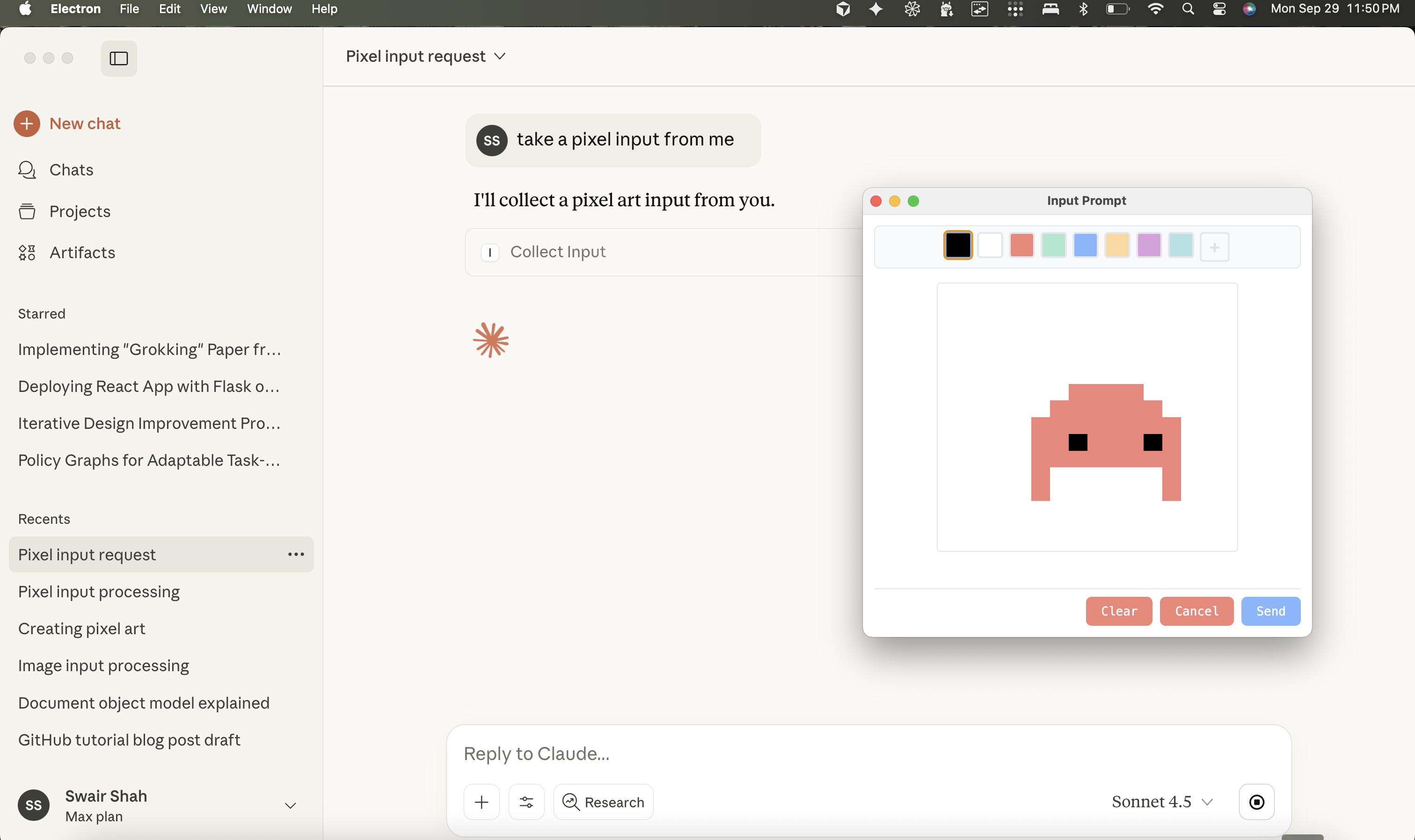
Image input - freeform drawing on a canvas
Pixel art - grid-based pixel art editor with color palette
When called, it launches an Electron window where the user can provide their input, then returns the result (as a file path for images) back to the MCP client.
npm install
npm run build
npx @modelcontextprotocol/inspector node dist/src/server.js
Note: This package is also published on npm as @swairshah/input-mcp and can be used directly with npx @swairshah/input-mcp.
This opens a web interface where you can test the tool. Try calling collect_input with different parameters:
{"kind": "text"} - opens a text input window
{"kind": "pixelart", "gridWidth": 16, "gridHeight": 16} - opens a pixel art editor
{"kind": "image", "initialImage": "/path/to/image.png"} - opens an image editor with a starting image
Related MCP server: prompt-gui-mcp
bun install first. obviously.
Build the UI bundle (creates ui/dist/ assets used by Electron):
npm run build:ui
# or
bun run build:ui
Launch the Electron prompt helper directly (useful for smoke tests):
bun run createThis spawns the image/text prompt window with the default text spec.
Test script:
bunx tsx scripts/test-input.ts imagenpm run build
npx @modelcontextprotocol/inspector node dist/src/server.jsThe inspector provides a web UI to test the tool. Images are saved to ~/.cache/input-mcp/images/ and the tool returns the file path.
Add to your Claude config (~/Library/Application Support/Claude/claude_desktop_config.json):
Using npm package (recommended):
{
  "mcpServers": {
    "input-mcp": {
      "command": "npx",
      "args": ["-y", "@swairshah/input-mcp"]
    }
  }
}
Using local clone:
{
  "mcpServers": {
    "input-mcp": {
      "command": "node",
      "args": ["/absolute/path/to/input-mcp/dist/src/server.js"]
    }
  }
}
Then ask Claude things like:
"Let me draw something for you" (opens drawing canvas)
"I want to create pixel art" (opens pixel art editor)
shared/       → Zod schemas, shared types, and error helpers
ui/           → Electron renderer (HTML/CSS/JS) and prompt modules
create.ts     → Launches the Electron window and normalises specs
server.ts     → MCP server definition for the `collect_input` tool
scripts/ → Ad-hoc utilities (`test-input.ts` for manual runs)Modify the renderer in ui/renderer.ts and module files under ui/modules/.
Add new input kinds by extending shared/types.ts and branching inside mount*Module helpers.
When iterating on the UI, run bun run create (or npx tsx scripts/test-input.ts image) to open a live window with the current spec.
MIT
get image, text, or pixel art input from user. This is used to get contextual input from the user of different kinds.
Inputs: kind, initialImage, gridWidth, gridHeight, +3 more.
Recent tool additions, removals, and schema changes observed during successful MCP inspections.
Loading tool schema changelog…
Scored across 1 tool
With only one tool, there is no possibility of ambiguity or overlap between tools. The tool's purpose is clearly defined and distinct by default.
A single tool inherently has consistent naming, as there are no other tools to compare it against. The name 'collect_input' follows a clear verb_noun pattern.
One tool is too few for most server purposes, as it severely limits functionality and scope. It feels thin and incomplete for handling user input in a robust way.
The server's purpose appears to be collecting user input, but with only one tool, there are significant gaps. For example, no tools for validating, processing, or managing different input types, making the surface severely incomplete.
Human-input bridge for AI agents with voice-first answer links, MCP tools, and HTTP APIs.
Let your AI agent ask a person for a decision, a date or a photo, and get a structured answer back.
OCR, transcription, file extraction, and image generation for AI agents via MCP.
Use AI models for chat, image, and video generation from Claude Code and other MCP hosts.