🏥 K8s Doctor MCP
AI-powered Kubernetes cluster diagnostics and intelligent debugging recommendations





English | 한국어
Demo
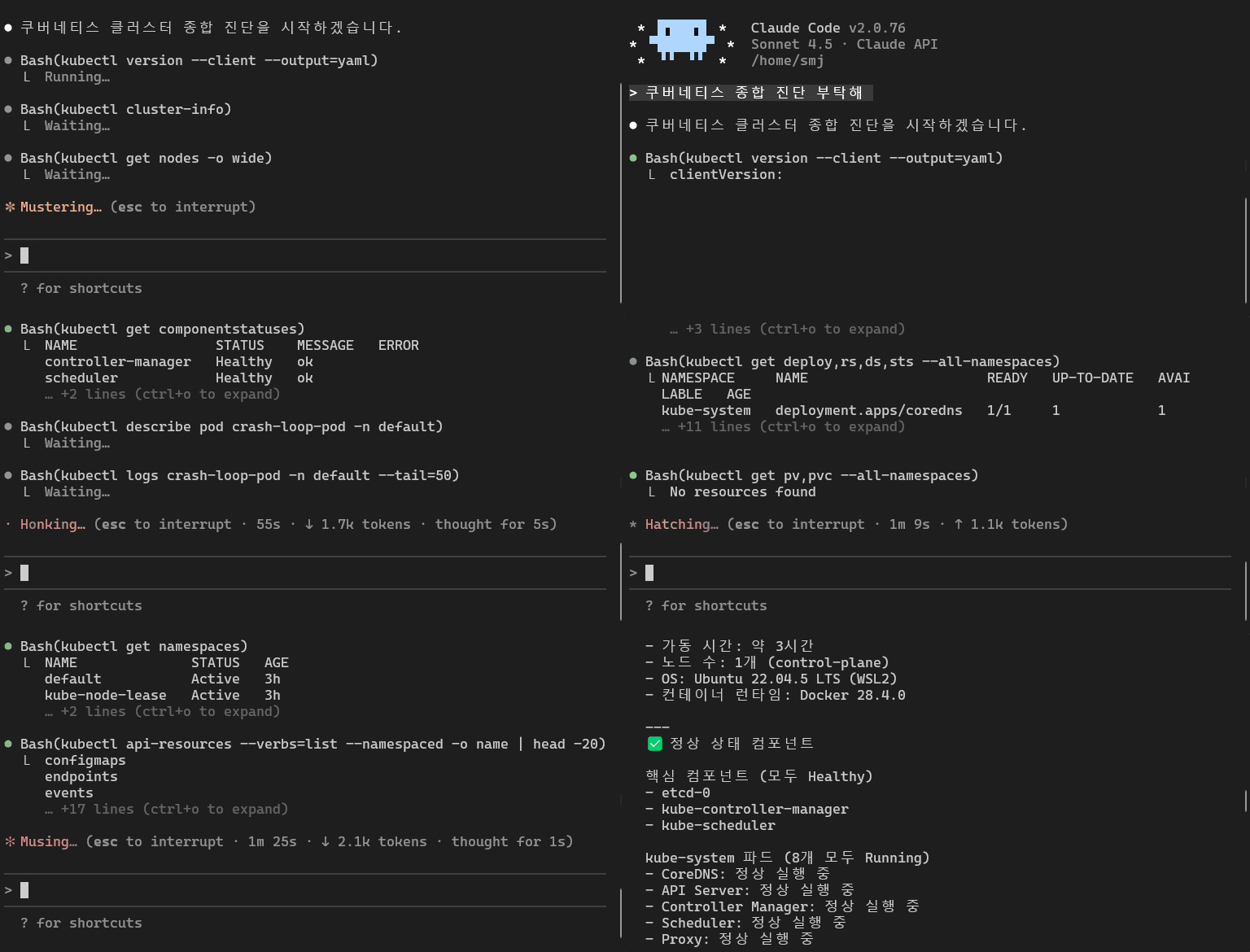
Related MCP server: Kubernetes MCP Server
Why K8s Doctor?
When a Kubernetes issue strikes, developers typically run through an endless loop of:
K8s Doctor changes the game. It's not just a kubectl wrapper - it's an AI-powered diagnostic tool that:
🔍 Analyzes root causes - Goes beyond simple status checks
🧠 Detects error patterns - Recognizes common issues (Connection Refused, OOM, DNS failures)
💡 Provides actionable solutions - Gives you exact kubectl commands to fix problems
📊 Exit code analysis - Explains what exit 137, 143, 1 actually mean
🎯 Log pattern matching - Finds the signal in thousands of log lines
🏥 Health scoring - Rates your pod/cluster health 0-100
Features
Tool | Description |
diagnose-pod
| Comprehensive pod diagnostics - analyzes status, events, resources, and provides health score |
debug-crashloop
| CrashLoopBackOff specialist - decodes exit codes, analyzes logs, finds root cause |
analyze-logs
| Smart log analysis - detects error patterns, suggests fixes for common issues |
check-resources
| Resource usage - validates CPU/Memory limits, warns about OOM risks |
full-diagnosis
| Cluster health check - scans all nodes and pods for issues |
check-events
| Event analysis - filters and analyzes Warning events |
list-namespaces
| Namespace listing - quick overview of all namespaces |
list-pods
| Pod listing - shows problematic pods with status indicators |
Installation
Via npm (recommended)
npm install -g @zerry_jin/k8s-doctor-mcp
From source
git clone https://github.com/ongjin/k8s-doctor-mcp.git
cd k8s-doctor-mcp
npm install && npm run build
Setup with Claude Code
# After npm global install
claude mcp add --scope project k8s-doctor -- k8s-doctor-mcp

# Or from source build
claude mcp add --scope project k8s-doctor -- node /path/to/k8s-doctor-mcp/dist/index.js
Quick Setup (Auto-approve Tools)
Tired of manually approving tool execution every time? Follow these steps to enable auto-approval.
🖥️ For Claude Desktop App Users
Restart the Claude Desktop App.
Ask your first question using k8s-doctor.
When the permission dialog appears, check the box "Always allow requests from this server" and click Allow.
(Future requests will execute automatically without prompts.)
⌨️ For Claude Code (CLI) Users
If you are using the claude terminal command, manage permissions via the interactive menu:
Run claude in your terminal.
Type /permissions in the prompt and press Enter.
Select Global Permissions (or Project Permissions) > Allowed Tools.
Enter mcp__k8s-doctor__* to allow all tools, or add specific tools individually.
💡 Tip: For most use cases, allowing diagnose-pod, debug-crashloop, and analyze-logs is sufficient. These three cover 90% of debugging scenarios.
Recommended configuration:
# Balanced approach - allow main diagnostic tools
claude config add allowedTools \
  "mcp__k8s-doctor__diagnose-pod" \
  "mcp__k8s-doctor__debug-crashloop" \
  "mcp__k8s-doctor__analyze-logs" \
  "mcp__k8s-doctor__full-diagnosis"
Prerequisites
kubectl configured and working (kubectl cluster-info should succeed)
kubeconfig file in default location (~/.kube/config) or KUBECONFIG env var set
Node.js 18 or higher
Access to a Kubernetes cluster (local like minikube/kind, or remote)
Usage Examples
Example 1: Diagnose a CrashLooping Pod
You: "My pod 'api-server' in namespace 'production' is CrashLooping. What's wrong?"

Claude (using k8s-doctor):
🔍 CrashLoopBackOff 진단

Exit Code: 137 (OOM Killed)
Root Cause: Container was killed due to Out Of Memory

Solution:
Increase memory limit:
```yaml
resources:
  limits:
    memory: "512Mi"  # Increase from current value
Relevant logs:
### Example 2: Analyze Application Logs
You: "Analyze logs for pod 'backend-worker' and tell me what's failing"
Claude (using analyze-logs):
📝 Log Analysis
Detected Error Patterns:
🔴 Database Connection Error (15 occurrences)
Possible Causes:
DB service not ready
Wrong connection string
Authentication failed
Solutions:
🟡 Timeout (8 occurrences)
Likely cause: Response time too slow or network delay
Solution: Increase timeout values or optimize service performance
### Example 3: Cluster Health Check
You: "Check overall cluster health"
Claude (using full-diagnosis):
🏥 Cluster Health Diagnosis
Overall Score: 72/100 💛
Nodes: 3/3 Ready ✅
Pods: 45/52 Running
CrashLoop: 2 🔥
Pending: 5 ⏳
Critical Issues:
🔴 Pod "payment-service" CrashLooping (exit 1)
🔴 Pod "worker-3" OOM Killed
Recommendations:
## How It Works

1. **Connects to your cluster** via kubeconfig (same as kubectl)
2. **Gathers comprehensive data** - pod status, events, logs, resource usage
3. **Applies pattern matching** - recognizes common error patterns from production experience
4. **Analyzes root causes** - doesn't just show status, explains WHY it's failing
5. **Provides solutions** - gives exact commands and YAML to fix issues

## Error Patterns Detected

K8s Doctor recognizes these common patterns:

- 🔴 **Connection Refused** - Service not ready, wrong port, network policy
- 🔴 **Database Connection Errors** - DB auth, wrong connection strings
- 🔴 **Out of Memory** - OOM kills, memory leaks, undersized limits
- 🟠 **File Not Found** - ConfigMap not mounted, wrong paths
- 🟠 **Permission Denied** - SecurityContext issues, fsGroup problems
- 🟠 **DNS Resolution Failed** - CoreDNS issues, wrong service names
- 🟡 **Port Already in Use** - Multiple processes on same port
- 🟡 **Timeout** - Slow responses, network delays
- 🟡 **SSL/TLS Errors** - Expired certs, missing CA bundles

## Architecture
k8s-doctor-mcp/
├── src/
│ ├── index.ts # MCP server with all tools
│ ├── types.ts # TypeScript type definitions
│ ├── diagnostics/
│ │ ├── pod-diagnostics.ts # Pod health analysis
│ │ └── cluster-health.ts # Cluster-wide diagnostics
│ ├── analyzers/
│ │ └── log-analyzer.ts # Smart log pattern matching
│ └── utils/
│ ├── k8s-client.ts # Kubernetes API client
│ └── formatters.ts # Output formatting utilities
└── package.json
## Security Considerations

- K8s Doctor uses **read-only** Kubernetes API calls (list, get, describe)
- Requires same permissions as `kubectl get/describe/logs`
- Never modifies cluster state
- kubeconfig credentials stay local
- No data sent to external servers

## Troubleshooting

### "kubeconfig not found"
```bash
# Verify kubectl works
kubectl cluster-info

# Check kubeconfig location
echo $KUBECONFIG

# Test with explicit path
export KUBECONFIG=~/.kube/config
"Permission denied"
# Check your cluster permissions
kubectl auth can-i get pods --all-namespaces

# You need at least read access to:
# - pods, events, namespaces, nodes
"Connection refused to cluster"
# Verify cluster connectivity
kubectl get nodes

# For local clusters (minikube/kind)
minikube status
kind get clusters
Development
# Clone and install
git clone https://github.com/ongjin/k8s-doctor-mcp.git
cd k8s-doctor-mcp
npm install

# Development mode
npm run dev

# Build
npm run build

# Test with Claude Code
npm run build
claude mcp add --scope project k8s-doctor-dev -- node $(pwd)/dist/index.js
Contributing
Contributions welcome! Especially:
🆕 New error pattern detections
🌍 Internationalization (more languages)
📊 Metrics integration (Prometheus, etc.)
🧪 Test coverage
📖 Documentation improvements
Roadmap
Metrics Server integration (real-time CPU/Memory usage)
Network policy diagnostics
Storage/PVC troubleshooting
Helm chart analysis
Multi-cluster support
Interactive debugging mode
Export reports (PDF, HTML)
License
MIT © zerry
Acknowledgments
Built with:
Star History
If this tool saves you debugging time, please ⭐ star the repo!
Author
zerry
Made with ❤️ for Kubernetes users drowning in logs


