F
licenseA
qualityD
maintenanceEnables working with 3D models by converting GLTF/GLB files into React Three Fiber JSX components and analyzing model structures, hierarchies, and properties for debugging and optimization.
2
15 npm
26
-

Provides comprehensive tools for processing, validating, optimizing, and analyzing 3D models in glTF/GLB formats, including format conversion, compression (Meshopt/Draco), texture optimization, and detailed model statistics.
This server does not currently have a deployable release on Glama. Follow the repository's setup instructions to install and configure it for your MCP client, including any required credentials and local dependencies.
A comprehensive MCP server for processing, validating, optimizing, and analyzing 3D models with glTF/GLB support.
Analysis: Get detailed model statistics including geometry, materials, animations, and performance metrics
Validation: Ensure 3D models meet standards using built-in checks
Basic Processing: Convert between glTF/GLB formats using gltf-pipeline
Advanced Processing: Apply Meshopt/Draco compression, texture optimization, and geometry processing using gltf-transform
Related MCP server: instant-meshes-mcp
Add to your MCP client configuration:
{
  "mcpServers": {
    "3d-asset-processing-mcp": {
      "command": "npx",
      "args": ["-y", "3d-asset-processing-mcp"]
    }
  }
}
All dependencies (gltf-pipeline, gltf-transform) are included - no additional setup required.
analyze_model: Analyze 3D models and provide detailed statistics
validate_model: Validate 3D models for compliance and compatibility
gltf-pipeline-executor: Basic glTF operations (conversion, format upgrade, simple compression)
gltf-transform-executor: Advanced glTF processing (Meshopt/Draco compression, texture optimization, geometry processing)
# Clone the repository
git clone git@github.com:GeoLibra/3d-asset-processing-mcp.git
cd 3d-asset-processing-mcp

# Install dependencies
npm install

# Build the project
npm run build

# debug mcp
"3d-asset-processing-mcp": {
  "command": "node",
  "args": [
    "/Users/hgis/myproject/3d-asset-processing-mcp/dist/server.js"
  ]
}npx @modelcontextprotocol/inspector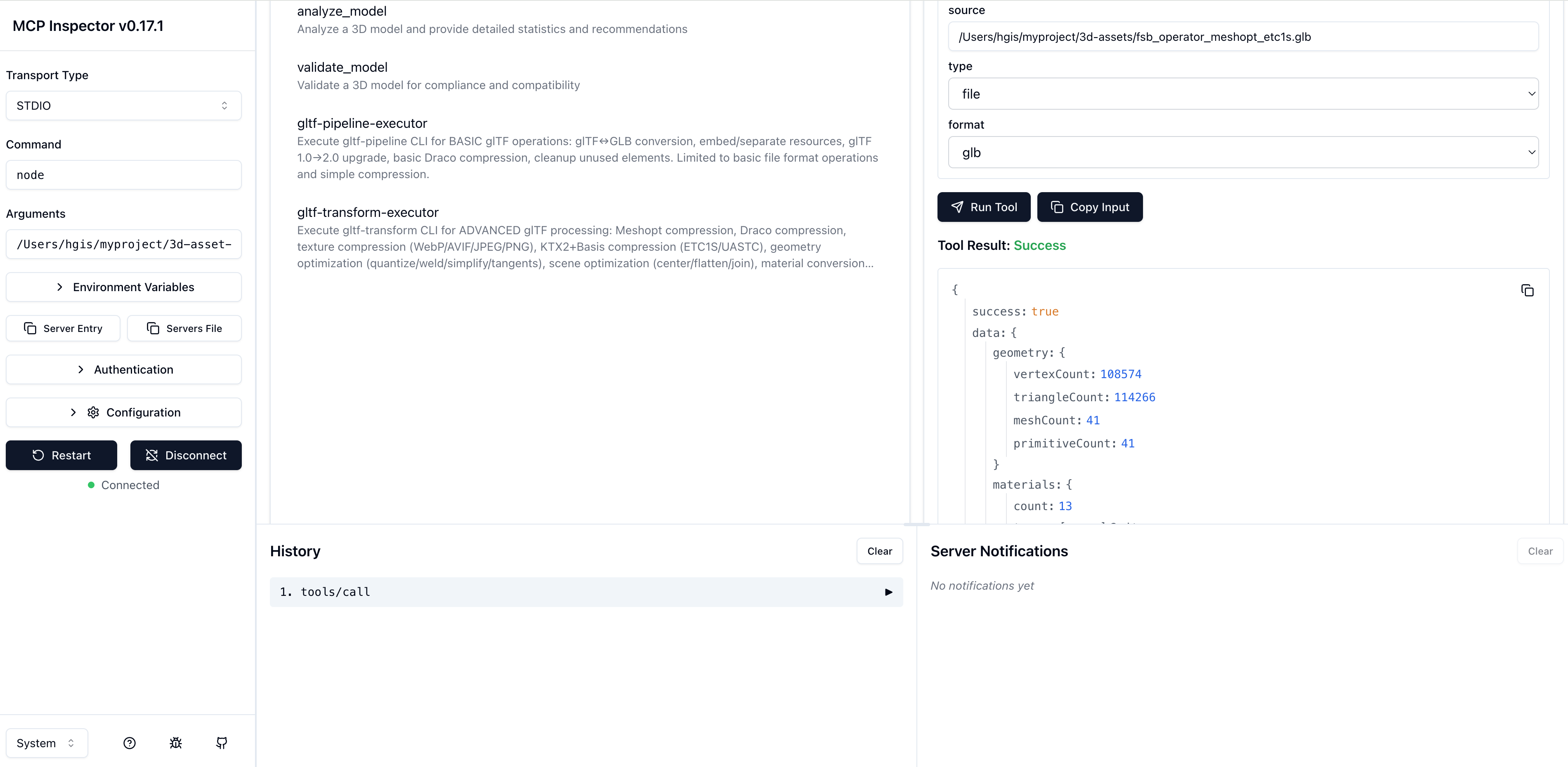
MIT
Geometry and CAD file metadata extraction for STL, OBJ, PLY, PCD, LAS/LAZ, glTF/GLB.
3D avatar/asset foundry: text/image -> rigged, validated, engine-ready GLB via x402.
Turn text or an image into an animation-ready 3D model (GLB): generate, rig, animate, retexture.
Free text/image → 3D: generate, rig, avatar-ify, and refine GLB models. No auth, no payment.