F
licenseA
qualityD
maintenanceEnables working with 3D models by converting GLTF/GLB files into React Three Fiber JSX components and analyzing model structures, hierarchies, and properties for debugging and optimization.
2
16 npm
24
-

Provides comprehensive tools for processing, validating, optimizing, and analyzing 3D models in glTF/GLB formats, including format conversion, compression (Meshopt/Draco), texture optimization, and detailed model statistics.
Click on "Deploy Server".
Wait a few minutes for the server to deploy. Once ready, it will show a "Started" state.
In the chat, type @ followed by the MCP server name and your instructions, e.g., "@3D Asset Processing MCP compress this glTF model with Draco and optimize textures"
That's it! The server will respond to your query, and you can continue using it as needed.
Here is a step-by-step guide with screenshots.
A comprehensive MCP server for processing, validating, optimizing, and analyzing 3D models with glTF/GLB support.
Analysis: Get detailed model statistics including geometry, materials, animations, and performance metrics
Validation: Ensure 3D models meet standards using built-in checks
Basic Processing: Convert between glTF/GLB formats using gltf-pipeline
Advanced Processing: Apply Meshopt/Draco compression, texture optimization, and geometry processing using gltf-transform
Related MCP server: instant-meshes-mcp
Add to your MCP client configuration:
{
  "mcpServers": {
    "3d-asset-processing-mcp": {
      "command": "npx",
      "args": ["-y", "3d-asset-processing-mcp"]
    }
  }
}
All dependencies (gltf-pipeline, gltf-transform) are included - no additional setup required.
analyze_model: Analyze 3D models and provide detailed statistics
validate_model: Validate 3D models for compliance and compatibility
gltf-pipeline-executor: Basic glTF operations (conversion, format upgrade, simple compression)
gltf-transform-executor: Advanced glTF processing (Meshopt/Draco compression, texture optimization, geometry processing)
# Clone the repository
git clone git@github.com:GeoLibra/3d-asset-processing-mcp.git
cd 3d-asset-processing-mcp

# Install dependencies
npm install

# Build the project
npm run build

# debug mcp
"3d-asset-processing-mcp": {
  "command": "node",
  "args": [
    "/Users/hgis/myproject/3d-asset-processing-mcp/dist/server.js"
  ]
}npx @modelcontextprotocol/inspector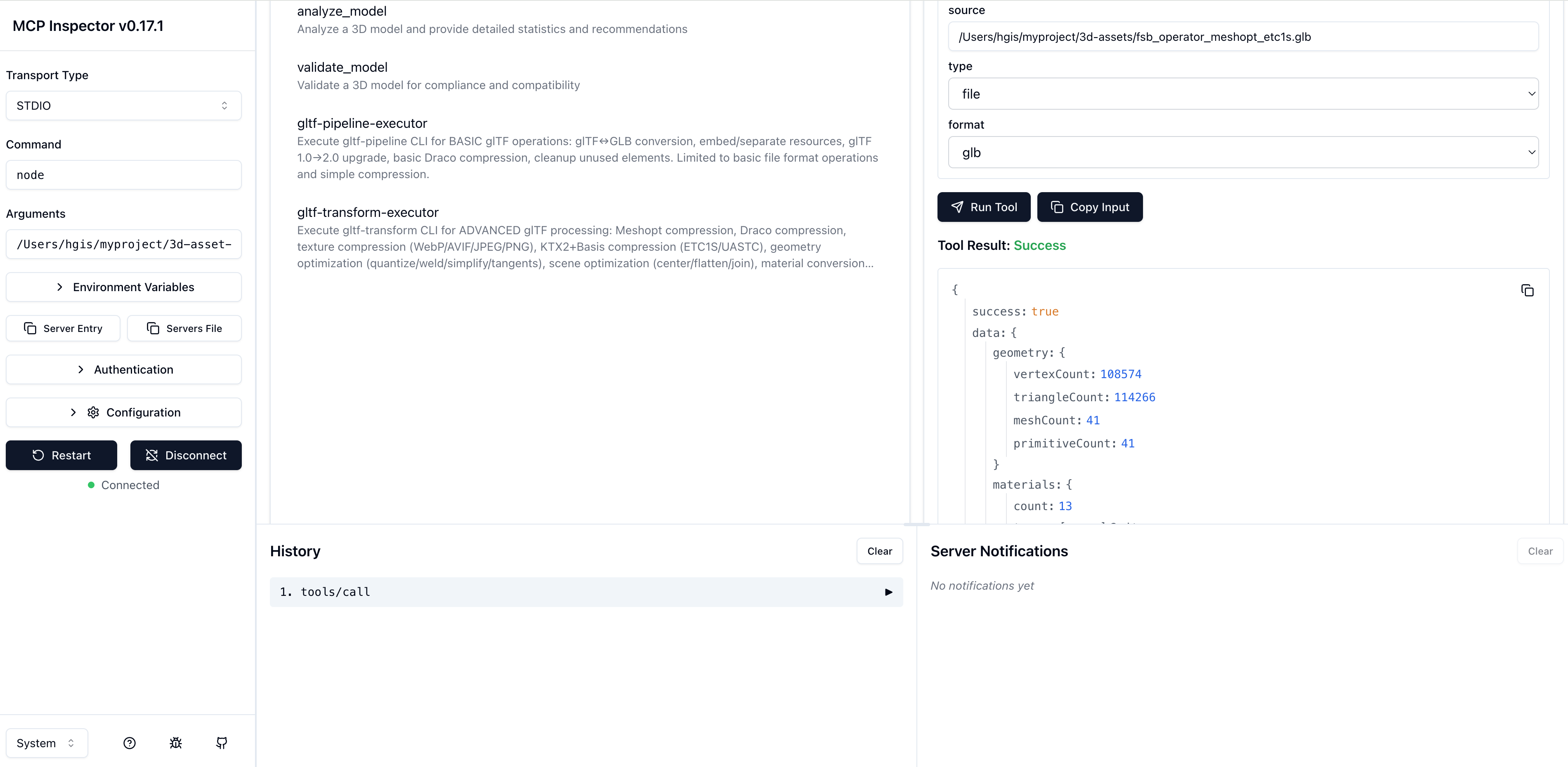
MIT
This server cannot be deployed
Geometry and CAD file metadata extraction for STL, OBJ, PLY, PCD, LAS/LAZ, glTF/GLB.
3D avatar/asset foundry: text/image -> rigged, validated, engine-ready GLB via x402.
Turn text or an image into an animation-ready 3D model (GLB): generate, rig, animate, retexture.
Free text/image → 3D: generate, rig, avatar-ify, and refine GLB models. No auth, no payment.