FPL MCP Server
Provides access to Fantasy Premier League API data, enabling retrieval of gameweek fixtures, team performance statistics, player data, and private league standings through natural language queries.
Click on "Install Server".
Wait a few minutes for the server to deploy. Once ready, it will show a "Started" state.
In the chat, type
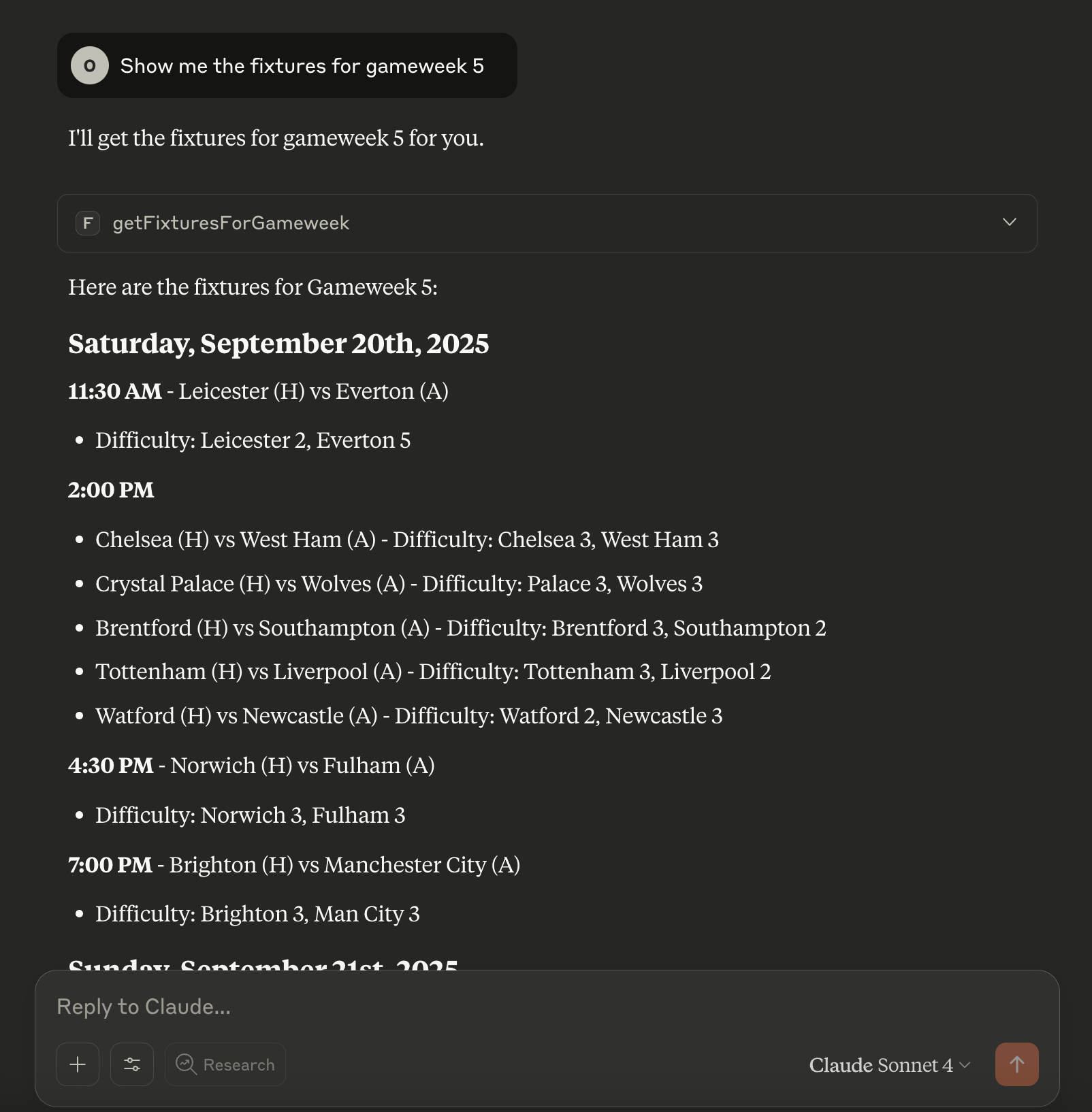
@followed by the MCP server name and your instructions, e.g., "@FPL MCP Servershow me the fixtures for gameweek 5"
That's it! The server will respond to your query, and you can continue using it as needed.
Here is a step-by-step guide with screenshots.
FPL MCP Server
A Model Context Protocol (MCP) server for the Fantasy Premier League API.
Installation
Install from NPM (Recommended)
npm install -g fpl-mcpInstall from Source
git clone https://github.com/owen-lacey/fpl-mcp.git
cd fpl-mcp
npm install
npm run buildRelated MCP server: Fantasy Premier League MCP Server
Quick Start
Using with Claude Desktop
If installed via NPM, add this to your claude_desktop_config.json:
{
"mcpServers": {
"fpl-api": {
"command": "npx",
"args": ["fpl-mcp@latest"]
}
}
}If installed from source, use:
{
"mcpServers": {
"fpl-api": {
"command": "node",
"args": ["/path/to/fpl-mcp/build/src/server.js"]
}
}
}Inspect the MCP tools
Use the Model Inspector to explore available tools:
npx @modelcontextprotocol/inspector npx fpl-mcpUsage Example
You can connect this MCP server to Claude Desktop and interact with FPL data using natural language.
Endpoints Supported
See docs/fpl-api-cheatsheet.md for all FPL API endpoints exposed as MCP tools.
Example Prompts
Use these prompts to interact with the MCP server via your LLM:
"Show me the fixtures for gameweek 5."
"How am I doing in my private leagues (team id is 12345)?"
"How did mo salah get on in GW1?"
You can ask natural language questions about any supported endpoint. The LLM will use the appropriate MCP tool to fetch the data.
Development
Publishing to npm
This repository includes a GitHub Actions workflow that automatically publishes to npm when the version number in package.json changes.
Setup
Create an npm access token:
Log in to npmjs.com
Go to Access Tokens in your account settings
Generate a new "Automation" token
Add the token to GitHub Secrets:
Go to your repository Settings > Secrets and variables > Actions
Create a new secret named
NPM_TOKENPaste your npm token as the value
Publish a new version:
Update the version in
package.json(e.g.,1.0.1→1.0.2)Commit and push to the
mainbranchThe workflow will automatically build and publish to npm
A git tag (e.g.,
v1.0.2) will be created automatically
License
MIT
Maintenance
Resources
Unclaimed servers have limited discoverability.
Looking for Admin?
If you are the server author, to access and configure the admin panel.
Related MCP Servers
- Alicense-qualityDmaintenanceConnects LLMs to the Fantasy Premier League API for intelligent team management, enabling natural language player research, competitor analysis, transfer decisions, and strategic planning using friendly names instead of IDs.Last updatedMIT
- AlicenseAqualityCmaintenanceEnables AI assistants to analyze Fantasy Premier League data, providing tools for player search, fixture analysis, manager comparisons, and strategy prompts for transfer planning and lineup selection.Last updated19MIT
- Flicense-qualityDmaintenanceProvides tools to query football match data, odds, standings, and team statistics via natural language, integrating with the football-scraper-api.Last updated
- FlicenseAqualityCmaintenanceEnables natural language interaction with Sleeper Fantasy Football API data, allowing queries about leagues, players, matchups, draft results, and trade analysis.Last updated139
Related MCP Connectors
API-Football MCP — comprehensive soccer/football data
Read-only fantasy analysis for ESPN, Yahoo, and Sleeper leagues via MCP
Gateway between LLM agents and world data through eight tools and a bundled endpoint catalog.
Latest Blog Posts
- Who's Calling? MCP Hosts Are an Identity Blind Spot (And the Spec Knows It)By Om-Shree-0709 on .mcpAgent IdentityOAuth 2.1
- Your AI Chatbot Just Exposed Your CEO's Salary to an InternBy Om-Shree-0709 on .Agent IdentityMCP SecurityOAuth Delegation
- Why MCP Servers Need Execution Sandboxing (And Why Your Current Stack Isn't Enough)By Om-Shree-0709 on .Agentic AiPrompt InjectionWebAssembly
MCP directory API
We provide all the information about MCP servers via our MCP API.
curl -X GET 'https://glama.ai/api/mcp/v1/servers/owen-lacey/fpl-mcp'
If you have feedback or need assistance with the MCP directory API, please join our Discord server