PolicyGuard
Security & Governance MCP Server for AI Agents



PolicyGuard is an MCP (Model Context Protocol) server that provides policy-based access control, incident tracking, and compliance monitoring for AI agents.
Note: This project demonstrates working integration with kagent (AI agent platform) and can be extended with kgateway (API gateway) for additional network-level security.
Table of Contents
Related MCP server: hejdar-mcp
Overview
As AI agents become more autonomous, organizations need controls to govern their behavior. PolicyGuard is my first MCP server project - built to explore how security and governance can be implemented at the MCP layer.
The Problem
AI agents can call any tool they have access to. Without governance:
Agents might perform destructive operations
No audit trail of agent actions
No way to enforce security policies
No visibility into compliance
The Solution
PolicyGuard adds a security layer that agents call before taking action:
User Request → AI Agent → PolicyGuard (validate_action) → Allowed/Denied
Features
Feature | Description |
Policy Enforcement | Validate actions against security rules |
Trust Levels | low, medium, high, admin hierarchy |
Pattern Matching | Wildcard patterns like delete_*, *_production |
Auto-Registration | Unknown agents get minimal trust |
Incident Tracking | Automatic violation logging |
Audit Trail | Complete action history |
Compliance Dashboard | Security metrics at a glance |
Architecture
┌─────────────────────────────────────────────────────────────────┐
│                         AI Agent / LLM                          │
│                                                                 │
│  "Before any action, call validate_action to check permission" │
└─────────────────────────────────────────────────────────────────┘
                              │
                              │ MCP Protocol
                              ▼
┌─────────────────────────────────────────────────────────────────┐
│                     PolicyGuard MCP Server                      │
│                                                                 │
│  ┌─────────────┐  ┌─────────────┐  ┌─────────────┐             │
│  │  validate   │  │   create    │  │   report    │             │
│  │   action    │  │   policy    │  │  incident   │             │
│  └─────────────┘  └─────────────┘  └─────────────┘             │
│  ┌─────────────┐  ┌─────────────┐  ┌─────────────┐             │
│  │  register   │  │  get_audit  │  │    get      │             │
│  │   agent     │  │    log      │  │ compliance  │             │
│  └─────────────┘  └─────────────┘  └─────────────┘             │
└─────────────────────────────────────────────────────────────────┘
                              │
                              ▼
                    ┌───────────────────┐
                    │   JSON Storage    │
                    │   (policies,      │
                    │    agents,        │
                    │    audit_log,     │
                    │    incidents)     │
                    └───────────────────┘
MCP Tools
PolicyGuard exposes 6 tools via MCP:
1. validate_action ⭐ Primary Tool
Check if an action is allowed before executing it.
{
  "action_type": "tool_call",
  "target": "delete_records",
  "agent_id": "my-agent"
}
Response:
{
  "action_id": "act_a1b2c3d4e5f6",
  "allowed": false,
  "reason": "Delete operations require admin trust level"
}
2. register_agent
Register an agent with a trust level.
{
  "agent_id": "data-processor",
  "name": "Data Agent",
  "trust_level": "medium"
}
3. create_policy
Create security rules.
{
  "policy_id": "block-deletes",
  "name": "Block Deletes",
  "rules": "[{\"condition\": {\"tool_pattern\": \"delete_*\"}, \"action\": \"deny\"}]"
}
4. get_audit_log
Query action history.
5. get_compliance_status
Get security dashboard metrics.
6. report_incident
Manually report security incidents.
Quick Start
Prerequisites
Local Installation
# Clone
git clone https://github.com/PrateekKumar1709/policyguard.git
cd policyguard

# Setup
python3 -m venv .venv
source .venv/bin/activate
pip install -e .

# Run
python src/main.py
Test the Tools
import json
from src.tools.validate_action import validate_action
from src.tools.register_agent import register_agent

# Register an agent
result = json.loads(register_agent.fn(
    agent_id="test-agent",
    name="Test Agent",
    trust_level="medium"
))
print(f"Registered: {result['agent_id']}")

# Validate an action
result = json.loads(validate_action.fn(
    action_type="tool_call",
    target="read_data",
    agent_id="test-agent"
))
print(f"Allowed: {result['allowed']}")
HTTP Mode
python src/main.py --transport http --port 8000
Kubernetes Deployment
PolicyGuard includes a Helm chart for Kubernetes deployment.
Using Kind
# Create cluster
kind create cluster --name policyguard

# Build and load image
docker build -t policyguard:latest .
kind load docker-image policyguard:latest --name policyguard

# Deploy
kubectl create namespace policyguard
helm install policyguard ./helm/policyguard -n policyguard

# Verify
kubectl get pods -n policyguard
Port Forward
kubectl port-forward -n policyguard svc/policyguard 8000:8000
Testing
Unit Tests
Test Results
tests/test_tools.py::TestValidateAction::test_allow_read_for_low_trust PASSED
tests/test_tools.py::TestValidateAction::test_deny_delete_for_low_trust PASSED
tests/test_tools.py::TestValidateAction::test_allow_delete_for_admin PASSED
tests/test_tools.py::TestValidateAction::test_deny_suspended_agent PASSED
tests/test_tools.py::TestRegisterAgent::test_register_new_agent PASSED
tests/test_tools.py::TestCreatePolicy::test_create_valid_policy PASSED
... (16 tests total)
============================== 16 passed ==============================
E2E Test Output
[1/6] register_agent      ✅ SUCCESS
[2/6] create_policy       ✅ SUCCESS
[3/6] validate_action     ✅ ALLOWED (read_data)
[4/6] validate_action     ✅ DENIED (delete_records)
[5/6] report_incident     ✅ SUCCESS
[6/6] get_compliance_status ✅ SUCCESS

ALL 6 MCP TOOLS WORKING!
kagent Integration
PolicyGuard integrates with kagent for Kubernetes-native AI agent management.
Screenshots
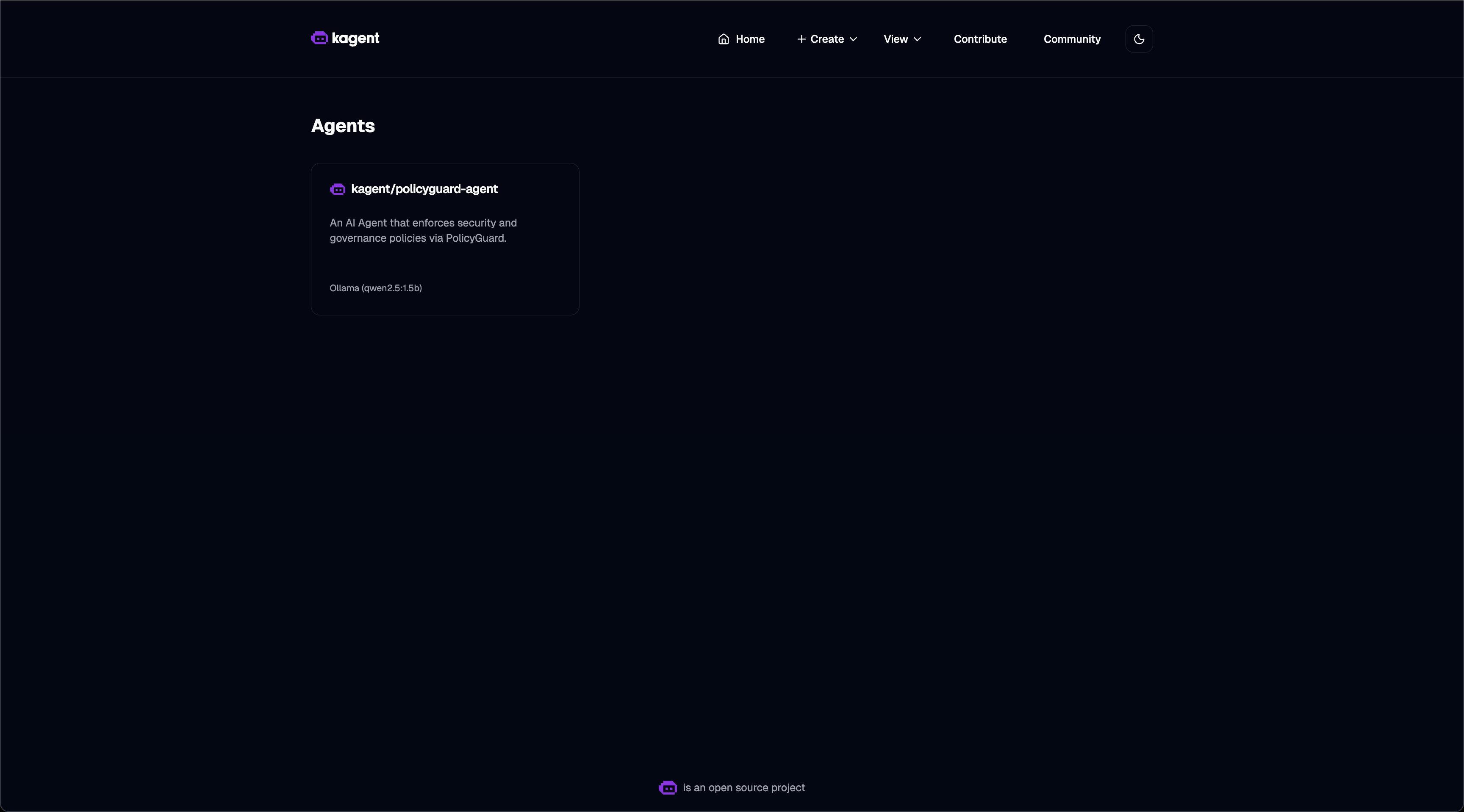
Agent List - PolicyGuard agent registered and ready:
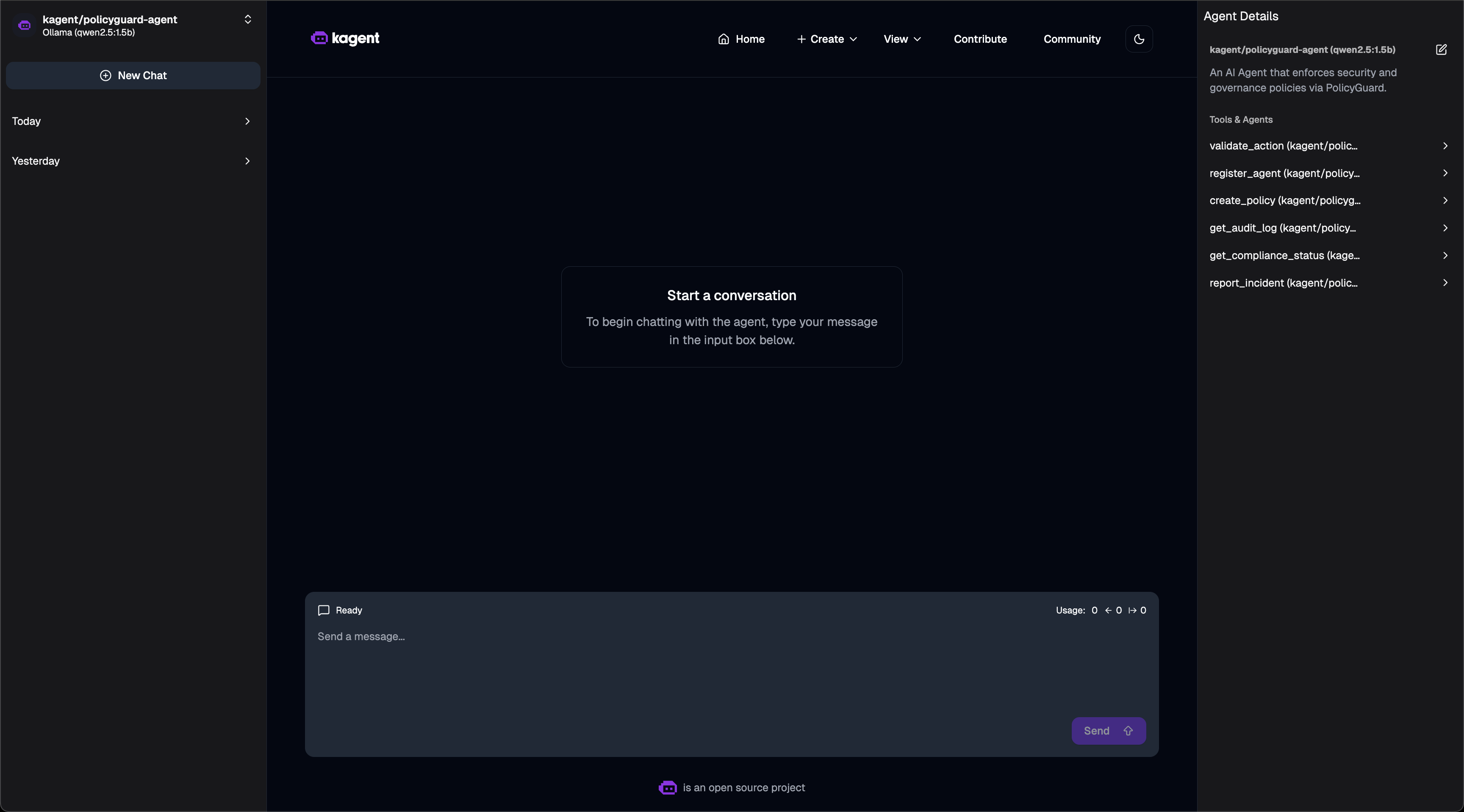
Agent Tools - 6 PolicyGuard MCP tools available:
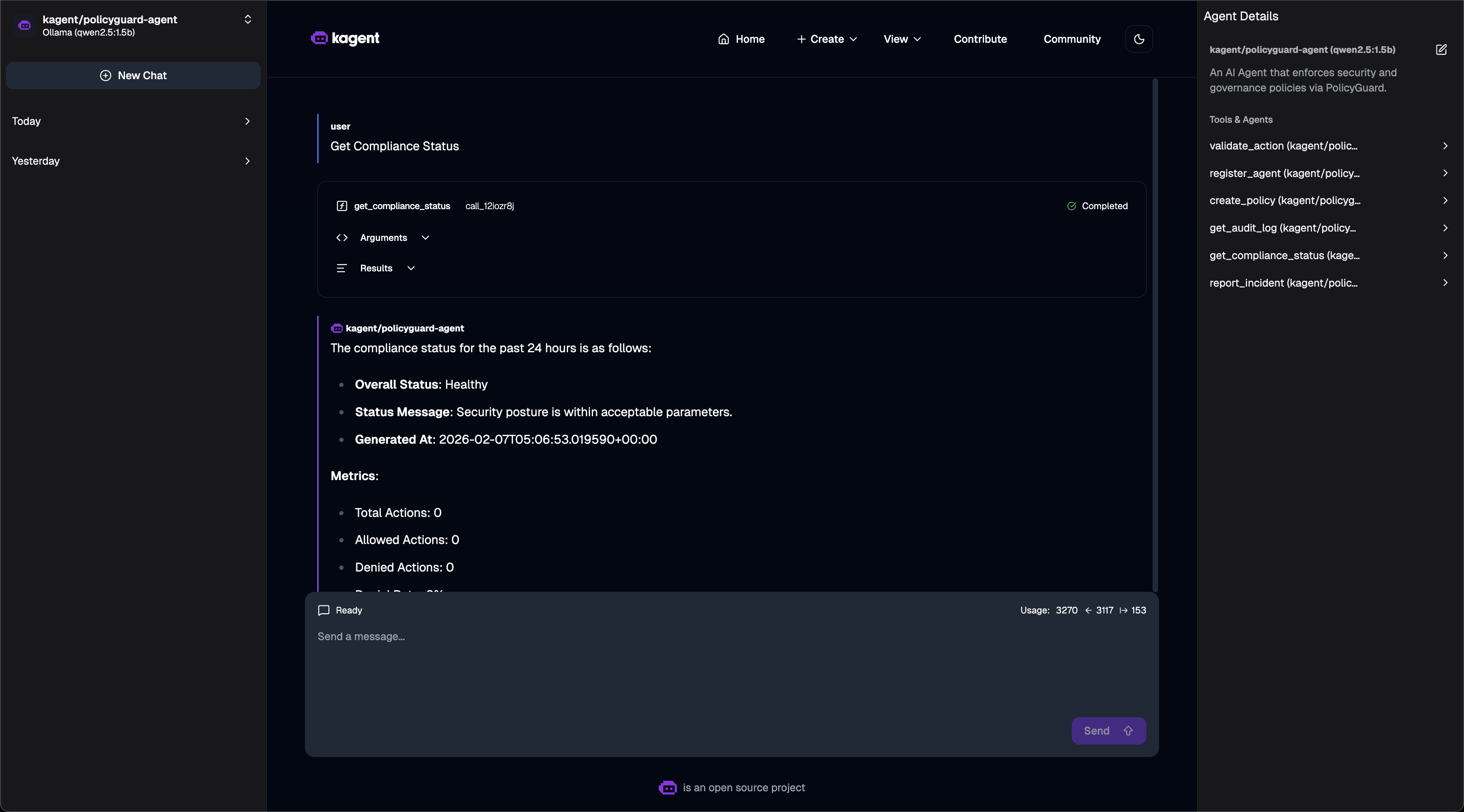
Compliance Dashboard - Asking for compliance status:
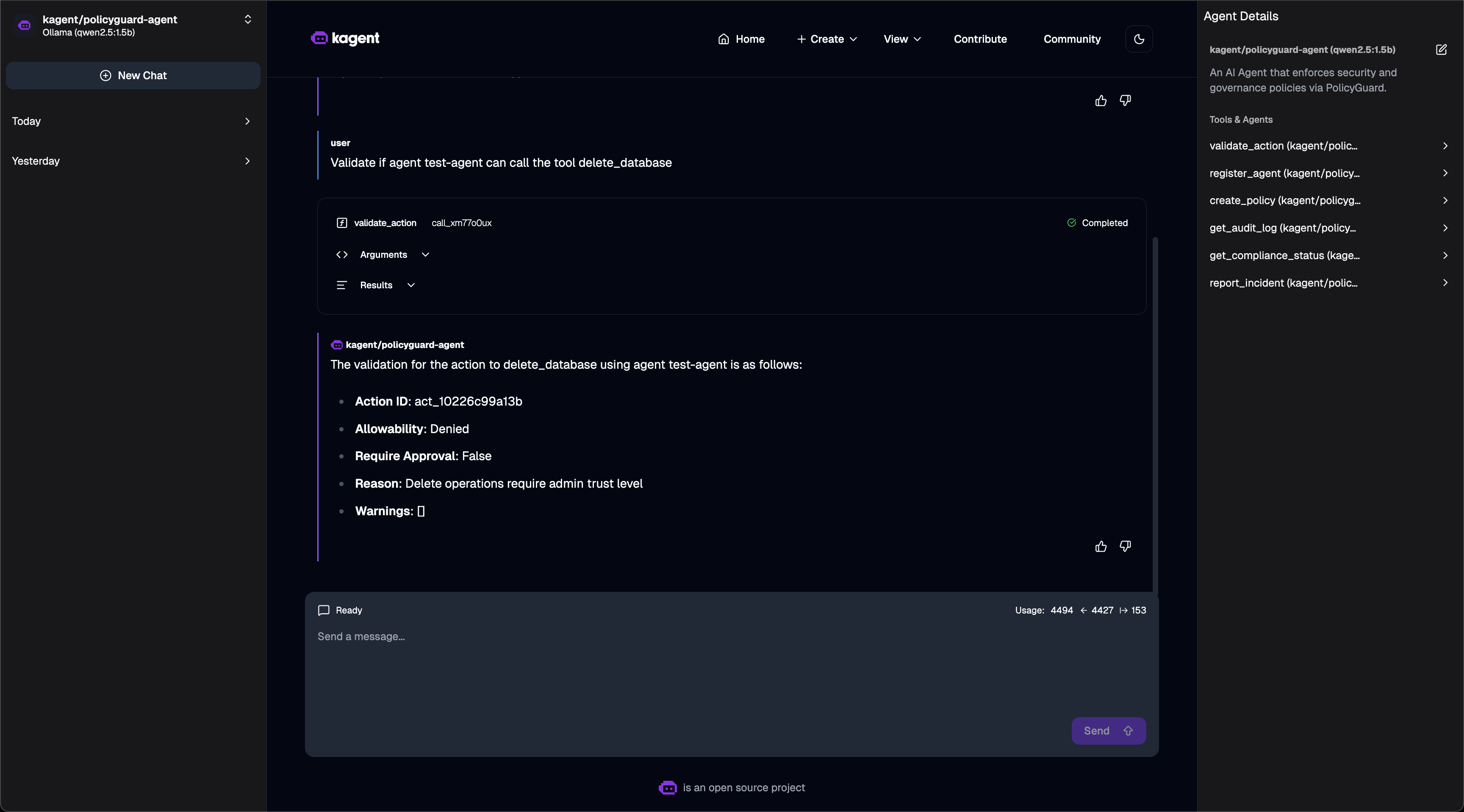
Policy Validation - Action denied based on policy:
Quick Setup
# 1. Install kagent CRDs
helm install kagent-crds ./kagent-reference/helm/kagent-crds -n kagent --create-namespace

# 2. Install kagent with Ollama (free local LLM)
helm upgrade --install kagent ./kagent-reference/helm/kagent -n kagent \
  --set providers.default=ollama \
  --set providers.ollama.model=qwen2.5:1.5b \
  --set tag=0.7.13

# 3. Deploy PolicyGuard
helm install policyguard ./helm/policyguard -n policyguard --create-namespace

# 4. Create RemoteMCPServer
kubectl apply -f - <<EOF
apiVersion: kagent.dev/v1alpha2
kind: RemoteMCPServer
metadata:
  name: policyguard
  namespace: kagent
spec:
  protocol: STREAMABLE_HTTP
  url: http://policyguard.policyguard:8000/mcp
  timeout: 30s
EOF

# 5. Create PolicyGuard Agent
kubectl apply -f - <<EOF
apiVersion: kagent.dev/v1alpha2
kind: Agent
metadata:
  name: policyguard-agent
  namespace: kagent
spec:
  description: "Security agent using PolicyGuard"
  type: Declarative
  declarative:
    modelConfig: "default-model-config"
    systemMessage: |
      You are a PolicyGuard Security Agent. Use the PolicyGuard tools to:
      - validate_action: Check if actions are allowed
      - register_agent: Register new agents
      - create_policy: Define security rules
      - get_compliance_status: View compliance dashboard
    tools:
    - type: McpServer
      mcpServer:
        name: policyguard
        kind: RemoteMCPServer
        apiGroup: kagent.dev
        toolNames:
        - validate_action
        - register_agent
        - create_policy
        - get_audit_log
        - get_compliance_status
        - report_incident
EOF
Verified Working
# Check status
$ kubectl get agents,remotemcpservers -n kagent
NAME                TYPE          READY   ACCEPTED
policyguard-agent   Declarative   True    True

NAME          PROTOCOL          URL                                       ACCEPTED
policyguard   STREAMABLE_HTTP   http://policyguard.policyguard:8000/mcp   True

# Invoke agent via CLI
$ kagent invoke -t "Get compliance status" --agent policyguard-agent

Response:
- Security Posture: Healthy
- Total Policies: 1, Enabled: 1
- Total Incidents: 0
- Agents Registered: 0

# Test validation
$ kagent invoke -t "Can test-agent delete the database?" --agent policyguard-agent

Response:
The action delete_database was not allowed for test-agent.
Reason: Delete operations require admin trust level.
Access kagent UI
kubectl port-forward -n kagent svc/kagent-ui 8080:8080
# Open http://localhost:8080
Security Model
Trust Levels
Level | Score | Use Case |
low
| 1 | Unknown agents, read-only |
medium
| 2 | Verified agents |
high
| 3 | Trusted agents |
admin
| 4 | Full access |
Policy Rules
{
  "condition": {
    "tool_pattern": "delete_*",
    "trust_level_below": "admin"
  },
  "action": "deny",
  "message": "Delete requires admin"
}
Evaluation Order
Agent suspended? → DENY
Tool in denied list? → DENY
Tool not in allowed list? → DENY
Policy match? → Apply rule
Default → ALLOW
Project Structure
policyguard/
├── helm/
│   └── policyguard/          # Helm chart
│       ├── Chart.yaml
│       ├── values.yaml
│       └── templates/
├── src/
│   ├── main.py               # Entry point
│   ├── core/
│   │   ├── server.py         # MCP server
│   │   └── utils.py          # Utilities
│   └── tools/
│       ├── validate_action.py
│       ├── register_agent.py
│       ├── create_policy.py
│       ├── get_audit_log.py
│       ├── get_compliance_status.py
│       └── report_incident.py
├── tests/
│   └── test_tools.py         # 16 unit tests
├── Dockerfile
├── pyproject.toml
└── README.md
Technologies Used
FastMCP - Python MCP server SDK
Pydantic - Data validation
Helm - Kubernetes packaging
pytest - Testing
Future Improvements
License
MIT License
Hackathon
MCP_HACK//26 - "MCP & AI Agents Starter Track"
This is my first MCP server project! I built PolicyGuard to learn:
How MCP servers work
How to expose tools to AI agents
How to deploy MCP servers on Kubernetes
How security/governance can be implemented at the MCP layer
What I Built
✅ 6 MCP tools for security governance
✅ Policy engine with pattern matching
✅ Trust level system
✅ Audit logging and incident tracking
✅ Helm chart for Kubernetes
✅ 16 unit tests
✅ kagent integration examples