
Roblox Executor MCP
<p align="center">
<img src="docs/banner.svg" alt="Roblox Executor MCP" width="900"/>
</p>
# Roblox Executor MCP Server
An MCP server that allows Agents to interact with a running Roblox game client — execute code, inspect scripts, spy on remotes, and more.
## Dashboard
Roblox Executor MCP includes a local web dashboard at:
```text
http://localhost:16384/
```
Use it to see connected Roblox clients, inspect scripts, run tools, view server logs, configure semantic search, and index games for semantic script search.
## Features
- **Code Execution** — Run Lua code and fetch data from the game client.
- **Script Inspection** — Decompile scripts and search across all sources.
- **Instance Search** — CSS-like selectors and hierarchy trees.
- **Remote Spy** — Intercept, log, block, and ignore Remotes/Bindables via [Cobalt](https://github.com/notpoiu/cobalt).
- **GUI Interaction** — Click buttons and type into text boxes.
- **Screenshot** — Capture Roblox window screenshots (Windows only).
- **Multi-Client** — Connect multiple Roblox clients at once.
- **Primary / Secondary** — Multiple MCP instances auto-coordinate with automatic promotion. Supports remote relaying via `--baseurl`. See [Advanced](docs/advanced.md).
## Tutorial
[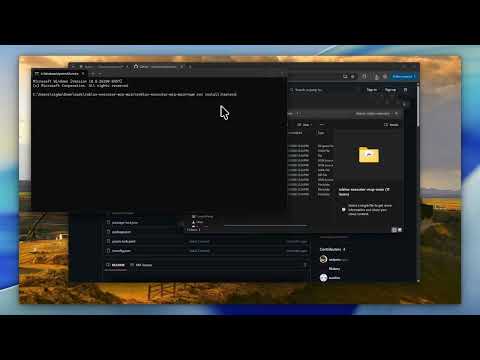](https://youtube.com/watch?v=Tcy5RNf1TRc)
## Prerequisites
- **Node.js** ≥ 18
- **A Roblox executor** that supports `loadstring`, `request`, and (preferably) `WebSocket`
## Quick Start
### 1. Clone the server
```bash
git clone https://github.com/notpoiu/roblox-executor-mcp.git
cd roblox-executor-mcp
```
### 2. Run the harness installer
The installer builds the server, lets you choose AI clients, writes supported MCP configs, and prints the Roblox loader script.
```bash
npm run install:harnesses
```
If your terminal has trouble with the interactive picker, use the plain numbered prompt:
```bash
npm run install:harnesses -- --plain
```
It can also help with:
- cross-machine setup on the same LAN
- copying the Roblox loader to your clipboard
- optional Ollama `embeddinggemma` setup for semantic indexing
- pulling latest repo changes before install/build
To update an existing install later, run:
```bash
npm run update
```
The update command can stop currently running MCP server processes, optionally pull latest changes, and always rebuilds the server.
### Manual setup
If you prefer to configure a client yourself, use the setup guide for your client:
| Client | Guide |
| -------------- | ------------------------------------------- |
| Cursor | [Setup Guide](docs/setup-cursor.md) |
| Claude Desktop | [Setup Guide](docs/setup-claude-desktop.md) |
| Claude Code | [Setup Guide](docs/setup-claude-code.md) |
| Codex CLI | [Setup Guide](docs/setup-codex.md) |
| Windsurf | [Setup Guide](docs/setup-windsurf.md) |
| Antigravity | [Setup Guide](docs/setup-antigravity.md) |
### 3. Connect from Roblox
The installer prints this for you. Put it in your executor or Auto Execute:
```lua
local bridgeUrl = getgenv().BridgeURL or "localhost:16384"
loadstring(game:HttpGet("http://" .. bridgeUrl .. "/script.luau"))()
```
**Optional settings** (set before the `loadstring`):
```lua
getgenv().BridgeURL = "10.0.0.4:16384" -- default: localhost:16384
getgenv().DisableWebSocket = true -- force HTTP polling
getgenv().DisableInitialScriptDecompMapping = true -- skip initial decompilation
```
After the MCP server starts and Roblox connects, open the dashboard:
```text
http://localhost:16384/
```
## Community
Have a suggestion or need help? Join the [Discord server](https://discord.gg/FJcJMuze7S).
## Security
> **This server allows arbitrary code execution.** Only use with AI clients you trust. Port `16384` has no authentication — **never expose it to the internet.** For cross-machine setups, use a local network, VPN, or SSH tunnel. See [Advanced](docs/advanced.md) for details.
## License
[MIT](LICENSE)
TDQS
Scored across 21 tools
Each tool has a clearly distinct purpose, from execution (execute, execute-file, get-data-by-code) to remote spy management (ensure-remote-spy, block-remote, ignore-remote) to UI interaction (click-button, type-text-box) and exploration (get-descendants-tree, search-instances, script-grep, semantic-search-scripts). No two tools overlap in functionality.
All tools follow a consistent verb_noun pattern in snake_case, such as block-remote, clear-remote-spy-logs, get-game-info, set-active-client. The naming is predictable and easy to understand.
With 21 tools, the server covers a broad but well-scoped set of operations for Roblox client automation, including execution, remote spy, UI interaction, and exploration. The count feels appropriate and not overwhelming.
The tool surface provides comprehensive coverage for the server's purpose: execution (with and without return), remote spy lifecycle (ensure, read, clear, block, ignore), UI manipulation, script analysis, and instance exploration. There are no obvious gaps that would hinder common workflows.