A
licenseNot graded
qualityD
maintenanceEnables AI-powered 3D content creation in Blender through natural language, including text-to-3D, image-to-3D, animation, rigging, rendering, and export.
3
MIT

Provides AI-assisted topology analysis and improvement suggestions for Blender, including automatic n-gon detection and highlighting, real-time feedback on mesh quality, and integration with AI assistants for 3D modeling guidance.
Click on "Deploy Server".
Wait a few minutes for the server to deploy. Once ready, it will show a "Started" state.
In the chat, type @ followed by the MCP server name and your instructions, e.g., "@Blender MCP Senpai check this model for n-gons and suggest improvements"
That's it! The server will respond to your query, and you can continue using it as needed.
Here is a step-by-step guide with screenshots.
Instantly detects and highlights n-gons and topology issues
ChatGPT / Claude / Gemini offer real-time improvement suggestions
Zero-setup: just install the add-on — no external MCP server required
Related MCP server: Blender MCP
Feature | Status | |
✅ | Auto n-gon Highlight – instantly spot topology issues | Implemented |
✅ | AI Comments – ChatGPT / Claude / Gemini suggest improvements | Implemented |
✅ | Zero Configuration – works out-of-the-box, no external MCP client | Implemented |
🚧 | Asset Store Integration | Planned |

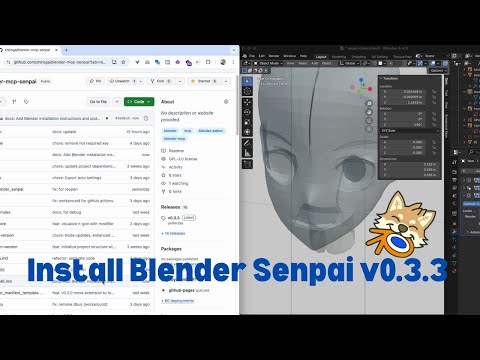
Open Blender
Go to Edit > Preferences > Get Extensions > Repositories > + > Add Remote Repository
Add https://xhiroga.github.io/blender-mcp-senpai/extensions/index.json
Search Blender Senpai and install it
Add-ons > Blender Senpai > Enable it
NOTE: After configuration, you need to restart the app. Especially on Windows, please terminate the process from Task Manager.
{
    "mcpServers": {
        "blender-senpai": {
            "command": "npx",
            "args": [
                "-y",
                "supergateway",
                "--sse",
                "http://localhost:13180/sse"
            ]
        }
    }
}{
"mcpServers": {
"blender-senpai": {
"transport": "sse",
"enabled": true,
"command": null,
"args": [],
"env": {},
"url": "http://localhost:13180/sse"
}
}
}See .github/pull_request_template.md.
# Update version in `pyproject.toml`
uv run --env-file .env build.py
# Install extension to Blender and check if it works.
git add docs/extensions/index.json pyproject.toml uv.lock
./scripts/release.shThis server cannot be deployed
Blender and GLB/FBX/USD/STL rendered on cloud GPUs for AI agents: product shots, turntables, MP4
Generate 3D models from images or text with AI, then retexture or convert them to STL, 3MF or OBJ.
Parametric 3D CAD for AI agents: build print-ready parts, check them, export STL, 3MF or STEP.
AI Hub for AEC — 50+ 3D formats, clash detection, ACC integration via Autodesk Platform Services.