

A
licenseNot graded
qualityD
maintenanceMCP server that helps AI models understand Vite/Nuxt applications better, available as both a Nuxt module and Vite plugin.
MIT


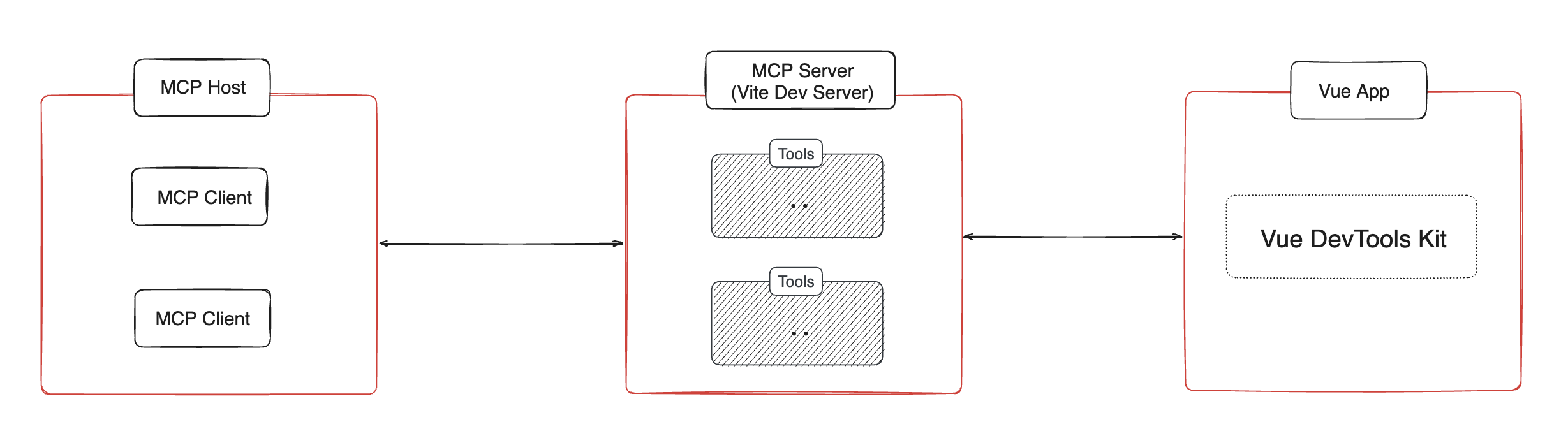
Vite 插件为您的 Vue 应用程序启用 MCP 服务器,以提供有关组件树、状态、路由以及 pinia 树和状态的信息。
pnpm install vite-plugin-vue-mcp -DRelated MCP server: vue-mcp-next
// vite.config.ts
import { VueMcp } from 'vite-plugin-vue-mcp'

export default defineConfig({
  plugins: [VueMcp()],
})
然后 MCP 服务器将可以通过http://localhost:[port]/__mcp/sse访问。
如果您正在使用 Cursor,请在项目根目录下创建一个.cursor/mcp.json文件,此插件将自动为您更新。有关 MCP 的更多详细信息,请参阅Cursor 官方文档。
export interface VueMcpOptions {
  /**
   * The host to listen on, default is `localhost`
   */
  host?: string

  /**
   * Print the MCP server URL in the console
   *
   * @default true
   */
  printUrl?: boolean

  /**
   * The MCP server info. Ingored when `mcpServer` is provided
   */
  mcpServerInfo?: McpServerInfo

  /**
   * Custom MCP server, when this is provided, the built-in MCP tools will be ignored
   */
  mcpServer?: (viteServer: ViteDevServer) => Awaitable<McpServer>

  /**
   * Setup the MCP server, this is called when the MCP server is created
   * You may also return a new MCP server to replace the default one
   */
  mcpServerSetup?: (server: McpServer, viteServer: ViteDevServer) => Awaitable<void | McpServer>

  /**
   * The path to the MCP server, default is `/__mcp`
   */
  mcpPath?: string

  /**
   * Update the address of the MCP server in the cursor config file `.cursor/mcp.json`,
   * if `.cursor` folder exists.
   *
   * @default true
   */
  updateCursorMcpJson?: boolean | {
    enabled: boolean
    /**
     * The name of the MCP server, default is `vue-mcp`
     */
    serverName?: string
  }

  /**
   * append an import to the module id ending with `appendTo` instead of adding a script into body
   * useful for projects that do not use html file as an entry
   *
   * WARNING: only set this if you know exactly what it does.
   * @default ''
   */
  appendTo?: string | RegExp
}get-component-tree :获取 Vue 组件树。

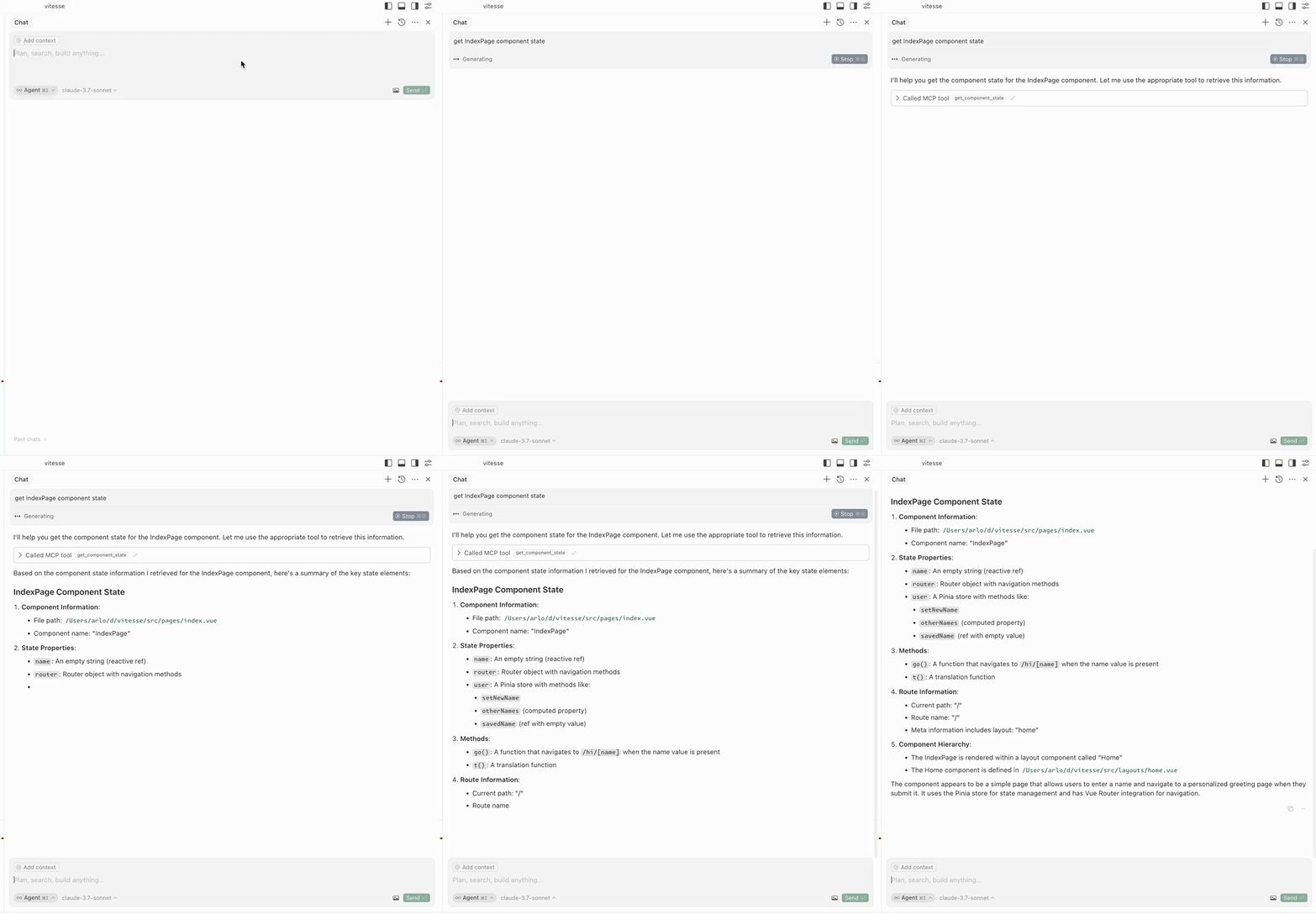
get-component-state :获取组件的状态(输入: componentName )。
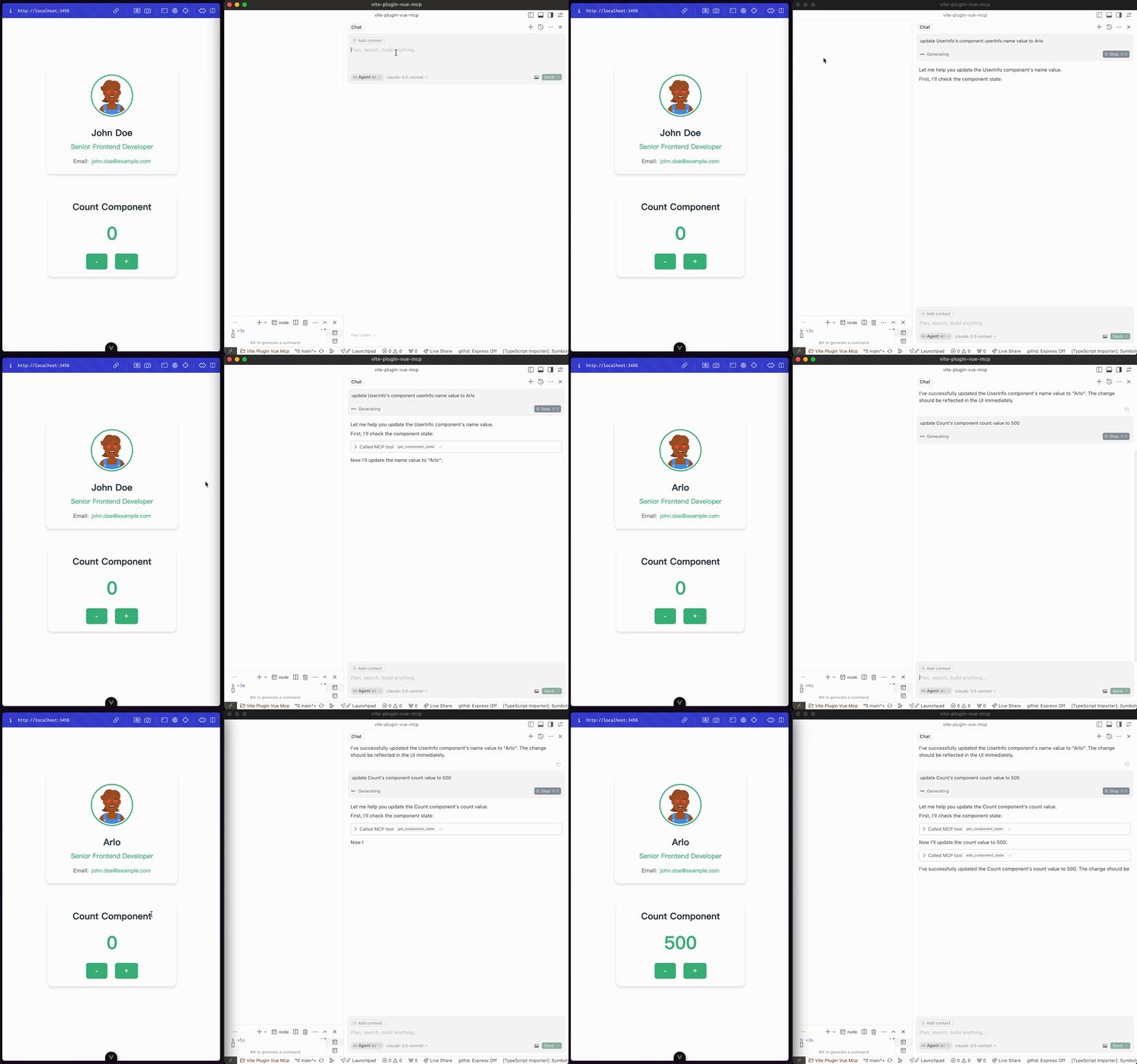
edit-component-state :编辑组件的状态(输入: componentName 、 path 、 value 、 valueType )。
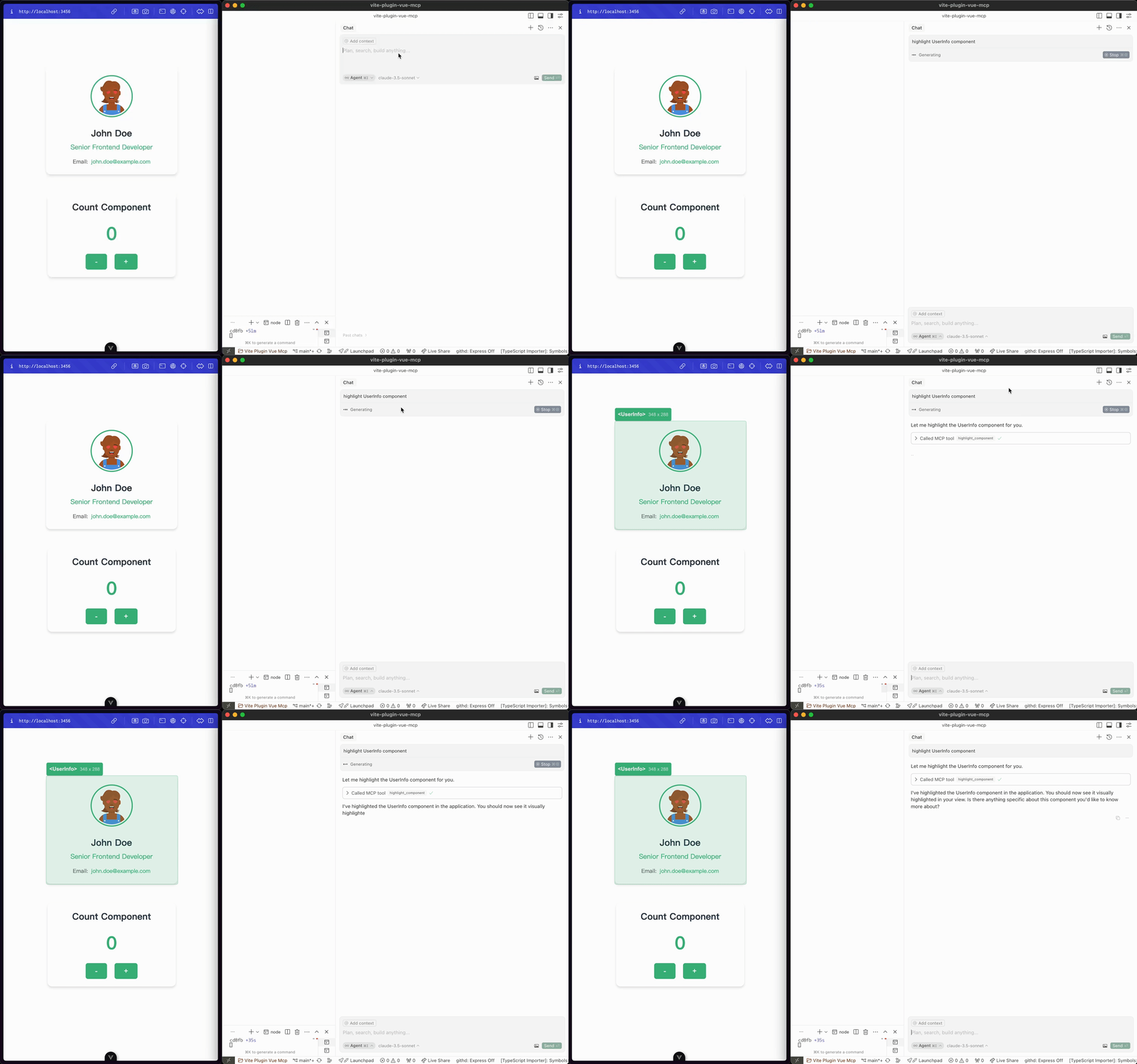
highlight-component :突出显示组件(输入: componentName )。
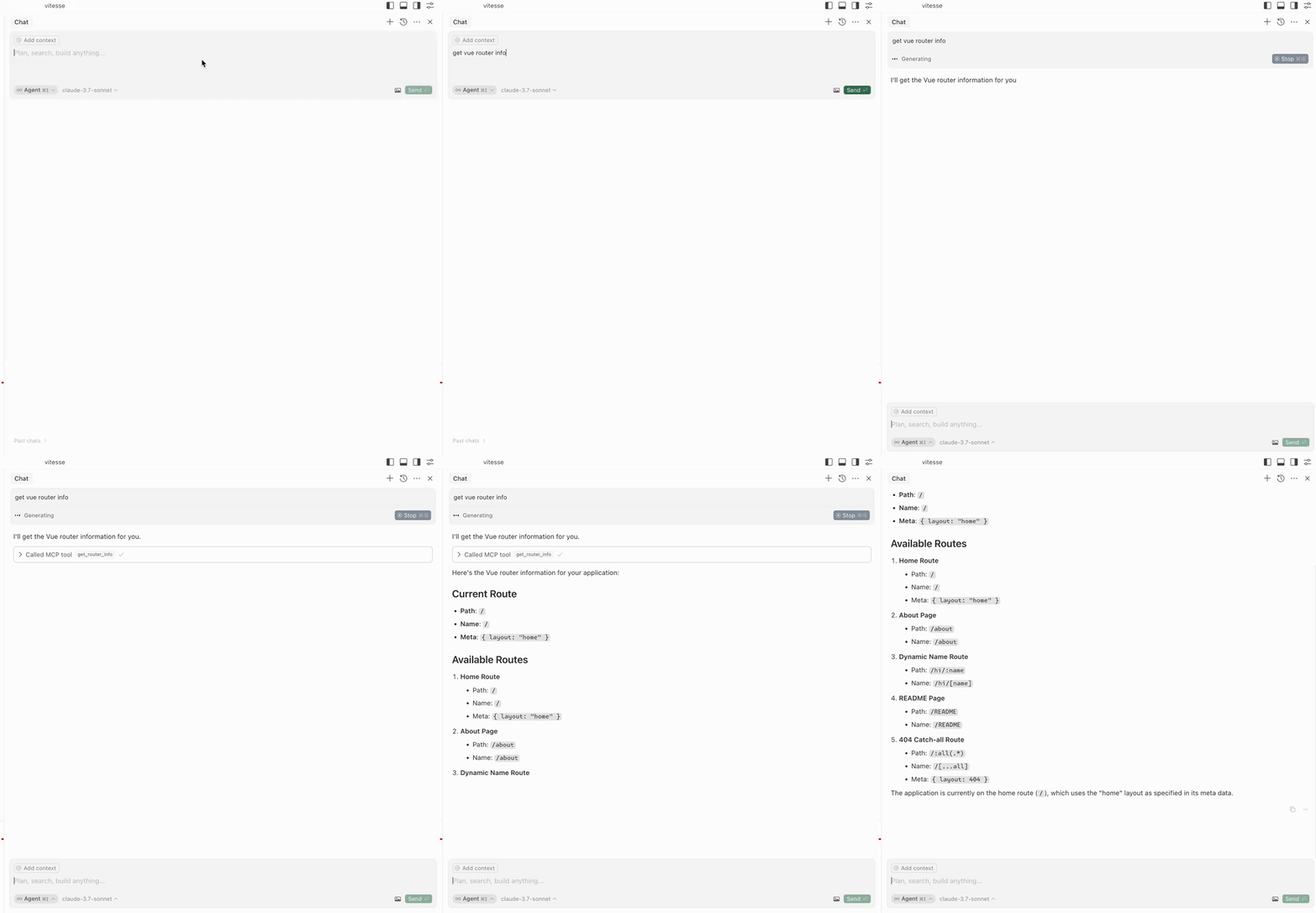
get-router-info :获取应用程序的 Vue 路由器信息。
get-pinia-tree :获取应用程序的 Pinia 树。
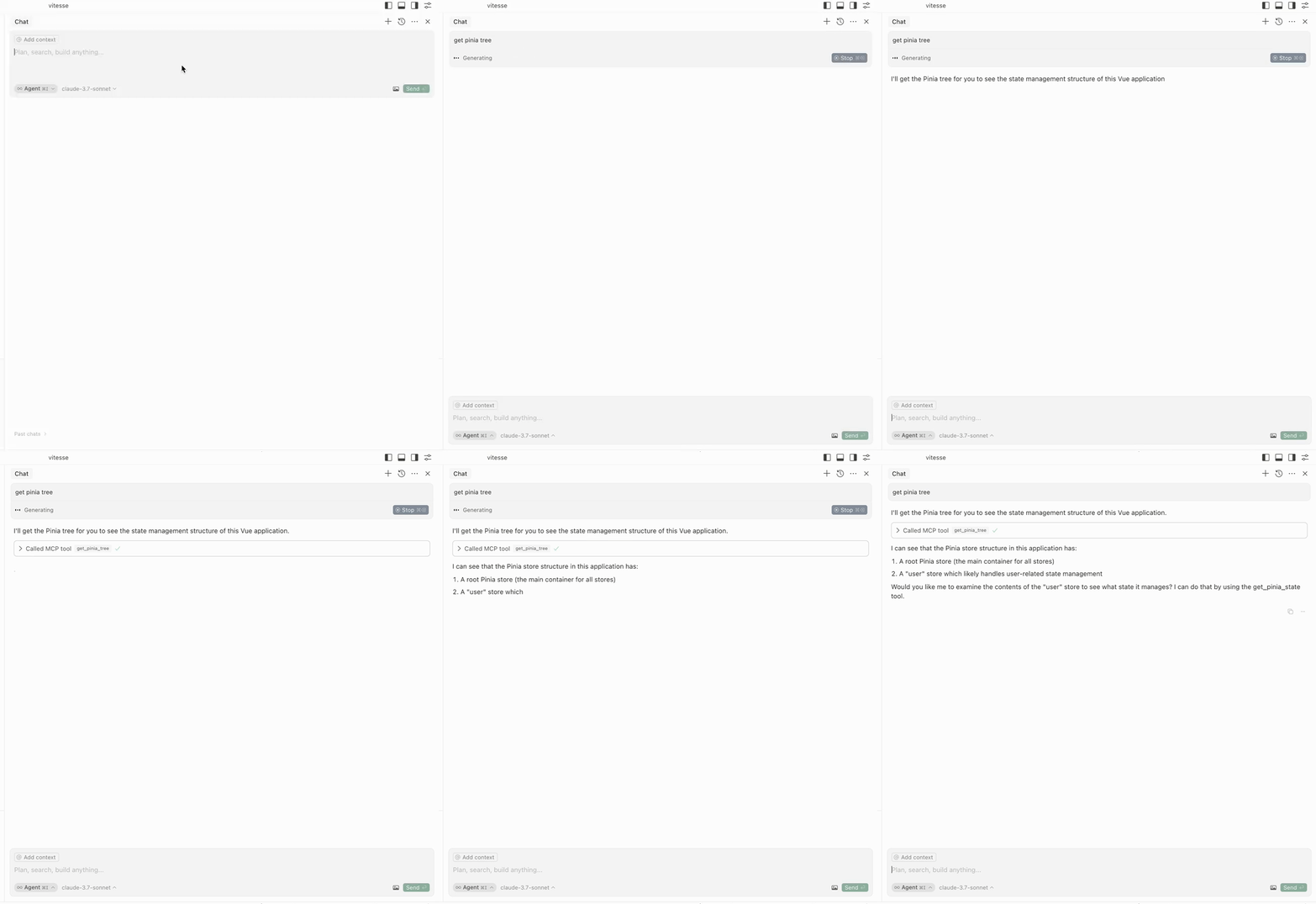
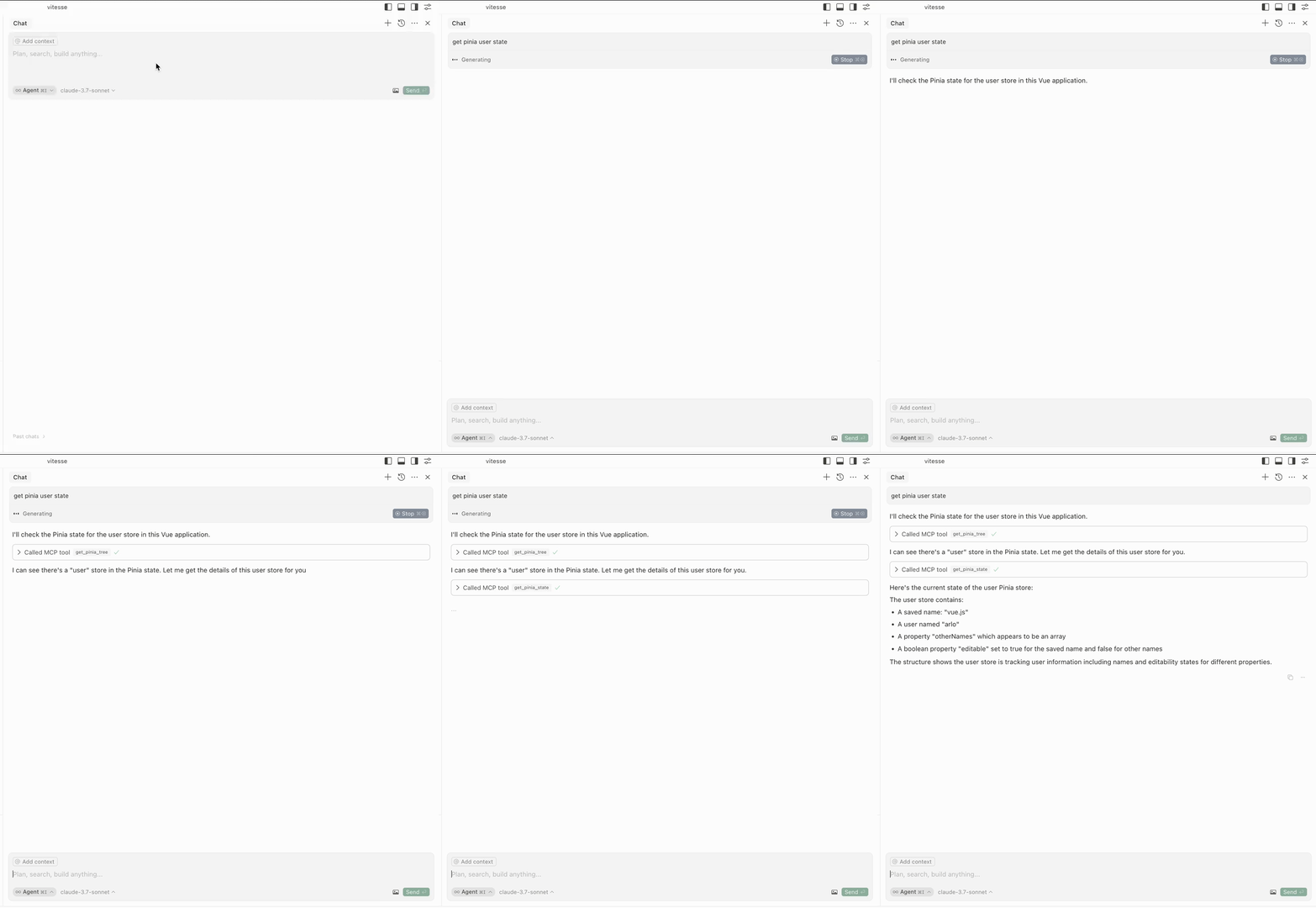
get-pinia-state :获取应用程序的 Pinia 状态(输入: storeName )。
在使用这些功能之前,请确保应用程序在您的浏览器中运行。
该项目灵感源自vite-plugin-mcp 。感谢@antfu的出色工作。
This server cannot be deployed
A comprehensive Model Context Protocol (MCP) server that enables AI assistants to interact with yo…
A Model Context Protocol server for Wix AI tools
Enable secure connectivity between Sentry issues and debugging data, and LLM clients, using a Model Context Protocol (MCP) server.
The official Svelte MCP server providing docs and autofixing tools for Svelte development