

A
licenseNot graded
qualityD
maintenanceEnables real-time debugging and state manipulation of Vue.js applications through MCP protocol, integrating with Vue DevTools to access component trees, states, router info, and Pinia stores.
43
MIT

Provides integration with Vite development servers to expose component and state data through MCP endpoints.
This server does not currently have a deployable release on Glama. Follow the repository's setup instructions to install and configure it for your MCP client, including any required credentials and local dependencies.

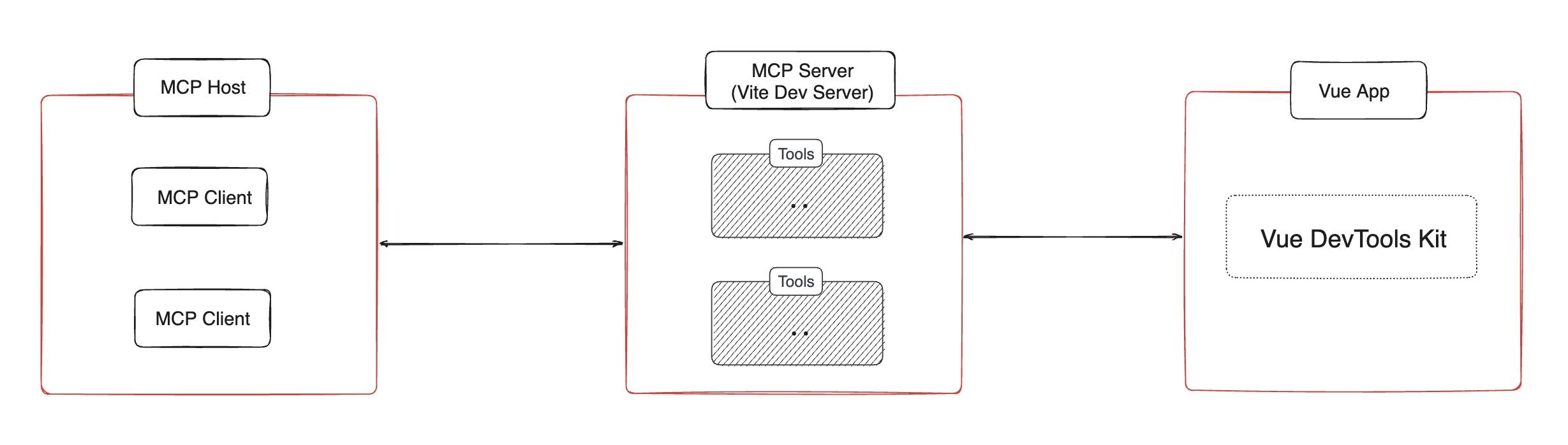
Vite plugin that enables a MCP server for your Vue app to provide information about the component tree, state, routes, and pinia tree and state.
pnpm install vite-plugin-vue-mcp -DRelated MCP server: Vue Docs MCP
// vite.config.ts
import { VueMcp } from 'vite-plugin-vue-mcp'

export default defineConfig({
  plugins: [VueMcp()],
})
Then the MCP server will be available at http://localhost:[port]/__mcp/sse.
If you are using Cursor, create a .cursor/mcp.json file in your project root, this plugin will automatically update it for you. For more details about the MCP, check the official Cursor documentation.
export interface VueMcpOptions {
  /**
   * The host to listen on, default is `localhost`
   */
  host?: string

  /**
   * Print the MCP server URL in the console
   *
   * @default true
   */
  printUrl?: boolean

  /**
   * The MCP server info. Ingored when `mcpServer` is provided
   */
  mcpServerInfo?: McpServerInfo

  /**
   * Custom MCP server, when this is provided, the built-in MCP tools will be ignored
   */
  mcpServer?: (viteServer: ViteDevServer) => Awaitable<McpServer>

  /**
   * Setup the MCP server, this is called when the MCP server is created
   * You may also return a new MCP server to replace the default one
   */
  mcpServerSetup?: (server: McpServer, viteServer: ViteDevServer) => Awaitable<void | McpServer>

  /**
   * The path to the MCP server, default is `/__mcp`
   */
  mcpPath?: string

  /**
   * Update the address of the MCP server in the cursor config file `.cursor/mcp.json`,
   * if `.cursor` folder exists.
   *
   * @default true
   */
  updateCursorMcpJson?: boolean | {
    enabled: boolean
    /**
     * The name of the MCP server, default is `vue-mcp`
     */
    serverName?: string
  }

  /**
   * append an import to the module id ending with `appendTo` instead of adding a script into body
   * useful for projects that do not use html file as an entry
   *
   * WARNING: only set this if you know exactly what it does.
   * @default ''
   */
  appendTo?: string | RegExp
}get-component-tree: Get the Vue component tree.

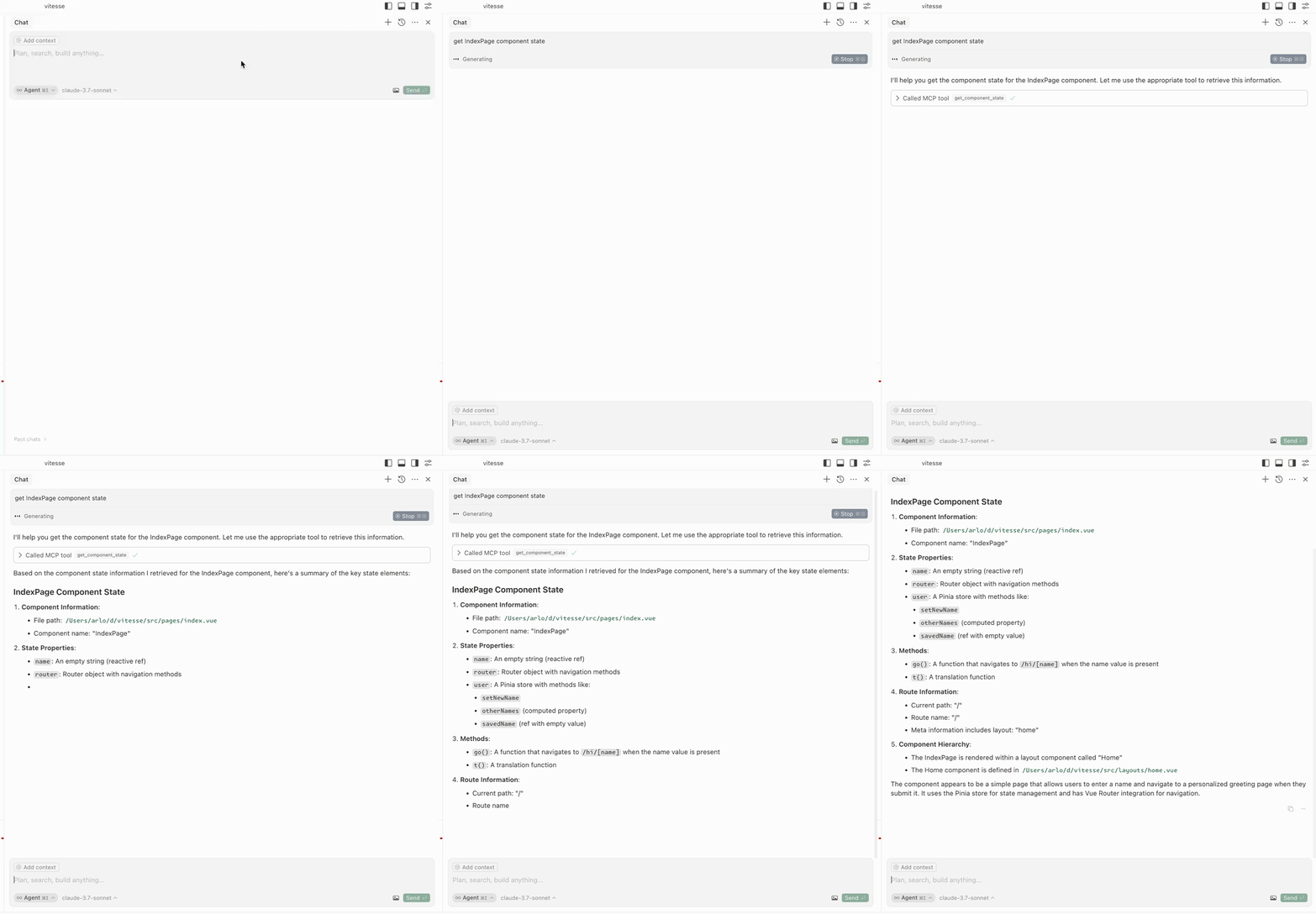
get-component-state: Get the state of a component (input: componentName).
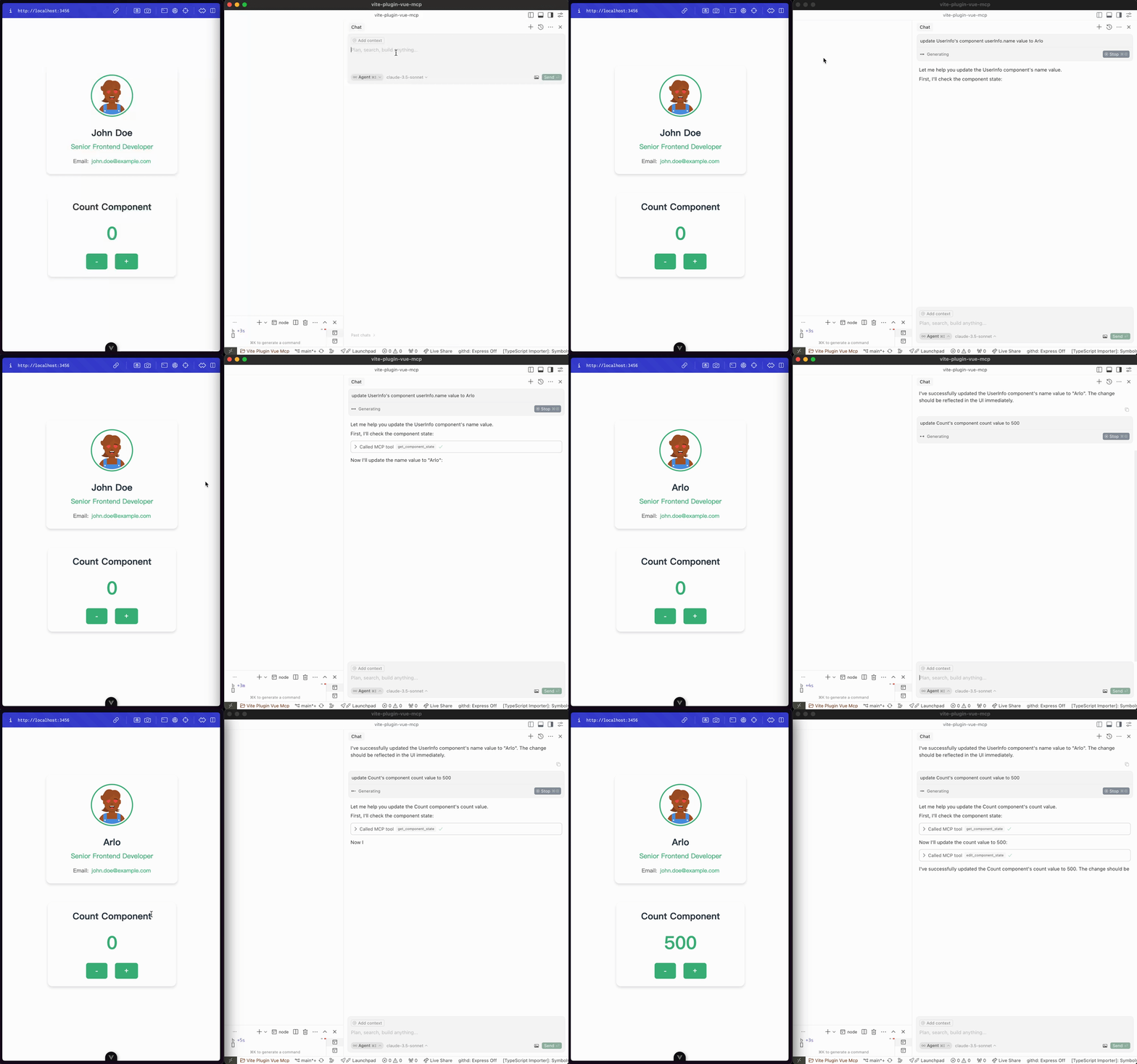
edit-component-state: Edit the state of a component (input: componentName, path, value, valueType).
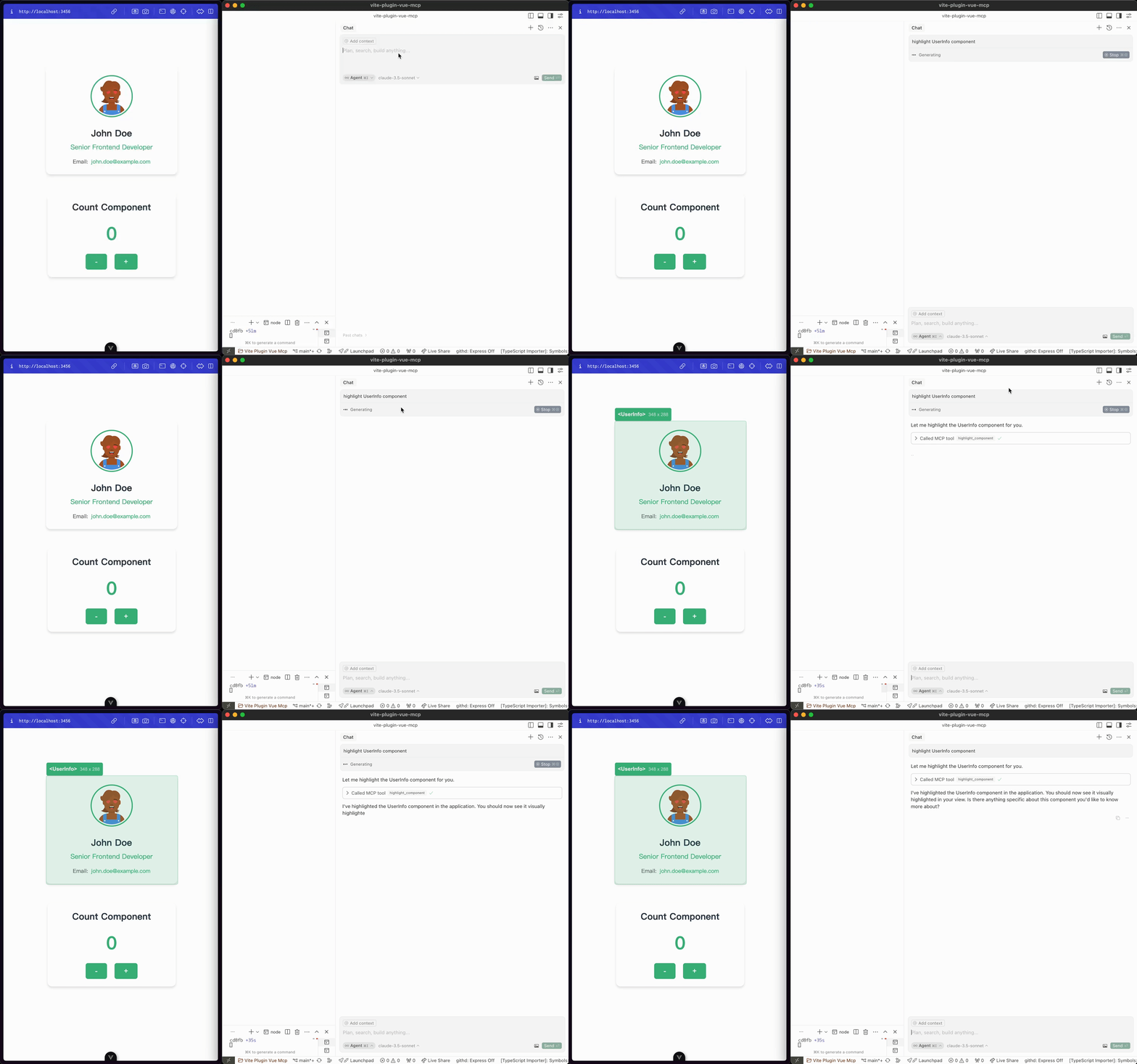
highlight-component: Highlight a component (input: componentName).
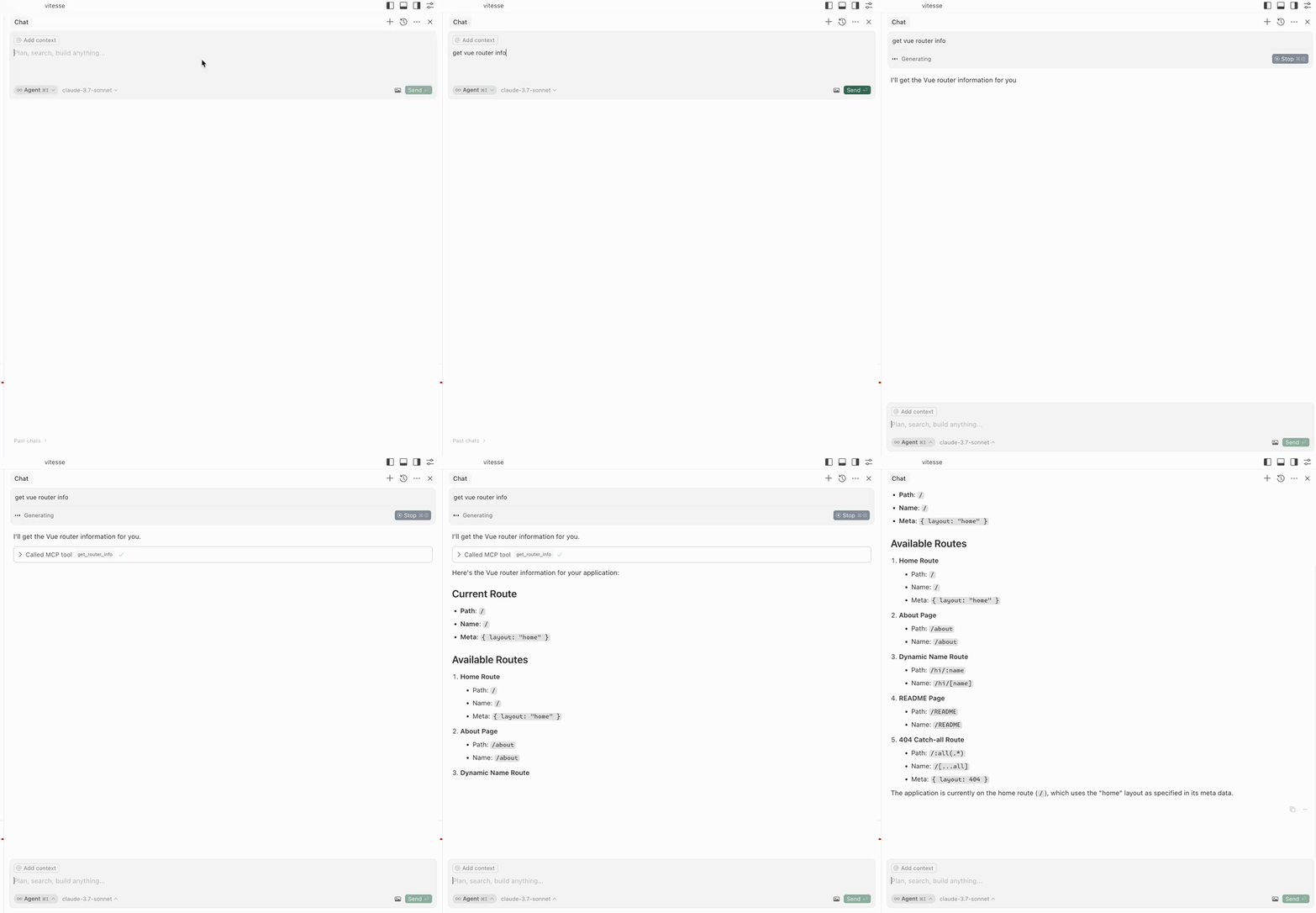
get-router-info: Get the Vue router info of the application.
get-pinia-tree: Get the Pinia tree of the application.
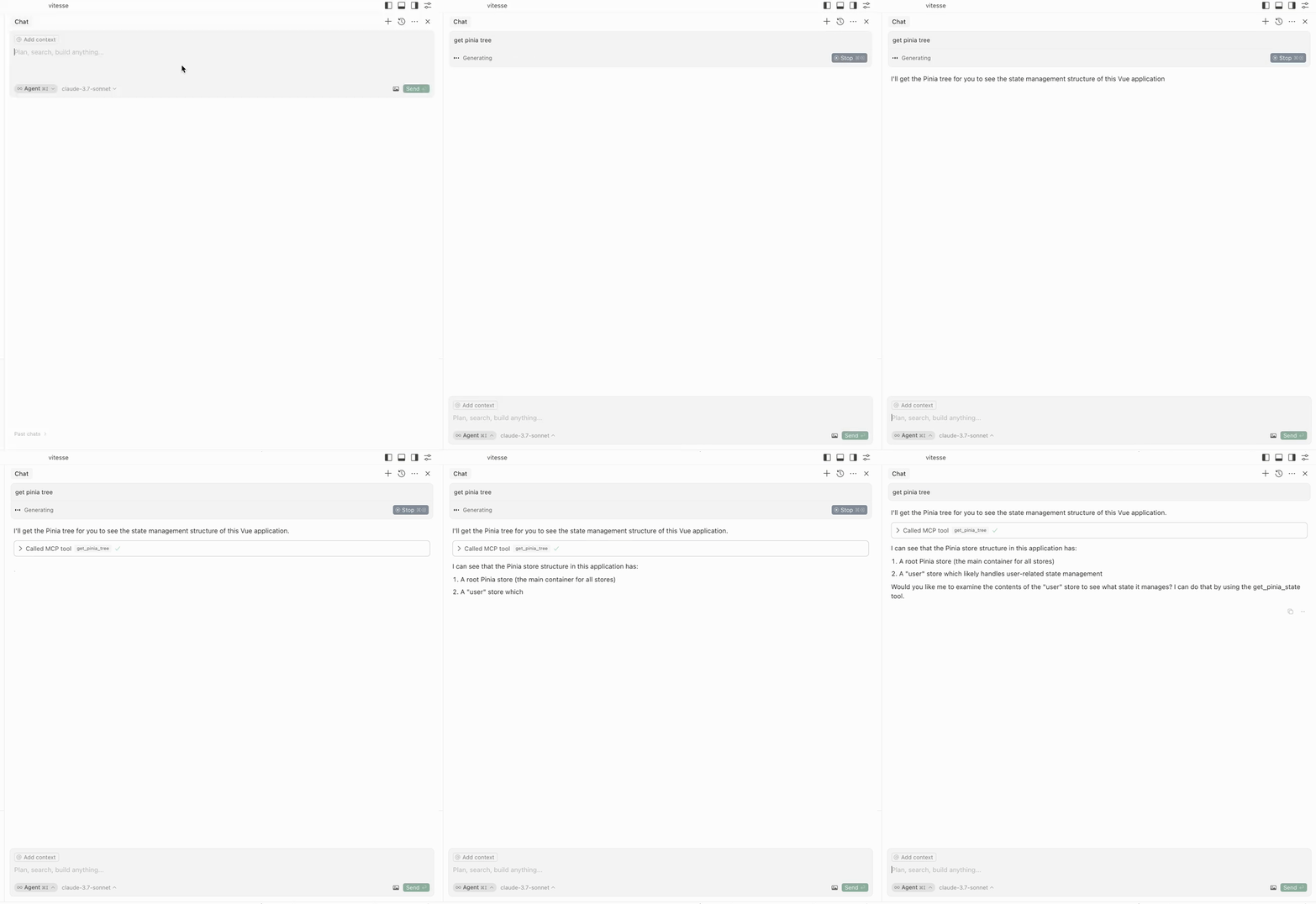
get-pinia-state: Get the Pinia state of the application (input: storeName).
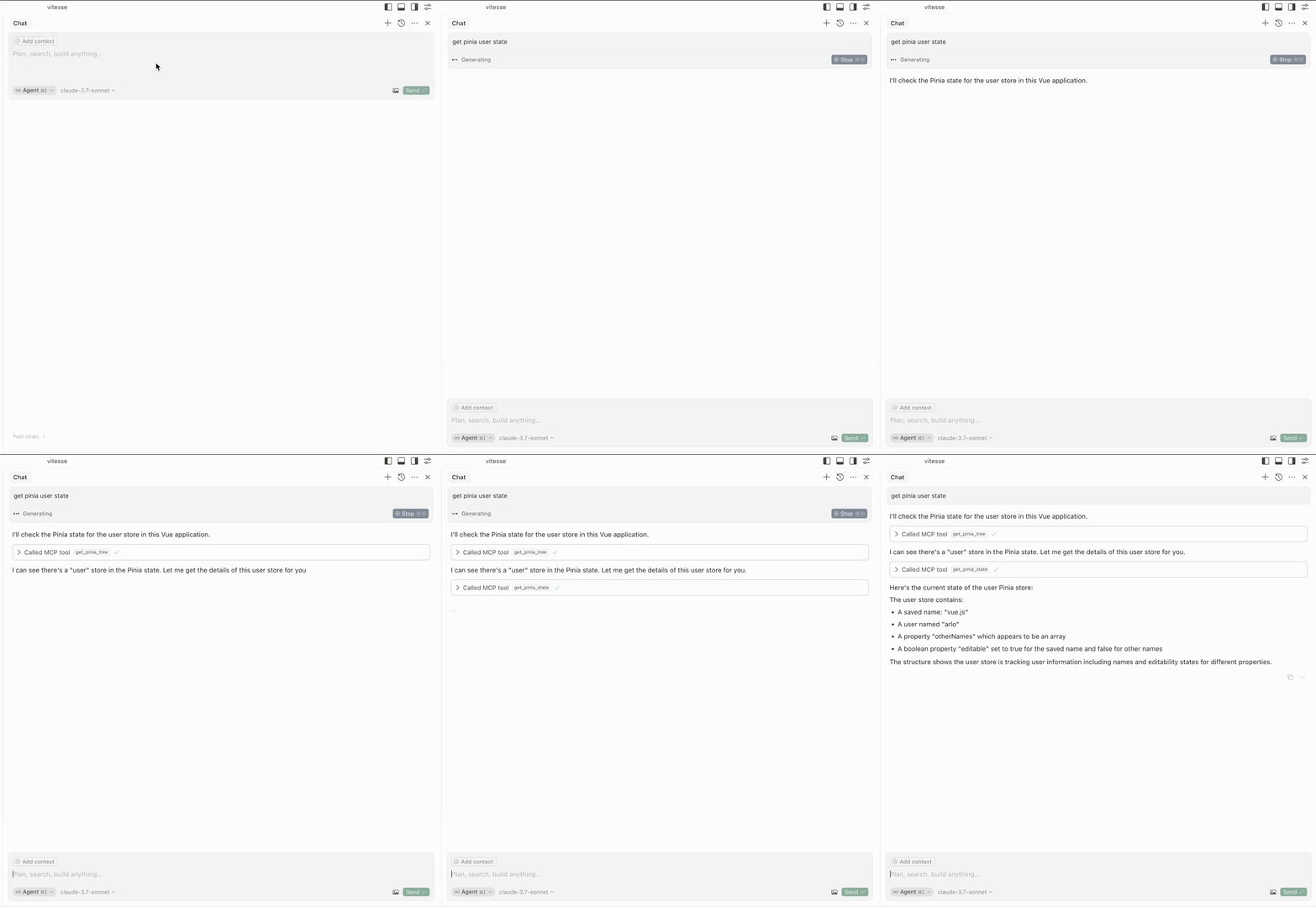
Please ensure the application is running in your browser before using the features.
This project is inspired by vite-plugin-mcp. Thanks to @antfu for the great work.
Recent tool additions, removals, and schema changes observed during successful MCP inspections.
Loading tool schema changelog…
This server cannot be deployed
A comprehensive Model Context Protocol (MCP) server that enables AI assistants to interact with yo…
A Model Context Protocol server for Wix AI tools
Enable secure connectivity between Sentry issues and debugging data, and LLM clients, using a Model Context Protocol (MCP) server.
The official Svelte MCP server providing docs and autofixing tools for Svelte development