

A
licenseNot graded
qualityF
maintenanceAn MCP server for AI agents to automate token swaps on Uniswap DEX across multiple blockchains.
14
38
MIT

1inch Fusion+ と Model Context Protocol (MCP) を使用してクロスチェーン トークン スワップを実行するためのツール。
Related MCP server: Armor Crypto MCP
このツールは、1inch Fusion+ APIを使用して、異なるブロックチェーン(Arbitrum、Base、Polygonなど)間のクロスチェーントークンスワップを容易にします。注文の開始からバックグラウンドワーカーシステムによる実行状況の監視まで、スワッププロセス全体を処理します。
依存関係はnpmではなくpnpmまたはyarnを使用してインストールする必要があります。
pnpm install
# or
yarn installプロジェクトはCommonJSプロジェクトとしてセットアップする必要があります。ESMとしてインポートした場合、ライブラリの設計は現状のままでは機能しません。
ルート ディレクトリに.envファイルを作成し、次の変数を入力します。
DEV_PORTAL_KEY=replace_with_developer_portal_api_key
WALLET_ADDRESS=replace_with_wallet_address
WALLET_KEY=replace_with_wallet_private_key
RPC_URL_ETHEREUM=replace_with_ethereum_rpc_url
RPC_URL_BASE=replace_with_base_rpc_url
INCH_API_KEY=replace_with_1inch_api_keynpm startこれにより、クロスチェーンスワッピングとポートフォリオ管理用のツールを公開するモデルコンテキストプロトコル サーバーが起動します。
このツールは、Claude またはその他の MCP 互換アシスタントで使用できる次の MCP 機能を提供します。
swap : クロスチェーントークンスワップを開始する
Parameters:
- srcChainId: Source chain ID (default: 8453/Base)
- dstChainId: Destination chain ID (default: 42161/Arbitrum)
- srcTokenAddress: Source token address
- dstTokenAddress: Destination token address
- amount: Amount to swap (in base units or human-readable format)
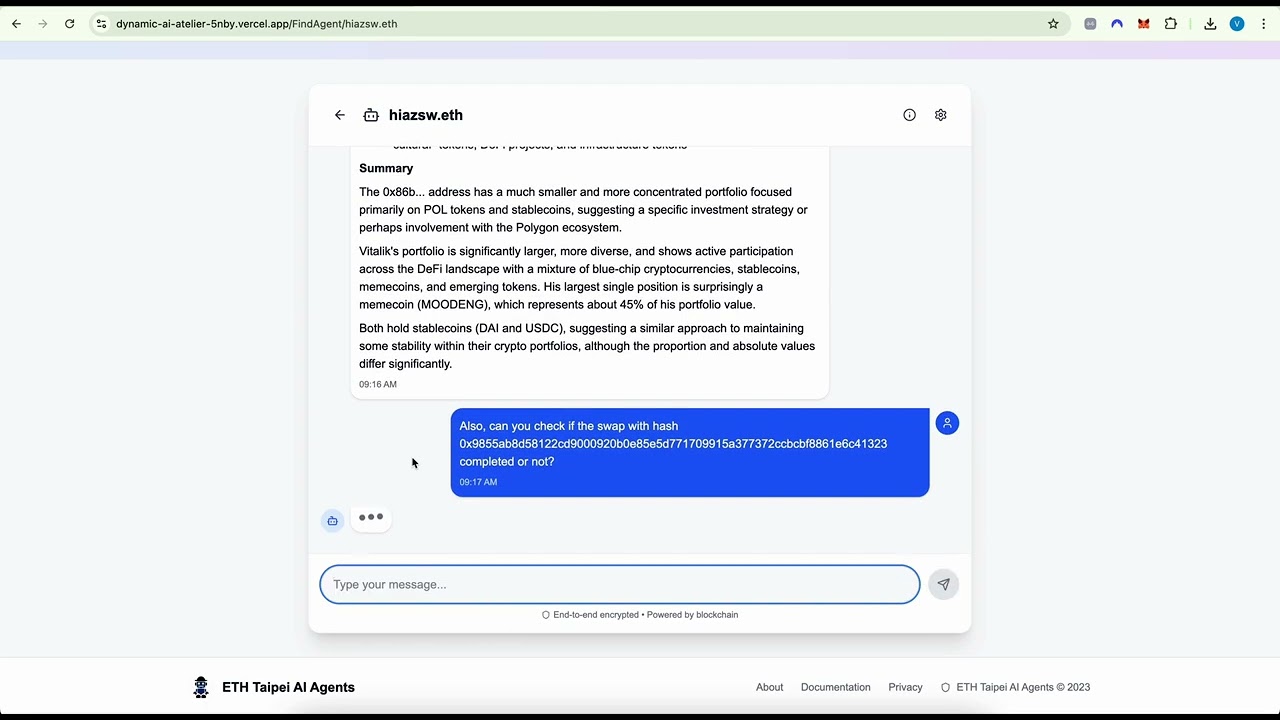
- invert: Swap direction toggle (default: false)swap-status : スワップ注文のステータスを確認する
Parameters:
- orderHash: (Optional) Specific order hash to checkportfolio-protocols-value : ポートフォリオ内のプロトコルの値を取得します
Parameters:
- chainId: Blockchain ID (default: 1/Ethereum)
portfolio-tokens-details : ポートフォリオ内のトークンの詳細情報を取得します
Parameters:
- chainId: Blockchain ID (default: 1/Ethereum)
- closed: Include closed positions (default: true)
- closedThreshold: Threshold for considering positions closed (default: 1)
portfolio-general-value : ポートフォリオの一般的な価値を取得します
Parameters:
- chainId: Blockchain ID (default: 1/Ethereum)
portfolio-value-chart : ポートフォリオの価値の推移を示すチャートデータを取得します。
Parameters:
- chainId: Blockchain ID (default: 1/Ethereum)アプリケーションには、スワップ注文を監視および処理するバックグラウンド ワーカー システムが含まれています。
# Start the monitor daemon
npm run monitor:start

# Check status of all orders
npm run status

# Check status of monitor daemon
npm run monitor:status

# Stop the monitor daemon
npm run monitor:stopスワップが開始されると、注文情報はorder-status.jsonに保存されます。
モニターデーモンは、監視が必要な新しい注文を継続的にチェックします。
新しい注文ごとに専用のワーカープロセスが生成される
作業者は注文状況を監視し、スワップを完了するために必要な場合に秘密情報を提出する。
注文が実行されると、作業者は終了し、ステータスが更新されます。
安全なクロスチェーンスワップを実現する1インチクロスチェーンSDKを搭載
AIアシスタント統合にモデルコンテキストプロトコルを使用
Fusion SDKのPrivateKeyProviderConnectorはBlockchainProviderConnectorをサポートしています
このツールは、クロスチェーンスワップ検証の秘密管理を扱う。
This server cannot be installed
Unclaimed servers have limited discoverability.
If you are the server author, to access and configure the admin panel.
Non-custodial cross-chain crypto swap MCP — 1288+ assets, no KYC. Solana/EVM/Monero, RPC, oracle.
MCP server connecting AI agents to non-custodial staking data across 130+ networks.
Li.Fi tools over MCP: cross-chain quotes, routes, execution status, chains, tokens, balances.
Delora MCP server for cross-chain quotes, supported chains, tokens, and tools.


We provide all the information about MCP servers via our MCP API.
curl -X GET 'https://glama.ai/api/mcp/v1/servers/vaibhavgeek/one_inch_mcp'
If you have feedback or need assistance with the MCP directory API, please join our Discord server