
yapi-mcp-server
# YApi MCP Server
这是一个 Model Context Protocol (MCP) 服务器,用于与 YApi 接口管理平台集成,支持自动生成 TypeScript 类型定义、Mock 数据和 API 请求代码。
## ✨ 功能特性
### 🔧 核心功能
- **配置文件读取**: 自动读取项目中的 `yapi.config.json` 配置文件
- **YApi 数据获取**: 通过配置的 remoteUrl 获取 YApi 项目的完整接口信息(支持缓存)
- **TypeScript 类型生成**: 根据接口响应 Schema 自动生成 TypeScript interface 定义
- **Mock 数据生成**: 智能生成符合接口结构的 Mock 测试数据
- **API 请求代码生成**: 自动生成 Axios 或 Fetch 风格的 API 请求函数
- **智能缓存机制**: 自动缓存 YApi 数据 30 分钟,减少网络请求
## 特别说明(强烈推荐!!!)
> 推荐使用最新的[yapi-cli](https://github.com/tiandashu/yapi-cli), 相比当前项目支持了以下功能:
- 支持 cli
- 支持 mcp
- 支持 skill
- 支持多 yapi 项目和多 yapi 空间,配置更方便
- 改用 yapiopenapi 接口获取,减少上下文占用,更省 token了
## ✨ 快速开始
### 1. cursor 中安装 yapi-mcp-server
```json
{
"mcpServers": {
"yapi-mcp": {
"command": "npx",
"args": ["-y", "@vtian/yapi-mcp-server", "--stdio"]
}
}
}
```
### 2. 获取 yapi 参数
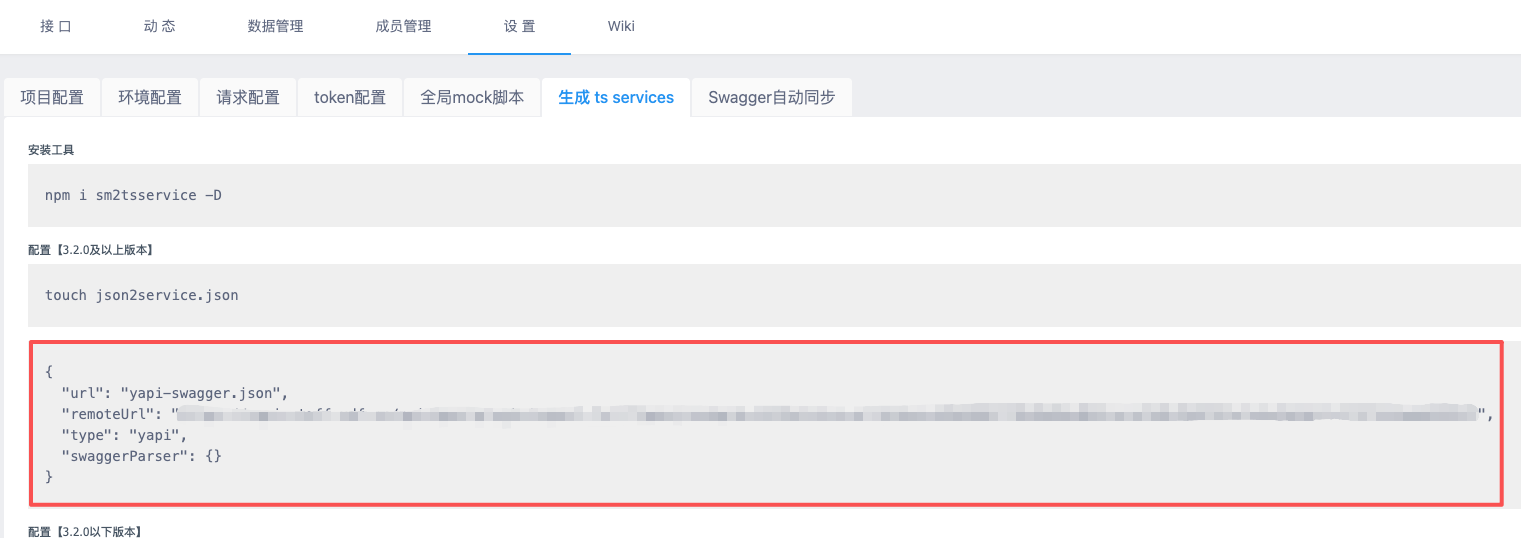
### 3. 项目中配置 yapi.config.json
在您的前端项目根目录下创建 `yapi.config.json` 文件:
```json
{
"remoteUrl": "https://your-yapi-domain.com/api/open/plugin/export-full?type=json&pid=1437&status=all&token=your-token",
"type": "yapi",
"dataKey": "data",
"mockPath": "src/mocks",
"typePath": "src/types",
"apiPath": "src/api"
}
```
#### 必填字段
- `remoteUrl`: YApi 项目导出接口 URL
- `type`: 平台类型,固定为 "yapi"
#### 可选字段
- `dataKey`: 响应数据字段名,默认 "data"
- `mockPath`: Mock 文件输出路径,默认 "src/mocks"
- `typePath`: 类型文件输出路径,默认 "src/types"
- `apiPath`: API 代码输出路径,默认 "src/api"
## ✨ 可用工具
本项目提供以下 5 个 MCP 工具,可以通过支持 MCP 协议的客户端(如 Claude Desktop、cursor)调用:
### 1️⃣ read_config - 读取配置文件
从项目中查找并读取 `yapi.config.json` 配置文件。
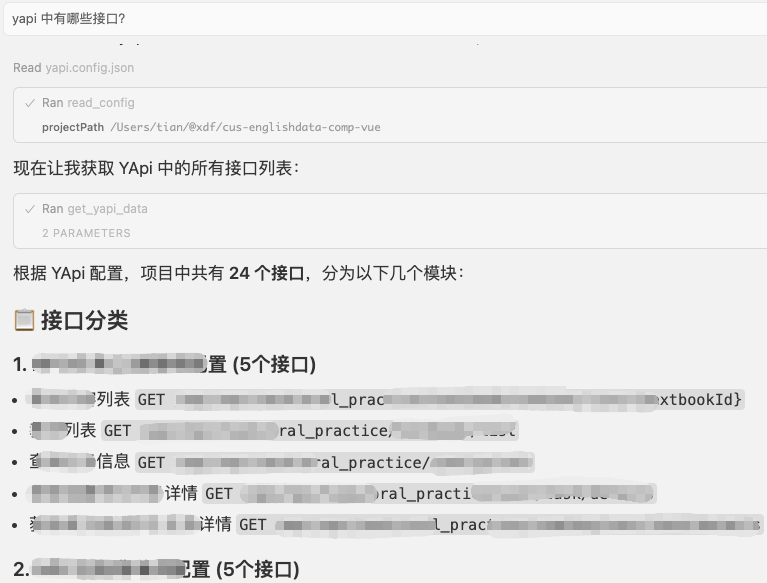
### 2️⃣ get_yapi_data - 获取 YApi 数据
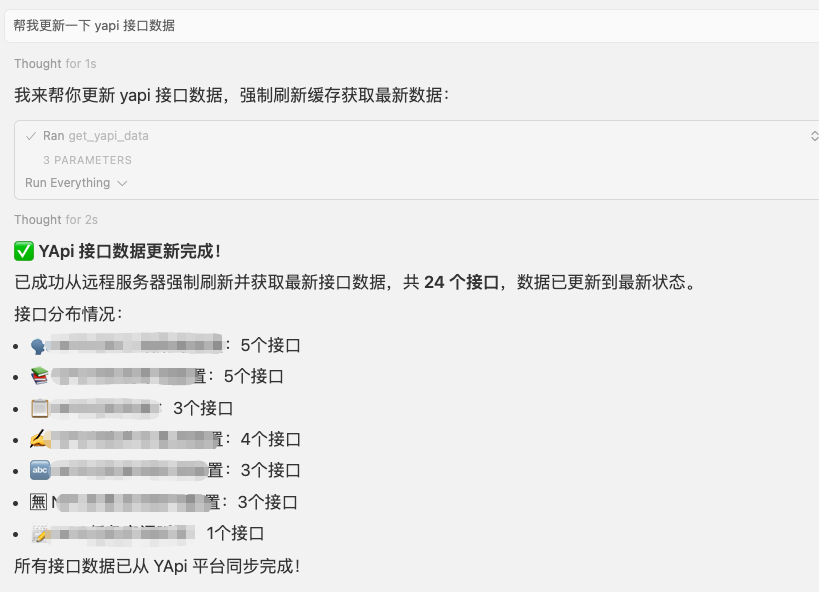
从 YApi 服务器获取接口数据,支持缓存机制(30 分钟)。
### 3️⃣ generate_types - 生成 TypeScript 类型
根据接口 JSON Schema 生成 TypeScript 类型定义。
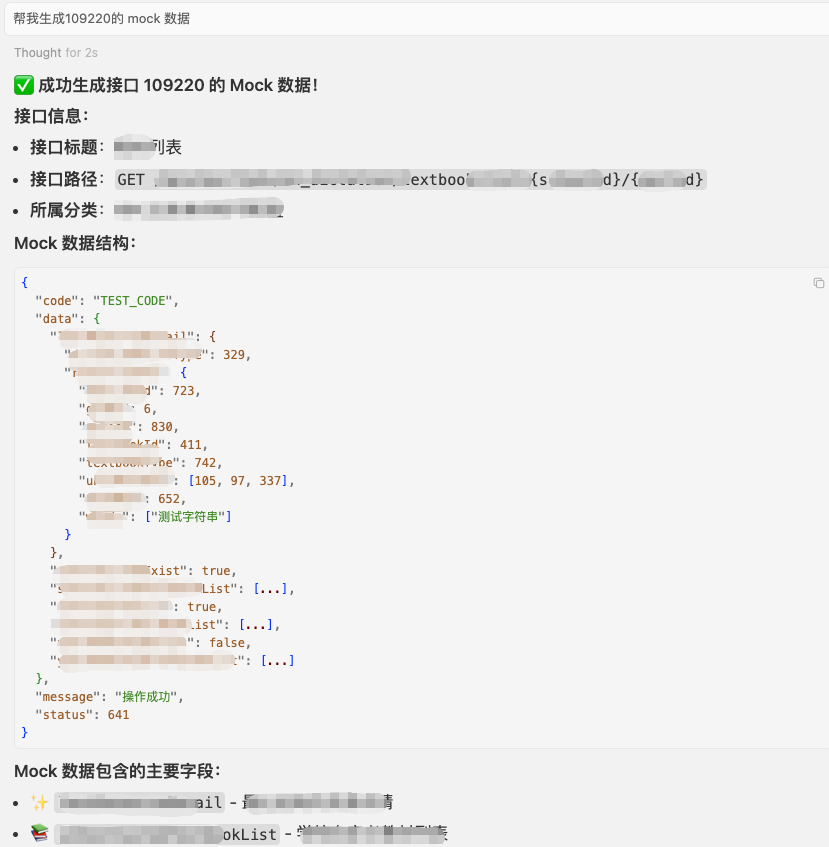
### 4️⃣ generate_mock_from_yapi - 生成 Mock 数据
根据接口 Schema 智能生成符合结构的 Mock 数据。
### 5️⃣ generate_api_code - 生成 API 请求代码
生成 Axios 或 Fetch 风格的 API 请求函数代码。
## ✨ prompt 使用
### 🔧 yapi 中有哪些接口?
### 🔧 帮我更新一下 yapi 接口数据
### 🔧 帮我生成 109220 的 mock 数据
- 可以是 yapi 上接口对应的 id,也可以直接是接口名称
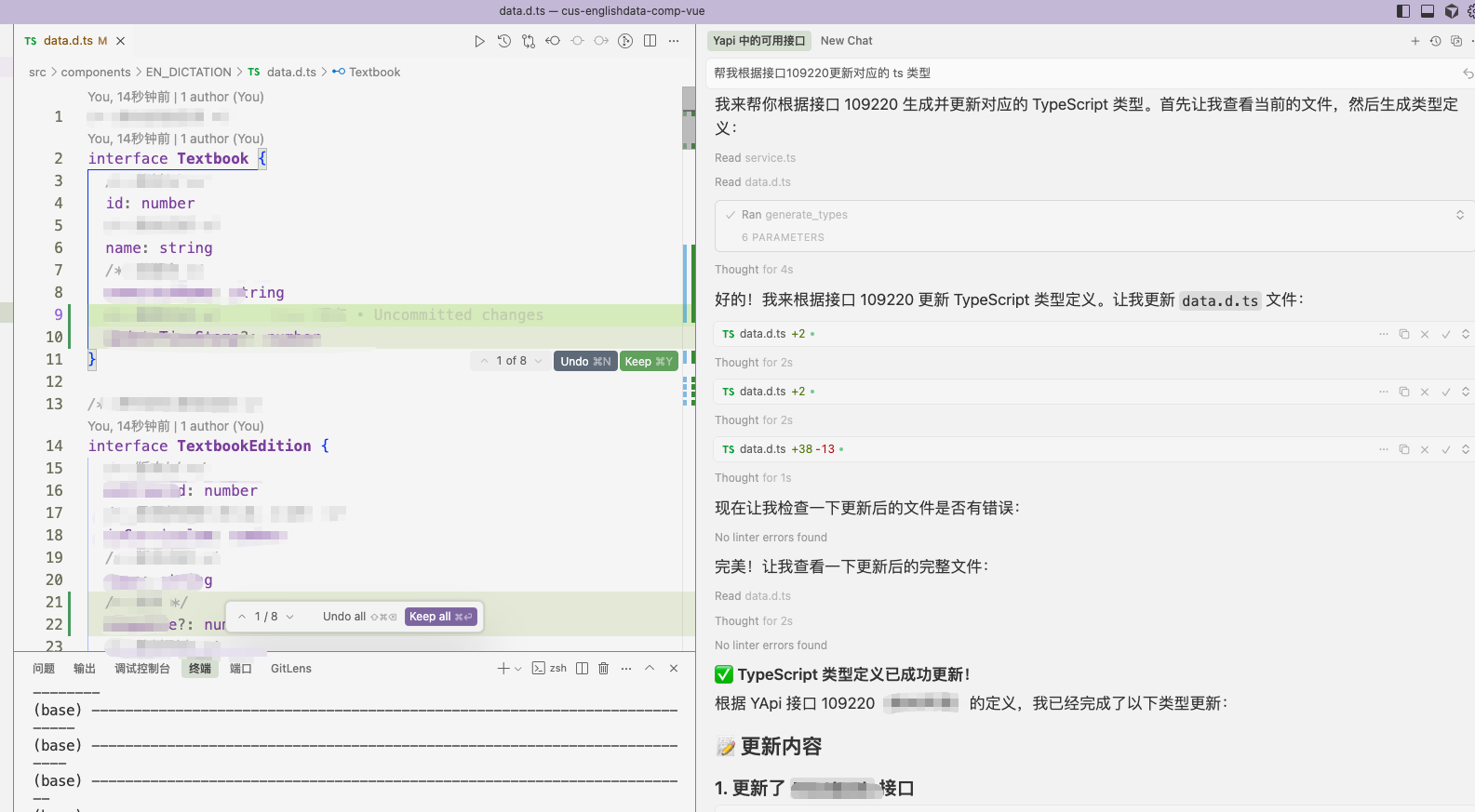
### 🔧 帮我根据接口 109220 更新对应的 ts 类型
- 可以是 yapi 上接口对应的 id,也可以直接是接口名称
### 🔧 帮我根据接口 109220 生成 axios 代码
- 效果同上
## ✨ 生成的文件示例
### TypeScript 类型定义
```typescript
/** 用户信息接口 */
export interface UserInfoData {
/** 用户ID */
userId: number
/** 用户名 */
username: string
/** 邮箱 */
email: string
}
```
### API 请求代码 (Axios)
```typescript
/**
* 用户信息接口
*/
export const getUserInfo = async (): Promise<UserInfoData> => {
const response = await axios.get('/api/user/info')
return response.data
}
```
### Mock 数据
```json
{
"code": "200",
"success": true,
"message": "操作成功",
"data": {
"userId": 12345,
"username": "测试用户",
"email": "test@example.com"
}
}
```
## 📄 许可证
MIT License
## 🤝 支持与反馈
如有问题或建议,请通过 Issues 或内部渠道联系开发团队。
TDQS
Scored across 5 tools
The tool names suggest distinct purposes, but without descriptions, boundaries are unclear—especially between generate_types and generate_api_code, which could be seen as overlapping. read_config and get_yapi_data also share a similar 'retrieve data' feel.
All tools follow a consistent snake_case verb_noun pattern (read_, get_, generate_). The verb is always first and nouns are clear, making the naming uniform and predictable.
Five tools is within the ideal 3-15 range. Each tool appears to serve a distinct purpose in the YAPI workflow, so the count feels well-scoped without being sparse or bloated.
The set covers the core YAPI integration workflow: configuration, data retrieval, and generation of types, mocks, and API code. Minor gaps might exist (e.g., no explicit tool for updating or validating data), but the main lifecycle is represented.