


F
licenseNot graded
qualityD
maintenanceAn MCP server that provides AI tools with access to Rust documentation from docs.rs, enabling search for crates, documentation, type information, feature flags, version information, and source code.
33
-

Cursor の LLM が Rust Analyzer、Crate Docs、Cargo Commands にアクセスできるようにするMCPサーバー。
構成用の UI が含まれています。
現在、様々なAIエージェントは、AIがLSPからRustの型情報にアクセスする機能を提供していません。LLMは型を見るのではなく、潜在的な型について推論する必要があるため、これは大きな障害となります。
さらに、依存関係(例えばtokio )に関する情報は、学習に使用されたものだけに限られており、これは古く、異なるバージョンのものである可能性があります。これは様々な問題を引き起こす可能性があります。
Cursor Rust Toolsこれらをモデルコンテキストプロトコル ( MCP ) 経由で利用できるようにします。
crateまたはcrate内の特定のシンボル(例: tokioまたはtokio::spawn )のドキュメントを取得します。
ファイル内の特定のシンボルのホバー情報(タイプ、説明)を取得します。
ファイル内の特定のシンボルのすべての参照のリストを取得します
ファイル内のシンボルの実装を取得します(実装を含むファイル全体を取得します)
プロジェクトのファイル内の名前だけでタイプを検索し、ホバー情報を返します
cargo testの出力を取得する
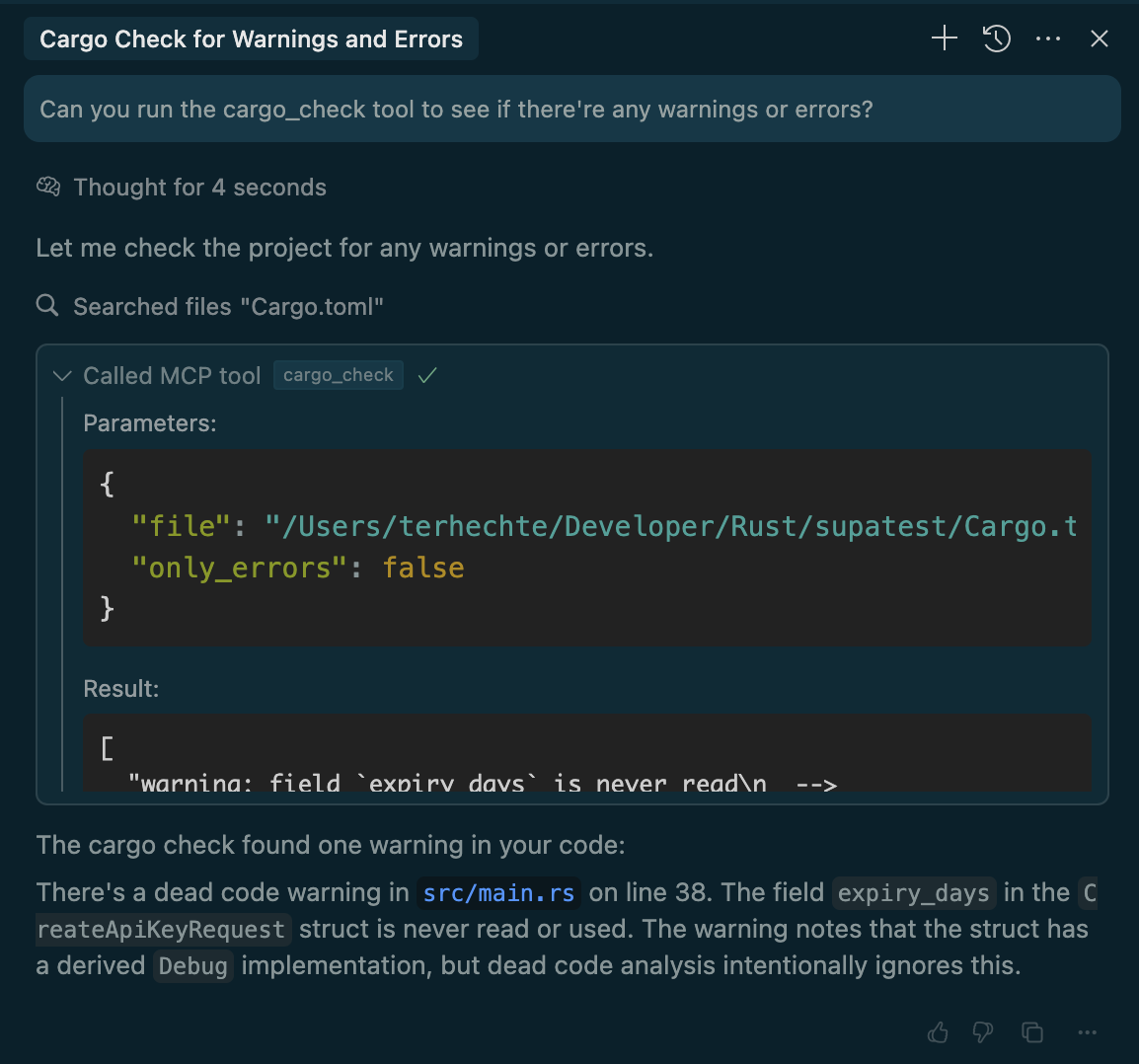
cargo checkの出力を取得する
Related MCP server: Jotdown
LSP機能src/lspでは、エディタ内で実行されているものと同様に、コードベースをインデックスする新しいRust Analyzerを起動します。Rust Analyzerは単一のユーザーによって使用されるため、エディタ内で実行されているものをクエリすることはできません(例えば、 open documentアクションには、正しい順序でclose document必要があるなど)。
ドキュメントについては、 cargo docsを実行し、HTML ドキュメントをローカルで Markdown に解析します。この情報はプロジェクトルートの.docs-cacheフォルダに保存されます。
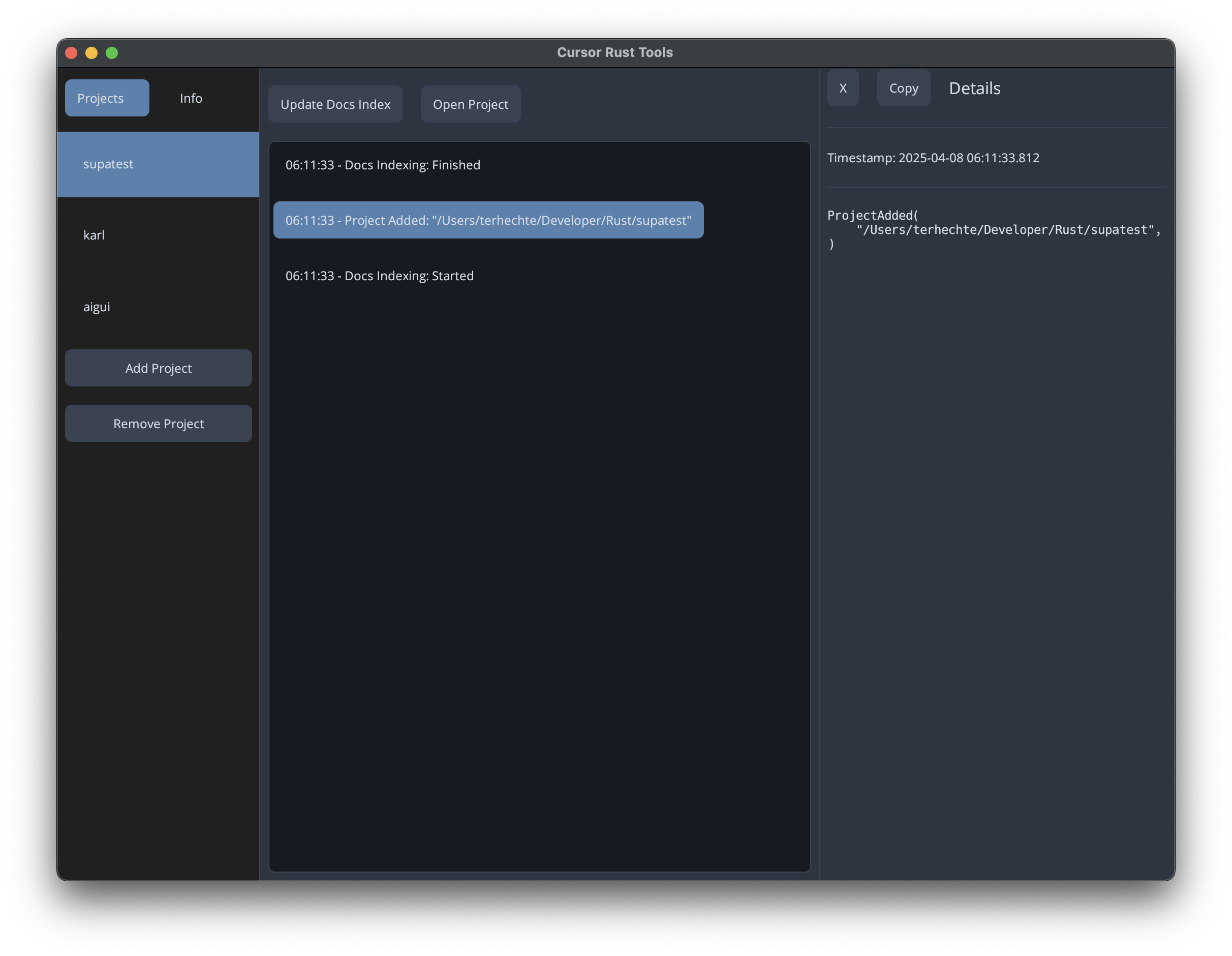
cargo install --git https://github.com/terhechte/cursor-rust-toolscursor-rust-toolsこれにより、プロジェクトを追加したり、 mcp.jsonをインストールしたり、アクティビティを確認したりできる UI が表示されます。
あるいは、プロジェクトで~/.cursor-rust-tools設定したら、次のように実行することもできます。
cursor-rust-tools --no-uiUI を使用して設定を作成する代わりに、 ~/.cursor-rust-tools自分で設定することもできます。
[[projects]]
root = "/Users/terhechte/Developer/Rust/example1"
ignore_crates = []

[[projects]]
root = "/Users/terhechte/Developer/Rust/example2"
ignore_crates = []
ignore_crates 、ドキュメント用にインデックス化したくないクレート依存関係名のリストです。例えば、サイズが大きすぎる場合などです。
アプリが起動したら、Cursor を設定してアプリを利用できるようになります。これには複数の手順が必要です。
プロジェクトにproject-dir/.cursor/mcp.jsonを追加してください。Cursor Cursor Rust Tools UI には、この操作を行うためのボタンがあります。UI なしで実行すると、ターミナルにmcp.json内容が表示されます。
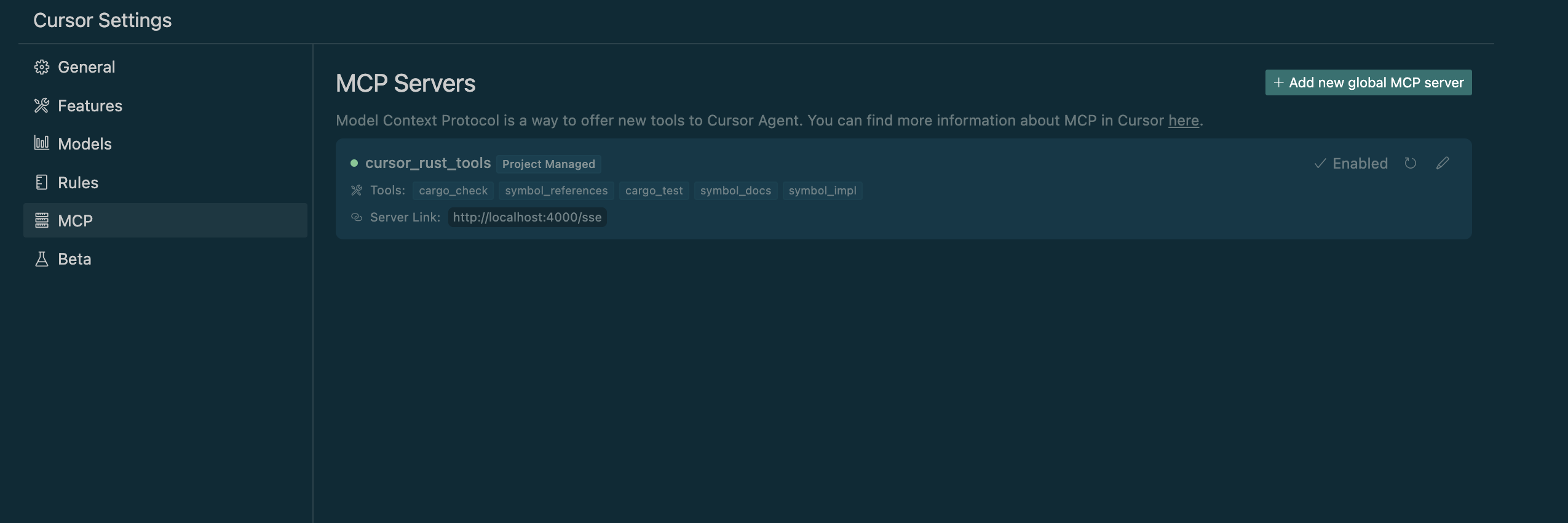
ファイルを保存するとすぐに、Cursor は新しい MCP サーバーが追加されたことを検出し、それを有効にするように要求します (右下のダイアログで)。
カーソル設定( MCPの下)をチェックして、どこで正しく動作しているかを確認できます。
テストするには、現在のChatでAgent Modeが選択されていることを確認してください。その後、 cargo_checkツールなどの新しいツールのいずれかを使用するように指示してください。
LLMにこれらのツールを可能な限り優先的に使用するよう指示するカーソルルールを追加すると良いかもしれません。まだ実験中です。
すべてのmcp.jsonの内容は同じです。Cursor Rust Toolsはファイルパスから正しいプロジェクトを判断します。
This server cannot be deployed
An MCP server that gives your AI access to the source code and docs of all public github repos
Lean 4 MCP server: compile, prove theorems, and formalize math with Mathlib.